

The best account executive Excel templates cover four jobs: plan, track, report and present. Start with the CRM and Sales Pipeline Management System Web App ($39.99) for the pipeline itself, then add a lead tracker ($6.99) and an Account Management KPI Dashboard in Google Sheets ($12.99) for weekly reviews. One-time prices, no per-seat fees.
Last updated: October 2026
Key takeaways
- The CRM and Sales Pipeline Management System Web App costs $39.99 once and has 28 connected screens, 16 reports and 12 live KPI tiles.
- The cheapest useful entry point is the Sales Lead Submission Tracker at $6.99 in either Excel or Google Sheets.
- A lean AE stack (tracker plus Account Management KPI Dashboard in Google Sheets) costs $19.98 in total.
- The Account Management KPI Dashboard in Google Sheets and the After-Sales Service KPI Dashboard in Power BI both show month-to-date and year-to-date actuals against target and previous year.
- Templates replace the lite-plan reporting and tracking use of Salesforce, HubSpot and Pipedrive, not their email sync or mobile apps.
 Launch offer
From your first Pivot Table to the Data Model, DAX, Power Query and a one-page KPI dashboard. 11h 51m of video by PK, with practice files, quizzes and a capstone.
Account executive Excel templates compared
All eight tools in one table. The Job column maps each one to plan, track, report or present, and the last column names the kind of SaaS use it replaces.
| Template | Format | Job | Best For | Replaces | Price |
|---|---|---|---|---|---|
| CRM and Sales Pipeline Management System Web App (Best value, best overall) | Web app on Google Sheets and Apps Script | Plan | AEs who want a full CRM with deals, quotes and targets | Salesforce, HubSpot or Pipedrive lite-plan CRM use | $39.99 |
| Account Management KPI Dashboard | Google Sheets | Report | AEs and account managers with targets to hit | Custom report builders on CRM plans | $12.99 |
| CRM KPI Dashboard | Excel | Report | Sales managers reviewing conversion and retention | CRM dashboard add-ons | $14.99 |
| Sales Lead Submission Tracker | Excel (VBA) | Track | Teams with several reps entering leads | Pipedrive or HubSpot free-tier lead lists | $6.99 |
| Sales Lead Submission Tracker | Google Sheets | Track | Remote teams sharing one lead list | Pipedrive or HubSpot free-tier lead lists | $6.99 |
| Lead Nurturing KPI Dashboard | Excel | Plan | AEs working long follow-up cycles | Sequence and nurture reporting on paid tiers | $14.99 |
| CRM KPI Dashboard | Google Sheets | Report | Shared pipeline reviews in a browser | CRM dashboard add-ons | $12.99 |
| After-Sales Service KPI Dashboard | Power BI | Present | AEs presenting service health at renewal | Service reporting modules | $11.99 |
How we picked these
We searched the NextGenTemplates catalog of roughly 6,900 products for sales, CRM, lead, pipeline and account management tools. We kept paid templates that an account executive would open weekly, and covered Excel, Google Sheets and Power BI where the same tool exists in more than one format.
We excluded free downloads and loosely related finance or operations dashboards. We also left out anything we could not tie to a product page description. Features below come from those descriptions only.
What are the best account executive Excel templates for 2026?
The list below is ranked, and each entry is tagged with its job in the stack. Rank 1 goes to the web app because it replaces the most separate files for the least money per feature.
1. CRM and Sales Pipeline Management System Web App (plan) – best overall and best value
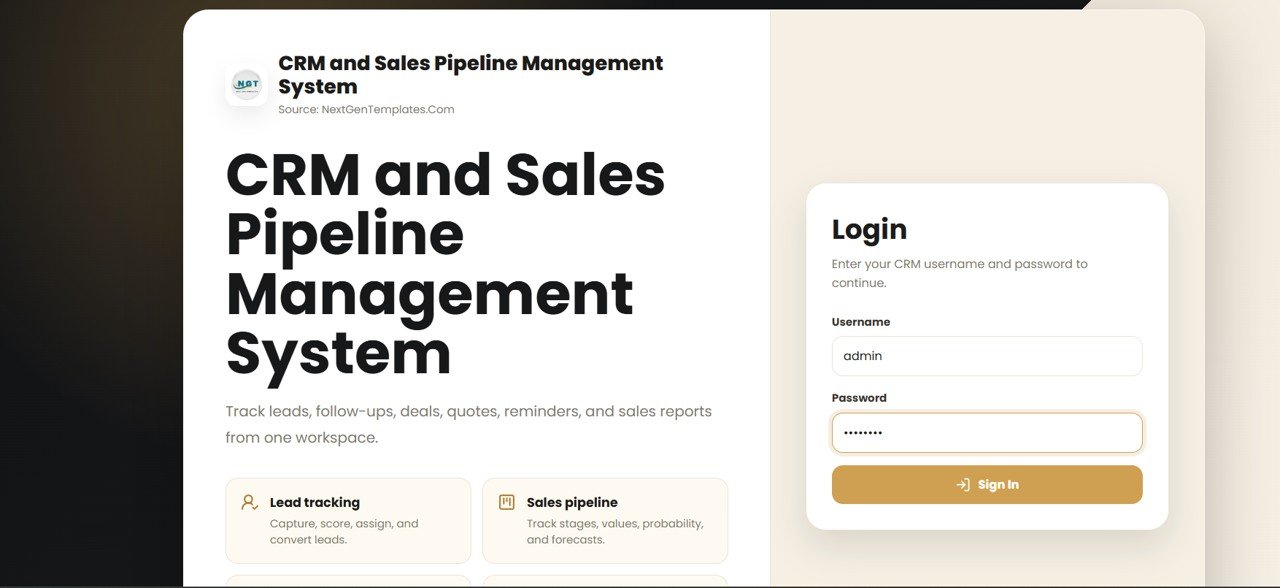
Version 2.0 is a CRM that runs on Google Sheets and Google Apps Script, so the sales database stays in your own Google Drive. It has 28 connected screens, 28 linked tables and a dashboard of 12 live KPI tiles.
Who it is for: AEs and small sales teams that want leads, contacts, accounts, deals and quotes in one place without a per-user fee.
- Leads, Contacts, Accounts, Deals and a drag-friendly Pipeline Board
- Activities, Calendar, Reminders, Notes, Quotes, Products and Campaigns
- Sales Targets, Email and WhatsApp logs, 16 reports
- A change log on every row and a Deal History flow chart showing days spent in each stage
- Seven-role permission map and an Audit Log
Use cases: set a quarterly target in Sales Targets and watch attainment on the KPI tiles. Open a stalled deal and see how many days it sat in each stage. Log a quote against a deal so pricing history stays attached. Give a sales manager read access while reps edit only their own records.
Price: $39.99. Get the CRM and sales pipeline management system web app.
Best for: an AE who wants one workspace instead of five spreadsheets.
2. Account Management KPI Dashboard in Google Sheets (report)
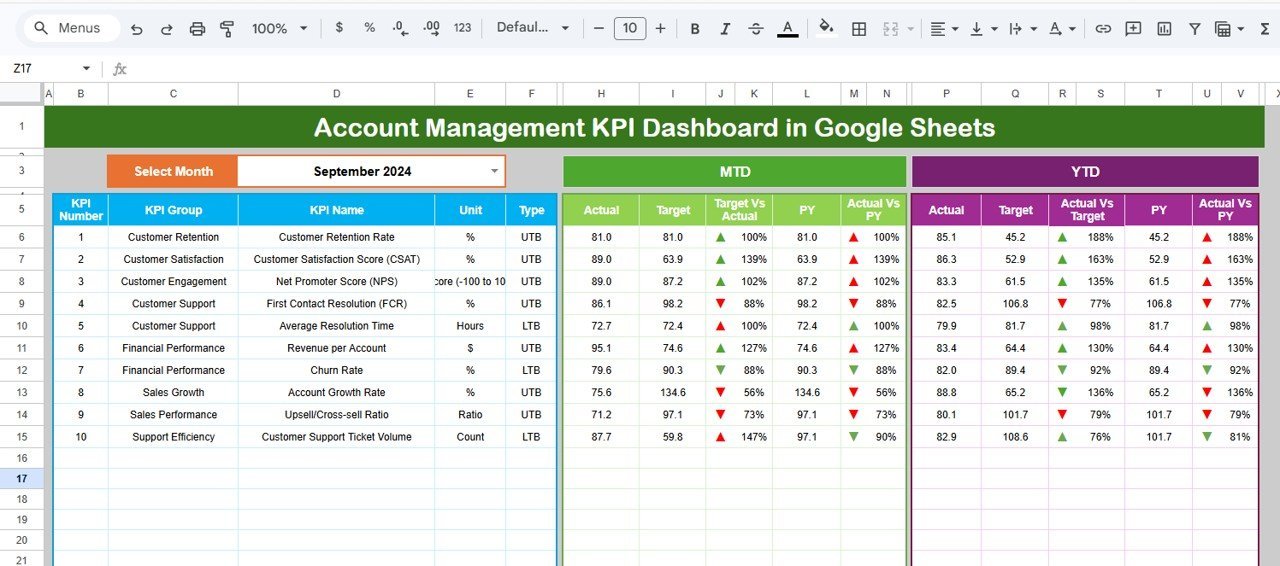
Six worksheets: a Dashboard, a KPI Trend sheet, input sheets for actual, target and previous year numbers, and a KPI Definition sheet. Pick a month from the drop-down and MTD and YTD figures update.
Who it is for: AEs who own named accounts and report against targets every month.
- MTD and YTD actual versus target versus previous year
- Up and down arrows through conditional formatting
- KPI trend charts for any single KPI
- Definitions marked Lower the Better or Upper the Better
Use cases: track renewal revenue against a monthly target, compare this March with last March, flag a KPI that has missed target three months running, and keep one agreed formula for each metric so a manager and an AE read the same number.
Price: $12.99. See the account management KPI dashboard in Google Sheets.
Best for: monthly account reviews with a manager.
3. CRM KPI Dashboard in Excel (report)
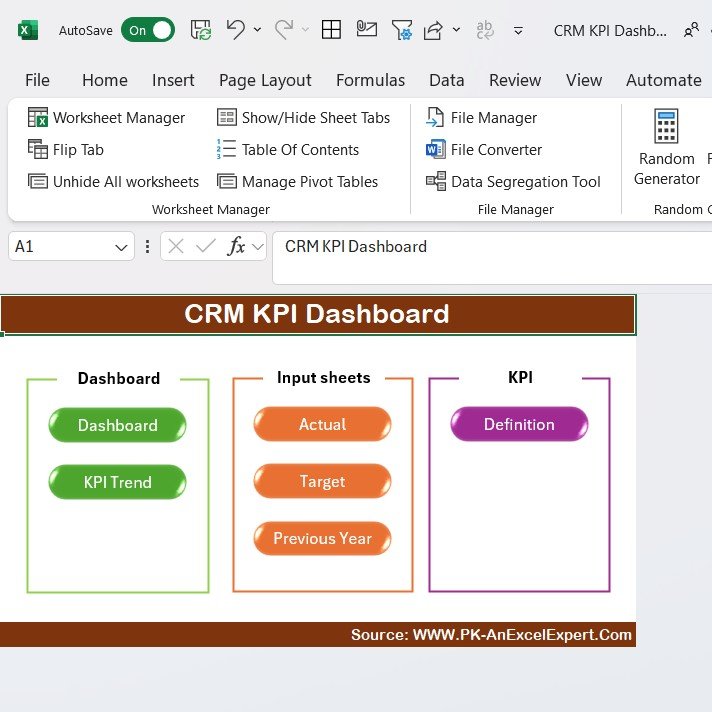
An Excel dashboard for lead conversion, customer acquisition cost, sales performance and customer retention. It updates as you enter CRM data and the layout can be changed.
Who it is for: sales managers and AEs who live in Excel and do not need advanced skills to read the charts.
- Lead conversion rate and sales pipeline monitoring
- Customer acquisition cost and retention metrics
- Charts and graphs for quick review
- Customizable metrics
Use cases: work out conversion as converted leads divided by total leads, so 30 customers from 400 leads is 7.5%. Watch whether retention drifts as new business grows. Compare reps by sales performance before a pipeline review.
Price: $14.99. Open the CRM KPI dashboard in Excel.
Best for: Excel-first sales teams that want conversion and retention on one page.
4. Sales Lead Submission Tracker in Excel (track)
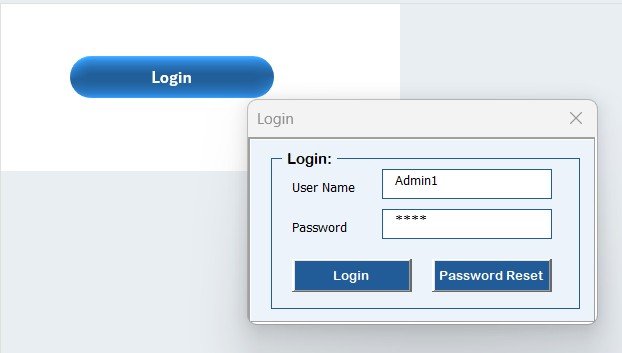
An Excel and VBA system with seven components, including a secure login form, a main navigation form, data-entry forms and an interactive dashboard with slicers.
Who it is for: teams where several reps enter leads and an admin needs to see everyone’s records.
- Multi-user login with unique IDs and passwords
- Dashboard by Priority, Status, Industry, Country, Source and Product or Service
- Add, update or delete leads through forms
- User management with roles and password resets
Use cases: see which source brings the most leads, filter by country before a regional call, let each rep manage only their own leads, and keep dropdowns for industries and products consistent through the Manage List sheet.
Price: $6.99. Get the sales lead tracker in Excel.
Best for: a controlled, multi-user lead list inside Excel.
5. Sales Lead Submission Tracker in Google Sheets (track)
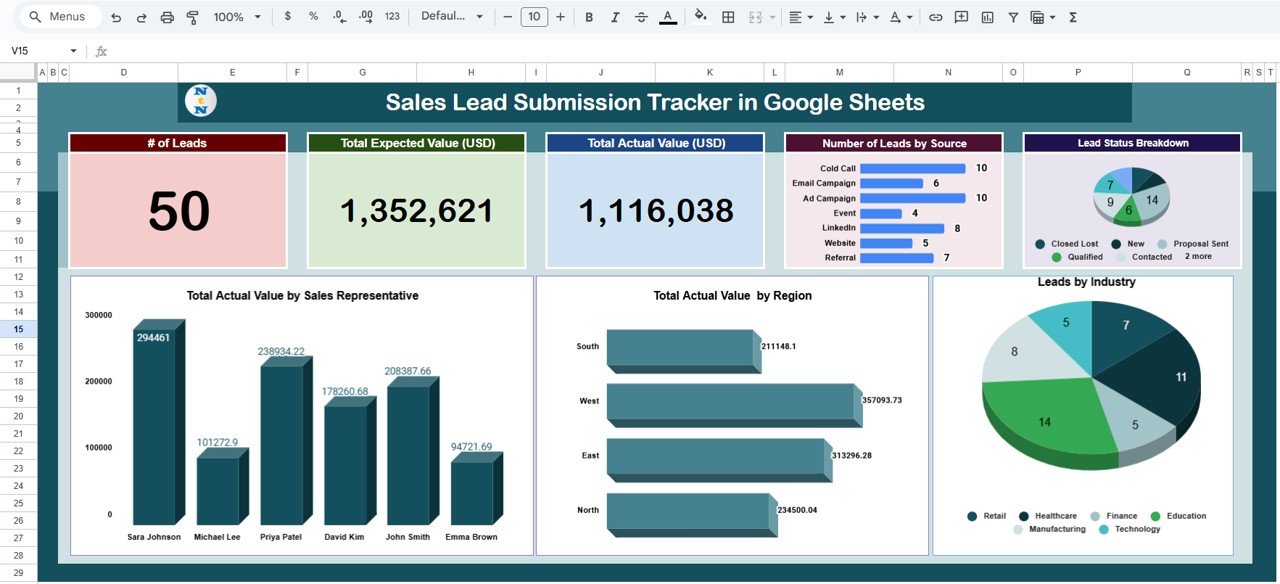
The browser version of the tracker. The Tracker tab shows number of leads, total expected value and total actual value, with charts by source, status, sales representative, region and industry.
Who it is for: remote or multi-location teams who share one link.
- Data sheet holding every lead, source and rep
- Search sheet to find a lead by keyword or field
- Expected versus actual revenue analysis
- Regional and industry charts
Use cases: if open leads carry $240,000 expected value and closed deals show $96,000 actual, you can see the gap by region. Look up a customer by name before a call, and compare revenue by rep without exporting anything.
Price: $6.99. Get the sales lead tracker in Google Sheets.
Best for: the lowest-cost shared lead list.
6. Lead Nurturing KPI Dashboard in Excel (plan)
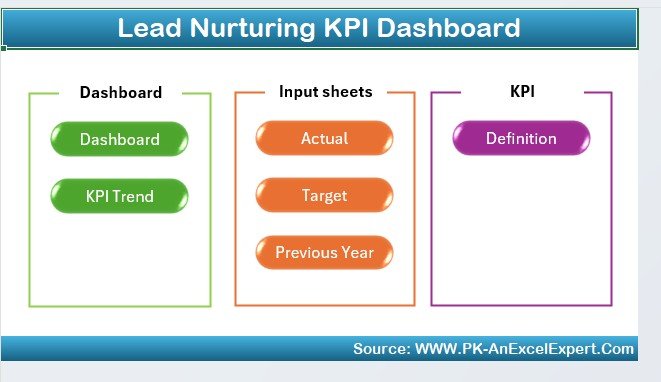
Built for the long middle of a deal. It tracks lead engagement, progression through the funnel, follow-up tasks and lead source performance.
Who it is for: AEs with inbound and outbound leads that need several touches before they buy.
- Engagement metrics such as open rates and click-through rates
- Lead progression from first contact to conversion
- Follow-up scheduling and task tracking
- Lead source and channel analysis
Use cases: spot the funnel stage where leads stall, schedule the next action for each lead, and compare organic search against paid channels. If 200 leads reach stage two and 50 reach stage three, that is a 25% step conversion to investigate.
Price: $14.99. Use the lead nurturing KPI dashboard in Excel.
Best for: planning follow-ups on slow-moving deals.
7. CRM KPI Dashboard in Google Sheets (report)

The Google Sheets edition of the CRM dashboard. It tracks total sales, sales by representative, leads, conversion rates, new customer acquisition, retention and opportunities.
Who it is for: teams that review the pipeline together in a browser.
- Bar, line and pie charts that update as data is entered
- Sales by product or service and by representative
- Opportunity tracking by value
- Easy to share and update with the team
Use cases: rank opportunities by value before a forecast call, compare reps in a live meeting, and check whether retention is slipping against new customer growth.
Price: $12.99. Try the CRM KPI dashboard in Google Sheets.
Best for: the same view as rank 3, for Google Workspace teams, at $2 less.
8. After-Sales Service KPI Dashboard in Power BI (present)
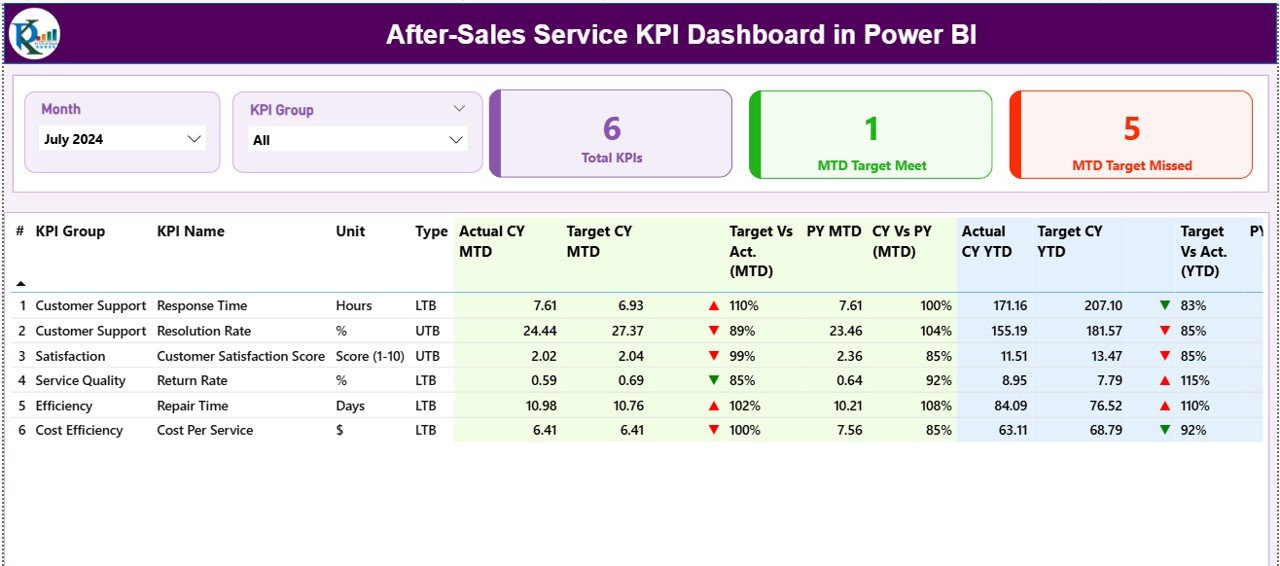
A Power BI file with three pages: Summary, KPI Trend and KPI Definition. It reads from structured Excel sheets (Input_Actual, Input_Target and KPI Definition) and can refresh through Power BI Service.
Who it is for: AEs who sit in renewal or business review meetings and need to show how service is performing.
- Total KPI count, MTD target met and missed counts
- MTD and YTD combo charts against target and previous year
- A drill-through page with formula, definition, unit and type for each KPI
Use cases: open a quarterly business review with service numbers, show a client that missed-target KPIs are shrinking, and keep one definition page so nobody argues over a formula.
Price: $11.99. Get the after-sales service KPI dashboard in Power BI.
Best for: client-facing review meetings.
Ready to start with the pipeline?
The CRM and Sales Pipeline Management System Web App is $39.99, one time, and covers most of the stack in a single file. Watch walkthroughs on the NextGenTemplates YouTube channel.
How do the three stack sizes compare on cost?
| Stack | Contents | Total |
|---|---|---|
| Lean | Sales Lead Submission Tracker in Google Sheets ($6.99) + Account Management KPI Dashboard in Google Sheets ($12.99) | $19.98 |
| Core | CRM and Sales Pipeline Management System Web App ($39.99) + Account Management KPI Dashboard in Google Sheets ($12.99) + CRM KPI Dashboard in Google Sheets ($12.99) | $65.97 |
| Full | All eight templates above | $121.92 |
Most AEs do not need the full stack, because the Excel and Google Sheets versions of the same tool overlap. Pick one format per tool. For deeper reading, see our guide to sales pipeline metrics to track, the lead tracker to pipeline dashboard stack, and the Pipedrive alternatives in Excel and Sheets. If you are weighing a spreadsheet CRM against Salesforce, read how to track leads in Excel without Salesforce.
How should an AE roll out the stack in 30 days?
| Days | Job | Action | Done when |
|---|---|---|---|
| 1-3 | Plan | Choose one format. Import current leads into the CRM web app or a lead tracker. | Every open lead has a status and source |
| 4-10 | Track | Log every call, quote and follow-up. Fill dropdown lists for industry, product and source. | One week of clean daily entries |
| 11-17 | Plan | Set targets. Schedule follow-ups for slow leads in the Lead Nurturing dashboard or Reminders. | No lead without a next action |
| 18-24 | Report | Enter actual, target and previous year numbers in the Account Management or CRM KPI dashboard. | First MTD and YTD view is complete |
| 25-30 | Present | Run a pipeline review with your manager. Use the After-Sales dashboard for one client review. | One review held using the dashboards |
How do I choose between them?
- Need leads, deals and quotes in one system: choose the CRM web app ($39.99).
- Need only a lead list with charts: choose the tracker in Excel or Google Sheets ($6.99).
- Need to report to a manager monthly: choose the Account Management KPI Dashboard ($12.99).
- Need conversion and retention views: choose the CRM KPI Dashboard, $14.99 in Excel or $12.99 in Google Sheets.
- Need to show service results at a renewal: choose the Power BI dashboard ($11.99).
When a template is NOT the right answer
Buy software instead if your team sends high volumes of email from inside the CRM and needs two-way inbox sync. Salesforce and HubSpot handle that natively. Compare their current plans on the HubSpot Sales pricing page before you decide.
Software also wins when you have dozens of reps editing the same records at once, need a native mobile app, or must meet a formal compliance audit on a vendor-hosted system. A spreadsheet-based tool will also ask you to enter data by hand, and the KPI dashboards do not pull from your email or phone system.
Templates fit best when you are one AE or a team of a few, when per-seat fees feel heavy, and when you want to own your data in Excel, Google Drive or Power BI.
Frequently asked questions
What are account executive Excel templates?
They are spreadsheet files that help an account executive manage leads, deals and account targets. Typical ones include a lead tracker, a pipeline or CRM system and KPI dashboards for conversion and retention. Prices in this stack range from $6.99 to $39.99 as one-time payments.
Can Excel replace Salesforce for an account executive?
For lead tracking, deal stages and KPI reporting in a small team, yes. The CRM and Sales Pipeline Management System Web App ($39.99) covers deals, quotes and reports. It does not replace Salesforce features like native email sync or a vendor-hosted mobile app.
Which template should an AE buy first?
Buy the CRM and Sales Pipeline Management System Web App at $39.99 if you want a full system. If you only need a lead list, the Sales Lead Submission Tracker at $6.99 is the cheapest start, in Excel or Google Sheets.
Is Google Sheets or Excel better for sales tracking?
Google Sheets suits teams that share one live file from a browser. Excel suits users who prefer desktop work. The Sales Lead Submission Tracker costs $6.99 in both formats, and the Excel version uses VBA for login and forms.
What KPIs should an account executive track?
Track lead conversion rate (converted leads divided by total leads), customer acquisition cost, retention, sales against target and pipeline by stage. The CRM KPI Dashboard covers conversion, acquisition cost and retention. The Account Management KPI Dashboard adds MTD and YTD against target.
Does the CRM web app need a subscription?
No. The CRM and Sales Pipeline Management System Web App is a one-time $39.99 purchase with no subscription and no per-user fees. It runs on Google Sheets and Google Apps Script, so the data stays in your own Google Drive.
Can I use these dashboards with Power BI?
Yes, for service reporting. The After-Sales Service KPI Dashboard in Power BI costs $11.99 and reads from Excel input sheets. It has Summary, KPI Trend and KPI Definition pages and can refresh through Power BI Service.
How long does setup take?
The KPI dashboards need you to enter actual, target and previous year numbers, which is usually an afternoon for a first month. The CRM web app setup is described as pasting two files, deploying the web app, running setup once and signing in.
Can several reps share the same lead tracker?
Yes. The Excel Sales Lead Submission Tracker has multi-user login, roles and user management, so each rep manages their own leads and admins monitor everyone. The Google Sheets version is shareable, with a Data sheet listing leads, sources and reps.
How is this different from a Pipedrive alternative template?
This stack is grouped by the account executive’s weekly jobs: plan, track, report and present. A Pipedrive alternative guide focuses on replacing one tool. You can read our Pipedrive alternatives roundup for that angle.
Get more account executive Excel templates
Start with the CRM and Sales Pipeline Management System Web App for $39.99, then add the Account Management KPI Dashboard in Google Sheets for $12.99. More walkthroughs are on the NextGenTemplates YouTube channel.