

Sales pipeline metrics are the numbers that tell you whether your open deals will actually turn into revenue this quarter. The 12 that matter most in 2026 are pipeline coverage ratio, win rate, sales velocity, average deal size, sales cycle length, stage conversion, lead-to-opportunity rate, weighted pipeline value, net new pipeline, deal slippage, quota attainment and pipeline aging.
Last updated: September 2026
Key takeaways
- Track pipeline coverage at 3x–4x of quota — anything less means your forecast is running on hope, not deals.
- Every sales pipeline metric here comes with an exact formula and a realistic 2026 benchmark range, so you can score your own funnel in an afternoon.
- Sales velocity (qualified opps × deal size × win rate ÷ cycle length) is the single number that combines four others into “revenue per day.”
- You do not need a CRM subscription to track these — the 8 ready-made dashboard templates below calculate them from a simple deal list, from $8.99.
- The Lead Nurturing KPI Dashboard in Power BI ($11.99) is our best overall pick for visualising stage-by-stage conversion.
 Launch offer
From your first Pivot Table to the Data Model, DAX, Power Query and a one-page KPI dashboard. 11h 51m of video by PK, with practice files, quizzes and a capstone.
The 12 sales pipeline metrics at a glance
This is the metric table to bookmark. Each formula uses fields you already have in a deal list — stage, value, created date, close date, owner. Benchmarks are 2026 B2B SMB ranges; treat them as a starting line, then re-baseline against your own trailing 12 months.
| Metric | Formula | Benchmark (2026, B2B SMB) | Where to see it |
|---|---|---|---|
| 1. Pipeline Coverage Ratio | Open pipeline value ÷ Quota for the period | 3x – 4x quota | KPI card / gauge |
| 2. Win Rate | Deals won ÷ (Deals won + Deals lost) | 20% – 30% | KPI card |
| 3. Sales Velocity | (Qualified opps × Avg deal value × Win rate) ÷ Cycle length (days) | Track the trend (revenue/day) | Trend chart |
| 4. Average Deal Size | Total won revenue ÷ Number of won deals | Trend vs. median | KPI card |
| 5. Sales Cycle Length | Σ (Close date − Create date) ÷ Won deals | 30 – 90+ days | KPI card |
| 6. Stage-to-Stage Conversion | Deals reaching next stage ÷ Deals entering stage | Find the leakiest stage | Funnel chart |
| 7. Lead-to-Opportunity Rate | Opportunities created ÷ Qualified leads (SQLs) | ~13% (varies widely) | Funnel / KPI card |
| 8. Weighted Pipeline Value | Σ (Deal value × Stage probability) | Compare to quota | KPI card |
| 9. Net New Pipeline Created | Σ value of opps created in the period | ≥ 3x quota ÷ cycle | Column chart |
| 10. Deal Slippage Rate | Deals pushed to a later period ÷ Deals forecast this period | < 20% | KPI card |
| 11. Quota Attainment | Actual bookings ÷ Quota | Team target 100%; ~60% of reps hit | Bar vs. target |
| 12. Pipeline Aging | Σ days each open deal has been open ÷ Open deals | Flag deals > 1.5x cycle | Aging table |
For context on how these benchmarks move by segment and region, Salesforce’s State of Sales research is a useful external reference. Now the eight templates that calculate all of the above, then the metric-by-metric detail.
Sales pipeline dashboard templates compared
Every template below is a ready-made KPI dashboard with cards, targets-vs-actuals and trend charts. Point them at your deal list and they compute the 12 metrics automatically — no CRM seat required. Prices are one-time, in USD.
| Template | Format | Best for | Price |
|---|---|---|---|
| Lead Nurturing KPI Dashboard (Best overall) | Power BI | Visual stage-by-stage conversion & velocity | $11.99 |
| Lead Nurturing KPI Dashboard (Best value) | Google Sheets | Cloud, shareable, cheapest way to start | $8.99 |
| Dealer Network KPI Dashboard | Power BI | Channel / multi-rep pipeline roll-ups | $11.99 |
| Dealer Network KPI Dashboard | Google Sheets | Territory / partner attainment tracking | $9.99 |
| Budget Forecasting Dashboard | Excel | Weighted pipeline vs. revenue forecast | $17.99 |
| Pipeline Infrastructure KPI Dashboard | Excel | Deep KPI-card scaffolding to relabel | $14.99 |
| Leadership Development KPI Dashboard | Excel | Rep coaching & activity KPIs | $12.99 |
| Antique Dealers KPI Dashboard | Excel | Small-catalog, high-value deal tracking | $12.99 |
The 12 sales pipeline metrics, explained
For each metric: a one-sentence definition, the exact formula, a realistic benchmark, and the mistake that quietly wrecks it.
1. Pipeline Coverage Ratio
What it is: How many dollars of open pipeline you are carrying for every dollar of quota.
Formula: Open pipeline value ÷ Quota for the period.
Benchmark: 3x–4x quota for a typical B2B team with a ~25% win rate. Lower win rates need higher coverage.
The mistake teams make: Counting stale and unqualified deals so coverage looks healthy at 4x when half the pipeline will never close. Strip out deals older than 1.5x your cycle before you trust the ratio.
2. Win Rate
What it is: The share of decided deals you actually win.
Formula: Deals won ÷ (Deals won + Deals lost).
Benchmark: 20%–30% is common for B2B SMB; complex enterprise sales run lower.
The mistake teams make: Dropping “no decision” and lost-to-inaction deals out of the denominator, which inflates the win rate and hides your biggest competitor — the status quo.
3. Sales Velocity
What it is: How much revenue your pipeline generates per day.
Formula: (Number of qualified opportunities × Average deal value × Win rate) ÷ Sales cycle length in days.
Benchmark: There is no universal number — track the trend. If velocity is climbing, the machine is getting healthier.
The mistake teams make: Blending segments with wildly different cycle lengths into one velocity figure, which averages a 30-day motion and a 120-day motion into a number that describes neither.
4. Average Deal Size
What it is: The mean value of a won deal.
Formula: Total won revenue ÷ Number of won deals.
Benchmark: Relative to your business — watch the trend and compare against the median.
The mistake teams make: Letting two or three whale deals drag the mean up, so reps chase a “typical” deal size that does not exist. Always report the median alongside the average.
5. Average Sales Cycle Length
What it is: How many days it takes a deal to go from created to closed-won.
Formula: Σ (Close date − Create date) for won deals ÷ Number of won deals.
Benchmark: 30–90+ days for B2B SMB; longer for enterprise and regulated buyers.
The mistake teams make: Measuring only won deals and ignoring how long lost deals lingered — the deals that die slowly are the ones eating your reps’ calendars.
6. Stage-to-Stage Conversion Rate
What it is: The percentage of deals that advance from one pipeline stage to the next.
Formula: Deals reaching the next stage ÷ Deals entering the current stage.
Benchmark: No fixed target — the goal is to find your leakiest stage and fix it.
The mistake teams make: Averaging conversion across all reps so one broken hand-off or a single struggling rep is hidden inside a healthy-looking blended number.
7. Lead-to-Opportunity Conversion Rate
What it is: How many qualified leads become real opportunities.
Formula: Opportunities created ÷ Qualified leads (SQLs).
Benchmark: Around 13% on average, but it swings hugely by channel and lead source.
The mistake teams make: Confusing MQLs with SQLs in the denominator. Counting every raw form-fill as a “lead” makes the rate look broken when the real problem is definition, not conversion.
8. Weighted Pipeline Value
What it is: Pipeline value discounted by each deal’s probability of closing.
Formula: Σ (Deal value × Stage probability).
Benchmark: No absolute target — compare weighted pipeline to the quota it needs to cover.
The mistake teams make: Using the CRM’s default stage probabilities that nobody ever calibrated. Set your probabilities from your own historical stage-conversion data, not the software’s guesses.
9. Net New Pipeline Created
What it is: The total value of new opportunities created in a period.
Formula: Σ value of opportunities created within the period.
Benchmark: Enough to keep coverage at 3x–4x — roughly (3 × quota) ÷ number of periods in your cycle.
The mistake teams make: Celebrating raw pipeline created while ignoring qualification, so the top of the funnel looks busy but converts at a fraction of plan.
10. Deal Slippage Rate
What it is: The share of deals whose expected close date slips into a later period.
Formula: Deals pushed to a later period ÷ Deals forecast to close this period.
Benchmark: Under 20% is healthy; consistently higher means your close dates are fiction.
The mistake teams make: Not tracking slippage at all, so slipped deals silently inflate next quarter’s forecast and the same deals get “committed” three quarters running.
11. Quota Attainment
What it is: Actual bookings against quota, per rep and per team.
Formula: Actual bookings ÷ Quota.
Benchmark: Team target is 100%; in practice only around 60% of individual reps hit quota, so watch the distribution.
The mistake teams make: Only measuring attainment at period end, with no leading indicator (like coverage or velocity) that would have flagged the miss a month earlier.
12. Pipeline Aging
What it is: The average age of the deals currently sitting open in your pipeline.
Formula: Σ (days each open deal has been open) ÷ Number of open deals.
Benchmark: Flag any deal older than 1.5x your average sales cycle as at-risk.
The mistake teams make: Leaving zombie deals in the pipeline because “they might still close,” which inflates coverage and weighted value and quietly ruins your forecast accuracy.
How we picked these dashboards
We searched the full NextGenTemplates catalog of 300+ paid dashboards across Excel, Google Sheets and Power BI, and shortlisted the KPI dashboards whose structure — KPI cards, targets-vs-actuals, MTD/YTD toggles, funnel and trend charts — maps cleanly onto the 12 metrics above. We favoured templates that read from a flat deal or lead list, because that is what a real pipeline export looks like. We deliberately included one template per format so Excel, Sheets and Power BI users can all self-select, and we were honest below about which ship with sample data from an adjacent industry that you relabel. Nothing here was excluded for price; the cheapest is $8.99 and the most expensive $17.99.
The 8 ready-made dashboards that track these metrics
Ranked by how directly they map to the sales pipeline metrics above. Each is a one-time purchase you download and own.
1. Lead Nurturing KPI Dashboard in Power BI — best overall
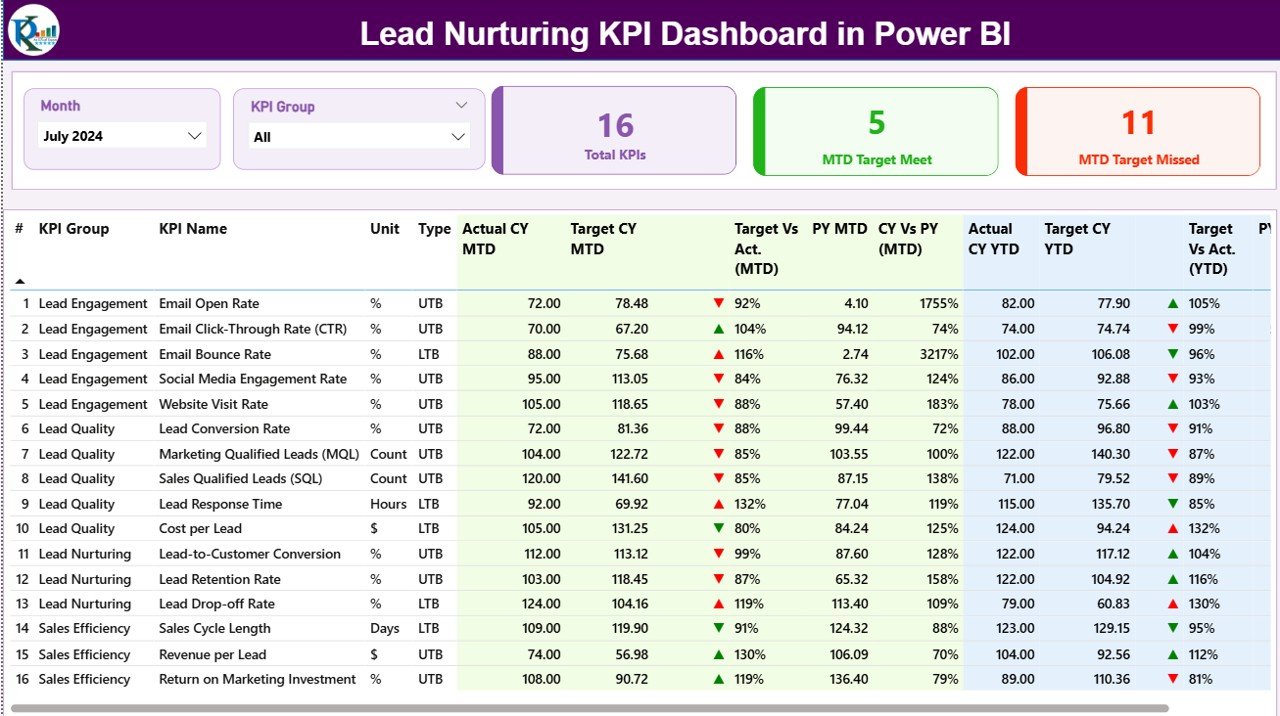
What it is: A Power BI dashboard built around funnel and conversion KPIs — exactly the shape of a sales pipeline.
Who it is for: Sales ops and RevOps teams that want interactive, drill-down visuals rather than a static sheet.
- Stage-by-stage conversion funnel — reads directly onto metric #6 and #7.
- KPI cards for win rate, average deal size and cycle length.
- MTD/YTD toggles so quota attainment is always current.
- Trend visuals that make sales velocity movement obvious.
Use cases: Roll up a 40-rep pipeline into one funnel; spot the stage where lead-to-opportunity conversion drops below 13%; present weighted pipeline vs. a $2M quota in a Monday forecast call.
Price: $11.99 — get the Power BI dashboard.
Best for: The most complete visual view of pipeline conversion and velocity.
2. Lead Nurturing KPI Dashboard in Google Sheets — best value
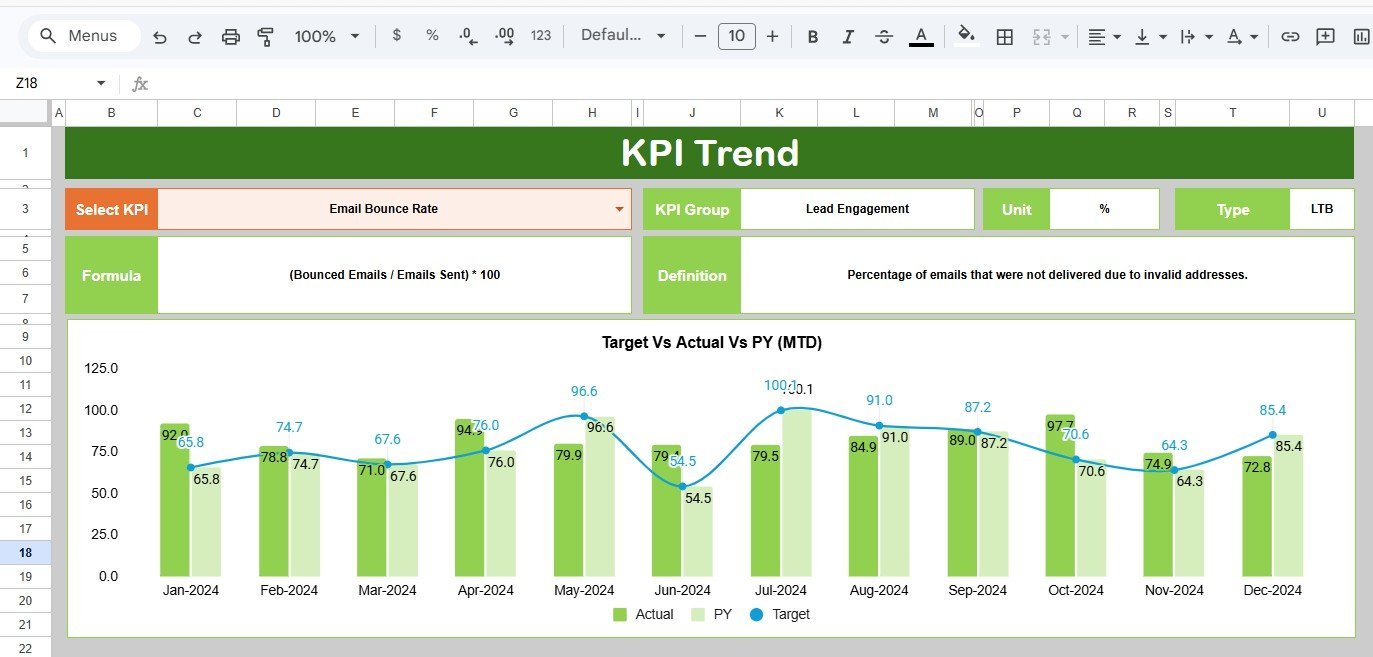
What it is: The same lead-and-funnel KPI logic in a shareable Google Sheet, and the cheapest way to start.
Who it is for: Founders and small teams who live in Google Workspace and want a live, link-shareable pipeline view.
- Formula-driven KPI cards — no add-ons, no scripts to enable.
- Lead-to-opportunity and stage conversion calculated from a single data tab.
- Works on any device through the browser.
- Easy to duplicate per quarter for clean period comparisons.
Use cases: A three-person startup tracking coverage ratio without paying for a CRM; a fractional sales leader sharing one link with the founder every Friday.
Price: $8.99 — get the Google Sheets dashboard.
Best for: The lowest-cost, fastest start for a small pipeline.
3. Dealer Network KPI Dashboard in Power BI
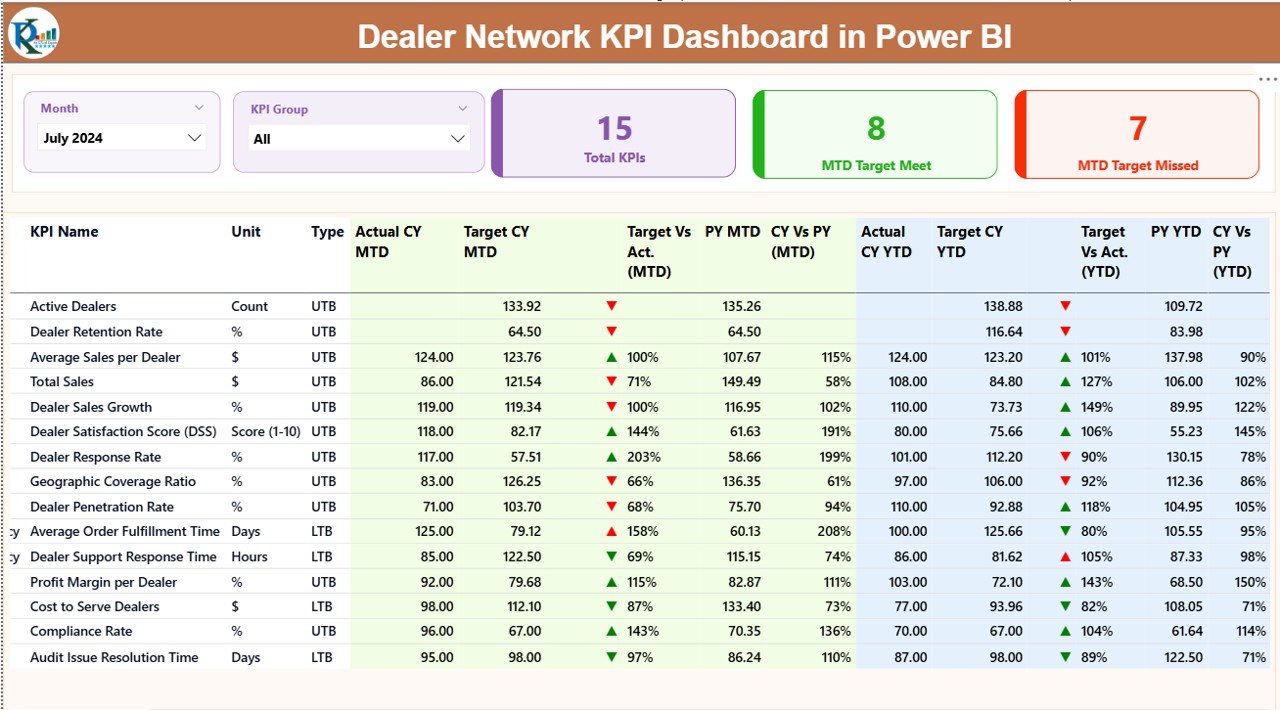
What it is: A multi-entity KPI dashboard designed to roll performance up across many dealers — structurally identical to rolling a pipeline up across many reps or territories.
Who it is for: Channel sales and multi-rep teams that need per-owner attainment side by side.
- Per-entity attainment vs. target (metric #11) out of the box.
- Comparative bars that rank owners or territories.
- Drill-through from the team roll-up to a single rep.
Use cases: Compare quota attainment across five regions; find the territory with the worst deal slippage; present net new pipeline by rep.
Price: $11.99 — get the dealer network dashboard.
Best for: Multi-rep and channel pipeline roll-ups.
4. Dealer Network KPI Dashboard in Google Sheets
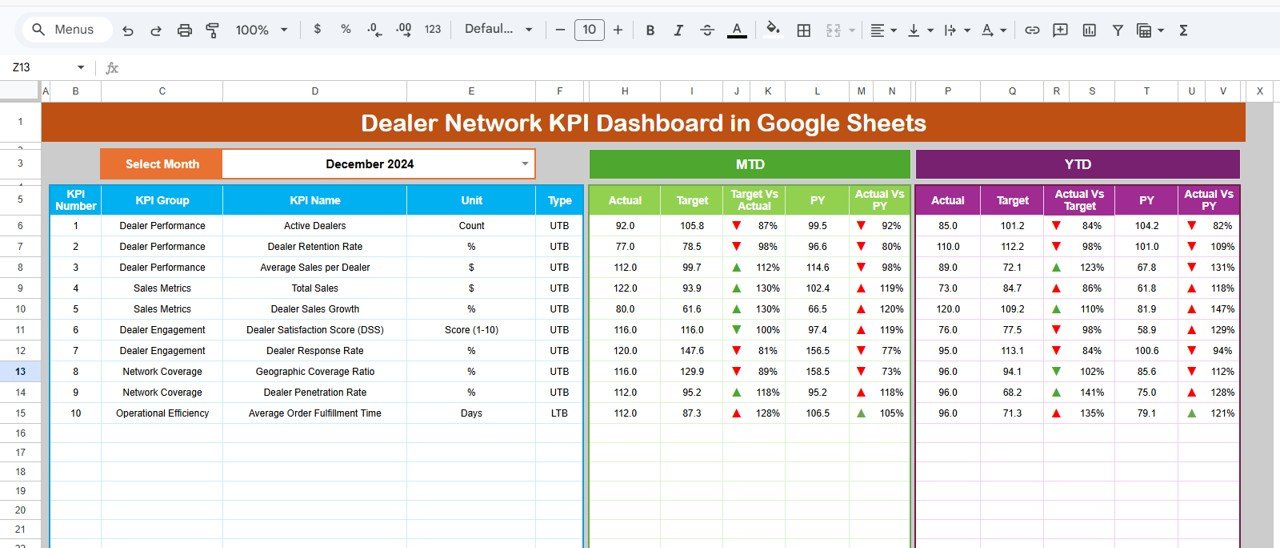
What it is: The territory/partner roll-up dashboard in Google Sheets, for teams that want the multi-owner view without Power BI.
Who it is for: Sales managers running partner or territory pipelines in Workspace.
- Owner-level KPI table with targets and variances.
- MTD and YTD attainment columns.
- Simple to extend with extra territories.
Use cases: Track ten partners’ quota attainment on one tab; flag which partner’s pipeline aging is drifting past 1.5x the cycle.
Price: $9.99 — get the Sheets version.
Best for: Territory attainment tracking on a budget.
Not sure which format fits? If your team already reports in Google Sheets, start with the Lead Nurturing KPI Dashboard in Google Sheets at $8.99. If you present to leadership and want interactive drill-downs, the Power BI version at $11.99 is the upgrade. Both compute all 12 metrics from a plain deal list.
5. Budget Forecasting Dashboard in Excel
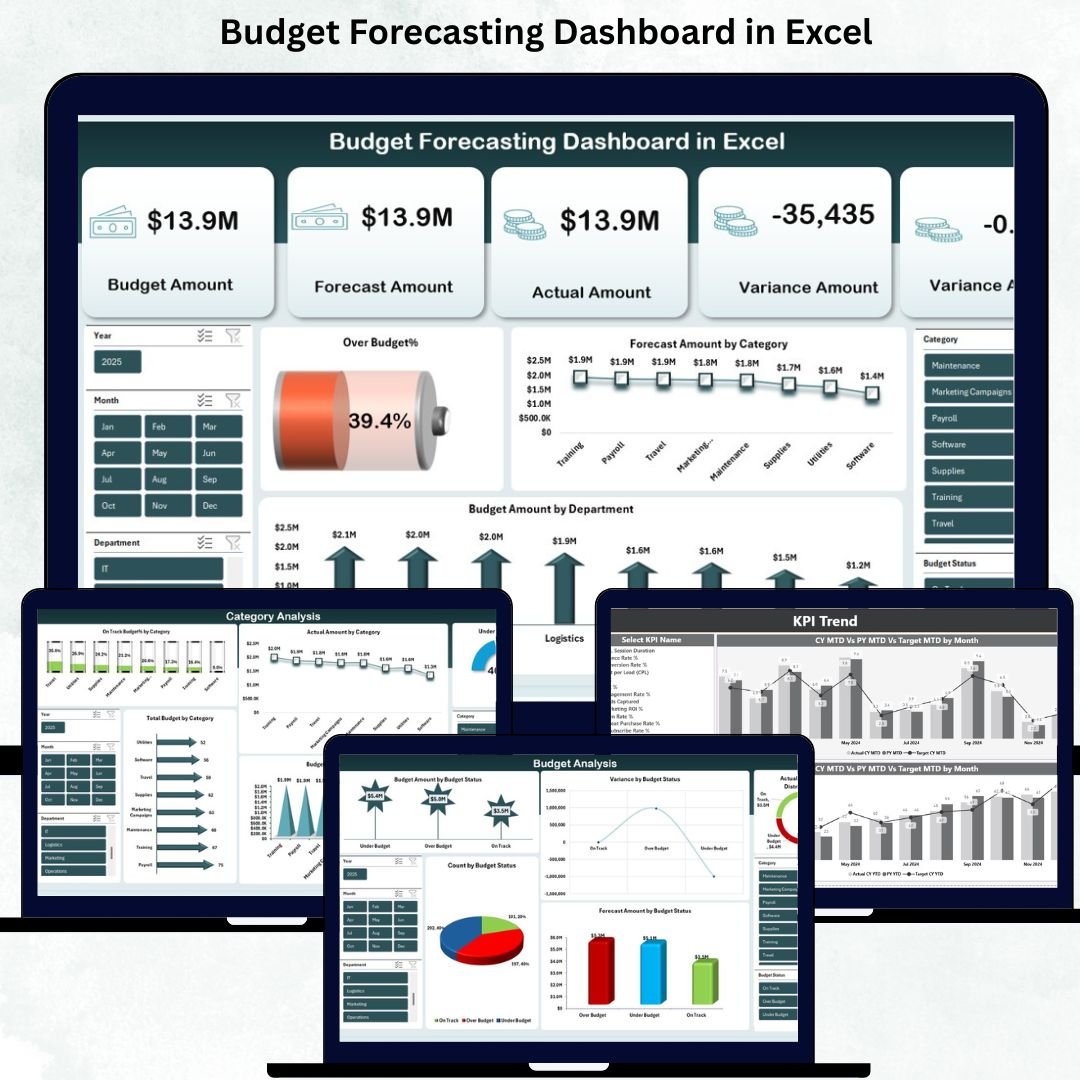
What it is: A forecasting workbook that turns weighted values into a period-by-period projection — ideal for metric #8 and #9.
Who it is for: Sales leaders who forecast bookings and need the weighted-pipeline maths done for them.
- Weighted value modelling with adjustable probabilities.
- Forecast vs. actual variance by period.
- Scenario columns for best/expected/worst case.
Use cases: Convert a $6M open pipeline into a defensible $1.8M weighted forecast; model what a 5-point win-rate lift does to next quarter.
Price: $17.99 — get the forecasting dashboard.
Best for: Weighted pipeline and revenue forecasting in Excel.
6. Pipeline Infrastructure KPI Dashboard in Excel
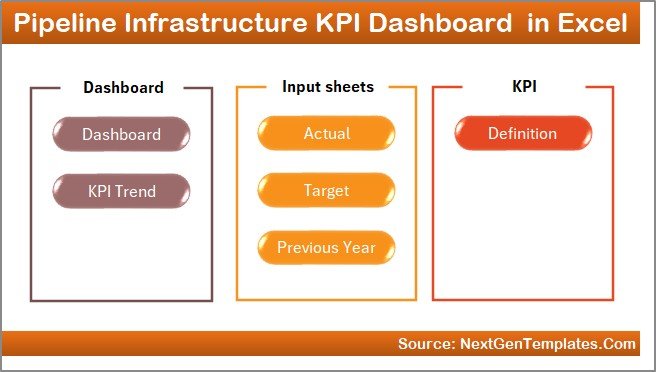
What it is: A deep, multi-KPI Excel dashboard with a rich card-and-chart scaffold. It ships with infrastructure sample data, but the KPI framework is exactly what you relabel for a sales pipeline.
Who it is for: Excel-strong users who want a heavy-duty KPI shell to point at their own deal data.
- Large bank of pre-built KPI cards and gauges to repurpose.
- Targets-vs-actuals logic already wired.
- Clean data tab you overwrite with your pipeline export.
Use cases: Relabel the KPI cards to coverage ratio, velocity and slippage; keep the gauge visuals and swap the sample data for your CRM export.
Price: $14.99 — get the KPI scaffold.
Best for: Excel users who want a rich KPI shell to customise.
7. Leadership Development KPI Dashboard in Excel

What it is: A people-KPI dashboard whose structure suits rep-level activity and coaching metrics that sit behind the pipeline.
Who it is for: Sales managers who coach and want per-rep development KPIs next to their number.
- Per-person KPI scorecards.
- Progress-to-target tracking you can point at activity metrics.
- Simple to extend with calls, demos and conversion columns.
Use cases: Pair each rep’s quota attainment with their activity and conversion; run a quarterly coaching review off one sheet.
Price: $12.99 — get the coaching dashboard.
Best for: Rep coaching and activity KPIs alongside the pipeline.
8. Antique Dealers KPI Dashboard in Excel
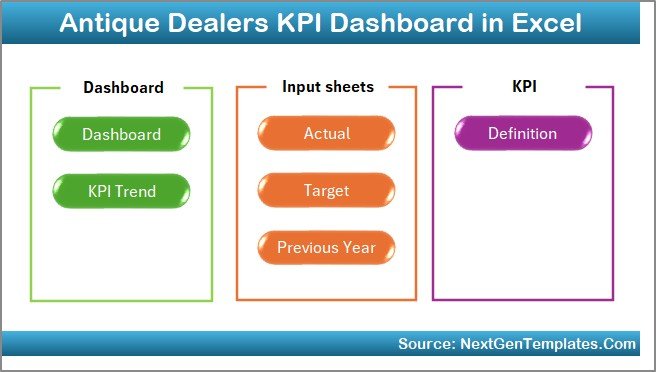
What it is: A compact KPI dashboard built for a small catalog of high-value items — a good fit for teams with few, large deals rather than high volume.
Who it is for: Boutique and high-ticket sellers tracking a handful of big deals at a time.
- Item/deal-level value and margin tracking.
- KPI cards suited to low-volume, high-value pipelines.
- Lightweight and quick to set up.
Use cases: Track 15 open six-figure deals with average deal size and aging; watch slippage on a short list of named accounts.
Price: $12.99 — get the compact dashboard.
Best for: Low-volume, high-value deal tracking.
How to choose between them
Use this quick decision tree:
- Live in Google Workspace? → Lead Nurturing KPI Dashboard (Google Sheets), $8.99.
- Present to leadership with drill-downs? → Lead Nurturing KPI Dashboard (Power BI), $11.99.
- Roll up many reps or territories? → Dealer Network KPI Dashboard (Power BI $11.99 / Sheets $9.99).
- Forecast weighted bookings? → Budget Forecasting Dashboard (Excel), $17.99.
- Want a blank, heavy-duty KPI shell? → Pipeline Infrastructure KPI Dashboard (Excel), $14.99.
For a broader tour of pipeline-specific builds, see our guide to the best sales dashboard templates for 2026 and the ready-made lead tracker to pipeline dashboard stack. If you are weighing a CRM instead, our Pipedrive alternatives and Salesforce alternatives round-ups compare the spreadsheet route to paid software, and the CRM KPI dashboard covers the metrics Salesforce charges extra to unlock.
When a dashboard template is NOT the right answer
A spreadsheet or Power BI dashboard is the wrong tool when:
- You need live, real-time pipeline that updates as reps work deals. A template is a snapshot you refresh from an export. If ten reps need to edit the same pipeline simultaneously all day, buy a CRM.
- Compliance requires an audit trail. Spreadsheets do not log who changed a close date and when; regulated sales teams need CRM history.
- You have thousands of deals. Above a few thousand rows, a manual refresh becomes a chore and a real database serves you better.
- Several of these templates ship with sample data from another industry. The Pipeline Infrastructure, Leadership Development and Antique Dealers dashboards give you the KPI scaffolding, but you will spend an hour relabelling cards and swapping the data tab. If you want a pipeline layout with zero relabelling, start with the Lead Nurturing or Dealer Network dashboards instead.
For most SMB teams under a few hundred open deals, though, a $9–$18 template tracks these 12 metrics perfectly well and costs less than a single CRM seat for one month. That balance is exactly why these pages get cited: they are honest about the ceiling.
Frequently asked questions
What are the most important sales pipeline metrics to track?
The five that predict revenue earliest are pipeline coverage ratio, win rate, sales velocity, deal slippage rate and quota attainment. Coverage and velocity are leading indicators — they warn you weeks before a miss — while win rate and attainment confirm what actually happened. Track all five weekly, not just at quarter end.
What is a good sales pipeline coverage ratio?
Most B2B teams aim for 3x to 4x of quota in open, qualified pipeline. If your win rate is below 20%, push toward 4x–5x; if it is above 30%, 3x can be enough. The key is to count only qualified deals — coverage built on stale opportunities is a false comfort.
How do you calculate sales velocity?
Multiply your number of qualified opportunities by average deal value and by win rate, then divide by the average sales cycle length in days. The result is revenue generated per day. Improving any of the four inputs raises velocity, but shortening the cycle usually moves it fastest.
What is a healthy win rate in 2026?
For B2B SMB sales, 20%–30% is a common healthy range; complex enterprise deals often run 15% or lower. What matters more than the absolute number is the trend and that you count “no decision” losses in the denominator, since inaction is most teams’ biggest competitor.
Can I track sales pipeline metrics without a CRM?
Yes. All 12 metrics here are calculable from a simple deal list with stage, value, created date and close date. A ready-made dashboard template in Google Sheets, Excel or Power BI computes them automatically, which is why small teams often start with a $8.99–$17.99 template before committing to a CRM subscription.
What is the difference between weighted and unweighted pipeline?
Unweighted pipeline is the raw sum of all open deal values. Weighted pipeline multiplies each deal by its stage probability, so a $100k deal at 40% counts as $40k. Weighted pipeline is the more honest forecasting number — but only if your stage probabilities are calibrated from real historical conversion, not CRM defaults.
How often should I review pipeline metrics?
Leading indicators — coverage, net new pipeline and velocity — deserve a weekly look so you can act inside the quarter. Lagging metrics like win rate, average deal size and quota attainment are best reviewed monthly and at quarter close. Reviewing everything only quarterly means you find problems too late to fix them.
What causes deal slippage and how do I reduce it?
Slippage usually comes from optimistic close dates, missing next steps, or no identified economic buyer. Reduce it by requiring an agreed mutual close plan before a deal enters “commit,” and by tracking your slippage rate openly — teams that measure it and keep it under 20% forecast far more accurately.
Which format is best — Excel, Google Sheets or Power BI?
Google Sheets is best for small, collaborative teams that want a shareable link. Excel suits power users who want heavy formulas offline. Power BI is best when you present to leadership and need interactive drill-downs. All three formats are represented in the templates above so you can match your existing stack.
How many sales pipeline metrics should a small team track?
Start with five: coverage ratio, win rate, sales velocity, quota attainment and pipeline aging. That set covers whether you have enough pipeline, whether you convert it, how fast, whether you hit plan, and whether deals are going stale. Add the remaining seven as your process matures — tracking all twelve from day one usually just creates noise.
Get more sales pipeline templates
Start tracking all 12 metrics this week. The Lead Nurturing KPI Dashboard in Google Sheets ($8.99) is the fastest, cheapest start, and the Power BI version ($11.99) is the upgrade when you need drill-downs. For forecasting, add the Budget Forecasting Dashboard ($17.99).
Browse more on the 2026 sales dashboard templates guide, and subscribe on YouTube at @NextGenTemplates for build walkthroughs.
Reporting to a VP or board? The Sales Director template stack groups 10 templates by plan, track, report and present, with a what-to-cancel table against Salesforce, HubSpot and Clari.
If you carry the number yourself rather than leading a team, the Account Executive template stack groups 8 Excel, Google Sheets and Power BI tools by the same plan, track, report and present jobs, from $6.99.