

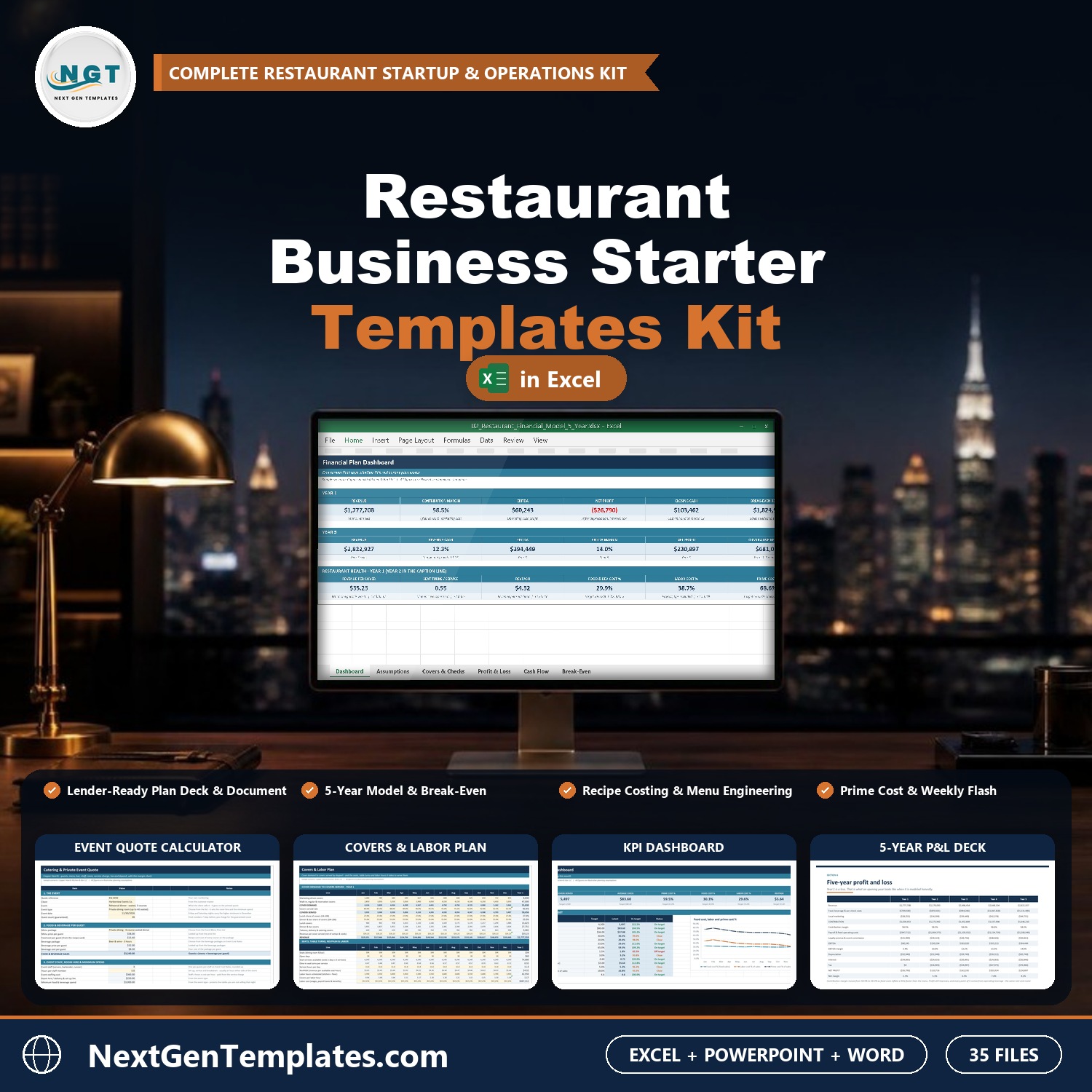

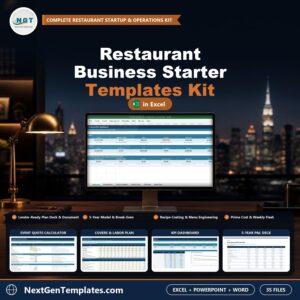
The Restaurant Business Starter Templates Kit is 35 files in nine folders: a 44-slide PowerPoint business plan, a 13-section Word business plan, 26 numbered planning and operations workbooks, three ready-made Excel tools, an SOP and food safety plan, a restaurant opening checklist and a PDF guide. The five-year financial model runs from one Planning Assumptions sheet, so covers, checks, revenue, cost, profit, cash flow and break-even all move together. It is a restaurant business plan template and a working back-office toolkit in one download.
Watch the Restaurant Business Starter Templates Kit walkthrough
In under a minute:
🌍 Join 8,400+ teams in 40+ countries using NextGenTemplates to replace paid SaaS tools with one-time-purchase Excel, PowerPoint and Word templates.
✅ Instant download · One-time payment · No subscription · No per-user fees · Lifetime access
🔑 Key Features of the Restaurant Business Starter Templates Kit
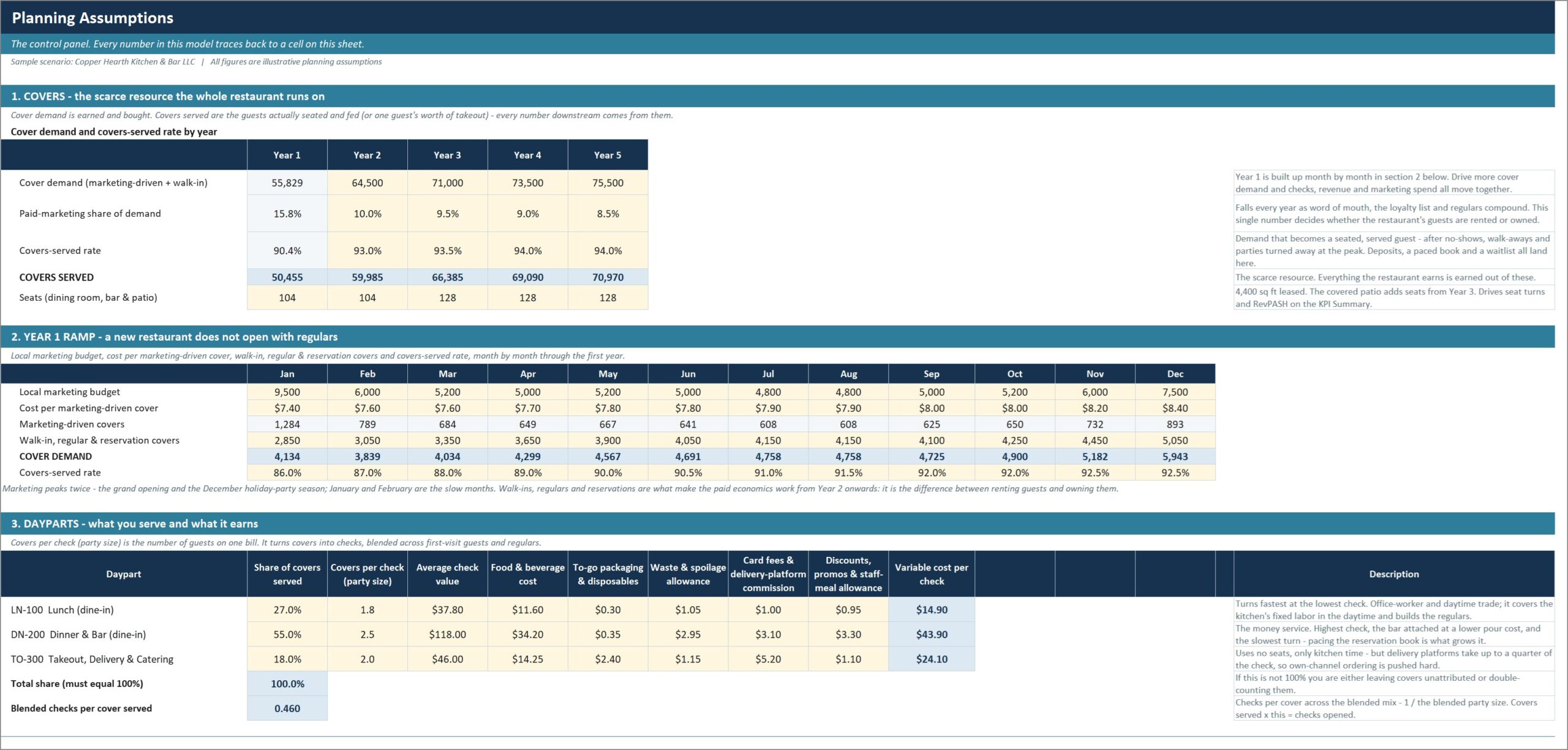
👥 Built on covers, not a guessed revenue line. A restaurant’s ceiling is the number of guests it can seat and serve in the hours it is open, so the model starts there: cover demand, the share actually seated and served, checks per party, and the average check for each daypart (lunch, dinner and bar, and takeout, delivery and catering). Every check carries its food and beverage cost, packaging, a waste and spoilage allowance, card and delivery fees, and a discounts, promos and staff-meal allowance. That is why this restaurant business plan holds up when a lender or landlord asks where the sales come from.
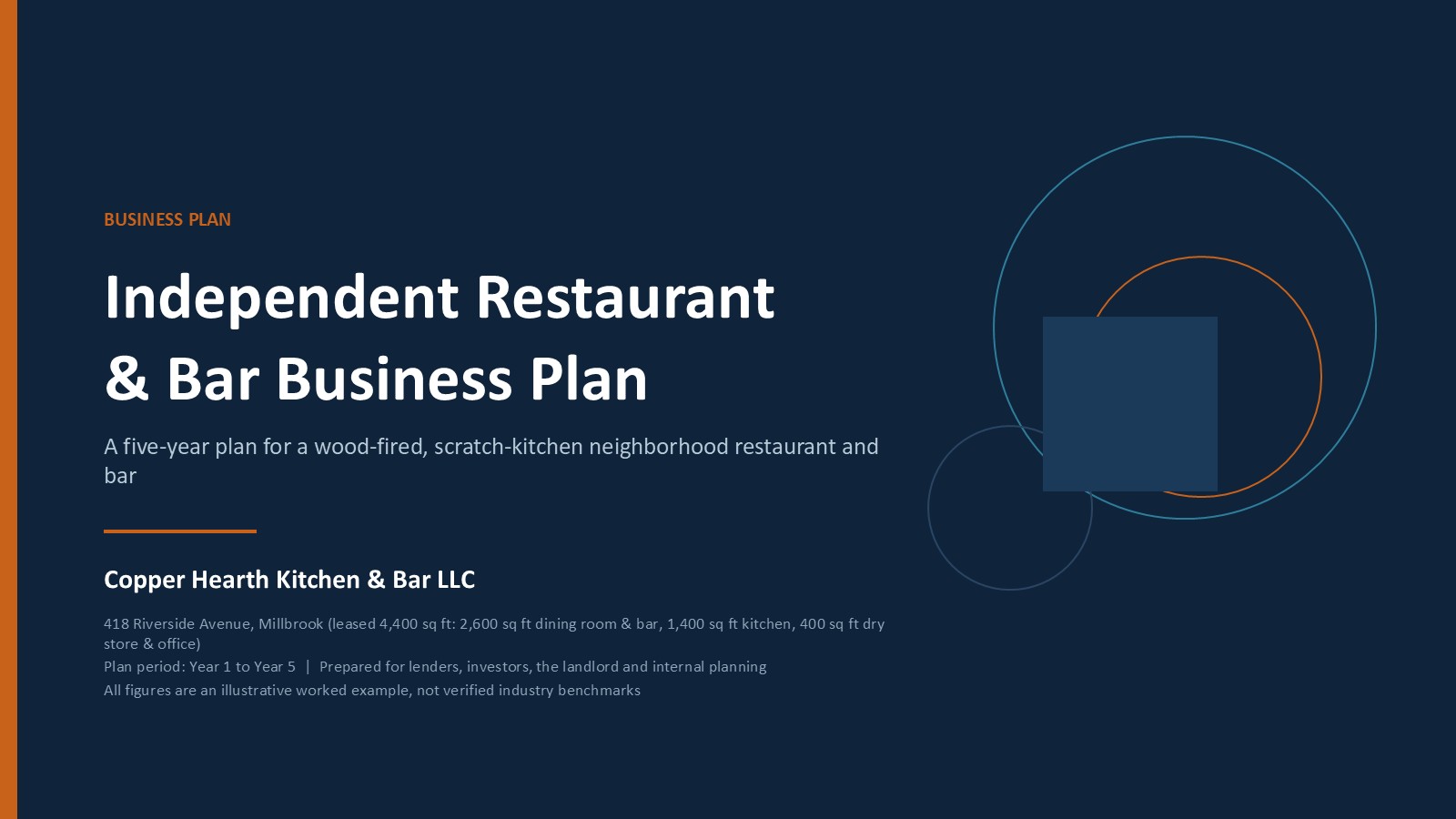
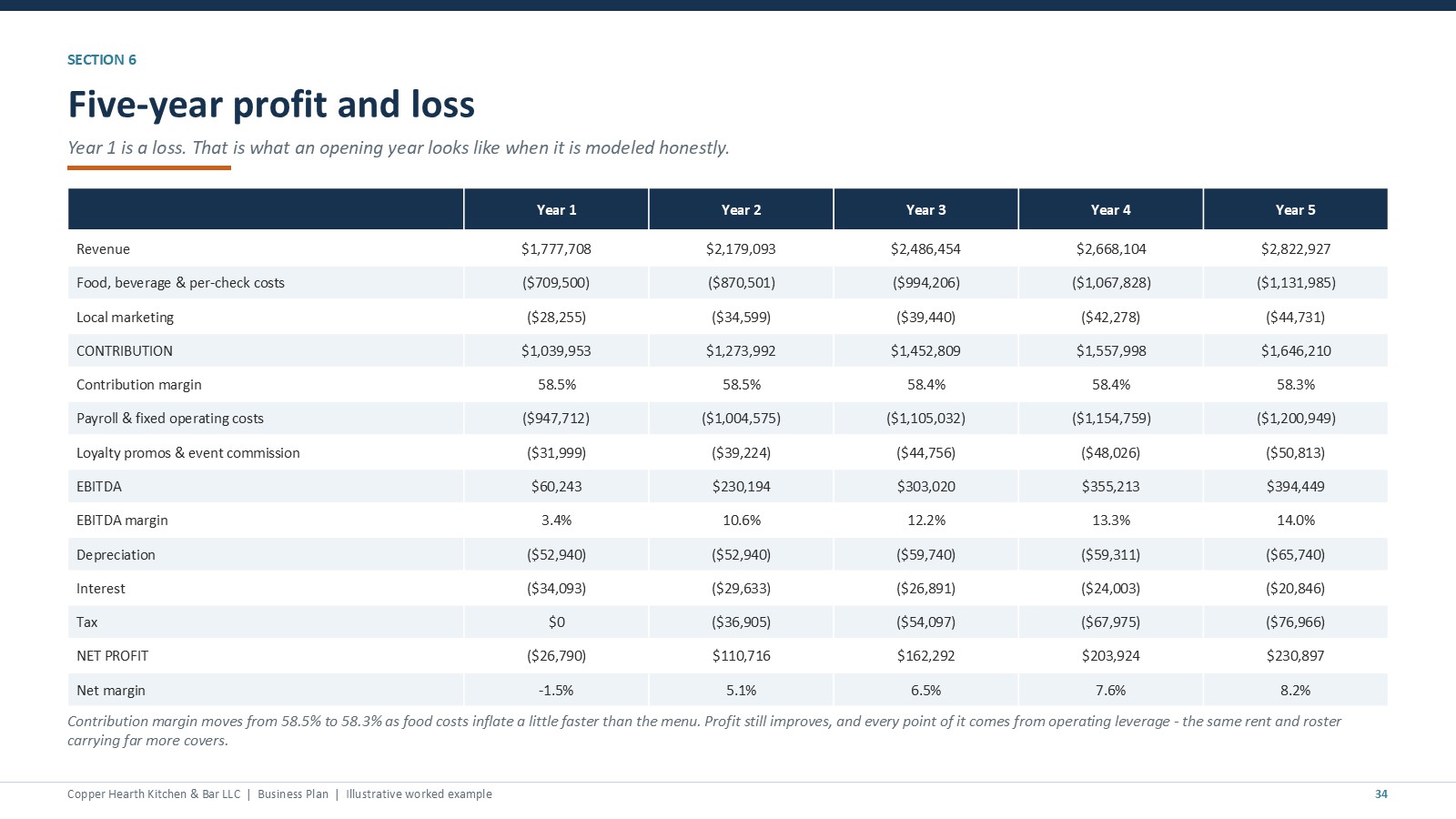
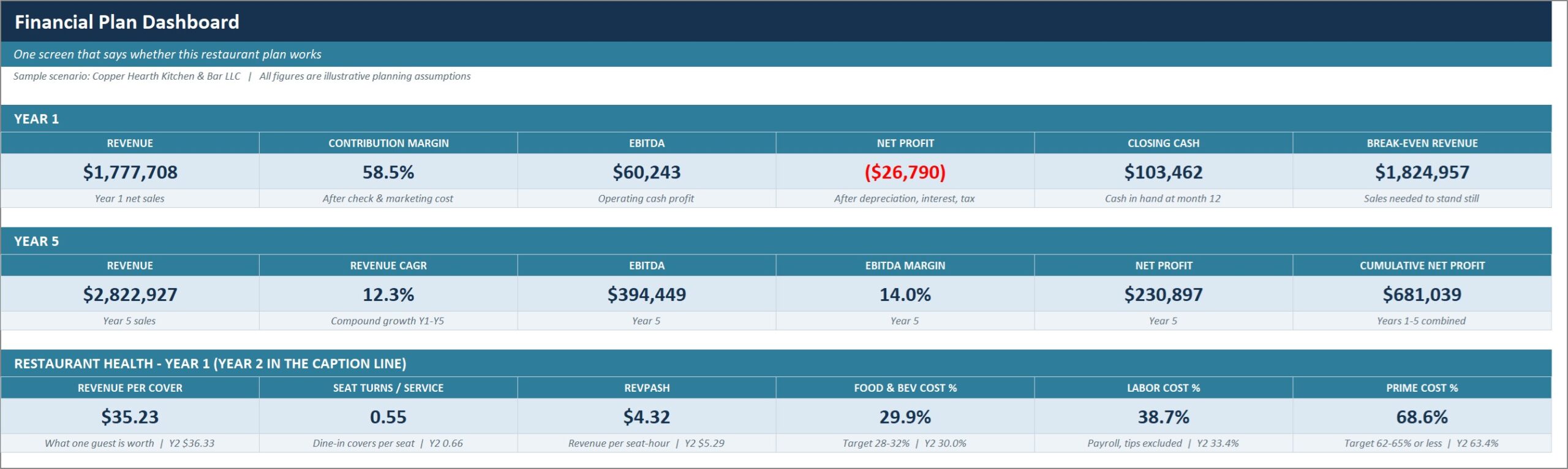
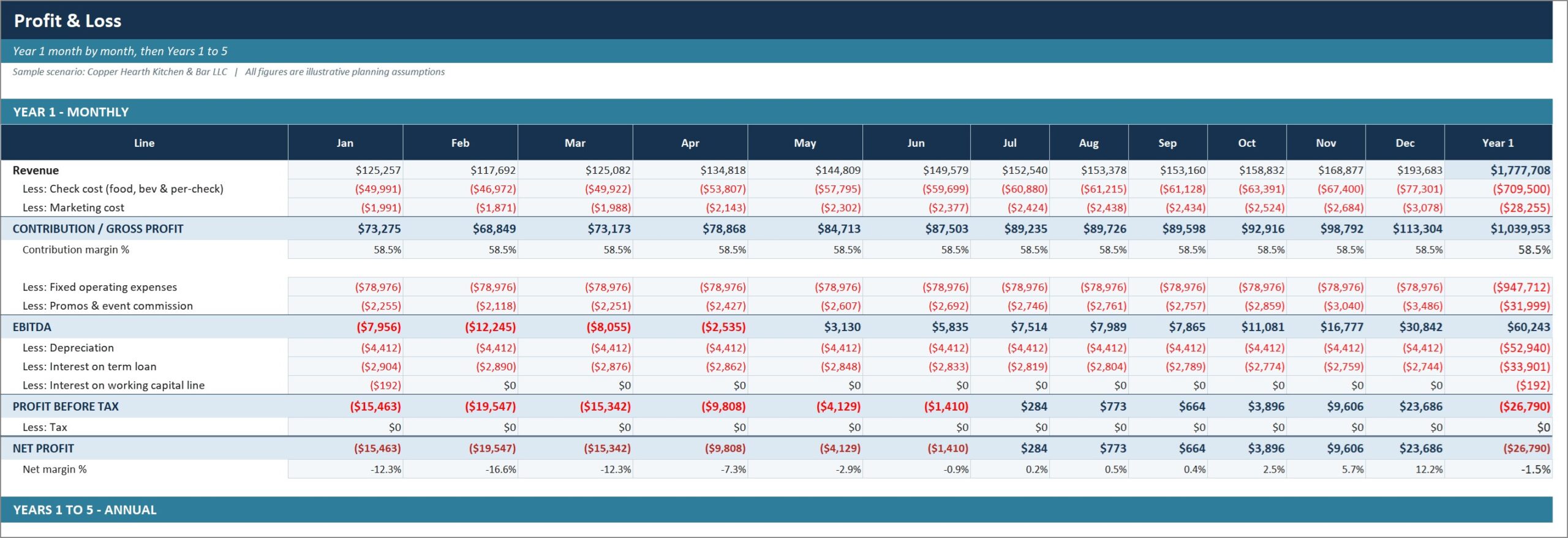
📉 The worked example makes a loss in Year 1, on purpose. The fictional sample company, Copper Hearth Kitchen & Bar LLC, is a wood-fired, scratch-kitchen neighborhood restaurant and bar. It takes $1,777,708 in Year 1 with a 58.5% contribution margin, $60,243 of EBITDA and a ($26,790) net loss, reaches break-even in Year 2, and grows to $2,822,927 revenue, $394,449 EBITDA (14.0%) and $230,897 net profit by Year 5. These are illustrative figures, not benchmarks.
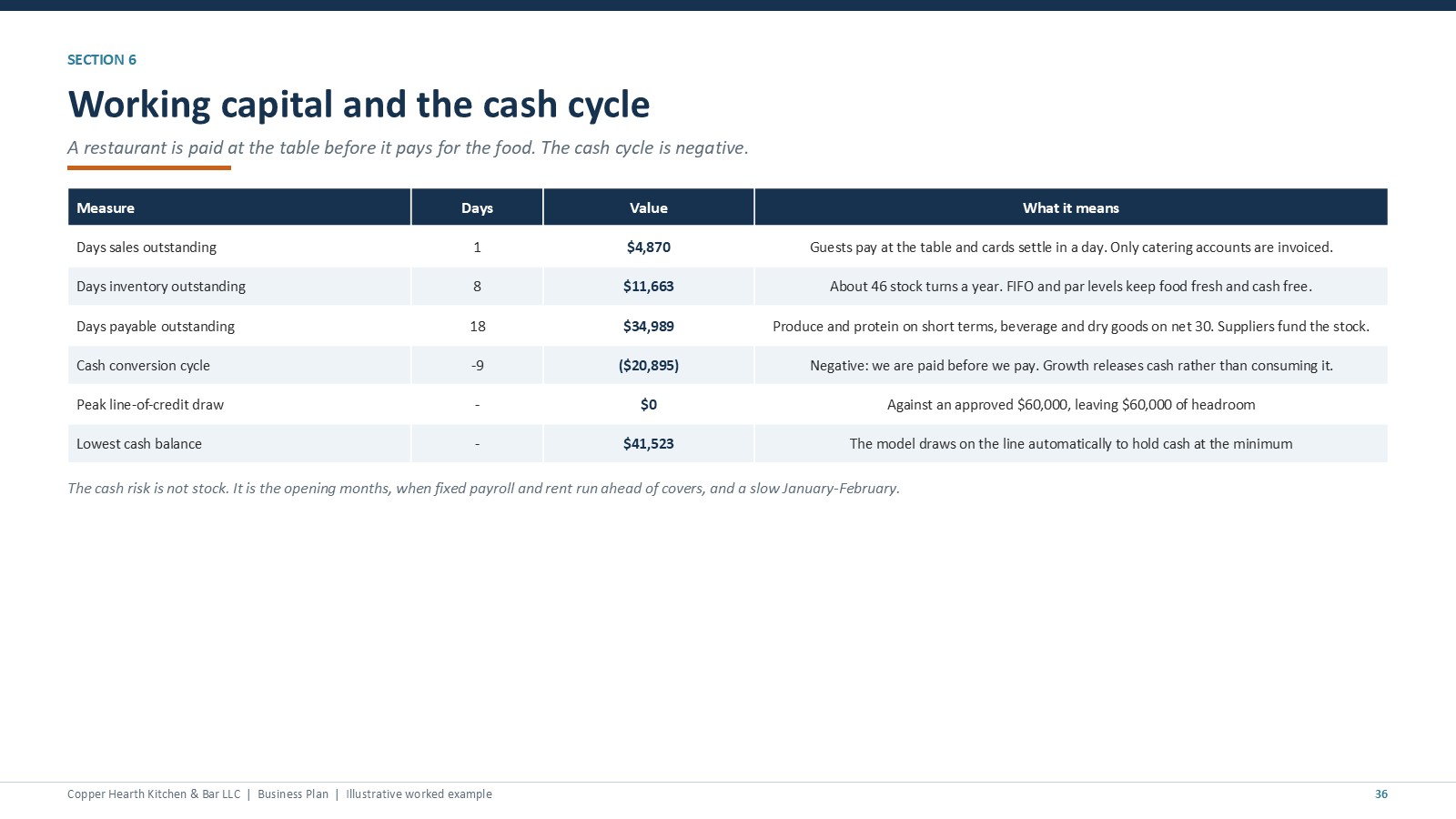
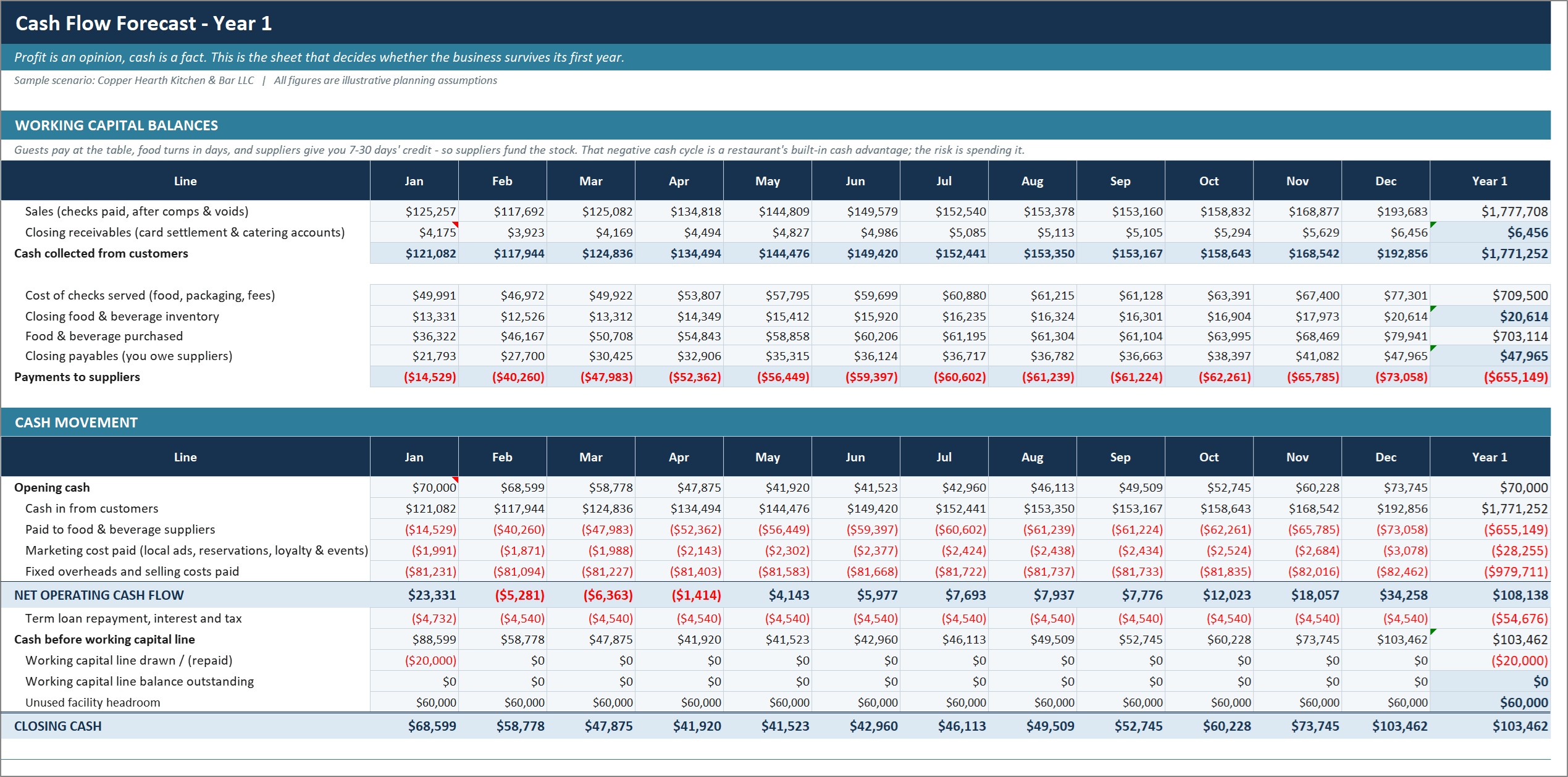
💵 The cash cycle is modelled honestly. Guests pay at the table and suppliers are paid on terms, so the example runs a cash conversion cycle of minus 9 days. The real cash risk is the opening months, when payroll and rent run ahead of covers, and the cash flow forecast shows it month by month with a working capital line in reserve.
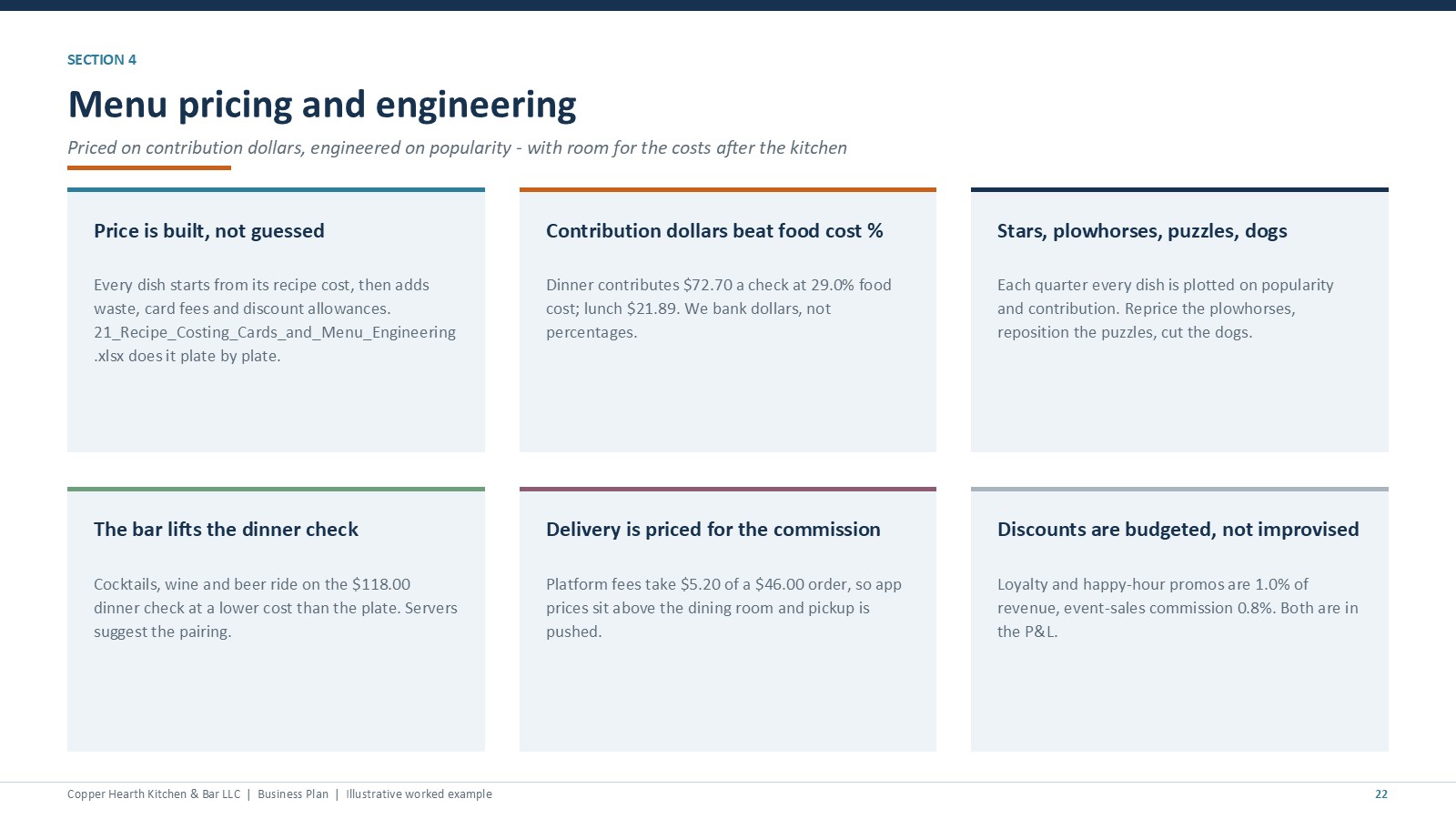
🍽️ Menu pricing on contribution dollars. Recipe costing cards build each plate cost from yields and waste, set the menu price at your target food cost, and sort every dish into stars, plowhorses, puzzles and dogs. In the example dinner contributes $72.70 a check at a 29.0% food cost.
⚙️ Excel 2013 and later. No XLOOKUP, no dynamic arrays, no add-ins, and nothing is password protected. The only macro file is the bundled Organization Chart Template (.xlsm), which needs macros to draw itself.
📦 What’s Inside the Restaurant Business Starter Templates Kit
The 44-slide PowerPoint business plan
Seven sections: the business, the market, menu and operations, sales and marketing, organization, the financial plan and execution. Native editable charts and tables, with speaker notes on 35 slides, ready for a lender, an investor or a landlord.
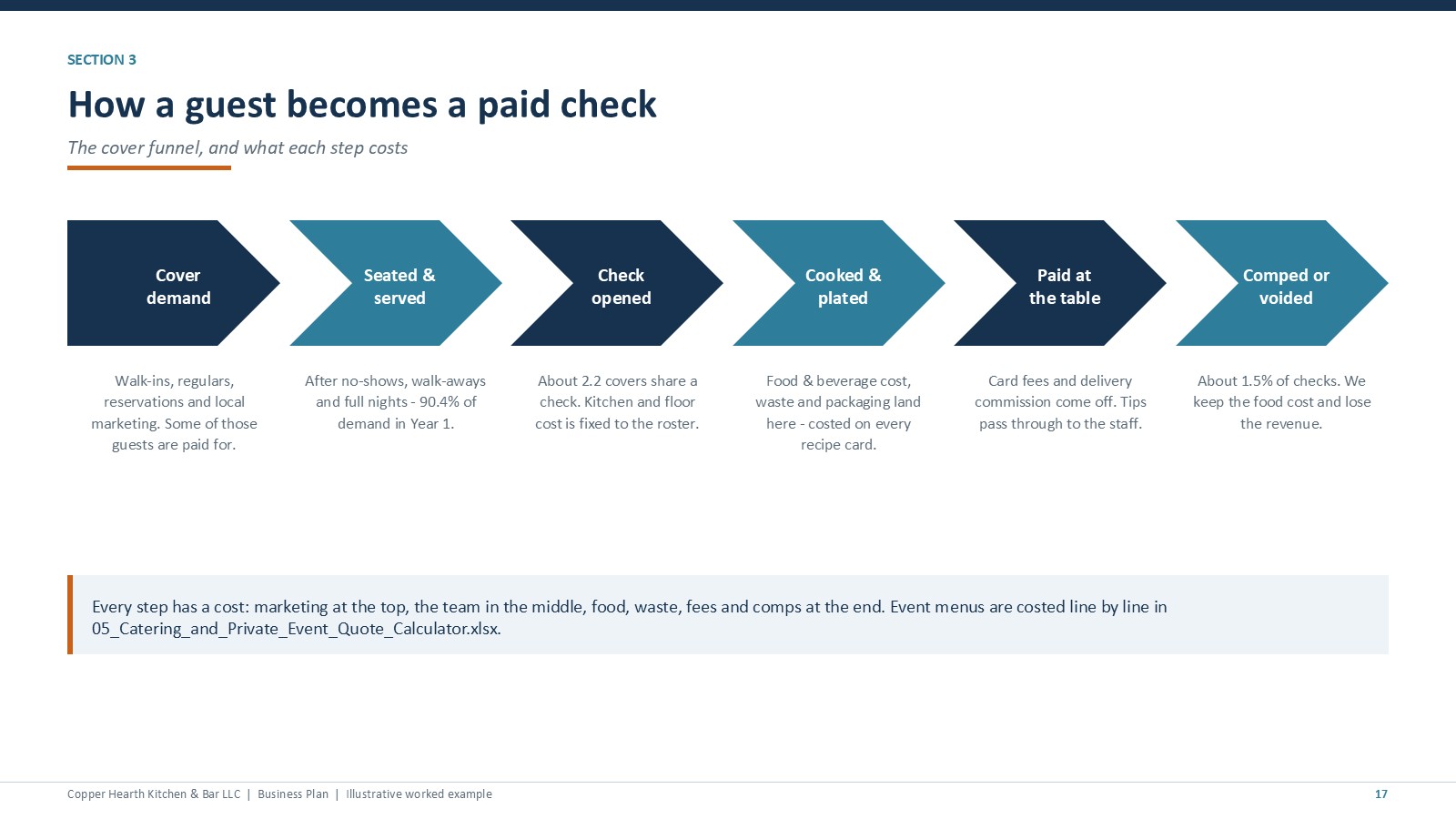
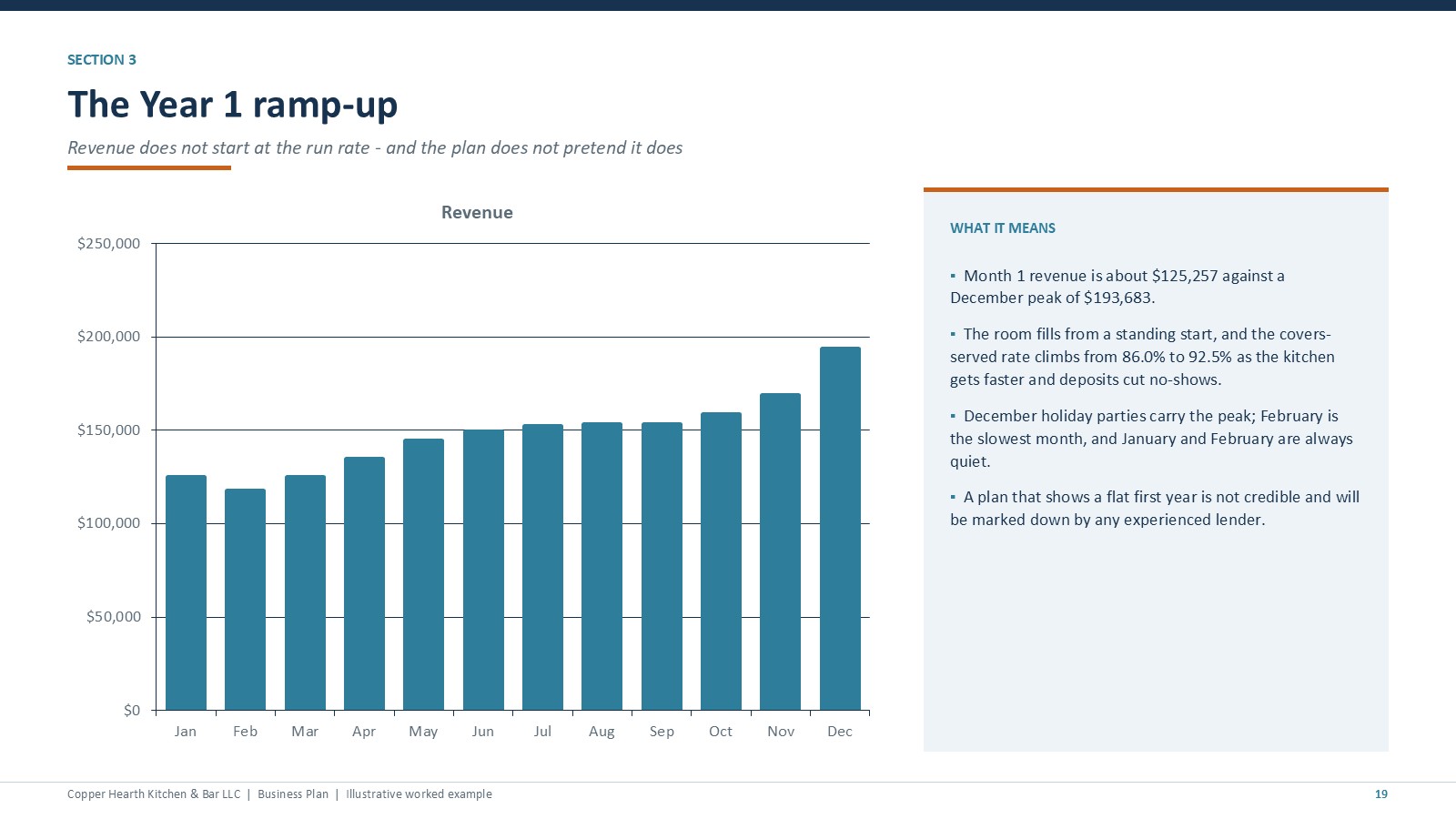
Guest funnel, Year 1 ramp and menu engineering slides
How a guest becomes a paid check in six costed steps, the Year 1 revenue ramp from about $125,257 in month 1 to a $193,683 December peak, and the menu pricing and engineering logic: price built from the recipe cost, contribution dollars ahead of food cost percentage, and discounts budgeted rather than improvised.
Startup investment, profit and loss, working capital and break-even slides
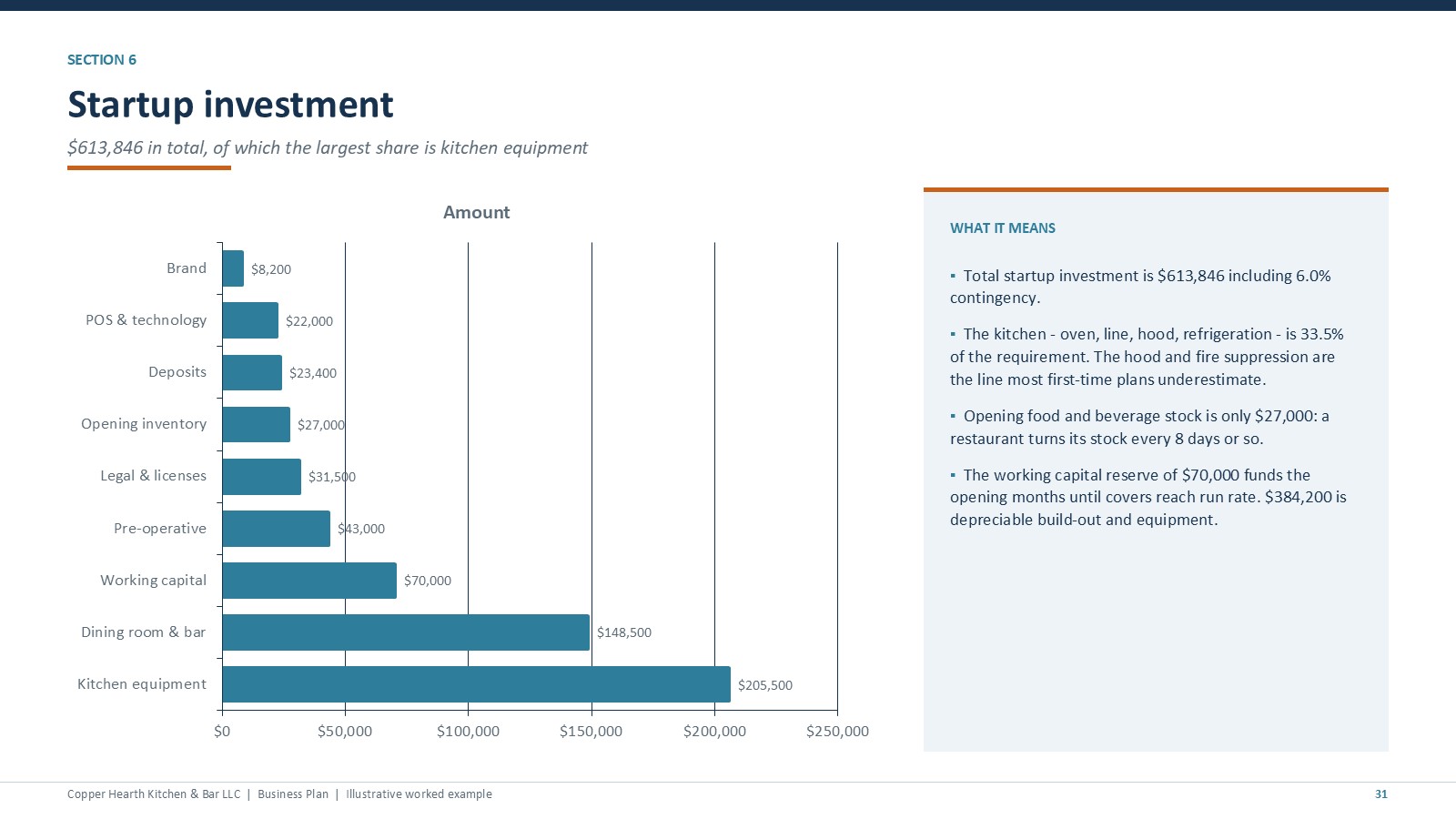
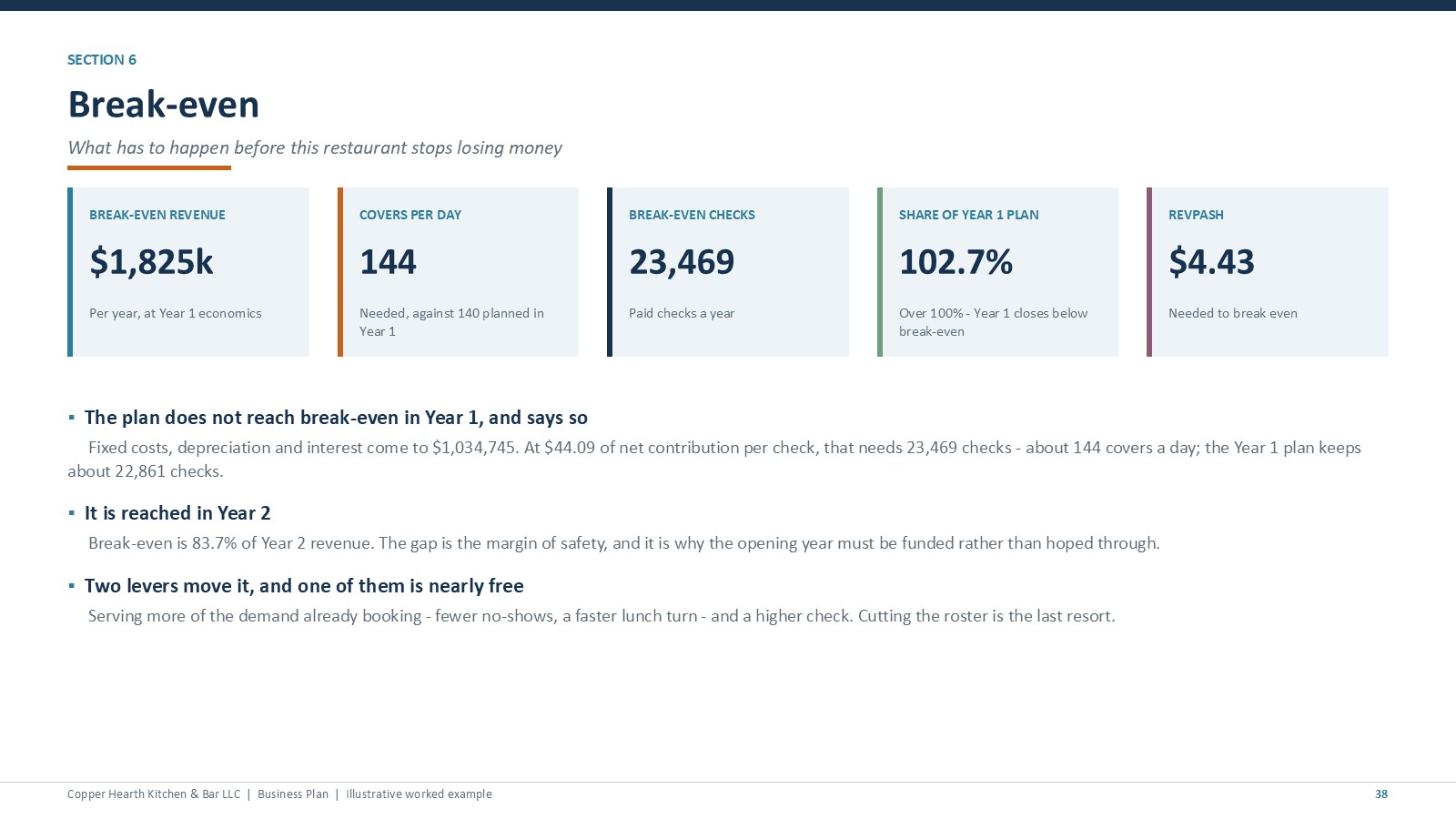
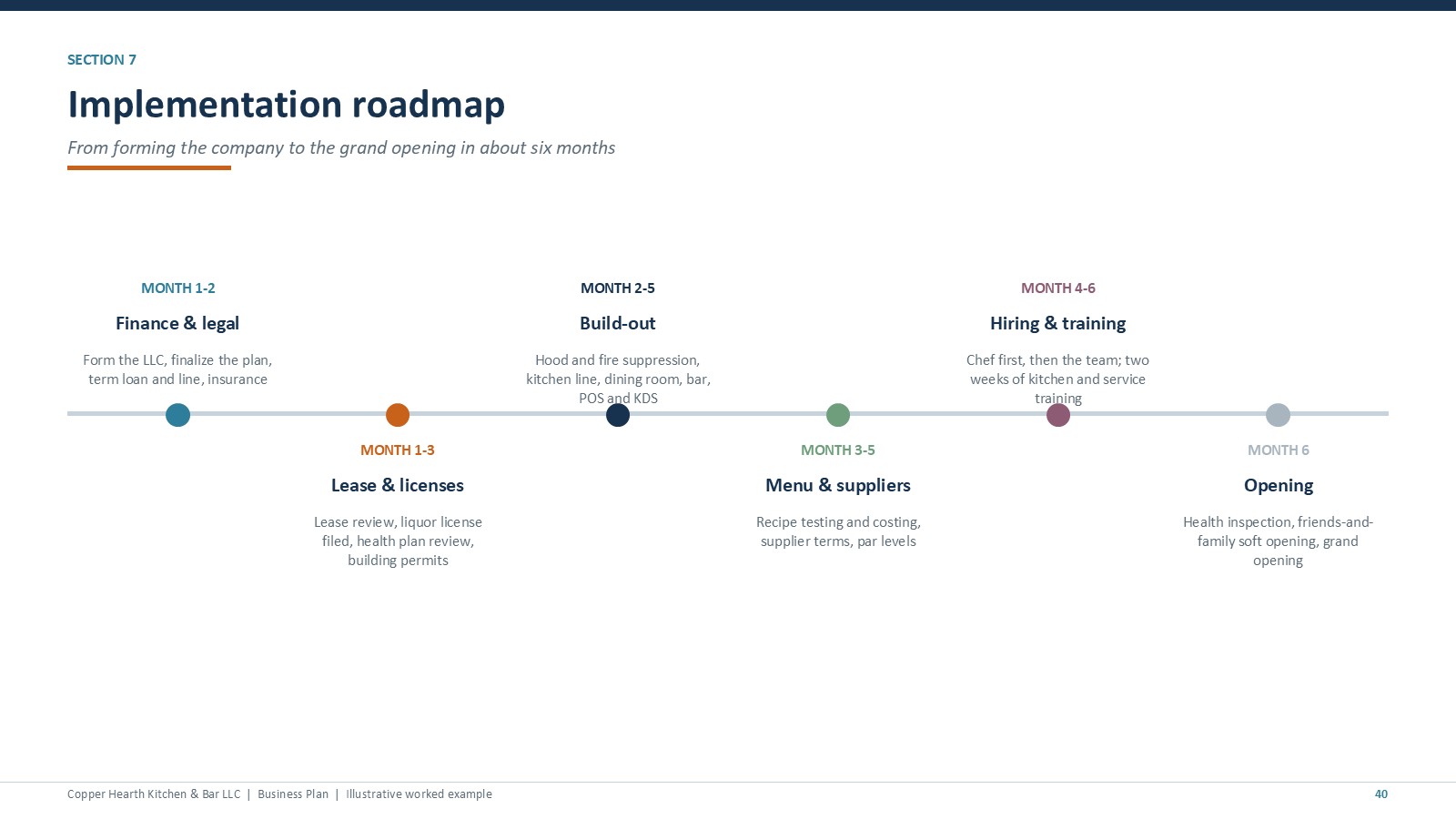
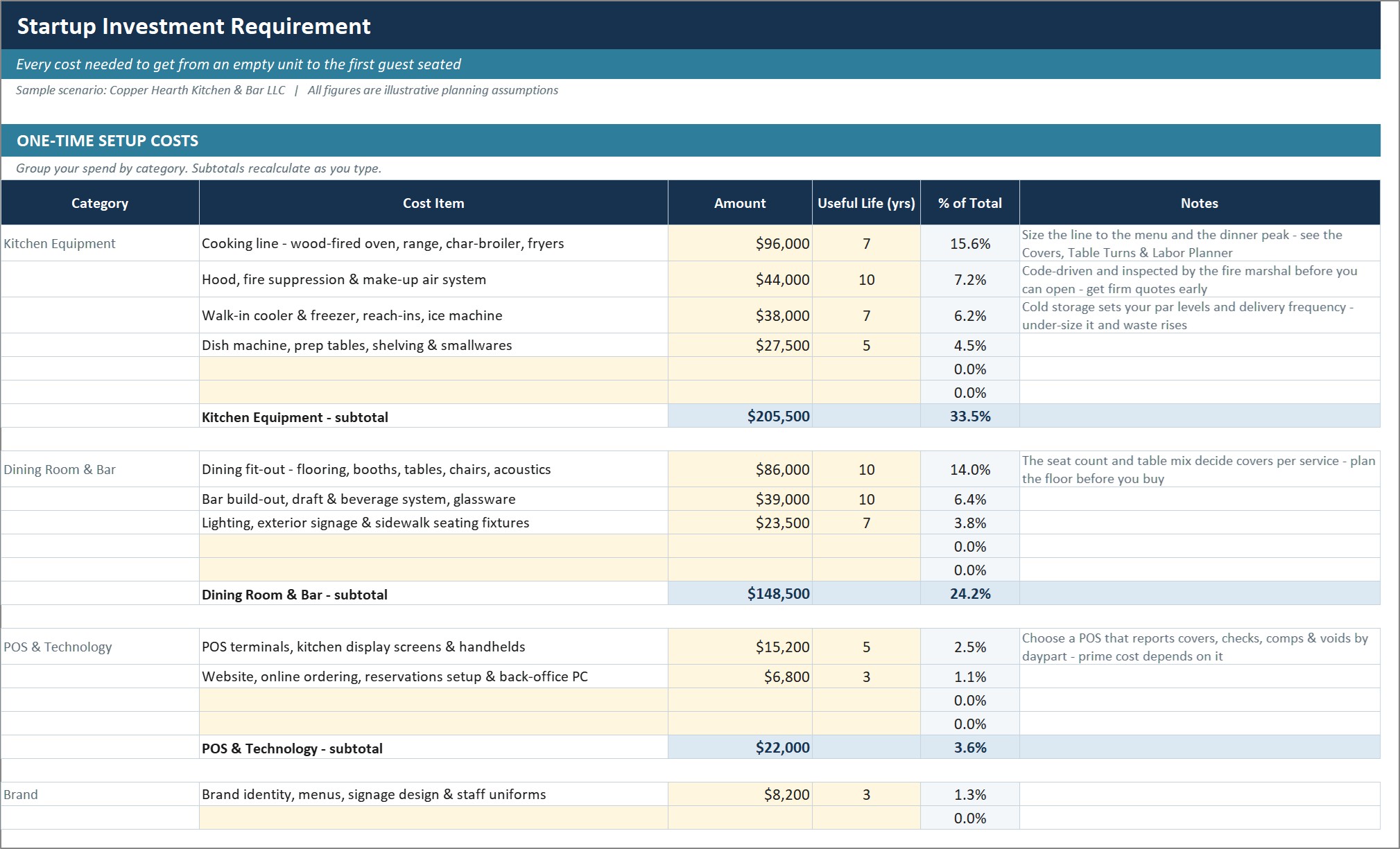
Restaurant startup costs of $613,846 including a 6.0% contingency, with kitchen equipment the largest share at $205,500; a five-year profit and loss; the cash cycle; break-even stated as about $1,825k of revenue, 144 covers a day and 23,469 paid checks a year; and a roadmap to the grand opening in about six months.
Workbook 02: the restaurant financial model in Excel
The Financial Plan Dashboard shows Year 1 and Year 5 revenue, contribution margin, EBITDA, net profit, closing cash and break-even revenue on one screen, plus restaurant health measures: revenue per cover, seat turns per service, RevPASH, food and beverage cost, labor cost and prime cost. The Planning Assumptions sheet is the control panel: cover demand, the Year 1 ramp, the three dayparts with their checks and costs, and every cost rate.
Profit and loss, and the Year 1 cash flow forecast
Year 1 month by month, then Years 1 to 5. The cash flow forecast tracks receivables, food and beverage stock and supplier payables every month, then the working capital line, because cash decides whether a restaurant survives its first year.
Workbook 01 startup costs, and Workbook 05 catering quote template
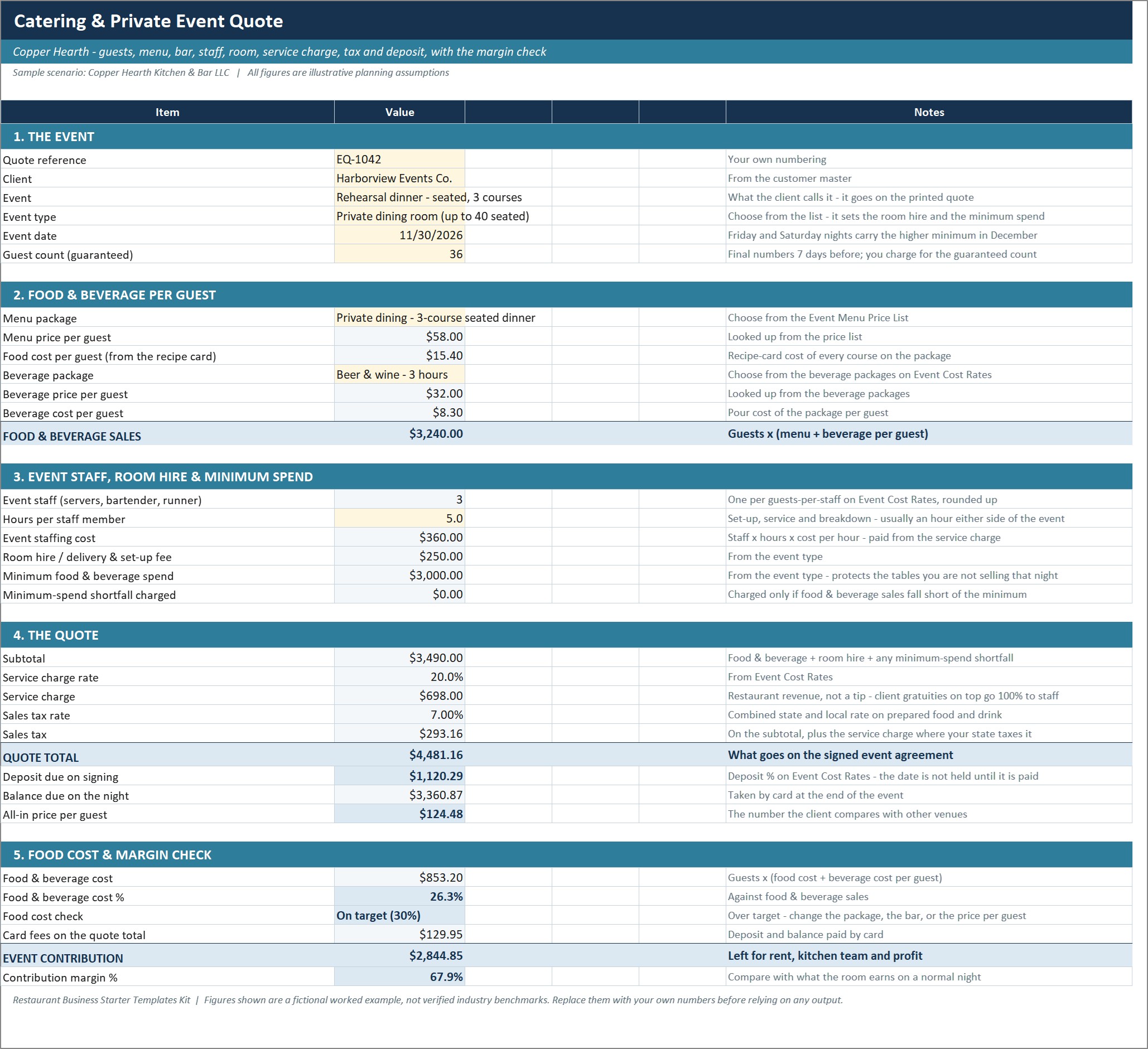
Every cost from an empty unit to the first guest seated: kitchen equipment, the dining room and bar, POS and technology, and brand, each with its useful life and share of the total. Subtotals recalculate as you type. The catering and private event quote calculator prices an event from guests, menu, bar, staff and room hire, adds service charge, tax and the deposit, and checks the margin. In the example a rehearsal dinner for 36 guests comes to $4,481.16 with a 67.9% contribution margin.
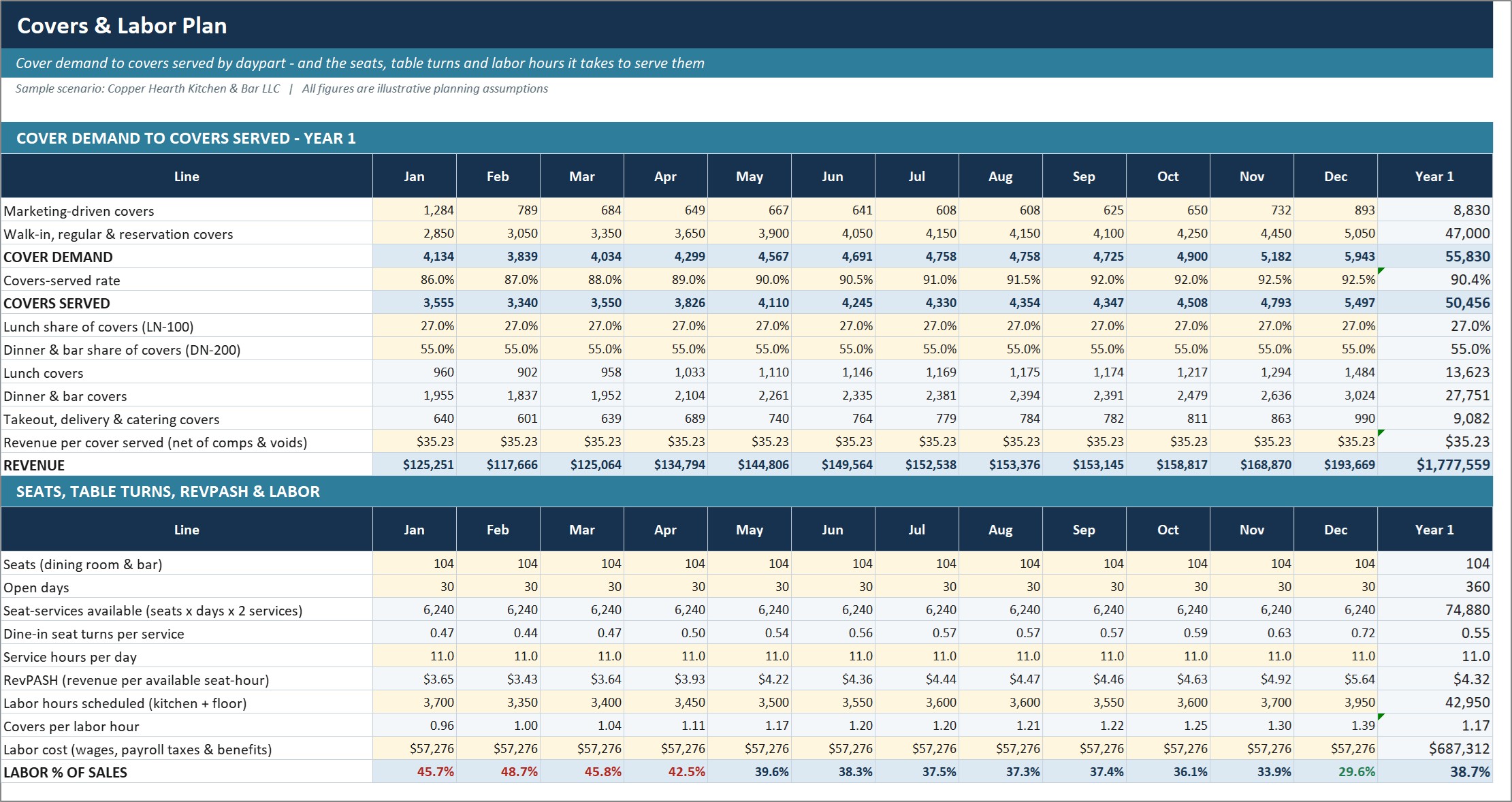
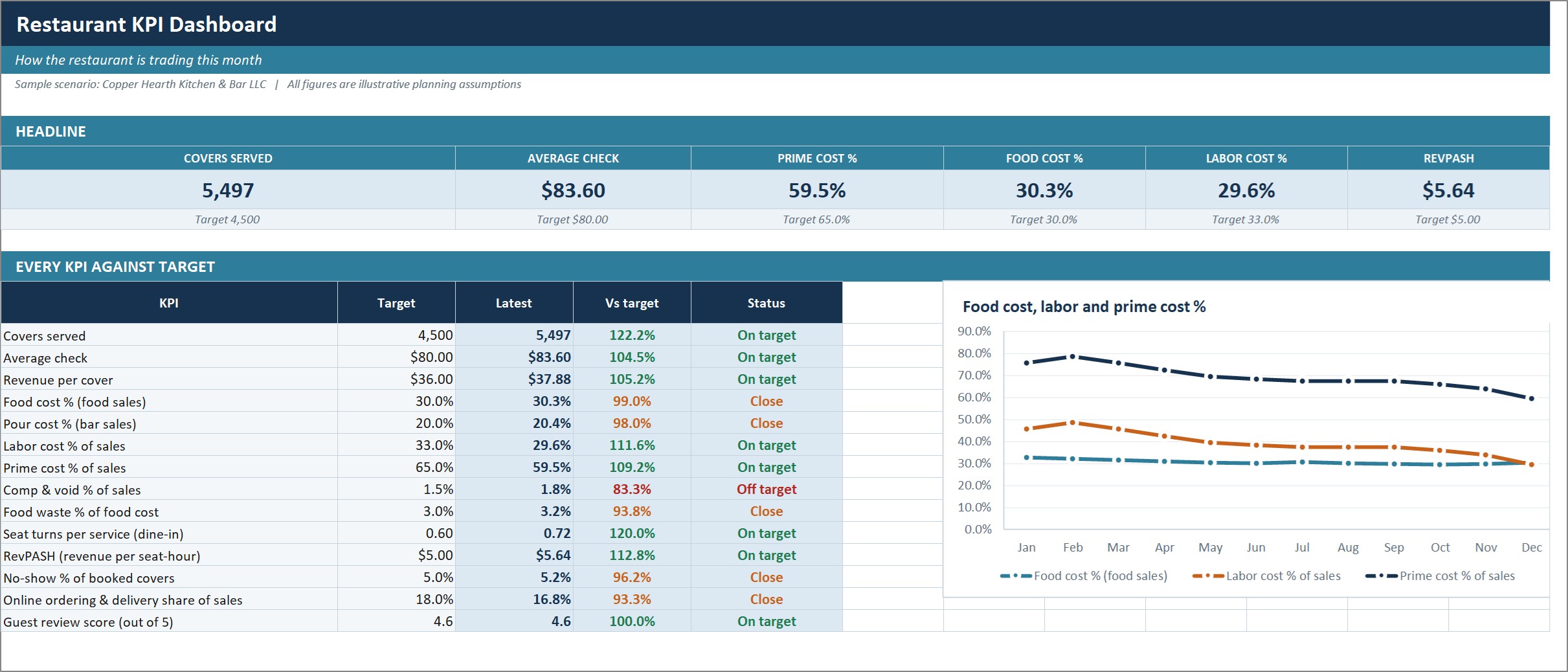
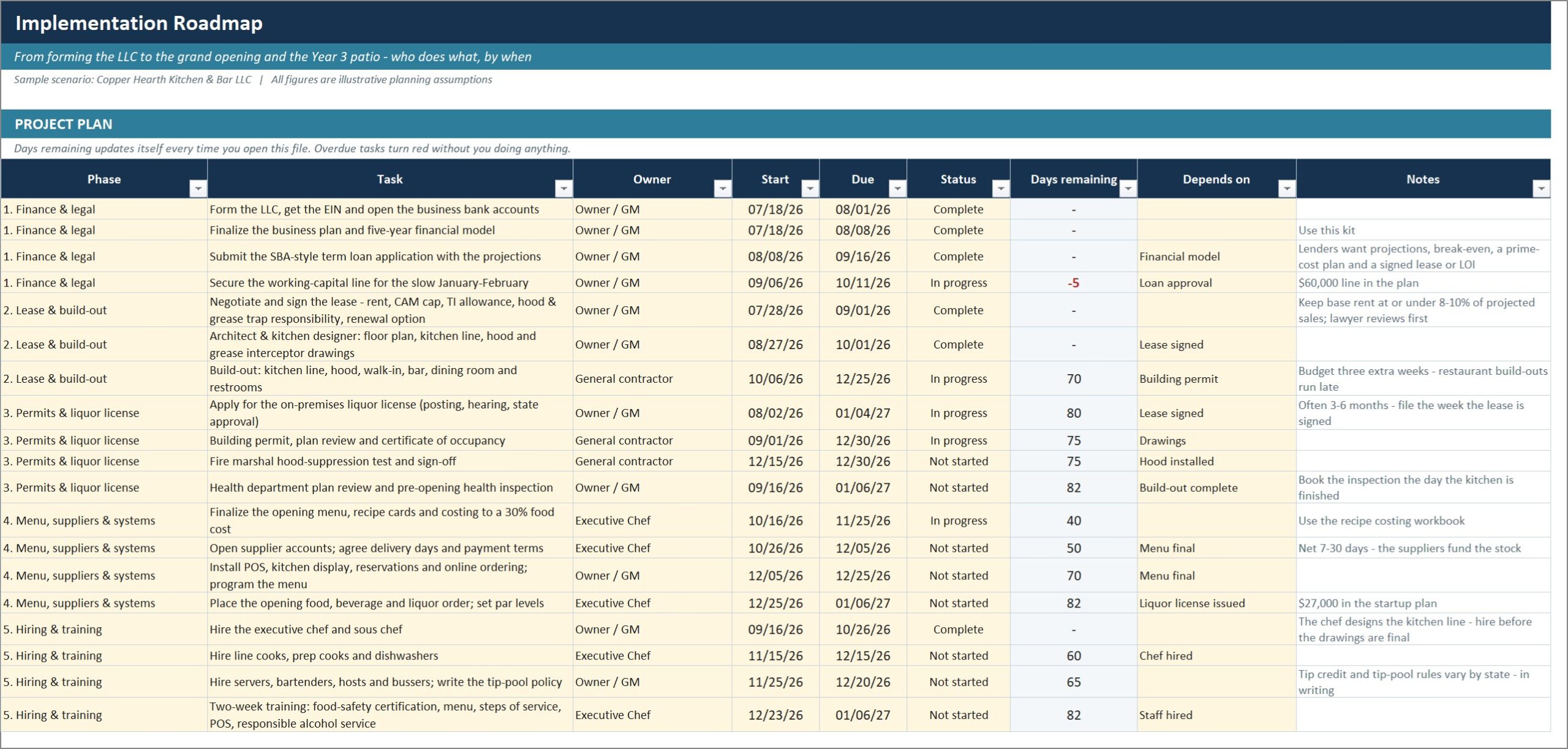
Workbook 07 covers and labor, Workbook 09 KPI dashboard, Workbook 10 roadmap
Cover demand to covers served by daypart, month by month, then seats, table turns, RevPASH and labor hours. In the example labor runs at 45.7% of sales in January and falls below 30% in December. The Restaurant KPI Dashboard shows covers served, average check, prime cost, food cost, labor cost and RevPASH against target, with every KPI listed and its status. The dated roadmap updates days remaining by itself, next to a risk register and a weekly action list.
Also included
🔹 Financial Planning: break-even and contribution analysis, loan and working capital planner, expense tracker and petty cash, receivables and payables ageing, budget vs actual, prime cost and weekly flash report, and daily sales takings and till reconciliation.
🔹 Sales & Marketing: local marketing, catering and events plan, invoice and quotation for catering accounts, and a customer master and enquiry tracker.
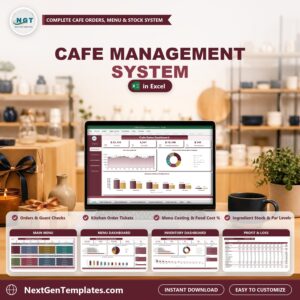
🔹 Operations: food and beverage inventory and par level planner, supplier master and purchase orders, recipe costing cards and menu engineering, and a food waste and spoilage log.
🔹 People, admin and tools: employee master, attendance and leave, payroll, server sales and tip pool tracker, asset register, license, permit and compliance tracker, allergen matrix and food safety temperature log, SOP and food safety plan, restaurant opening checklist, organization chart, QC checklist and financial planning calendar.
📊 Restaurant Business Starter Templates Kit vs. a Business Plan Writer vs. LivePlan / Bizplan: Where This Fits
| Feature | This starter kit | Freelance business plan writer | LivePlan / Bizplan |
|---|---|---|---|
| Cost | $23 one-time ✅ | $500 to $3,000 per plan | $20 to $50 / month, ongoing |
| Platform | Excel, PowerPoint, Word: files you own ✅ | Whatever they send back | Browser only |
| Setup time | Under an hour to your own numbers ✅ | 2 to 6 weeks | Several hours of form filling |
| Restaurant-specific model | Covers, dayparts, checks, prime cost, RevPASH ✅ | Depends on the writer | Generic revenue lines |
| Recipe costing and catering quotes | Included ✅ | Not included | Not included |
| Back-office workbooks after opening | Till reconciliation, tip pool, payroll and more ✅ | Not included | Not included |
| Keeps working if you stop paying | Yes, lifetime access ✅ | Yes | No |
| Lender-ready presentation | 44 editable slides ✅ | Usually a document only | Template export |
For founders who want a restaurant business plan template and a working financial model in Excel without paying a consultant or renting software forever, this starter kit sits in the sweet spot.
👥 Who This Template Is For, and Who It’s Not For
✅ This kit is built for:
- Founders opening an independent full-service restaurant, bistro, gastropub or restaurant and bar
- Owners preparing a bank loan, SBA, investor or landlord application
- Existing operators who want menu costing, labor, prime cost and cash planning in one place
- Consultants and accountants who build plans for hospitality clients
❌ This kit is NOT for:
- Anyone expecting a live POS integration; these are Excel files you update, not an app connected to your till (see the Restaurant POS Web App for that)
- Anyone wanting industry benchmark data: every figure is an illustrative worked example you replace
- Anyone who wants the plan written for them; this is a template you complete
- Anyone looking for legal advice: license, permit and food safety rules vary by state, county and city
⚙️ How to Use the Restaurant Business Starter Templates Kit
- Read 09_Instructions/READ_ME_First.docx and the PDF guide.
- List your restaurant startup costs and funding in workbook 01.
- Cost your real dishes in workbook 21 and set menu prices at your target food cost.
- Plan covers, table turns and the labor rota in workbook 07.
- Open workbook 02 and edit the Planning Assumptions sheet: cover demand, dayparts, checks and cost rates.
- Read the Profit & Loss sheet, then the Cash Flow sheet and the lowest cash balance.
- Replace the example company in the PowerPoint and Word plan.
- Work through the restaurant opening checklist and load your own dates, owners and risks into workbook 10.
💼 Real-World Use Cases
Elena is opening a 104-seat neighborhood bistro. She prices her menu from recipe cards first, then sees in the covers and labor planner that the quiet January rota, not the rent, decides how much cash she needs to raise. She takes the funding plan and five-year model to her bank instead of paying a consultant.
Daniel runs a restaurant and wants to grow private events. The catering quote template shows the margin on every event before he sends the quote, and the prime cost weekly flash report tells him each Monday whether food and labor stayed on target.
Grace is a bookkeeper with three restaurant clients. She reuses the till reconciliation, tip pool, payroll and budget vs actual workbooks for each client, and starts every new restaurant business plan from the kit rather than a blank workbook.
❓ Frequently Asked Questions
What exactly do I get in the Restaurant Business Starter Templates Kit?
You get 35 files in one ZIP across nine folders: a 44-slide PowerPoint business plan, a Word business plan, 26 numbered Excel workbooks, three ready-made Excel tools, the SOP and food safety plan, the restaurant opening checklist, a READ ME and a PDF guide. Everything is editable and nothing is password protected.
How long does setup take?
Under an hour for the core model. It is driven from one Planning Assumptions sheet in the five-year model: enter your cover demand, dayparts, average checks and costs, and profit, cash flow, break-even and the dashboard update automatically.
Does it include restaurant startup costs?
Yes. Workbook 01 lists every startup cost by category (kitchen equipment, dining room and bar, POS and technology, brand, deposits, licenses, pre-opening, opening inventory and working capital) with a contingency and the funding plan. The example totals $613,846.
How does this compare to LivePlan or hiring a business plan writer?
A writer costs $500 to $3,000 and takes weeks; LivePlan is a subscription you lose when you stop paying. This kit is a one-time purchase, you own the files and formulas, and the model is built around covers, checks, prime cost and RevPASH.
Does it work in older versions of Excel?
The workbooks work in Excel 2013 and later, including Microsoft 365. They avoid XLOOKUP and dynamic arrays, and no add-ins are required.
Are the numbers real industry benchmarks?
No. Copper Hearth Kitchen & Bar LLC is a fictional restaurant and bar. Every figure is an illustrative planning assumption that shows how a complete plan fits together. Replace them with your own research, and confirm license, permit and food safety requirements locally.
Do I need macros?
No. Every planning and operations workbook in the kit is macro-free. The one exception is the bundled Organization Chart Template, which uses macros to draw the chart; click Enable Content when Excel asks.
👤 About the Author
Built by PK, Microsoft Certified Professional with 15+ years of Excel, Google Sheets and Power BI experience. Founder of NextGenTemplates, reaching 300K+ subscribers across YouTube channels (@PKAnExcelExpert, @NextGenTemplates, @NeoTechNavigators). Every template is hand-built and tested before release.
🔗 Explore Related Templates
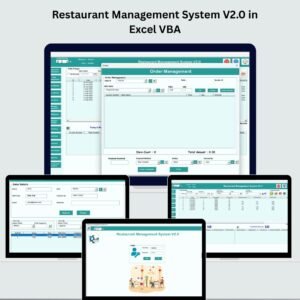
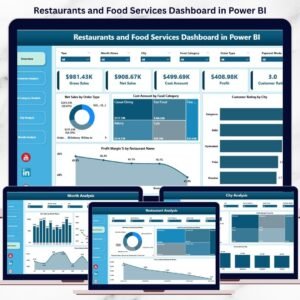
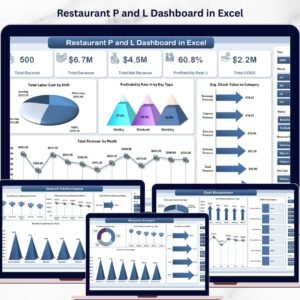
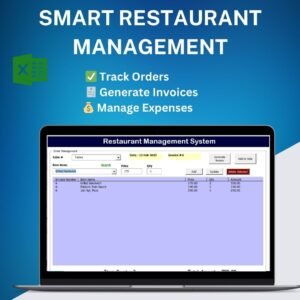
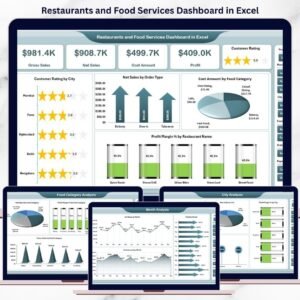
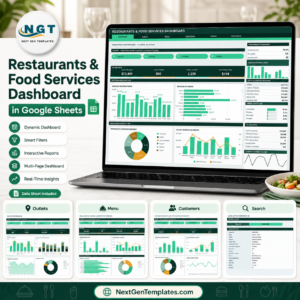
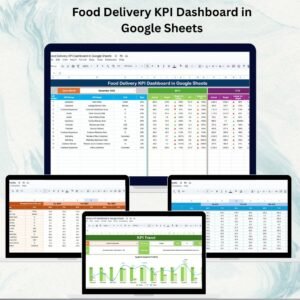
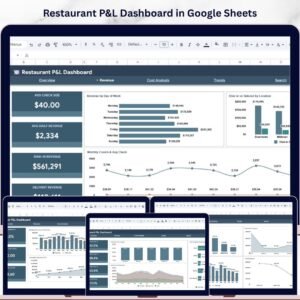
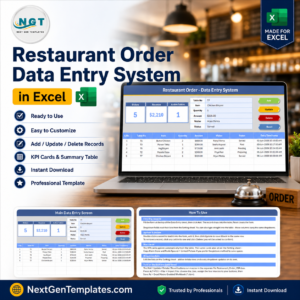
Once the restaurant is trading, pair the kit with a reporting dashboard: the Restaurants and Food Services Dashboard in Excel, the Restaurants & Food Services KPI Dashboard in Excel and the Restaurant P and L Dashboard in Power BI. For day-to-day orders, the Restaurant Management System V2.0 in Excel VBA is a natural next step.
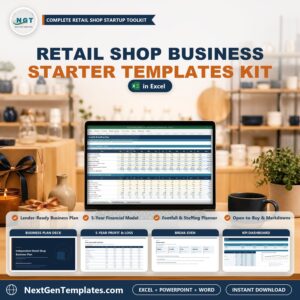
Planning a different kind of business? The Retail Shop Business Starter Templates Kit, the Ecommerce Store Business Starter Templates Kit and the Manufacturing Business Plan Templates Kit follow the same format.
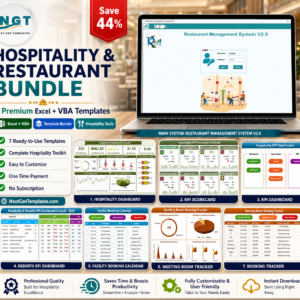
💎 Want more restaurant templates? The Hospitality & Restaurant Bundle packs 7 premium Excel templates. Browse more in Business Starter Kits and Template Bundles.
📖 Click here to read the Detailed Blog Post
🎥 Visit our YouTube channel for step-by-step video tutorials
👉 YouTube.com/@NextGenTemplates
📅 Last updated: October 2026
Compatibility and Requirements
- The 26 planning and operations workbooks and the three Excel tools work in Microsoft Excel desktop (Excel 2013 or later, or Microsoft 365). No add-ins are needed.
- The bundled Organization Chart Template is an .xlsm file. It needs Excel desktop on Windows with macros enabled, and it does not run in Excel for the web, Google Sheets or mobile. Microsoft explains how in Enable or disable macros in Microsoft 365 files.
- The 44-slide business plan opens in PowerPoint; the business plan, SOP and food safety plan and restaurant opening checklist open in Word.
Related Restaurant and Business Planning Templates
- Hospitality & Restaurant Bundle: 7 premium Excel templates for hospitality
- Food and Beverage Dashboard in Excel: a reporting dashboard for F&B sales
- Catering Services Dashboard in Excel: track catering and event revenue
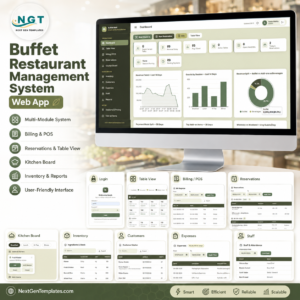
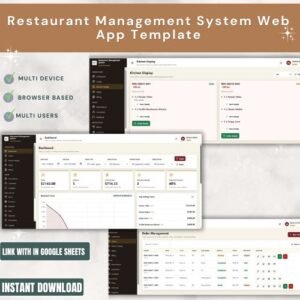
- Restaurant POS Web App: take orders and bills in a browser
- Menu Item Master Data Entry System in Excel: keep the menu list in one place
Browse all Template Bundles.








Reviews
There are no reviews yet.