
Managing vehicle bookings manually can quickly turn into chaos — overlapping schedules, missing trip details, incorrect cost entries, and poor visibility across departments. When multiple teams, drivers, and trip locations are involved, traditional spreadsheets fail to provide accuracy, transparency, and control.
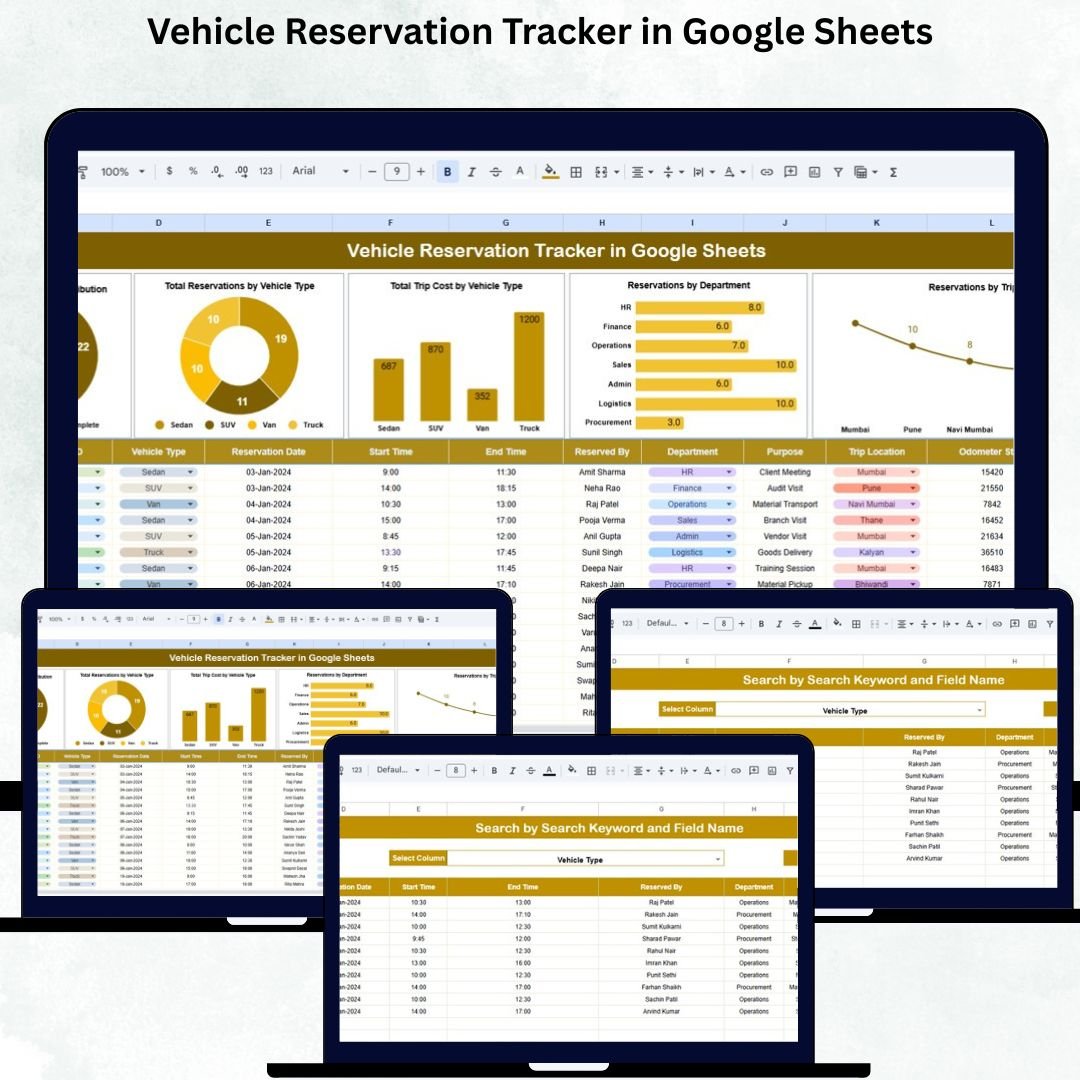
The Vehicle Reservation Tracker in Google Sheets solves all these challenges with a clean, automated, and fully dynamic tracking system. Designed for organizations of every size, this powerful tracker helps you manage reservations, monitor costs, analyze usage patterns, and reduce scheduling conflicts — all in real time. Whether you handle corporate travel, field visits, logistics, or inter-office trips, this tracker ensures smooth operations and better decision-making.
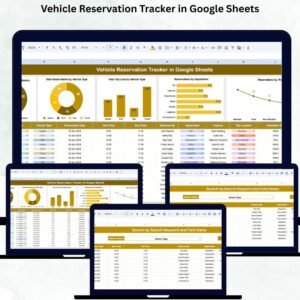
Built with interactive charts, automated dashboards, and a smart search module, it transforms vehicle tracking from a manual headache into an organized and intelligent workflow. No software installation, no coding required — just plug in your data and manage everything effortlessly.
✨ Key Features of the Vehicle Reservation Tracker in Google Sheets
This tracker includes powerful and user-friendly features designed to improve operational efficiency:
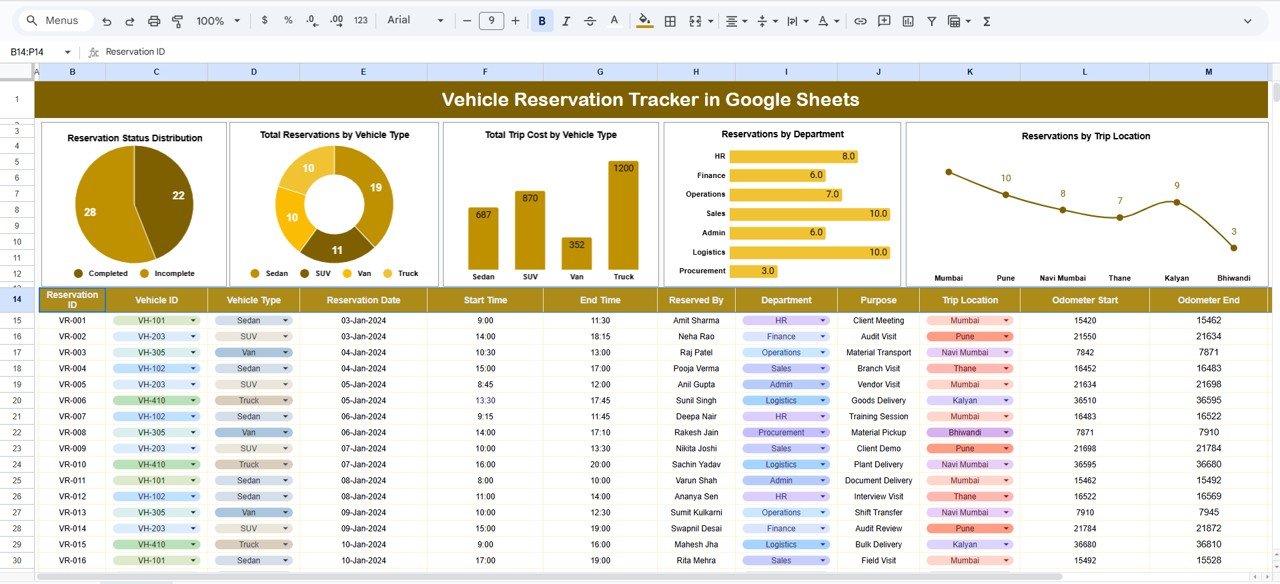
🚦 Reservation Status Insights
Instantly visualize reservation categories such as:
-
Completed
-
Scheduled
-
Canceled
-
Pending
-
Rescheduled
This helps teams understand trip distribution and workload patterns.
🚘 Vehicle Usage Analytics
Track how often each vehicle type (SUVs, Sedans, Vans, Trucks, Motorbikes) is booked.
Great for identifying high-demand vehicles and planning procurement or replacements.
💰 Cost Analysis per Vehicle Type
Understand where your travel budget is going:
-
Total trip cost by vehicle type
-
High-cost categories
-
Low-efficiency vehicle types
This helps optimize budgeting and cost-saving strategies.
🏢 Department-Wise Reservations
See which departments — HR, Sales, Operations, IT, Finance — use vehicles the most.
Perfect for resource allocation and inter-department planning.
📍 Trip Location Heatmap
Analyze reservations by trip destination such as:
-
Client Sites
-
Branch Offices
-
Warehouses
-
Field Areas
-
External Events
This helps improve logistics planning and field movement oversight.
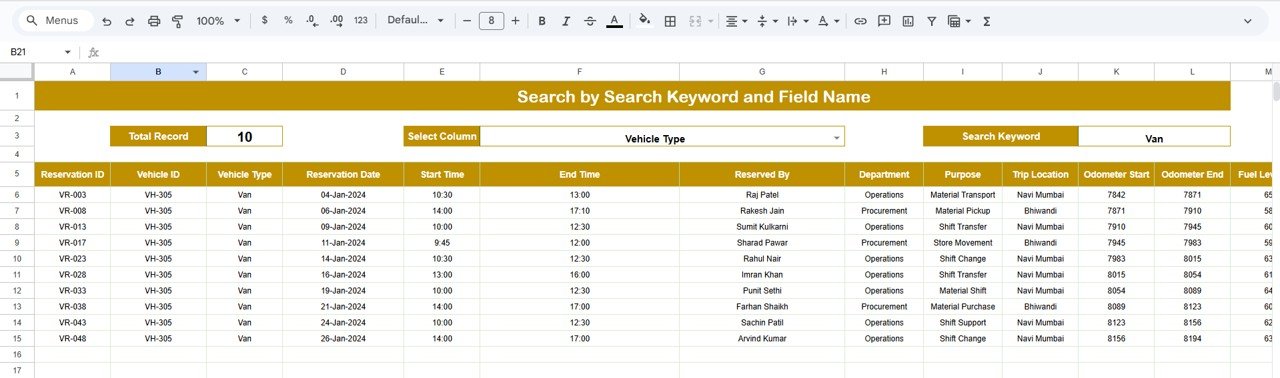
🔍 Smart Search Function
Search any reservation instantly using:
-
Vehicle Type
-
Driver Name
-
Department
-
Reservation Status
-
Trip Location
-
Reservation ID
-
Date
Perfect for audits, trip explanations, and reporting reviews.
📦 What’s Inside the Vehicle Reservation Tracker
The Google Sheets file comes with a clean, structured, and scalable setup:
📊 Tracker Sheet Dashboard
Your main control center with automated charts and real-time reservation insights.
🔎 Search Sheet
A fast and efficient search tool for pulling up reservation details instantly.
📄 Data Sheet (Backend)
Stores all reservation details including:
-
Reservation ID
-
Vehicle Type
-
Driver
-
Department
-
Trip Location
-
Reservation Date
-
Status
-
Trip Cost
-
Notes
All visuals update automatically when data is added or edited.
🛠 How to Use the Vehicle Reservation Tracker
Using the tracker is extremely simple:
-
Enter reservation details in the Data Sheet.
-
The dashboard transforms data into charts instantly.
-
Use the Search tab for quick record look-ups.
-
Review charts to identify usage trends and cost patterns.
-
Update regularly for accurate reporting.
No formulas, no macros — everything works automatically.
👥 Who Can Benefit from This Tracker
This tool is ideal for:
🚗 Fleet Managers
Easily manage multiple vehicles, drivers, and reservation loads.
🏢 Corporate Admin & HR Teams
Track vehicle usage for internal trips and meetings.
🧳 Field Operations & Logistics Teams
Monitor trip destinations and optimize field travel.
💼 Sales & Client Teams
Plan client visits with zero scheduling conflicts.
🏭 Manufacturing & Warehouse Teams
Manage inter-location movement and logistics planning.
Any organization that uses vehicles — even occasionally — can benefit tremendously.
Click here to read the Detailed Blog Post
Visit our YouTube channel to learn step-by-step video tutorials
Watch the step-by-step video Demo:
Visit our YouTube channel to learn step-by-step video tutorials






















Reviews
There are no reviews yet.