
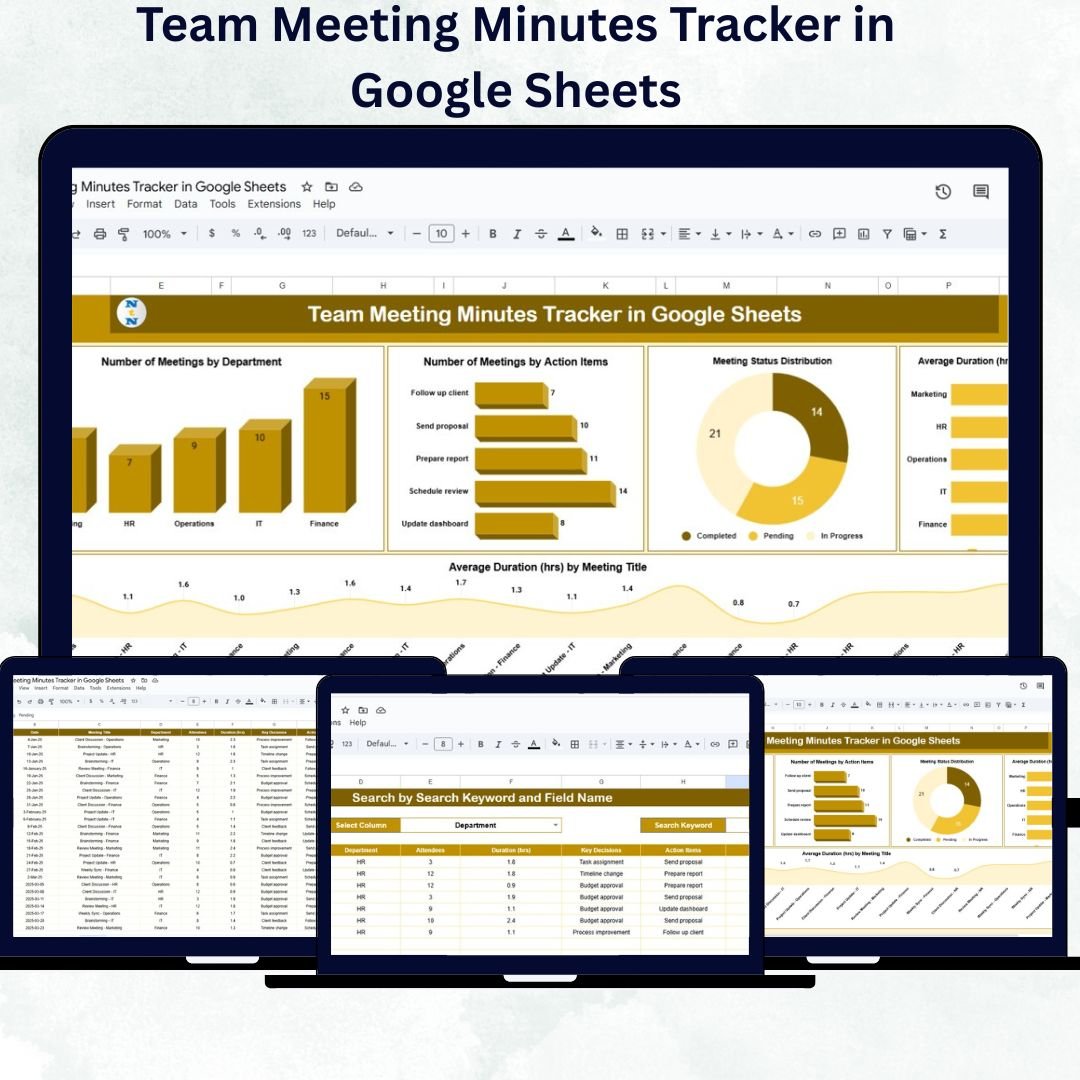
Managing meeting discussions, follow-ups, and assigned responsibilities can be challenging without a structured system. The Team Meeting Minutes Tracker in Google Sheets is a ready-to-use, smart, and interactive template designed to help organizations capture meeting outcomes, track action items, and ensure accountability with ease.
This cloud-based tracker simplifies the way you organize meeting minutes — turning scattered notes into a powerful, data-driven dashboard. It helps managers, project leads, and team coordinators visualize productivity, measure efficiency, and stay on top of pending tasks — all in real time.
🔑 Key Features of the Team Meeting Minutes Tracker in Google Sheets
📊 Tracker Sheet Tab
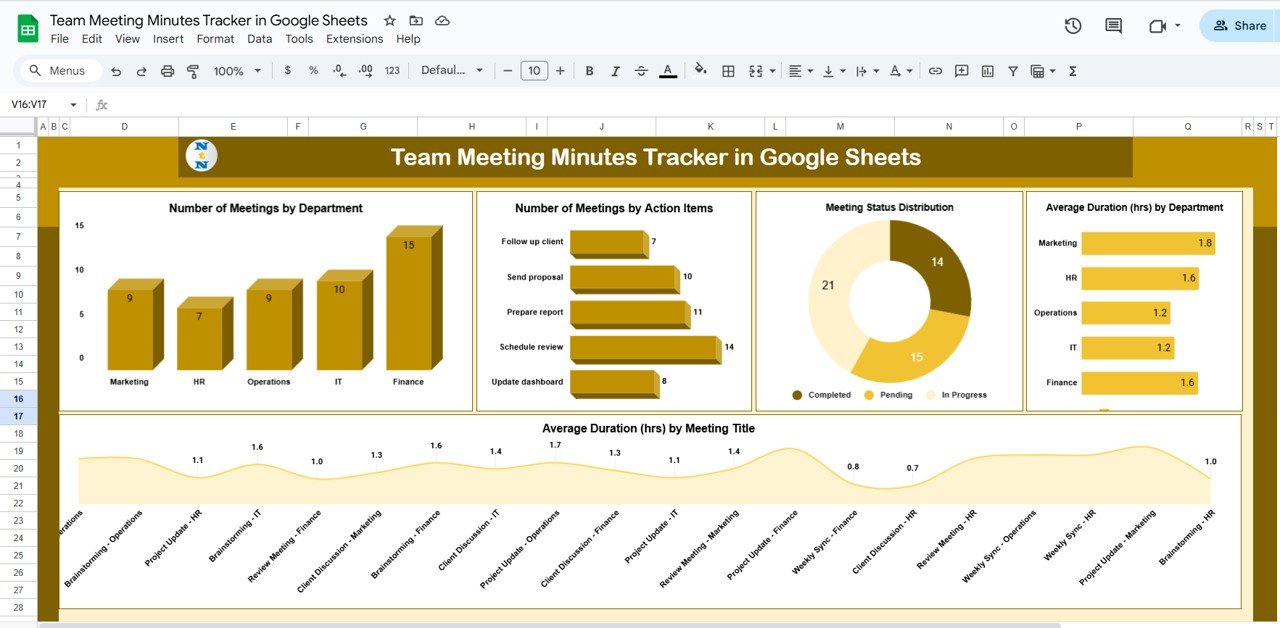
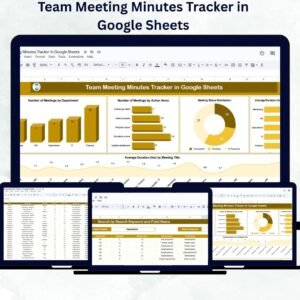
The main sheet is an all-in-one dashboard that combines meeting summaries, charts, and detailed data logs.
It provides:
-
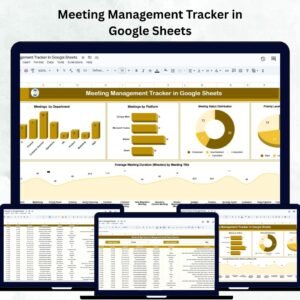
Visual Analytics: See trends in meeting frequency, duration, and completion rate.
-
Interactive Charts:
-
🏢 Number of Meetings by Department – Identify which departments conduct the most meetings.
-
✅ Number of Meetings by Action Items – Monitor how many follow-ups are generated per meeting.
-
⏱️ Meeting Status Distribution – View ratios of Completed, Pending, and In-Progress meetings.
-
🕒 Average Duration by Department – Measure productivity through meeting length insights.
-
📋 Average Duration by Meeting Type – Compare planning, review, and strategy sessions.
-
It also allows users to quickly search and filter data for specific meetings, departments, or organizers — ensuring no discussion point is ever lost.
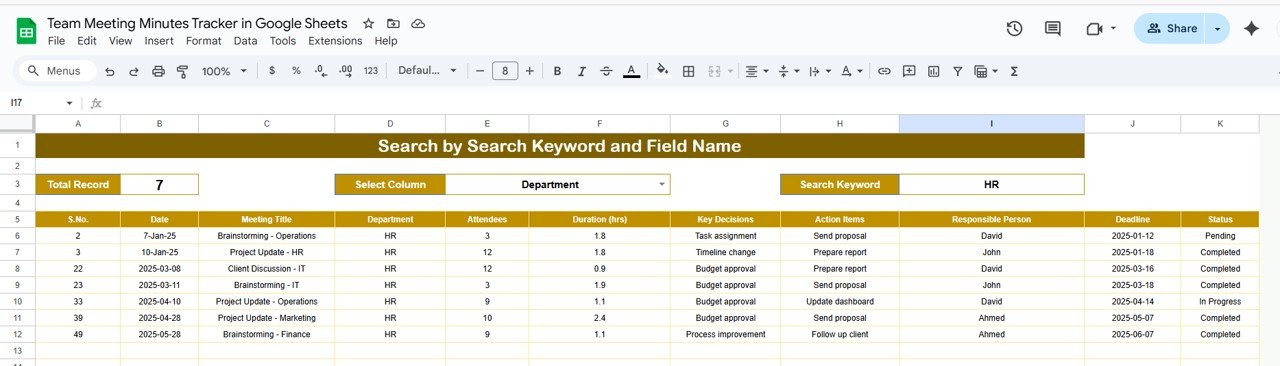
🔍 Search Sheet Tab
This tab helps you find information instantly without scrolling through hundreds of rows.
-
Keyword Search: Type any keyword (e.g., meeting title, topic, or action item) to find matching records.
-
Field Name Search: Filter results by columns such as Department, Organizer, or Status.
This makes reviewing historical meetings or follow-ups incredibly efficient — perfect for audit trails or progress evaluations.
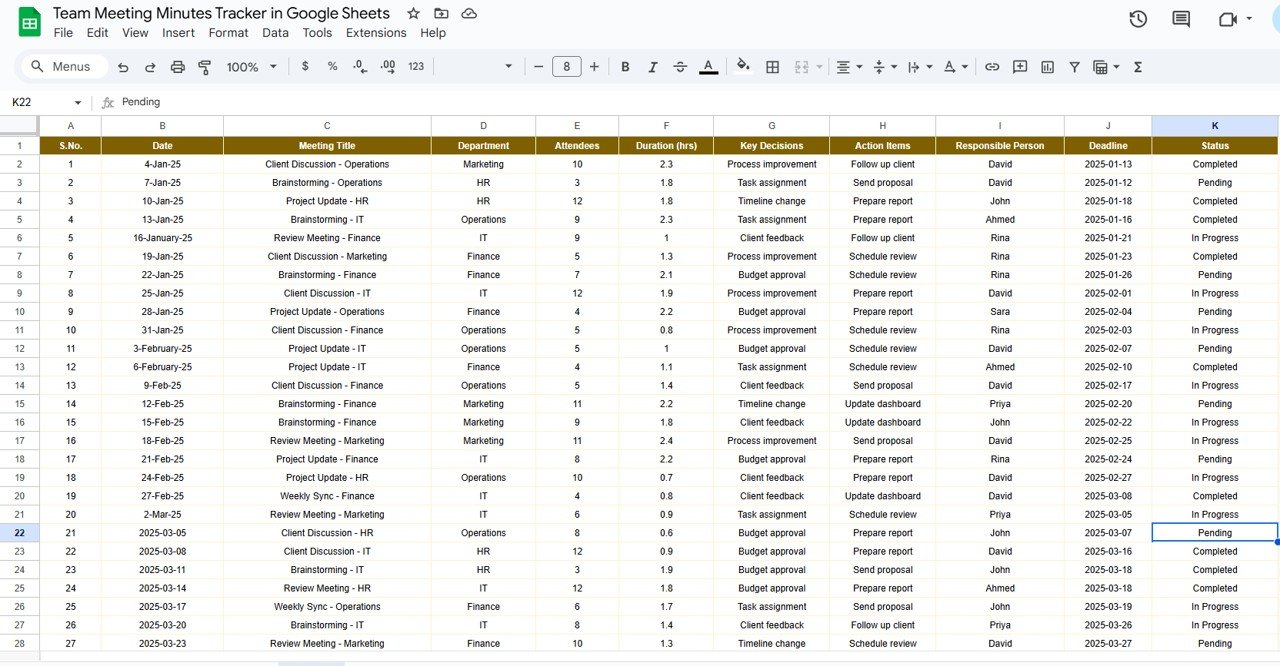
📑 Data Tracking Section
Each record includes essential details like:
Meeting Title | Department | Date | Duration | Organizer | Action Items | Responsible Person | Status | Notes
This structure creates accountability and transparency across departments and projects.
📦 What’s Inside the Template
✅ Tracker Sheet: Dashboard view with charts and data records
✅ Search Sheet: Instant filtering for targeted review
✅ Prebuilt Charts: Automatic visuals for performance tracking
✅ Dynamic Status Tracker: Color-coded statuses for progress monitoring
✅ Editable Columns: Add or rename fields to match your workflow
✅ Cloud Collaboration: Multiple users can edit in real time
This tracker transforms your regular meeting minutes into a smart productivity management system — all powered by Google Sheets.
👩💼 Who Can Use This Tracker
🏢 Project Managers: Record discussions, decisions, and deadlines across teams.
👥 HR & Admin Teams: Keep track of meetings related to operations and policy updates.
📈 Executives & Leaders: Review departmental efficiency and recurring topics.
📅 Coordinators: Assign and monitor completion of follow-up tasks.
💬 Remote Teams: Collaborate in real time with instant access to all meeting data.
🧠 How to Use the Team Meeting Minutes Tracker
-
Log Each Meeting: Fill in meeting title, department, organizer, and date.
-
Add Action Items: Assign tasks and set completion statuses.
-
Track Duration: Record time spent to assess productivity.
-
Monitor Progress: Use charts to visualize how meetings are evolving.
-
Search & Filter: Use the Search tab for quick access to past meetings or tasks.
No coding or technical setup required — the tracker works automatically as soon as data is entered.
🌟 Advantages of Using This Tracker
-
🗂️ Centralized Recordkeeping: Keep all meeting notes in one shared document.
-
🔍 Quick Search Access: Retrieve old discussions or pending tasks instantly.
-
📊 Visual Performance Insights: Charts display patterns in meeting activity.
-
✅ Accountability Made Simple: Assign responsibilities and track progress easily.
-
🤝 Real-Time Collaboration: Cloud-based editing for teams across departments.
-
⚙️ Fully Customizable: Modify columns, status names, and visuals to suit your workflow.
This tool eliminates communication gaps, improves transparency, and ensures every meeting leads to measurable action.
💡 Best Practices
-
Update meeting data immediately after each session.
-
Use consistent meeting titles for clarity.
-
Review monthly trends to evaluate meeting effectiveness.
-
Track completion rates to ensure timely follow-ups.
-
Share the tracker link with department heads for visibility and collaboration.
🚀 How It Improves Team Performance
-
Boosts Transparency: Everyone knows what was discussed and who’s responsible.
-
Saves Time: Quickly access previous meeting summaries and decisions.
-
Strengthens Accountability: Visual indicators track completion progress.
-
Encourages Collaboration: Departments can review shared updates in real time.
-
Increases Productivity: Helps focus on key outcomes and reduce redundant meetings.
🔗 Click here to read the Detailed blog post
Watch the step-by-step video Demo:








Reviews
There are no reviews yet.