
Project delays are unavoidable in today’s dynamic business environment. Changes in scope, dependency issues, resource shortages, approvals, vendor delays, and unforeseen risks often force teams to request additional time. However, when organizations manage time extension requests through emails, chats, or informal approvals, confusion increases, accountability weakens, and project timelines lose clarity.
That is exactly where the Project Time Extension Request Tracker in Google Sheets becomes a powerful and practical solution.
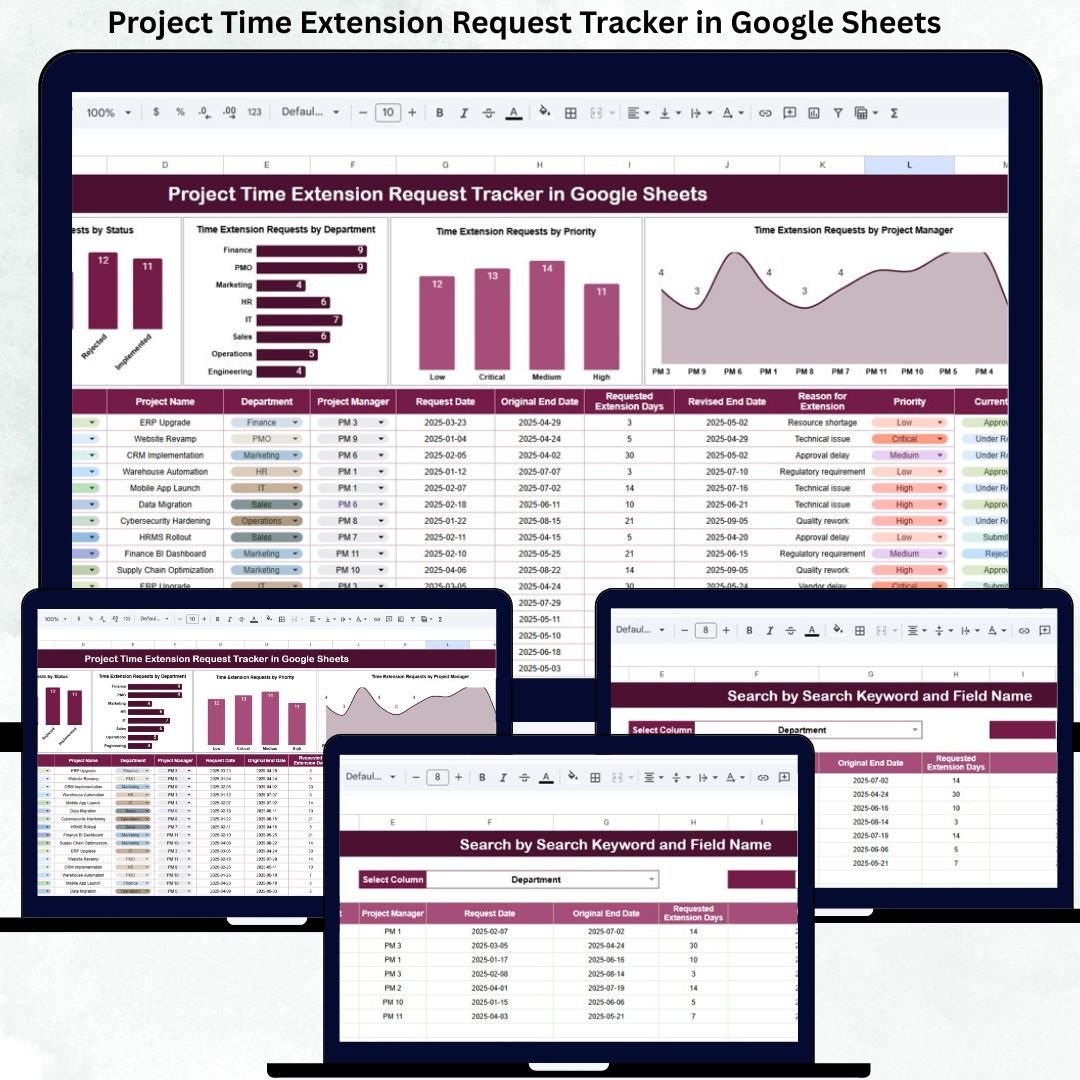
This ready-to-use tracker helps organizations log, track, review, approve, and analyze project time extension requests in a structured and transparent way. Instead of searching through emails or chasing verbal approvals, project managers and PMO teams gain a single source of truth for all extension requests.
Because the tracker is built in Google Sheets, it is cloud-based, collaborative, cost-effective, and easy to customize. Teams can update requests in real time, managers can review approvals instantly, and leadership can analyze delay trends using built-in charts—without installing any project management software.
🚀 Key Features of the Project Time Extension Request Tracker
-
📋 Centralized time extension request logging
-
⏳ Clear visibility of pending, approved, and rejected requests
-
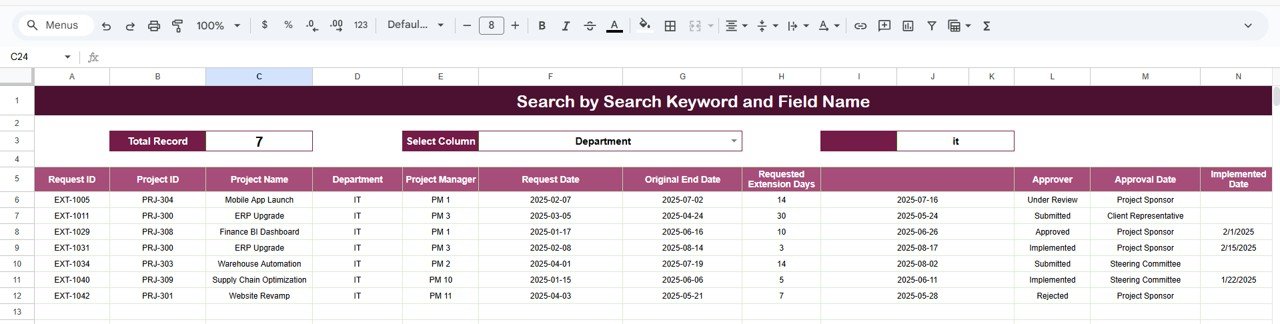
🔎 Smart search by keyword and field name
-
📊 Visual charts for delay analysis
-
👥 Department-wise and manager-wise insights
-
⚡ Real-time updates with zero manual reporting
-
🤝 Multi-user collaboration in Google Sheets
-
⚙️ Fully customizable and scalable
📦 What’s Inside the Project Time Extension Request Tracker
The tracker is designed with simplicity and control in mind and includes three core components.
📌 Tracker Sheet Tab (Main Database)
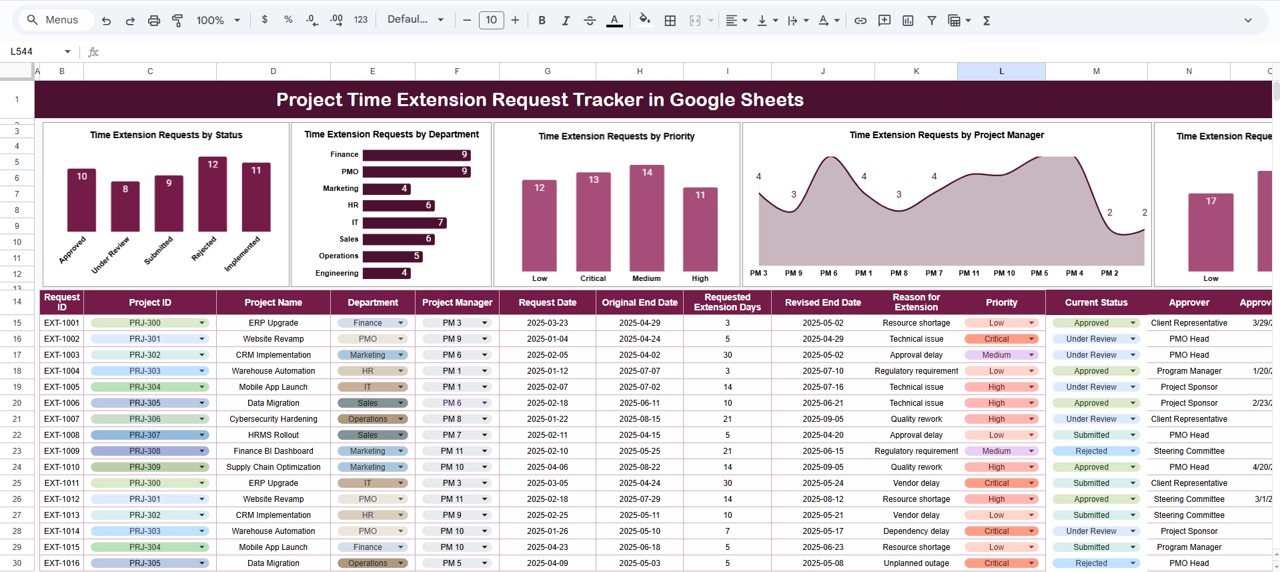
This is the foundation of the entire system. All time extension requests are recorded here with complete details.
Typical fields include:
-
Request ID
-
Project Name
-
Department
-
Project Manager
-
Original End Date
-
Requested Extension (Days)
-
Revised End Date
-
Priority Level (Low, Medium, High, Critical)
-
Reason for Extension
-
Request Status (Pending, Approved, Rejected, In Review)
-
Request Date
-
Approval Date
-
Remarks
Once data is entered or updated, all charts refresh automatically, ensuring real-time visibility.
📊 Charts Included in the Tracker
The dashboard includes four insightful charts that help leadership understand delay patterns quickly.
🔹 Time Extension Requests by Status
Shows how many requests are pending, approved, rejected, or under review—helping teams identify approval bottlenecks instantly.
🔹 Time Extension Requests by Department
Highlights which departments request the most extensions, supporting better planning and process improvement.
🔹 Time Extension Requests by Priority
Displays the distribution of low, medium, high, and critical delays so managers can focus on high-impact risks first.
🔹 Time Extension Requests by Project Manager
Shows extension requests grouped by project manager, improving accountability and workload balancing.
🔍 Search Functionality – Fast & Powerful
The tracker includes a smart search panel.
You can search using:
-
Search Keyword (Project Name, Department, Manager)
-
Field Name (Status, Priority, Project Manager)
Matching records appear instantly, helping teams:
-
Find requests during reviews
-
Support audits and governance
-
Respond quickly to leadership queries
-
Avoid manual scrolling
🛠️ How to Use the Project Time Extension Request Tracker
1️⃣ Enter each time extension request in the tracker
2️⃣ Update status as approvals progress
3️⃣ Review charts weekly for risks
4️⃣ Use search to locate specific requests
5️⃣ Analyze trends monthly and quarterly
6️⃣ Improve project planning using historical data
👥 Who Can Benefit from This Tracker
-
🧩 Project Managers
-
📊 PMO Teams
-
🏗️ Construction & Engineering Teams
-
💻 IT & Software Project Teams
-
📈 Operations & Delivery Managers
-
🤝 Consulting & Professional Services Firms
### Click here to read the Detailed blog post
Watch the step-by-step video tutorial:































Reviews
There are no reviews yet.