



Innovation labs are the engines of growth in modern organizations. They experiment with bold ideas, develop prototypes, test emerging technologies, and convert concepts into real business value. However, when innovation is not measured properly, progress becomes unclear and decision-making turns into guesswork.
That is exactly where the Innovation Labs KPI Dashboard in Excel delivers powerful value.
This ready-to-use Excel dashboard helps innovation teams track performance, monitor progress, and align innovation initiatives with strategic business goals. Instead of juggling multiple spreadsheets or manual reports, this dashboard brings all innovation KPIs into one structured, automated, and easy-to-use Excel file.
Designed for innovation managers, R&D leaders, and executives, this dashboard transforms innovation tracking from intuition-driven to data-driven—without complexity or expensive BI tools.
## Key Features of Innovation Labs KPI Dashboard in Excel 🚀
✨ Centralized Innovation KPI Tracking
Track all innovation-related KPIs in one professional Excel dashboard.
📊 MTD & YTD Performance Monitoring
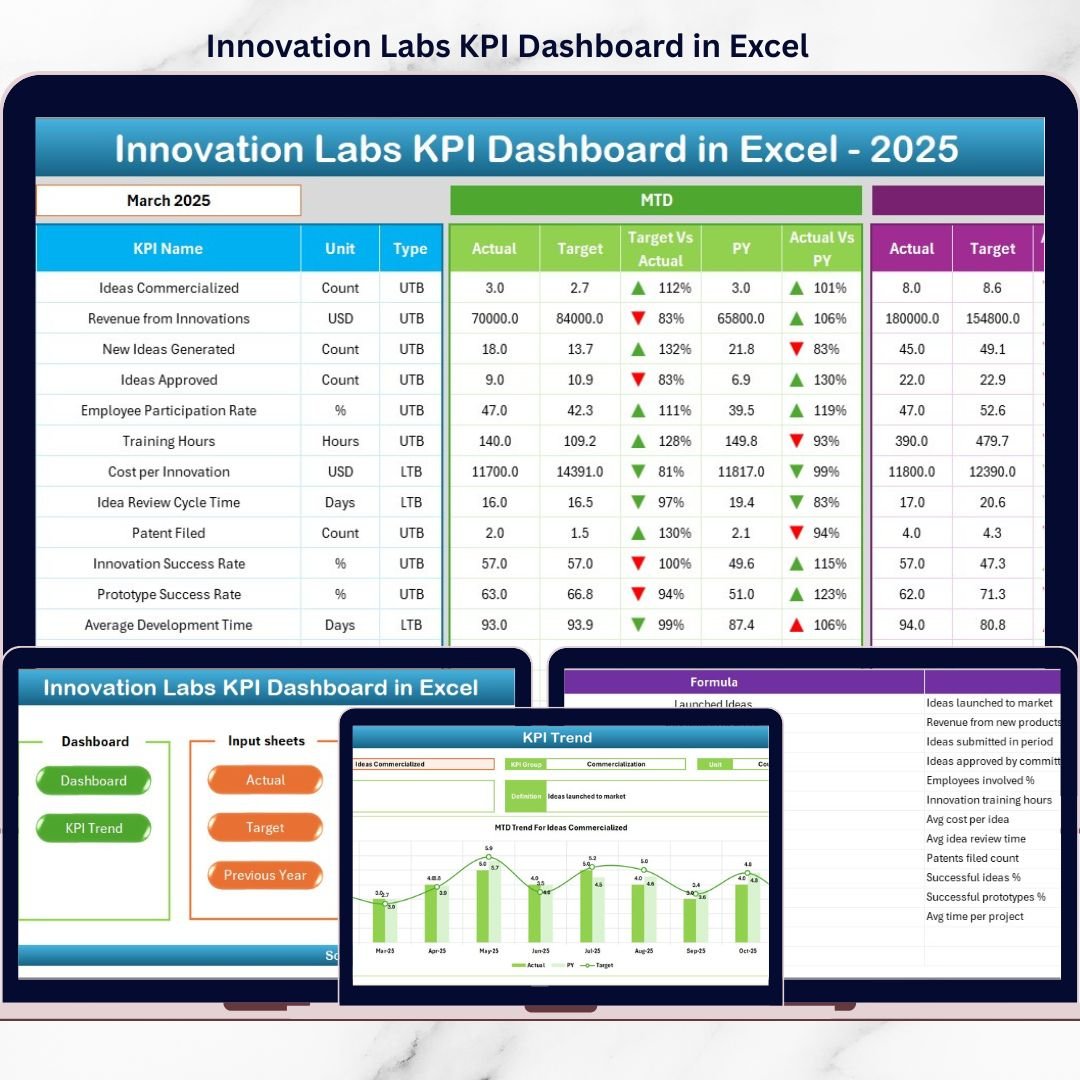
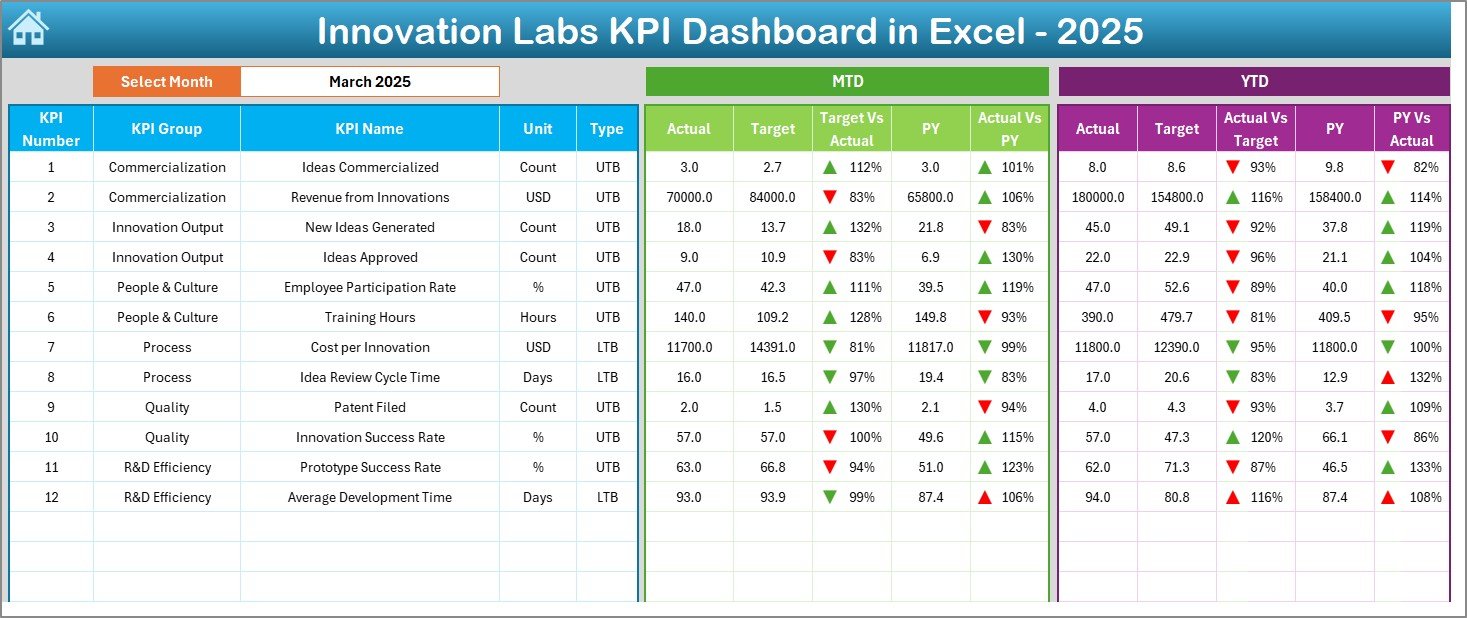
View Month-to-Date and Year-to-Date actuals, targets, and previous-year values instantly.
🎯 Target vs Actual Analysis
Identify performance gaps quickly and take corrective action with confidence.
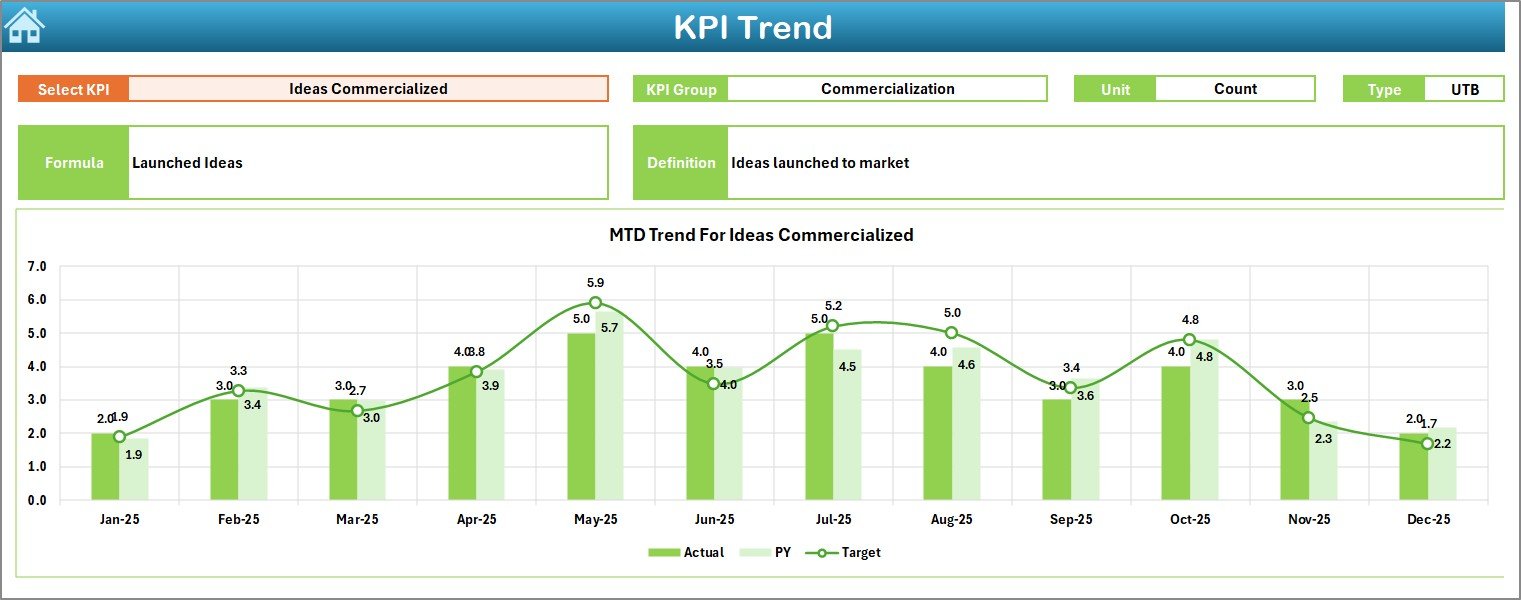
📈 Trend Analysis with Visuals
Analyze KPI trends over time to detect improvement, stagnation, or decline.
🔄 Automated Calculations
Built-in Excel formulas update metrics automatically when data changes.
🧭 Easy Navigation System
Quick-access buttons allow smooth movement across all dashboard sheets.
🎨 Conditional Formatting Indicators
Up/down arrows and visuals make performance interpretation fast and intuitive.
## What’s Inside the Innovation Labs KPI Dashboard in Excel 📂
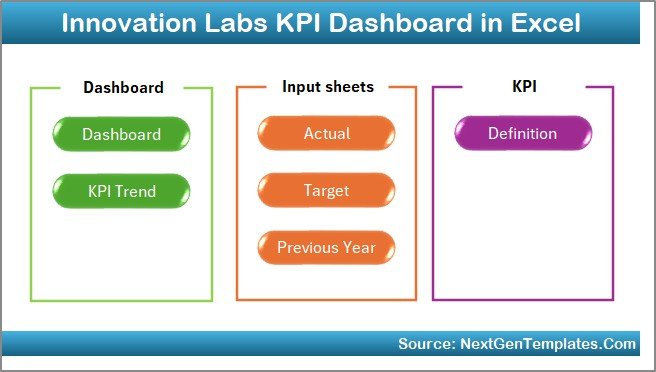
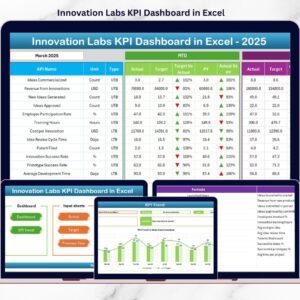
This dashboard includes 7 professionally designed worksheets, each serving a specific purpose:
📌 Summary Page – Acts as a navigation hub with 6 buttons for quick access
📌 Dashboard Sheet – Displays all KPIs with MTD, YTD, targets, and YoY comparisons
📌 Trend Sheet – Shows KPI-level MTD and YTD trends with dynamic charts
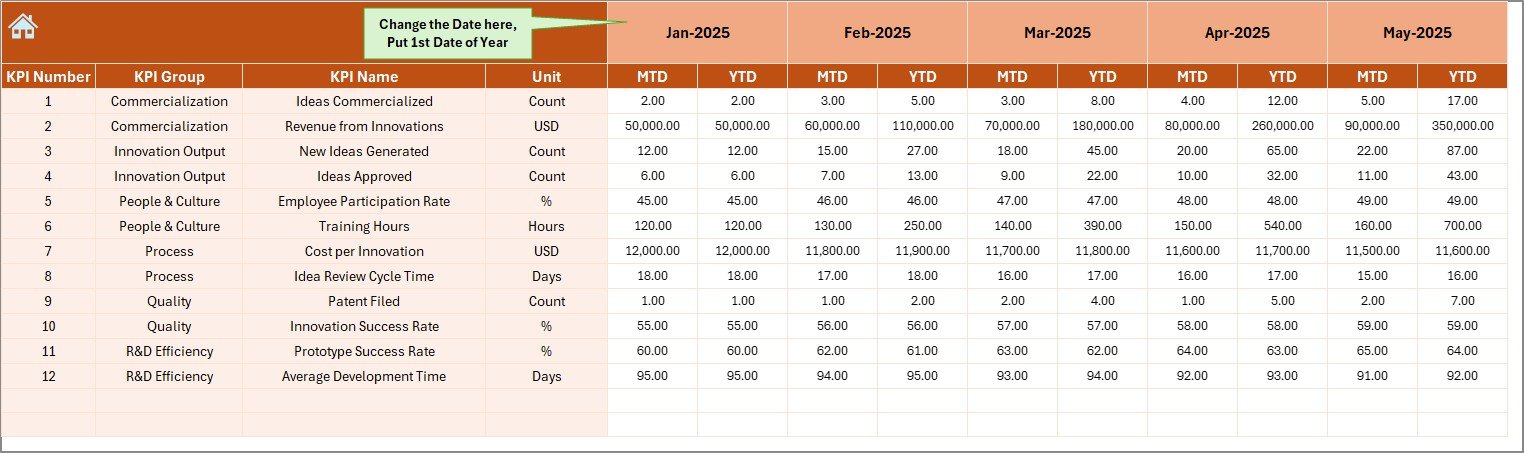
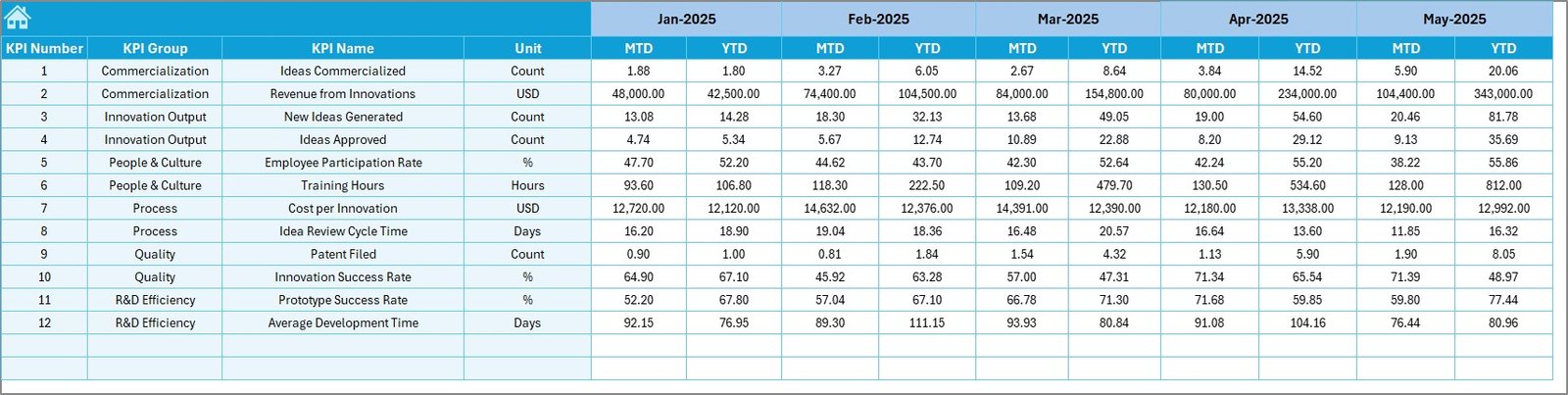
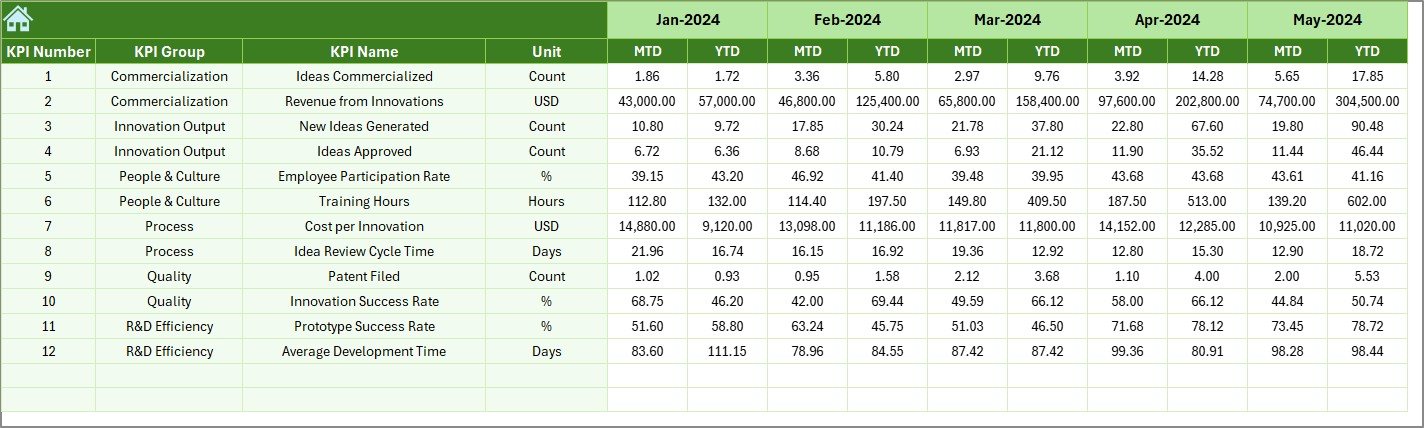
📌 Actual Numbers Input Sheet – Capture real innovation performance data
📌 Target Sheet – Define MTD and YTD targets aligned with strategy
📌 Previous Year Numbers Sheet – Enable accurate year-over-year analysis
📌 KPI Definition Sheet – Maintain KPI clarity with definitions, formulas, and units
Together, these sheets create a complete innovation performance measurement system.
## How to Use the Innovation Labs KPI Dashboard in Excel 🛠️
Using this dashboard is simple and intuitive:
1️⃣ Enter actual performance data in the Actual Numbers Input Sheet
2️⃣ Define innovation goals in the Target Sheet
3️⃣ Add last year’s values in the Previous Year Numbers Sheet
4️⃣ Select the desired month using dropdown controls
5️⃣ Instantly review insights on the Dashboard and Trend sheets
No advanced Excel skills are required. The dashboard handles calculations and visuals automatically.
## Who Can Benefit from This Innovation Labs KPI Dashboard in Excel 👥
This dashboard is ideal for:
✅ Innovation Managers & Innovation Lab Heads
✅ R&D and Product Development Teams
✅ Strategy & Transformation Teams
✅ Startup Founders & CXOs
✅ Corporate Innovation Offices
If your organization invests in innovation, this dashboard ensures those investments deliver measurable results.
Click here to read the Detailed blog post
Watch the step-by-step video tutorial:
Visit our YouTube channel to learn step-by-step video tutorials
Compatibility and Requirements
- Works in Microsoft Excel desktop (Excel 2016 or later, or Microsoft 365).
- You pick the month from a dropdown on the Dashboard sheet. Microsoft explains dropdowns in Create a drop-down list.
Frequently Asked Questions
Which sheets are included?
Seven sheets: Summary Page, Dashboard, Trend, Actual Numbers Input, Target, Previous Year Numbers and KPI Definition.
How do I update the dashboard?
Enter your actual figures in the Actual Numbers Input sheet, your goals in the Target sheet and last year’s values in the Previous Year Numbers sheet. Then select a month and the Dashboard and Trend sheets update.
Does it show month-to-date and year-to-date results?
Yes. The Dashboard sheet shows MTD and YTD actuals, targets and previous-year values, with up and down arrows to mark performance.
Where can I see the definition of each KPI?
The KPI Definition sheet lists each KPI with its definition, formula and unit.
Is there a Power BI version?
Yes. See the Innovation Labs KPI Dashboard in Power BI.
Related Innovation Templates
- Innovation Labs KPI Dashboard in Power BI: the same KPIs in Power BI
- Innovation & Transformation KPI Dashboard in Excel: KPIs for transformation programs
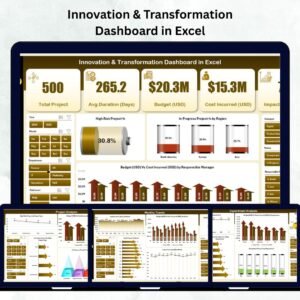
- Innovation & Transformation Dashboard in Excel: a dashboard view of innovation and transformation work
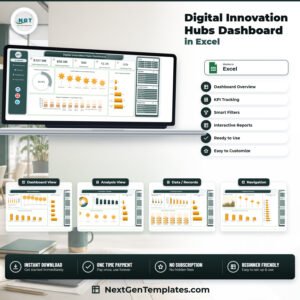
- Digital Innovation Hubs Dashboard in Excel: a dashboard for digital innovation hubs
- AI Research Labs KPI Dashboard in Excel: KPI tracking for research labs
Browse all Excel KPI dashboards.





Reviews
There are no reviews yet.