

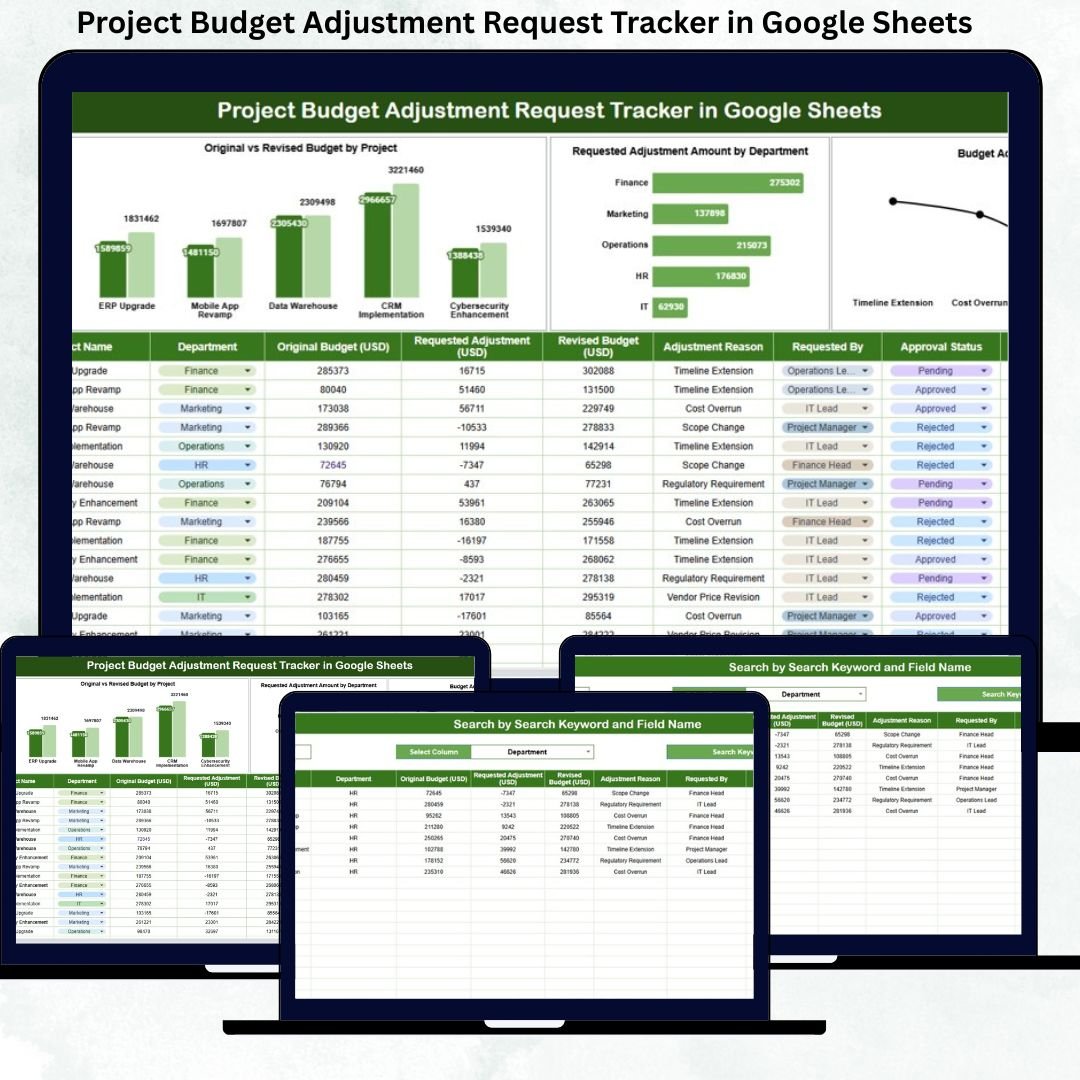
Project budgets rarely stay fixed. Even well-planned projects face changes due to scope expansion, vendor price fluctuations, timeline extensions, regulatory requirements, or unexpected risks. When these budget changes are handled through emails, chats, or disconnected spreadsheets, organizations lose financial clarity, approvals get delayed, and audit risks increase. That is exactly why the Project Budget Adjustment Request Tracker in Google Sheets becomes a must-have solution for modern project and finance teams.
This ready-to-use tracker provides a structured, transparent, and centralized system to manage all project budget adjustment requests. Instead of searching through emails or maintaining multiple versions of budget files, project managers, finance teams, and leadership can track every budget change in one clean Google Sheets tracker with automated charts and real-time insights.
Because the tracker is built entirely in Google Sheets, it remains cloud-based, collaborative, and cost-effective. You do not need any expensive project management or finance software. Simply enter budget adjustment requests, update approval status, and let the tracker convert raw data into meaningful insights automatically.
## 🚀 Key Features of Project Budget Adjustment Request Tracker
-
💰 Centralized Budget Change Tracking – Manage all project budget adjustments in one place
-
📊 Original vs Revised Budget Visibility – Instantly see financial impact by project
-
🏢 Department-Wise Analysis – Identify teams with frequent or high-value adjustments
-
🕒 Clear Approval Status Tracking – Monitor Pending, Approved, Rejected, and On Hold requests
-
📈 Reason-Based Insights – Understand why budgets change and improve planning
-
🔍 Smart Search Functionality – Find any request in seconds
These features help organizations maintain financial discipline while staying flexible in dynamic project environments.
## 📦 What’s Inside the Project Budget Adjustment Request Tracker
📌 Tracker Sheet Tab
This is the core data entry sheet where all budget adjustment requests are recorded in a structured format.
You can capture:
-
Request ID
-
Project Name
-
Department
-
Original Budget
-
Revised Budget
-
Adjustment Amount
-
Adjustment Reason
-
Request Status (Pending, Approved, Rejected, On Hold)
-
Requested By
-
Approval Date
-
Comments
As soon as you enter or update data, all charts and summaries update automatically, ensuring real-time financial visibility.
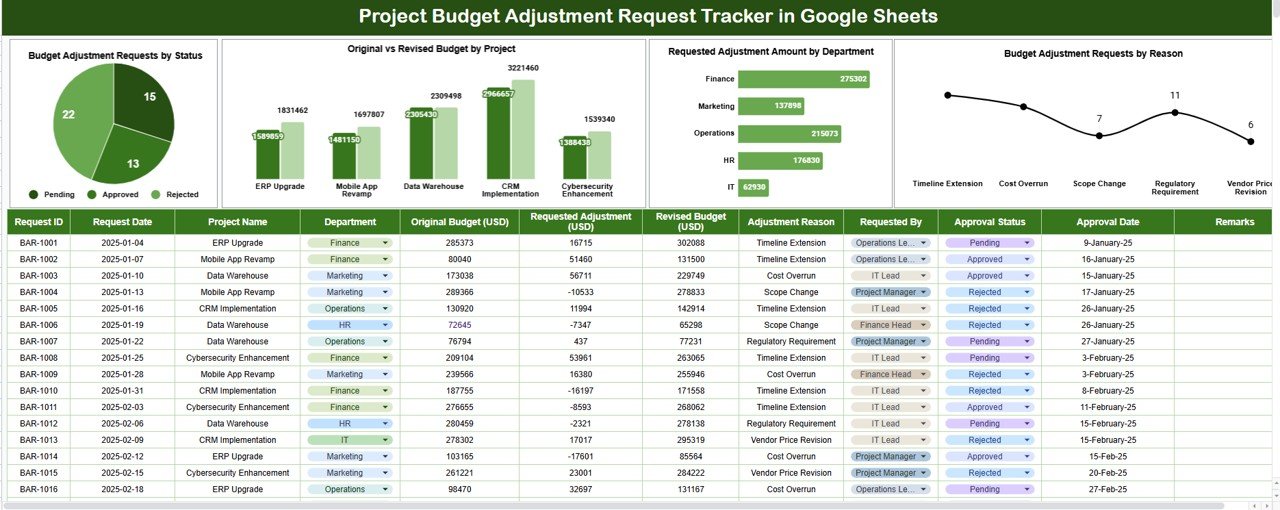
📊 Built-in Dashboard Charts
-
📍 Budget Adjustment Requests by Status
Quickly understand how many requests are pending approval and where bottlenecks exist. -
📉 Original vs Revised Budget by Project
Clearly compare initial budgets against revised values to identify high-risk projects. -
🏢 Requested Adjustment Amount by Department
Analyze which departments request the highest budget changes and control overspending. -
🧾 Budget Adjustment Requests by Reason
Identify common reasons such as scope change, vendor cost increase, or timeline extension to strengthen future planning.
These visuals replace manual reports and help leadership make faster, data-driven decisions.
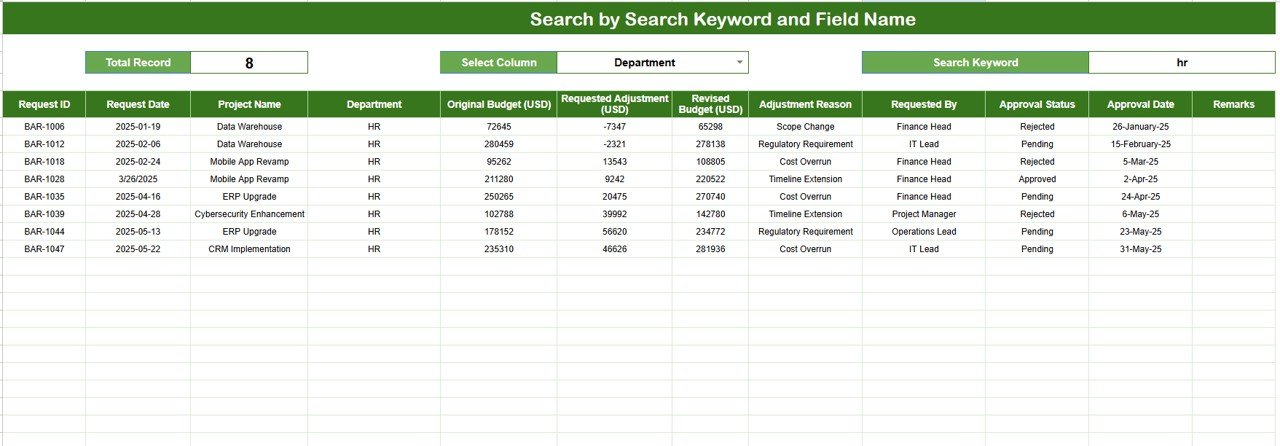
🔍 Search Functionality
The tracker includes a powerful search tool that allows you to:
-
Enter a Search Keyword (Project Name, Department, Requester, etc.)
-
Select a Field Name (Status, Reason, Department, Project Name)
Matching records appear instantly. This feature is extremely useful during financial reviews, audits, compliance checks, and leadership discussions.
## 🧭 How to Use the Project Budget Adjustment Request Tracker
-
Log every budget adjustment request in the Tracker Sheet
-
Update approval status as reviews progress
-
Monitor original vs revised budgets through charts
-
Use search to locate specific requests instantly
-
Review department and reason-based trends regularly
This simple workflow ensures budget changes remain controlled and transparent.
## 🎯 Who Can Benefit from This Tracker
-
Project Managers – Control scope-related budget changes
-
Finance Teams – Maintain financial governance and audit readiness
-
PMO Offices – Standardize budget adjustment processes
-
Department Heads – Monitor departmental spending behavior
-
Senior Management – Make informed financial decisions
### Click here to read the Detailed blog post
Watch the step-by-step video tutorial:































Reviews
There are no reviews yet.