


Product returns have a direct and measurable impact on profitability, customer satisfaction, inventory accuracy, and brand trust. A high return rate increases logistics costs, ties up working capital, and signals deeper issues related to product quality, packaging, shipping, or customer expectations. However, many businesses still track return data using scattered reports or manual spreadsheets. As a result, teams struggle to identify patterns, measure improvement, and take timely corrective actions.
That is exactly why the Product Return Rate KPI Dashboard in Google Sheets becomes an essential performance management solution.
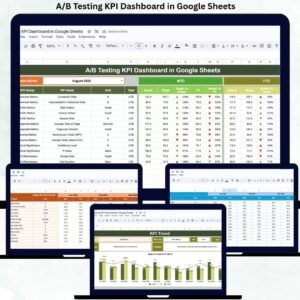
This ready-to-use dashboard converts raw product return data into structured KPIs, clear comparisons, and actionable insights. It allows teams to monitor return performance at both Month-to-Date (MTD) and Year-to-Date (YTD) levels while comparing results against targets and previous-year benchmarks. Instead of reacting to rising returns, businesses gain the visibility needed to reduce return rates proactively.
Because the dashboard is built entirely in Google Sheets, it supports real-time collaboration, easy updates, and full customization—without expensive BI tools or technical complexity.

✨ Key Features of the Product Return Rate KPI Dashboard in Google Sheets
📅 1. Monthly KPI Selector
Select any month from the dropdown, and the entire dashboard updates instantly for focused analysis.
📊 2. MTD & YTD Performance Tracking
Track both short-term and long-term return performance to identify immediate issues and recurring trends.
🎯 3. Target vs Actual Comparison
Measure how return rates perform against defined benchmarks for accountability and improvement.
📈 4. Previous Year Comparison
Understand whether return performance is improving or declining year over year.
🚦 5. Conditional Performance Indicators
Up and down arrows instantly highlight improvement or deterioration.
🧩 6. Fully Customizable KPI Framework
Modify KPIs, targets, formulas, and definitions to match your business model.
📦 What’s Inside the Product Return Rate KPI Dashboard
🧭 Dashboard Sheet Tab – Executive KPI View
This is the main performance summary for decision-makers.
Monthly Selection
-
Located in Cell D3
-
Updates all KPIs automatically
MTD KPIs Displayed
-
MTD Actual
-
MTD Target
-
MTD Previous Year
-
Target vs Actual %
-
PY vs Actual %
YTD KPIs Displayed
-
YTD Actual
-
YTD Target
-
YTD Previous Year
-
Target vs Actual %
-
PY vs Actual %
This structure ensures both tactical and strategic visibility of return performance.
📉 KPI Trend Sheet Tab – Deep KPI Analysis
This sheet focuses on understanding individual KPIs in detail.
How It Works
-
Select a KPI from the dropdown in Cell C3
-
The sheet dynamically updates
Displayed Information
-
KPI Group
-
KPI Unit
-
KPI Type (Lower the Better / Upper the Better)
-
KPI Formula
-
KPI Definition
This sheet ensures clarity, consistency, and accurate interpretation of return metrics across teams.
🧮 Actual Number Sheet Tab
This is the main data-entry sheet for real performance numbers.
Process
-
Select the first month of the year in Cell E1
-
Enter MTD Actual and YTD Actual values
-
All calculations and visuals update automatically
This structured approach minimizes manual errors.
🎯 Target Sheet Tab
This sheet stores performance benchmarks.
Purpose
-
Define acceptable return rate targets
-
Align teams with quality and fulfillment goals
-
Enable objective performance evaluation
Targets remain consistent across MTD and YTD views.
📊 Previous Year Number Sheet Tab
This sheet stores historical return data.
Benefits
-
Year-over-year comparison
-
Early detection of recurring return issues
-
Long-term improvement tracking
📚 KPI Definition Sheet Tab
This is the master KPI reference.
Includes
-
KPI Name
-
KPI Group
-
Unit
-
Formula
-
Definition
-
KPI Type
This sheet ensures governance, audit readiness, and shared understanding.
🎯 Who Can Benefit from This Dashboard
-
🛒 E-commerce & Retail Teams – Reduce return costs
-
🏭 Quality Assurance Teams – Identify product issues early
-
📦 Supply Chain & Logistics Teams – Improve fulfillment accuracy
-
📊 Operations Managers – Monitor performance consistently
-
🚀 Business Leaders – Protect margins and customer trust
🛠️ How to Use the Product Return Rate KPI Dashboard
-
Update return data monthly
-
Review MTD and YTD KPIs consistently
-
Compare Actual vs Target regularly
-
Analyze year-over-year trends
-
Share insights with quality, logistics, and product teams
Consistent usage leads to measurable reduction in return rates.



























Reviews
There are no reviews yet.