
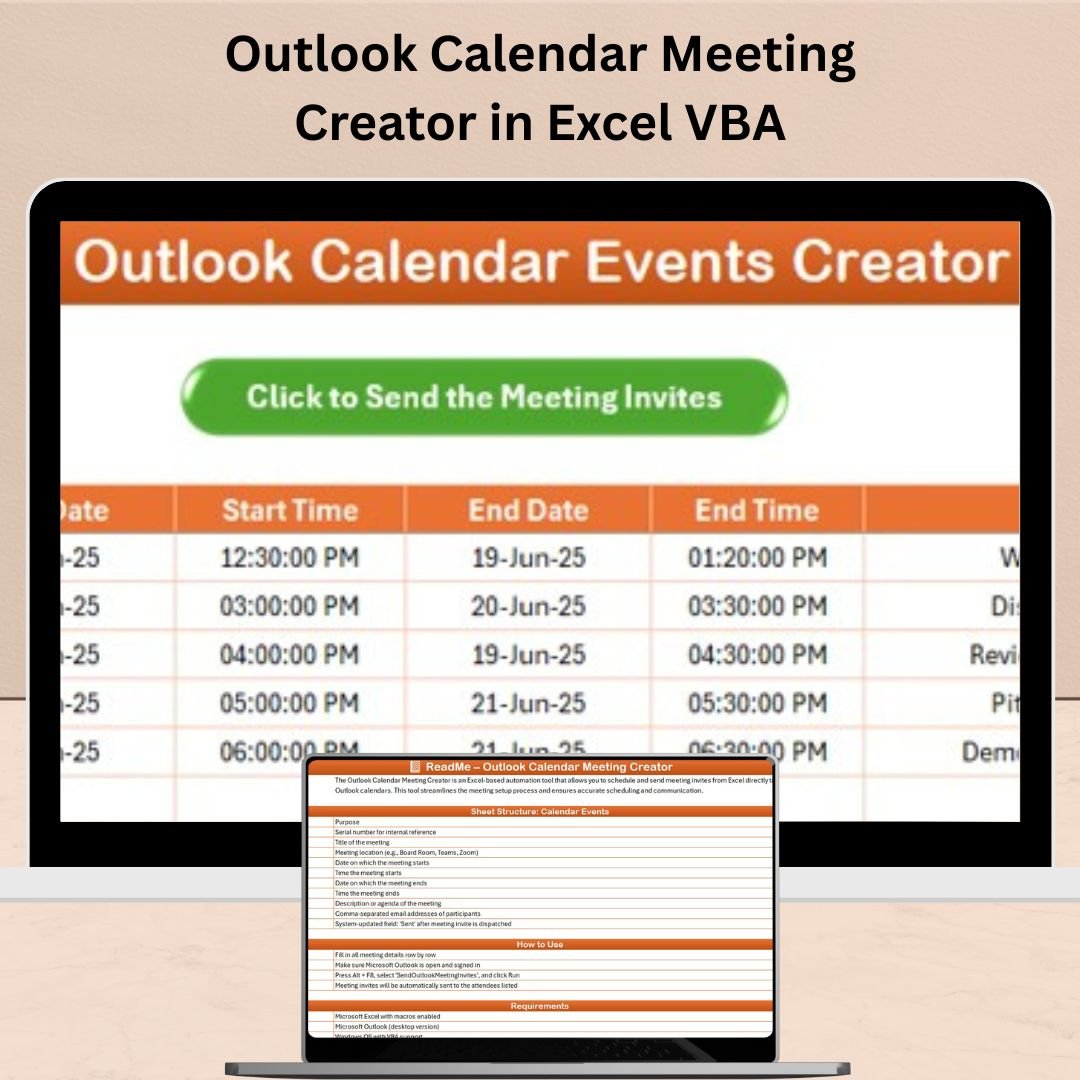
Tired of manually copying meeting details from Excel to Outlook? Want to eliminate scheduling errors, save time, and improve team coordination? Look no further—the Outlook Calendar Meeting Creator in Excel VBA is here to streamline your entire scheduling workflow. ⚡📅
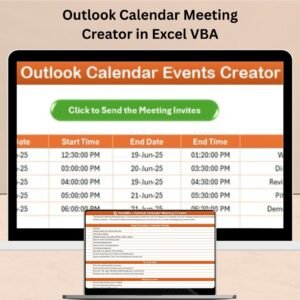
This powerful, ready-to-use Excel tool enables you to create calendar events directly in Microsoft Outlook using a single macro-powered sheet. No complex setup. No third-party plugins. Just enter your meeting info and click a button.
Whether you’re coordinating interviews, planning internal training, or managing multiple client calls, this automation tool helps you schedule smarter and faster—all from the comfort of Excel.
🔑 Key Features of Outlook Calendar Meeting Creator in Excel VBA

🧾 Single-Sheet Simplicity
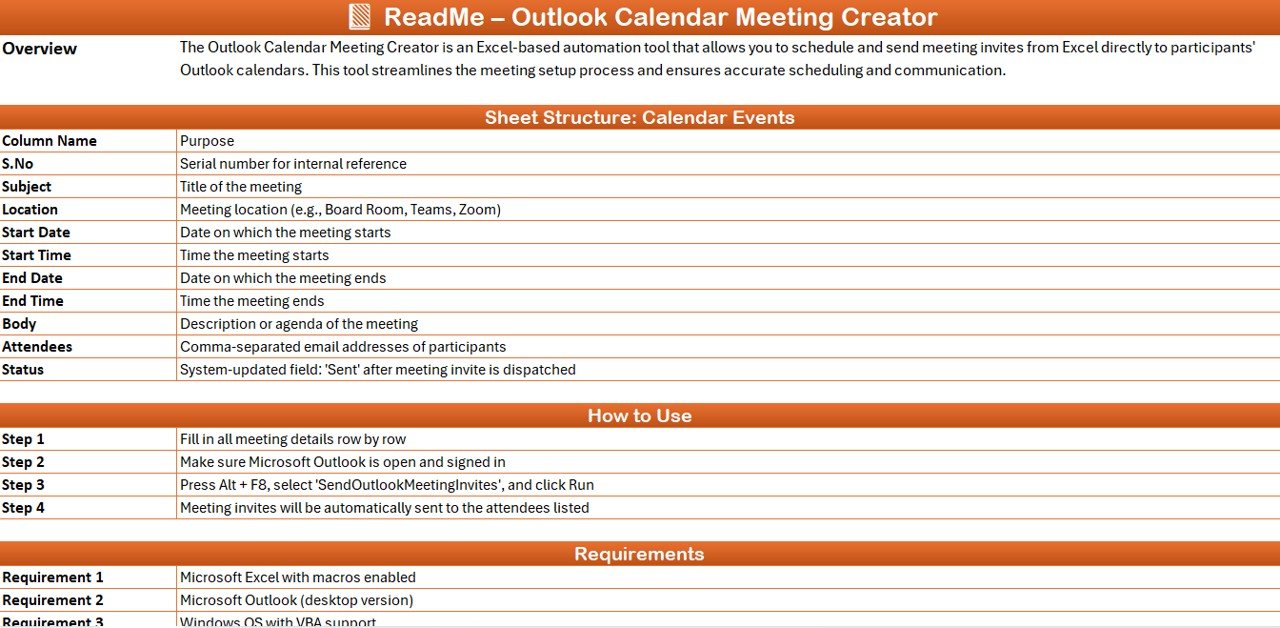
Use just one sheet to input:
-
Subject
-
Start/End Date and Time
-
Location
-
Recipients
-
Description
-
Status (auto-updated after running the macro)
No multiple tabs or clutter—just clean, focused scheduling.
🖱️ One-Click Scheduling
Click the Create Outlook Calendar Events button to instantly push your meeting data to your Outlook Calendar. 💥
📥 Bulk Event Upload
Input multiple rows of meeting details, hit run, and batch-create all events in Outlook. Ideal for:
-
Large interview drives
-
Recurring client calls
-
Internal review sessions
🔁 Built-in Status Column
The macro automatically updates the “Status” column so you’ll know which meetings were successfully created. ✅❌
⚙️ Easy to Customize
Edit the VBA to:
-
Add reminders
-
Include Zoom/Teams links
-
Send invites
-
Customize duration, body, or subject lines
📦 What’s Inside the Outlook Meeting Creator Package
📁 Excel File with VBA Macro
🧠 Pre-built Macro: Create Outlook Calendar Events
📑 Data Entry Table with Status Tracking
📌 Columns Included: Subject, Start/End, Recipients, Location, Description
📍 Fully Offline Excel VBA Tool
⚙️ Modifiable Code Block for Customization
You don’t need to be a developer—just enter your info and click a button!
🛠️ How to Use the Outlook Calendar Meeting Creator
1️⃣ Download the Excel file and enable macros
2️⃣ Enter meeting/event details in the provided table
3️⃣ Open Microsoft Outlook
4️⃣ Click the macro or run via Alt + F8 → Create Outlook Calendar Events
5️⃣ Watch the magic happen—your meetings instantly appear in your Outlook calendar!
📝 Pro Tip: Start with a single row to test functionality before uploading in bulk.
🎯 Who Can Benefit from This Tool?
-
🧑💼 HR Teams – Schedule interviews, orientations, or onboarding
-
👩💼 Executive Assistants – Coordinate C-level meetings
-
🧑🏫 Training Coordinators – Manage mass training events
-
📞 Sales Teams – Set up client calls and demos
-
🧑🔧 IT Departments – Schedule service updates or trainings
-
🧘 Individuals – Use it for workouts, appointments, or time blocking
🔗 Click here to read the Detailed blog post
🎥 Visit our YouTube channel to learn step-by-step video tutorials
(YouTube.com/@PKAnExcelExpert)
















Reviews
There are no reviews yet.