

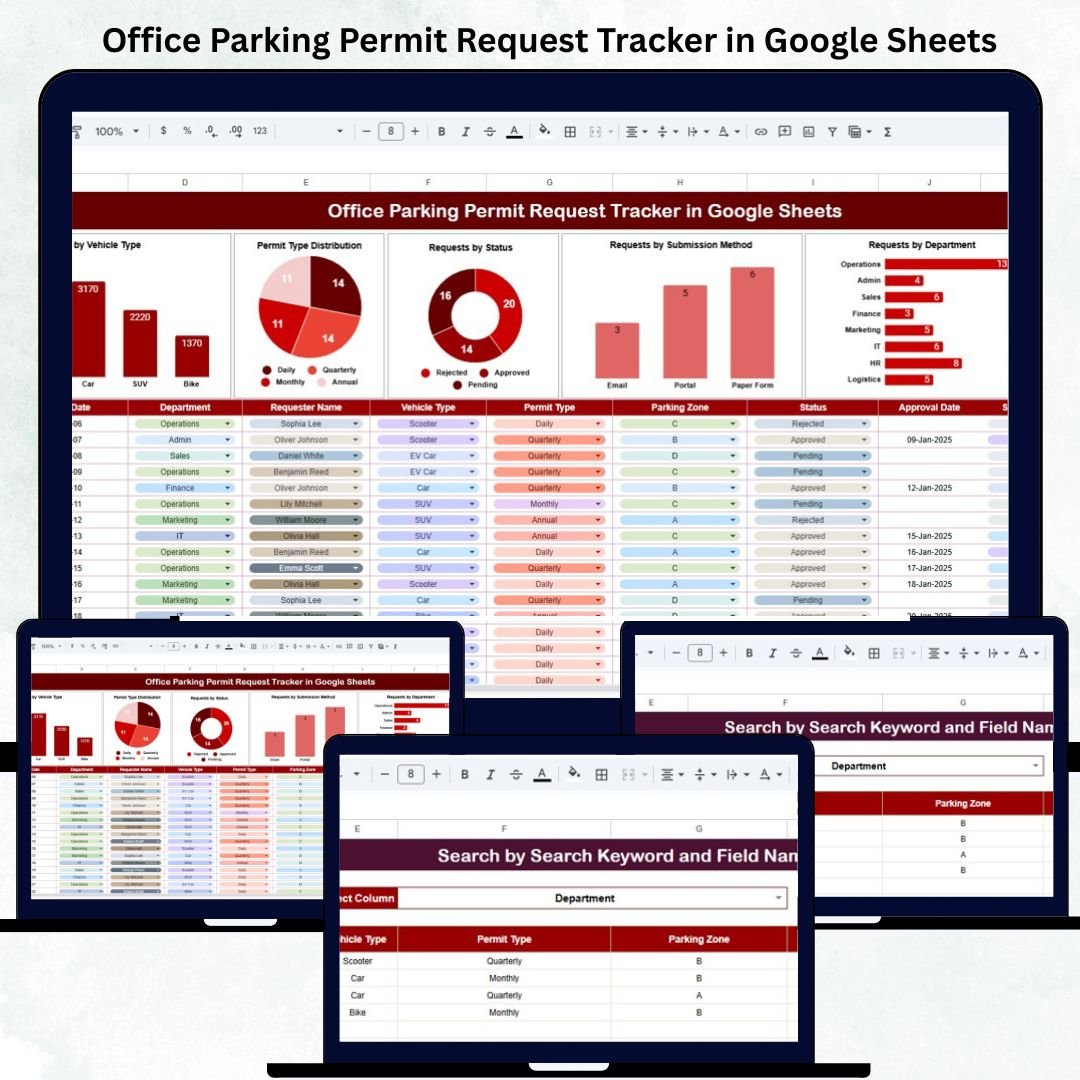
Efficiently managing employee parking permits can be one of the most time-consuming administrative tasks for HR and office management teams. The Office Parking Permit Request Tracker in Google Sheets simplifies this process by providing an organized, automated, and visual solution for tracking every parking permit request — from submission to approval — all in one spreadsheet.
This ready-to-use Google Sheets tracker helps you maintain transparency, streamline approvals, analyze trends, and monitor parking-related costs effortlessly. With dynamic charts, a powerful search system, and full customization options, it’s the ultimate tool for modern workplace administrators.
🔑 Key Features of the Office Parking Permit Request Tracker in Google Sheets
🗂️ Tracker Sheet Tab (Main Dashboard)
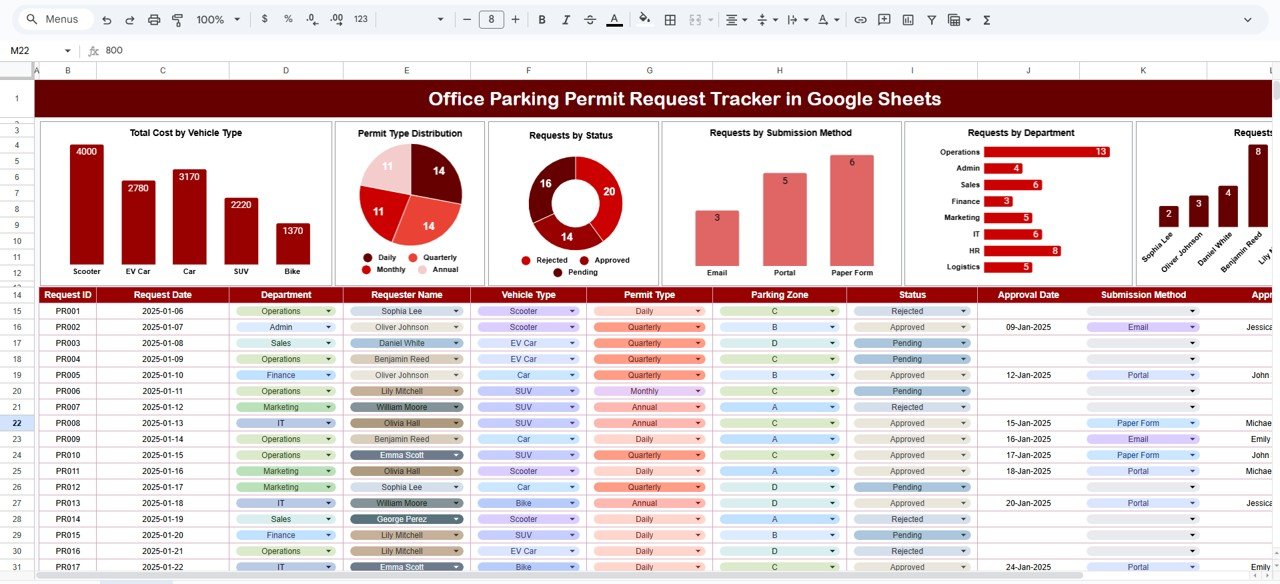
The main dashboard provides a visual summary of all parking permit requests and insights into parking utilization, request types, and associated costs.
Charts Displayed:
-
🚙 Total Cost by Vehicle Type: Understand how parking expenses vary across cars, bikes, and electric vehicles.
-
🅿️ Permit Type Distribution: View the breakdown of permanent, temporary, and visitor parking permits.
-
📋 Requests by Status: Quickly check how many requests are approved, pending, or rejected.
-
✉️ Requests by Submission Method: Track whether employees applied via form, email, or in person.
-
🏢 Requests by Department: See which departments have the most parking requests.
-
👤 Requests by Requester Name: Identify employees who frequently apply for parking permits.
All charts update automatically whenever new data is entered — no manual calculations required.
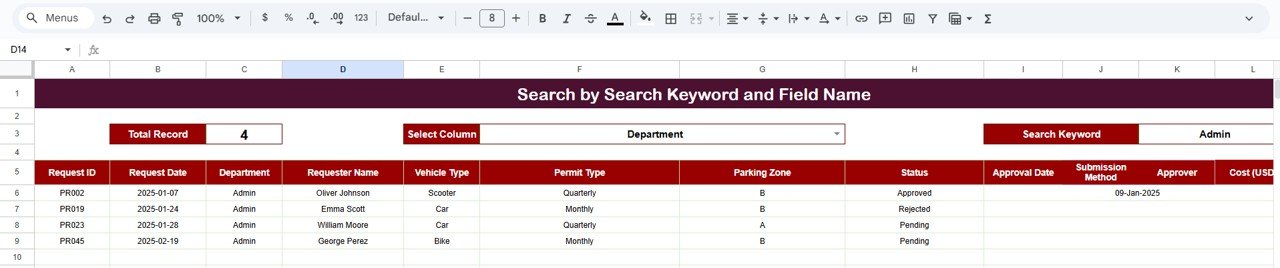
🔍 Search Sheet Tab (Smart Lookup)
The search tab is designed for fast, precise filtering. Simply type a keyword or field name to locate any record instantly.
Examples:
-
“Finance” → Displays all requests from the Finance Department.
-
“Bike” → Lists all bike parking requests.
-
“Approved” → Filters all approved parking applications.
This feature eliminates the need to manually scroll through hundreds of entries, making it perfect for audits and quick reporting.
📦 What’s Inside the Tracker
✅ Prebuilt Dashboard Sheet with automated charts and visuals
✅ Search Sheet with dynamic filtering functionality
✅ Data validation and dropdowns for consistent data entry
✅ Structured layout for requests, costs, and statuses
✅ Fully editable Google Sheets format for customization
🧑💼 Who Can Benefit from This Tracker
🏢 Office Administrators — to manage employee parking allocations.
👩💼 HR Teams — to track employee requests and coordinate approvals.
🚧 Facilities Managers — to oversee space utilization and parking costs.
💰 Finance Teams — to monitor expenses by department or permit type.
👥 Security & Access Teams — to maintain up-to-date parking records for entry control.
Whether your organization handles 20 or 200 parking spots, this tracker keeps everything structured, transparent, and easy to monitor.
⚙️ Opportunities for Improvement
You can enhance your tracker by:
-
📧 Integrating Google Forms for automatic request collection and approval.
-
⏰ Adding expiration reminders for temporary permits.
-
🔢 Implementing QR code generation for digital permit identification.
-
📅 Creating a monthly summary sheet for management reports.
-
🧾 Including department-level cost breakdowns for internal billing.
🧠 Best Practices
✅ Record every new request immediately to maintain accurate logs.
✅ Use standardized permit codes (TMP = Temporary, PRM = Permanent).
✅ Regularly update status fields (Pending → Approved → Issued).
✅ Review dashboard trends monthly to identify peak demand periods.
✅ Protect key data cells to prevent accidental edits.
🌟 Why Choose the Office Parking Permit Request Tracker in Google Sheets
-
🚗 All-in-One Tracking System: Manage all parking permit applications in one file.
-
📊 Instant Visual Insights: View real-time charts for cost, status, and department usage.
-
⚙️ Fully Automated: Dynamic calculations with zero coding required.
-
☁️ Cloud-Based Collaboration: Access and update data simultaneously across teams.
-
💡 Customizable & Scalable: Adapt easily for multi-location parking management.
The Office Parking Permit Request Tracker in Google Sheets helps organizations manage parking resources efficiently while maintaining budget control and operational transparency. It’s the perfect tool to eliminate confusion, reduce paperwork, and simplify your office’s parking management process.
🔗 Read the detailed blog post
Watch the step-by-step video Demo:






























Reviews
There are no reviews yet.