
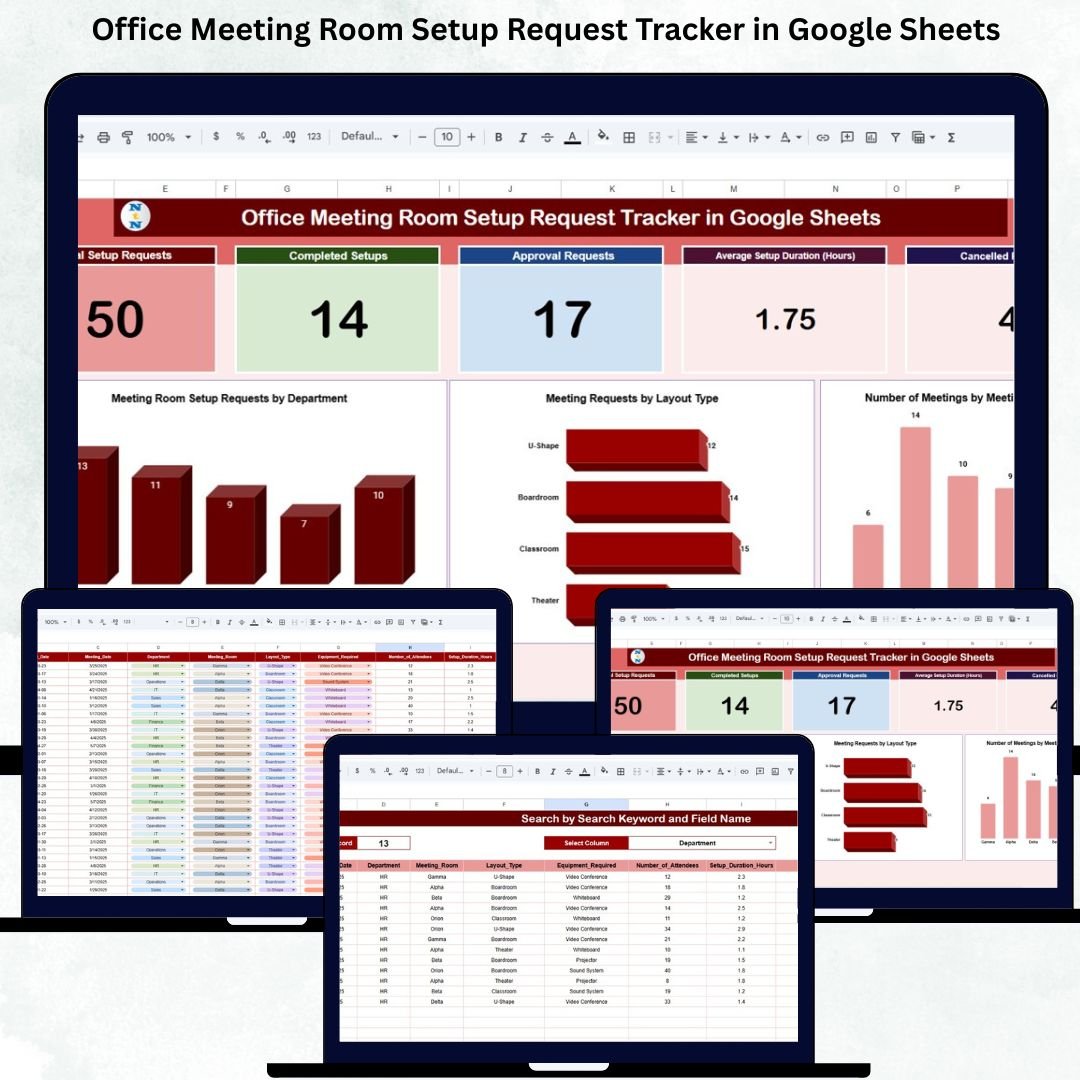


Modern offices conduct meetings every single day—team discussions, leadership reviews, client calls, training sessions, and strategic planning meetings. However, managing meeting room setups is often chaotic. Requests arrive through emails, chats, spreadsheets, or verbal communication. As a result, teams face delayed approvals, room conflicts, incorrect layouts, missing AV equipment, and last-minute cancellations.
The Office Meeting Room Setup Request Tracker in Google Sheets solves this problem completely. It provides a centralized, ready-to-use system to log, approve, track, and analyze all meeting room setup requests in one place. With real-time updates, visual dashboards, and smart search functionality, office admins and facility teams gain full control over meeting room operations—without buying expensive software.
🔑 Key Features of the Office Meeting Room Setup Request Tracker
✅ Centralized request logging
✅ Real-time approval and setup tracking
✅ Automated KPI cards and charts
✅ Smart search system
✅ Cloud-based & collaboration-friendly
✅ No coding or installation required
This tracker is designed for efficiency, clarity, and smooth office operations.
📦 What’s Inside the Office Meeting Room Setup Request Tracker
📄 1. Tracker Sheet (Main Data Entry Sheet)
This is the backbone of the tracker where every setup request is recorded.
Captured fields include:
-
Request ID & Request Date
-
Requester Name & Department
-
Meeting Room Name
-
Meeting Date, Start Time, End Time
-
Layout Type (Boardroom, Classroom, Theater, U-Shape)
-
AV Required (Yes / No)
-
Approval Required & Approval Status
-
Setup Status (Pending, Completed, Cancelled)
-
Setup Duration (Hours)
-
Assigned Facility Team
-
Comments / Notes
As soon as data is entered or updated, all dashboards refresh automatically.
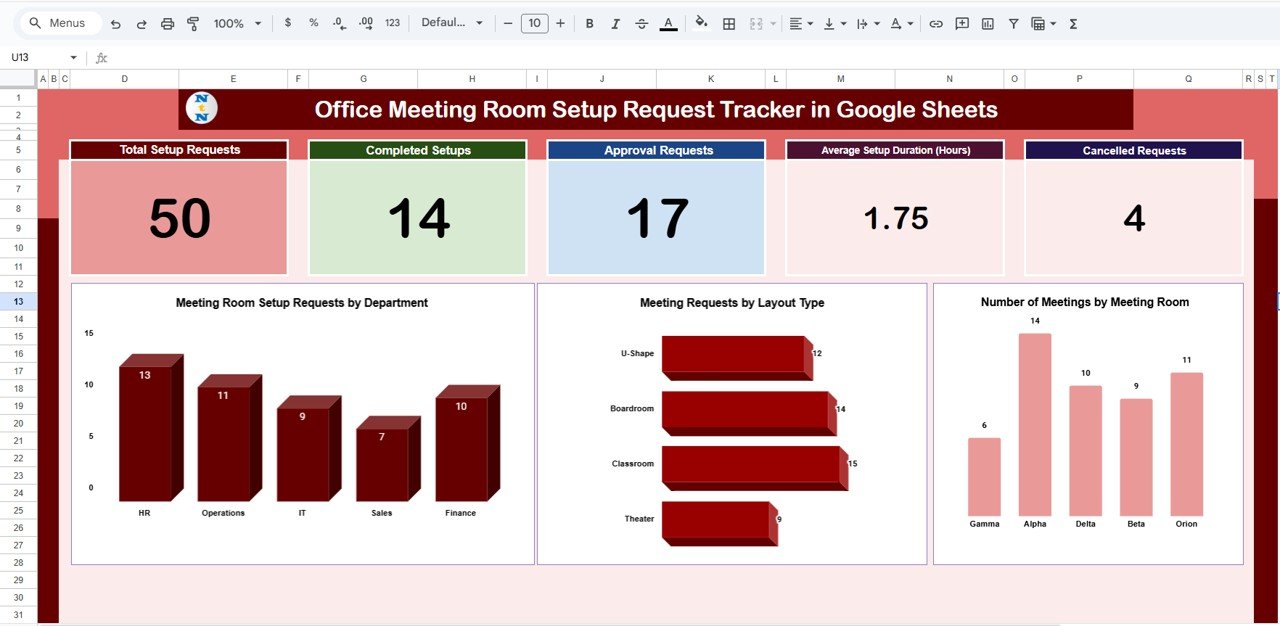
📊 2. Dashboard KPI Cards – Instant Snapshot
The dashboard includes five powerful KPI cards:
-
📌 Total Setup Requests – Understand overall meeting activity
-
✅ Completed Setups – Measure execution efficiency
-
📝 Approval Requests – Track approval workload
-
⏱️ Average Setup Duration – Optimize setup time
-
❌ Cancelled Requests – Identify planning gaps
These cards provide a quick executive-level overview within seconds.
📈 3. Dashboard Charts – Visual Insights
📊 Meeting Setup Requests by Department
Identify high-usage departments and allocate resources accordingly.
🪑 Meeting Requests by Layout Type
Analyze demand for Boardroom, Classroom, Theater, or U-Shape setups to standardize layouts.
🏢 Number of Meetings by Room
Identify the most and least used meeting rooms to optimize space utilization.
🔍 4. Smart Search Functionality
Quickly search records using:
-
Keyword (Department, Room Name, Requester, Layout Type, Status)
-
Field Name selection
This saves hours of manual filtering—especially useful during audits or daily reviews.
🛠️ How to Use the Office Meeting Room Setup Tracker
1️⃣ Enter setup requests in the Tracker Sheet
2️⃣ Update approval and setup status
3️⃣ Monitor progress using KPI cards
4️⃣ Analyze patterns with dashboard charts
5️⃣ Use Search Panel for instant lookups
No training required—anyone familiar with Google Sheets can start immediately.
👥 Who Can Benefit from This Tracker
-
🏢 Office & Facility Management Teams
-
📋 HR & Administration Departments
-
⚙️ Operations Managers
-
🪪 Front Desk & Support Teams
-
🧑💼 Corporate Offices & Co-working Spaces
It works perfectly for small offices, large enterprises, and multi-location setups.
✅ Why Organizations Love This Tracker
✔ Eliminates missed or delayed meeting setups
✔ Improves approval transparency
✔ Reduces last-minute chaos
✔ Optimizes meeting room usage
✔ Saves time & operational cost
✔ 100% cloud-based and scalable
🔧 Opportunities for Improvement
-
Automated email notifications
-
SLA-based setup tracking
-
Equipment-wise usage tracking
-
Recurring meeting identification
-
Approval aging alerts
✅ Best Practices
-
Enter requests in advance
-
Standardize layout definitions
-
Review dashboard daily
-
Track cancellation reasons
-
Use access controls for data accuracy
✅ Conclusion
The Office Meeting Room Setup Request Tracker in Google Sheets transforms messy, unstructured meeting room management into a clean, transparent, and automated workflow. With smart KPIs, visual dashboards, and powerful search features, office teams ensure every meeting is set up correctly and on time.
If your organization conducts frequent meetings, this tracker is a must-have operational tool.
Click here to read the detailed blog post
Watch the step-by-step video tutorial:






























Reviews
There are no reviews yet.