
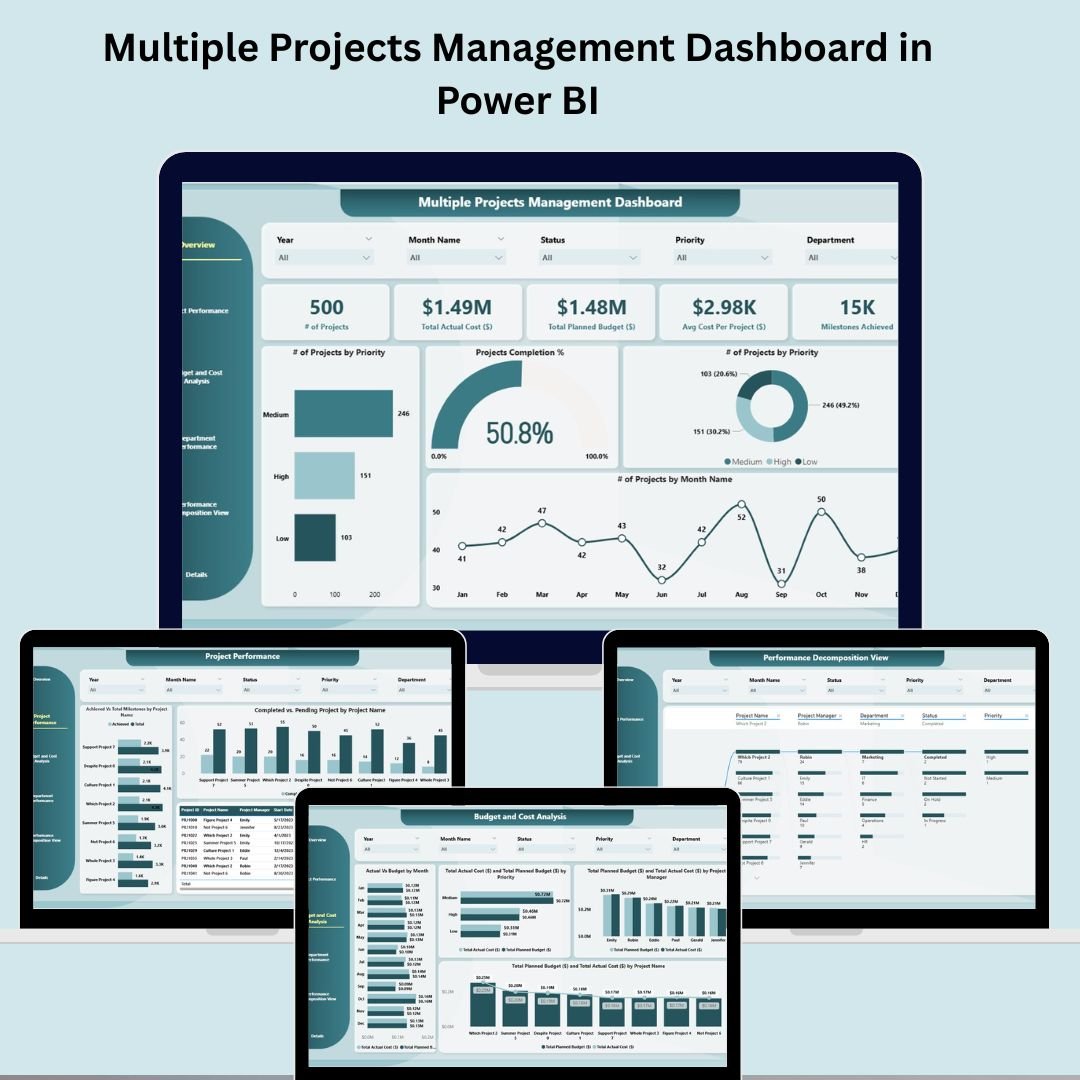
Managing multiple projects doesn’t have to be overwhelming. With our Multiple Projects Management Dashboard in Power BI, you can bring clarity, control, and confidence to your project tracking process. 📊📈
This ready-to-use Power BI dashboard is expertly designed to help project managers and stakeholders monitor multiple projects at once — offering instant visibility into performance, budget, milestones, departmental efficiency, and more. Whether you’re managing 5 or 50 projects, this interactive dashboard centralizes everything you need to know in one dynamic workspace. 💼✅
🛠️ Key Features of the Multiple Projects Management Dashboard
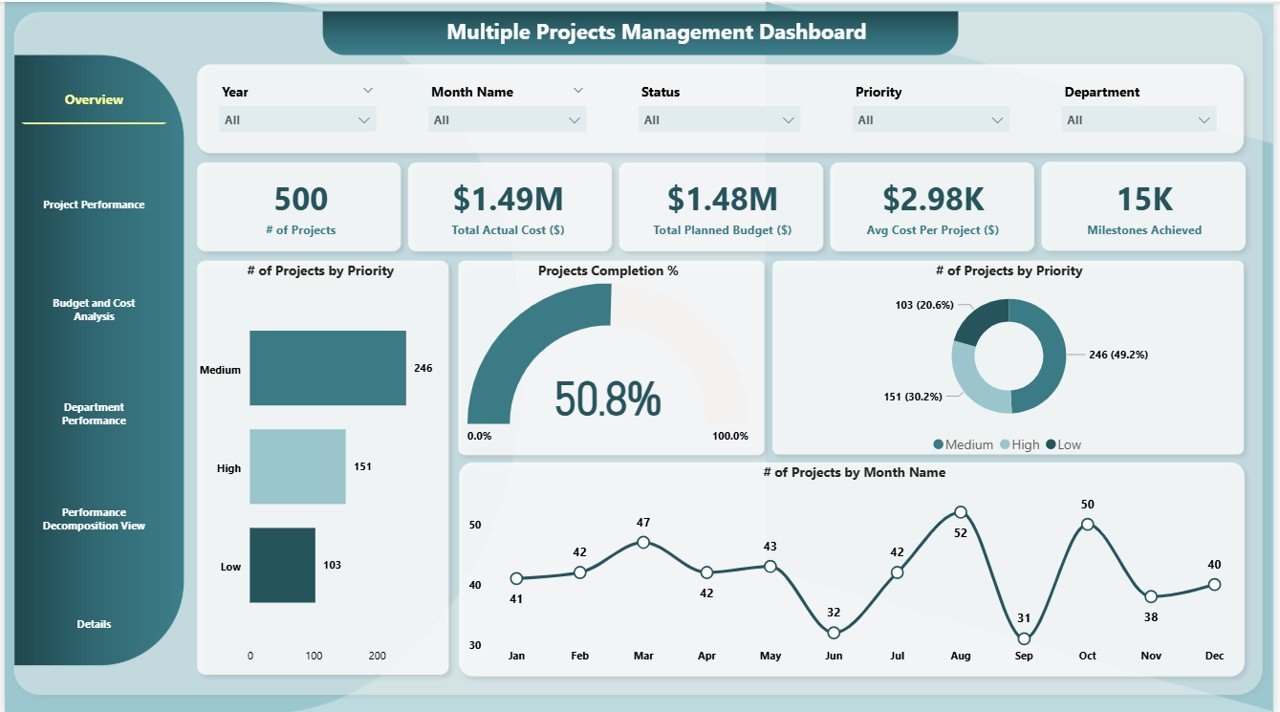
📌 Overview Page
Gain a bird’s-eye view of all ongoing projects:
-
# of Projects – Total active projects
-
Actual Cost – Amount spent so far
-
Total Planned Budget – Aggregated project budgets
-
Average Cost per Project – Cost efficiency insights
-
Milestones Achieved – Progress indicator
-
Charts – Completion %, priority-wise project distribution, and monthly activity
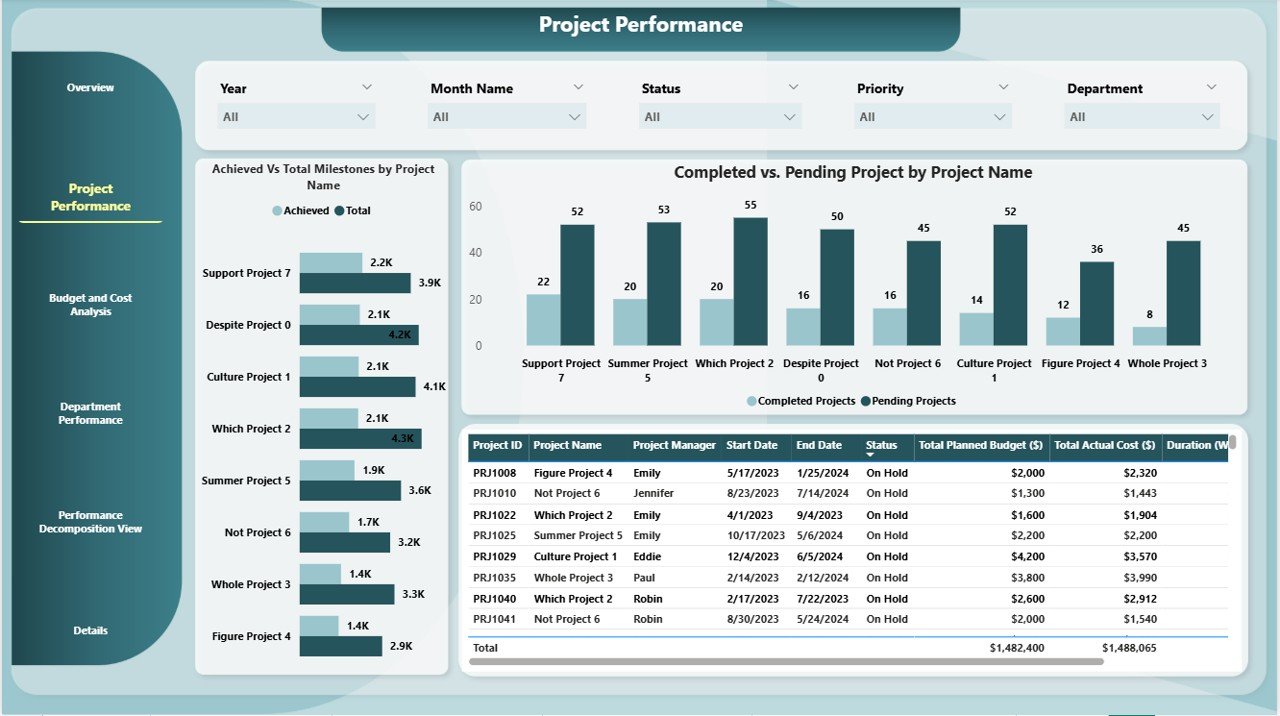
📊 Project Performance Page
Dive deeper into how individual projects are progressing:
-
Achieved vs Total Milestones by Project Name
-
Completed vs Pending Projects Chart
Track timelines, detect delays, and identify underperforming projects fast.
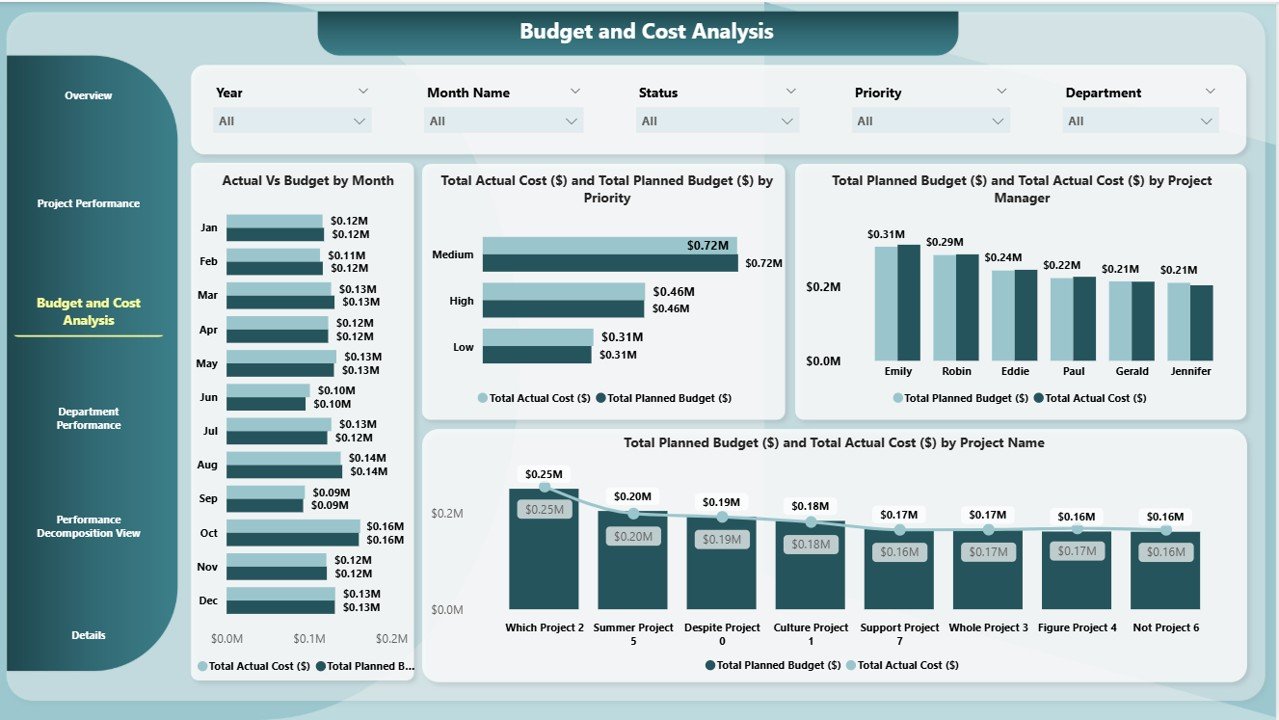
💰 Budget and Cost Analysis Page
Keep your financials in check with:
-
Actual vs Budget by Month
-
Cost/Budget Breakdown by Priority, Project Manager, and Project Name
Quickly spot overspending or under-budget performance.
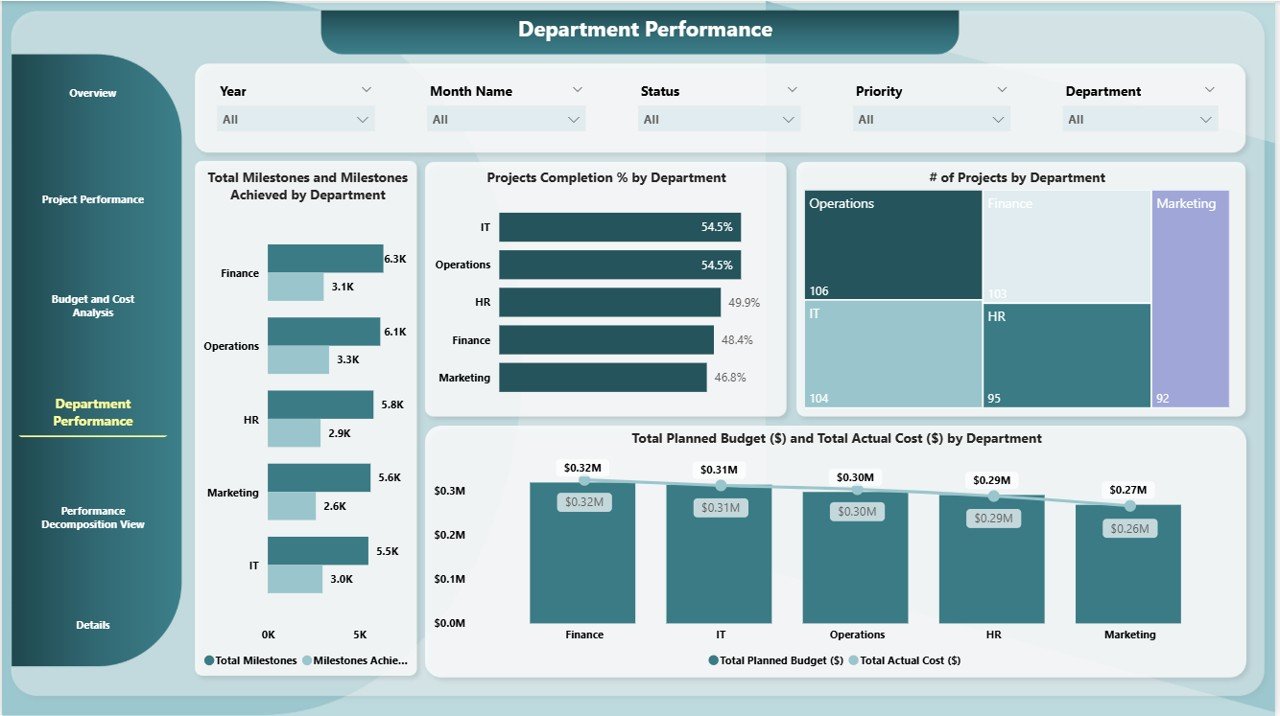
🏢 Department Performance Page
Analyze how each department contributes:
-
Milestones Achieved vs Set by Department
-
Project Completion % and Count by Department
-
Financial Comparison: Planned Budget vs Actual Cost by Department
Perfect for team performance reviews.
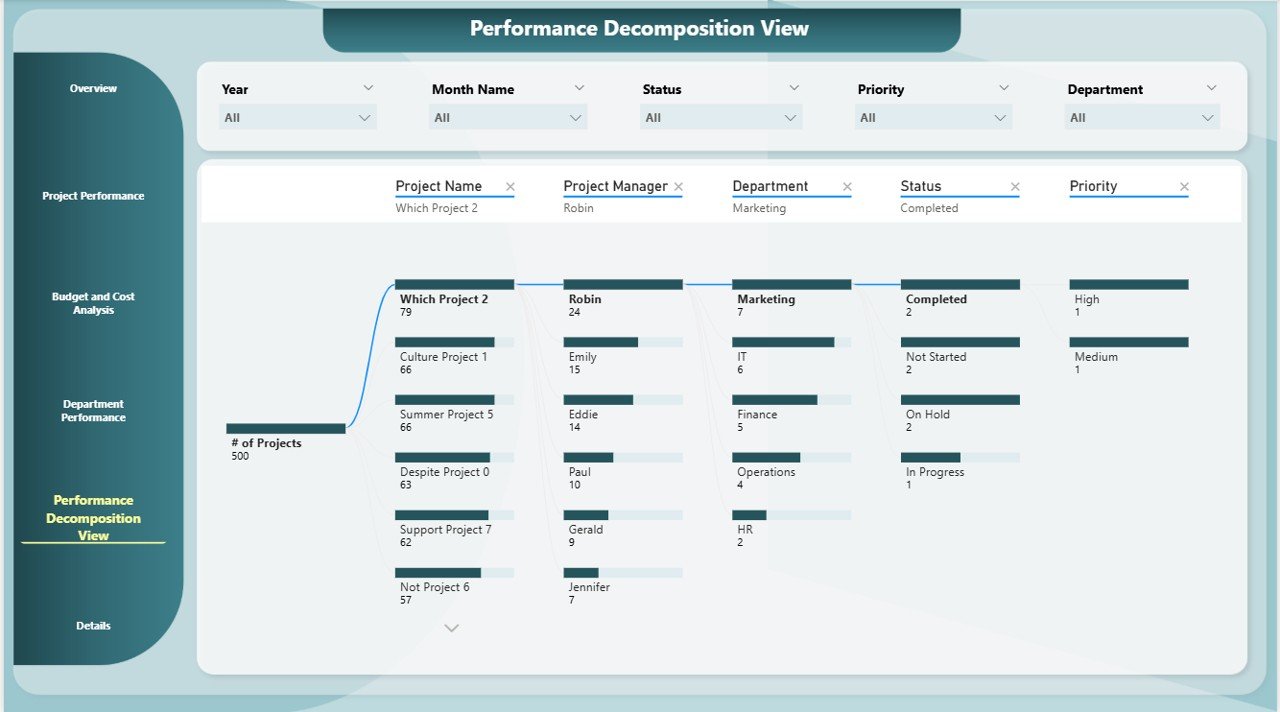
🌐 Performance Decomposition View Page
Use Power BI’s Decomposition Tree to:
-
Drill down into root causes of cost overruns or delays
-
Segment data by priority, department, project, or timeline
-
Perform deeper performance analysis with ease
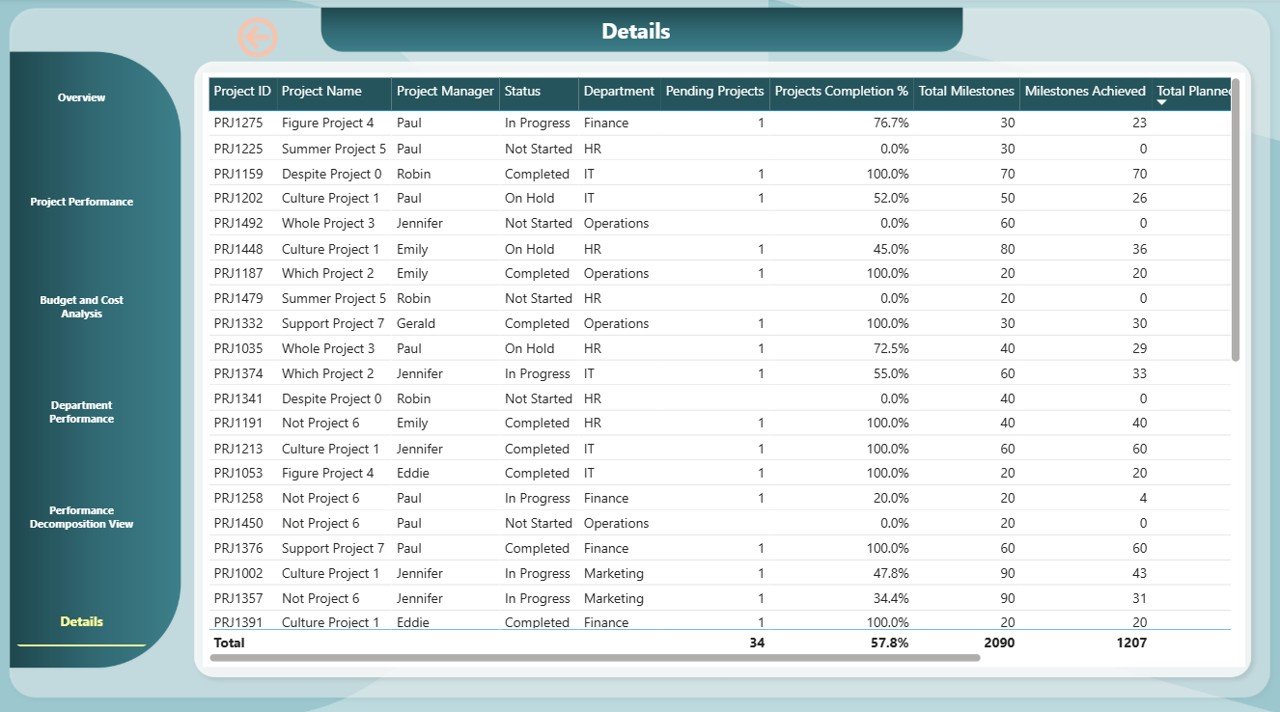
📄 Details Page
View complete details of each project:
-
Budgets, milestones, costs, and completion progress
-
Drill down into individual project metrics for granular analysis
📈 What’s Inside the Dashboard Package?
-
✅ Fully functional Power BI Dashboard (.pbix file)
-
✅ 6 dedicated report pages: Overview, Project Performance, Budget Analysis, Department Summary, Decomposition Tree, and Details
-
✅ Real-time interactive visuals
-
✅ Editable and customizable visuals
-
✅ Compatible with Power BI Desktop and Power BI Service
-
✅ Demo dataset for immediate use
-
✅ Clean UI for non-technical users
🧩 How to Use the Dashboard
-
Download & open the .pbix file in Power BI Desktop
-
Connect your project data from Excel, SQL, or other sources
-
Update tables with your actual metrics and details
-
Explore charts, filter data, and drill down to project or department level
-
Customize visuals to match your branding or KPIs
-
Publish to Power BI Service for team-wide access
This dashboard is designed to help decision-makers move fast with facts, not guesswork.
👥 Who Can Use This Dashboard?
-
🧑💼 Project Managers – Oversee dozens of projects in one view
-
🧾 PMO & Executives – Get strategic insights from aggregated reports
-
🧰 Consultants – Manage client portfolios across industries
-
🏢 Corporate Teams & SMEs – Track internal or client-based projects
-
📊 Data Analysts – Visualize project KPIs with advanced filtering
It’s suitable for any business that runs more than one project at a time — regardless of industry or team size.
🔥 Why Choose This Power BI Dashboard?
-
Real-time, interactive insights
-
Designed for efficiency, clarity, and collaboration
-
Saves time spent on spreadsheets and manual tracking
-
Ideal for project reviews, budget audits, and team update
































Reviews
There are no reviews yet.