

In today’s digital-first world, cybersecurity is mission critical. Businesses face growing threats such as ransomware, phishing, unauthorized access, and data breaches. To protect systems, maintain compliance, and build customer trust, organizations must take a proactive, structured approach.
The IT Security Review Checklist in Excel is a ready-to-use, cost-effective tool that helps IT teams, compliance officers, and managers track essential security tasks. It transforms scattered notes and ad-hoc processes into a clear, accountable, and structured checklist—all in the familiar Excel format.
✨ Key Features of IT Security Review Checklist in Excel

-
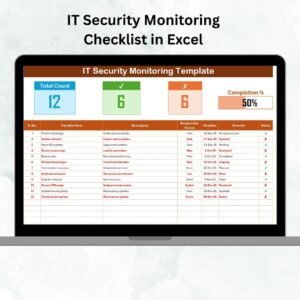
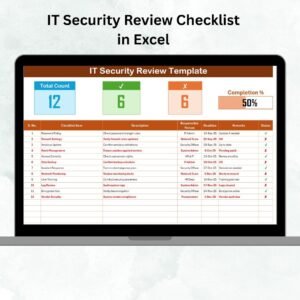
📊 At-a-Glance Dashboard – See total tasks, completed tasks, pending tasks, and progress percentage instantly.
-
📝 Structured Checklist Table – Includes Serial No., Checklist Item, Description, Responsible Person, Deadline, Remarks, and Status.
-
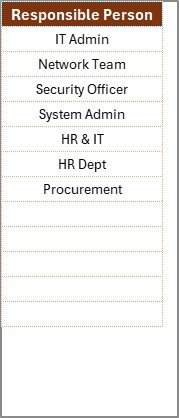
👤 Role-Based Assignment – Assign tasks via drop-down menus linked to the List Sheet.
-
⏰ Deadline Tracking – Ensure timely completion of critical tasks.
-
✔️✘ Status Updates – Mark tasks as completed (✔) or not completed (✘).
-
🔢 Automatic Progress Bar – Visual representation of overall completion.
-
🖥️ Excel-Friendly – No coding needed; easy to use, edit, and share.
-
💡 Customizable – Add columns for severity, risk level, or verification notes.
📦 What’s Inside the IT Security Review Checklist Template
This template is designed with two core worksheets:
-
IT Security Review Checklist Sheet
-
The main operational sheet where you track tasks.
-
Displays total items, completed, pending, and overall completion %.
-
Task table with all the essential fields for structured IT security management.
-
-
List Sheet
-
Contains unique names of responsible persons.
-
Powers the drop-down list in the checklist sheet for quick and consistent assignments.
-
This design ensures efficiency, accuracy, and accountability.
🛠️ How to Use the IT Security Review Checklist
-
Open the Template – Review the pre-built structure.
-
Add Checklist Items – Tasks like “Update Antivirus,” “Review Firewall Settings,” “Verify Data Backups.”
-
Assign Responsibilities – Use drop-downs from the List Sheet to assign team members.
-
Set Deadlines – Add due dates to avoid delays.
-
Update Status – Mark tasks ✔ when done, ✘ if pending.
-
Monitor Progress – Track real-time updates with the progress bar.
-
Audit & Review – Use the file during IT audits or compliance checks for documentation.
With this workflow, nothing gets overlooked, and every action remains documented.
👥 Who Can Benefit from This Checklist
-
IT Teams – Monitor daily security tasks with structure.
-
Compliance Officers – Ensure adherence to GDPR, HIPAA, ISO, and other standards.
-
Small Businesses – Gain accountability without investing in costly software.
-
Corporate Enterprises – Scale IT security oversight across departments and regions.
-
Auditors & Consultants – Use as a framework for IT security audits and reviews.
📖 Click here to read the Detailed blog post
🎥 Visit our YouTube channel to learn step-by-step video tutorials























Reviews
There are no reviews yet.