

Managing IT support tickets efficiently is critical for every organization. When employees face system errors, software issues, network outages, or hardware failures, they expect quick and reliable support. However, many IT teams still rely on emails, chat messages, or unstructured spreadsheets. As a result, tickets get missed, priorities are unclear, and reporting becomes time-consuming.
That is exactly why the IT Helpdesk Ticket Tracker in Google Sheets is a must-have solution for modern IT teams.
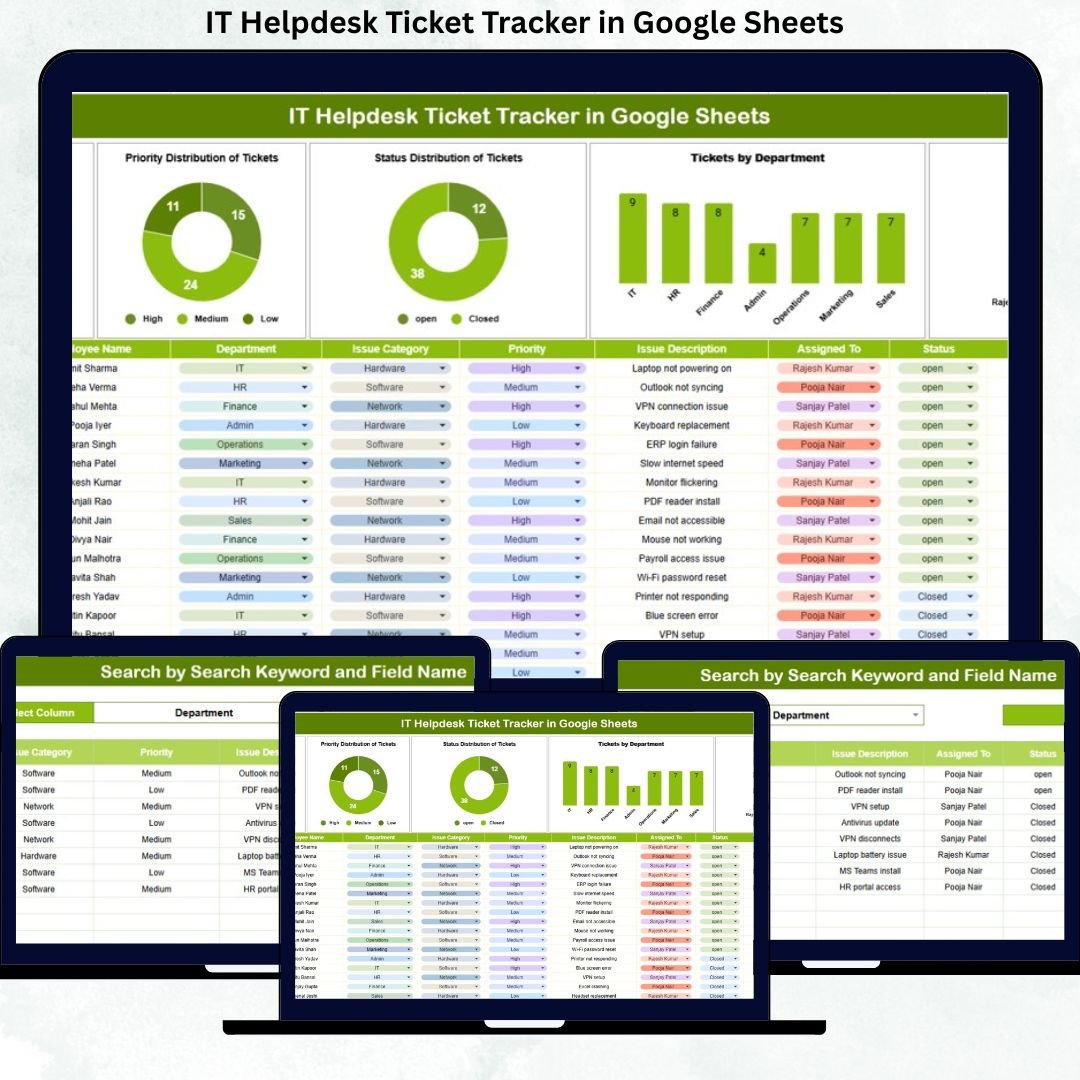
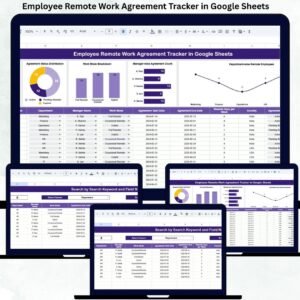
This ready-to-use Google Sheets tracker helps IT teams log, track, prioritize, and resolve all support tickets from one centralized system. Instead of chasing emails or updating multiple files, everything stays organized in a single dashboard. Moreover, built-in charts and a smart search feature turn raw ticket data into clear, actionable insights.
Because the tracker runs entirely in Google Sheets, it is cloud-based, collaborative, cost-effective, and extremely easy to use—no ITSM software or technical expertise required.
⭐ Key Features of the IT Helpdesk Ticket Tracker
-
🎫 Centralized IT ticket management system
-
📊 Automatic charts for ticket analysis
-
🔍 Smart search by keyword and field name
-
⚡ Real-time updates and collaboration
-
🧩 Fully customizable fields and categories
-
☁️ 100% Google Sheets based
-
🚀 Ready to use—no setup required
This tracker helps IT teams move from reactive support to proactive IT operations.
📂 What’s Inside the IT Helpdesk Ticket Tracker
The tracker is designed with a clean structure that makes ticket handling simple and transparent.
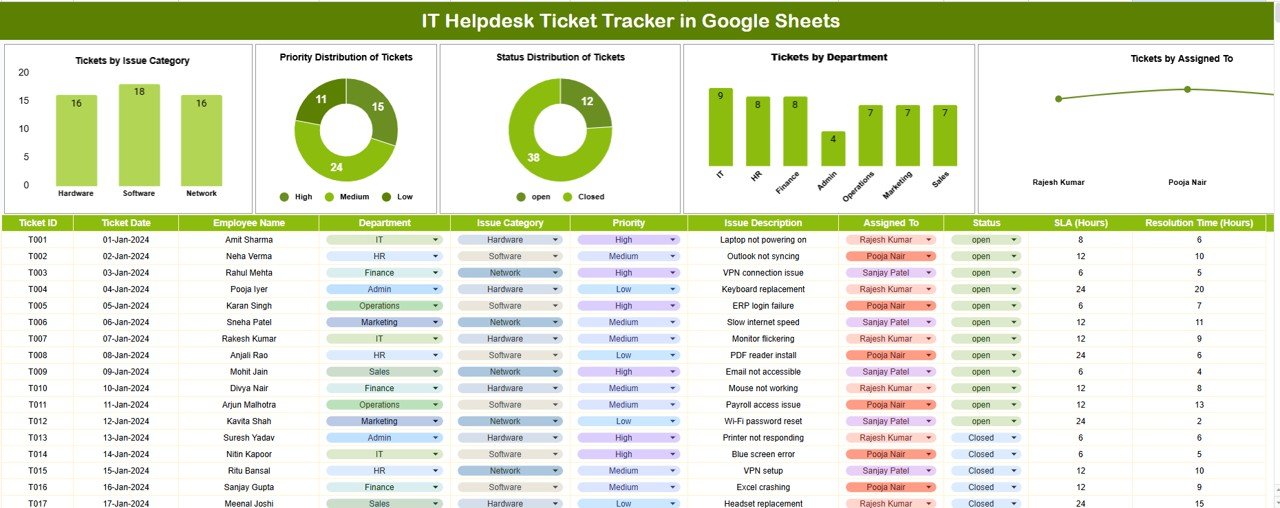
🗂️ Tracker Sheet Tab (Main Ticket Log)
This is the heart of the entire system. All IT support tickets are recorded here.
Typical fields include:
-
Ticket ID
-
Ticket Date
-
Employee Name
-
Department
-
Issue Category
-
Priority Level
-
Assigned To
-
Ticket Status
-
Resolution Date
-
Comments / Notes
As soon as data is entered or updated, all charts refresh automatically, giving instant visibility into IT workload and performance.
📊 Built-in IT Helpdesk Charts
The tracker includes five powerful charts that help IT managers understand trends quickly:
📌 Tickets by Issue Category
Identify recurring problems such as hardware, software, network, or access issues.
📌 Tickets by Priority Level
Ensure high-priority and critical tickets get immediate attention.
📌 Tickets by Status
Track Open, In Progress, On Hold, Resolved, and Closed tickets at a glance.
📌 Tickets by Department
Understand which departments raise the most IT requests and why.
📌 Tickets by Assigned To
Monitor workload distribution and team performance.
These visuals eliminate manual reporting and support faster decision-making.
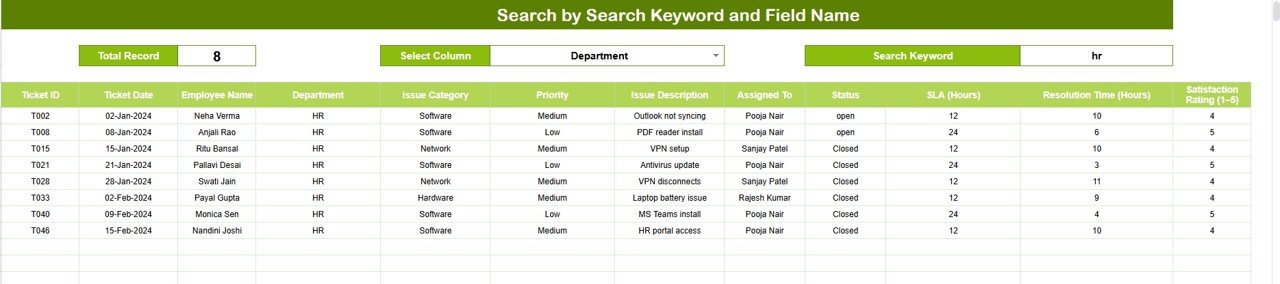
🔍 Smart Search Functionality
One of the most powerful features of this tracker is the Smart Search Panel.
You simply enter:
-
🔎 Search Keyword (Ticket ID, Employee Name, Issue Type, etc.)
-
🏷️ Field Name (Department, Assigned To, Status, Priority)
The tracker instantly filters matching records.
✅ Why This Matters
-
Faster ticket lookup during support calls
-
Easy audit and review preparation
-
Reduced time spent scrolling
-
Improved daily productivity for IT teams
🧭 How to Use the IT Helpdesk Ticket Tracker
1️⃣ Log every IT ticket in the Tracker Sheet
2️⃣ Assign priority and support owner
3️⃣ Update ticket status regularly
4️⃣ Use charts to review workload and trends
5️⃣ Search tickets instantly when required
6️⃣ Improve response time and accountability
No technical skills needed—basic Google Sheets knowledge is enough.
👥 Who Can Benefit from This Tracker
-
IT Support Teams
-
Service Desk Managers
-
System Administrators
-
Operations Managers
-
Small Businesses & Enterprises
### 📖 Click here to read the detailed blog post
Watch the step-by-step video tutorial:






























Reviews
There are no reviews yet.