


Managing healthcare compliance and cybersecurity is more complex than ever before. With evolving regulations, increasing cyber threats, and overlapping schedules, healthcare providers face constant pressure to stay compliant and secure. Hospitals, clinics, and laboratories often juggle Healthcare Compliance Cybersecurity Calendar in Excel ISO reviews, cybersecurity drills, and staff training—all while keeping patient data safe. Missing even one deadline could mean costly penalties or reputational damage.
That’s where the Healthcare Compliance Cybersecurity Calendar in Excel comes in. ✅ This ready-to-use Excel template centralizes all compliance and cybersecurity tasks into one structured system. No more scattered notes, missed deadlines, or overwhelming tools—this calendar is simple, customizable, and designed for real healthcare operations.
⚡ Key Features of the Healthcare Compliance Cybersecurity Calendar
-
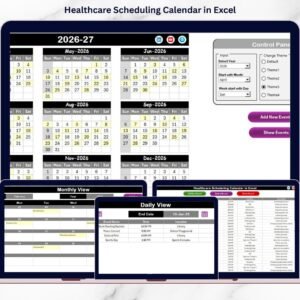
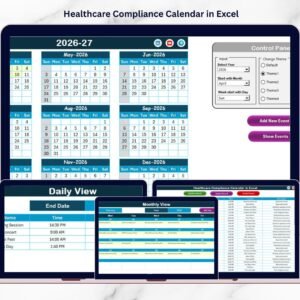
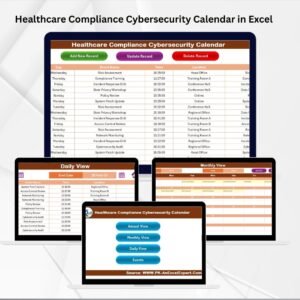
📅 Multi-View Navigation: Switch seamlessly between Annual, Monthly, Daily, and Events views using one-click buttons on the Home page.
-
📊 Centralized Dashboard: All compliance and cybersecurity activities—audits, training, policy updates, and risk assessments—are stored in one place.
-
🎨 Customizable Themes: Choose from five color themes to match your organization’s style.
-
🔍 Event Highlighting: Mark important dates (e.g., HIPAA audits or IT security drills) with easy-to-spot highlights.
-
📝 Event Database: Add, update, and delete events with auto-generated IDs, times, locations, and descriptions.
-
💡 User-Friendly: Works in Microsoft Excel without requiring advanced technical skills.

📂 What’s Inside the Healthcare Compliance Cybersecurity Calendar
When you download this product, you get a fully functional Excel workbook with five powerful worksheet tabs:
-
🏠 Home Sheet Tab: Quick navigation to Annual, Monthly, Daily, and Events sections.
-
📆 Annual View Sheet Tab: A 12-month view with controls for year, start month, week format, themes, and highlight groups. Perfect for long-term planning of audits and assessments.
-
🗓️ Monthly View Sheet Tab: Zoom into a specific month to track staff training, patch updates, or departmental compliance tasks.
-
📋 Daily View Sheet Tab: Drill down into specific dates with start-end range filters—ideal for daily cybersecurity monitoring and incident response.
-
📑 Events Sheet Tab: A centralized database to log every compliance and cybersecurity activity with full details.
🛠️ How to Use the Healthcare Compliance Cybersecurity Calendar
-
Download & Open: Launch the Excel template—no extra setup needed.
-
Set Preferences: Choose the year, theme, and starting week/day from the control panel.
-
Add Events: Use the built-in form to insert compliance checks, cybersecurity drills, or staff training events.
-
Track Activities: Use Annual for a big picture, Monthly for detailed scheduling, and Daily for task-by-task monitoring.
-
Stay Audit-Ready: Keep records updated and ready for inspection by regulators.
This step-by-step structure ensures that compliance officers, IT managers, and healthcare staff can collaborate seamlessly.
👥 Who Can Benefit from This Calendar
-
🏥 Hospitals & Clinics: Track HIPAA, GDPR, ISO audits, and staff training programs.
-
🔒 IT Security Teams: Schedule penetration tests, vulnerability scans, and daily monitoring.
-
📋 Compliance Officers: Maintain accurate records for inspections and reduce risk of fines.
-
🧑⚕️ Healthcare Staff: Stay updated on cybersecurity training and compliance activities.
-
💼 Management: Gain a clear overview of compliance progress and organizational readiness.
Whether you’re running a small clinic or a large hospital network, this tool keeps your team accountable, secure, and compliant.
📖 Click here to read the Detailed Blog Post
Watch the step-by-step video tutorial:
Visit our YouTube channel to learn step-by-step video tutorials.


















Reviews
There are no reviews yet.