
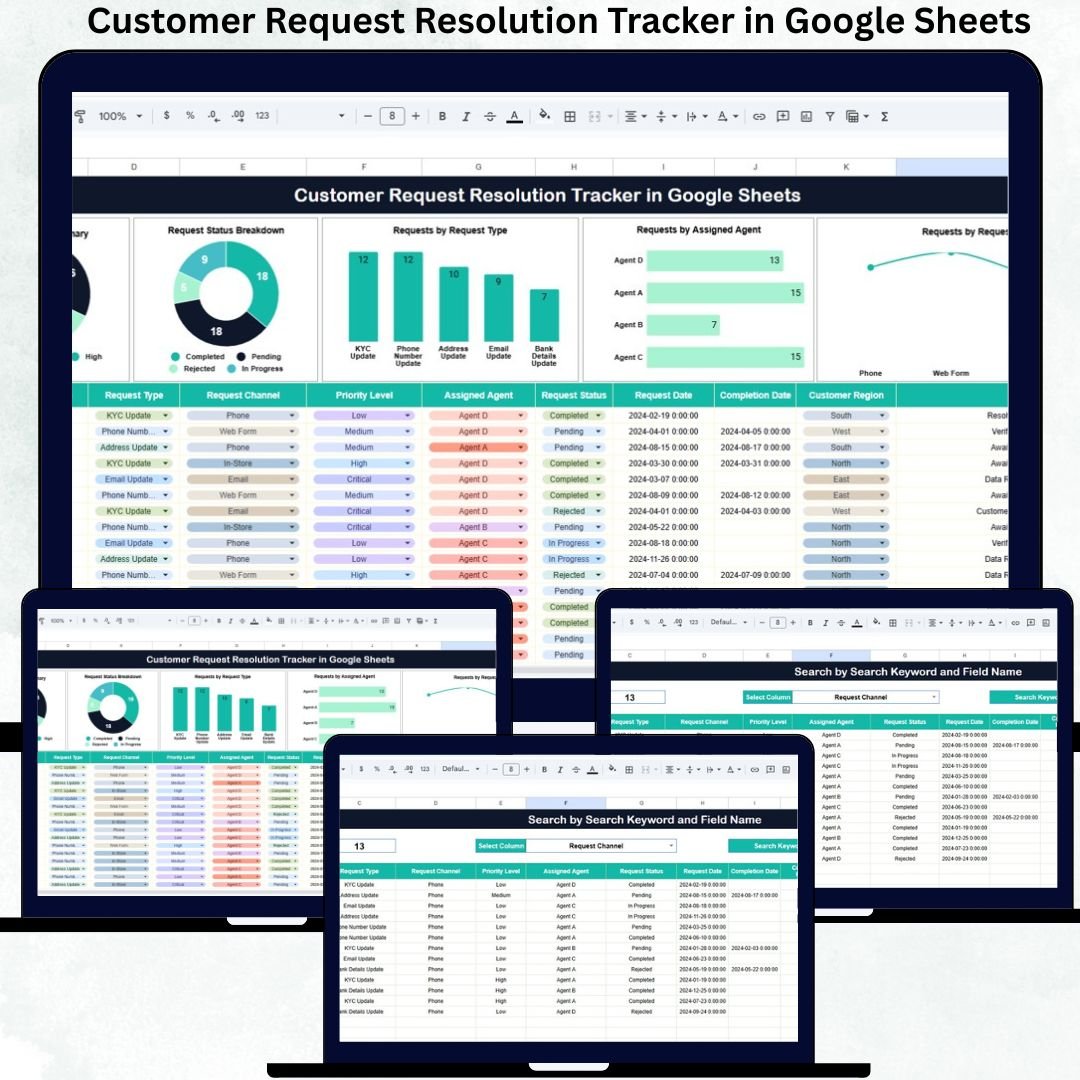
Managing customer requests efficiently is essential for delivering excellent customer service. Every day, support teams receive requests related to complaints, service inquiries, updates, clarifications, and follow-ups across multiple channels such as phone, email, chat, and in-store visits. When these requests are managed through emails, shared inboxes, or unstructured spreadsheets, delays become common, priorities remain unclear, and accountability breaks down. This is exactly where the Customer Request Resolution Tracker in Google Sheets becomes a powerful and practical solution.
This ready-to-use tracker provides a centralized system to log, monitor, analyze, and resolve customer requests from start to finish. Instead of switching between tools or manually tracking progress, teams can manage everything from one interactive Google Sheets file. With built-in charts, structured data fields, and a smart search feature, the tracker transforms raw request data into actionable insights that improve resolution speed and service quality.
🚀 Key Features of the Customer Request Resolution Tracker in Google Sheets
📋 Centralized Request Tracking
Store all customer requests in one structured tracker. Each request is recorded with details such as priority, request type, assigned agent, status, and channel—ensuring nothing gets missed.
📊 Real-Time Dashboard with Visual Charts
All charts update automatically whenever request data is entered or modified. This gives managers instant visibility into workload, backlogs, and resolution trends.
🚦 Priority-Level Insights
Track requests by priority (Critical, High, Medium, Low) so teams can focus first on high-impact or urgent customer issues.
👤 Agent Workload Distribution
Understand how requests are distributed across agents. This helps prevent overload, supports fair task assignment, and improves accountability.
🌐 Request Channel Analysis
Identify where most requests come from—email, phone, chat, or in-store—and adjust staffing or processes accordingly.
📦 What’s Inside the Customer Request Resolution Tracker in Google Sheets
🗂️ Tracker Sheet (Main Dashboard & Data Sheet)
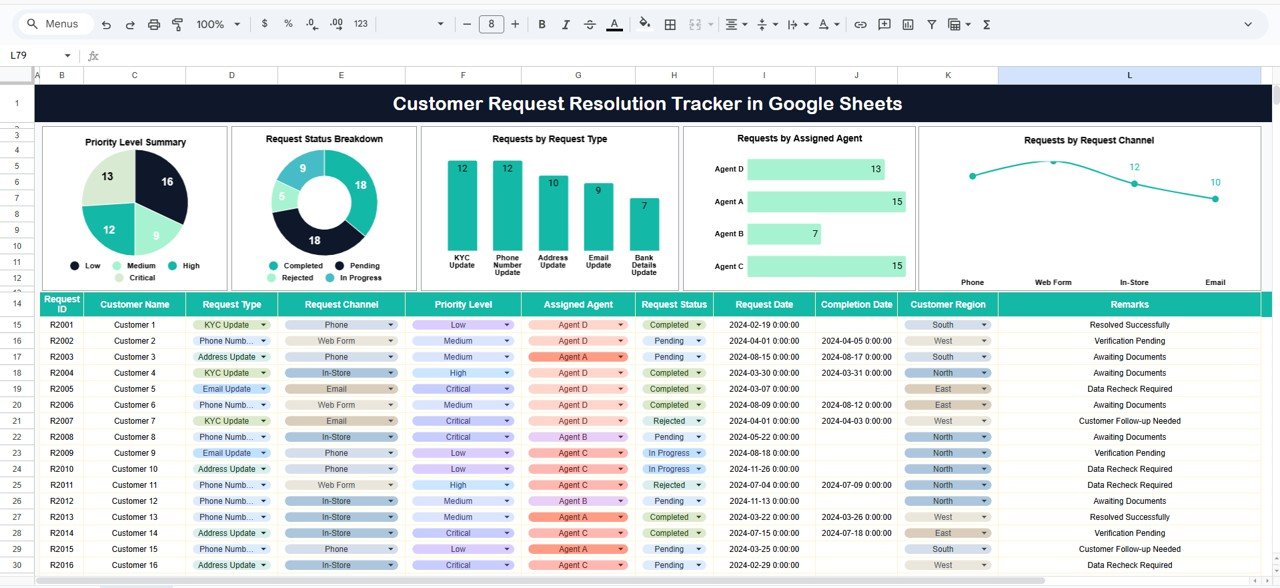
This is the core working sheet of the tracker. It holds all request records and displays multiple interactive charts.
Typical fields include:
-
Request ID
-
Customer Name
-
Request Type
-
Request Channel
-
Priority Level
-
Assigned Agent
-
Request Status (Pending, In Progress, Resolved, Rejected)
-
Remarks or Notes
As soon as data is updated, all visuals refresh automatically.
📈 Dashboard Charts Included
⭐ Priority Level Summary
Shows how many requests fall under each priority category. This helps teams take faster action on critical requests.
⭐ Request Status Breakdown
Displays the number of requests that are pending, in progress, resolved, or rejected—highlighting backlogs instantly.
⭐ Requests by Request Type
Helps teams understand common customer issues such as complaints, service queries, or data update requests.
⭐ Requests by Assigned Agent
Provides visibility into agent workload and helps managers balance assignments more effectively.
⭐ Requests by Request Channel
Shows how customers prefer to contact support, helping improve channel strategy and response planning.
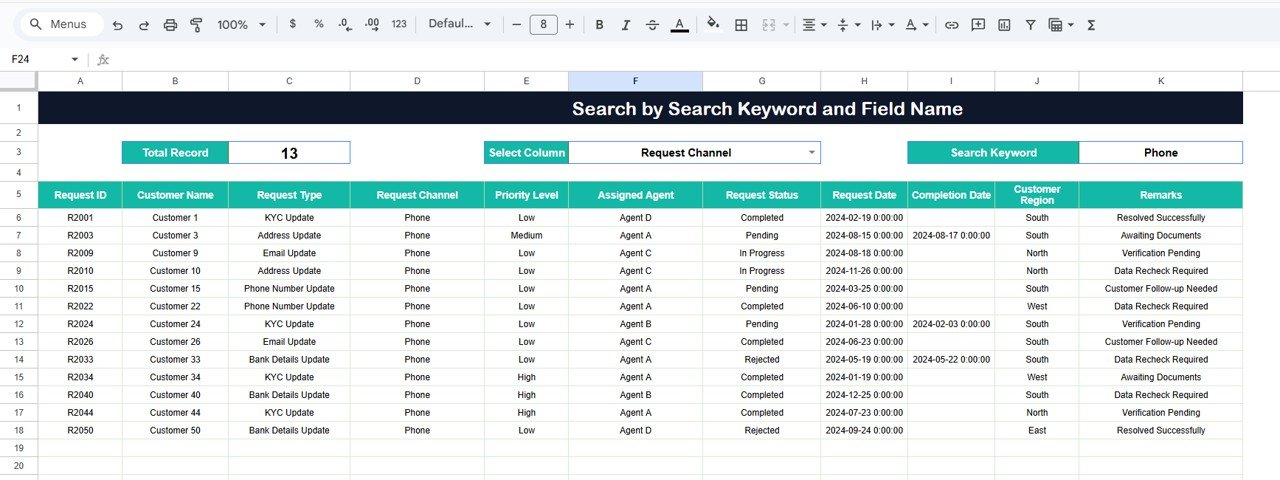
🔍 Smart Search Functionality (Search by Keyword & Field Name)
The tracker includes a built-in search section where users simply:
-
Enter a Search Keyword
-
Select a Field Name (such as Request ID, Customer Name, Agent, Status, or Channel)
Matching records appear instantly, saving time during customer interactions and internal reviews.
👥 Who Can Benefit from This Customer Request Resolution Tracker
📞 Customer Support & Service Teams
Handle requests faster with full visibility.
🧑💼 Operations & CRM Teams
Analyze trends and improve service workflows.
🏢 Managers & Team Leads
Monitor backlog, workload, and agent performance in real time.
🏬 Retail, Telecom, Banking & Service Businesses
Perfect for any organization handling frequent customer requests.
✅ Advantages of Using This Tracker
-
Ready-to-use, no setup required
-
No expensive service desk software
-
Real-time insights and accountability
-
Easy collaboration using Google Sheets
-
Improved customer satisfaction through faster resolution
📌 Best Practices for Using the Tracker
-
Update request status regularly
-
Define clear priority rules
-
Assign ownership to every request
-
Review dashboard charts daily or weekly
-
Use search instead of manual filtering
### Click here to read the Detailed blog post
Watch the step-by-step video tutorial:































Reviews
There are no reviews yet.