

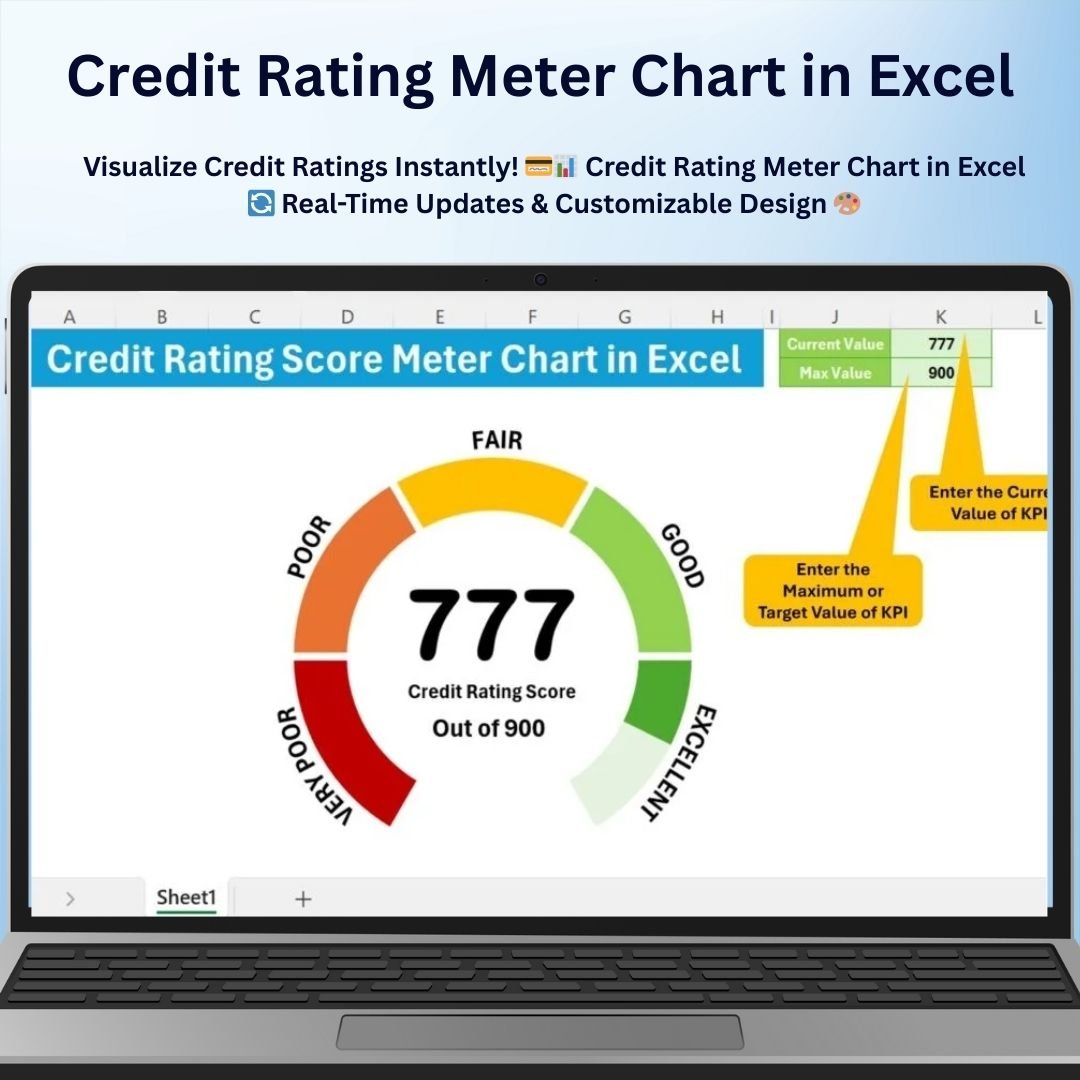

The Credit Rating Meter Chart in Excel is a powerful tool designed to visualize credit ratings in an easy-to-understand, dynamic way. Whether you’re assessing the creditworthiness of individuals, businesses, or organizations, this chart allows you to represent credit scores using a visually engaging meter format. The chart is fully customizable, allowing you to tailor it to your specific rating criteria and use it to track changes in credit ratings over time.
This Credit Rating Meter Chart is an ideal tool for financial analysts, credit agencies, and businesses who need to present or analyze credit ratings efficiently. The dynamic chart updates automatically as you input new data, providing real-time insights into the credit status of your clients or accounts.
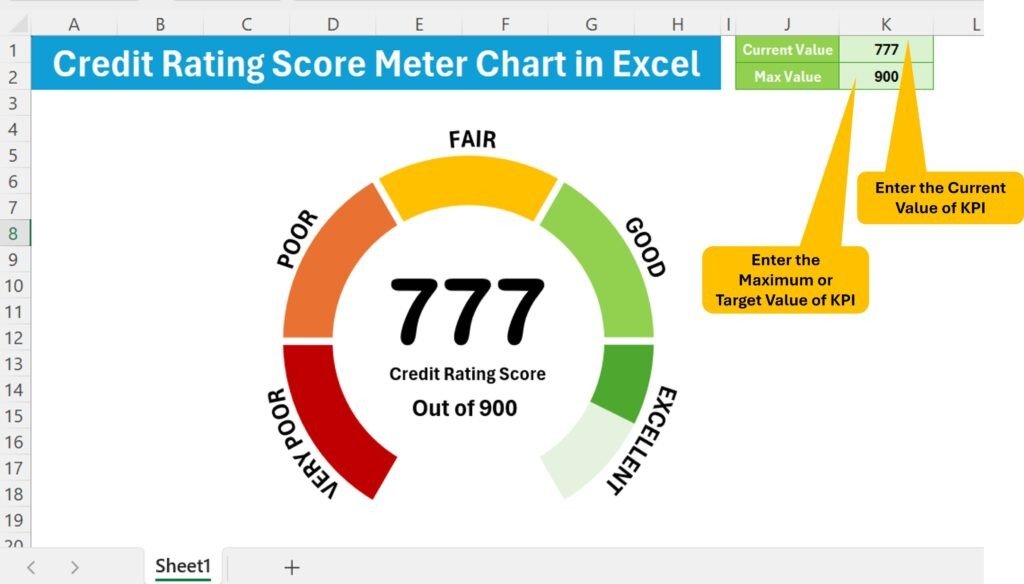
Key Features of the Credit Rating Meter Chart in Excel
📌 Dynamic Credit Rating Meter
The chart features a meter that dynamically adjusts based on the credit rating value, providing a clear, visual representation of credit scores. This meter instantly shows where the credit score falls on the rating scale, making it easy to assess creditworthiness at a glance.
🛠 Customizable Rating Scale
You can easily customize the rating scale to suit your specific credit criteria, whether you’re using standard credit score ranges (such as poor, fair, good, and excellent) or your own custom scale. Adjust the meter’s color, labels, and scale to match your preferences.
💡 Real-Time Data Updates
As you enter or update the credit ratings, the chart automatically updates in real time to reflect those changes. This feature ensures that you always have the most up-to-date data at your fingertips.
🔢 Clear and Visual Data Representation
The credit rating meter uses clear visual indicators, with color coding to show different levels of creditworthiness. Whether you’re presenting this information to clients, management, or stakeholders, the chart makes it easy to communicate credit data clearly.
🚀 Multiple Rating Categories
This chart can handle multiple credit rating categories, allowing you to assess and visualize the creditworthiness of multiple clients or entities at once. It’s perfect for comparing the credit scores of different individuals or businesses.
📊 Professional and Clean Design
The Credit Rating Meter Chart in Excel offers a professional, polished design that enhances the visual appeal of your reports and presentations. With clean lines and intuitive design elements, this chart ensures that your data presentation looks professional and sophisticated.
⚙ Simple Setup and Customization
Setting up the chart is quick and easy, even for those with basic Excel knowledge. The template comes with clear instructions to help you customize the chart to your needs, ensuring that it’s ready to use in no time.
🚀 Why You’ll Love the Credit Rating Meter Chart in Excel
✅ Dynamic and Interactive – The chart updates automatically as you enter new credit rating data. ✅ Customizable Rating Scale – Adjust the scale, colors, and labels to fit your specific rating criteria. ✅ Clear Visualization – Quickly assess creditworthiness with a visual meter display. ✅ Multiple Rating Categories – Track and compare credit ratings for different clients or businesses. ✅ Simple Setup – Get started quickly with easy-to-follow instructions.
📂 What’s Inside the Credit Rating Meter Chart in Excel?
- Credit Rating Meter: A dynamic meter that adjusts based on credit rating data.
- Customizable Rating Scale: Modify the scale, colors, and labels to reflect your credit rating system.
- Real-Time Updates: The chart updates instantly as you input or modify data.
- Clear Visual Indicators: Color-coded sections make it easy to interpret the data.
- Simple Setup Instructions: Easy-to-follow steps for customizing and setting up the chart.
🔍 How to Use the Credit Rating Meter Chart in Excel
1️⃣ Download the Template – Instant access to the Excel file upon purchase. 2️⃣ Enter Credit Ratings – Input credit rating values for individuals, businesses, or entities. 3️⃣ Customize the Chart – Adjust the rating scale, labels, and colors as needed. 4️⃣ Track and Compare – Use the chart to track changes in credit ratings over time or compare multiple clients or businesses. 5️⃣ Present and Share – Use the chart in reports or presentations to showcase credit ratings clearly.
🎯 Who Can Benefit from the Credit Rating Meter Chart in Excel? 🔹 Financial Analysts
🔹 Credit Agencies
🔹 Banks and Lenders
🔹 Business Owners
🔹 Investors
🔹 Anyone assessing creditworthiness and financial stability
Make credit ratings easy to understand and visually appealing with the Credit Rating Meter Chart in Excel. With its dynamic features, real-time updates, and customizable design, this chart is an essential tool for anyone working in finance, lending, or credit assessment.
Click here to read the Detailed blog post
https://www.pk-anexcelexpert.com/credit-rating-meter-chart-in-excel/
Visit our YouTube channel to learn step-by-step video tutorials
Watch the step-by-step video tutorial:
Compatibility and Requirements
- Works in Microsoft Excel desktop (Excel 2016 or later, or Microsoft 365).
- Built with standard Excel charts. Microsoft explains chart basics in Create a chart from start to finish.
Frequently Asked Questions
What does the credit rating meter show?
It shows a credit score on a meter. The needle moves to the point on the rating scale that matches the value you enter, so you can see where the score falls at a glance.
Can I use my own rating bands?
Yes. You can change the scale, the colors and the labels, whether you use standard bands such as poor, fair, good and excellent or your own scale.
Does the chart update when I change the score?
Yes. When you enter or edit a credit rating value, the meter updates on its own.
Can I compare several clients?
Yes. The chart can handle several rating categories, so you can compare the credit scores of different people or businesses.
Is there a tutorial?
Yes. A step-by-step video and a detailed blog post are linked on this page.
Related Meter and Gauge Chart Templates
- Ultimate Speedometer in Excel: a speedometer style gauge for any score or KPI
- Rating Meter Chart in Excel: a general rating meter in the same style
- Dynamic Sales Score Meter Chart in Excel: the same meter idea for sales against target
- RYG Dial Gauge Meter in MS Excel: a red, yellow and green dial gauge
- Credit Rating Agencies KPI Dashboard in Excel: a full KPI dashboard for credit rating work
Browse all Charts and Visualization templates or the Excel Financial Tools.






























Reviews
There are no reviews yet.