



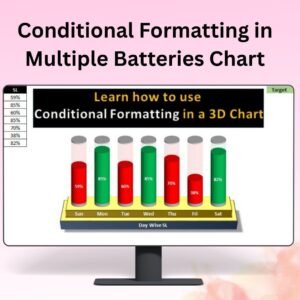
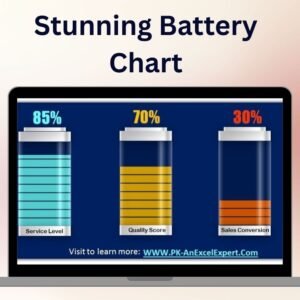
The Stunning Battery Chart in Excel is an eye-catching and interactive data visualization tool designed to represent performance metrics, KPIs, or progress in a battery-style chart format. This innovative chart helps you display progress toward goals, monitor sales, or track project milestones in a visually appealing and easy-to-understand way. The battery chart offers a unique and engaging way to track performance, where each “battery” visually indicates the completion or status of a specific metric.
Ideal for presentations, reports, or dashboards, this chart can be customized to meet your specific needs. Whether you’re tracking sales progress, project milestones, or any other performance-related data, the Stunning Battery Chart gives you clear insights at a glance, with real-time updates as data is entered.

Key Features of the Stunning Battery Chart:
⚡ Battery Progress Bars
Visually represent progress with dynamic battery-like bars, where the battery fills up as you make progress toward your target or goal.
🎨 Fully Customizable Design
Easily customize the appearance of the battery chart, including color schemes, labels, and data points, to fit your brand or personal preferences.
📈 Real-Time Data Updates
As you input data, the battery chart updates automatically, providing you with real-time visual feedback on your performance or progress.
📊 Multiple Data Tracking
Monitor several performance metrics or KPIs at once by using multiple battery charts within the same template, allowing you to compare various data points side by side.
📅 Perfect for Dashboards and Reports
This chart works seamlessly within Excel dashboards and presentations, allowing you to track and showcase performance metrics clearly and attractively.
Why You’ll Love the Stunning Battery Chart:
✅ Visually Appealing – The battery chart format offers a modern, engaging way to display performance and progress, making it easier for audiences to interpret data. ✅ Real-Time Insights – Automatically update the battery chart with real-time data input, ensuring accurate progress tracking at all times. ✅ Customizable and Flexible – Tailor the chart to suit your business needs, from adjusting colors and labels to tracking various performance metrics. ✅ Ideal for Presentations – Make your reports and presentations more impactful by including visually dynamic battery charts that clearly communicate your progress. ✅ Track Multiple Metrics – Display and compare multiple KPIs or project milestones in a single view, ensuring comprehensive performance tracking.
What’s Inside the Stunning Battery Chart:
- Battery Progress Bars – Track progress visually using battery-style indicators that change based on your data.
- Real-Time Updates – Data input automatically updates the chart in real time, providing up-to-date insights.
- Customizable Layout – Change colors, labels, and layout settings to match your specific needs or preferences.
- Multiple Metrics Tracking – Monitor various KPIs or project milestones simultaneously, with separate battery charts for each data point.
How to Use the Stunning Battery Chart:
1️⃣ Download the Template – Get immediate access to your Excel file after purchase. 2️⃣ Input Data – Add your performance data, goals, or progress metrics into the chart. 3️⃣ Customize the Chart – Modify the color scheme, labels, and design to suit your needs. 4️⃣ Track and Visualize Performance – Use the chart to monitor progress and display key performance indicators clearly.
Who Can Benefit from the Stunning Battery Chart:
- Business Owners
- Sales Teams
- Project Managers
- Data Analysts
- HR and Performance Management Teams
- Marketing Teams
- Anyone looking to track performance or progress using a visually engaging tool
The Stunning Battery Chart is perfect for those looking to present performance data in an easy-to-understand, visually appealing format. Whether you’re monitoring business KPIs, sales progress, or project milestones, this tool makes tracking data both informative and engaging.
Click here to read the Detailed blog post
https://www.pk-anexcelexpert.com/stunning-battery-chart/
Visit our YouTube channel to learn step-by-step video tutorials
Watch the step-by-step video tutorial:
Compatibility and Requirements
- Works in Microsoft Excel desktop (Excel 2016 or later, or Microsoft 365).
- Microsoft’s guide to creating a chart explains how Excel charts work if you want to restyle it.
Frequently Asked Questions
How does the battery chart work?
Each battery fills up as your value moves toward its target, so progress on a KPI, sales goal or project milestone is easy to read at a glance.
Can I show several metrics at once?
Yes. Use multiple battery charts in the same file to compare several KPIs or milestones side by side.
Can I change the colors and labels?
Yes. The colors, labels and data points can be changed to match your brand or report.
Does the chart update when I change the data?
Yes. Enter new values and the battery chart updates on its own.
Related Excel Chart Templates
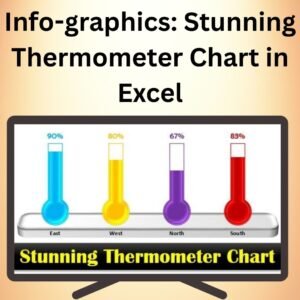
- Info-graphics: Stunning Thermometer Chart in Excel: another fill-to-target progress chart
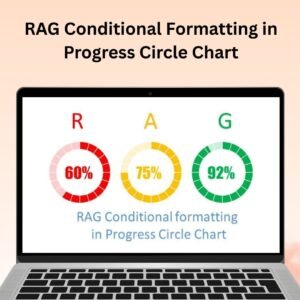
- Animated Progress Circle Chart: progress shown as a circle
- Ultimate Speedometer in Excel: a gauge for a single KPI
- Half Circle KPI Charts in Excel using Doughnut Charts: compact KPI charts for dashboards
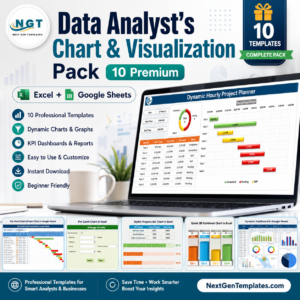
- Data Analyst’s Chart & Visualization Pack: 10 chart templates for Excel and Google Sheets
Browse all Excel chart templates or the Excel dashboards.










Reviews
There are no reviews yet.