
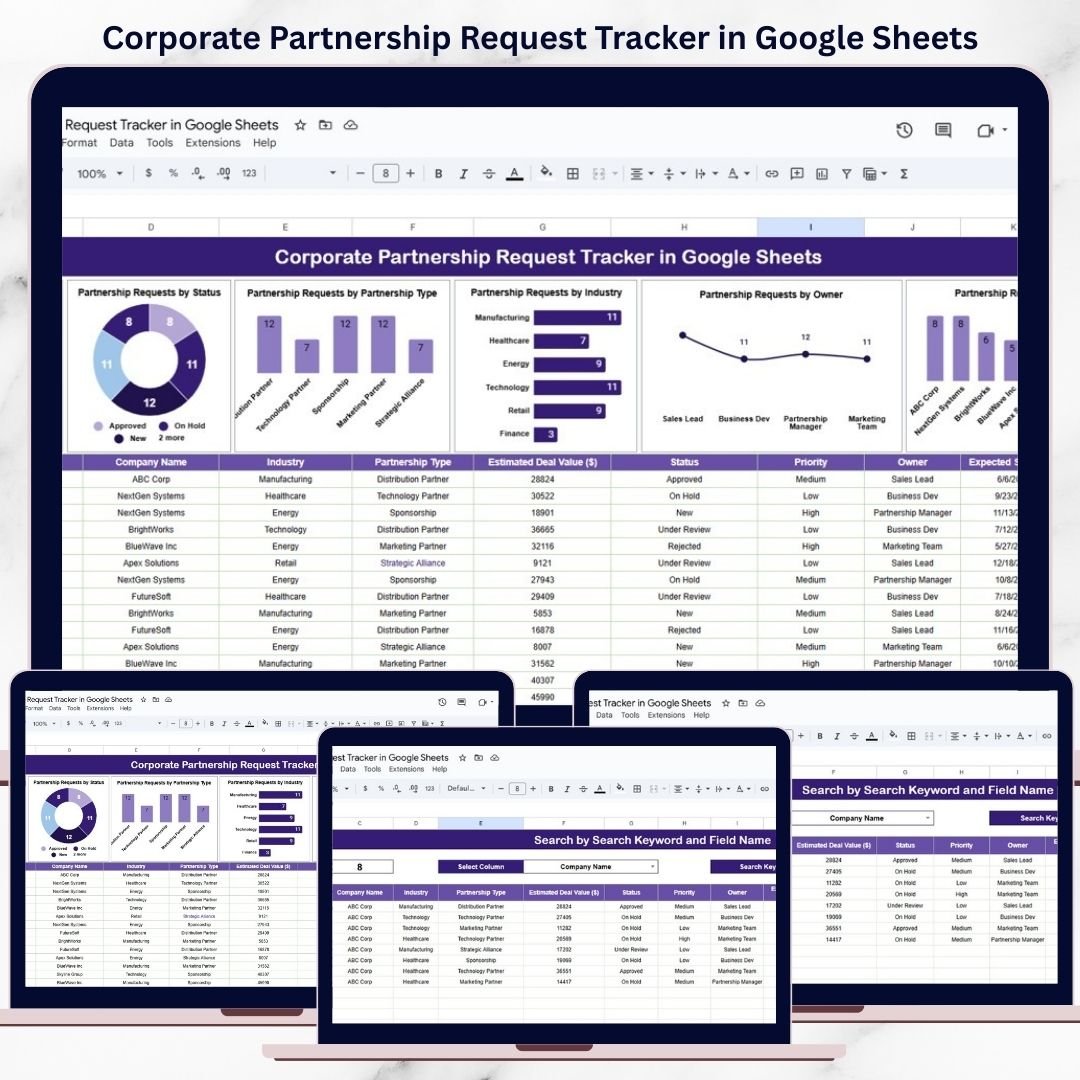
Corporate partnerships are powerful growth drivers. They help organizations expand into new markets, strengthen brand credibility, unlock new revenue streams, and create long-term strategic value. However, when partnership requests are handled through emails, chats, or unstructured spreadsheets, teams quickly lose visibility. Requests get delayed, ownership becomes unclear, and high-value opportunities are missed.
That is exactly why the Corporate Partnership Request Tracker in Google Sheets becomes an essential business development and operations tool.
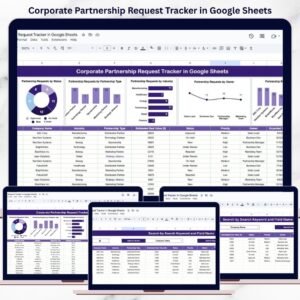
This ready-to-use tracker centralizes all partnership requests in one structured and easy-to-manage Google Sheets file. It helps business development teams, partnership managers, strategy teams, and leadership track requests, set priorities, monitor status, and analyze trends using visual charts and a smart search feature. Because everything runs in Google Sheets, updates happen in real time and collaboration becomes seamless.
With this tracker, your organization moves from reactive partnership handling to a clear, proactive, and data-driven process.
✨ Key Features of the Corporate Partnership Request Tracker in Google Sheets
📋 1. Centralized Partnership Request Management
All partnership requests are stored in one clean and structured tracker. This eliminates scattered emails and ensures nothing slips through the cracks.
📊 2. Visual Charts for Fast Insights
Built-in charts automatically convert raw request data into actionable insights, helping leadership review opportunities quickly.
🔍 3. Smart Search & Filtering
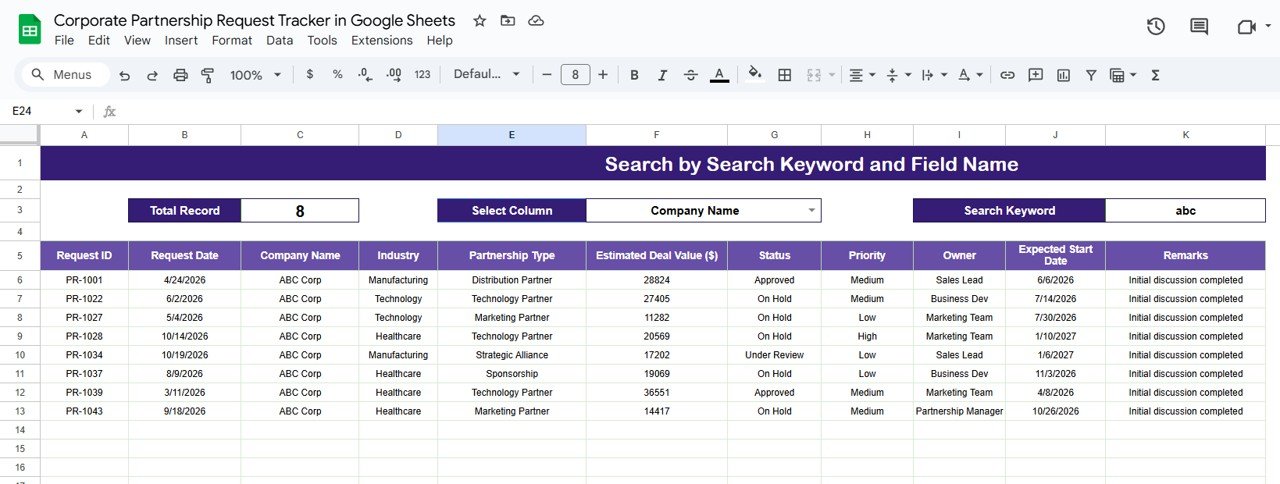
Find any partnership request instantly using keyword-based search and field selection.
👤 4. Clear Ownership & Accountability
Track request owners easily and balance workload across team members.
🤝 5. Cloud-Based Collaboration
Multiple users can update, review, and manage requests simultaneously using Google Sheets.
📦 What’s Inside the Corporate Partnership Request Tracker in Google Sheets
🗂️ Tracker Sheet Tab – Central Partnership Log
This is the core data entry and storage sheet. Typical fields include:
-
Company Name
-
Partnership Type
-
Industry
-
Priority Level
-
Request Status
-
Request Owner
-
Request Date
-
Remarks
Once any record is added or updated, all dashboard charts refresh automatically.
📈 Charts That Turn Requests into Insights
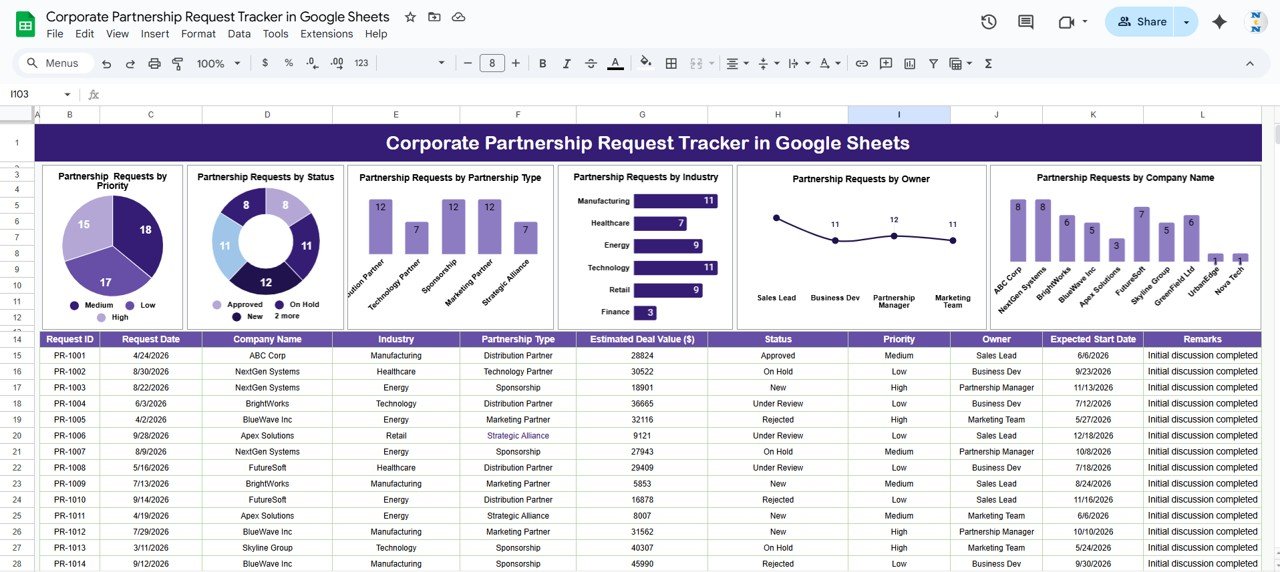
The tracker includes six powerful charts that give instant visibility into partnership activity:
📌 Partnership Requests by Priority
Categorizes requests as High, Medium, or Low priority—helping teams focus on high-impact opportunities first.
📌 Partnership Requests by Status
Tracks New, Under Review, Approved, and Rejected requests—ensuring no request remains unattended.
📌 Partnership Requests by Partnership Type
Shows distribution across Strategic, Technology, Marketing, Distribution, or other partnership types—supporting strategic planning.
📌 Partnership Requests by Industry
Highlights industries generating the most partnership interest, helping identify growth sectors.
📌 Partnership Requests by Owner
Displays workload distribution across owners—improving accountability and follow-ups.
📌 Partnership Requests by Company Name
Tracks recurring requests and key strategic partners for relationship management.
All charts update automatically as data changes.
🔍 Search Feature – Find Partnership Requests Instantly
The built-in search section allows you to filter requests by:
-
Company Name
-
Partnership Type
-
Industry
-
Priority
-
Status
-
Owner
Simply enter a search keyword, select the field name, and matching records appear instantly. This feature is extremely useful during leadership reviews, follow-ups, audits, and planning meetings.
🛠️ How to Use the Corporate Partnership Request Tracker in Google Sheets
1️⃣ Log All Partnership Requests Immediately
Capture every request as soon as it is received.
2️⃣ Assign Priority & Owner
Define priority levels and ownership to ensure clarity.
3️⃣ Update Status Regularly
Keep request status current to maintain dashboard accuracy.
4️⃣ Review Charts Weekly
Identify bottlenecks, high-value opportunities, and follow-up gaps.
5️⃣ Use Search During Reviews
Find specific requests instantly during meetings or audits.
🎯 Who Can Benefit from This Corporate Partnership Request Tracker
🤝 Business Development Teams
Manage partnership pipelines efficiently.
📈 Partnership Managers
Track ownership, progress, and outcomes clearly.
🏢 Strategy Teams
Analyze partnership trends across industries and types.
👔 Leadership & Executives
Review high-level partnership activity at a glance.
🚀 Growing Organizations
Scale partnership management without complexity.
### Click here to read the Detailed blog post
Watch the step-by-step video tutorial:






















Reviews
There are no reviews yet.