
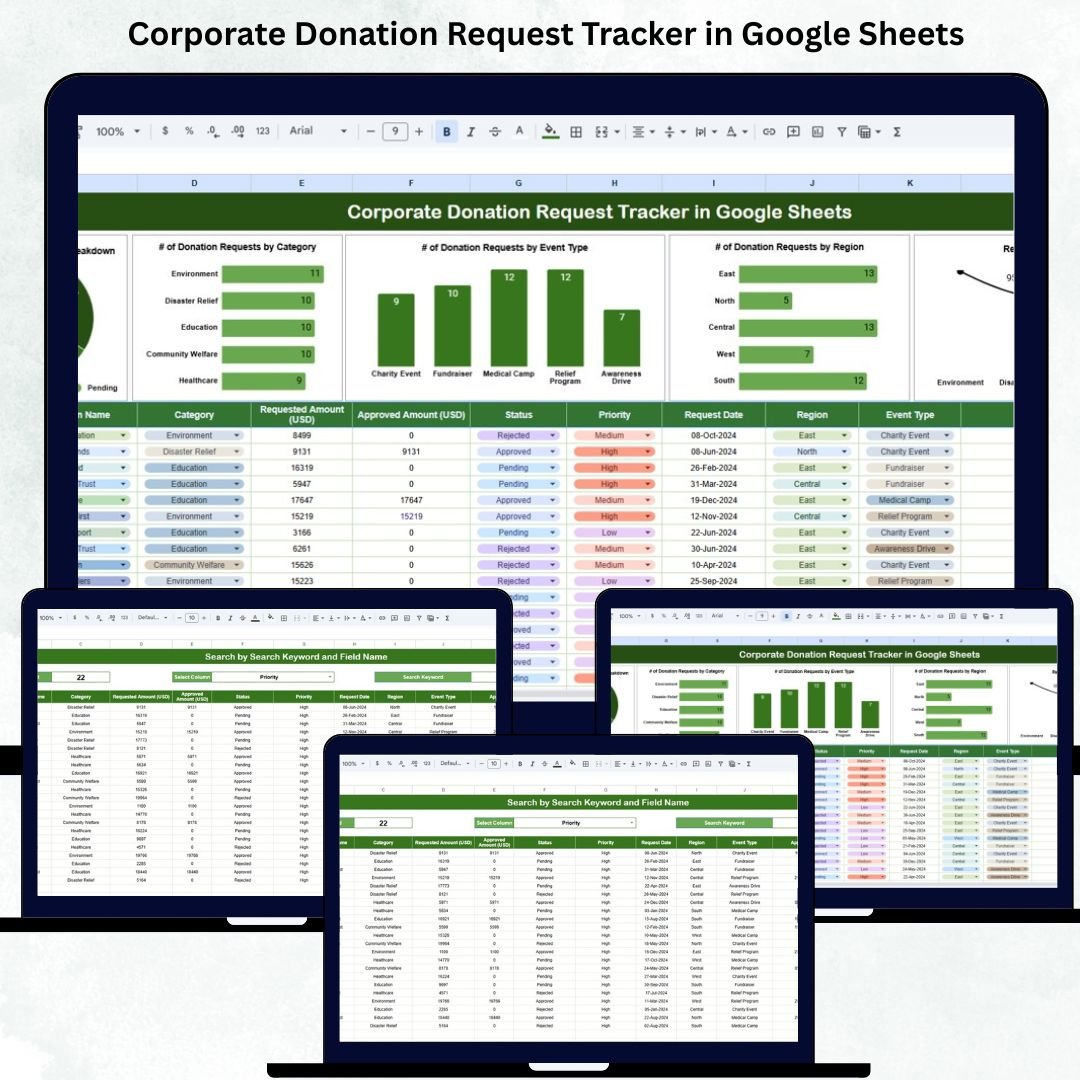
Corporate donation management becomes increasingly complex as organizations grow, expand their CSR footprint, and receive donation requests from various regions, events, and community programs. Without a structured system, teams often lose track of pending approvals, budget allocations, and category-wise impact. The Corporate Donation Request Tracker in Google Sheets offers a simple yet powerful solution to centralize, analyze, and manage all donation requests with full transparency.Corporate Donation Request Tracker in Google Sheets
Designed for CSR teams, nonprofit coordinators, community relations departments, and corporate admin units, this tracker helps you organize every request—from submission to approval—in one clean and automated Google Sheets workspace. With smart charts, a fast search panel, and a structured database, your team finally gets complete control over donation management without switching between multiple tools or emails.
✨ Key Features of the Corporate Donation Request Tracker in Google Sheets
📊 1. Centralized Dashboard Overview
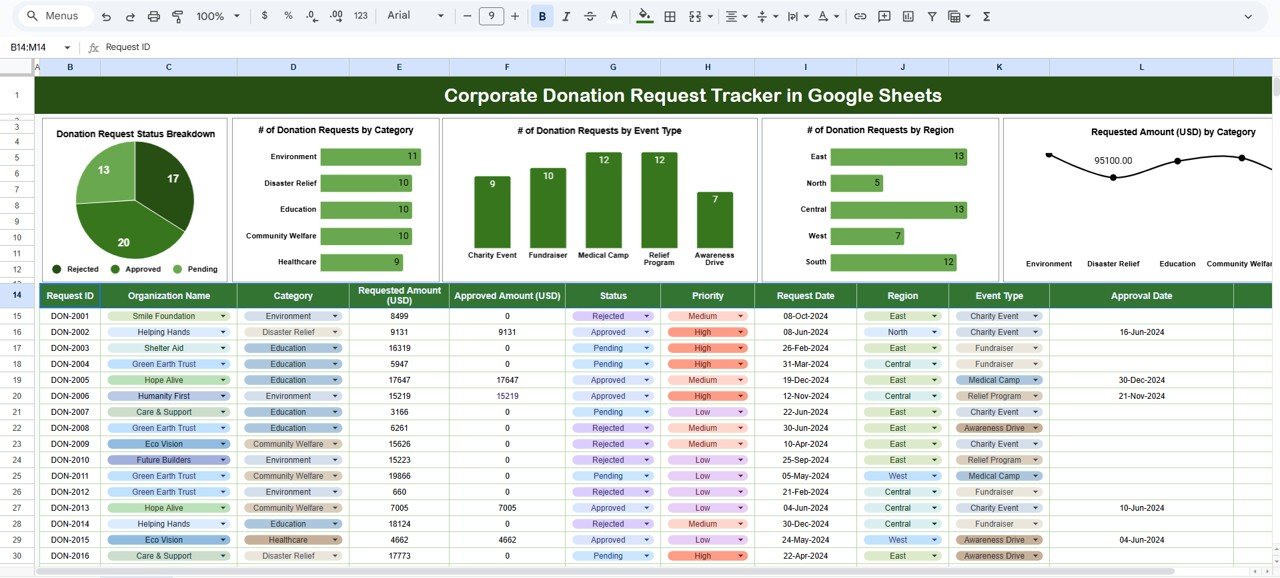
The Tracker Sheet gives a complete visual summary of all donation requests. With clear charts and status breakdowns, you instantly understand request volumes, approval trends, and category-wise allocation needs.
📈 2. Donation Request Status Breakdown
See how many requests are:
-
Approved
-
Rejected
-
Under Review
-
Pending
This gives your team instant clarity on workload and helps prioritize high-value or urgent requests.
🗂️ 3. Category-Wise Request Analysis
View donation volumes by category such as:
-
Education
-
Health
-
Community Events
-
Fundraising Activities
-
Social Welfare
This allows CSR leaders to understand demand patterns and plan budgets accordingly.
🌍 4. Region-Wise Trends
Understand which regions submit the most donation requests. This is extremely useful for nationwide or multinational organizations that need visibility across markets.
🎪 5. Event Type Breakdown
Analyze which event types—health camps, charity runs, school programs, fundraising dinners, awareness events—generate the highest number of donation requests.
💰 6. Amount Requested by Category
The dashboard displays category-wise requested amounts, helping CSR teams identify areas that require higher financial support and plan budgets effectively.
📦 What’s Inside the Corporate Donation Request Tracker in Google Sheets
📊 1. Tracker Sheet – Complete Visual Insights
This is your main dashboard page. It displays:
-
Donation Request Status Breakdown
-
Requests by Category
-
Requests by Event Type
-
Requests by Region
-
Requested Amount (USD) by Category
These visuals help CSR teams make confident, data-driven decisions.
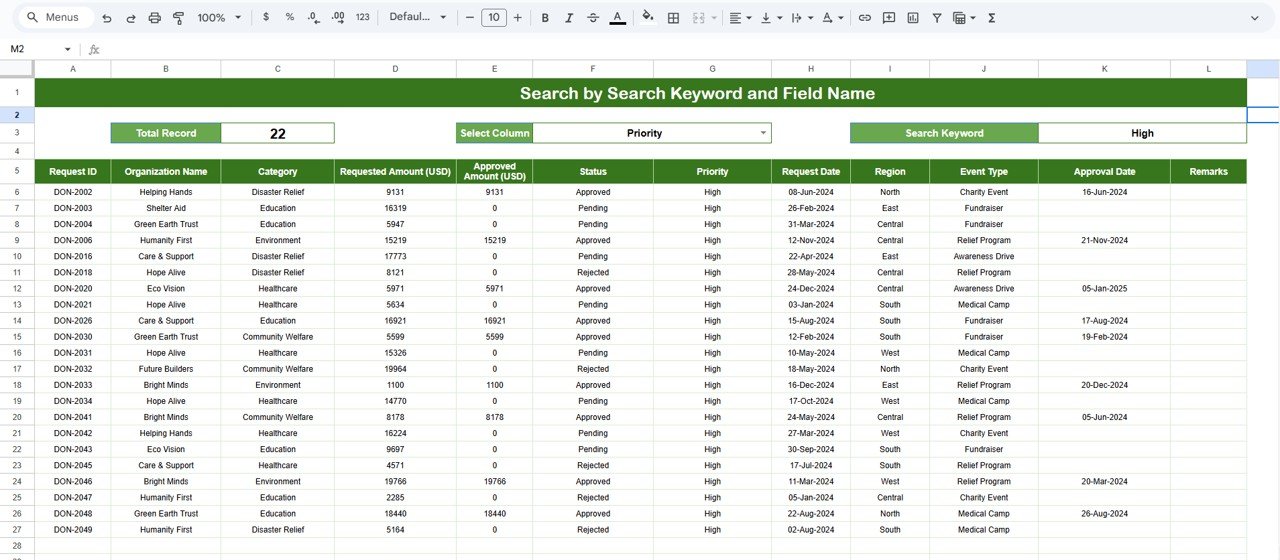
🔍 2. Search Sheet – Fast & Accurate Searching
This sheet allows you to quickly locate any donation request using:
-
Keyword Search (e.g., “Education”, “Health Camp”, “Fundraiser”)
-
Field-Based Search (Region, Category, Department, Status, Event Type, etc.)
It eliminates manual scrolling, reduces errors, and saves hours of administrative time.
📝 3. Data Sheet – Complete Donation Database
The Data Sheet stores full details for each request, including:
-
Request ID
-
Department / Region
-
Category
-
Event Type
-
Request Date
-
Requested Amount
-
Status (Approved, Rejected, Under Review, Pending)
-
Comments
All charts and dashboards pull data from this sheet, ensuring accuracy and consistency.
🛠️ How to Use the Corporate Donation Request Tracker in Google Sheets
1️⃣ Enter All Donation Requests
Add new requests to the Data Sheet with all relevant details.
2️⃣ Review Dashboard Insights
Use the Tracker Sheet to understand trends, bottlenecks, and fund allocation patterns.
3️⃣ Filter Requests Easily
Use the Search Sheet to quickly find specific requests by name, category, event type, or region.
4️⃣ Track Status Progress
Regularly update request statuses to maintain accurate and transparent reporting.
5️⃣ Make Better CSR Decisions
Use category-wise and region-wise charts to decide where funds should be allocated.
🎯 Who Can Benefit from This Corporate Donation Request Tracker in Google Sheets
🏢 CSR Teams
Monitor donation activities, analyze impact, and manage approvals efficiently.
🤝 Nonprofit & Community Relations Teams
Track incoming donation requests with clarity and structure.
📊 Corporate Admin Offices
Maintain organized records for audits and transparency reporting.
💼 Business Owners & Leadership Teams
Get complete visibility into donation trends and budget expectations.
🏙️ Multi-Region Organizations
Track donation activity across locations easily.























Reviews
There are no reviews yet.