
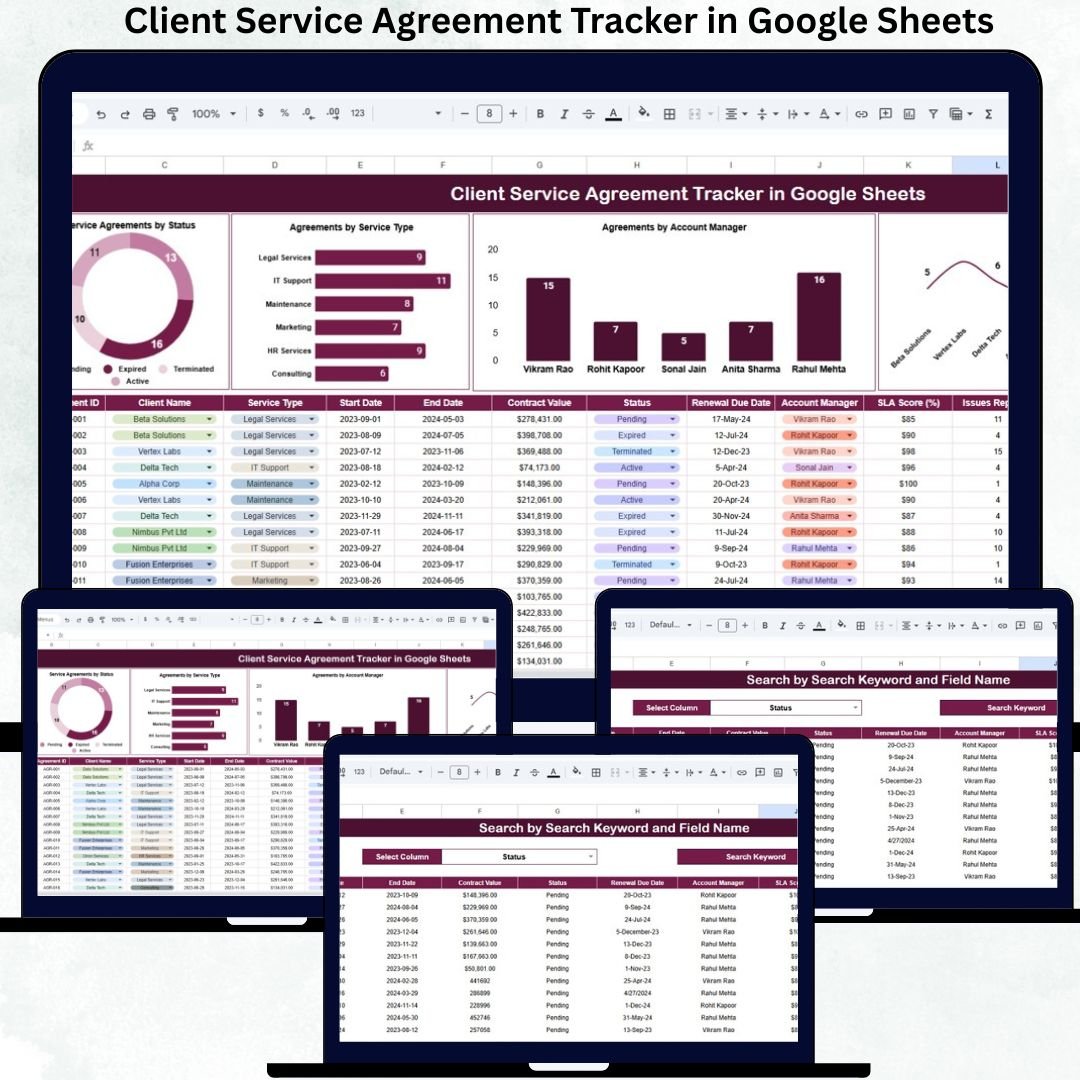
Managing client agreements becomes more challenging as your business grows. With multiple clients, service types, renewal dates, and account managers involved, keeping everything organized often feels overwhelming. Missed renewals, unclear responsibilities, and outdated records can lead to revenue loss and weak communication. That’s why businesses rely on the Client Service Agreement Tracker in Google Sheets—a simple, cloud-powered solution that brings structure, clarity, and real-time insights into your agreement management process.
✨ Key Features of the Client Service Agreement Tracker in Google Sheets
📋 1. Centralized Tracker for All Agreements
Enter client details, service types, agreement dates, status, and account managers—all in one structured database. No more scattered spreadsheets or manual follow-ups.
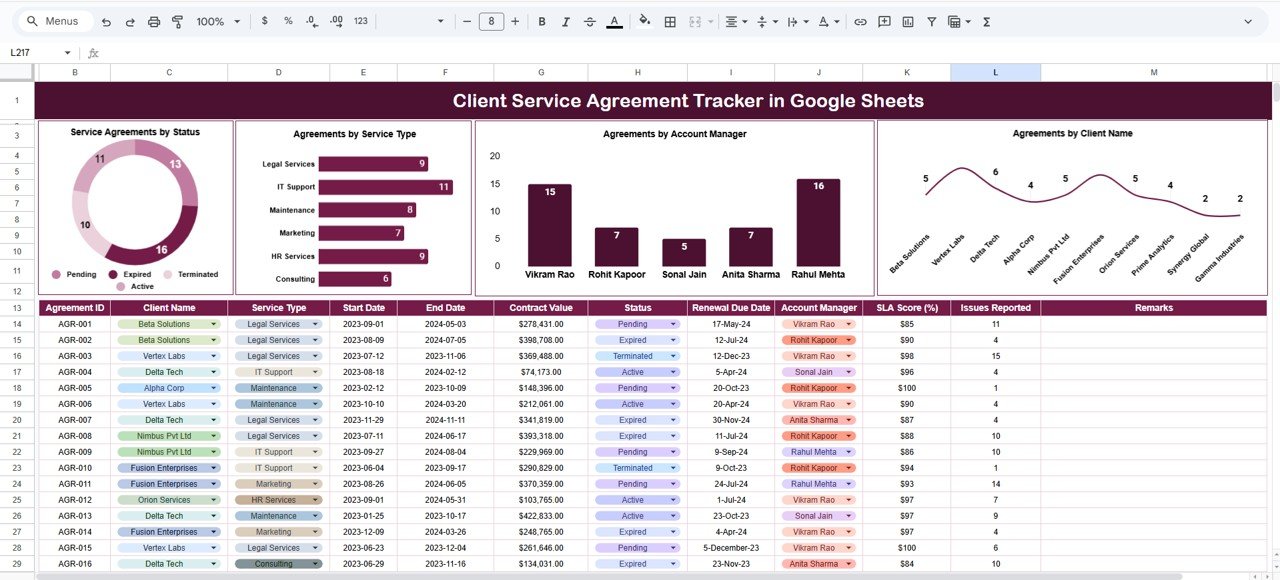
📊 2. Automated Dashboard Charts
The tracker includes visual charts that refresh instantly when data changes. See agreements by status, service type, account manager, or client name with zero manual work.
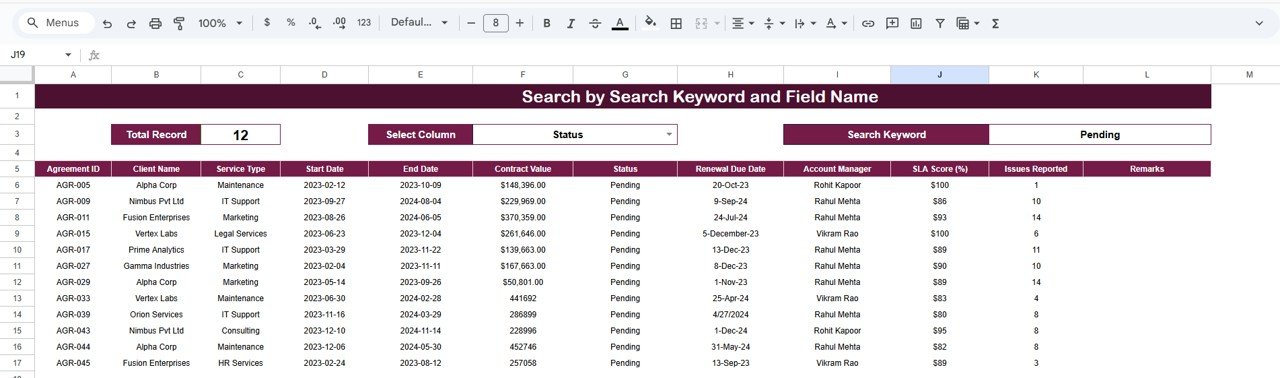
🔍 3. Powerful Search Function
Locate any agreement within seconds using filters like keywords, service type, client name, or status. Perfect for fast reporting and review meetings.
🤝 4. Cloud Collaboration
Since it runs on Google Sheets, multiple team members can update the tracker at the same time—making your workflow smoother and more reliable.
📈 5. Data-Driven Visibility
Managers can quickly identify workload distribution, bottlenecks, upcoming expiries, and high-value clients—all from one dashboard.
📦 What’s Inside the Client Service Agreement Tracker in Google Sheets
🗂️ Tracker Sheet Tab (Main Workspace)
This is the central database where you enter and manage all agreements. The structured columns help track:
-
Client Name
-
Service Type
-
Status (Active, Pending, In Review, On Hold, Closed)
-
Start & End Dates
-
Account Manager
-
Contract Value
-
Notes
This sheet automatically drives the entire dashboard.
📊 Dashboard Charts – Visual Insights that Matter
The dashboard includes multiple visuals that help you understand your agreement landscape instantly:
📌 Agreements by Status
Know how many agreements are active, pending, in review, on hold, or closed.
📌 Agreements by Service Type
Analyze which services generate maximum agreements—Consulting, Managed Services, Implementation, Training, or Custom Projects.
📌 Agreements by Account Manager
See workload distribution clearly. Identify who manages the most clients and who needs additional support.
📌 Agreements by Client Name
Track top clients, repeat clients, and customer-level agreement counts.
Because charts auto-refresh, you always work with real-time insights.
🔍 Search Function – Find Anything Instantly
The tracker includes a search section that lets you filter agreements by:
-
Client name
-
Status
-
Account manager
-
Service type
-
Keywords
This eliminates time-consuming scrolling and helps teams prepare for meetings faster.
🛠️ How to Use the Client Service Agreement Tracker in Google Sheets
1️⃣ Enter All Agreement Records
Start by entering basic details for each client and contract.
2️⃣ Update Status Frequently
Keeping statuses accurate ensures clean dashboards and reliable insights.
3️⃣ Use the Search Section for Quick Lookups
Find agreements instantly using keywords or category-based filtering.
4️⃣ Review Dashboard Charts Weekly
Identify bottlenecks, workloads, and renewal risks proactively.
5️⃣ Share with Team Members
Let account managers update their agreements in real time.
6️⃣ Add Notes for Better Clarity
Write special instructions or client-specific details in the Notes column.
🎯 Who Can Benefit from This Client Service Agreement Tracker in Google Sheets
🏢 Consulting Firms
Track multiple client projects and renewals effortlessly.
💼 IT & Software Companies
Monitor support contracts, managed services, and implementation agreements.
📣 Marketing Agencies
Manage recurring retainer agreements and client onboarding.
📊 Finance & HR Service Providers
Track compliance-based and service-based contracts smoothly.
🤝 Account Managers & Client Success Teams
Understand responsibilities, workloads, and client relationships instantly.
Click here to read the Detailed blog post
Watch the step-by-step video tutorial:































Reviews
There are no reviews yet.