


The Animated Car Chart in Excel is a unique and visually striking tool designed to bring your data to life. Perfect for businesses, presentations, and project tracking, this interactive car chart helps illustrate performance metrics, project progress, or key data trends in an engaging and dynamic way. With Excel’s powerful charting capabilities, this template combines functionality with creativity to provide a visually compelling way to track and present your data.
Using a car shape to represent progress, the chart animates and moves as data is updated, making it an ideal solution for tracking goals, milestones, or performance metrics over time. Whether you are tracking sales, project progress, or key performance indicators (KPIs), this chart adds an exciting and professional visual to your data.

Key Features of the Animated Car Chart in Excel
📌 Animated Progress Tracking
Track your progress or metrics with a dynamic, animated car chart. As data updates, the car moves along a visual path, indicating your progress toward goals, milestones, or performance targets.
🛠 Customizable Data Ranges
Easily adjust the chart to reflect the data you need to track. Whether you are tracking sales, milestones, or project tasks, you can modify the ranges, units, and target values to suit your specific needs.
💡 Visual Data Representation
The car chart offers a visually compelling way to track progress. You can customize the car, track different data points, and view your progress in a fun and easy-to-understand format.
🔢 Real-Time Data Updates
The chart updates automatically as new data is entered, providing real-time feedback on progress and trends. This feature ensures your data visualization stays up-to-date without needing to adjust settings manually.
🚀 Dynamic Visuals
Create a dynamic, engaging presentation of your data. The animated movement of the car helps capture attention, making your presentations and reports more compelling.
📊 Customizable Design
You can change the colors, labels, and data points, allowing you to tailor the chart to fit your needs, brand, or project style.
⚙ User-Friendly Setup
With a simple setup process, this animated car chart is easy to use for both beginners and experienced Excel users. The intuitive design requires minimal technical skills to create stunning data visualizations.
🚀 Why You’ll Love the Animated Car Chart in Excel
✅ Engaging and Fun – Make tracking progress visually appealing and interactive with the animated car chart. ✅ Real-Time Data Updates – Automatically update the chart as your data changes. ✅ Customizable for Any Data – Adapt the chart to track sales, goals, project milestones, or KPIs. ✅ Dynamic Presentations – Enhance your presentations, meetings, and reports with a visually dynamic chart. ✅ Easy to Use – No advanced Excel skills required to set up or customize.
📂 What’s Inside the Animated Car Chart in Excel?
- Animated Car Chart: A visually engaging chart that tracks progress with a moving car icon.
- Customizable Data Fields: Adjust ranges and units for tracking different data points.
- Real-Time Updates: The car animation moves based on the data entered.
- Customizable Design: Change colors, labels, and chart components to fit your needs.
🔍 How to Use the Animated Car Chart in Excel
1️⃣ Download the Template – Get instant access to the Excel file after purchase. 2️⃣ Customize the Data Ranges – Modify the chart to reflect the data you want to track. 3️⃣ Enter Your Data – Input your data into the chart and watch the car move dynamically. 4️⃣ Track Your Progress – Visualize your data in a fun and engaging way with real-time updates. 5️⃣ Present and Share – Use the chart in meetings, presentations, and reports for an engaging visual.
🎯 Who Can Benefit from the Animated Car Chart in Excel? 🔹 Project Managers 🔹 Sales Teams 🔹 Business Analysts 🔹 Marketing Professionals 🔹 HR Teams 🔹 Anyone looking to track goals and performance in a visually appealing way
Enhance your data presentations and track progress in a fun and engaging way with the Animated Car Chart in Excel. Perfect for businesses, project managers, and anyone looking to present their data more dynamically.
Click here to read the Detailed blog post
https://www.pk-anexcelexpert.com/animated-car-chart-in-excel/
Visit our YouTube channel to learn step-by-step video tutorials
Watch the step-by-step video tutorial:
Also check our Incentive Dashboard in Excel
Compatibility and Requirements
- Needs Microsoft Excel desktop on Windows with macros enabled, because the file runs on VBA.
- It does not work in Excel for the web, Google Sheets or the Excel mobile apps. Microsoft explains macro settings in Enable or disable macros in Microsoft 365 files.
Frequently Asked Questions
What does the car show?
The car moves along a path as your data updates, so it shows how close you are to a goal, milestone or target.
What can I track with it?
Sales, project progress, milestones, goals or KPIs.
Can I change the ranges and targets?
Yes. You can adjust the data ranges, units and target values.
Can I change the look?
Yes. You can change the colors, labels and data points to match your brand or project.
Does it update on its own?
Yes. The chart updates as you enter new data.
Related Animated Chart Templates
- Animated Progress Circle Chart: shows progress as an animated circle
- Animated Speedometer Chart in Excel: a speedometer style progress chart
- Excel Magic: Stunning Animated Progress Circle Charts for Project Tracking: animated circles for project tracking
- Info-graphics Animated Hour Glass Chart in Excel: an hourglass style animated chart
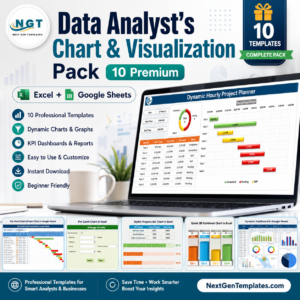
- Data Analyst’s Chart & Visualization Pack: 10 Excel and Google Sheets chart templates in one bundle
Browse all Excel charts and visualizations or the Excel VBA tools.









Reviews
There are no reviews yet.