Managing holidays, policy deadlines, training schedules, company events, and operational activities can quickly become overwhelming for insurance organizations. When teams rely on manual tracking, scattered files, or email reminders, scheduling conflicts and missed events become unavoidable.
Insurance businesses operate in a deadline-driven environment. Even a small scheduling mistake can affect compliance, customer service, or operational efficiency.
That is why you need the Insurance Holiday Calendar in Excel — a ready-to-use, fully interactive planning system designed specifically for insurance agencies, brokers, corporate offices, and operations teams.
This smart Excel calendar centralizes all holidays and events into one structured workbook. Instead of managing multiple schedules, you gain annual, monthly, and daily visibility with automated event management tools.
It simplifies planning.
It improves coordination.
And it transforms how your team manages schedules.
🚀 Key Feature of Insurance Holiday Calendar in Excel
📆 Multiple Calendar Views
Access Annual, Monthly, and Daily views for complete planning flexibility.
🎯 Automated Event Management
Add, update, or delete events using user-friendly forms.
🏠 Central Navigation Home Sheet
Quick navigation buttons allow instant switching between calendar views.
🎨 Customizable Themes
Choose from multiple color themes to match organizational preferences.
⭐ Smart Highlighting Options
Automatically highlight weekends and important events.
➕ Add & View Event Buttons
Create events quickly and view scheduled activities instantly.
📊 Centralized Event Database
All events are stored securely in one structured backend sheet.
📦 What’s Inside the Insurance Holiday Calendar in Excel
This ready-to-use template includes 5 interactive worksheets:
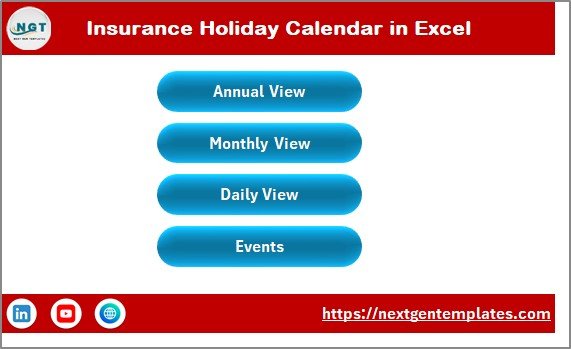
✔️ Home Sheet – Navigation hub with buttons for Annual, Monthly, Daily, and Events views.
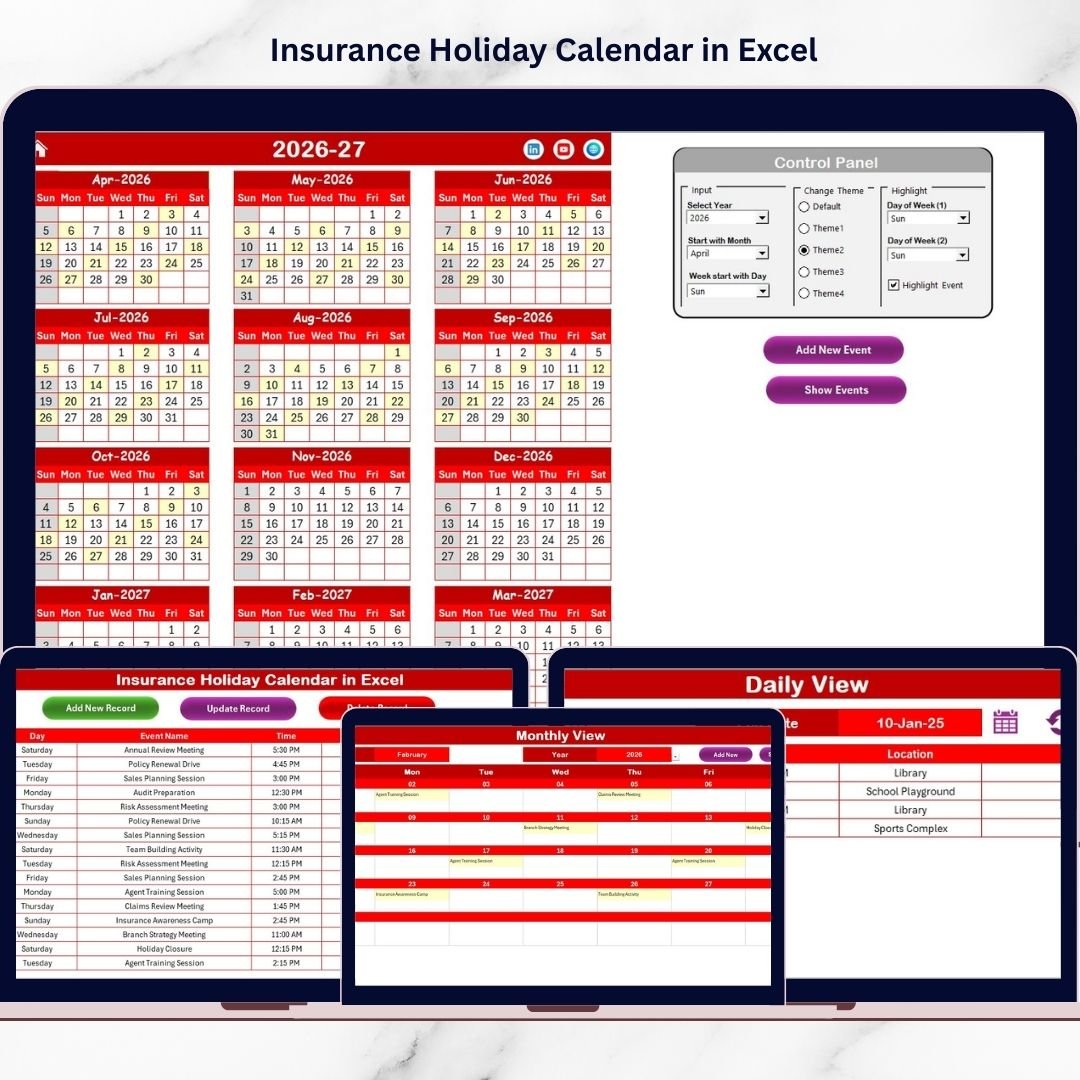
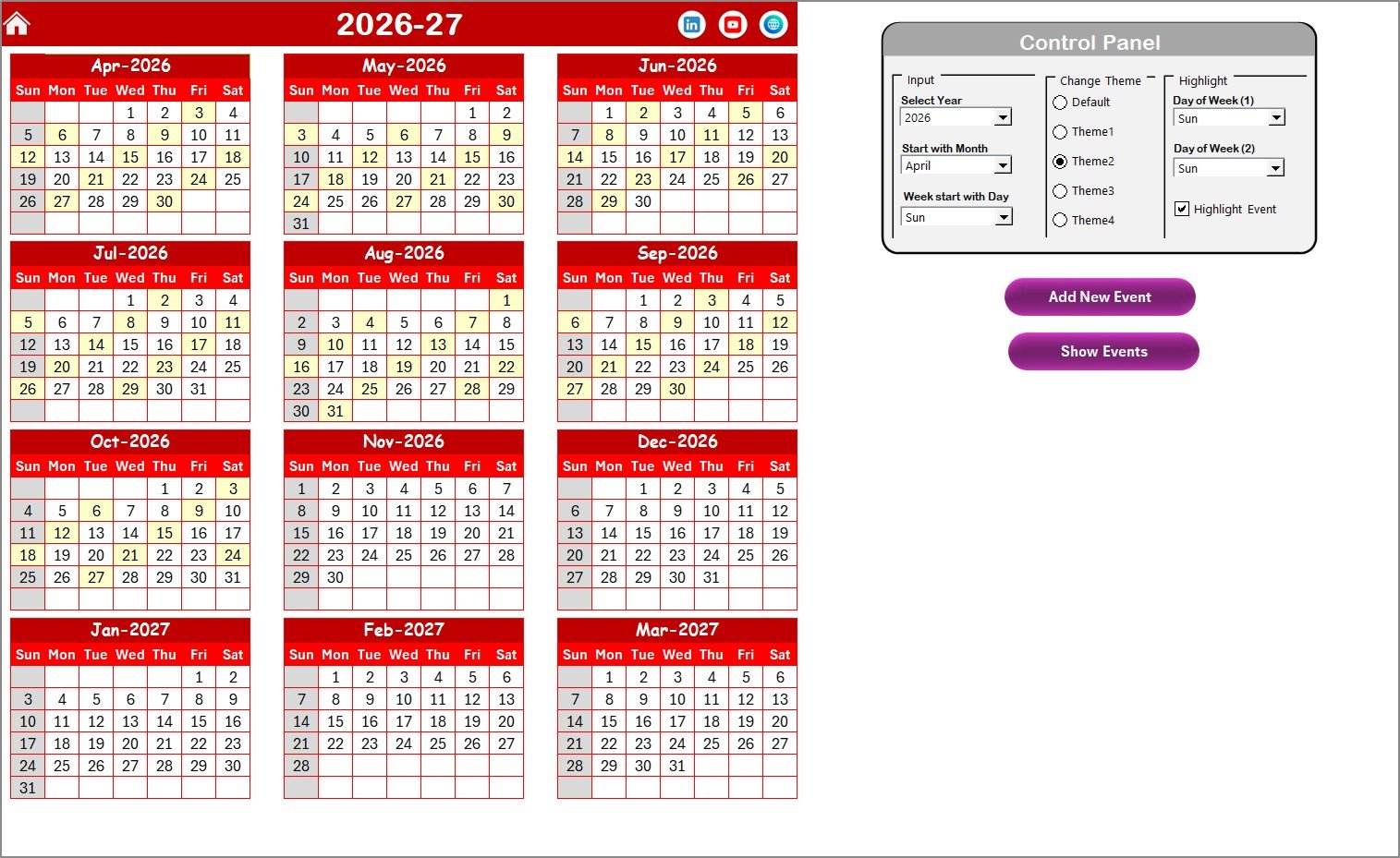
✔️ Annual View Sheet – Displays all 12 months in one screen for yearly planning.
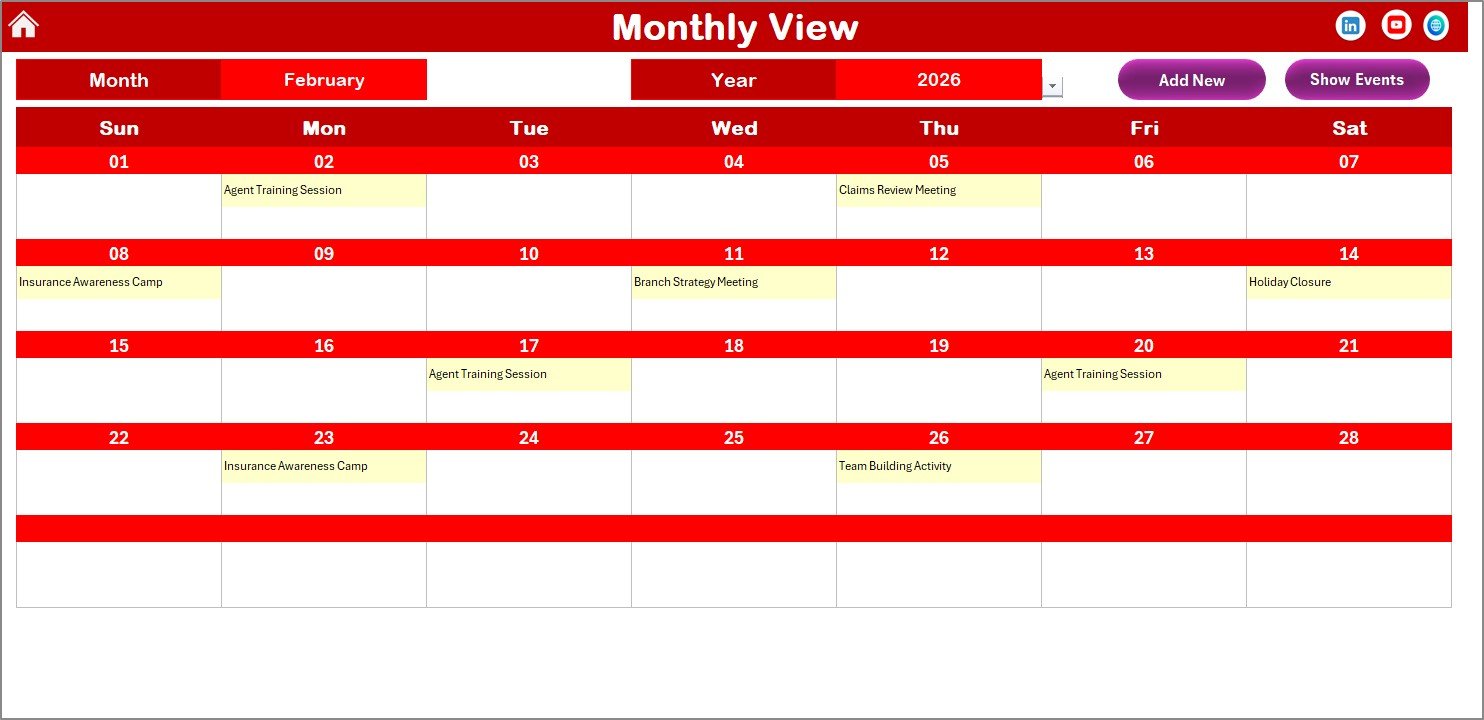
✔️ Monthly View Sheet – Detailed month calendar with event indicators.
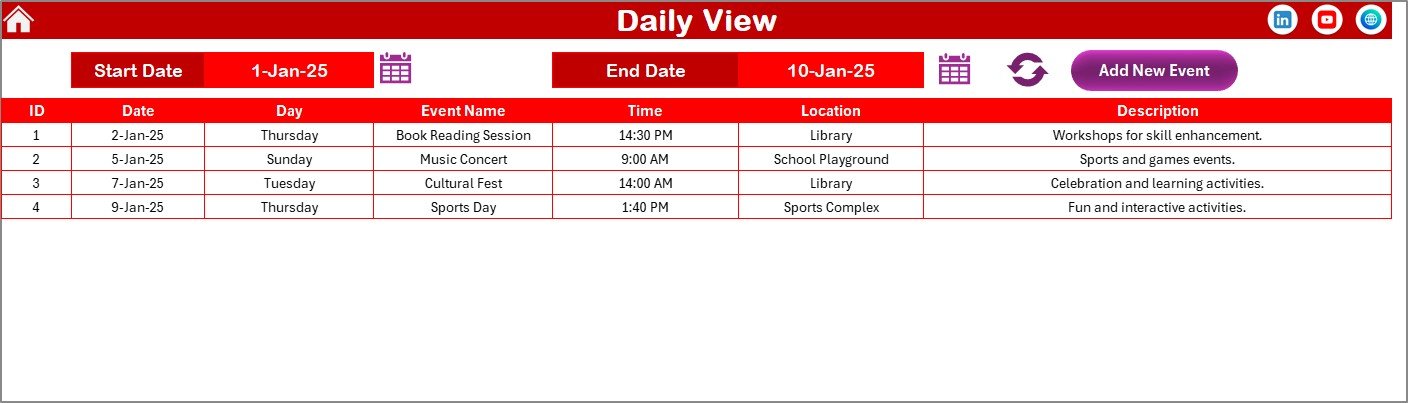
✔️ Daily View Sheet – Filter and view events within selected date ranges.
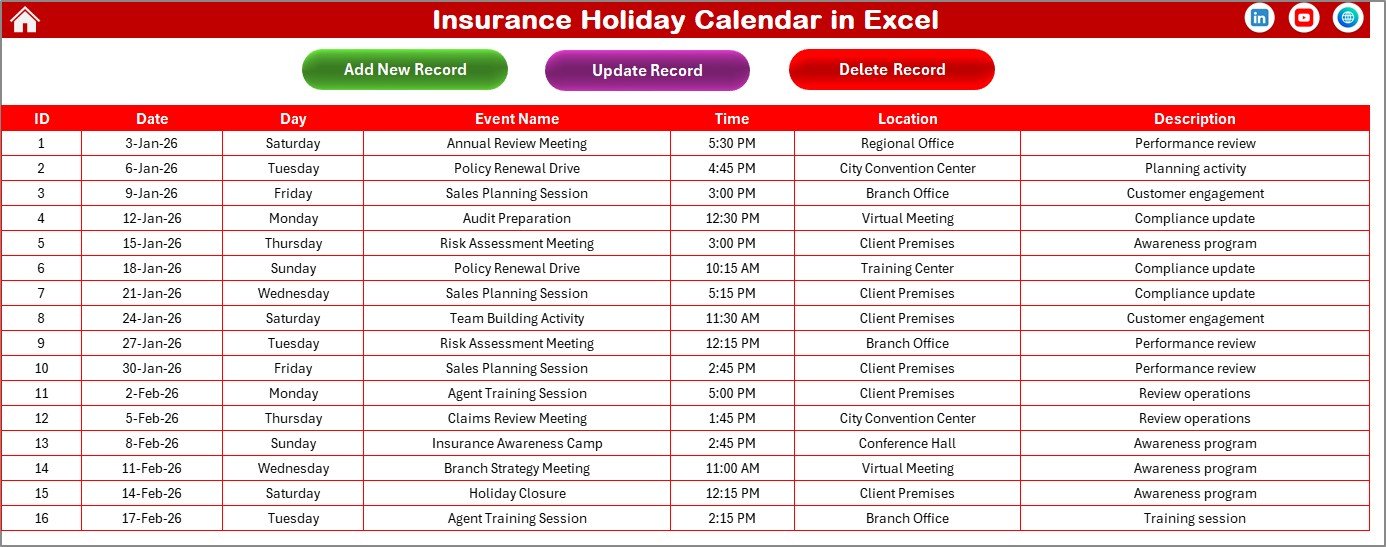
✔️ Events Database Sheet – Central storage for all event records.
🗓️ Annual View Features
• Select Year automatically updates calendar
• Change starting month and weekday
• Apply color themes instantly
• Highlight weekends automatically
• Add events directly from selected dates
📆 Monthly View Features
• Select Month and Year dynamically
• Display event summaries on calendar
• Add or view events with one click
📋 Daily View Features
• Filter events using start and end dates
• View detailed event lists
• Refresh data instantly for updated schedules
🗂️ Events Database Features
• Auto-generated Event ID
• Event Name, Time, Location, Description
• Add, Update, and Delete event buttons
Everything stays structured, centralized, and easy to manage.
🛠️ How to Use the Insurance Holiday Calendar in Excel
Using this calendar is simple:
1️⃣ Open the Home Sheet and choose your desired calendar view.
2️⃣ Select Year or Month using control panels.
3️⃣ Click Add New Event to create holidays or meetings.
4️⃣ Enter event details using the form.
5️⃣ View or update events anytime from the Events Sheet.
The calendar updates automatically across all views.
No complex setup required.
🏢 Who Can Benefit from This Insurance Holiday Calendar in Excel
This calendar is perfect for:
🏢 Insurance Agencies
📑 Insurance Brokers
👥 HR & Operations Teams
📊 Corporate Insurance Offices
🧾 Compliance & Audit Departments
📅 Administrative Teams
If your organization manages multiple deadlines, meetings, and holidays, this template becomes an essential operational tool.
Instead of missing important dates, you can now:
✔ Plan yearly holidays efficiently
✔ Coordinate team schedules easily
✔ Track operational events clearly
✔ Prevent scheduling conflicts
✔ Improve communication across teams
✔ Maintain organized event documentation
This is not just a calendar.
It is your centralized scheduling system.
⭐ Why This Calendar Will Improve Your Operations
• Centralized event management
• Clear visual planning views
• Automated event handling
• Improved team coordination
• Easy customization
• Professional scheduling structure
Insurance operations depend on timing and organization.
This calendar ensures both.
If you want smarter planning, improved coordination, and stress-free scheduling, the Insurance Holiday Calendar in Excel is the perfect solution.
Plan smarter.
Schedule better.
Operate efficiently. 📅✨