

Legal teams today are under constant pressure to control risk, manage compliance, reduce turnaround time, and demonstrate value to the business. However, many legal departments still rely on scattered spreadsheets, manual calculations, and static reports. As a result, KPI reviews become time-consuming, inconsistent, and reactive.
That is exactly where the Legal KPI Scorecard in Google Sheets delivers powerful impact.
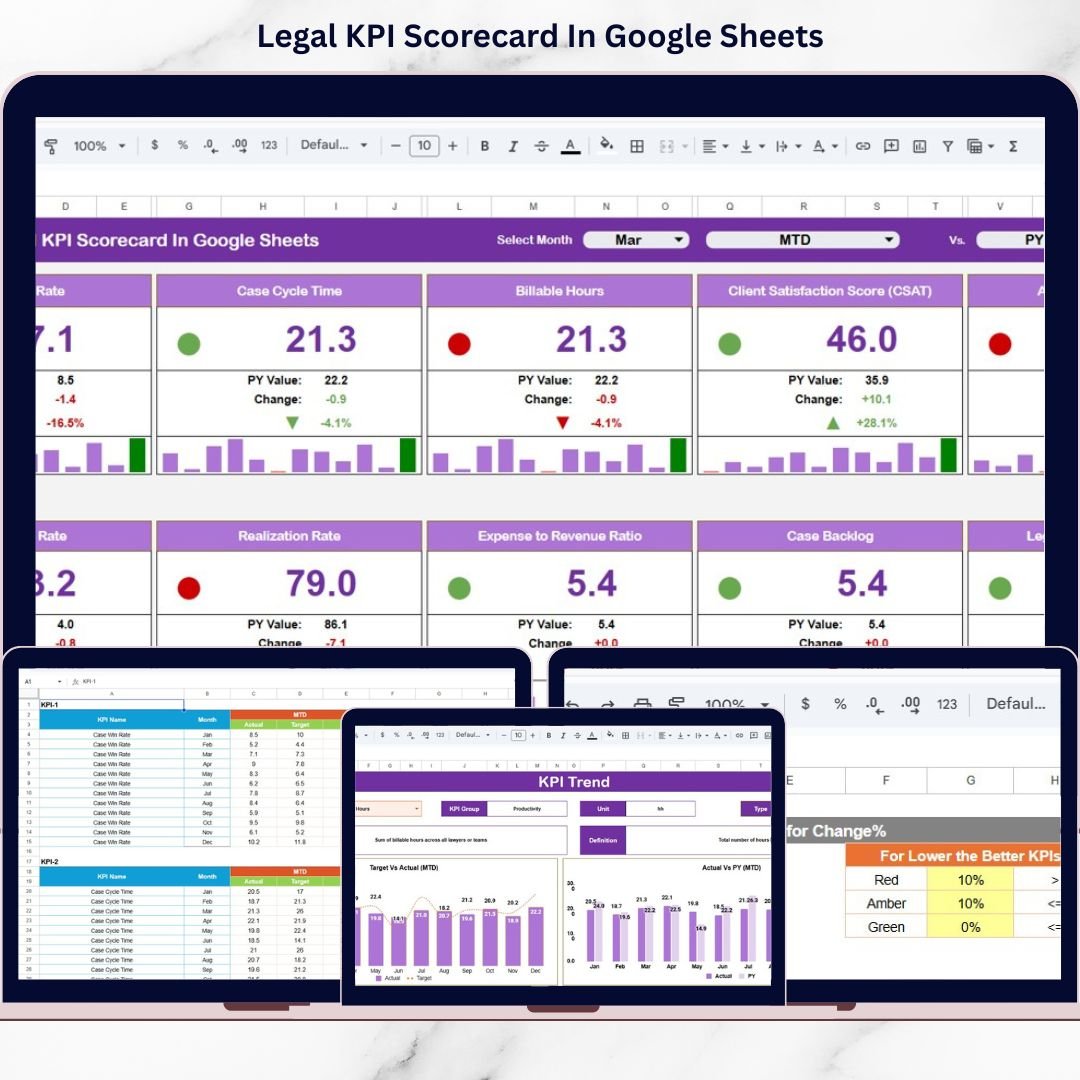
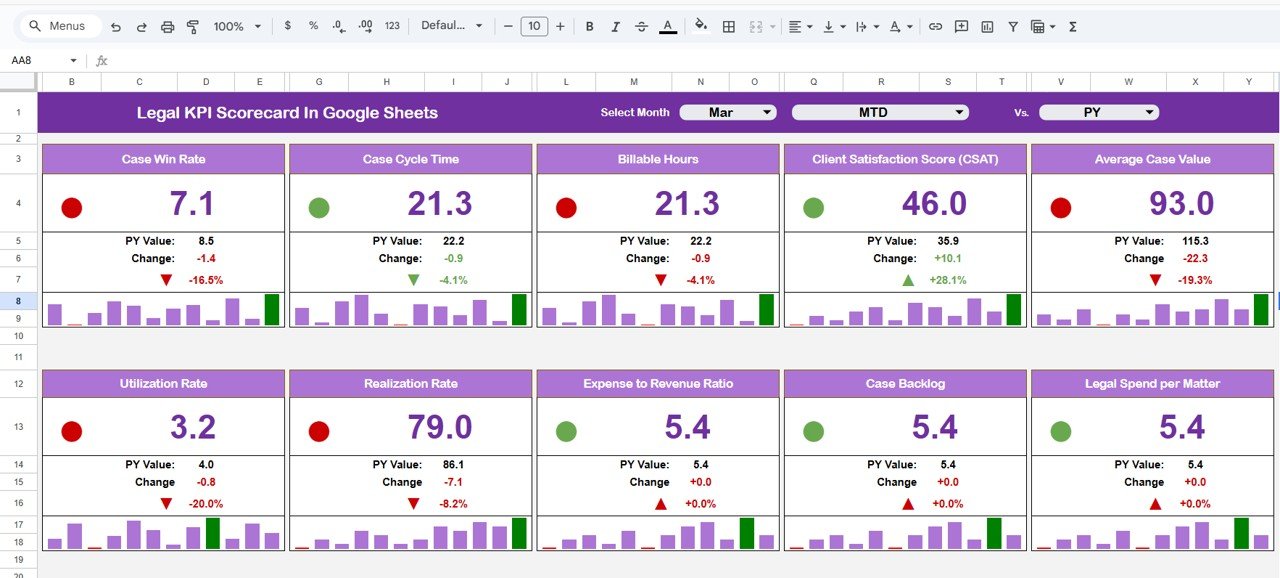
This ready-to-use Google Sheets scorecard helps legal teams track, monitor, and evaluate key legal KPIs using traffic lights, trend arrows, and percentage change indicators. Instead of manually preparing monthly reports, teams get a centralized, visual scorecard that clearly shows legal performance across MTD (Month-to-Date) and YTD (Year-to-Date) views.
Because the scorecard is built entirely in Google Sheets, it is cloud-based, collaborative, and easy to update—without macros or advanced technical skills. As a result, legal leaders gain instant visibility into trends, risks, and improvement areas, enabling faster and more confident decision-making.
🔑 Key Features of Legal KPI Scorecard in Google Sheets
📊 10 Predefined Legal KPIs – Covers critical legal performance metrics
📅 Dynamic Month Selection – Instantly refresh KPIs using a dropdown
📈 MTD & YTD Toggle – Switch between monthly and yearly performance
🚦 Traffic Light Indicators – Quickly identify good, warning, and risk KPIs
🔼🔽 Up & Down Trend Arrows – Visualize percentage change clearly
📋 KPI Definitions & Formulas – Full clarity on how each KPI is calculated
🧠 LTB & UTB KPI Logic – Supports Lower-the-Better and Upper-the-Better KPIs
☁️ 100% Google Sheets Based – Secure, collaborative, and easy to maintain
📂 What’s Inside the Legal KPI Scorecard
This scorecard includes five well-structured sheet tabs, each designed to support legal performance tracking.
📄 Main Scorecard Sheet
This is the central performance view. Users can:
Select a month from the dropdown
View KPI performance using traffic lights and arrows
Analyze percentage change instantly
Toggle between MTD and YTD views
This design allows leadership to review legal performance in seconds.
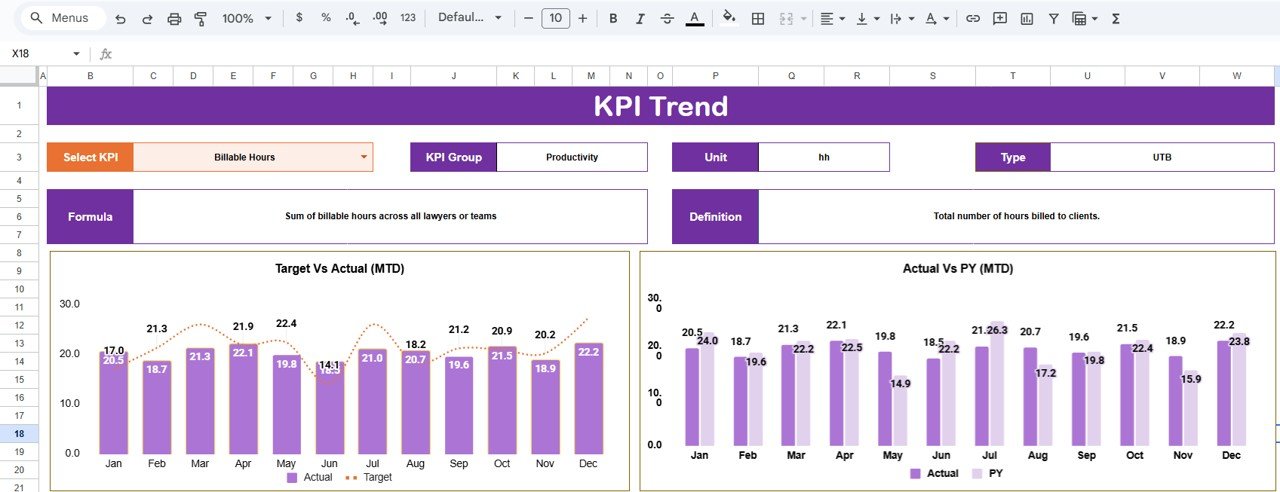
📄 Trend Sheet Tab
This sheet provides deeper KPI analysis. Users can select a KPI and view:
KPI Group
Unit of Measurement
KPI Type (LTB / UTB)
KPI Formula
KPI Definition
This ensures users fully understand KPI context while reviewing trends.
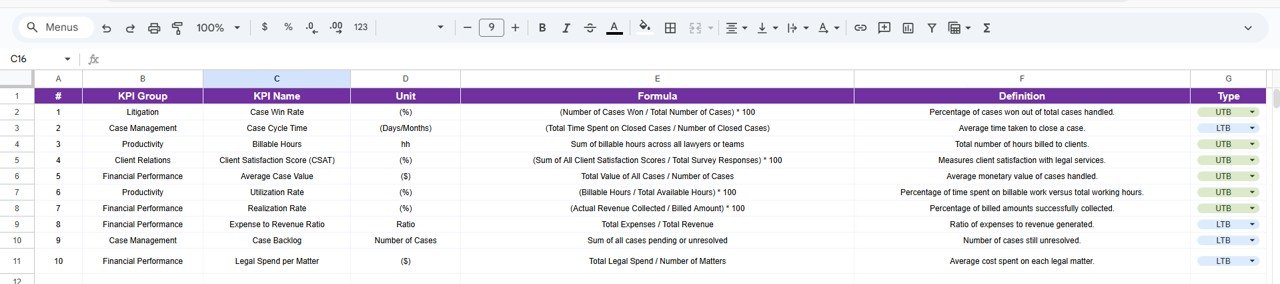
📄 KPI Definition Sheet Tab
This sheet acts as the master reference for all legal KPIs:
KPI Name
KPI Group
Unit
Formula
Definition
It ensures consistency and clarity across all reporting.
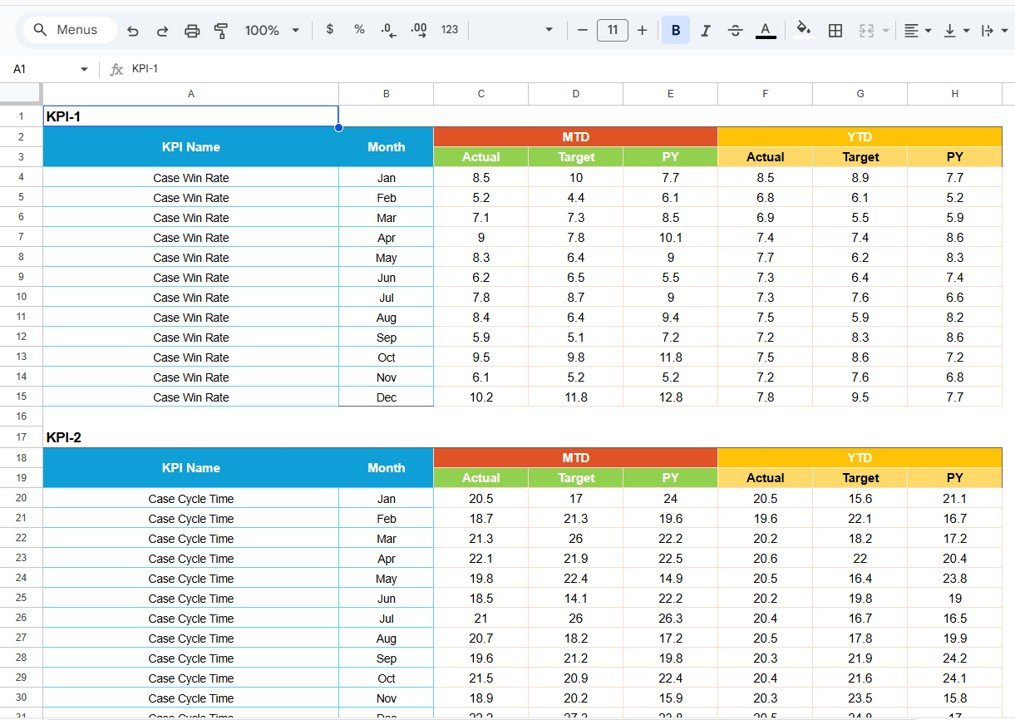
📄 Data Input Sheet Tab
This sheet is used for entering KPI data:
Monthly KPI values
Structured data entry format
Automatic update of scorecard visuals
📄 Colour Settings Section
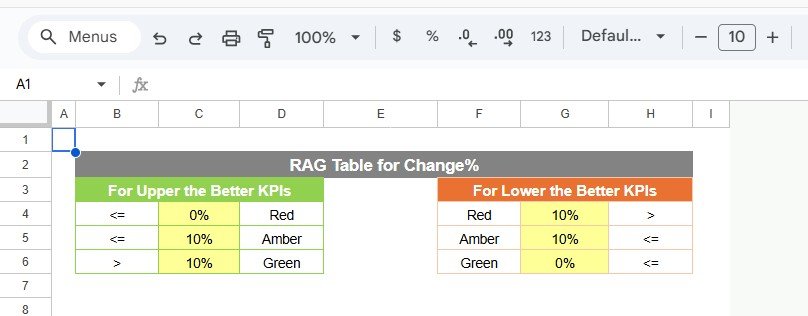
This section controls KPI evaluation logic:
Traffic light thresholds
Green / Amber / Red logic
Up & down arrow rules
Percentage change settings
This flexibility allows legal teams to align KPI standards with business goals.
🧭 How to Use the Legal KPI Scorecard in Google Sheets
Using the scorecard is simple and intuitive:
1️⃣ Define KPIs in the KPI Definition sheet
2️⃣ Enter monthly KPI values in the Data Input sheet
3️⃣ Adjust thresholds in Colour Settings if required
4️⃣ Select the month from the dropdown
5️⃣ Review KPI status, trends, and performance
Because calculations are automated, users always work with accurate insights.
👥 Who Can Benefit from This Legal KPI Scorecard
This scorecard is ideal for:
⚖️ Legal Departments
🧾 Corporate Counsel Teams
📊 Compliance & Risk Managers
🏢 Corporate Governance Teams
🧠 Legal Operations Professionals
🏭 Large Enterprises & SMEs
If legal performance, accountability, and transparency matter, this scorecard is essential.
🔗 Click here to read the Detailed Blog Post
🎥 Visit our YouTube channel to learn step-by-step video tutorials
Watch the step-by-step video tutorial:
Visit our YouTube channel to learn step-by-step video tutorials






























