

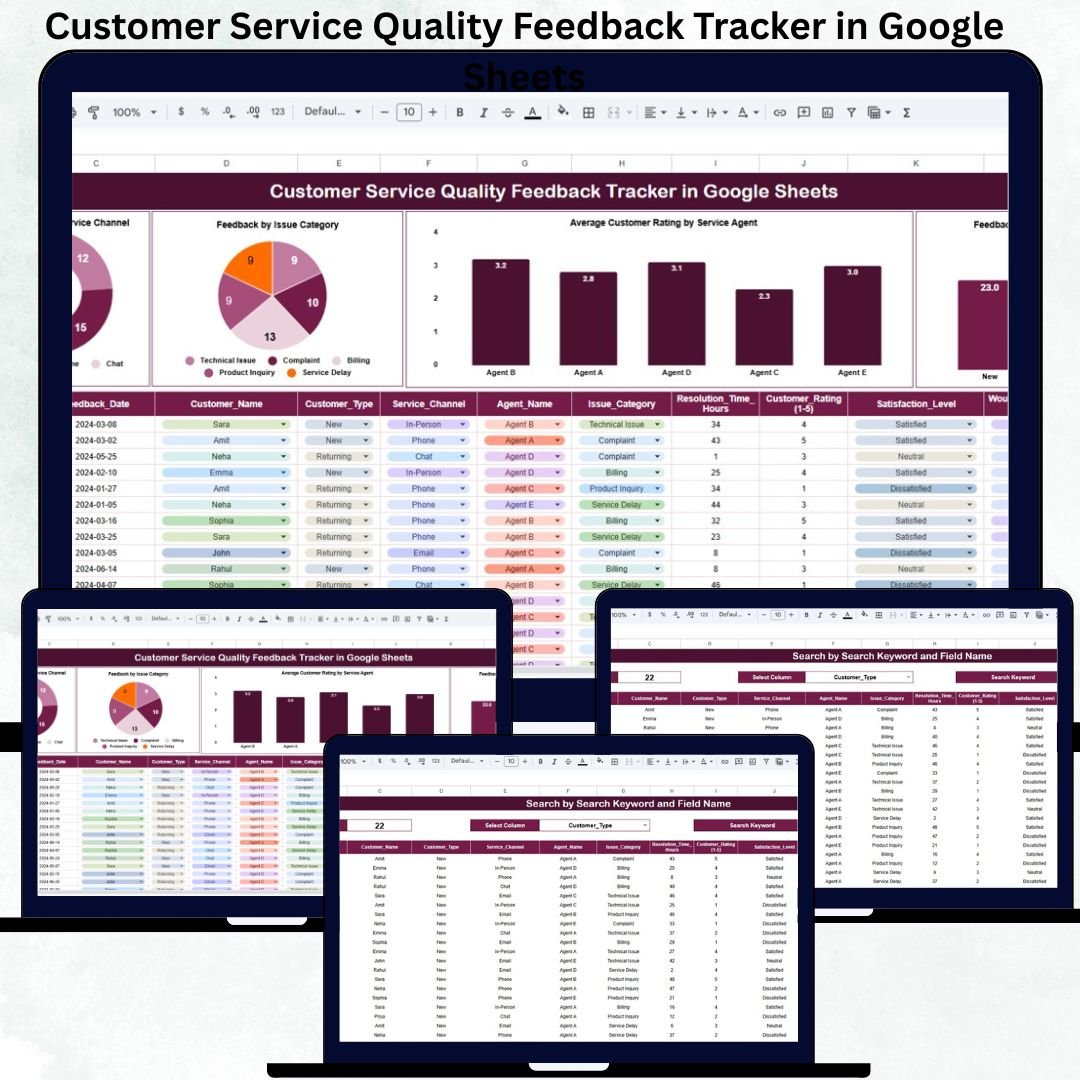

Customer service quality plays a crucial role in customer retention, brand reputation, and long-term business growth. When customers experience delays, unresolved issues, or inconsistent service, trust declines quickly. However, many organizations still manage customer feedback through emails, chat logs, or disconnected tools that never convert feedback into actionable insights. The Customer Service Quality Feedback Tracker in Google Sheets solves this problem by providing a centralized, structured, and insight-driven feedback management system.
This ready-to-use tracker helps organizations capture customer feedback from multiple service channels, analyze service agent performance, identify recurring issues, and monitor customer satisfaction levels using automated charts and a smart search feature. Because it runs entirely in Google Sheets, teams enjoy real-time collaboration, easy data entry, and instant reporting—without investing in expensive customer experience software.
✨ Key Features of the Customer Service Quality Feedback Tracker in Google Sheets
📋 Centralized Customer Feedback Management
All customer feedback is recorded in one structured Tracker Sheet. This eliminates scattered feedback and ensures every comment and rating is captured properly.
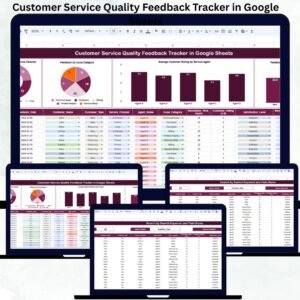
📊 Automated Service Quality Charts
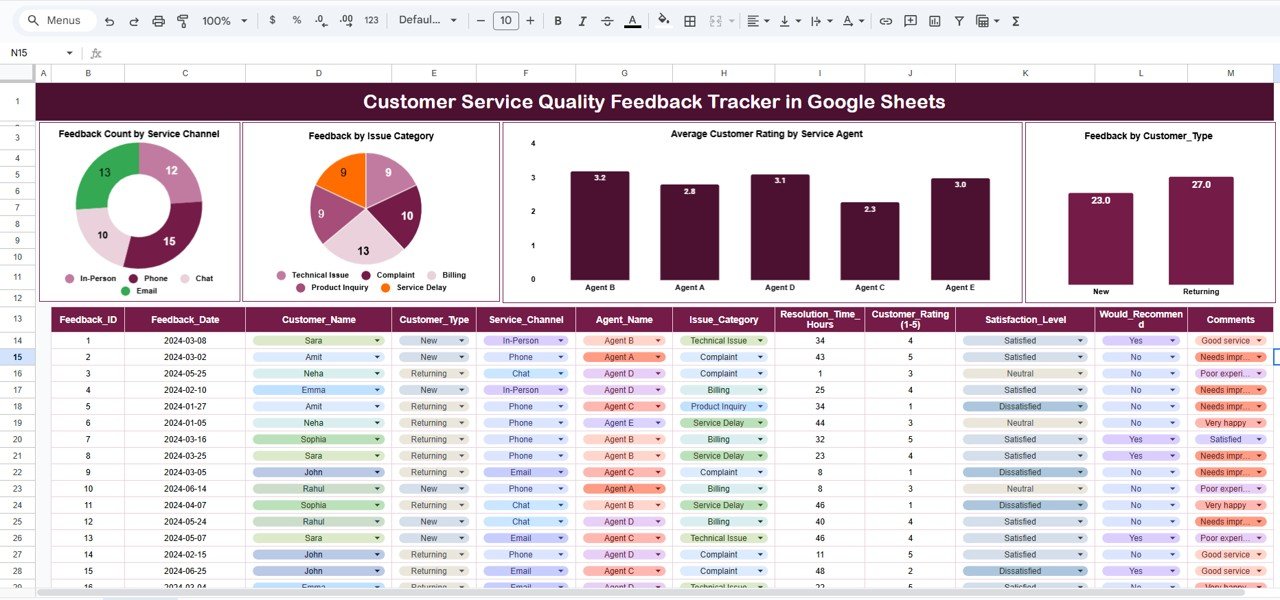
Dynamic charts transform raw feedback into clear insights about service channels, issue types, agent performance, and customer segments.
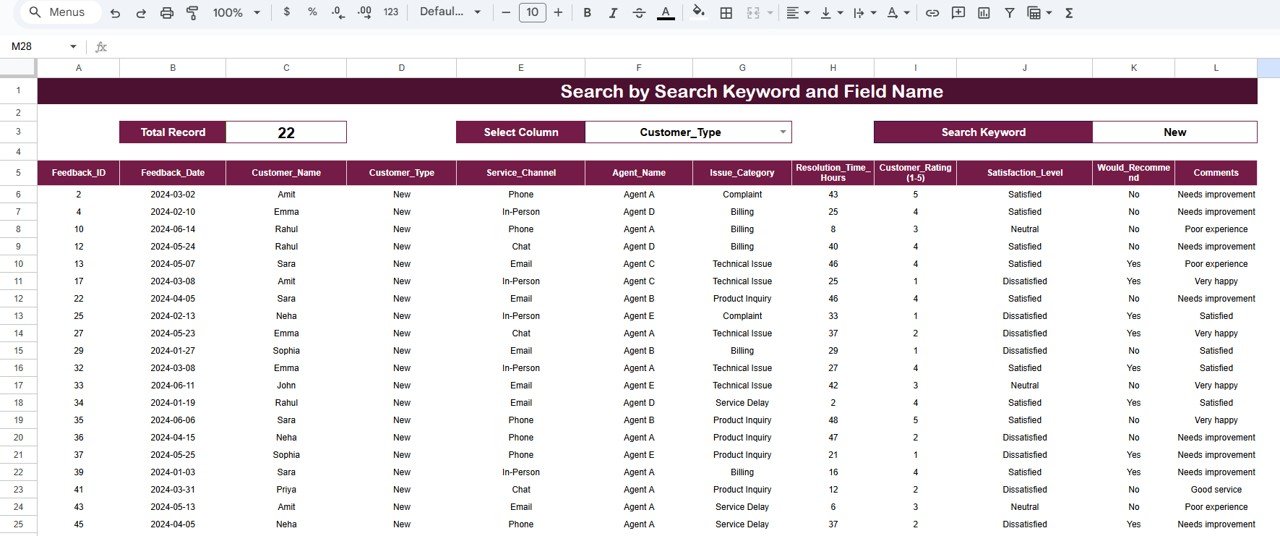
🔍 Smart Search by Keyword & Field Name
Find any feedback record instantly by searching customer name, agent name, issue category, channel, or status—no manual filtering needed.
🤝 Real-Time Collaboration
Multiple team members can update and review feedback simultaneously using Google Sheets.
🧩 Fully Customizable Structure
Easily modify channels, issue categories, ratings, and charts to fit your organization’s service model.
📦 What’s Inside the Customer Service Quality Feedback Tracker
🗂️ Tracker Sheet Tab – Central Feedback Repository
This sheet acts as the foundation of the tracker. Typical fields include:
Feedback ID
Customer Name
Customer Type (New / Existing / VIP)
Service Channel (Call, Email, Chat, Web, Social Media)
Service Agent Name
Issue Category
Customer Rating (1–5)
Feedback Comment
Feedback Date
Resolution Status
Every update refreshes all charts automatically, ensuring real-time accuracy.
📈 Charts Included for Actionable Insights
📞 Feedback Count by Service Channel
Shows how feedback is distributed across phone, email, chat, web, and social media. This helps teams identify high-traffic channels and potential service bottlenecks.
🛠️ Feedback by Issue Category
Highlights recurring service problems such as billing issues, technical errors, delivery delays, or account access challenges—supporting root-cause analysis.
⭐ Average Customer Rating by Service Agent
Displays average ratings for each agent, helping managers:
Identify top performers
Detect training needs
Improve accountability
Reward excellence
👥 Feedback by Customer Type
Analyzes feedback from new, existing, and VIP customers to ensure high-value customers receive consistent service quality.
All charts update automatically as new feedback is added.
🔍 Smart Search Functionality – Find Feedback Instantly
The built-in Search Panel allows users to search by:
Customer Name
Service Agent
Issue Category
Service Channel
Customer Type
This feature saves hours of manual effort during audits, reviews, and investigations.
🛠️ How to Use the Customer Service Quality Feedback Tracker
1️⃣ Enter Feedback Daily
Log customer feedback as soon as it is received to maintain accuracy.
2️⃣ Standardize Ratings & Categories
Consistent definitions improve reporting quality.
3️⃣ Review Charts Weekly
Identify trends before service issues escalate.
4️⃣ Share Insights with Agents
Transparency motivates improvement and accountability.
5️⃣ Use Search During Reviews
Quickly pull agent or issue-specific feedback for discussions.
🎯 Who Can Benefit from This Tracker
📞 Customer Service Teams
Monitor service quality and resolve issues faster.
📊 Quality & CX Analysts
Identify trends and improvement opportunities.
🏢 Support Managers & Leadership
Track performance and make data-driven decisions.
📋 Audit & Compliance Teams
Maintain structured, traceable feedback records.
🚀 Growing Organizations
Scale service quality management with ease.
### Click here to read the Detailed blog post
Watch the step-by-step video tutorial:
Visit our YouTube channel to learn step-by-step video tutorials — Youtube.com/@NeotechNavigators
Compatibility and Requirements
- Works in Google Sheets. You need a free Google account and a web browser.
- The feedback charts are standard Google Sheets charts. Google explains how to edit them in Add & edit a chart or graph.
Frequently Asked Questions
What details does the Customer Service Quality Feedback Tracker record?
Feedback ID, customer name, customer type (New, Existing, VIP), service channel, service agent, issue category, customer rating from 1 to 5, feedback comment, feedback date and resolution status.
Which charts are included?
Feedback count by service channel, feedback by issue category, average customer rating by service agent, and feedback by customer type.
How do I find a specific feedback record?
Use the Search Panel to search by customer name, service agent, issue category, service channel or customer type.
Can I change the channels and issue categories?
Yes. You can change channels, issue categories, ratings and charts to match your service model.
Can several team members use it at once?
Yes. The tracker runs in Google Sheets, so your team can update and review feedback at the same time.
Related Customer Service Templates
- Customer Service Request Tracker in Google Sheets: log and follow up service requests
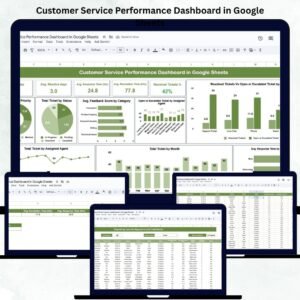
- Customer Service Performance Dashboard in Google Sheets: team performance in one dashboard
- Customer Feedback Analysis Dashboard in Google Sheets: charts for feedback trends
- Customer Satisfaction Dashboard in Google Sheets: track satisfaction scores
- Customer Feedback Tracker in Excel: a feedback log built in Excel
Browse all Google Sheets trackers or the Google Sheets dashboards.







Reviews
There are no reviews yet.