

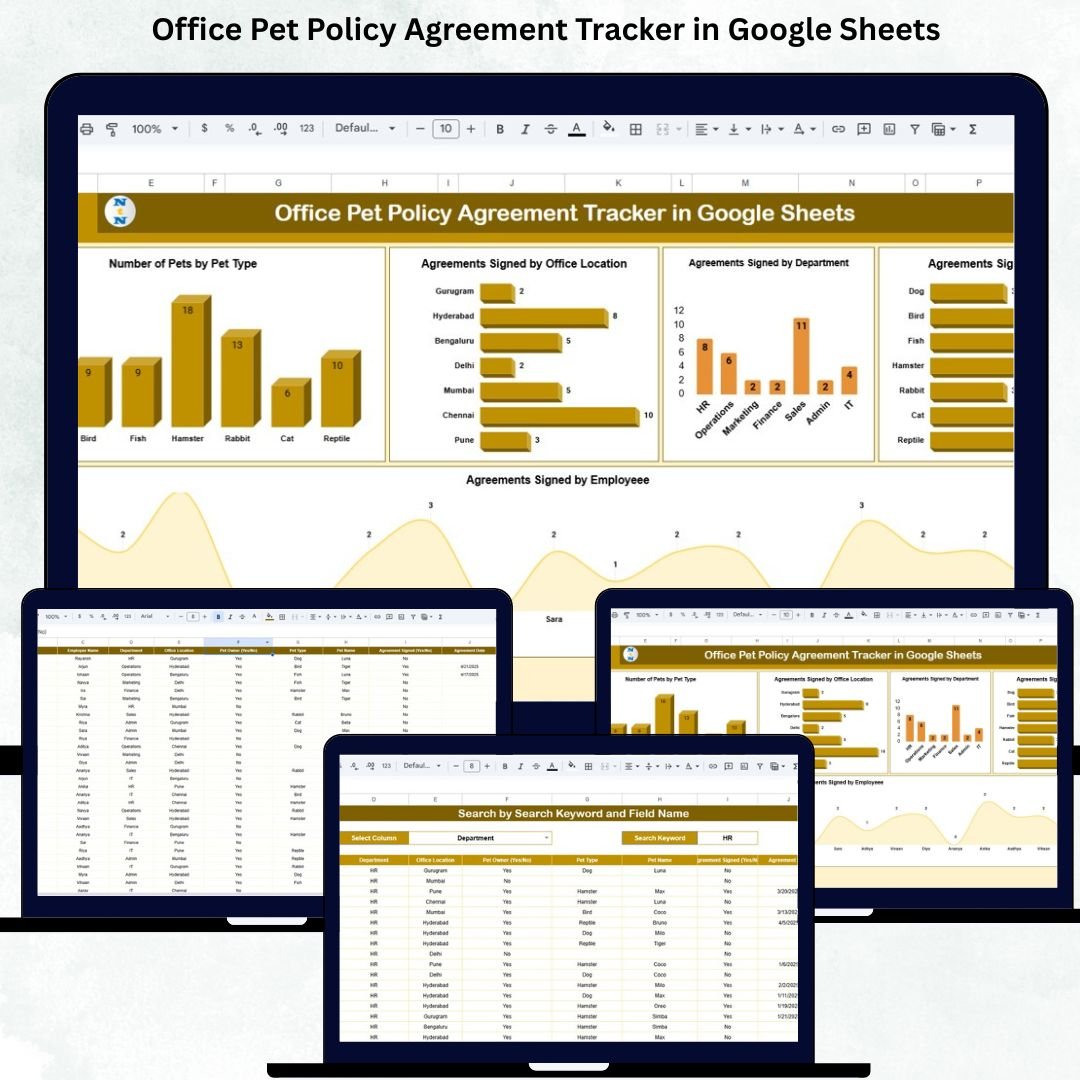

Office Pet Policy Agreement Tracker in Google Sheets are becoming more popular, and employees love being able to bring their pets to the office. But with this growing trend comes the responsibility to ensure that every employee understands and signs the company’s pet policy. Without a structured tracking system, HR teams can easily lose track of agreements, struggle to monitor compliance, and find it difficult to manage employee-pet details across different departments and locations. The Office Pet Policy Agreement Tracker in Google Sheets solves all these challenges with one simple, cloud-based tool.
This ready-to-use tracker helps HR teams record agreement status, track which employees bring which types of pets, monitor compliance levels across the organization, and maintain a safe and well-managed pet-friendly workplace. Since it is built entirely in Google Sheets, it provides real-time collaboration, easy customization, and instant access from any device—making it the perfect solution for small and large organizations.
✨ Key Features of the Office Pet Policy Agreement Tracker in Google Sheets
🐶 1. Pet Type Tracking
Monitor how many employees bring dogs, cats, birds, or other pets. This helps HR understand pet distribution across the workplace.
📍 2. Multi-Location Compliance
View agreement completion by office location. Perfect for companies with multiple branches or hybrid teams.
🏢 3. Department-Wise Agreement Summary
Identify which departments have the highest compliance and which require follow-up communication.
🧾 4. Employee-Wise Signed Agreements
Quickly check who has submitted their agreement and who still needs to sign.
📊 5. Automated Visual Charts
Enjoy clean, easy-to-read visual insights designed for quick HR decision-making. No formulas or manual reporting required.
📦 What’s Inside the Office Pet Policy Agreement Tracker in Google Sheets
📈 1. Tracker Sheet (Main Dashboard)
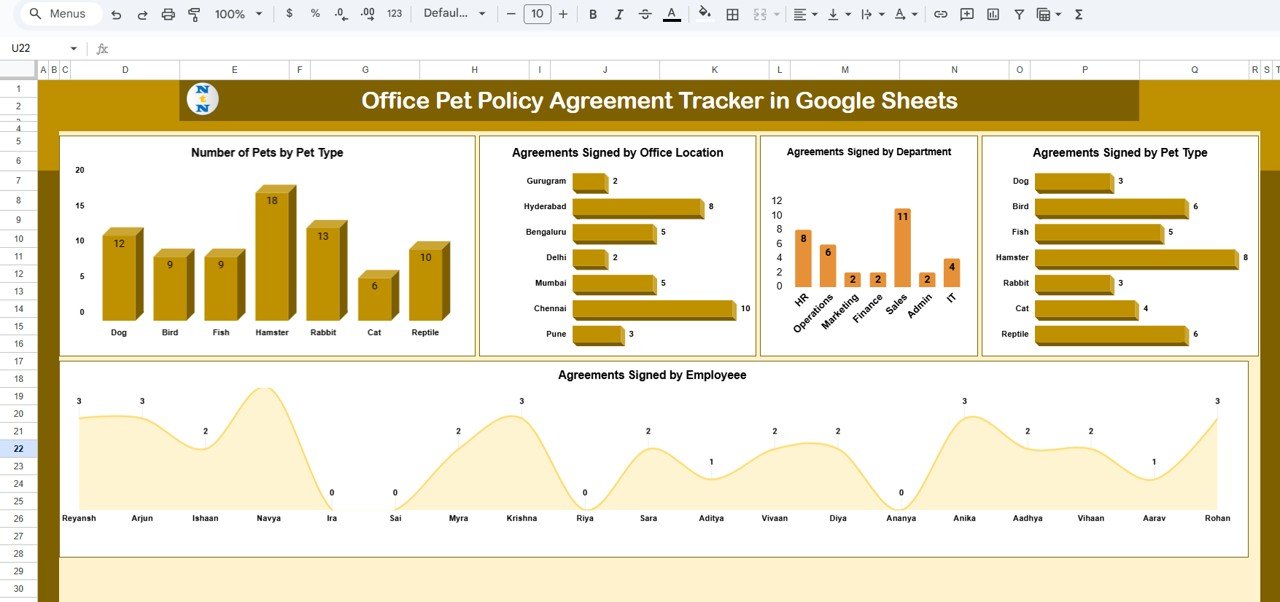
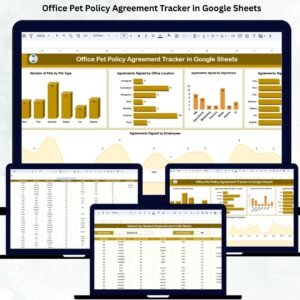
The main sheet includes multiple analytical charts to help HR teams instantly assess compliance:
Number of Pets by Pet Type
Agreements Signed by Office Location
Agreements Signed by Department
Agreements Signed by Pet Type
Agreements Signed by Employee
These visual summaries make it easy to monitor trends, track adoption rates, and ensure proper adherence to policies.
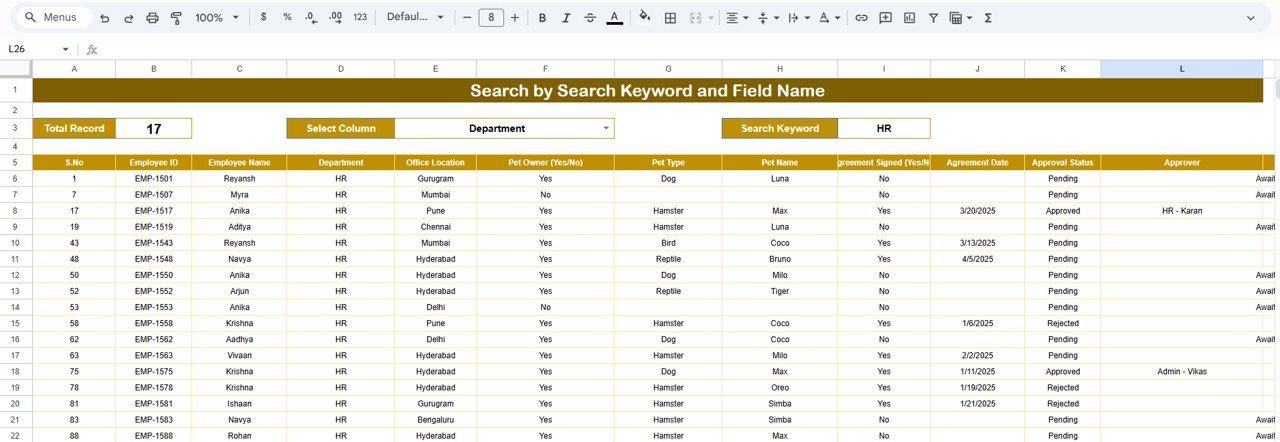
🔍 2. Search Sheet (Instant Record Lookup)
The built-in search tool allows HR teams to quickly filter by:
Employee Name
Pet Type
Department
Office Location
Agreement Status
Acknowledgment Method
This saves hours of scrolling and ensures fast access during audits or compliance reviews.
🛠️ How to Use the Office Pet Policy Agreement Tracker in Google Sheets
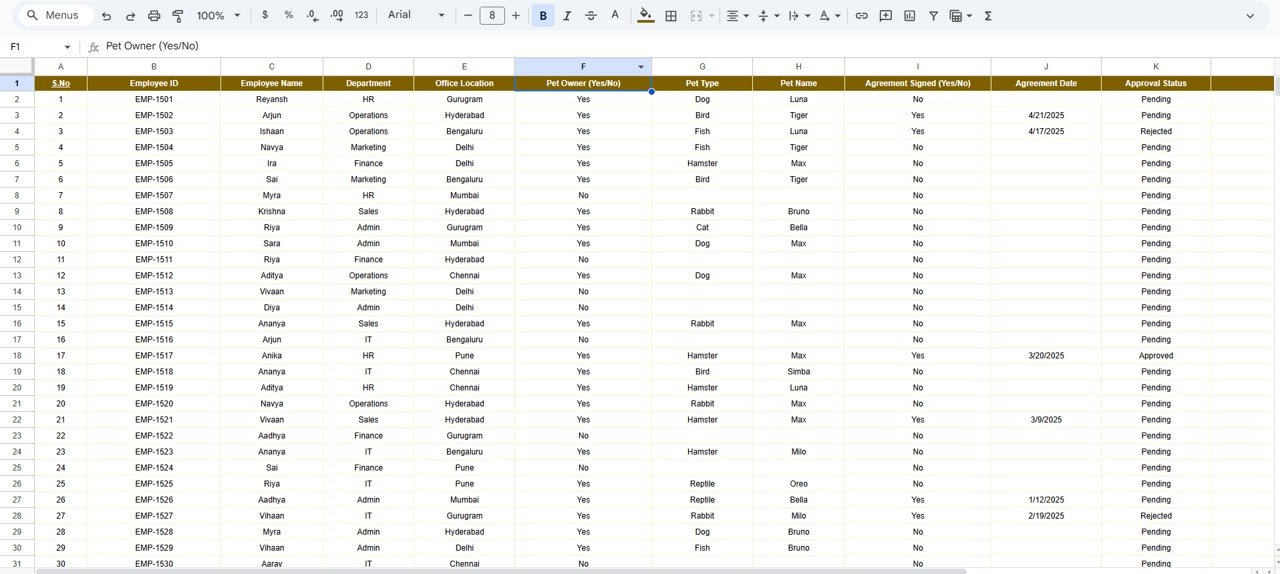
1️⃣ Enter Employee & Pet Details
Fill in fields such as employee name, pet type, department, office location, and agreement status.
2️⃣ Update Agreement Completion
Mark each employee’s status as completed, pending, or not submitted.
3️⃣ Review Dashboard Insights
Use the Tracker Sheet to analyze compliance across departments and locations.
4️⃣ Use the Search Tool for Quick Lookups
Find any record instantly, especially when dealing with large teams.
5️⃣ Customize as Needed
Add fields for vaccination status, pet breed, pet size, or pet behavior notes—based on your company requirements.
🎯 Who Can Benefit from This Office Pet Policy Agreement Tracker in Google Sheets
🏢 HR Departments
Easily track which employees have signed the pet policy and maintain compliance records.
👨💼 Managers & Team Leads
Monitor their team’s agreement status and ensure employees follow guidelines.
🌍 Multi-Location Organizations
Track pet policy compliance across all office branches.
🐕 Pet-Friendly Companies
Maintain a safe and organized environment for employees and their pets.
📝 Compliance & Audit Teams
Access clean, visual reports to prepare for audits and safety evaluations.
Click here to read the Detailed blog post
Watch the step-by-step video Demo:
Visit our YouTube channel to learn step-by-step video tutorials — Youtube.com/@NeotechNavigators
Compatibility and Requirements
- Works in Google Sheets. You need a free Google account and a web browser.
- The Tracker sheet shows charts of pets by type and signed agreements by location, department, pet type and employee. Google explains charts in Add and edit a chart or graph.
Frequently Asked Questions
Which sheets are included?
Two sheets: a Tracker sheet with the charts and a Search sheet for looking up records.
What can I filter on the Search sheet?
You can filter by employee name, pet type, department, office location, agreement status and acknowledgment method.
Can I track agreements across several offices?
Yes. The Tracker sheet shows agreements signed by office location and by department, so you can see where follow-up is needed.
Can I add my own fields, such as vaccination status?
Yes. The template is built in Google Sheets, so you can add columns such as vaccination status, pet breed, pet size or behavior notes.
Is there an Excel version of a similar tracker?
This page covers the Google Sheets version. For a related Google Sheets HR tracker, see the Employee Competency Assessment Tracker in Google Sheets.
Related Templates
- Employee Competency Assessment Tracker in Google Sheets: another HR tracker in Google Sheets
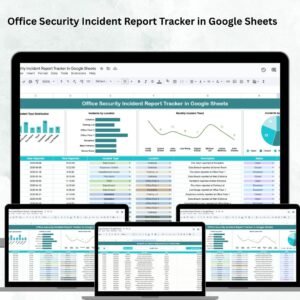
- Office Security Incident Report Tracker in Google Sheets: log and review workplace incidents
- Office Supply Inventory Update Tracker in Google Sheets: track office supplies
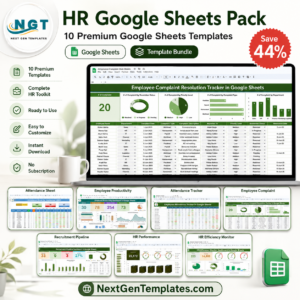
- HR Google Sheets Pack: 10 HR templates in one download
Browse all Google Sheets trackers or HR and payroll templates in Google Sheets.


















Reviews
There are no reviews yet.