



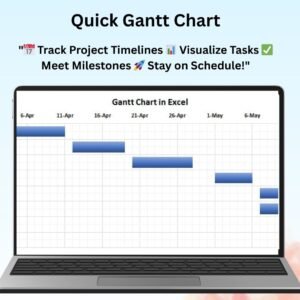
The Project Plan Gantt Chart in Excel is a ready-made Gantt chart template that turns your task list into a clear visual timeline. It is built for project managers, teams and individuals who want to plan tasks, monitor deadlines and see progress at a glance. Enter your tasks with start and end dates, update their status, and the chart updates automatically.
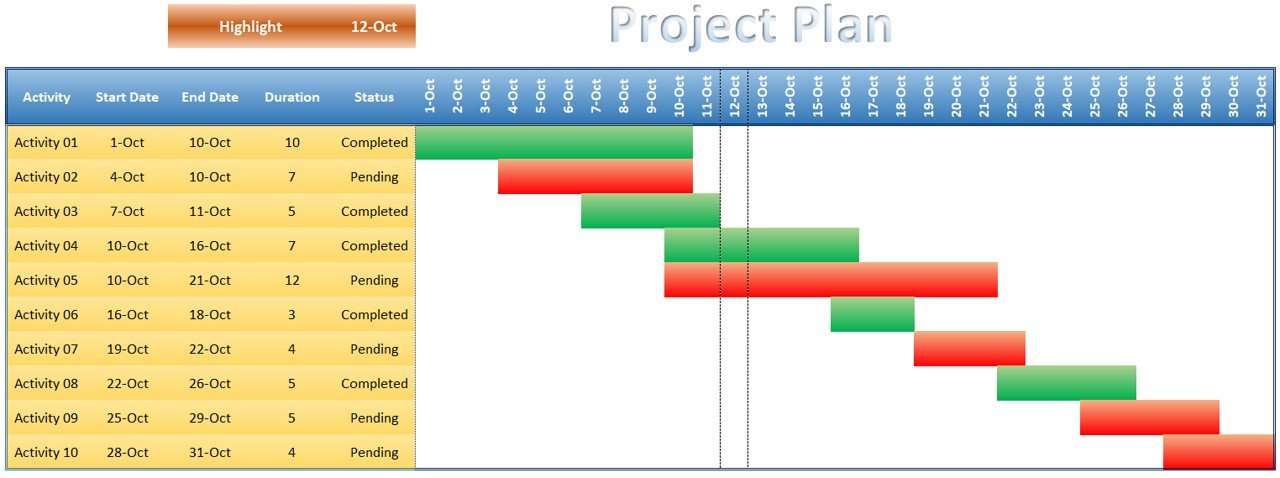
Managing projects well needs a clear timeline, well-structured task organization and real-time tracking. This template gives you all three in a single, visually appealing and highly functional Excel layout. You can use it for business projects, team tasks or personal assignments, and it works without any complex project management software.
Key Features of the Project Plan Gantt Chart in Excel
Easy Task Scheduling
Plan your projects by defining each task with specific start and end dates. The Gantt chart automatically visualizes tasks on a timeline, so you can quickly see which tasks overlap and manage workload better. This makes project scheduling simple, even for people who are new to Gantt charts.
Dynamic Conditional Formatting
Tasks are color-coded based on their status, so you can identify progress without checking each task manually:
- Green for completed tasks
- Red for pending tasks
Status Indicator for Real-Time Tracking
Each task has a status column where you mark its progress. As you update statuses, the Gantt chart adjusts automatically, helping project managers stay on top of deadlines and milestones. This keeps task tracking quick and accurate.
Highlight Key Dates for Better Coordination
Use the Highlight Key Dates feature to mark important milestones and deadlines on the timeline. This improves visibility for project stakeholders and keeps everyone aligned with upcoming events.
Customizable and Protected Format
The template protects essential formulas and structures to prevent accidental changes. When you need to adapt it, you can easily unprotect the sheet and customize it to fit your project.
What’s Inside the Template
| Element | What It Does |
|---|---|
| Task list | Enter task names with start and end dates |
| Status column | Mark each task as completed or pending |
| Gantt timeline | Automatically draws each task on a visual timeline |
| Conditional formatting | Colors tasks green (completed) or red (pending) |
| Highlight Key Dates | Marks milestones and deadlines on the timeline |
| Sheet protection | Protects formulas and structure; can be unprotected for customization |
Why Choose This Gantt Chart Template for Project Planning?
- User-friendly – no need for complex software; just open Excel and start planning.
- Automatic updates – tasks update dynamically based on the values you enter.
- Customizable – modify task durations, start times and colors as needed.
- Perfect for teams and individuals – suitable for business projects, product launches, marketing campaigns and personal goals.
Who It’s For
- Project managers who need a clear view of tasks, deadlines and progress milestones.
- Teams coordinating shared tasks and upcoming events with stakeholders.
- Marketing and product teams planning campaigns and product launches.
- Individuals organizing personal assignments and goals on a timeline.
How to Use the Project Plan Gantt Chart
- Open the template in Excel.
- List your tasks and enter a start date and end date for each one.
- Set the status of each task in the status column.
- Use Highlight Key Dates to mark milestones and deadlines.
- Update statuses as work progresses; the Gantt chart and colors refresh automatically.
- If you need to change the layout, unprotect the sheet and customize it.
Click here to read the detailed blog post Project Plan Gantt Chart in Excel
Watch the step-by-step video tutorial:
Frequently Asked Questions
What is the Project Plan Gantt Chart in Excel?
It is a ready-made Excel Gantt chart template that shows your project tasks on a visual timeline based on their start and end dates, with color-coded status and key date highlighting.
Do I need special project management software?
No. You only need Excel. Open the file and start entering your tasks.
How does the color coding work?
Conditional formatting colors tasks based on their status: green for completed tasks and red for pending tasks.
Can I customize the template?
Yes. Essential formulas and structures are protected to prevent accidental changes, but you can unprotect the sheet to modify task durations, start times, colors and layout.
Can I mark milestones and deadlines?
Yes. The Highlight Key Dates feature lets you mark important milestones and deadlines so stakeholders can see upcoming events.
What kinds of projects is it suitable for?
It works for business projects, team tasks, product launches, marketing campaigns and personal goals.
Also check our Inventory Management Form in Excel.
Last updated: October 2026
Compatibility and Requirements
- Works in Microsoft Excel desktop (Excel 2016 or later, or Microsoft 365).
- If you want to add a summary chart next to the timeline, Microsoft’s guide Create a chart from start to finish walks through it.
Related Gantt Chart Templates
- Project Plan Gantt Chart in Google Sheet: the same project plan Gantt chart in Google Sheets
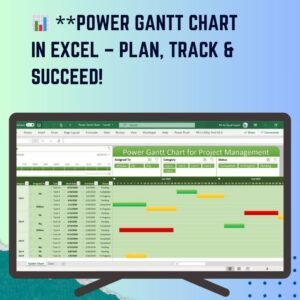
- Dynamic Project Planner Gantt Chart in Excel: a dynamic project planner Gantt chart in Excel
- Dynamic Hourly Gantt Chart for Projects: schedule tasks by the hour
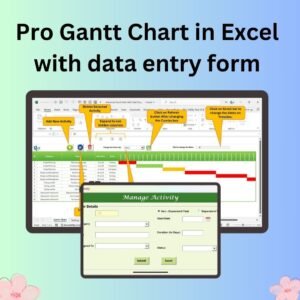
- Pro Gantt Chart in Excel with data entry form: a Gantt chart with a data entry form
- Project Management Pro Bundle: project management templates in one bundle
Browse all Excel project management templates or the Excel charts and visualization templates.











Reviews
There are no reviews yet.