

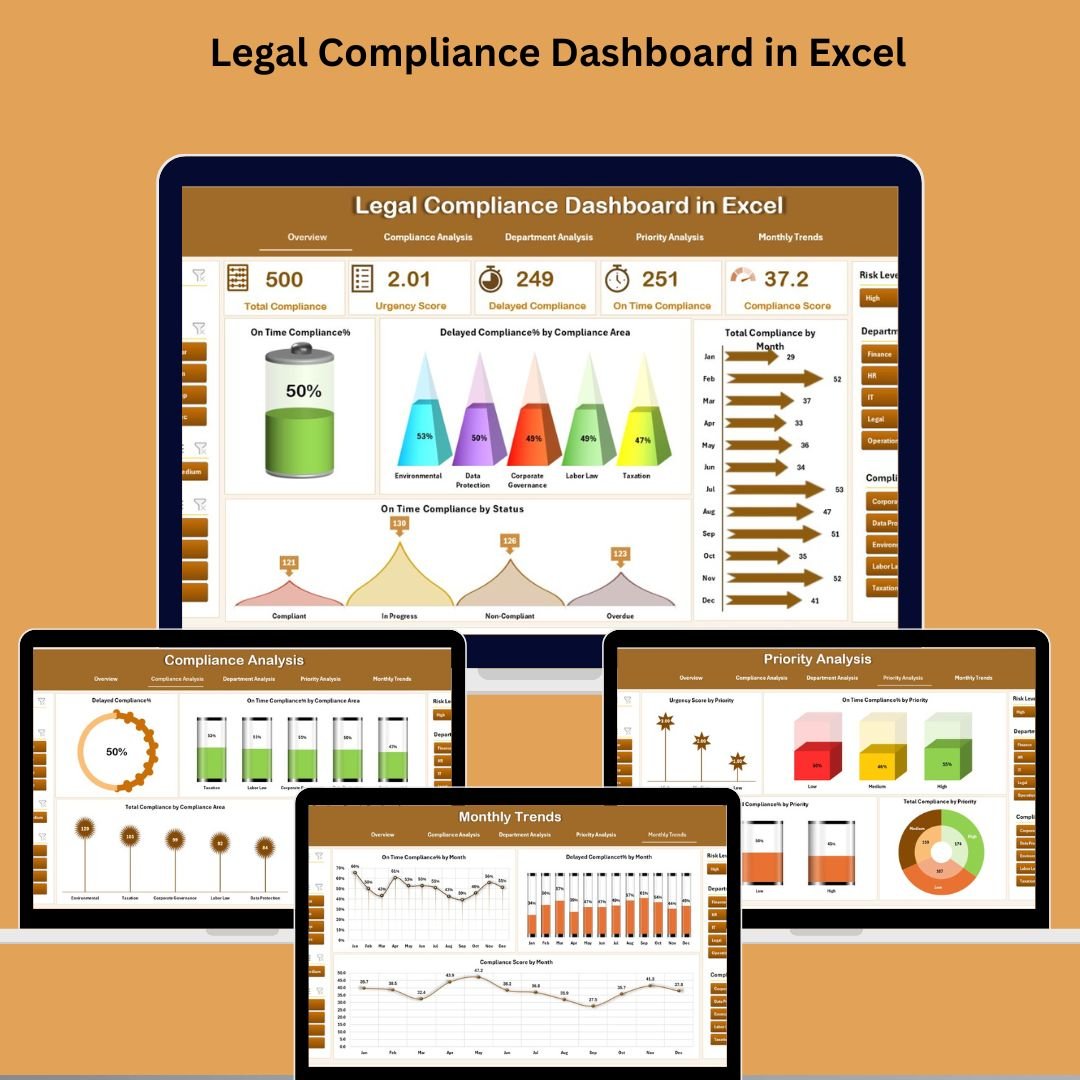

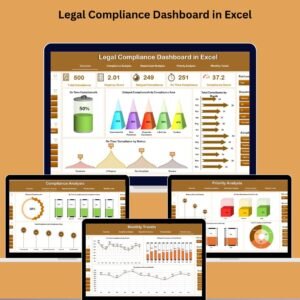
Keeping up with legal and regulatory requirements doesn’t have to be a complicated, manual task. The Legal Compliance Dashboard in Excel is a powerful, ready-to-use solution designed to help businesses of all sizes track, monitor, and visualize their compliance activities—all in one place. Whether you need to stay on top of government mandates, industry-specific regulations, or internal policies, this dashboard gives you real-time insights to reduce risks and improve governance.
With a clean interface, intuitive navigation, and automated charts, this Excel dashboard simplifies compliance tracking and empowers your team to act with confidence. 📊✅
🔑 Key Features of Legal Compliance Dashboard in Excel
📌 Page Navigator Sidebar
Easily switch between Overview, Department Analysis, Priority, Trends, and more using the left-hand page navigator—no complex clicks required.
📌 5 KPI Cards on Overview Page
Track key metrics at a glance—such as On-Time Compliance %, Delayed Compliance %, and Total Compliance Activities.
📌 Interactive Charts Across Pages
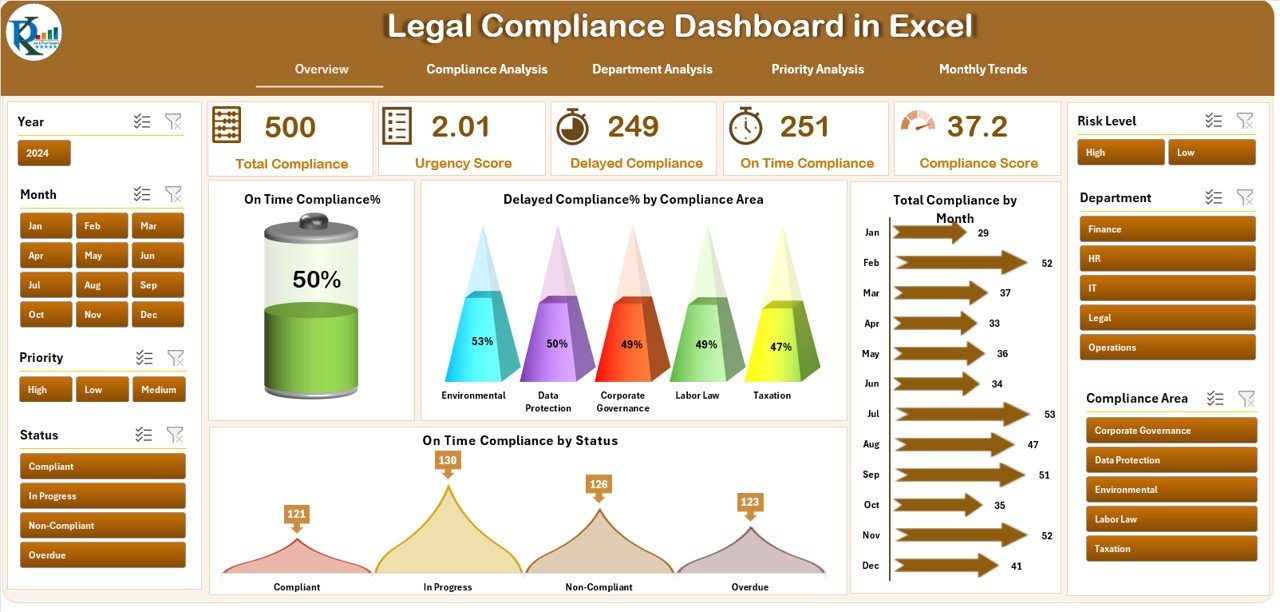
Dynamic visualizations provide compliance breakdowns by:
Department
Priority
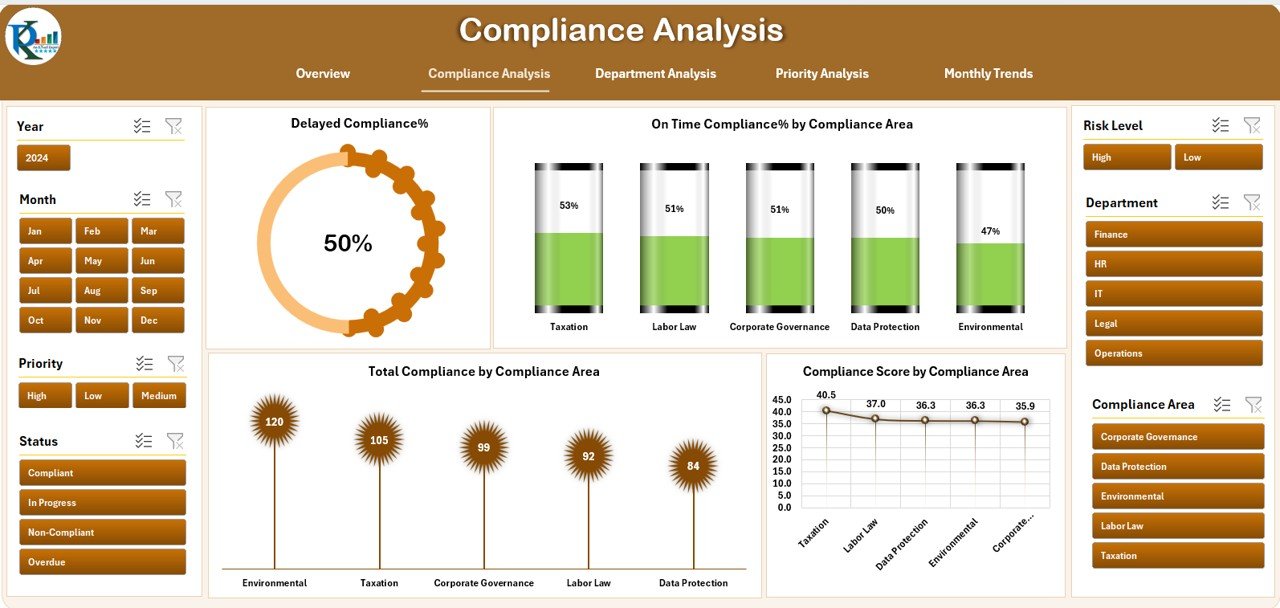
Compliance Area
Month
Score and Urgency
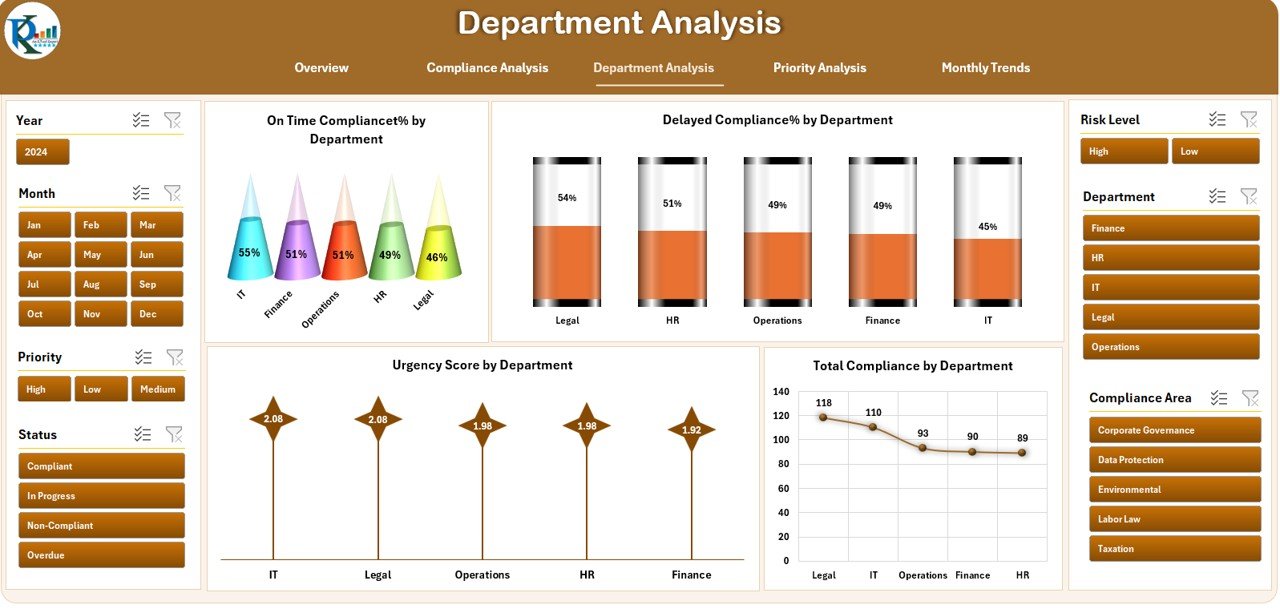
📌 Department-Level Insights
View compliance status department-wise and identify teams that need immediate improvement.
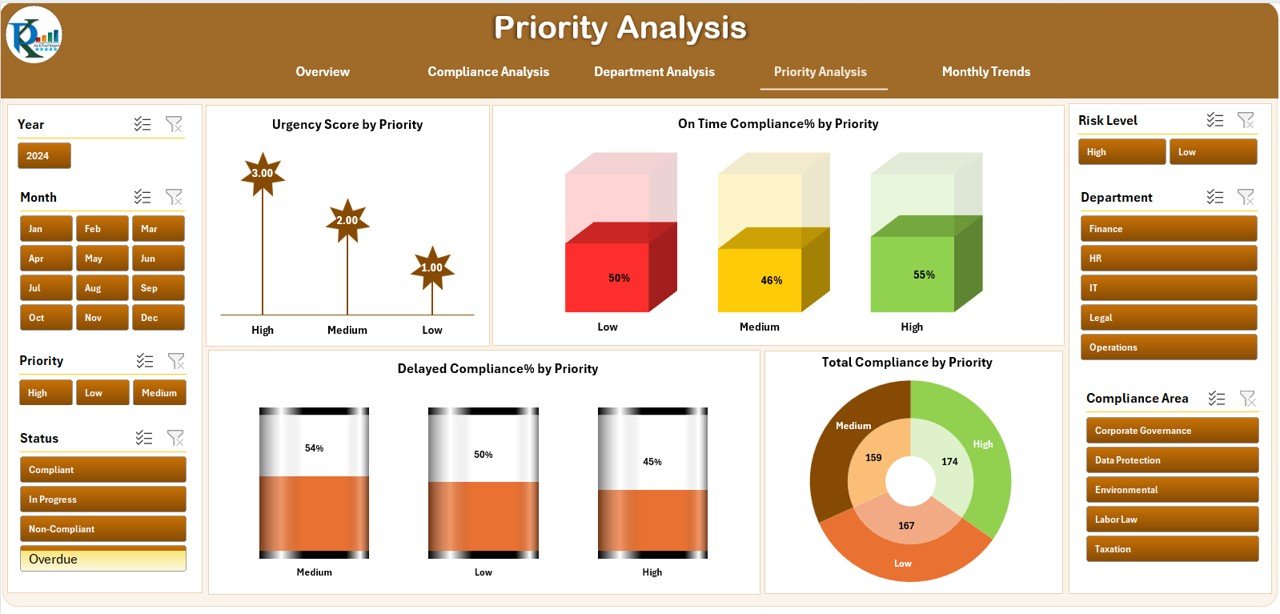
📌 Priority-Based Risk View
Address high-risk items faster with breakdowns by urgency score and priority level.
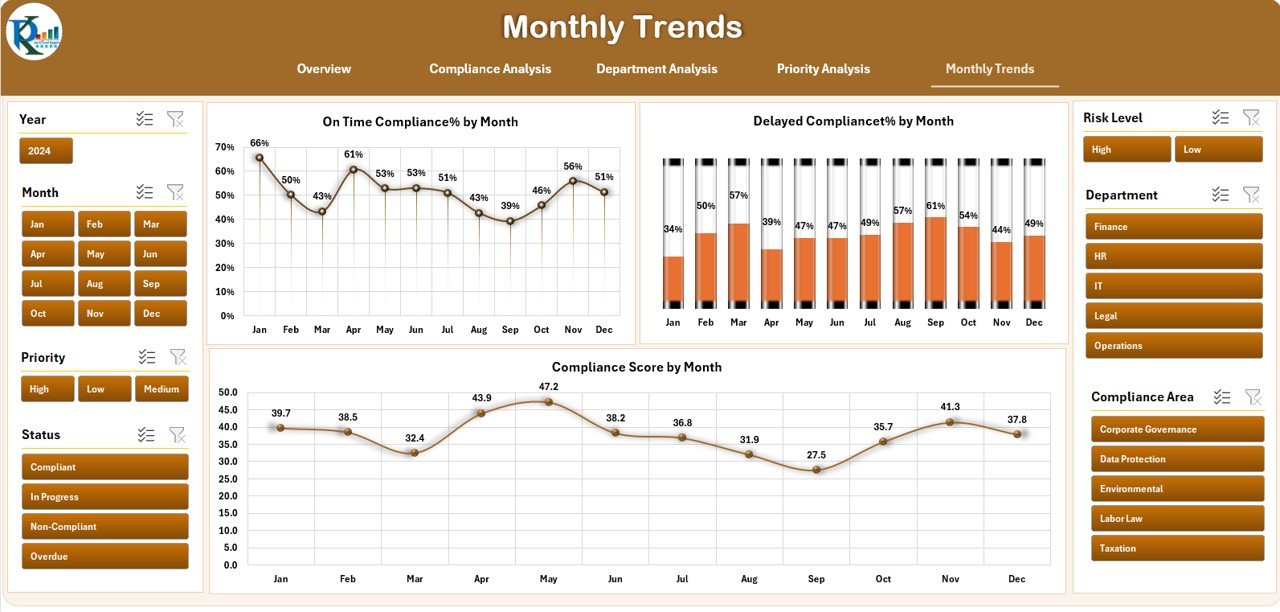
📌 Monthly Trends Tracking
Analyze compliance health over time with monthly performance charts—perfect for internal reviews and audits.
📌 Easy-to-Update Data Sheet
Enter or update records with ease—no formulas or coding required.
📦 What’s Inside the Legal Compliance Dashboard
🎁 7 Prebuilt Sheets including:
Overview Page
Compliance Analysis
Department Analysis
Priority Analysis
Monthly Trends
Data Sheet (for raw input)
Support Sheet (for dropdowns & help)
📁 Downloadable Excel File with pre-configured pivot charts, slicers, and visualizations.
📘 Color-coded KPIs with intuitive arrow icons:
🔼 Green = On track, 🔽 Red = Behind schedule
📊 Performance metrics by percentage and volume for instant clarity.
🛠️ How to Use the Legal Compliance Dashboard
1️⃣ Download the Excel file
2️⃣ Open the Data Sheet to enter your compliance activity records
3️⃣ Update key columns: Department, Priority, Compliance Area, Status, Score, Dates
4️⃣ Go to Dashboard tabs to view dynamic KPIs and trends
5️⃣ Use slicers to filter by area, department, month, or priority
6️⃣ Review trends and gaps to take timely action
💡 No advanced Excel skills needed. Just update the Data Sheet, and everything else updates automatically!
🎯 Who Can Benefit from This Legal Compliance Dashboard
🏢 Compliance Officers – Stay audit-ready and track all compliance in one view
🧑💼 Legal Teams – Monitor risk areas across departments
📈 Business Leaders – Make data-driven decisions with compliance insights
🧾 HR & Admin Teams – Ensure labor law and internal policy compliance
🔍 Consultants & Auditors – Use it for client reporting and audit preparation
🏥 Healthcare & Finance Firms – Tackle sector-specific regulations efficiently
🔗 Click here to read the Detailed blog post
🎥 Visit our YouTube channel to learn step-by-step video tutorials
(YouTube.com/@PKAnExcelExpert)
Watch the step-by-step video tutorial:
Compatibility and Requirements
- Works in Microsoft Excel desktop (Excel 2016 or later, or Microsoft 365).
- The file uses pivot charts and slicers, so no add-ins are needed.
- Microsoft explains how slicers filter data in Use slicers to filter data.
Frequently Asked Questions
Which sheets does the Legal Compliance Dashboard include?
It has 7 sheets: Overview, Compliance Analysis, Department Analysis, Priority Analysis, Monthly Trends, a Data Sheet and a Support Sheet.
What do the KPI cards show?
The Overview page has 5 KPI cards, including On-Time Compliance %, Delayed Compliance % and Total Compliance Activities.
How do I add my compliance records?
Enter your records in the Data Sheet, filling in Department, Priority, Compliance Area, Status and Score. The charts update from that sheet.
How are risks shown?
The Priority Analysis page breaks items down by urgency score and priority level, and arrows show green for on track and red for behind schedule.
Related Legal and Compliance Templates
- Legal Compliance KPI Dashboard in Excel: compliance KPIs against targets
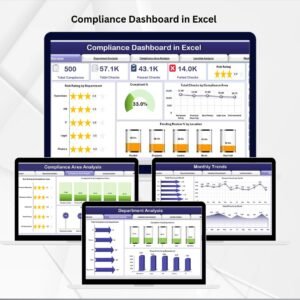
- Compliance Dashboard in Excel: general compliance analysis
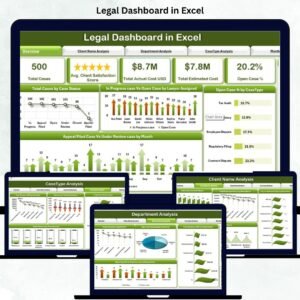
- Legal Dashboard in Excel: case and legal team analysis
- Legal Compliance Calendar in Excel: schedule compliance deadlines
- Legal Compliance Checklist Template in Excel: check requirements item by item
Browse all Excel dashboards or the Excel KPI dashboards.




Reviews
There are no reviews yet.