



In the age of constant digital threats, documenting your cybersecurity efforts is not optional—it’s essential. The Cybersecurity Documentation Checklist in Excel 🛡️ is your all-in-one tool to help track, manage, and improve your organization’s security measures efficiently.
Whether you’re a small business, IT team, or compliance officer, this user-friendly Excel template will help you stay on top of security protocols, monitor progress, assign responsibilities, and prepare for audits—all in one place.
✅ Key Features of Cybersecurity Documentation Checklist in Excel
📌 Structured and Streamlined

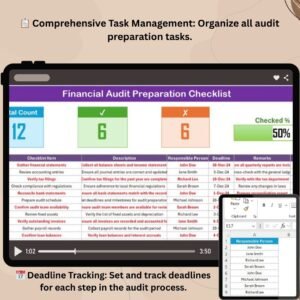
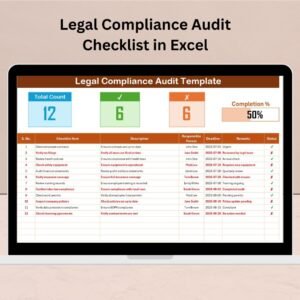
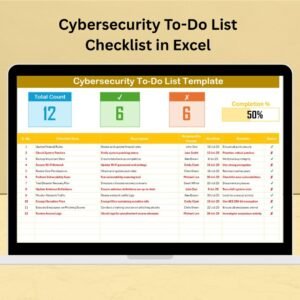
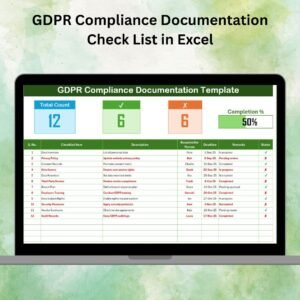
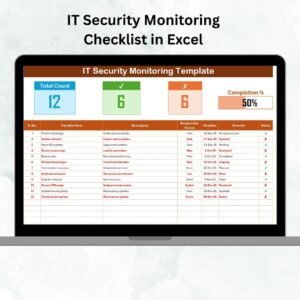
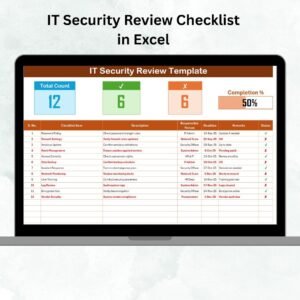
This checklist provides a crystal-clear structure with dedicated columns for each task, including status, deadline, responsible person, and remarks. Easily monitor what’s done and what’s pending.
📊 Progress Tracker with Visual Bar
At the top of the sheet, see your progress at a glance:
✔ Checked Count
❌ Crossed Count
📈 Visual progress bar for percentage completion
Stay motivated and informed with instant updates on your team’s cybersecurity readiness.
🔒 Two Tab Template for Total Control
Main Checklist Tab: List, update, and track tasks
List Tab: Manage the dropdown of responsible persons for consistency and easy assignment
This split-sheet design eliminates manual entry errors and improves task distribution.
📁 What’s Inside the Cybersecurity Documentation Checklist in Excel
Here’s what you get inside the downloadable Excel file:
✅ Cybersecurity Documentation Checklist Sheet
Fields: Serial No., Checklist Item, Description, Responsible Person, Deadline, Remarks, Status (✔ or ✘)
Visual indicators of progress and checklist counts
📋 List Sheet Tab
Editable list of responsible persons
Enables dropdown selection in the main checklist for cleaner data and easier management
These two tabs work together to help you enforce structure and accountability.
🛠️ How to Use the Cybersecurity Documentation Checklist in Excel
Using this template is effortless:
✅ Open the Excel File
🧾 Add Tasks in the checklist with all necessary details
🧑💻 Assign Responsible Persons using the dropdown list
⏰ Set Deadlines and track task status with ✔ or ✘
📊 Monitor Your Progress using the top bar’s visual feedback
🔄 Regularly update tasks and status to stay audit-ready
You can also use Excel’s conditional formatting to color-code status cells for better visualization.
👥 Who Can Benefit from This Checklist?
🧑💼 IT Managers – Track and assign cybersecurity protocols across teams
🔐 Security Officers – Ensure all necessary documentation is in place
🏢 Small Businesses – Avoid compliance gaps with a structured approach
📋 Compliance Teams – Maintain audit readiness with documented proof
🧠 Consultants & Freelancers – Offer this as a value-added service to clients
💼 Internal Auditors – Use as part of quarterly or annual IT assessments
🌐 Organizations of All Sizes – Adaptable for different team structures
🔗 Click here to read the Detailed blog post
📺 Visit our YouTube channel to learn step-by-step video tutorials
Watch the step-by-step video tutorial:
Compatibility and Requirements
- Works in Microsoft Excel desktop (Excel 2016 or later, or Microsoft 365).
- The Responsible Person column uses a dropdown fed by the List tab. Microsoft explains how in Create a drop-down list.
Frequently Asked Questions
Which tabs does the checklist include?
Two tabs: the main Cybersecurity Documentation Checklist sheet and a List tab that holds the responsible persons.
What fields does each checklist item have?
Serial No., Checklist Item, Description, Responsible Person, Deadline, Remarks and Status (✔ or ✘).
How do I assign a task to someone?
Add the person’s name on the List tab. It then appears in the Responsible Person dropdown on the main checklist.
How do I see my overall progress?
The top of the sheet shows a checked count, a crossed count and a visual progress bar with the percentage complete.
Is there a similar cybersecurity checklist or a dashboard version?
Yes. See the Cybersecurity Checklist in Excel, the Cybersecurity Review Checklist in Excel and the Cybersecurity KPI Dashboard in Excel.
Related Cybersecurity and Compliance Templates
- Cybersecurity Checklist in Excel: a general security task checklist
- Cybersecurity Review Checklist in Excel: a checklist for periodic security reviews
- Cybersecurity KPI Dashboard in Excel: track security metrics in one view
- Data Privacy Checklist Template in Excel: a checklist for data privacy tasks
- IT and Cybersecurity Operations Bundle: 8 templates for IT and security teams in one download
Browse all Excel checklists.


























Reviews
There are no reviews yet.