

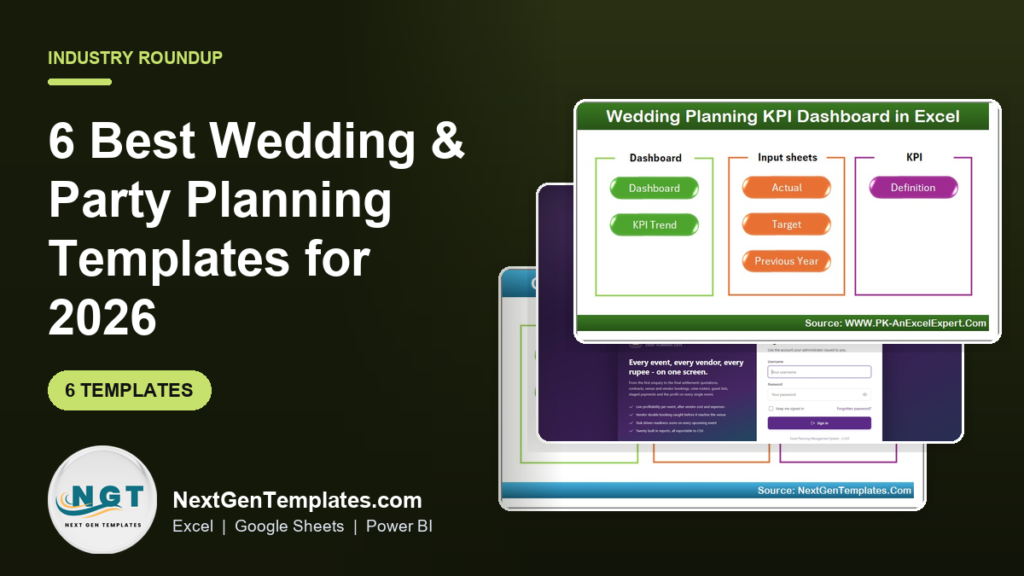
The best wedding planner excel template depends on the job: the Wedding Planning KPI Dashboard in Excel ($14.99) tracks targets, budgets and timelines, the Wedding Budget Dashboard in Excel ($17.99) tracks every vendor payment, and the Event Planning Management System Web App ($39.99) runs a whole event business with 28 screens.
Last updated: October 2026
Key takeaways
- The Wedding Planning KPI Dashboard in Excel costs $14.99 and compares target against actual for budgets, timelines and services, with month-to-date and year-to-date views.
- The Wedding Budget Dashboard in Excel costs $17.99 and has 5 dashboard pages, 4 KPI cards and built-in slicers for vendor and payment tracking.
- The Event Planning Management System Web App costs $39.99 and includes 28 screens, 20 reports and 6 roles, built on a Google Sheets database.
- Parties and receptions are covered by the catering and event tools: three catering KPI dashboards at $14.99 (Excel), $12.99 (Excel) and $9.99 (Google Sheets).
- Every option here is a one-time purchase, so the total cost of the whole set is below one year of many wedding-planning SaaS subscriptions.
 Launch offer
SUMIFS, XLOOKUP, FILTER, LAMBDA and checking AI-written formulas, with real business projects. 11h 47m of video by PK, with practice files, quizzes and a capstone.
Wedding and party planning templates compared
| Template | Format | Best For | Price |
|---|---|---|---|
| Wedding Planning KPI Dashboard in Excel (Best overall) | Excel | Professional wedding planners tracking KPIs | $14.99 |
| Event Planning Management System Web App (Best value) | Web app on Google Sheets | Event businesses managing clients, vendors and profit | $39.99 |
| Wedding Budget Dashboard in Excel | Excel | Couples and planners controlling wedding spend | $17.99 |
| Catering Services KPI Dashboard in Excel | Excel | Event and corporate caterers | $14.99 |
| Catering Business KPI Dashboard in Excel | Excel | Small to large catering businesses | $12.99 |
| Catering Business KPI Dashboard in Google Sheets | Google Sheets | Caterers who work in the cloud with a team | $9.99 |
How we picked these templates
We searched the NextGenTemplates catalog of roughly 6,900 products for wedding, party, event and catering tools. We kept paid products that match a real planning job: tracking performance, controlling a budget, or running event operations.
We excluded free or loosely related spreadsheets. We also found no paid product in the catalog named for a plain party planner, so the party and reception side is covered by the event system and the catering dashboards. Where one tool exists in two formats, we list both.
What are the 6 best wedding planner Excel templates for 2026?
The list below is ranked. The Wedding Planning KPI Dashboard is first because it is the closest match to what most people mean by a wedding planner Excel template: one structured file that shows whether budgets, timelines and services are on plan. The web app is flagged best value because it replaces several separate tools at once.
1. Wedding Planning KPI Dashboard in Excel: best overall

This is a ready-to-use Excel dashboard that turns wedding planning data into KPIs, indicators and trends. It replaces notebooks, emails and scattered spreadsheets with one file.
Who it is for: professional wedding planners and event management teams, from single weddings to destination events and larger portfolios.
What is inside
- Centralized KPI tracking for all wedding metrics in one place
- Target vs actual comparison for budgets, timelines and services
- Month-to-date and year-to-date analysis
- Trend charts that show planning risks early
- Green up and red down arrows that flag issues instantly
- Clear KPI definitions so every team member reads a number the same way
Use cases
- Compare a planned catering budget with the actual invoice and see the gap flagged in red.
- Check month-to-date progress across a season of weddings before a client meeting.
- Hand a client a professional report instead of a screenshot of a messy sheet.
- Run one file across an entire portfolio and compare year-to-date performance.
Price: $14.99. Get the Wedding Planning KPI Dashboard in Excel.
Best for: planners who want one Excel file that shows whether every wedding is on budget and on schedule.
2. Event Planning Management System Web App: best value
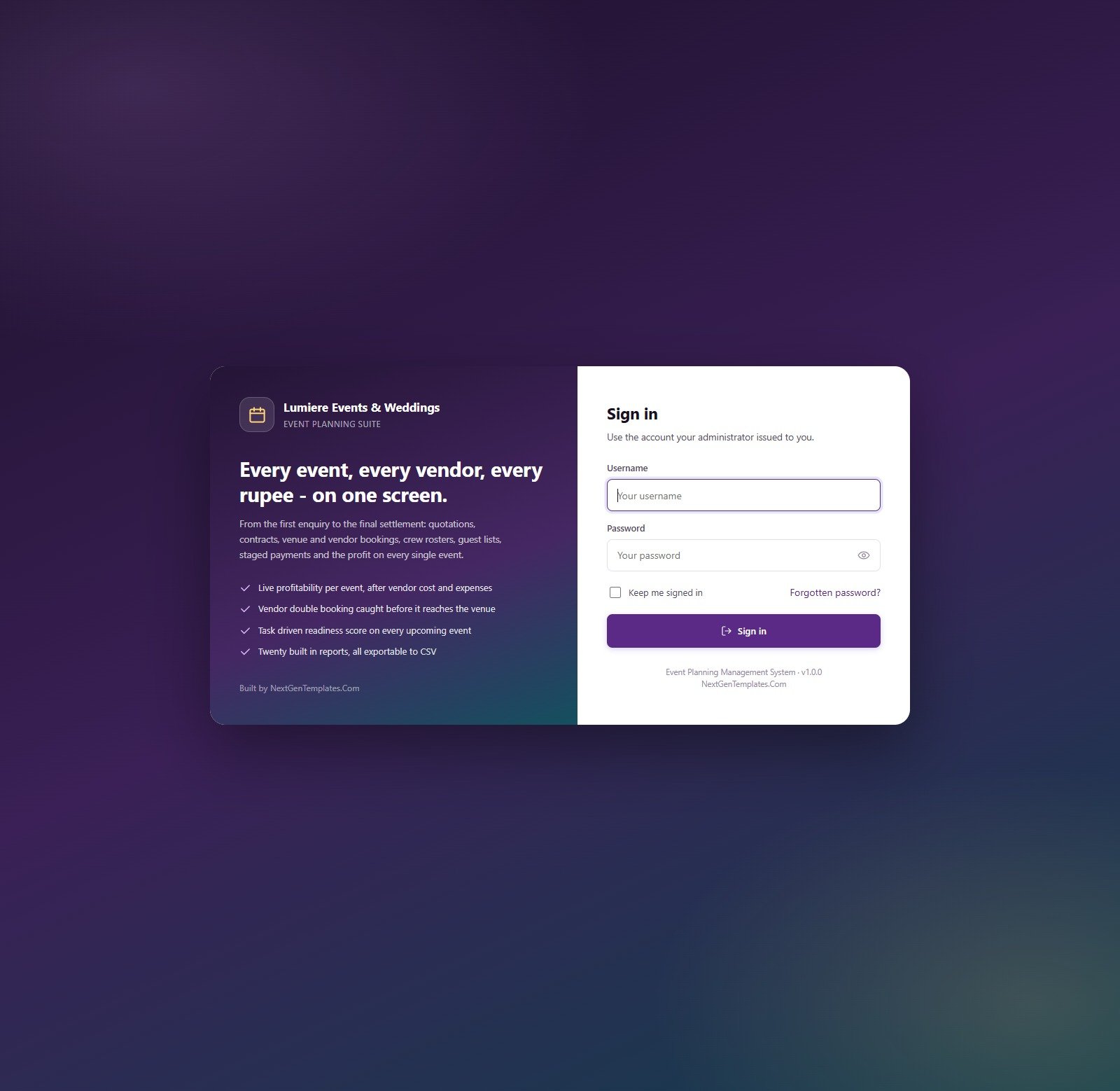
This is the largest tool in the set. It runs an event business from first enquiry to final settlement inside your own Google account, using Google Apps Script with a Google Sheets database. Deployment takes about 15 minutes.
Who it is for: wedding and party planners, event agencies and anyone who handles clients, vendors, crew and payments for several events at once.
What is inside
- 28 screens covering clients, events, quotations, contracts, venues, vendors, packages, services, equipment, crew, tasks, guests, payments, invoices, expenses and budgets
- 20 built-in reports and 6 permission-driven roles
- 14,775 rows of fictional sample data across 28 database sheets, so every page is populated after setup
- Profit on every event: contract value less vendor cost, expenses, crew and equipment hire
- Vendor clash protection: the same partner on two events on one date is flagged and refused on save
- Over-capacity venues are blocked, and task-driven readiness flags at-risk events
Use cases
- Quote a wedding package, convert it to a contract and track staged payments in one system.
- Stop a double-booked florist or DJ before it becomes a problem on the day.
- See which event types and managers actually make money after vendor and crew costs.
- Give a junior coordinator a read-only role while the administrator keeps full access.
A live demo is available with all 6 roles, so you can test every screen before you pay. No signup and no email are needed.
Price: $39.99. See the Event Planning Management System Web App.
Best for: planners who run weddings, parties and corporate events as a business and need clients, vendors and profit in one place.
3. Wedding Budget Dashboard in Excel
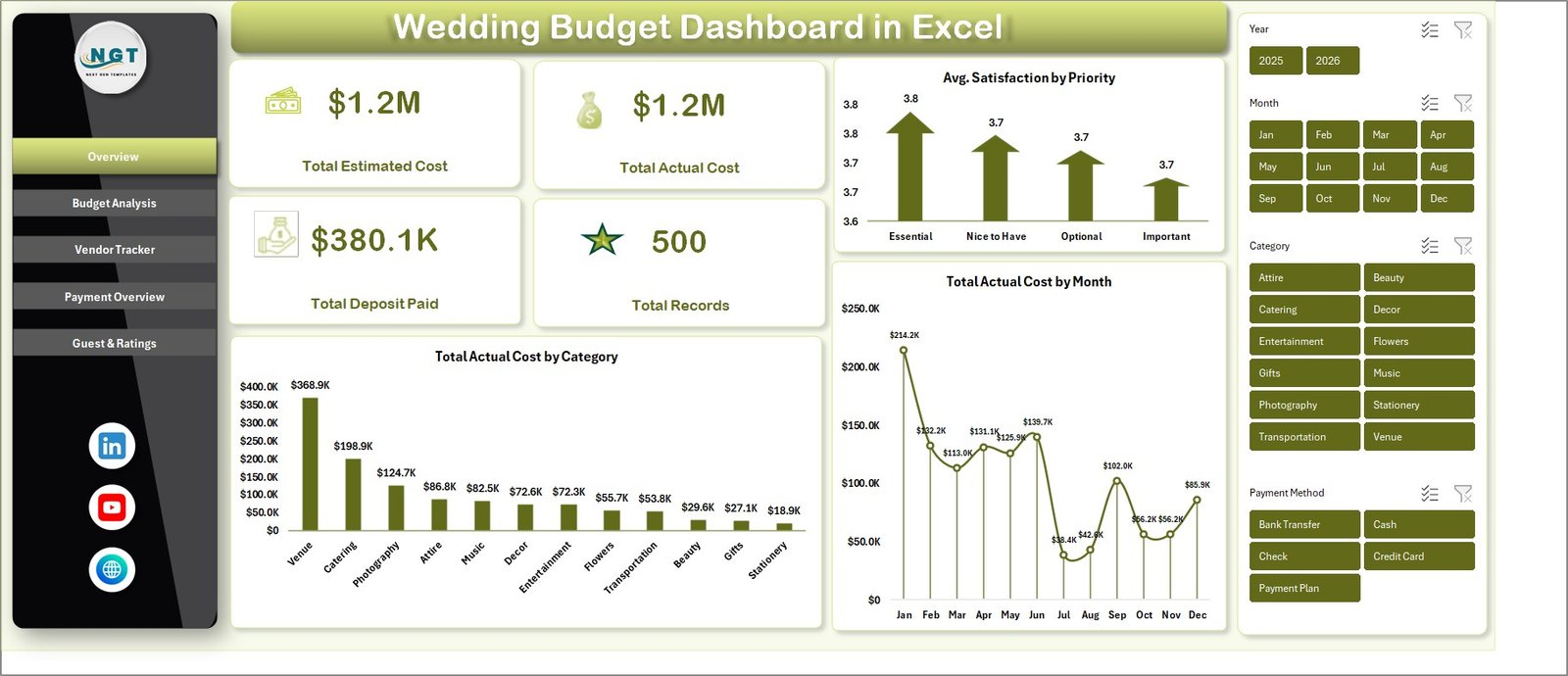
This dashboard is built for couples, wedding planners and coordinators who want control of wedding expenses. It has 5 analysis pages, a structured data sheet and a support sheet, all powered by pivot tables that refresh when you update the data.
Who it is for: couples planning their own wedding, and planners who report spend to clients, from a small ceremony to a grand celebration.
What is inside
- 5 pages: Overview, Budget Analysis, Vendor Tracker, Payment Overview, and Guest & Ratings
- 4 KPI cards: Total Estimated Cost, Total Actual Cost, Total Deposit Paid and Total Records
- Charts for spending by category, priority, vendor, month, payment method and wedding phase
- Built-in slicers that filter the whole dashboard without manual sorting
- Vendor payment tracking with deposits, actual costs, payment status and satisfaction ratings
Use cases
- Compare estimated and actual cost by category to see where the budget slipped.
- Filter by payment status to list vendors who still need a final payment.
- Check total deposits paid against total actual cost before a vendor meeting.
- Review satisfaction by priority to decide which vendors to recommend again.
Price: $17.99. Get the Wedding Budget Dashboard in Excel.
Best for: anyone searching for a wedding budget Excel template that also tracks vendors and payments.
4. Catering Services KPI Dashboard in Excel
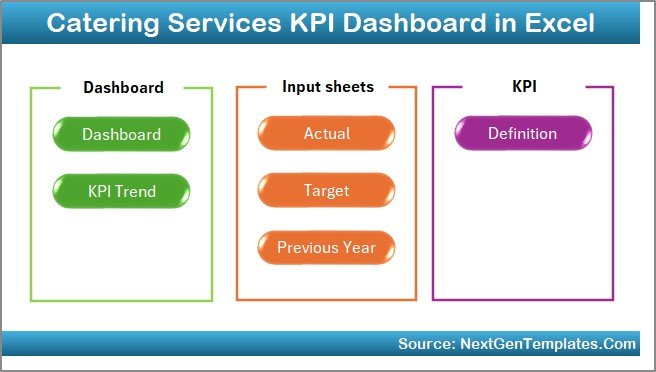
Food is usually the biggest part of a party or reception, and this dashboard covers the caterer’s side of it. It gives owners visibility into operational, financial and service performance without manual report compiling.
Who it is for: event catering companies, food service providers, corporate caterers and restaurant groups.
What is inside
- Revenue, orders, food cost, labor cost, wastage, delivery performance and customer satisfaction on one dashboard
- Actual vs target comparison
- Month-to-date and year-to-date tracking
- Previous-year benchmarking
- Arrow indicators from conditional formatting
- A home page with one-click navigation to each worksheet
Use cases
- Spot rising food cost against target before it eats the margin on a wedding season.
- Compare this year’s orders with last year’s using the built-in year-over-year view.
- Track wastage and delivery performance for large party orders.
Price: $14.99. View the Catering Services KPI Dashboard in Excel.
Best for: caterers who need cost, labor and service quality in one Excel view.
5. Catering Business KPI Dashboard in Excel
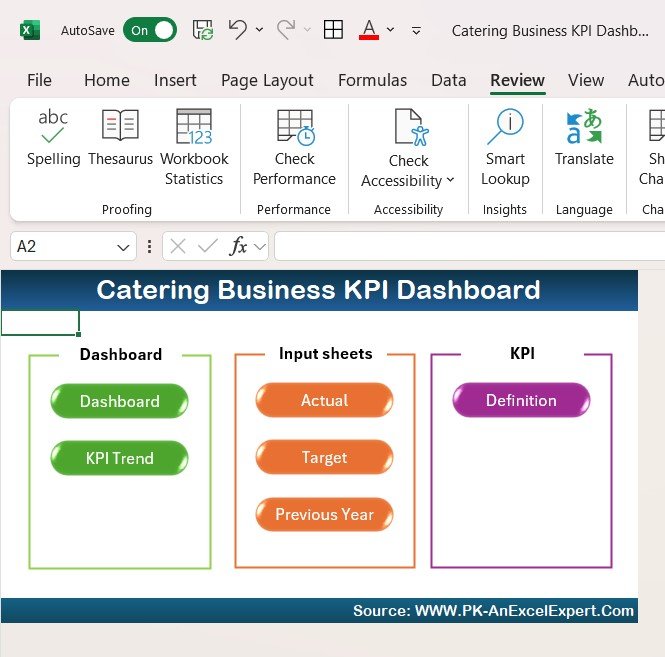
This is a lower-priced catering option aimed at owners, managers and financial analysts. It leans toward sales, inventory and event profitability rather than operations alone.
Who it is for: small catering services and large event catering companies.
What is inside
- Sales, revenue by event type and average order value
- Food stock levels, ingredient usage and supplier orders
- Number of events served, customer satisfaction and repeat customer rates
- Cost per event for food, labor and overhead, with profit margins
Use cases
- See which event types bring the most revenue.
- Reduce waste by watching ingredient usage against stock.
- Check profit margin per event after food, labor and overhead.
Price: $12.99. Get the Catering Business KPI Dashboard in Excel.
Best for: caterers who care most about inventory and event profitability.
6. Catering Business KPI Dashboard in Google Sheets
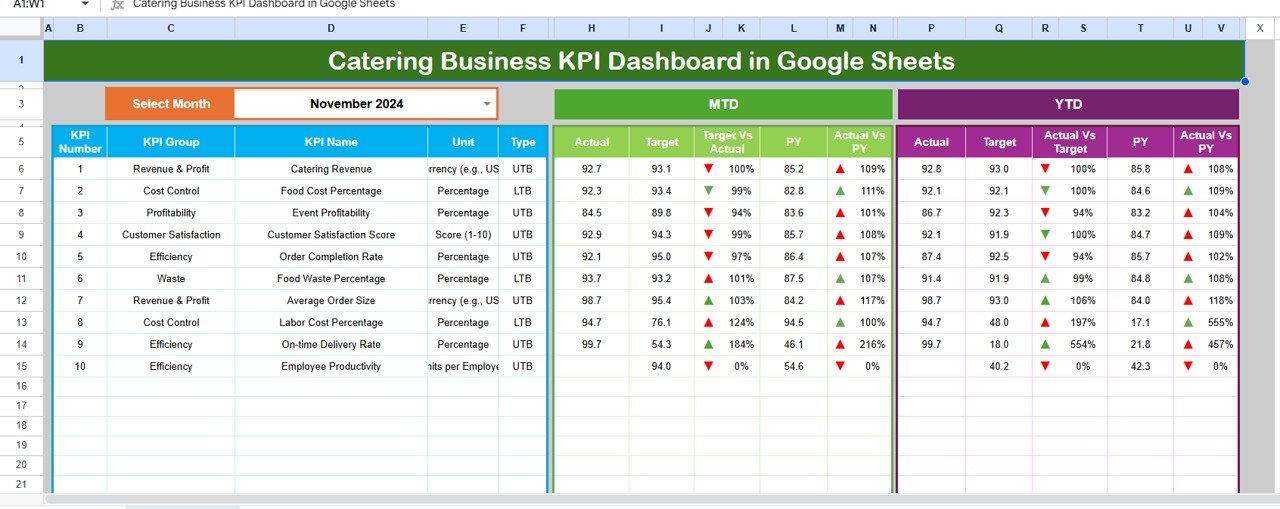
This is the cloud version for caterers who do not use Excel. It has 6 worksheets, and you choose any month from a drop-down in cell D3 to update the KPIs.
Who it is for: catering entrepreneurs, restaurant owners and event managers who share data with a team.
What is inside
- Interactive dashboard with a month drop-down
- Month-to-date and year-to-date results against target and previous year
- Automated trend charts for each KPI
- A KPI definition sheet for consistent reporting
- Multiple users can view and edit at once
Use cases
- Let an owner and a manager review the same numbers from different locations.
- Add or change KPIs to fit a specific business without writing formulas.
- Compare revenue and food cost to last year on the same sheet.
Price: $9.99. Get the Catering Business KPI Dashboard in Google Sheets.
Best for: the lowest-cost entry point for catering KPIs in a shared cloud sheet.
Ready to try one?
Start with the Wedding Planning KPI Dashboard in Excel for $14.99, or choose the Event Planning Management System Web App for $39.99 if you run events as a business and want to try the live demo first.
How do I choose between these wedding and party planning templates?
Match the template to the question you need answered. A wedding planner excel template answers different questions depending on whether you are a couple, a planner or a caterer.
| If your main question is | Choose | Price |
|---|---|---|
| Are my weddings on target for budget and timeline? | Wedding Planning KPI Dashboard in Excel | $14.99 |
| Where is every dollar and deposit going? | Wedding Budget Dashboard in Excel | $17.99 |
| Which events make money, and who is double-booked? | Event Planning Management System Web App | $39.99 |
| Is food and labor cost under control? | Catering Services KPI Dashboard in Excel | $14.99 |
| How do sales, stock and event profit look? | Catering Business KPI Dashboard in Excel | $12.99 |
| I need it in the cloud for a team | Catering Business KPI Dashboard in Google Sheets | $9.99 |
A simple decision path: a couple planning one wedding starts with the budget dashboard. A solo planner with several clients starts with the KPI dashboard. An agency with staff, vendors and quotations goes straight to the web app.
A worked example of the budget maths
The numbers below are illustrative, not benchmarks. Say a couple estimates $20,000 for a wedding and the actual cost so far is $21,500. Budget variance is (actual minus estimated) divided by estimated: ($21,500 – $20,000) / $20,000 = 7.5% over. If deposits paid are $8,600, deposits are 40% of actual cost ($8,600 / $21,500).
The KPI dashboard and the budget dashboard are built to show this kind of gap as it appears, so you can act while a vendor is still negotiable.
Why templates cost less than wedding software
Dedicated wedding and event platforms such as The Knot, Zola, HoneyBook and Aisle Planner are built for couples or for client booking, and they charge on their own terms. Check their current pricing pages before you compare. The templates here are one-time purchases with no subscription and no per-user fees. If you are comparing where to buy spreadsheets in general, our Someka vs Vertex42 vs NextGenTemplates comparison covers the main sellers.
Related reading
- Planning more than weddings? See our event management Excel templates.
- Tracking spend outside the wedding budget? Try these expense tracker Excel templates.
- Want to know what else sells? Browse the best-selling business templates.
- Running events as projects? Read about project KPIs and dashboard templates.
- Prefer Power BI? See Power BI dashboard templates ranked by industry.
- Stocking equipment or supplies? Check these inventory management Excel templates.
For background on the pivot table and slicer features some of these dashboards rely on, see the Microsoft Excel support pages.
When is a template not the right answer?
Be honest about the limits. These are dashboards and a Google Sheets based web app. They analyze and organize your data. They are not guest-facing products.
- You need a public wedding website or online RSVP. None of these products is described as a couple-facing website or registry. Use a dedicated wedding site for that.
- You want a plain checklist. The KPI and budget dashboards track numbers. If you only want a to-do list of tasks, a simple checklist is a better fit.
- You will not enter data. A dashboard is only as good as what goes in. If nobody updates the sheet, buy a service that does it for you.
- You need the web app inside Excel. The Event Planning Management System Web App uses Google Sheets and Apps Script, and requires a Google account. It is not an Excel file.
- You are a very large agency needing custom integrations. The templates are customizable, but a bespoke platform may fit better at that size.
Frequently asked questions
What is the best wedding planner Excel template?
For most planners, the Wedding Planning KPI Dashboard in Excel at $14.99 is the best starting point. It compares target against actual for budgets, timelines and services, with month-to-date and year-to-date views. Couples focused on spend should consider the Wedding Budget Dashboard in Excel at $17.99 instead.
Is there a wedding budget Excel template with vendor tracking?
Yes. The Wedding Budget Dashboard in Excel costs $17.99 and has 5 pages, including a Vendor Tracker and Payment Overview. It tracks deposits, actual costs, payment status and vendor satisfaction ratings, and slicers let you filter the dashboard by category, priority, vendor, month or payment status.
Can I use Excel to plan a wedding?
Yes. Excel handles budgets, vendor lists, guest counts and timelines well, and the dashboards here use pivot tables, charts and indicators on top of that. It works best when one person owns the data entry. Larger teams may prefer the Google Sheets based web app for shared access.
What is the best party planning template in Excel?
There is no paid product in our catalog built only for party planning. For parties and receptions, use the Event Planning Management System Web App at $39.99 for the whole event, and a catering KPI dashboard from $9.99 to $14.99 to control food and labor costs.
Is there an event planning Excel template for a business?
The Event Planning Management System Web App at $39.99 is the closest. It handles clients, quotations, contracts, venues, vendors, crew, payments and invoices, and shows profit per event. It runs on Google Sheets with Apps Script rather than Excel, and a live demo lets you test it first.
Does the event planning web app stop double-booked vendors?
Yes. The same partner on two events on one date is flagged and refused on save. The system also blocks over-capacity venues and uses task-driven readiness flags to show events at risk. This protects you from clashes that spreadsheets usually miss until the day itself.
How much do wedding planning templates cost?
The six templates in this post range from $9.99 to $39.99. The Catering Business KPI Dashboard in Google Sheets is $9.99, the Catering Business KPI Dashboard in Excel is $12.99, the KPI dashboards are $14.99, the Wedding Budget Dashboard is $17.99 and the web app is $39.99. All are one-time payments.
Do I need Excel skills to use a wedding planning dashboard?
Basic skills are enough. You enter your data in the structured sheet and the dashboard updates. The Wedding Budget Dashboard uses pivot tables that refresh when you update data, and slicers filter without manual sorting. The KPI dashboard also includes clear KPI definitions so the numbers are easy to read.
Can I try the event planning system before buying?
Yes. The Event Planning Management System Web App has a live demo with all 6 roles and realistic sample data. You can test every screen without signup or email. Sign in as admin to see everything, or as a viewer to see how access shrinks to read-only.
Get more wedding, party and event templates
If you run weddings and events as a business, the Event Planning Management System Web App for $39.99 is the best-value pick. For a lighter start, take the wedding planner Excel dashboard for $14.99. Watch walkthroughs on the NextGenTemplates YouTube channel.