

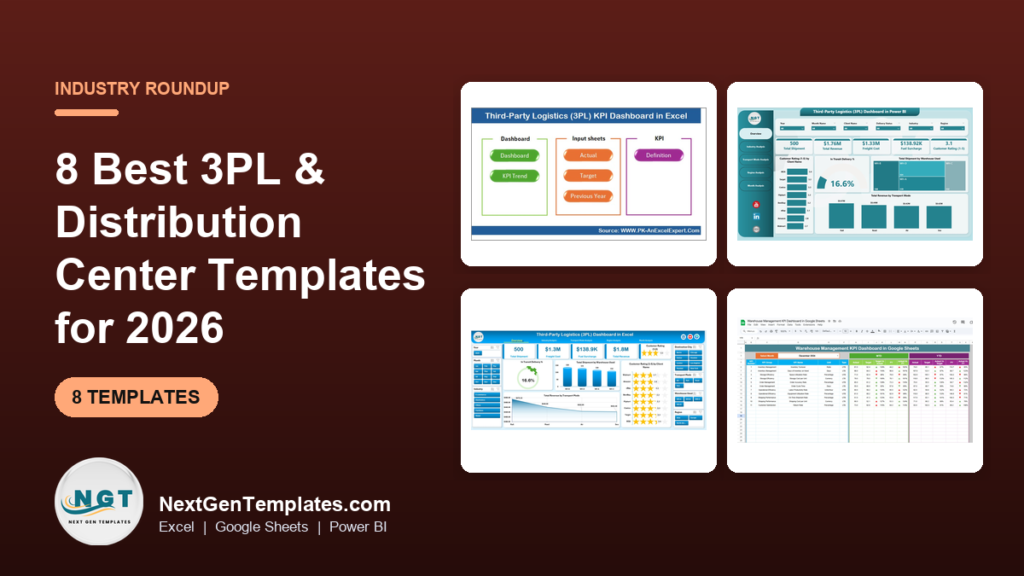
The best 3PL logistics dashboard template for most operators is the Third-Party Logistics (3PL) Dashboard in Excel ($13.99), which tracks shipments, freight cost, fuel surcharge and revenue by client, warehouse, region and transport mode. If you report KPIs against targets instead, the 3PL KPI Dashboard in Excel ($12.99) is the cheaper fit.
Last updated: October 2026
Key takeaways
- The Third-Party Logistics (3PL) Dashboard in Excel costs $13.99 and has 5 analysis pages plus a Data Sheet and Support Sheet, with slicers for warehouse, industry, region, transport mode, client and month.
- The Third-Party Logistics (3PL) KPI Dashboard in Excel costs $12.99 and compares actual vs target, MTD and YTD, and previous year, with KPI definitions included.
- The Power BI 3PL dashboard costs $17.99 and is built around subscriptions, platforms, devices, regions and months, so check the metrics fit your billing model first.
- Eight templates are compared here, from $11.99 (Supply Chain – Logistics KPI Dashboard in Power BI) to $17.99, and all eight together cost $112.92.
- A spreadsheet dashboard reports on data you already hold. If you need live WMS or TMS integration with client portals, buy 3PL software instead.
 Launch offer
SUMIFS, XLOOKUP, FILTER, LAMBDA and checking AI-written formulas, with real business projects. 11h 47m of video by PK, with practice files, quizzes and a capstone.
3PL logistics dashboard templates compared
| Template | Format | Best For | Price |
|---|---|---|---|
| Third-Party Logistics (3PL) Dashboard in Excel (Best overall) | Excel | Shipment, cost and revenue analysis by client and warehouse | $13.99 |
| Third-Party Logistics (3PL) KPI Dashboard in Excel (Best value) | Excel | Monthly KPI reviews against targets | $12.99 |
| Third-Party Logistics (3PL) Dashboard in Power BI | Power BI | Interactive platform, region and month analysis | $17.99 |
| Logistics Efficiency KPI Dashboard in Excel | Excel | Delivery, cost and resource utilisation | $14.99 |
| Order Fulfilment KPI Dashboard in Excel | Excel | Pick-to-delivery order performance | $14.99 |
| Warehouse Management KPI Dashboard in Google Sheets | Google Sheets | Distribution center floor KPIs | $12.99 |
| Supply Chain – Logistics KPI Dashboard in Google Sheets | Google Sheets | Shared, browser-based logistics KPI tracking | $12.99 |
| Supply Chain – Logistics KPI Dashboard in Power BI | Power BI | Shipping, inventory and supplier drill-downs | $11.99 |
How we picked these
We searched the NextGenTemplates catalog of roughly 6,900 products for logistics, 3PL, warehouse, fulfilment and supply chain dashboards. We kept paid dashboards that a third-party logistics provider or distribution center could point at its own shipment or warehouse data on day one.
We favoured templates built for 3PL work, then added warehouse, fulfilment and supply chain tools that cover the rest of a distribution center. Generic KPI templates with no logistics content were excluded, and so were free downloads. Two formats are covered where the same job exists in both: Excel, Google Sheets and Power BI.
What are the best 3PL logistics dashboard templates for 2026?
1. Third-Party Logistics (3PL) Dashboard in Excel: best overall
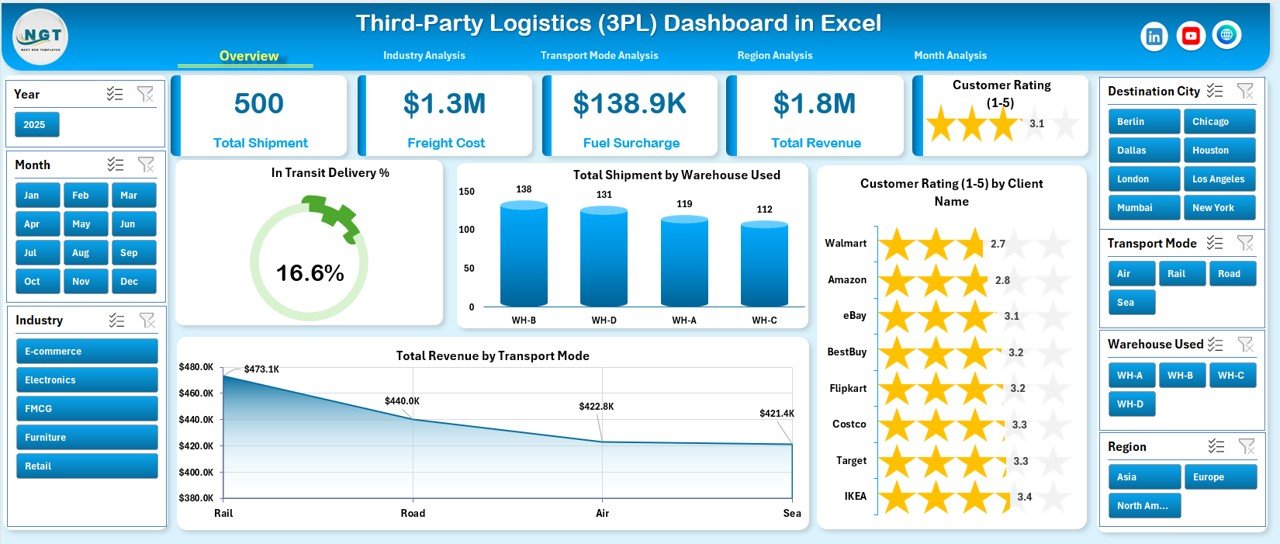
This is the template that matches how a 3PL actually earns money: shipments in, freight cost out, revenue by client. It is #1 because it is the only 3PL-specific dashboard here that slices by warehouse, client and transport mode in one file.
Who it is for: 3PL account managers, operations directors and finance leads who report to clients and to their own board.
- Interactive Overview page with In-Transit Delivery %, Total Shipments, Customer Ratings and Revenue
- Industry Analysis comparing freight cost, fuel surcharge and revenue
- Transport Mode Analysis for road, air, sea and rail side by side
- Region and Month pages for cost, revenue, satisfaction and monthly trends
- Left-side page navigator and right-side slicers for warehouse, industry, region, transport mode, client and month
Use cases: compare the five pages to find which of your client industries has high revenue but a high fuel surcharge; filter to one client before a quarterly business review; check road against rail cost for the same region; read monthly freight cost against revenue to spot margin leaks. The file also has a structured Data Sheet and a Support Sheet, so your shipment export has a defined landing place.
Price: $13.99. Get the 3PL dashboard in Excel.
Best for: a 3PL that wants one Excel file covering shipments, cost and revenue by client.
2. Third-Party Logistics (3PL) KPI Dashboard in Excel: best value
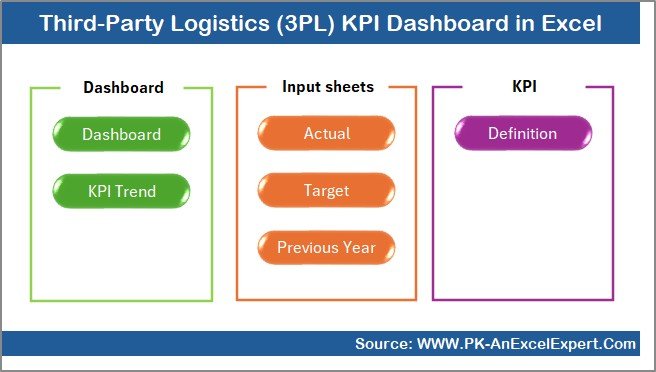
Where the first template is built around slicing data, this one is built around a monthly KPI review. It is the lowest-priced 3PL-specific dashboard in the list at $12.99, which is why it takes the best value label.
Who it is for: 3PL managers who present KPIs to executives and need a target against every number.
- MTD and YTD analysis side by side
- Target vs Actual tracking with variance
- Previous year comparison for trend and seasonality
- Up and down arrows as visual KPI indicators
- Summary page for navigation, input sheets for actuals, targets and history, and KPI definitions with formulas and units
Use cases: set a target for each KPI and see the gap in the same view; compare this March with last March; hand the summary page to an executive who will not open the input sheets; check the KPI definition sheet so everyone on the team calculates a metric the same way. The separation of actuals, targets and history keeps the monthly update to a paste job.
Price: $12.99. Get the 3PL KPI dashboard in Excel.
Best for: monthly KPI reporting with targets and prior-year context.
3. Third-Party Logistics (3PL) Dashboard in Power BI
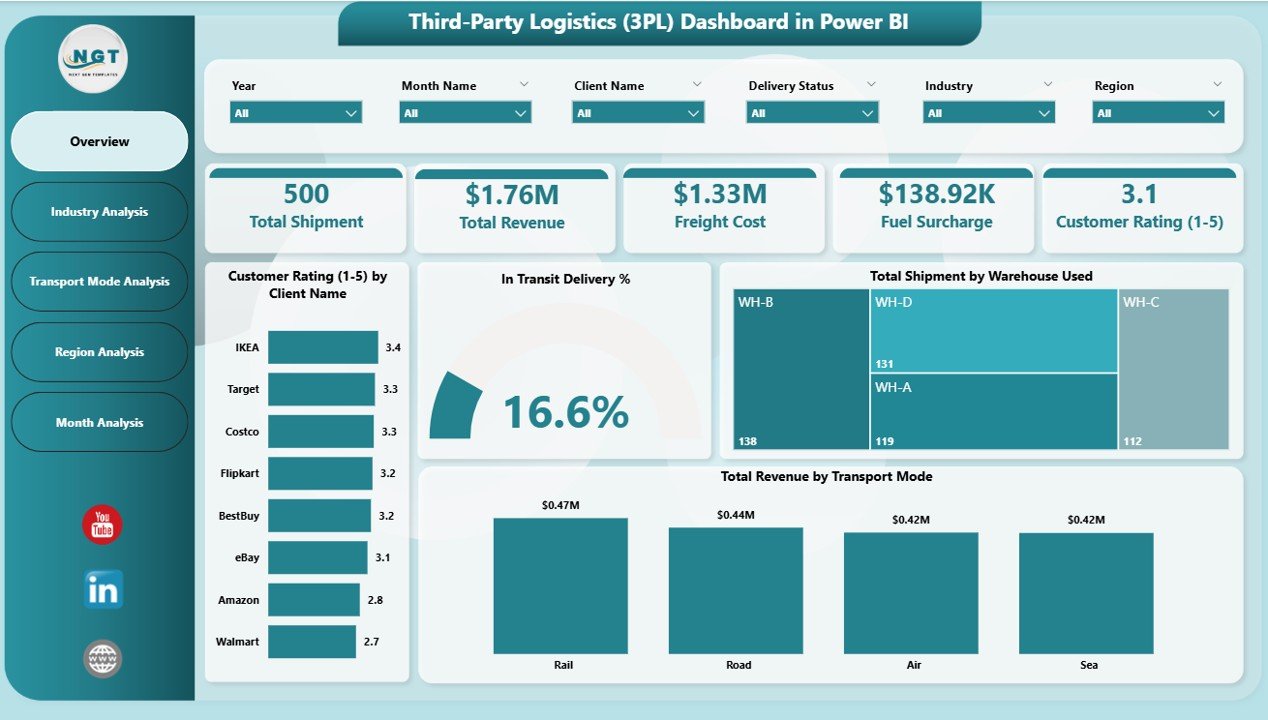
This is the Power BI option and the most expensive here at $17.99. Read the product page before buying: the metrics in the description centre on subscriptions and revenue, not shipment counts.
Who it is for: logistics businesses that already use Power BI and bill on a subscription or platform model.
- 5 analytical pages
- Overview with Total Subscriptions, Active Subscription %, Monthly Fee and revenue summary
- Platform Name, Device Type, Region and Month analysis
- Smart KPI cards
- Slicers by platform, subscription type, region and month
Use cases: compare revenue across platforms; see which regions are growing; filter every page by subscription type with one click; look at seasonal patterns by month. Every selection refreshes the whole dashboard.
Price: $17.99. Get the 3PL dashboard in Power BI.
Best for: Power BI teams who want interactive regional and platform revenue views.
Want the 3PL view in your format? The 3PL dashboard is $13.99 in Excel and $17.99 in Power BI. Start with the Excel 3PL dashboard, or watch walkthroughs on the NextGenTemplates YouTube channel.
4. Logistics Efficiency KPI Dashboard in Excel
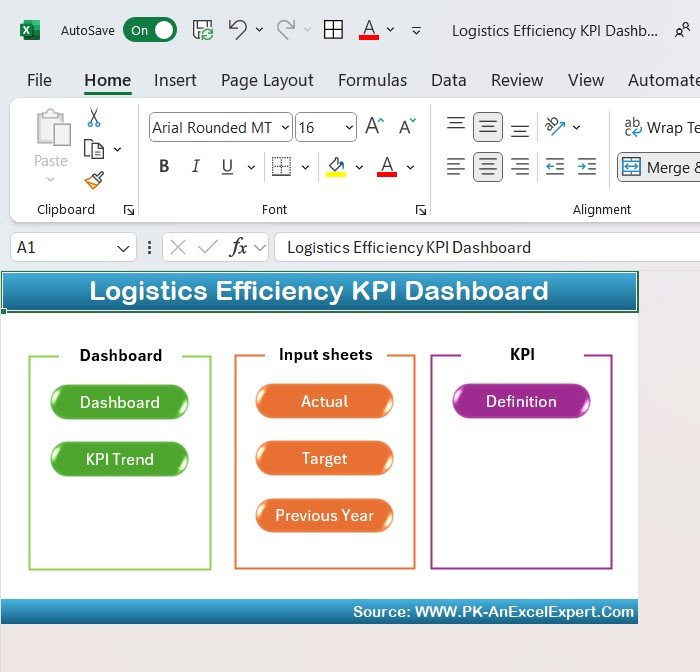
A general logistics efficiency view for operators who run fleets and warehouses together. It is a step up in price at $14.99 because it covers more ground than a single function.
Who it is for: logistics managers and business owners overseeing delivery, transport and warehouse work.
- Delivery times and on-time delivery rates
- Transportation, fuel and labor cost analysis
- Fleet performance and resource utilisation
- Inventory and stock tracking with warehouse performance
Use cases: track on-time delivery rate across routes; analyse fuel, transport and labor costs to find savings; check whether fleet and staff are used efficiently; follow stock levels next to delivery results.
Price: $14.99. Get the logistics efficiency KPI dashboard.
Best for: mixed fleet and warehouse operations that need one efficiency view.
5. Order Fulfilment KPI Dashboard in Excel
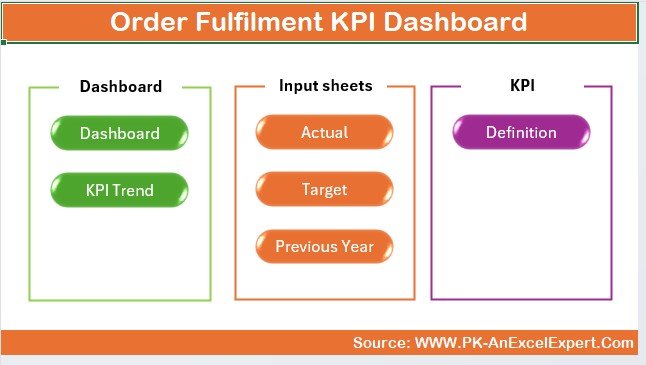
Fulfilment is the service a 3PL sells most often, and this dashboard measures it directly, from order creation to delivery.
Who it is for: fulfilment center managers and ecommerce logistics teams.
- Order processing time
- Delivery accuracy (correct vs incorrect orders)
- Inventory levels and stock availability
- Order status: pending, in-process and completed
- Customer satisfaction and feedback
Use cases: find where processing time stretches; count correct against incorrect orders to quantify errors; watch for stockouts that delay shipping; keep a pipeline view of pending and completed orders. It pairs well with a client-facing report because order accuracy is the number clients ask about first.
Price: $14.99. Get the order fulfilment KPI dashboard.
Best for: measuring the fulfilment workflow itself.
6. Warehouse Management KPI Dashboard in Google Sheets
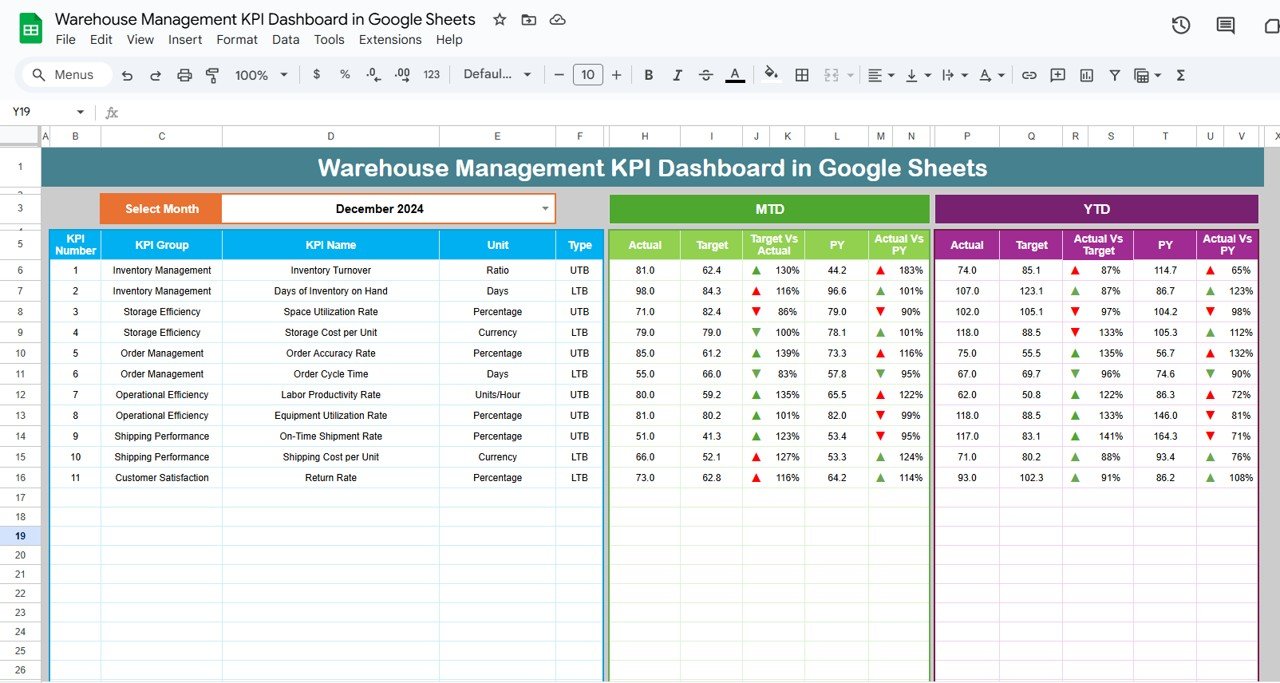
A distribution center dashboard that lives in the browser, so shift leads and clients can open the same file without installing anything.
Who it is for: warehouse supervisors and distribution center managers who share reports across sites.
- Dynamic month selection through the dropdown in cell D3
- KPIs such as inventory turnover, order picking accuracy and labor productivity, MTD and YTD
- Previous year comparison
- Colour-coded up and down arrows through conditional formatting
- Six worksheets: Dashboard, KPI Trend, Actual Number, Target, Previous Year Number and KPI Definition
Use cases: switch the whole dashboard to another month with one dropdown; compare picking accuracy to target; compare this year with last year; keep targets on their own sheet. For more on warehouse metrics, see our guide to warehouse KPIs to track.
Price: $12.99. Get the warehouse KPI dashboard in Google Sheets.
Best for: shared, cloud-based warehouse KPI tracking.
7. Supply Chain – Logistics KPI Dashboard in Google Sheets
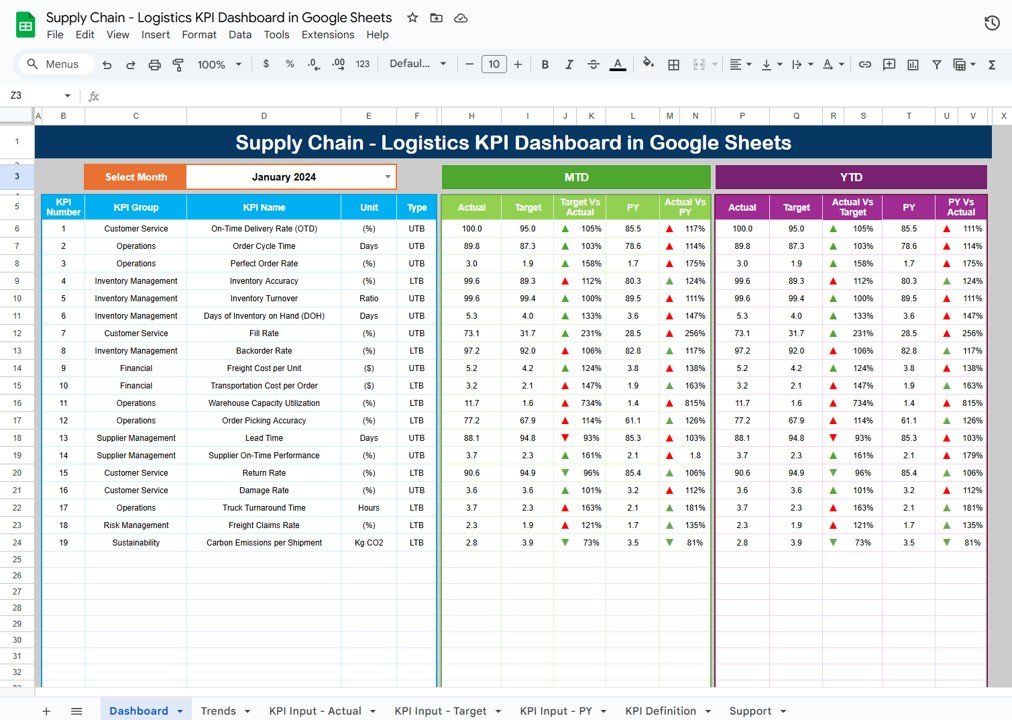
A broader supply chain view for teams who want logistics KPIs in Google Sheets with targets and history built in.
Who it is for: supply chain managers, logistics professionals and business owners who manage inventory, transport and suppliers.
- MTD and YTD KPIs
- Dynamic dashboard with interactive charts
- KPI trend analysis for transportation cost, inventory turnover and order fulfilment accuracy
- Monthly and yearly target setting and comparison
- Historical data for year-over-year views and conditional formatting alerts
Use cases: track on-time deliveries and fulfilment rates; watch inventory turnover trends; set monthly and yearly targets; flag deviations automatically. Our supply chain KPI guide explains the metrics behind it.
Price: $12.99. Get the supply chain logistics KPI dashboard in Google Sheets.
Best for: a Google Sheets team that wants supply chain KPIs with targets.
8. Supply Chain – Logistics KPI Dashboard in Power BI
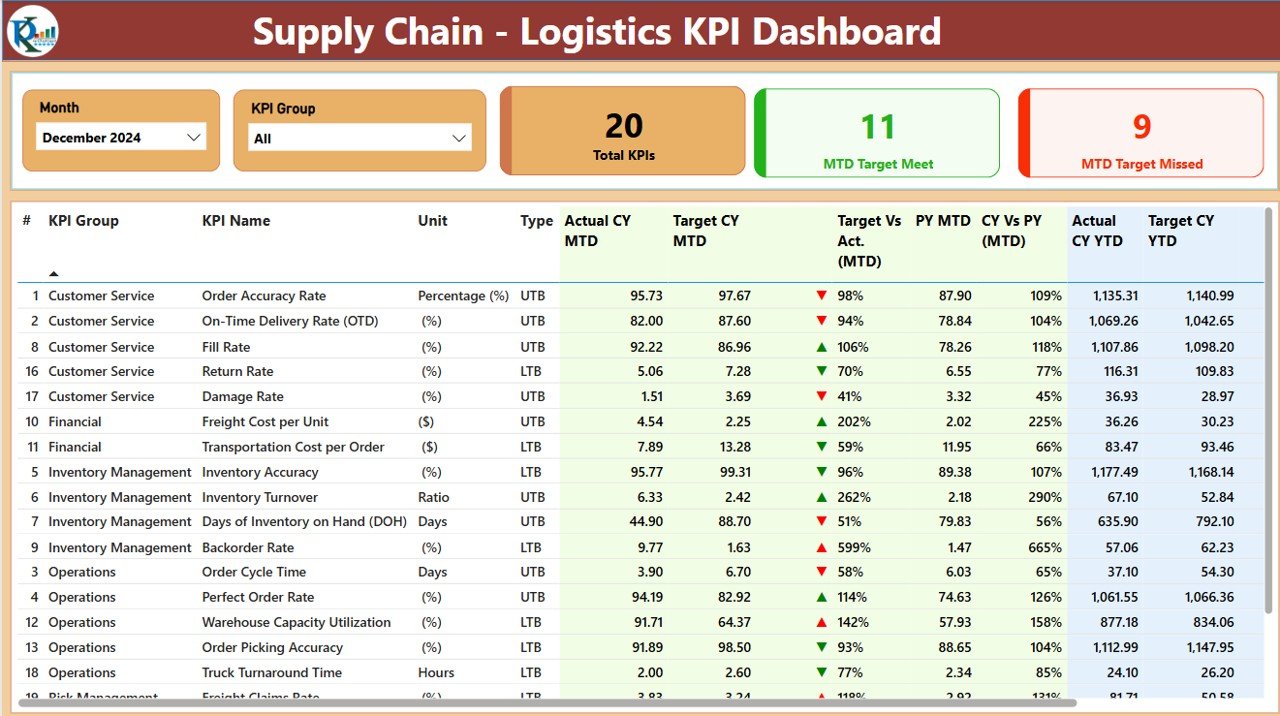
The lowest price in the list at $11.99, and the only template here with supplier performance monitoring.
Who it is for: logistics managers on Power BI who manage a supplier network as well as shipping.
- Shipping and delivery performance: on-time deliveries, costs, efficiency
- Inventory, stock levels, turnover and fulfilment
- Supplier delivery accuracy, order fulfilment and lead times
- Logistics cost against budget
- Filters and drill-downs
Use cases: rank suppliers by lead time and accuracy; compare logistics costs to budget; drill from a summary to the cause of a late delivery; track backlogs and delays on orders.
Price: $11.99. Get the supply chain logistics KPI dashboard in Power BI.
Best for: supplier-aware logistics analytics in Power BI at the lowest price.
Which 3PL KPIs should the dashboard track?
Whatever template you pick, the numbers have to be defined the same way every month. These are the common formulas, and the templates above let you apply them to your own data. The figures in the worked example are illustrative, not benchmarks.
| KPI | Formula | Illustrative example |
|---|---|---|
| On-time delivery % | On-time deliveries / total deliveries x 100 | 940 / 1,000 = 94% |
| Order accuracy % | Correct orders / total orders x 100 | 1,980 / 2,000 = 99% |
| Cost per shipment | Total freight cost / shipments | $48,000 / 6,000 = $8.00 |
| Gross margin % | (Revenue – cost) / revenue x 100 | ($90,000 – $72,000) / $90,000 = 20% |
| Inventory turnover | Cost of goods shipped / average inventory value | $600,000 / $100,000 = 6 turns |
Set your own benchmark from your contracts and last year’s data. Industry bodies such as the Council of Supply Chain Management Professionals publish research you can use to sanity-check targets. For the logistics-specific metrics, read our guide to logistics and OTIF KPIs.
How do I choose between them?
| If you… | Choose |
|---|---|
| Bill clients and need cost and revenue by client, warehouse and mode | 3PL Dashboard in Excel ($13.99) |
| Present monthly KPIs against targets | 3PL KPI Dashboard in Excel ($12.99) |
| Use Power BI and track subscription or platform revenue | 3PL Dashboard in Power BI ($17.99) |
| Run fleet and warehouse together | Logistics Efficiency KPI Dashboard ($14.99) |
| Sell fulfilment as the main service | Order Fulfilment KPI Dashboard ($14.99) |
| Need browser-based sharing | Either Google Sheets dashboard ($12.99 each) |
| Manage suppliers in Power BI | Supply Chain – Logistics KPI Dashboard in Power BI ($11.99) |
Bundle maths: the two Excel 3PL dashboards together cost $26.98, which covers both the data-slicing view and the target-driven KPI view. Buying all eight costs $112.92. Most operators need two or three, not all eight, because several overlap on delivery and cost KPIs.
For a wider view of stacking templates, see the supply chain management tools stack, the logistics and transportation dashboard templates and the warehouse supervisor template stack.
When is a template NOT the right answer?
Buy software instead if you need live integration. Platforms such as Manhattan Associates, Logiwa, ShipBob and Extensiv handle warehouse execution, inventory sync and client portals. A spreadsheet or Power BI template reports on data you load, it does not run the warehouse.
Other honest limits:
- If clients need real-time self-service tracking, a template will not give it to them.
- If your shipment data lives in several systems and nobody exports it, the dashboard will sit empty.
- If you need billing, rating or labour scheduling, those are software jobs.
- The Power BI 3PL dashboard is built around subscriptions and platforms. If you do not bill that way, choose the Excel 3PL dashboard.
Templates are the right answer when you export data weekly or monthly and want to review it clearly, without a software contract. If you are still setting up the floor itself, our guides to warehouse management templates for distribution centers and Excel inventory management tools cover the operational side.
Frequently asked questions
What is a 3PL dashboard?
A 3PL dashboard is a report that turns a third-party logistics provider’s shipment, cost, revenue and service data into charts and KPIs. It shows delivery performance, freight cost and client revenue in one place, so managers can spot problems without reading several separate spreadsheets.
What KPIs should a 3PL track?
Common 3PL KPIs are on-time delivery percentage, order accuracy, cost per shipment, freight cost, fuel surcharge, revenue by client, customer ratings and inventory turnover. Pick a small set, define each formula once, and compare actuals against targets and last year every month.
Is there a free 3PL dashboard template?
Free files exist, but this guide covers paid templates because they come with structured input sheets, KPI definitions and tested layouts. The 3PL dashboards here cost between $12.99 and $17.99, which is usually less than an hour of building one from scratch.
Which format is best: Excel, Google Sheets or Power BI?
Excel suits most 3PLs because shipment exports open straight into it. Google Sheets suits teams that share one live file in a browser. Power BI suits teams already licensed for it who want interactive filtering. The 3PL dashboard costs $13.99 in Excel and $17.99 in Power BI.
Can I filter the 3PL Excel dashboard by client and warehouse?
Yes. The Third-Party Logistics (3PL) Dashboard in Excel has right-side slicers for warehouse, industry, region, transport mode, client and month. A left-side navigator switches between its 5 analysis pages, so you can review one client quickly before a business review.
What is the difference between the 3PL dashboard and the 3PL KPI dashboard?
The 3PL Dashboard ($13.99) analyses shipments, cost and revenue with slicers. The 3PL KPI Dashboard ($12.99) tracks KPIs against targets with MTD, YTD and previous year comparison, plus KPI definitions. Pick the first for analysis and the second for monthly reporting.
Does the Power BI 3PL dashboard track shipments?
Its description centres on subscriptions, monthly fee, revenue, platforms, devices, regions and months across 5 pages. It does not describe shipment-level metrics. If shipments and freight cost are your focus, the Excel 3PL dashboard or the supply chain Power BI dashboard is the closer match.
Can a spreadsheet replace 3PL software?
Not for operations. Software such as Logiwa or Extensiv runs inventory, orders and client portals live. A dashboard template reports on exported data. Many 3PLs use both: software to run the warehouse and a template to build the management and client report.
How often should I update a 3PL dashboard?
Monthly is the minimum for KPI review with MTD and YTD figures, and weekly suits fulfilment and warehouse dashboards. Paste in the latest export, check the variance against target, and keep previous year data so trends and seasonality stay visible.
Which template is cheapest for a distribution center?
The Supply Chain – Logistics KPI Dashboard in Power BI is $11.99. In Google Sheets, the Warehouse Management KPI Dashboard and the Supply Chain – Logistics KPI Dashboard are $12.99 each. The warehouse one tracks inventory turnover, order picking accuracy and labor productivity.
Get more 3PL and logistics templates
Start with the Third-Party Logistics (3PL) Dashboard in Excel at $13.99, then add the 3PL KPI Dashboard in Excel at $12.99 for target tracking. Both together are $26.98. Browse more on our logistics dashboard templates page, and see how the templates work on the NextGenTemplates YouTube channel. For other service-industry dashboards, see our call center dashboard templates and data center dashboard templates.