

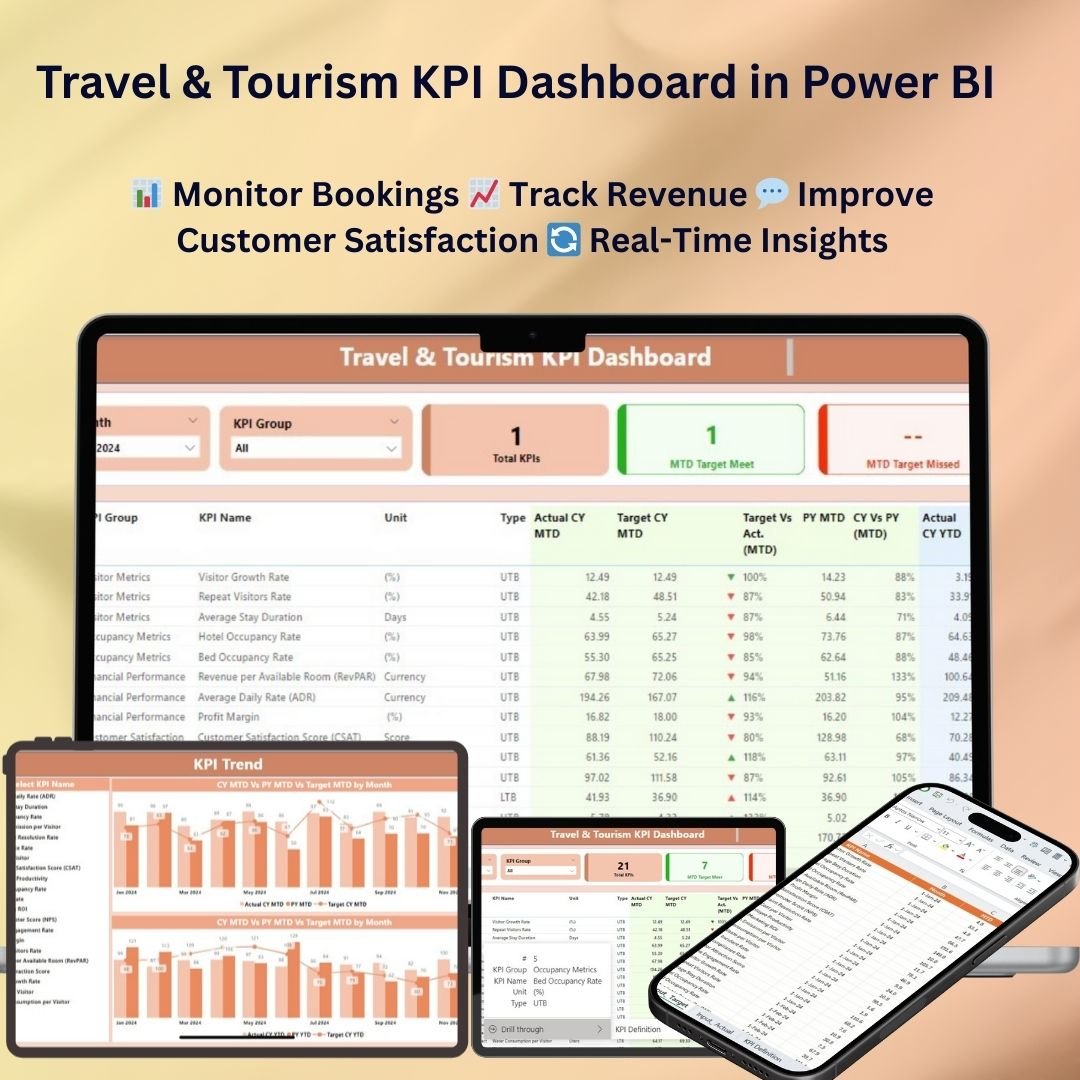
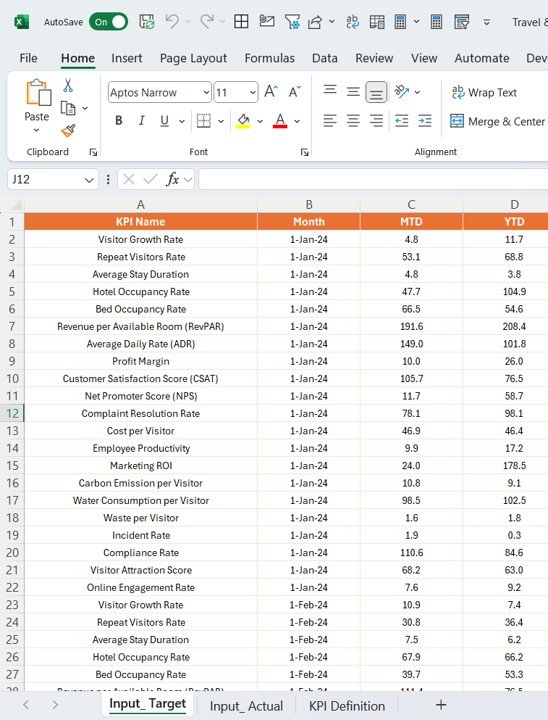
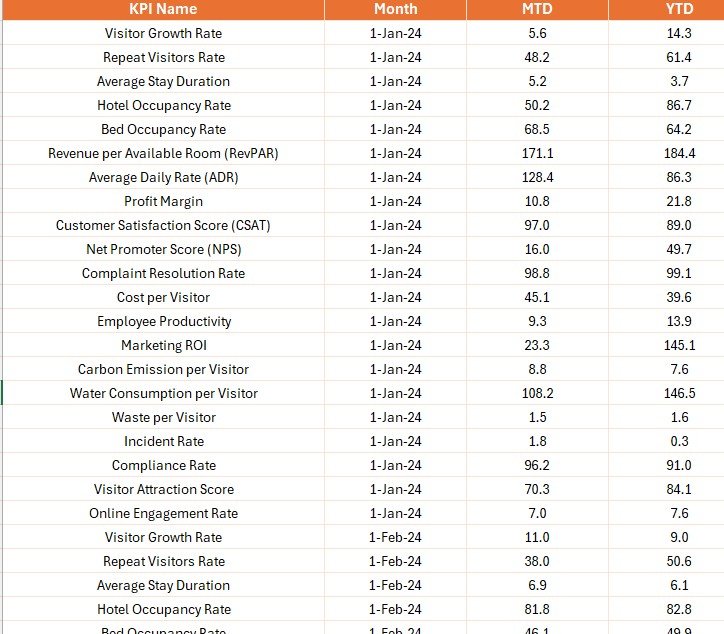
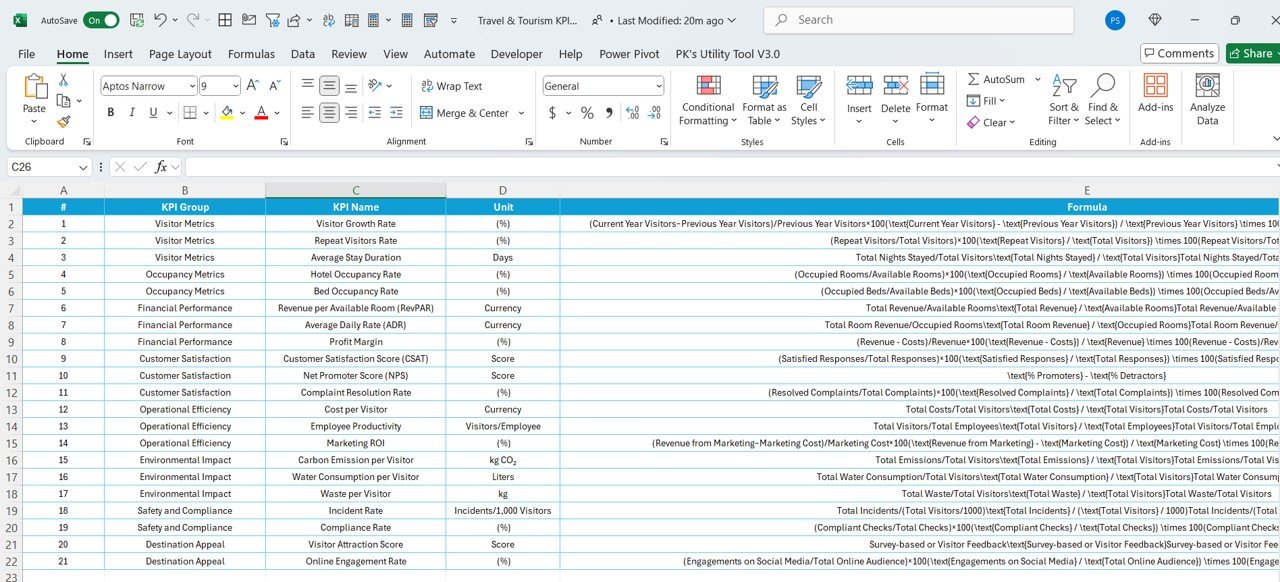

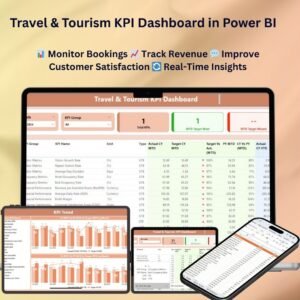
The Travel & Tourism KPI Dashboard in Power BI is a ready-made, interactive dashboard for travel agencies, tourism boards and tour operators. It tracks, analyzes and visualizes key performance indicators (KPIs) for bookings, customer satisfaction, revenue and operational efficiency. The result is one clear view of business performance that supports data-driven decisions, better services and higher profits.
Whether you are counting bookings, analyzing travel trends or reviewing customer feedback, this Power BI travel dashboard gives you a complete, easy-to-understand overview of how your business is performing.

Key Features of the Travel & Tourism KPI Dashboard in Power BI
- Real-time data visualization: Track KPIs such as booking trends, customer satisfaction and revenue in real time.
- Customizable KPIs: Choose the metrics that matter most to your travel and tourism business, including booking types, destinations and seasonal trends.
- Revenue and profit tracking: Monitor revenue generation, profit margins and booking performance to help you optimize pricing strategies.
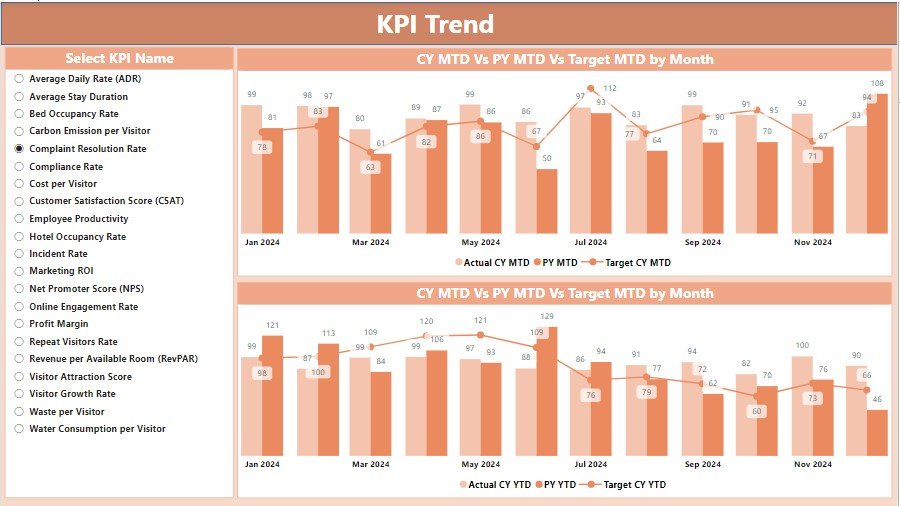
- Time-based insights: Review trends by week, month or year to assess long-term performance.
- Customer satisfaction monitoring: Track feedback, ratings and customer reviews to improve service offerings and the customer experience.
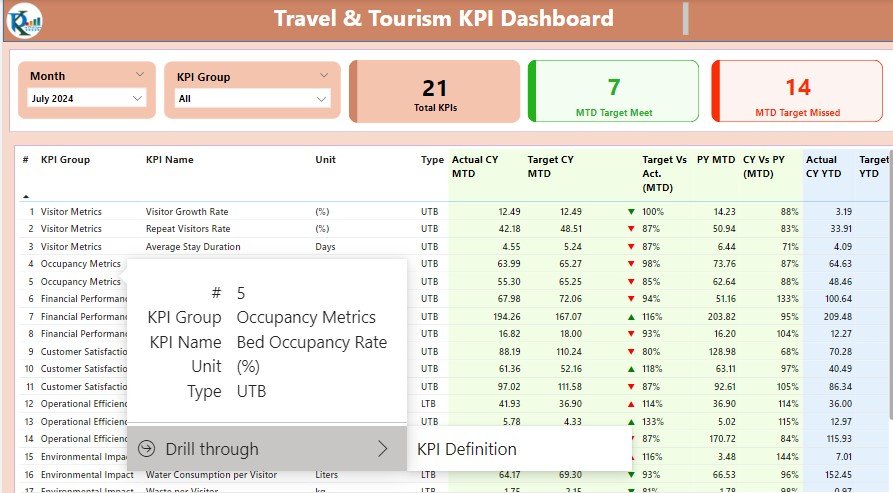
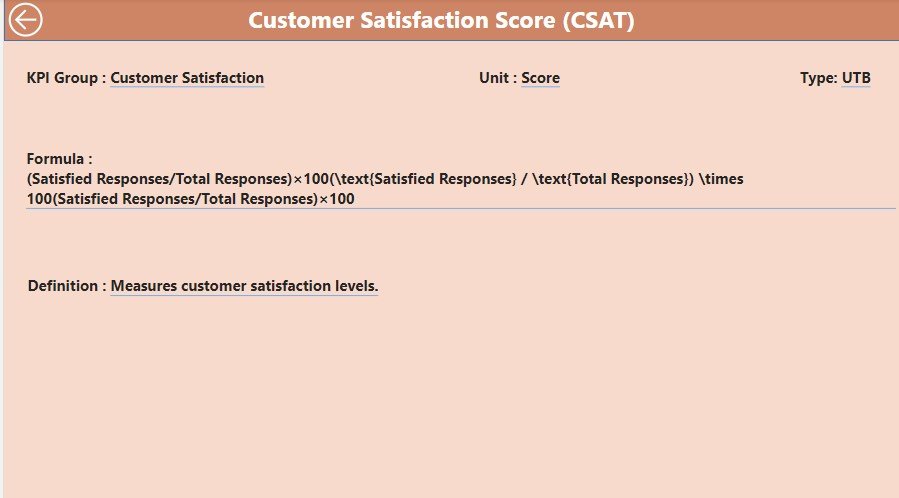
- Interactive dashboard: Drill down into specific KPIs for a detailed analysis of performance metrics and actionable insights.
- User-friendly interface: A simple, intuitive layout that makes key business metrics easy to navigate and understand.
Why You’ll Love This Power BI Travel Dashboard
- Streamlined performance tracking: Follow the health of your travel and tourism business from bookings to customer feedback in one place.
- Data-driven decisions: Make better decisions based on real-time data and adapt to changing trends and market demands.
- Improved operational efficiency: Track customer trends, booking volumes and seasonal patterns to optimize business operations.
- Customizable for your business: Adapt the dashboard to your needs, whether you focus on leisure travel, corporate bookings or event management.
- Real-time customer insights: Monitor customer satisfaction and feedback to enhance your offerings and improve the guest experience.
What’s Inside the Dashboard
The dashboard brings together the core areas of tourism performance tracking:
| Area | What it shows |
|---|---|
| Booking Trends | Number of bookings, cancellations and average booking values. |
| Revenue and Profit Metrics | Revenue generation, booking profitability and revenue growth over time. |
| Customer Feedback Tracking | Ratings, reviews and customer satisfaction to gauge service quality. |
| Seasonal Trends | Seasonal booking patterns and customer behavior to help optimize marketing strategies. |
| Interactive Features | Drill-down into detailed data points for deeper insight into customer behavior and business performance. |
Who Is It For?
The Travel & Tourism KPI Dashboard in Power BI is built for anyone who needs a clear picture of travel business performance:
- Travel agencies
- Tour operators
- Destination management organizations
- Event planners
- Tourism boards
- Marketing teams in the travel industry
- Customer service managers
How to Use the Travel & Tourism KPI Dashboard in Power BI
- Download the dashboard template: Get immediate access to the Power BI file.
- Customize KPIs: Set up the dashboard to track the metrics specific to your travel and tourism services.
- Connect your data: Link your travel booking and customer data to Power BI for real-time updates.
- Monitor and analyze: Use the dashboard to track performance, uncover trends and analyze customer behavior.
- Generate reports: Produce detailed reports for leadership and decision-makers to review key findings and insights.
Optimize bookings, customer satisfaction and overall performance with this customizable, data-driven Power BI dashboard.
Click here to read the detailed blog post
Visit our YouTube channel to learn from step-by-step video tutorials.
Also check our Small Business KPI Dashboard
Frequently Asked Questions
What does the Travel & Tourism KPI Dashboard in Power BI track?
It tracks booking trends (bookings, cancellations and average booking values), revenue and profit metrics, customer feedback and satisfaction, and seasonal booking patterns.
Can I customize the KPIs?
Yes. You can tailor the dashboard to the metrics most relevant to your business, including booking types, destinations and seasonal trends, whether you focus on leisure travel, corporate bookings or event management.
How does customer satisfaction monitoring work?
The dashboard tracks feedback, ratings and customer reviews so you can gauge service quality and improve the guest experience.
Can I view performance over different time periods?
Yes. Time-based insights let you review trends weekly, monthly or yearly to assess long-term performance.
How do I get my own data into the dashboard?
After downloading the Power BI file, connect your travel booking and customer data to Power BI so the dashboard updates with your figures.
Is it interactive?
Yes. You can drill down into specific KPIs and detailed data points for deeper insight into customer behavior and business performance.
Last updated: October 2026
Compatibility and Requirements
- Works in Power BI Desktop, which is free to download from Microsoft.
- Connect your own booking and customer data to the Power BI file so the dashboard shows your figures. Microsoft explains the download in Get Power BI Desktop.
More Questions About This Template
Is there an Excel or Google Sheets version?
Yes. See the Travel & Tourism KPI Dashboard in Excel and the Travel & Tourism KPI Dashboard in Google Sheets.
Related Travel and Tourism Templates
- Travel & Tourism KPI Dashboard in Excel: the same KPIs in Excel
- Travel & Tourism KPI Dashboard in Google Sheets: a browser-based edition
- Travel & Tourism KPI Scorecard in Excel: a scorecard view of tourism metrics
- Office Travel and Expense Dashboard in Power BI: another travel dashboard in Power BI
- Power BI Dashboard Mega Collection: 15 Power BI templates in one download
Browse all Power BI KPI dashboards.






























Reviews
There are no reviews yet.