

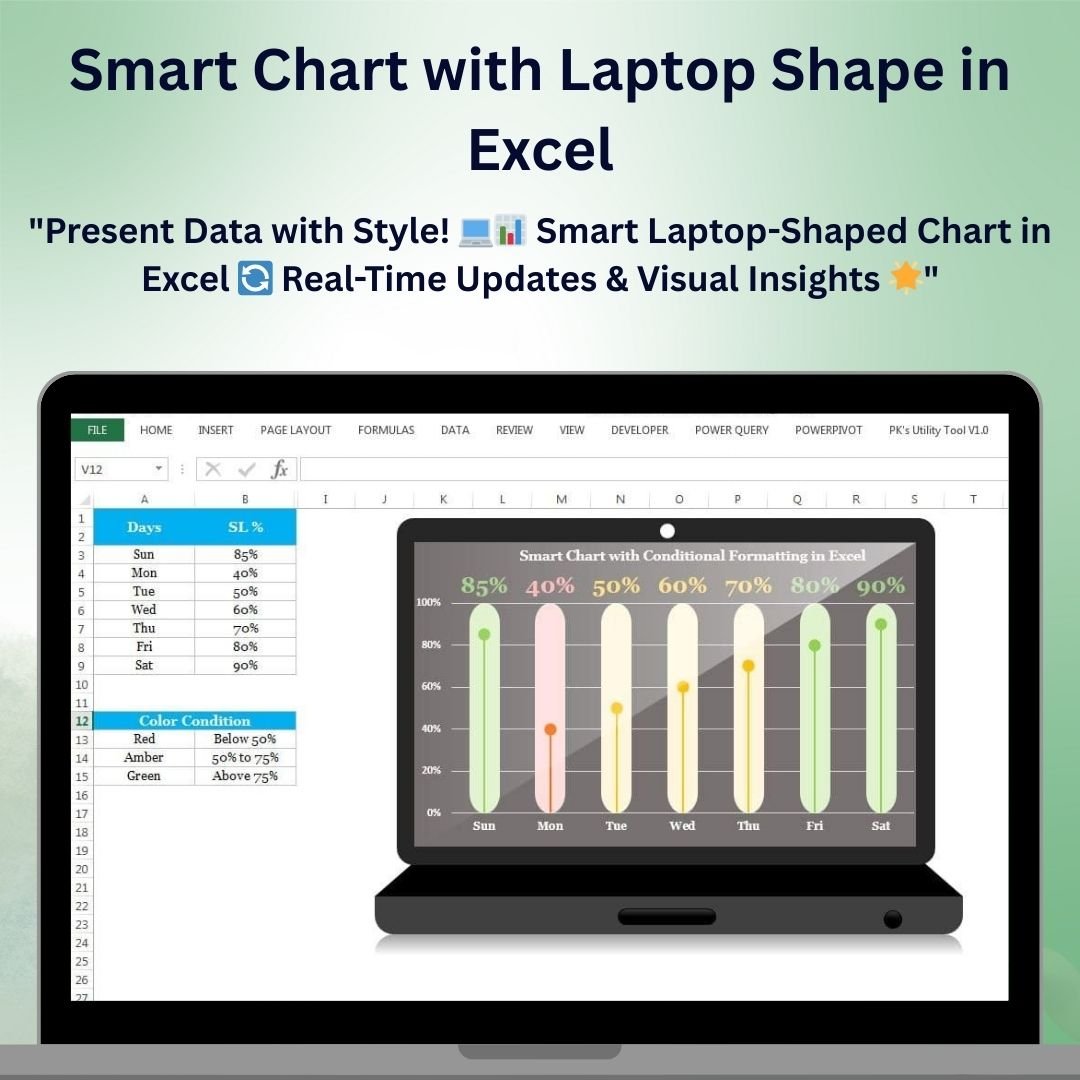

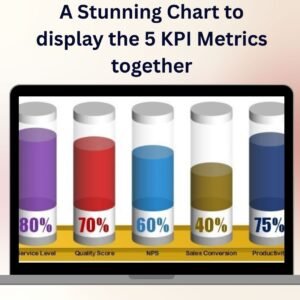
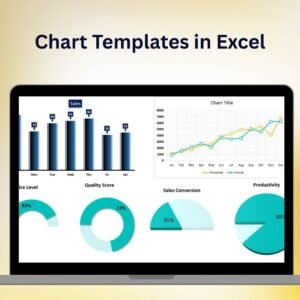
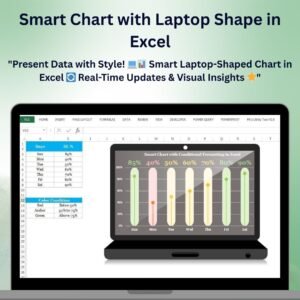
The Smart Chart with Laptop Shape in Excel is a unique and visually engaging tool designed to present your data in a dynamic and modern format. By combining Excel’s powerful charting capabilities with a creative laptop shape design, this chart makes your data not only informative but also visually appealing. It’s perfect for showcasing performance metrics, sales figures, or any other type of data that can benefit from a creative presentation.
This smart chart helps you present data with style, whether you’re preparing for internal meetings, client presentations, or reports. With customizable design elements, the laptop-shaped chart can be tailored to match your company branding and specific data needs, providing both insight and a polished presentation.

Key Features of the Smart Chart with Laptop Shape in Excel
📌 Laptop-Shaped Chart Design
The unique laptop-shaped chart design makes your data stand out. With the chart fitting inside the laptop outline, it creates a creative and professional presentation, ideal for tech-related data, performance reports, or sales statistics.
🛠 Customizable Data Fields
Easily adjust the data fields to match your specific metrics or performance indicators. Whether you’re comparing sales, tracking employee performance, or presenting project milestones, the laptop chart can be customized to your needs.
💡 Dynamic and Real-Time Data Representation
As you update the data, the chart dynamically adjusts to reflect the latest numbers. This real-time feature ensures you’re always presenting up-to-date and accurate data.
🔢 Interactive Elements
The chart is interactive, allowing you to filter data or drill down into specific metrics for detailed analysis. You can even add dynamic labels, trends, or benchmarks to give your audience deeper insights into the data.
🚀 Professional and Creative Design
The combination of functional data visualization with a creative shape makes the chart both informative and visually engaging. Whether you’re presenting to a boardroom of executives or showcasing performance metrics in a meeting, this chart adds a polished touch.
📊 Visual Data Insights
The chart provides clear visual representations of your data, helping your audience easily identify trends, performance changes, or areas of concern. Its clear layout ensures that complex data is digestible and easy to interpret.
⚙ Simple Setup and Customization
Setting up the smart chart is quick and easy. With simple instructions, you can quickly customize the chart to match your company’s branding and data requirements without the need for advanced Excel skills.
🚀 Why You’ll Love the Smart Chart with Laptop Shape in Excel
✅ Unique and Creative Design – Present your data inside a dynamic laptop shape for a creative touch. ✅ Real-Time Data Updates – Automatically adjust the chart as you enter new data. ✅ Customizable Fields – Tailor the chart to fit your specific data needs. ✅ Clear Visual Insights – Easily interpret trends and patterns with clear data visualization. ✅ Simple Setup – Quick and easy setup with clear customization options.
📂 What’s Inside the Smart Chart with Laptop Shape in Excel?
- Laptop-Shaped Chart: A creative and unique chart design for visually presenting your data.
- Customizable Data Fields: Modify the data categories and labels to fit your presentation needs.
- Real-Time Data Updates: The chart automatically updates with the latest data.
- Clear Visual Indicators: View trends, comparisons, and performance with easy-to-read visual elements.
- Simple Setup Instructions: Clear steps for quick customization and chart implementation.
🔍 How to Use the Smart Chart with Laptop Shape in Excel
1️⃣ Download the Template – Instant access to the Excel file upon purchase. 2️⃣ Input Your Data – Enter your data and watch the chart adjust automatically. 3️⃣ Customize the Chart – Modify labels, categories, and colors to match your presentation style. 4️⃣ Track Performance – Use the chart to monitor trends and compare data points. 5️⃣ Present and Share – Use the creative laptop-shaped chart in presentations or reports to showcase your data.
🎯 Who Can Benefit from the Smart Chart with Laptop Shape in Excel? 🔹 Business Analysts
🔹 Sales Managers
🔹 Marketing Teams
🔹 Project Managers
🔹 Financial Analysts
🔹 Anyone who needs to present data in a unique and engaging way
Add a creative and modern touch to your data presentations with the Smart Chart with Laptop Shape in Excel. Track performance, visualize trends, and engage your audience with this dynamic and customizable chart.
Click here to read the Detailed blog post
https://www.pk-anexcelexpert.com/smart-chart-with-laptop-shape-in-excel/
Visit our YouTube channel to learn step-by-step video tutorials
Watch the step-by-step video tutorial:
Compatibility and Requirements
- Works in Microsoft Excel desktop (Excel 2016 or later, or Microsoft 365).
- You edit the chart from its data cells. Microsoft explains chart basics in Create a chart from start to finish.
Frequently Asked Questions
What does the laptop chart look like?
The chart sits inside a laptop outline, which suits tech data, performance reports and sales figures.
Can I use my own metrics?
Yes. You can change the data categories and labels to fit your presentation.
Does it update when I enter new numbers?
Yes. The chart adjusts on its own as you change the data.
Can I change the colors?
Yes. Labels, categories and colors can be changed to match your style.
Related Infographic Chart Templates
- Quick 3D Container chart in Excel: a quick 3D container chart
- Info-graphics: Stunning Thermometer Chart in Excel: a thermometer infographic chart
- 3D Gauge Chart in Excel: a 3D gauge chart
- Stylish Progress Bar chart in Excel: a stylish progress bar chart
- Data Analyst’s Chart & Visualization Pack: 10 chart and visualization templates in one download
Browse all Excel charts and visualizations or the template bundles.























Reviews
There are no reviews yet.