
Public sector organizations are under constant pressure to deliver results while maintaining transparency, accountability, and compliance. However, when KPIs are tracked using manual registers, long reports, or scattered spreadsheets, performance visibility drops quickly. As a result, reviews take longer, comparisons become unclear, and leadership struggles to see the real picture.
That is exactly why the Public Sector KPI Scorecard in Google Sheets becomes a powerful and practical solution.
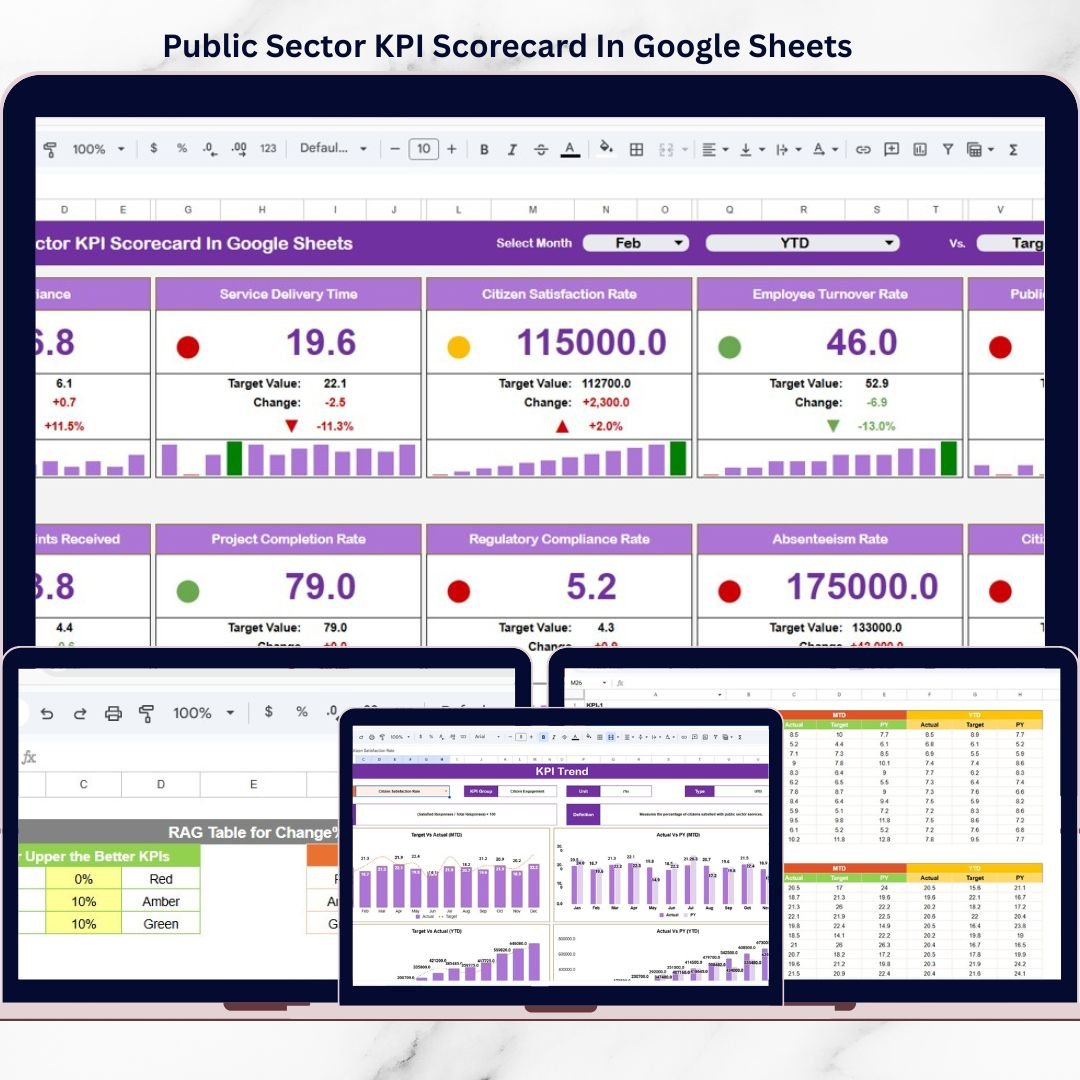
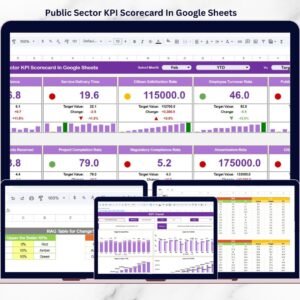
This ready-to-use KPI scorecard template is designed specifically for government departments, public institutions, and regulatory bodies. It transforms raw KPI data into a clear, visual, and structured scorecard with monthly and yearly performance views. Instead of reading lengthy reports, decision-makers can instantly understand performance using traffic-light indicators, arrows, and trend views.
Because the scorecard is built in Google Sheets, it is easy to update, simple to share, and perfect for collaboration across departments.
## 🚀 Key Features of Public Sector KPI Scorecard in Google Sheets
📊 Monthly & Yearly KPI Tracking
Track Month-to-Date (MTD) and Year-to-Date (YTD) performance for all KPIs.
🚦 Traffic Light Performance Indicators
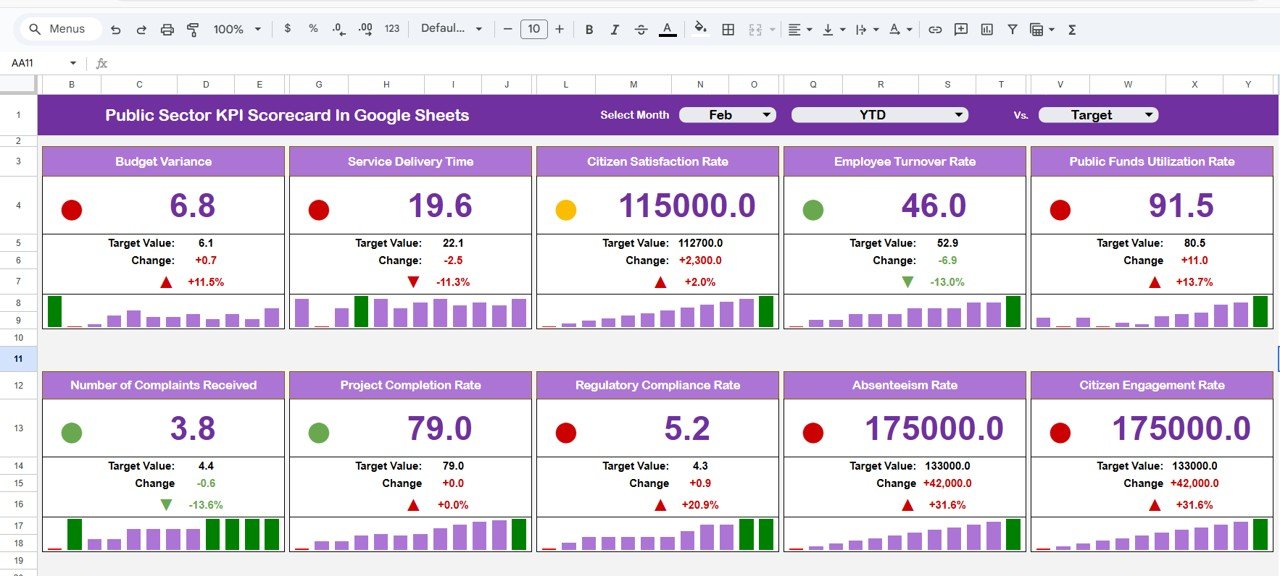
Automatic Green, Amber, and Red colors for instant performance clarity.
⬆️⬇️ Up & Down Arrow Indicators
Quickly identify improvement or decline without manual analysis.
🎯 Target vs Actual Comparison
Clearly see whether KPIs are meeting defined targets.
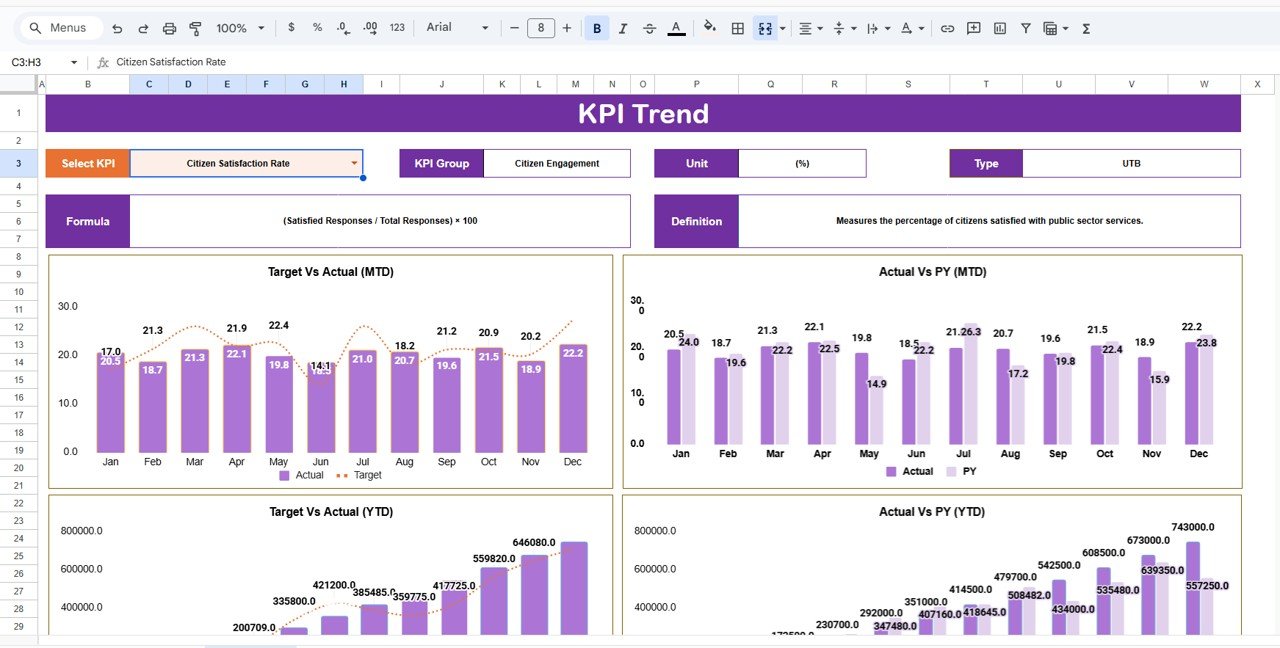
📈 KPI Trend Analysis
Analyze how individual KPIs perform over time.
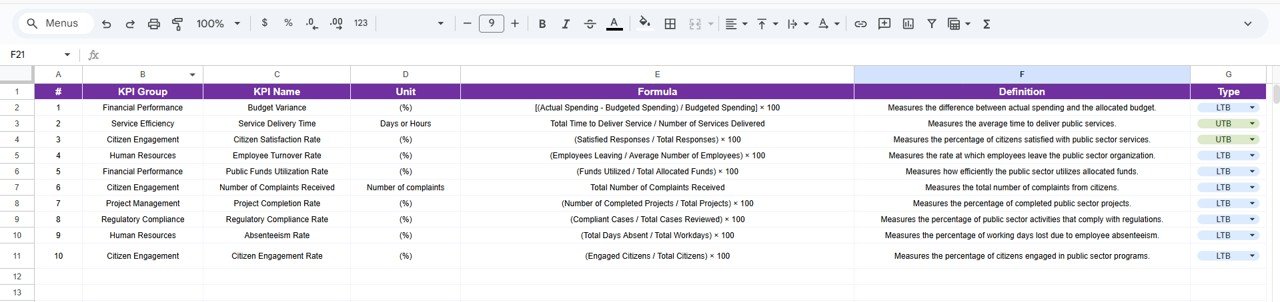
🧾 Centralized KPI Definitions
Each KPI includes group, unit, formula, and definition for governance.
🎛️ Dynamic Month Selection
Switch months using a dropdown and see instant updates across the scorecard.
☁️ 100% Google Sheets Based
No software installation—easy sharing and real-time collaboration.
## 📦 What’s Inside the Public Sector KPI Scorecard
📄 Scorecard Dashboard Sheet
The main reporting page displaying 10 KPIs with MTD, YTD, Target vs Actual, traffic lights, and arrow indicators.
📉 Trend Sheet
Analyze individual KPI trends with KPI group, unit, and type (Upper the Better / Lower the Better).
📘 KPI Definition Sheet
A governance sheet containing KPI Name, Group, Unit, Formula, and Definition.
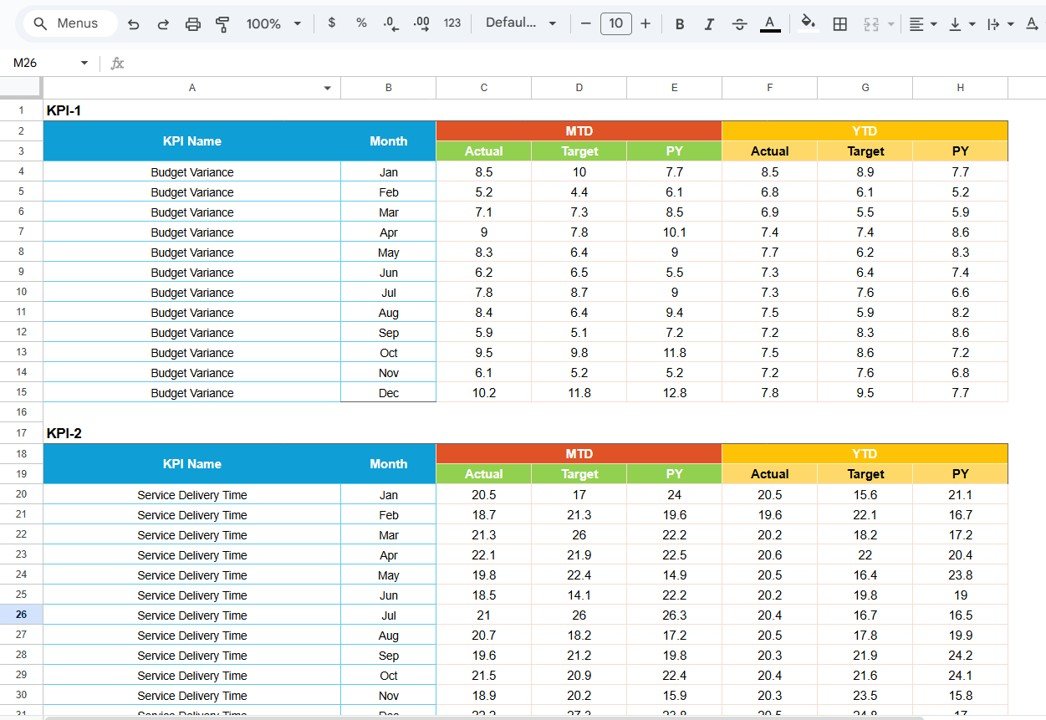
📝 Data Input Sheet
A dedicated input sheet to enter monthly KPI values without disturbing visuals.
🎨 Colour Settings Logic
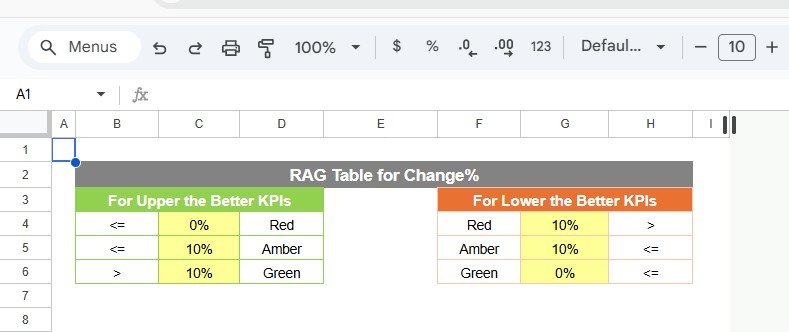
Built-in logic to control traffic light behavior based on KPI direction and performance.
## 🛠️ How to Use the Public Sector KPI Scorecard
1️⃣ Enter monthly KPI values in the Data Input sheet
2️⃣ Select the required month from the dashboard dropdown
3️⃣ Review MTD and YTD performance instantly
4️⃣ Use traffic lights and arrows for quick evaluation
5️⃣ Analyze trends using the Trend sheet
6️⃣ Refer to the KPI Definition sheet for clarity
7️⃣ Share the scorecard with leadership and stakeholders
No advanced Google Sheets skills required—the scorecard is simple, structured, and ready to use.
## 🎯 Who Can Benefit from This Public Sector KPI Scorecard
🏛️ Government Departments
📊 Public Sector Agencies
🏢 Regulatory Authorities
📋 Policy & Planning Teams
📈 Performance Monitoring Units
👥 Senior Management & Leadership Teams
This scorecard is ideal for organizations that want transparent, consistent, and visual KPI tracking.
### 👉 Click here to read the Detailed blog post
Watch the step-by-step video tutorial:























Reviews
There are no reviews yet.