
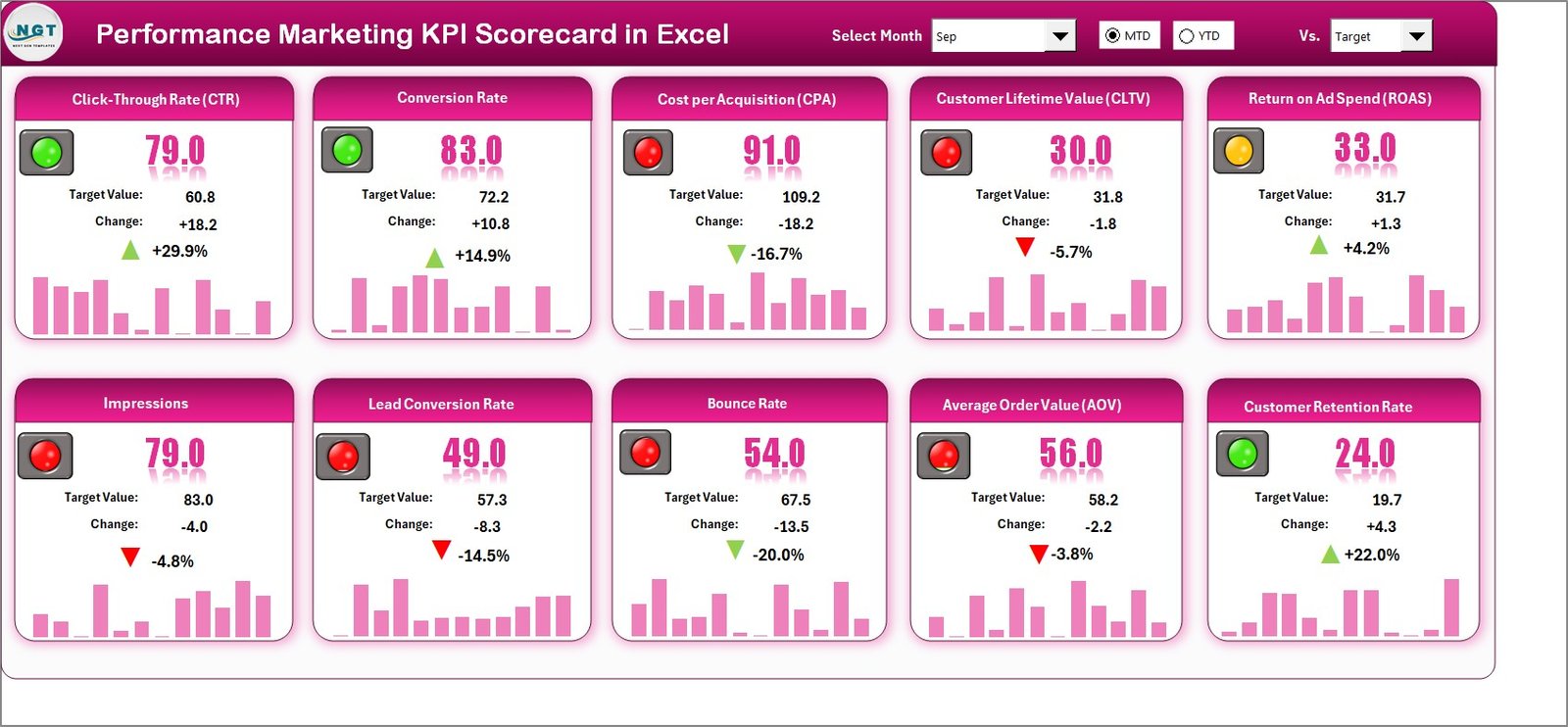
In today’s hyper-competitive digital landscape, marketers cannot afford guesswork. Every click, conversion, and campaign dollar must deliver measurable results. However, most teams still struggle with scattered reports and manual tracking.That is exactly why the Performance Marketing KPI Scorecard in Excel becomes a must-have tool for modern marketers.This powerful, ready-to-use Excel template transforms your raw marketing data into a clear, actionable performance dashboard. Instead of spending hours compiling reports, you can instantly monitor KPIs, compare targets, and uncover optimization opportunities.
Whether you manage paid ads, lead generation, or full-funnel campaigns, this scorecard helps you make faster, smarter, and data-driven decisions with confidence.
🚀 Key Feature of Performance Marketing KPI Scorecard in Excel
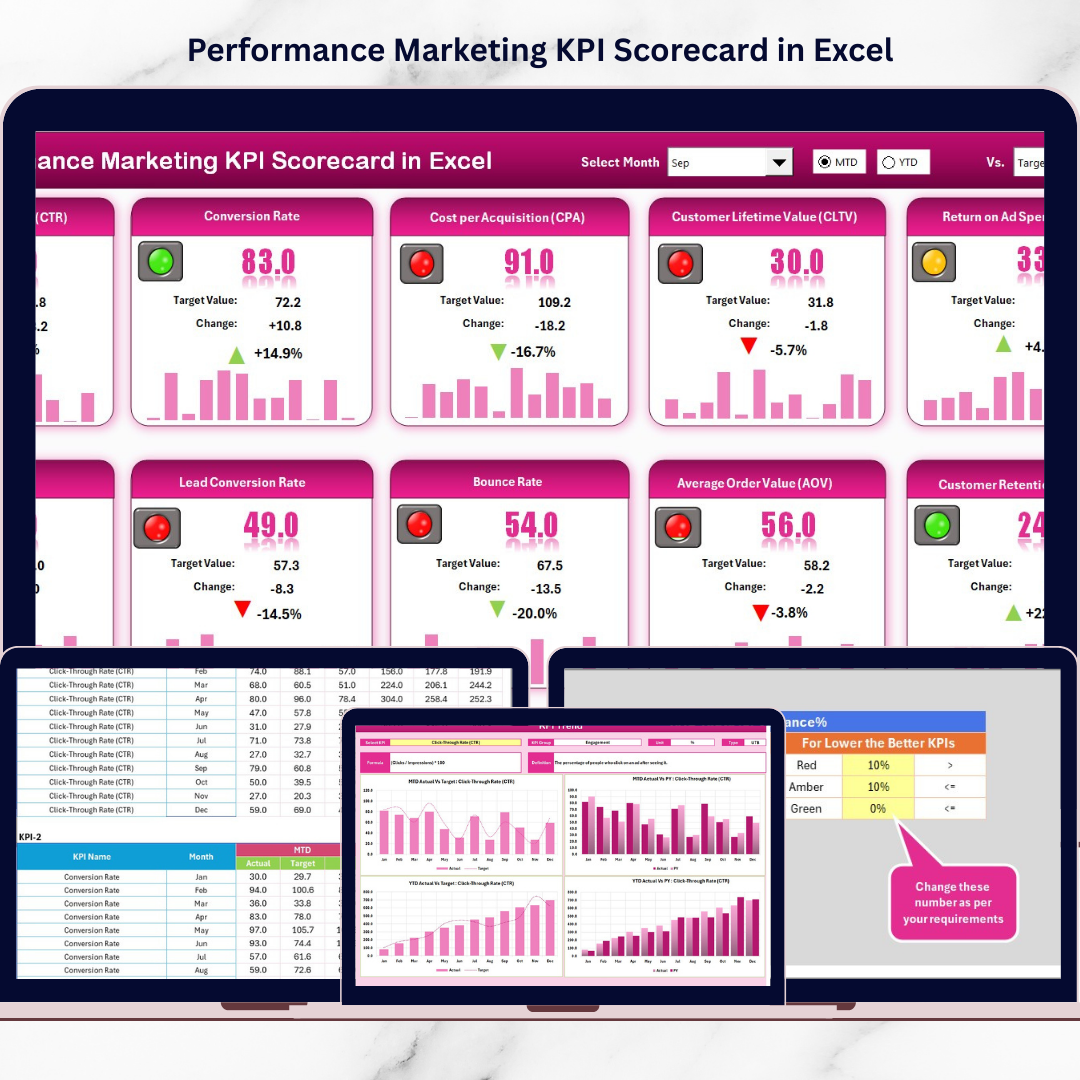
✨ Interactive Scorecard Dashboard
Monitor your most critical marketing KPIs in one centralized and easy-to-read interface.
📊 MTD & YTD Performance Tracking
Track both short-term and long-term campaign performance without manual calculations.
🎯 Actual vs Target Comparison
Instantly identify performance gaps and understand whether campaigns are on track.
🚦 Smart Visual Indicators
Color-coded signals and conditional formatting help you spot winning and underperforming KPIs quickly.
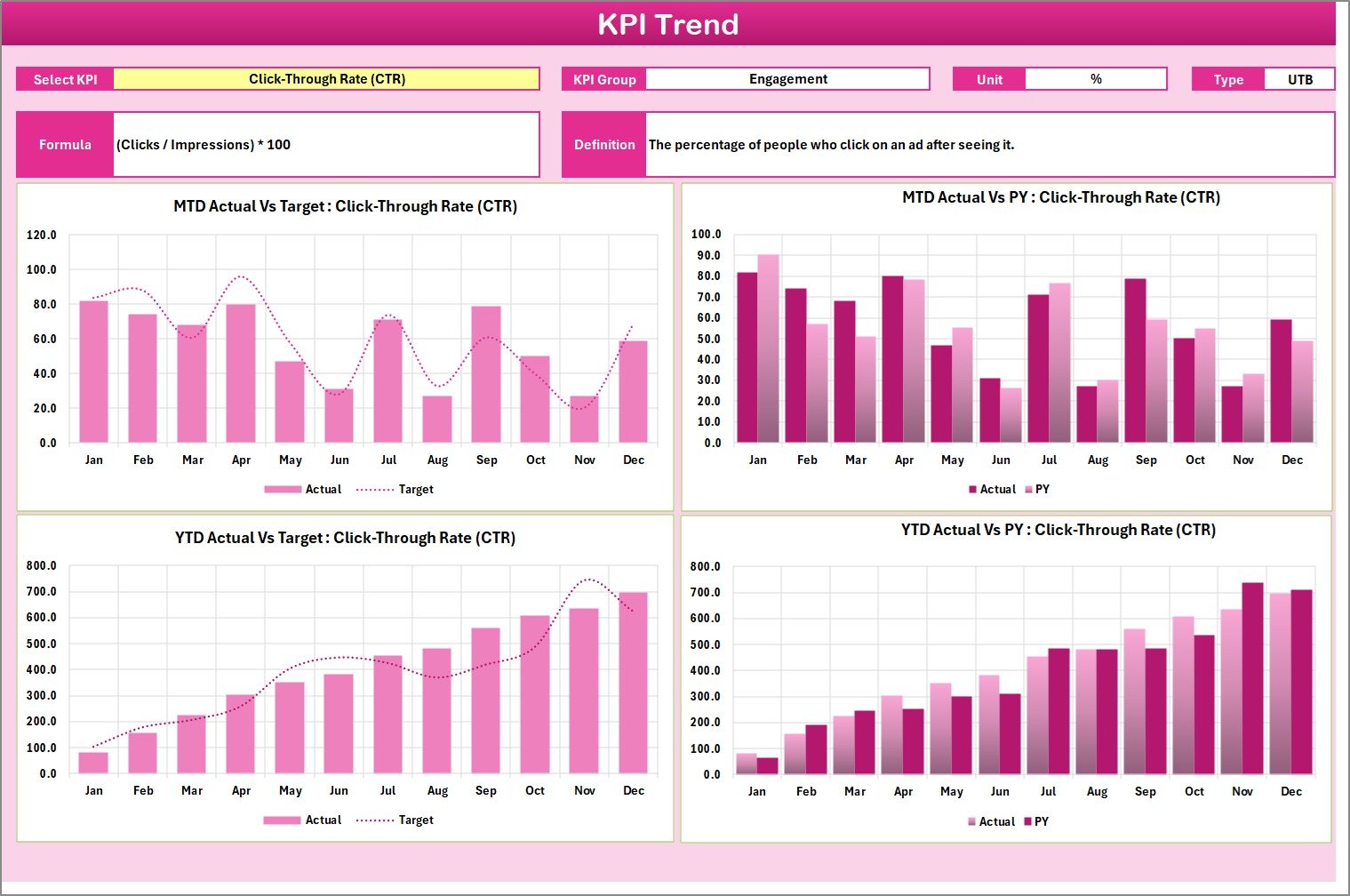
📈 Dynamic KPI Trend Analysis
Analyze monthly performance patterns using interactive trend charts.
🔄 Real-Time Dashboard Updates
Update the input sheet and watch the entire scorecard refresh automatically.
🧩 Structured KPI Definition Sheet
Maintain complete clarity with a built-in KPI dictionary including formulas and definitions.
💡 Beginner-Friendly Excel Design
No advanced Excel skills required — designed for both beginners and professionals.
📦 What’s Inside the Performance Marketing KPI Scorecard in Excel
When you download this template, you get a complete performance monitoring system:
✅ Fully interactive Scorecard worksheet
✅ Dynamic KPI Trend analysis sheet
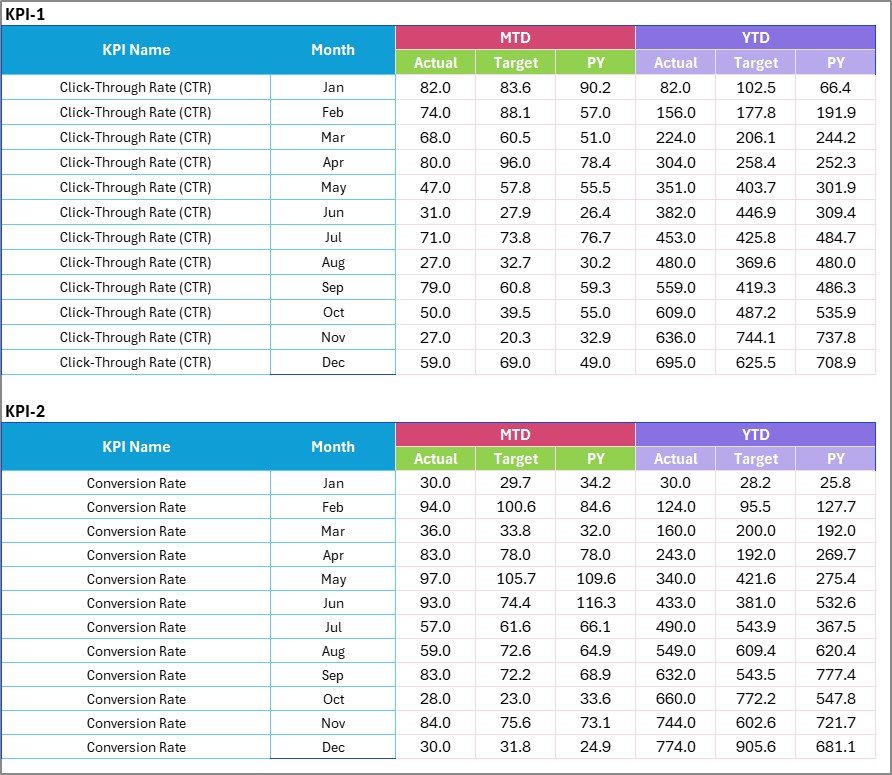
✅ Easy-to-use Input Data sheet
✅ Structured KPI Definition sheet
✅ Pre-built formulas and conditional formatting
✅ Dropdown-driven user controls
✅ Professional dashboard layout
✅ Ready-to-use KPI framework
Everything is designed to help you start tracking performance within minutes.
🛠️ How to Use the Performance Marketing KPI Scorecard in Excel
Getting started is simple and fast:
Step 1: Define your marketing KPIs in the KPI Definition sheet
Step 2: Enter actual, target, and previous year data in the Input sheet
Step 3: Select Month and MTD/YTD view from dropdowns
Step 4: Review performance in the Scorecard dashboard
Step 5: Analyze trends in the KPI Trend sheet
Step 6: Share insights with stakeholders
Within minutes, you will have a fully functional marketing performance system.
👥 Who Can Benefit from This Performance Marketing KPI Scorecard in Excel
This template is ideal for multiple roles and industries:
📣 Digital Marketing Managers — Monitor campaign efficiency and budget usage
📊 Marketing Analysts — Perform fast and structured KPI analysis
🏢 Business Owners — Track ROI without complex BI tools
🚀 Performance Marketing Agencies — Create client-ready reports quickly
🛒 E-commerce Teams — Optimize acquisition and conversion funnels
📈 Growth Marketers — Identify scaling opportunities faster
If your goal is measurable marketing performance, this tool is built for you.
Click hare to read the Detailed blog post
Watch the step-by-step video tutorial:
Visit our YouTube channel to learn step-by-step video tutorials
👉 YouTube.com/@PKAnExcelExpert