

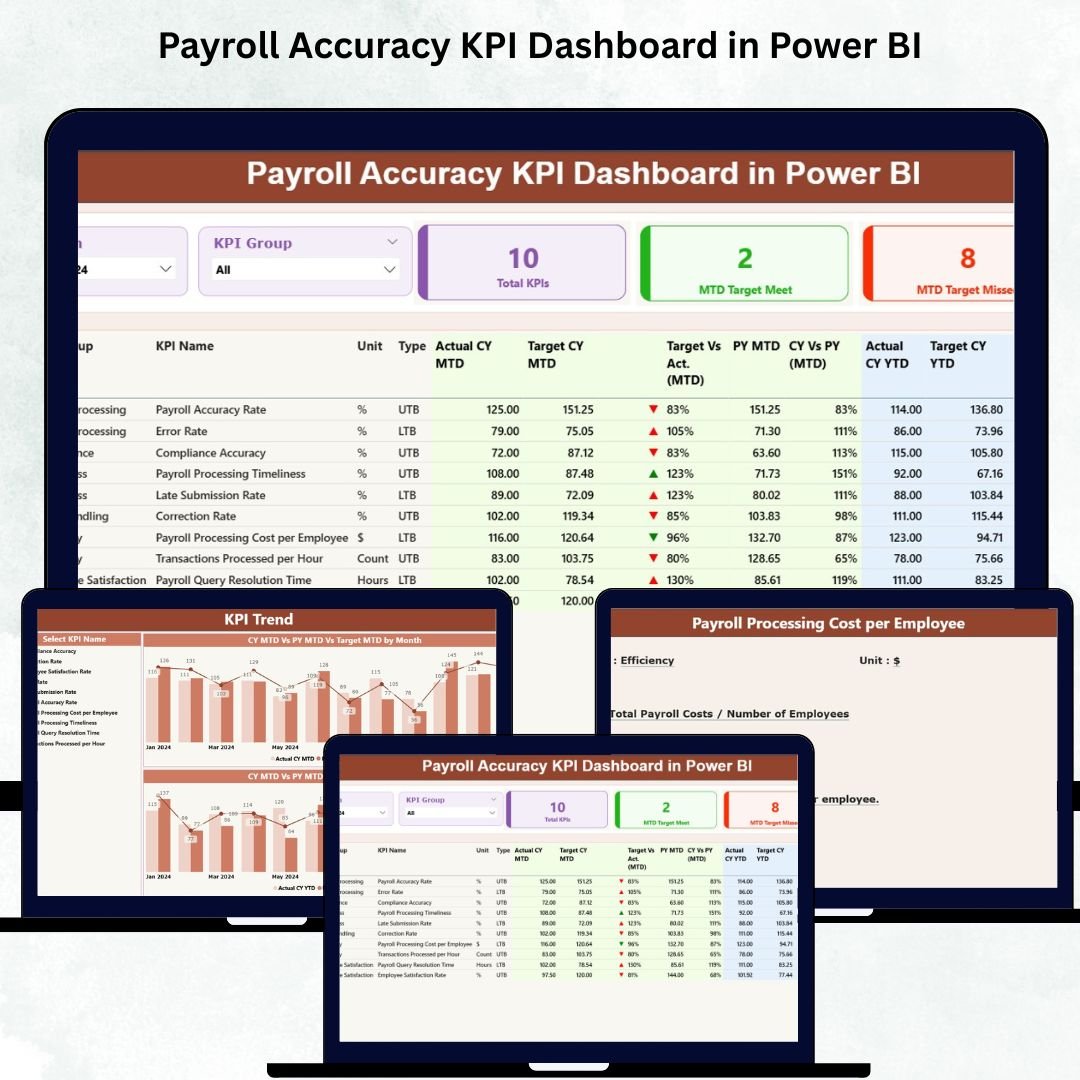

Payroll Accuracy KPI Dashboard in Power BI is one of the most crucial functions in any organization. Even a small error in salary calculations, tax deductions, benefits, or attendance can impact employee trust and compliance. HR and payroll teams often spend countless hours checking spreadsheets, manually comparing values, and reviewing mistakes. Because data sits across multiple sheets and emails, payroll accuracy becomes difficult to monitor. To solve this challenge, we created the Payroll Accuracy KPI Dashboard in Power BI — a fully interactive, ready-to-use solution that tracks your payroll KPIs with real-time clarity.
This dashboard centralizes all payroll accuracy metrics into one visual interface. From MTD and YTD calculations to target achievement, variance analysis, KPI trends, and detailed KPI definitions — everything appears clearly in one place. Since Power BI updates automatically whenever your Excel file changes, you save time, reduce errors, and make faster, more confident payroll decisions.
✨ Key Features of the Payroll Accuracy KPI Dashboard in Power BI
📌 Three Powerful Pages for Complete Payroll Monitoring
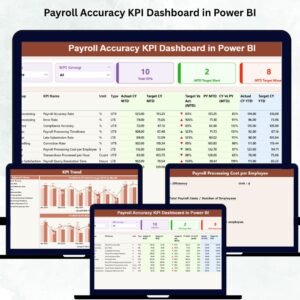
This dashboard includes three professionally designed pages — Summary Page, KPI Trend Page, and KPI Definition Page. Each page focuses on a different level of payroll accuracy analysis and helps users move smoothly across KPI details.
📦 What’s Inside the Payroll Accuracy KPI Dashboard
📄 1. Summary Page – Your Complete Payroll Performance Snapshot
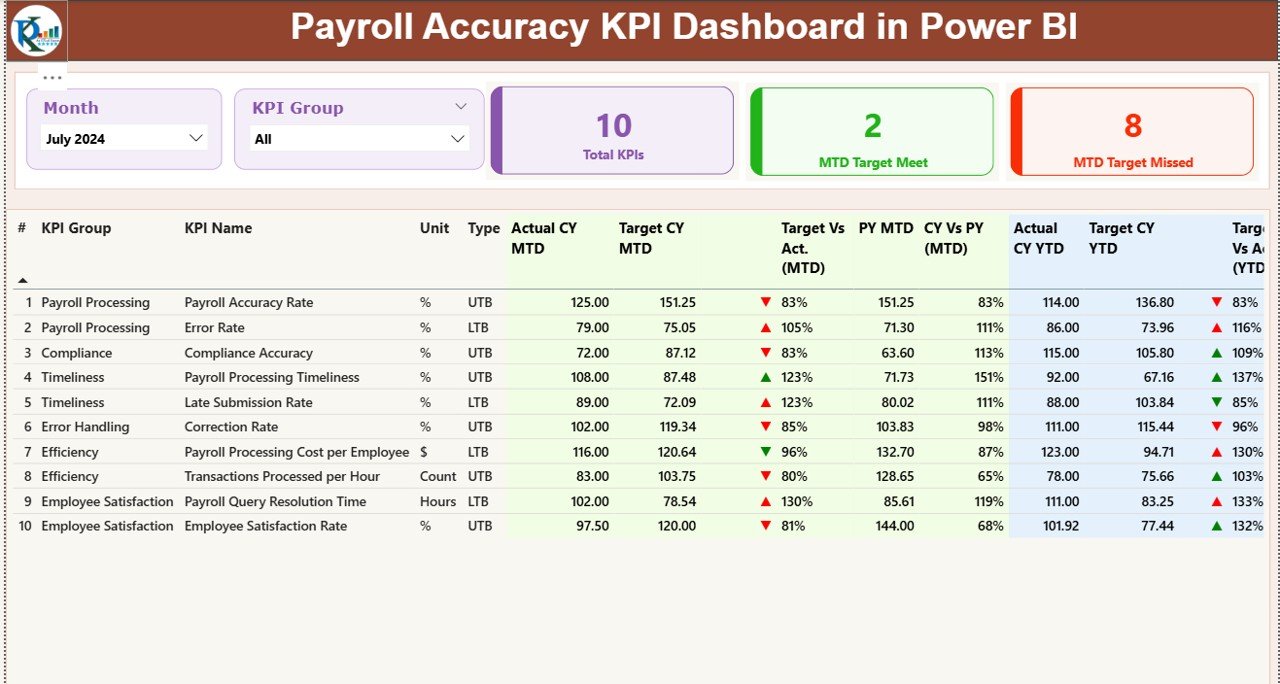
The Summary Page is the main interface for payroll accuracy monitoring. It displays the most important KPI metrics along with intuitive slicers and detailed tables.
🔹 Top Slicers
Month Selector – View month-specific results
KPI Group Selector – Filter KPIs by category such as Accuracy KPIs, Compliance KPIs, Timeliness KPIs, etc.
🔹 Three KPI Cards
Total KPIs Count
MTD Target Met Count
MTD Target Missed Count
These cards quickly highlight performance for the current period.
🔹 Detailed KPI Table
The heart of the Summary Page is the detailed KPI table that includes:
KPI Number
KPI Group
KPI Name
Unit
Type (UTB or LTB)
Actual CY MTD
Target CY MTD
MTD Status Icons (▲ or ▼)
Target vs Actual % (MTD)
PY MTD values & CY vs PY %
Actual CY YTD
Target CY YTD
YTD Status Icons (▲ or ▼)
Target vs Actual % (YTD)
PY YTD values & CY vs PY %
This table gives a complete view of payroll accuracy performance for both MTD and YTD.
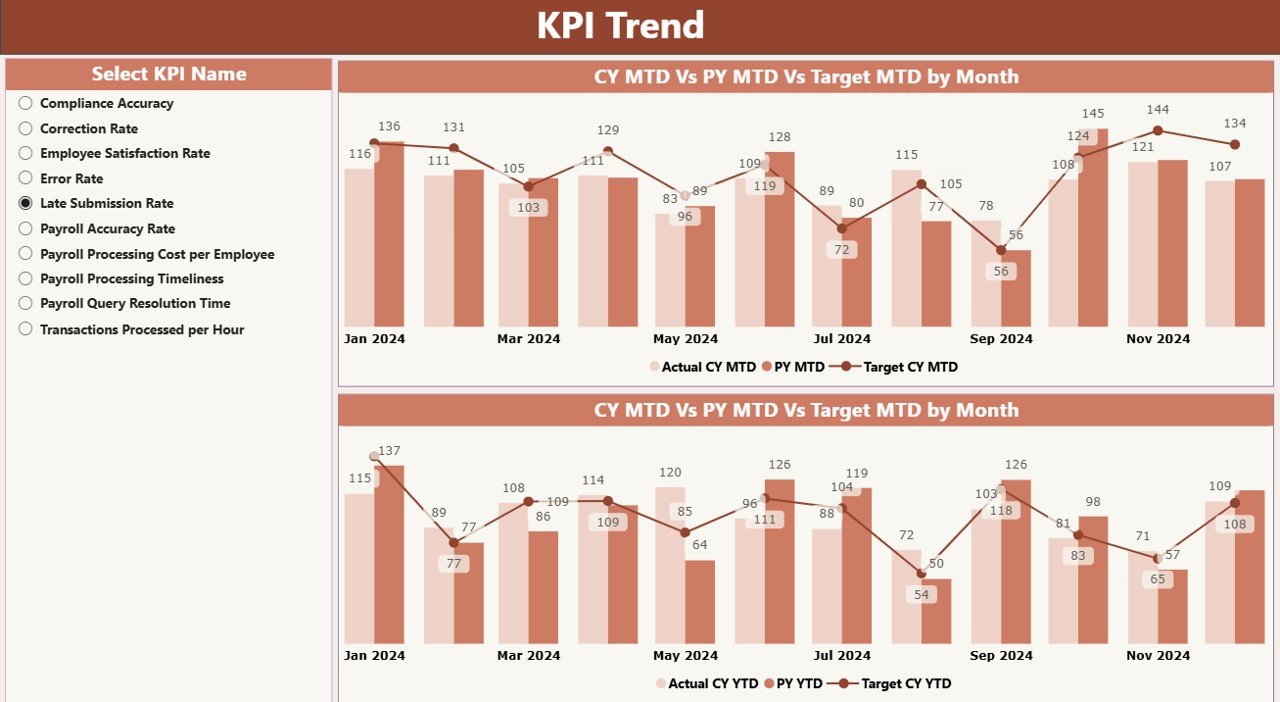
📊 2. KPI Trend Page – Compare Payroll Trends Easily
This page shows trends across months using two combo charts:
MTD Trend Chart (Actual CY, Previous Year, Target)
YTD Trend Chart (Actual CY, Previous Year, Target)
A slicer on the left helps you select the KPI name. Once selected, both combo charts automatically update. This page helps identify:
✔ Performance gaps
✔ Variance patterns
✔ Trends that affect payroll accuracy
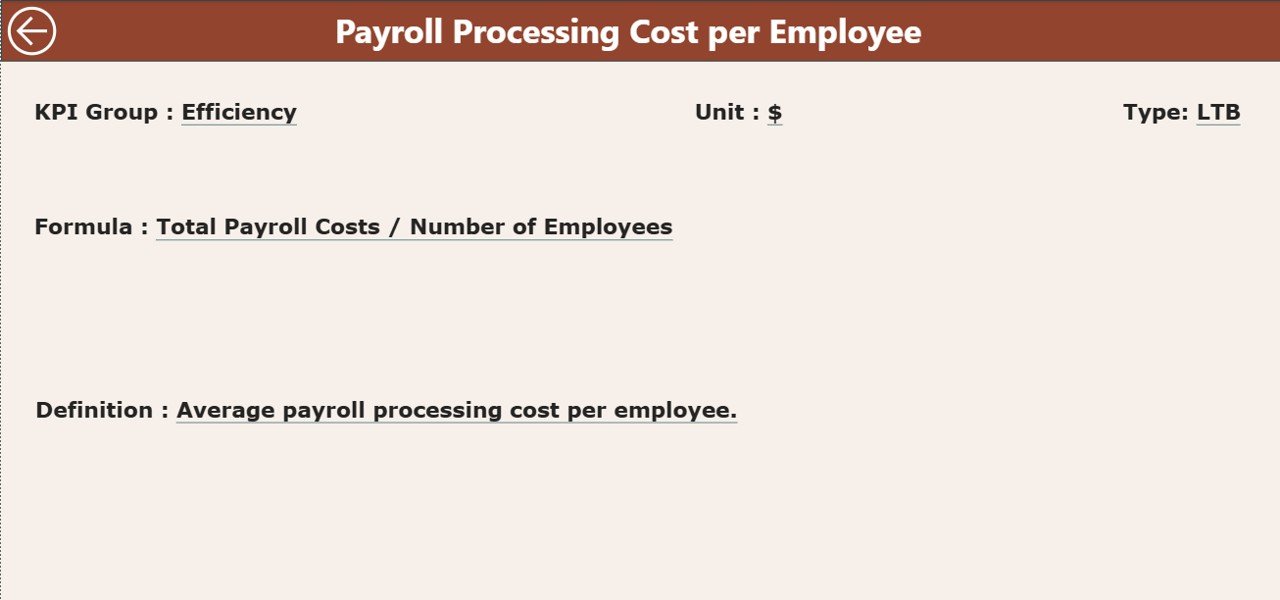
📘 3. KPI Definition Page – Understand the Logic Behind Every KPI
This hidden drill-through page allows you to right-click any KPI from the Summary Page and see:
KPI Number
KPI Group
KPI Name
Unit
Formula
KPI Definition
KPI Type
This transparency helps HR and payroll teams understand precisely how each KPI is calculated.
A Back Button on the top-left corner brings you back to the Summary Page instantly.
🧾 How the Excel Data Source Works
This dashboard connects with a structured Excel file that includes three sheets. You only update these sheets, and the dashboard refreshes automatically.
📌 1. Input_Actual Sheet
Fill in:
KPI Name
Month (first date of month)
MTD Actual
YTD Actual
📌 2. Input_Target Sheet
Fill in:
KPI Name
Month (first date of month)
MTD Target
YTD Target
📌 3. KPI Definition Sheet
Fill in:
KPI Number
KPI Group
KPI Name
Unit
Formula
Definition
Type (LTB or UTB)
These sheets act as the backbone for your Power BI dashboard.
🎯 Who Can Benefit from This Dashboard
HR Managers
Payroll Specialists
Compliance Teams
HR Analytics Teams
Finance & Audit Teams
Senior Leadership
This dashboard gives all stakeholders instant clarity on payroll accuracy, timeliness, and compliance.
### Click hare to read the Detailed blog post
Visit our YouTube channel to learn step-by-step video tutorials
👉 Youtube.com/@PKAnExcelExpert
Watch the step-by-step video tutorial:
Compatibility and Requirements
- Works in Power BI Desktop, which is free from Microsoft. Microsoft explains how to get it in Get Power BI Desktop.
- The dashboard reads its data from an Excel file with three sheets: Input_Actual, Input_Target and KPI Definition.
Frequently Asked Questions
Which pages does the dashboard have?
Three pages: Summary, KPI Trend and KPI Definition. The KPI Definition page is a hidden drill-through page.
Which Excel sheets do I fill in?
Input_Actual takes the KPI name, month, MTD actual and YTD actual. Input_Target takes the KPI name, month, MTD target and YTD target. The KPI Definition sheet takes the KPI number, group, name, unit, formula, definition and type (LTB or UTB).
How do I see the trend for one KPI?
Open the KPI Trend page and pick the KPI name in the slicer on the left. The MTD and YTD combo charts then show actual, previous year and target.
How do I see how a KPI is calculated?
Right-click the KPI in the Summary page table and use drill-through to open the KPI Definition page. It shows the formula, definition, unit and type. The Back button on the top-left returns you to the Summary page.
Is there an Excel or Google Sheets version?
Yes. See the Payroll Accuracy KPI Dashboard in Excel and the Payroll Accuracy KPI Dashboard in Google Sheets.
Related Payroll and HR Templates
- Payroll Accuracy KPI Dashboard in Excel: the same KPIs in Excel
- Payroll Accuracy KPI Dashboard in Google Sheets: the Google Sheets edition
- Payroll Management KPI Dashboard in Power BI: another payroll KPI view in Power BI
- Payroll Management Dashboard in Power BI: a wider payroll dashboard in Power BI
- HR & Workforce Analytics Bundle: 10 HR templates in one download
Browse all Power BI KPI dashboards.































Reviews
There are no reviews yet.