
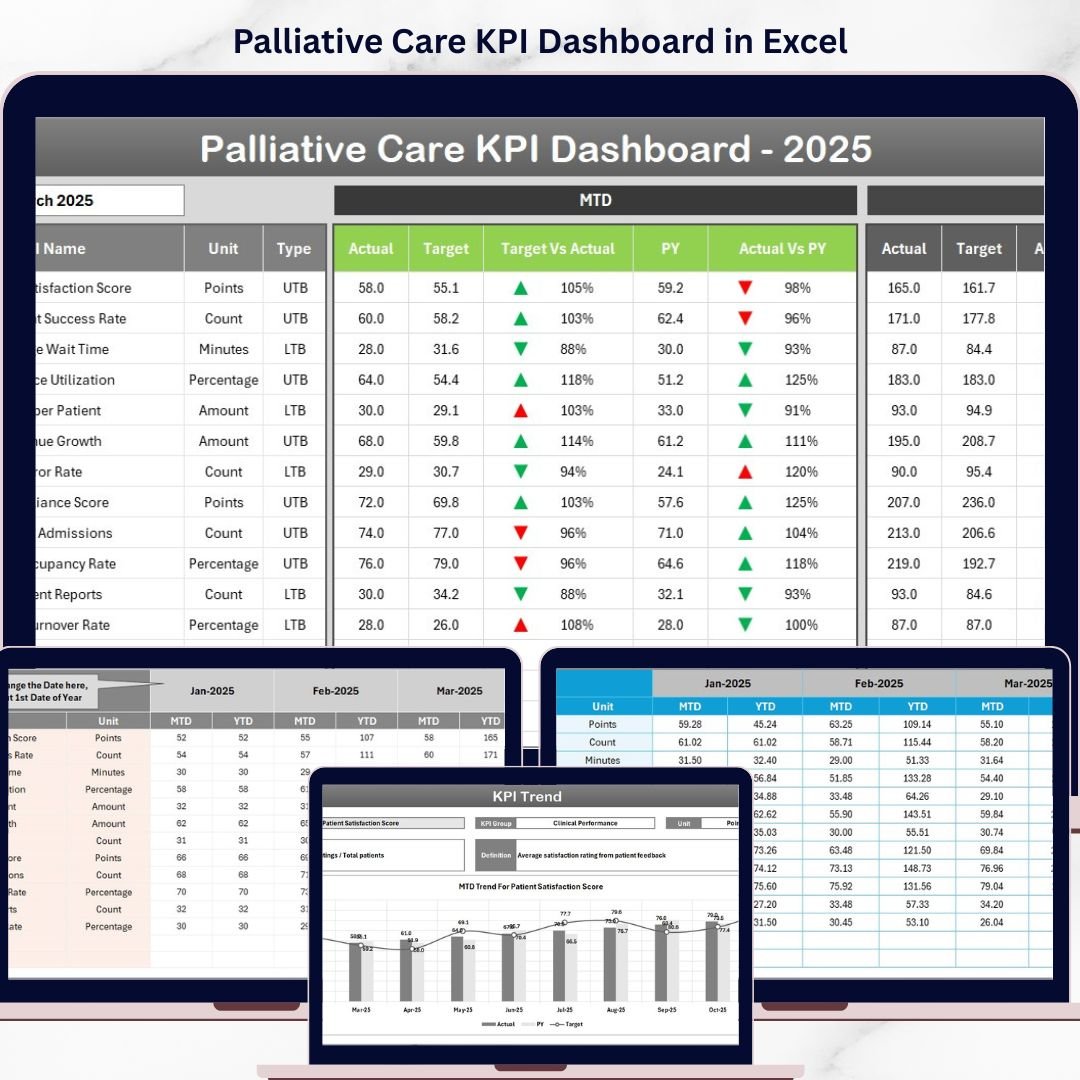

Palliative Care KPI Dashboard: Key Features
Discover the power of the Palliative Care KPI Dashboard, expertly designed to help healthcare professionals monitor, analyze, and optimize performance metrics efficiently. This comprehensive digital tool comes with 7 intuitive worksheets that provide a clear, actionable view of your KPIs.
- 🏠 Home Sheet: An index page featuring 6 easy-to-use buttons that allow seamless navigation to each worksheet. This user-friendly layout ensures you always find what you need quickly.
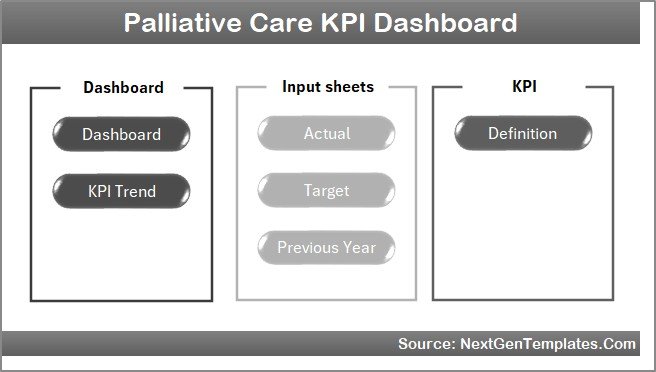
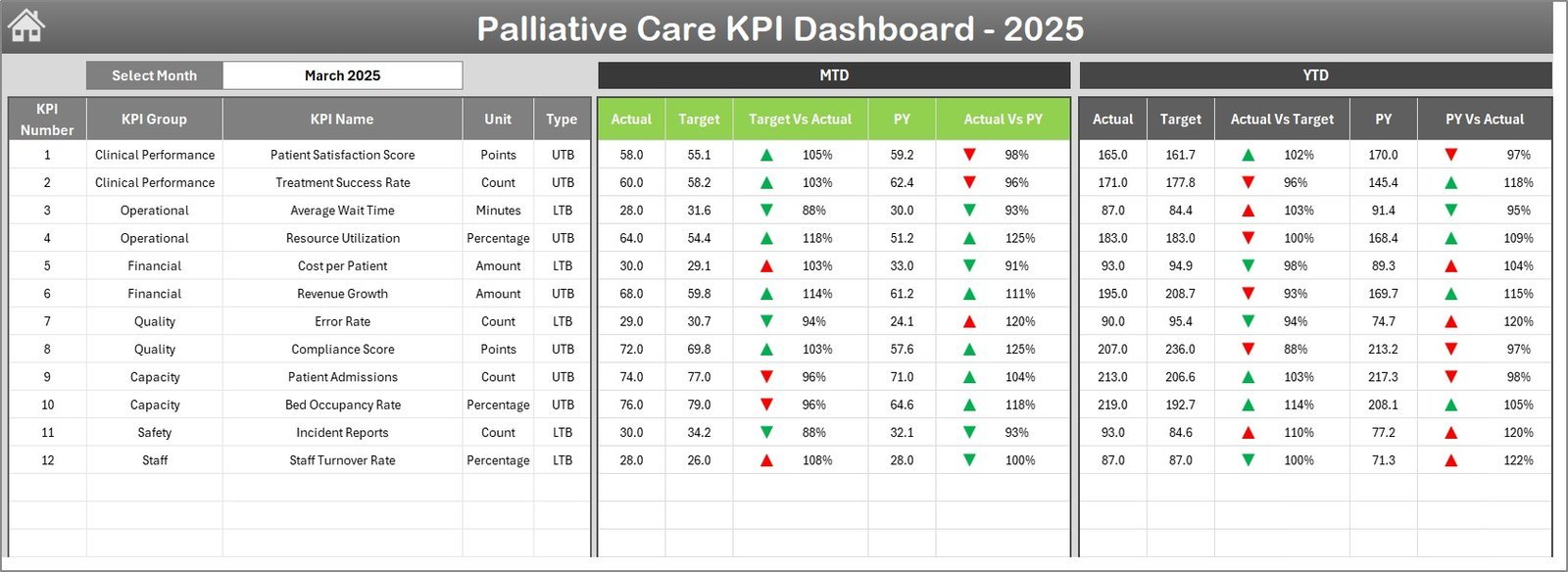
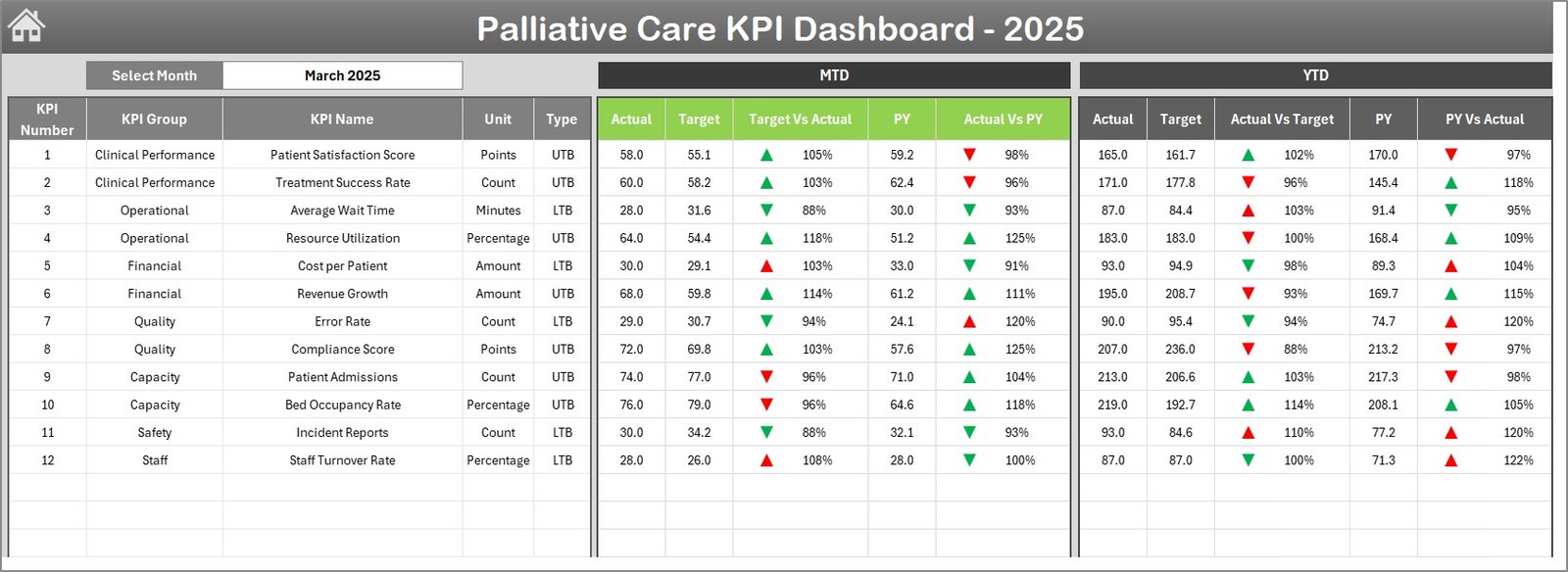
Home Page - 📊 Dashboard Sheet: The heart of the dashboard where all KPI data converges. Select the month from a drop-down in cell D3 to dynamically update MTD (Month-to-Date) Actual, Target, and Previous Year data. Visualize Target vs Actual and PY vs Actual performance with smart conditional formatting arrows that instantly highlight progress or areas needing improvement.
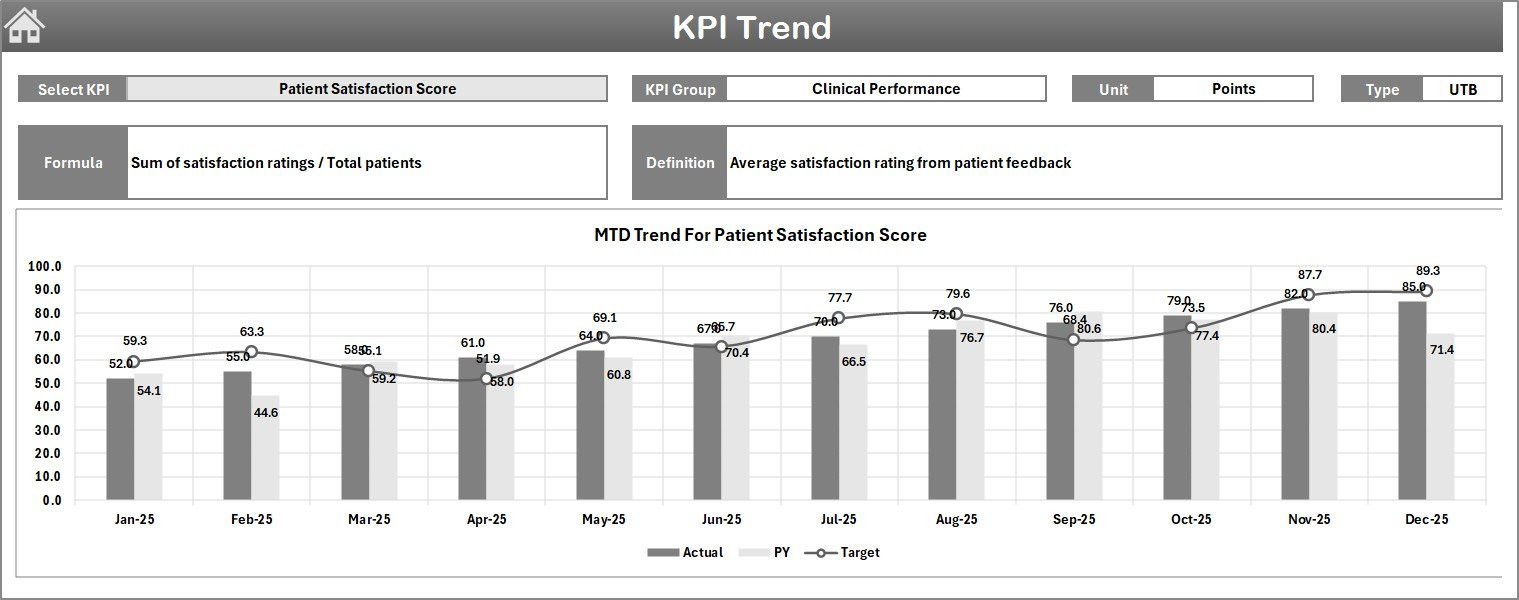
Palliative Care KPI Dashboard - 📈 KPI Trend Sheet: Select any KPI from the drop-down menu in cell C3 and see detailed information including KPI Group, Unit, Type (whether lower or upper values are better), Formula, and Definition. Track MTD and YTD trends for Actual, Target, and Previous Year with clear, insightful charts.
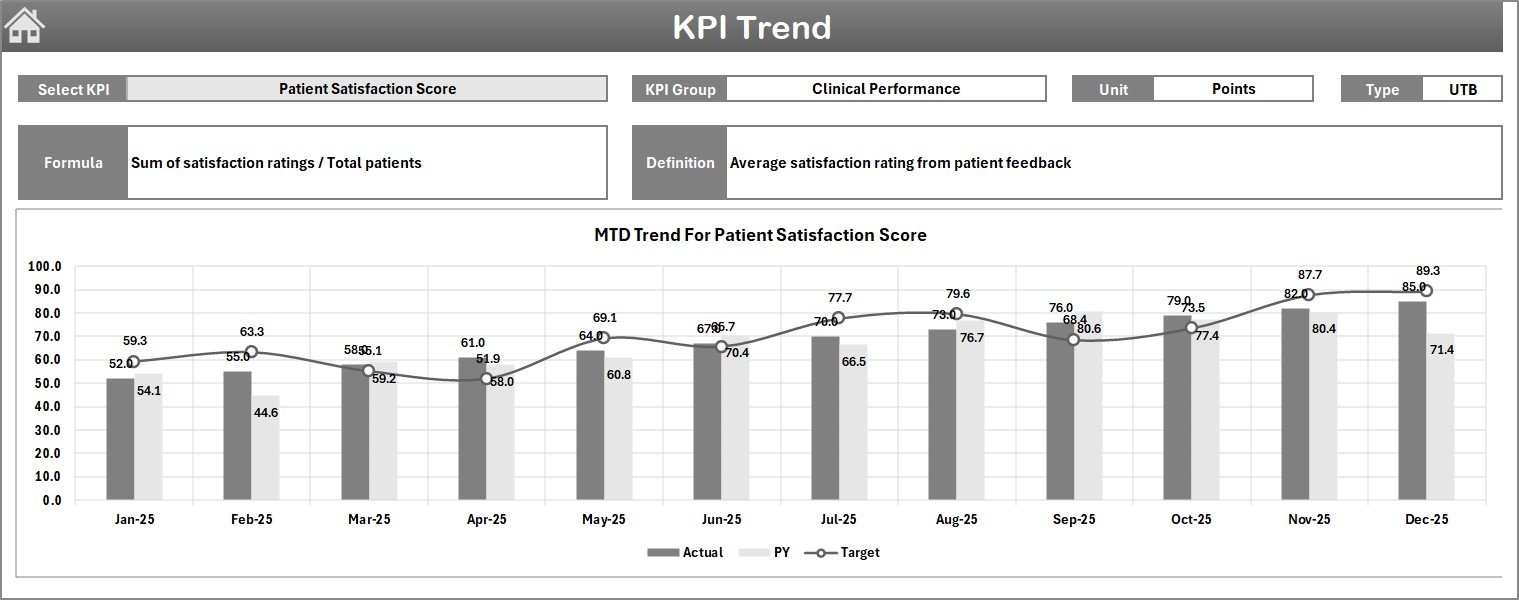
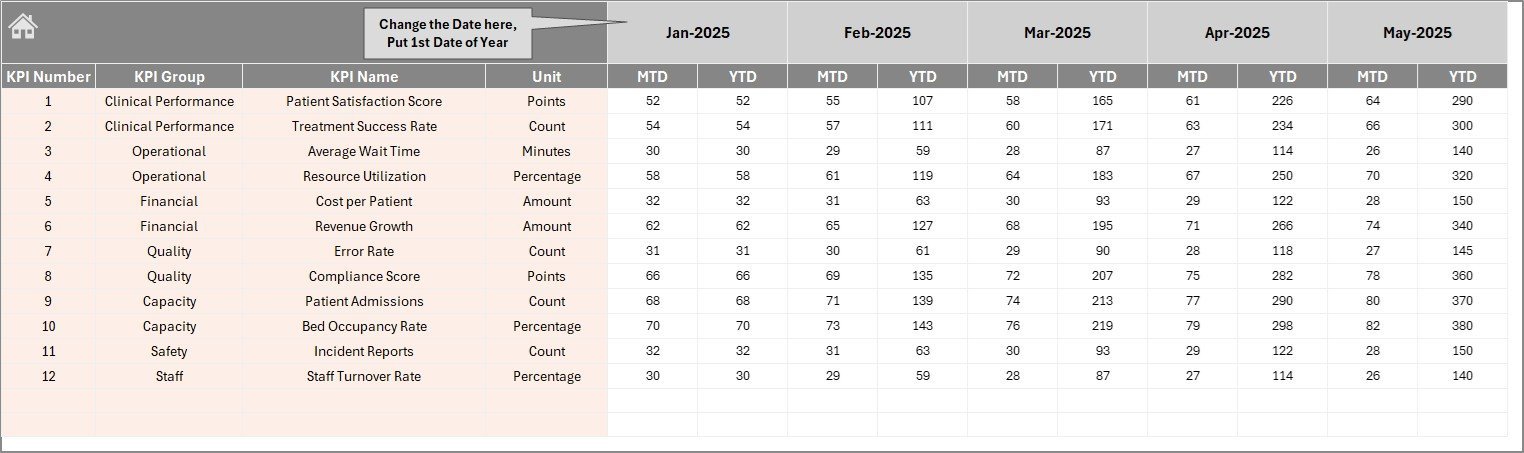
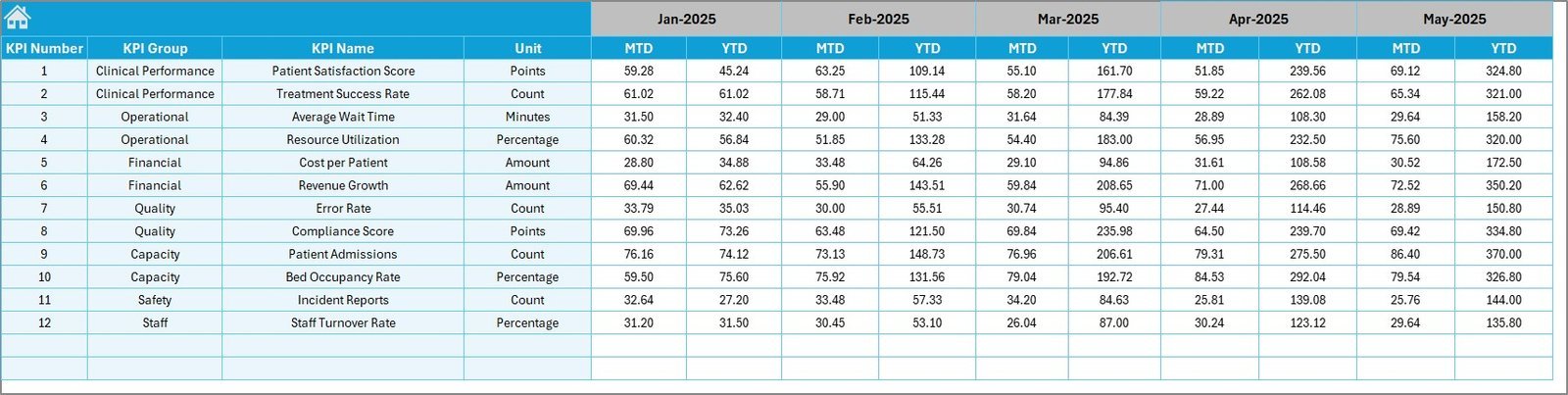
KPI Trend Sheet - 📝 Actual Numbers Input Sheet: Effortlessly input monthly Actual numbers for YTD and MTD. Simply set the first month of the year in cell E1 to update your data calendar.
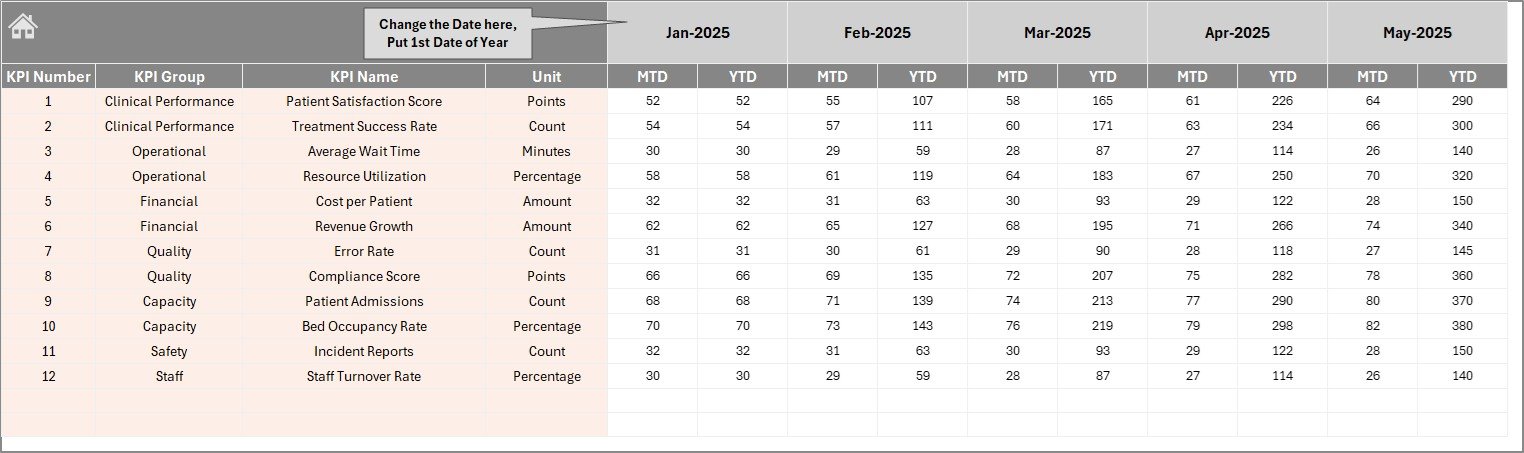
Actual Numbers Input Sheet - 🎯 Target Number Input Sheet: Enter monthly Target figures for each KPI, both MTD and YTD, enabling precise goal tracking.
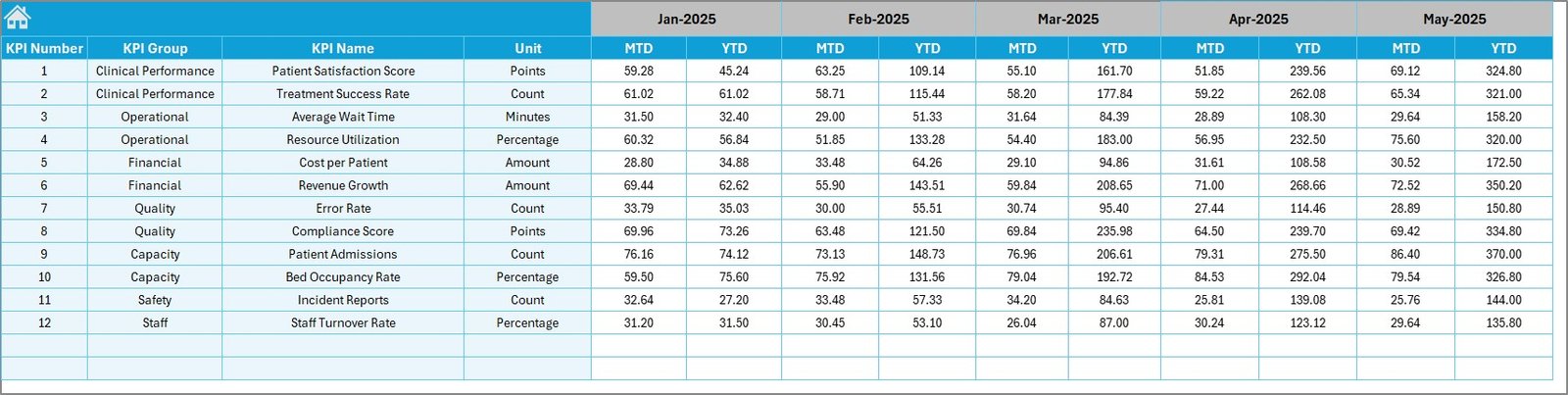
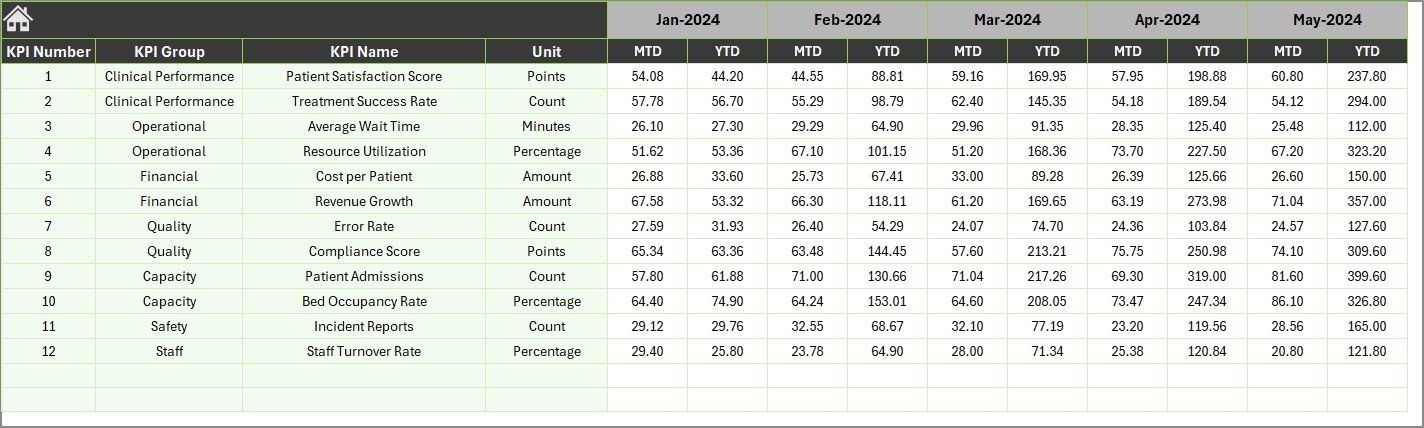
Target Number Input Sheet - 📅 Previous Year Number Sheet: Record the same KPIs data for the previous year, enabling comparative performance analysis.
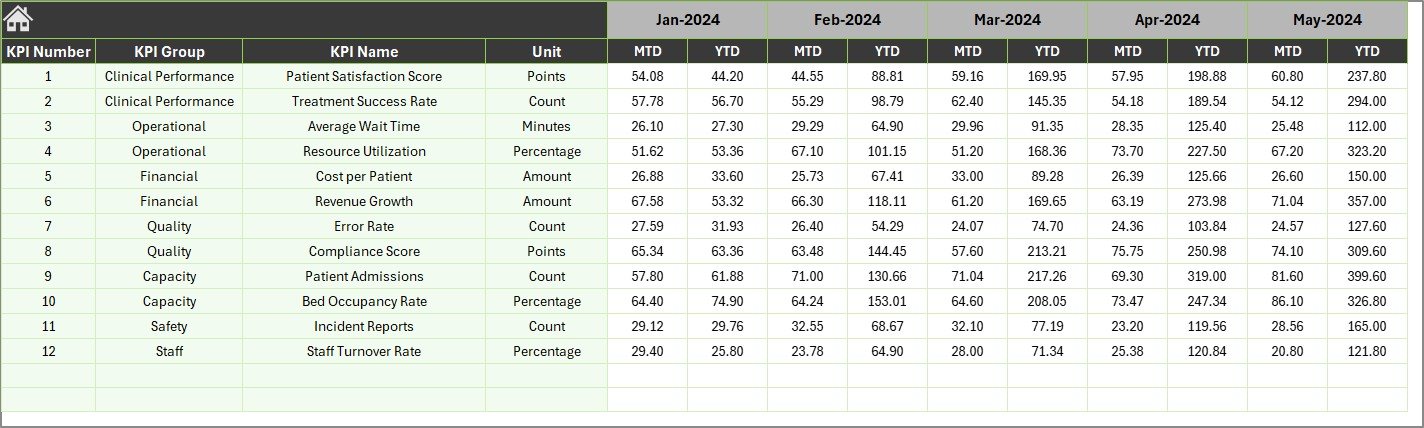
Previous Year Number Input Sheet - 📚 KPI Definition Sheet: Maintain clarity by entering KPI Name, Group, Unit, Formula, Definition, and type (Lower The Better or Upper The Better), ensuring your team understands each metric fully.

KPI Definition Sheet
What’s Inside the Palliative Care KPI Dashboard
This digital product is a robust Excel-based template tailored for palliative care organizations and professionals seeking insightful data visualization and KPI management. Included are:
- 🗂️ Seven interlinked worksheets designed for smooth navigation and comprehensive data input.
- 📈 Interactive charts and conditional formatting for quick visual cues.
- ⚙️ Dynamic dropdown menus for month and KPI selection, driving automatic updates.
- 💾 Easy-to-update input sheets for actual, target, and previous year numbers.
- 📖 Detailed KPI definitions to ensure clarity and consistency.
How to Use the Palliative Care KPI Dashboard
Using the dashboard is simple and intuitive:
- 🖱️ Start on the Home Sheet to navigate to any section.
- 📅 Choose the month on the Dashboard tab to view monthly and year-to-date performance.
- ✍️ Input your actual monthly data in the Actual Numbers Input sheet, setting the first month of the year in cell E1.
- 🎯 Enter corresponding Target numbers in the Target Number Input sheet for goal tracking.
- 📊 Update Previous Year numbers to benchmark current performance.
- 🔎 Use the KPI Trend sheet to analyze trends and understand KPI behavior over time.
- 📚 Refer to the KPI Definition sheet for detailed explanations, formulas, and KPI types.
This dashboard is designed for users of all skill levels, making KPI management accessible and actionable.
Who Can Benefit from This Palliative Care KPI Dashboard
Whether you’re a healthcare administrator, quality assurance manager, or palliative care provider, this dashboard offers immense value. It is perfect for:
- 🏥 Healthcare Administrators: Monitor facility-wide KPIs efficiently and drive improvements.
- 👩⚕️ Palliative Care Teams: Track patient care quality indicators and target outcomes effectively.
- 📊 Quality Assurance Managers: Quickly identify performance gaps with visual aids and trends.
- 📈 Data Analysts: Get organized, clean data ready for reporting and strategic planning.
- 🎯 Executives & Decision Makers: Access concise KPI summaries to inform business decisions.
- 🖥️ Consultants: Use as a ready-made tool to support client performance reviews.
Click here to read the Detailed blog post.
Visit our YouTube channel to learn step-by-step video tutorials.


















Reviews
There are no reviews yet.