
Key Features of Music Industry KPI Scorecard in Google Sheets
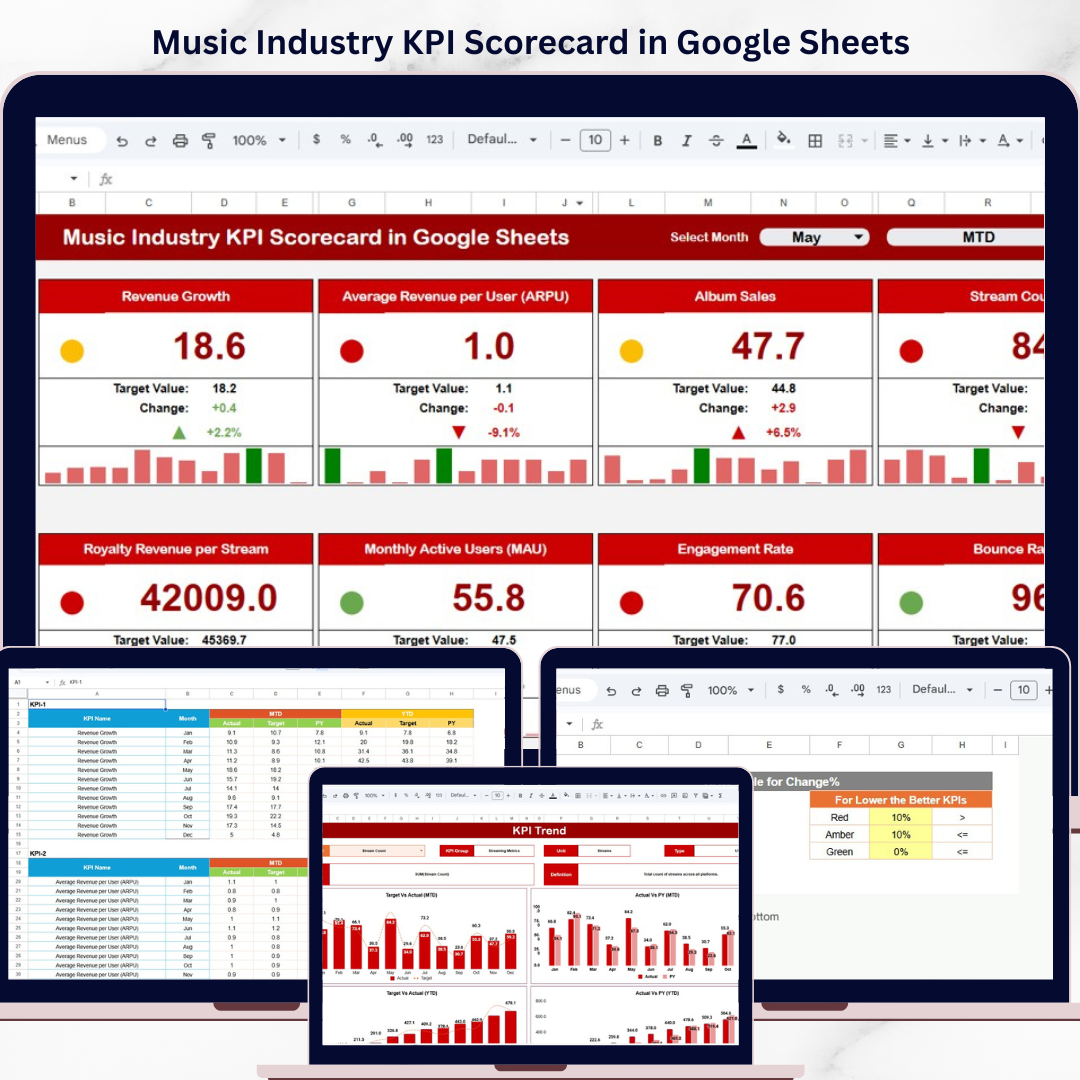
Unlock the full potential of your music business with our Music Industry KPI Scorecard in Google Sheets. This ready-to-use digital template is designed to streamline your Key Performance Indicator (KPI) tracking and analysis, allowing you to make data-driven decisions that boost efficiency and success. Built with user-friendliness and flexibility in mind, this scorecard offers a comprehensive overview of your music industry metrics in a visually engaging format.
🎯 Four Interactive Worksheets: The template includes four essential sheets to cover every aspect of KPI management – Scorecard Sheet, KPI Trend Sheet, Input Data Sheet, and KPI Definition Sheet.
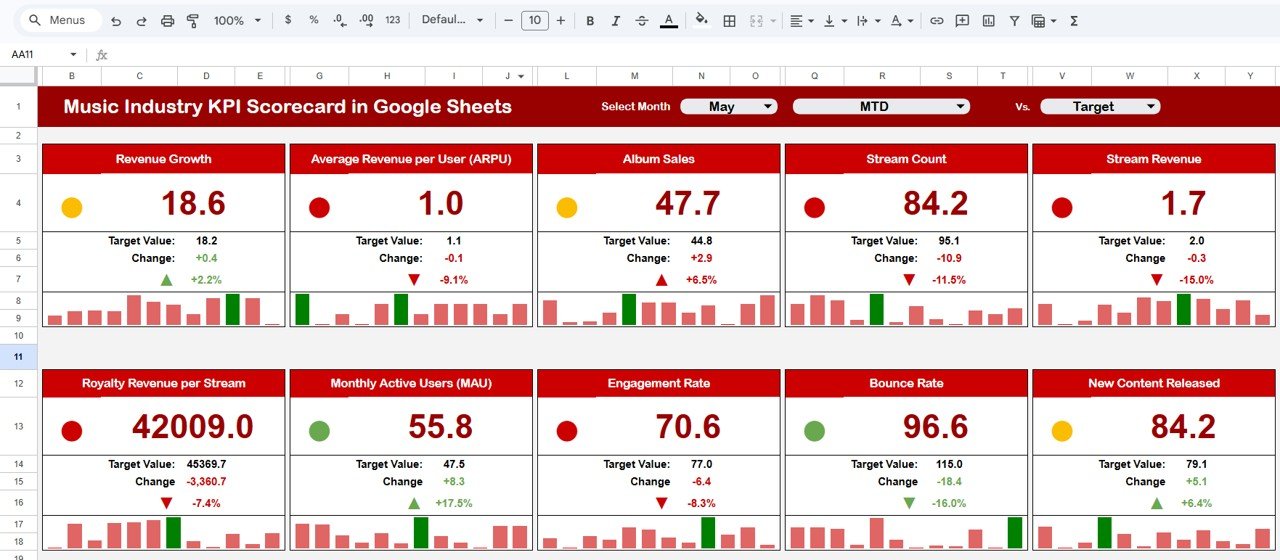
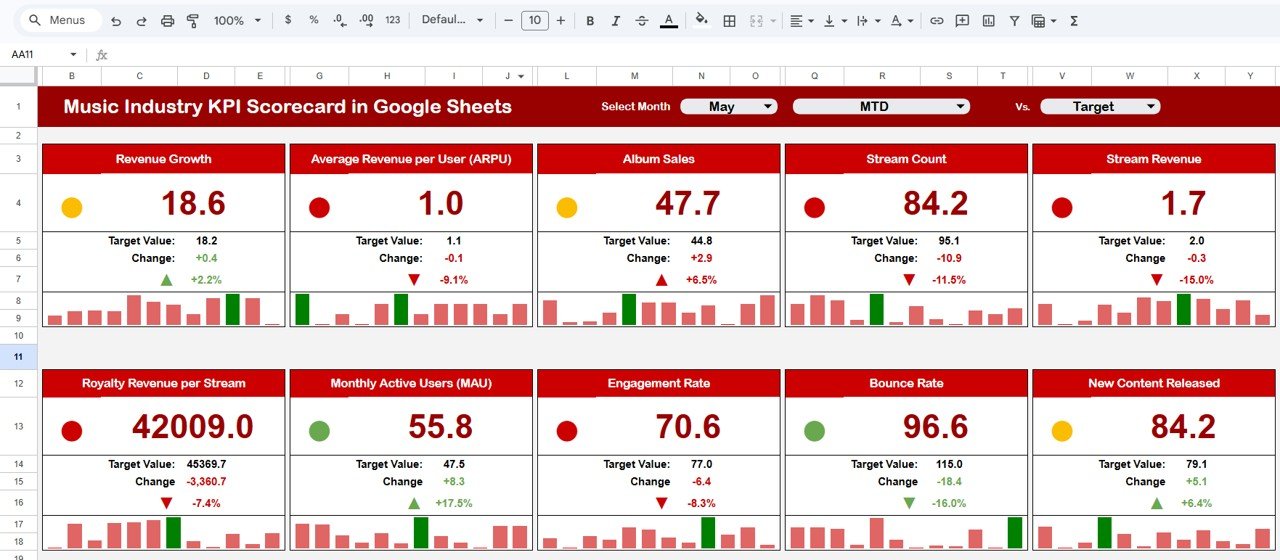
📅 Dynamic Dropdown Menus: Easily select performance periods such as Month, Month-to-Date (MTD), and Year-to-Date (YTD) for detailed temporal analysis.
📊 Actual vs Target Comparison: Instantly compare your actual KPI results against your predefined targets, helping you identify performance gaps and areas for improvement.
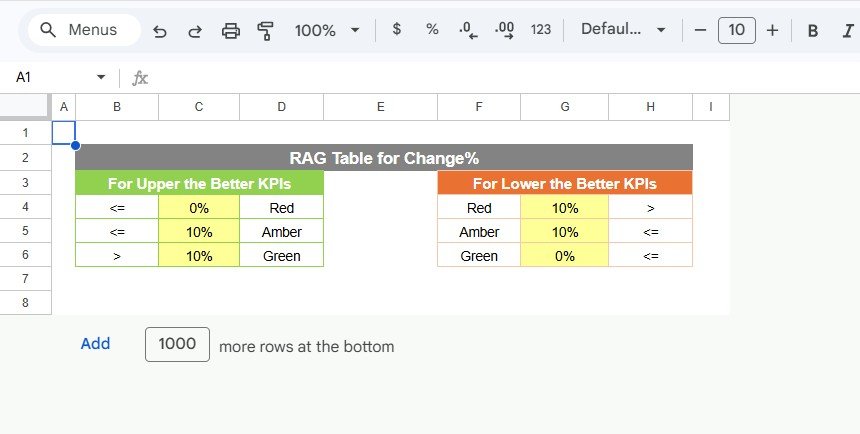
🌈 Visual Performance Indicators: Benefit from color-coded visuals and conditional formatting that highlight critical KPIs, making it easy to quickly assess your music business health.
📈 Comprehensive KPI Overview: This scorecard displays all relevant KPI information in one place, including trends and comparisons, ensuring you never miss a beat.
What’s Inside the Music Industry KPI Scorecard in Google Sheets
Our template is thoughtfully structured into four detailed sheets for optimal usability and clarity:
Music Industry KPI Scorecard in Google Sheets
-
- 📊 Scorecard Sheet: The main dashboard where you can select the month, MTD or YTD to view and analyze real-time KPI performance. Includes dropdowns and visual cues for a quick grasp of your music business status.
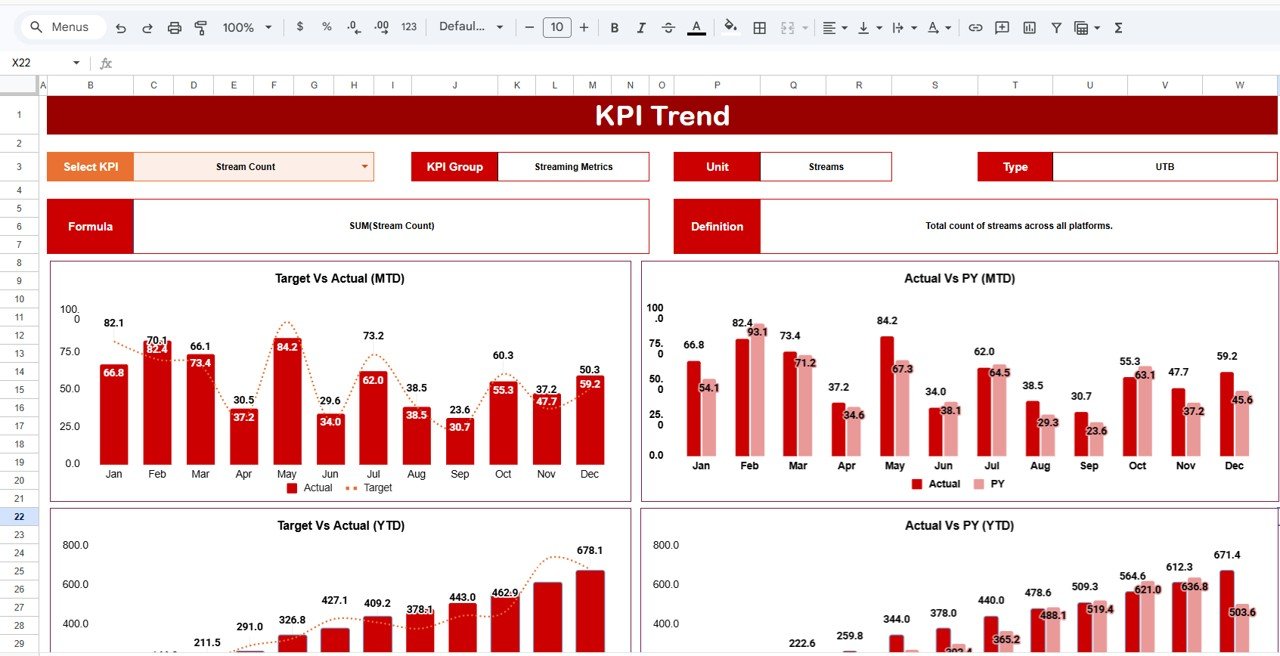
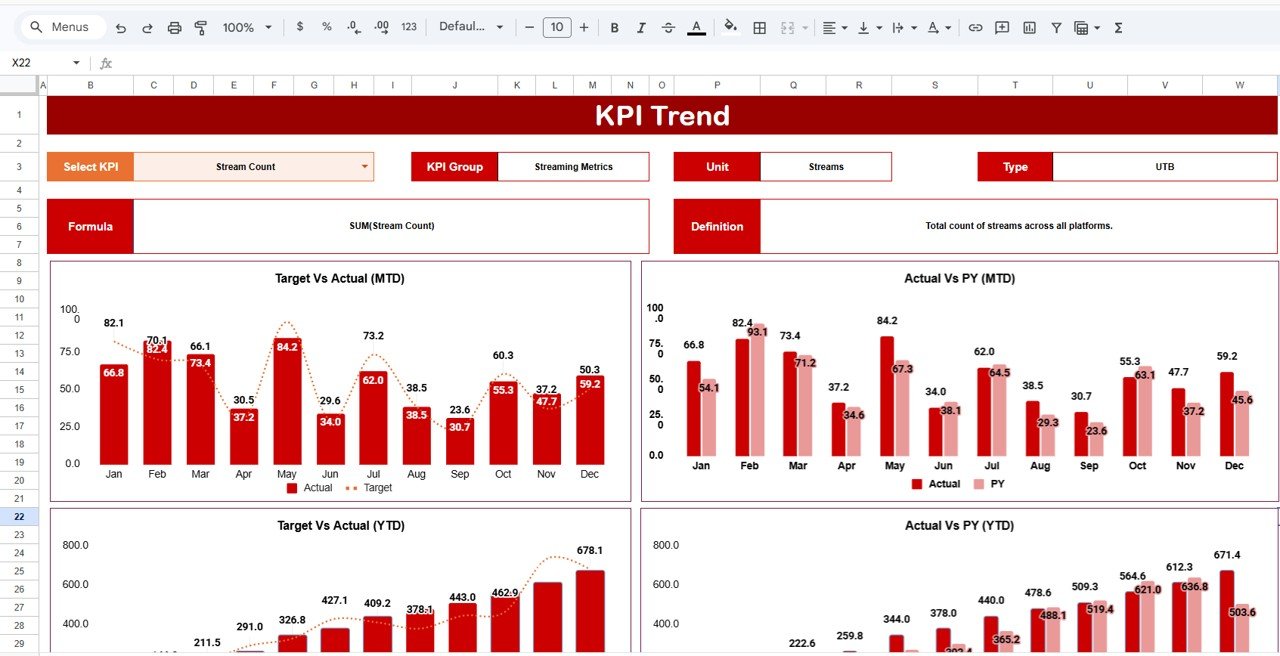
- 📈 KPI Trend Sheet: Select any KPI from a dropdown list and explore its group, unit, definition, and formula. Visualize MTD and YTD trends with charts comparing Actual, Target, and Previous Year (PY) data.
KPI Trend Sheet
-
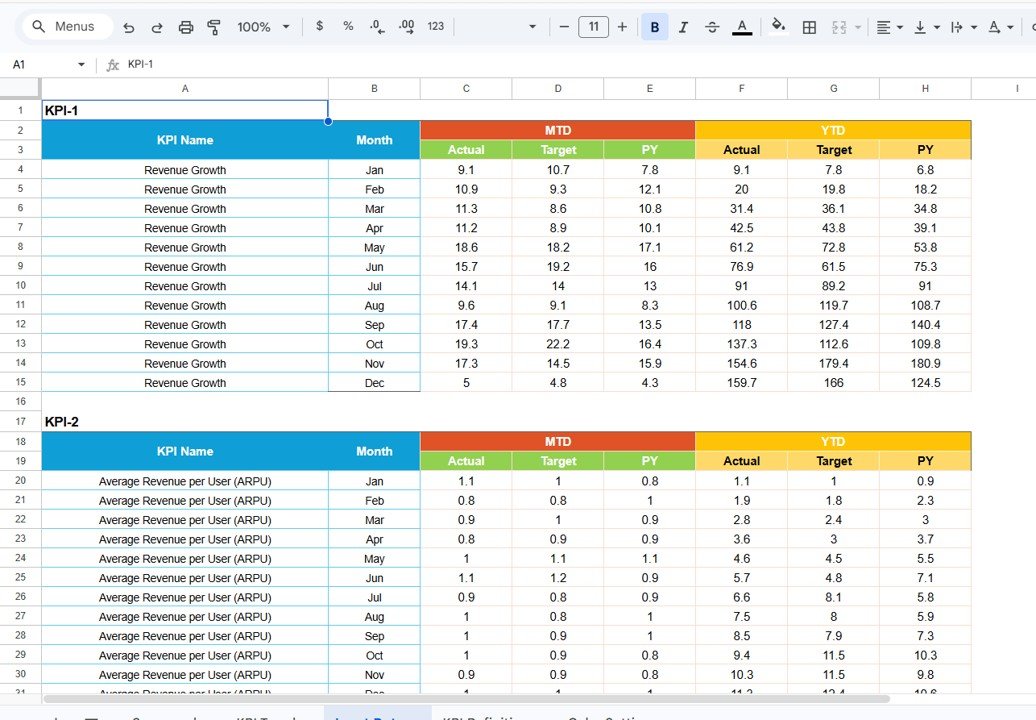
- 📝 Input Data Sheet: Easily enter your KPI data including actual values and targets. This flexible sheet lets you update performance metrics regularly to keep your scorecard accurate and up-to-date.
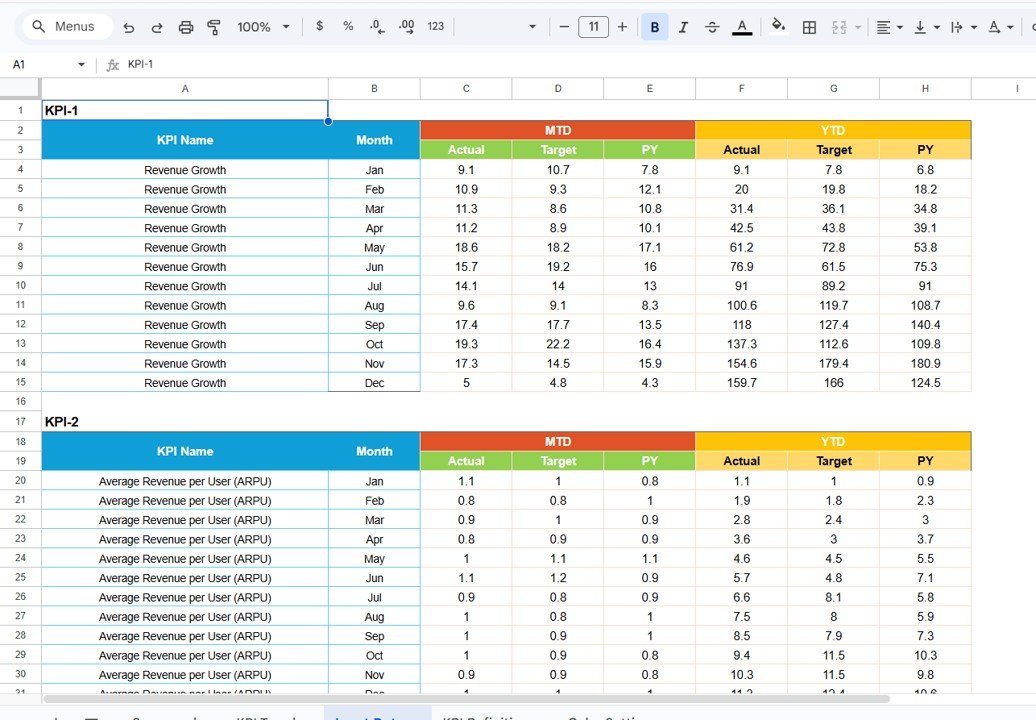
Input Data Sheet
-
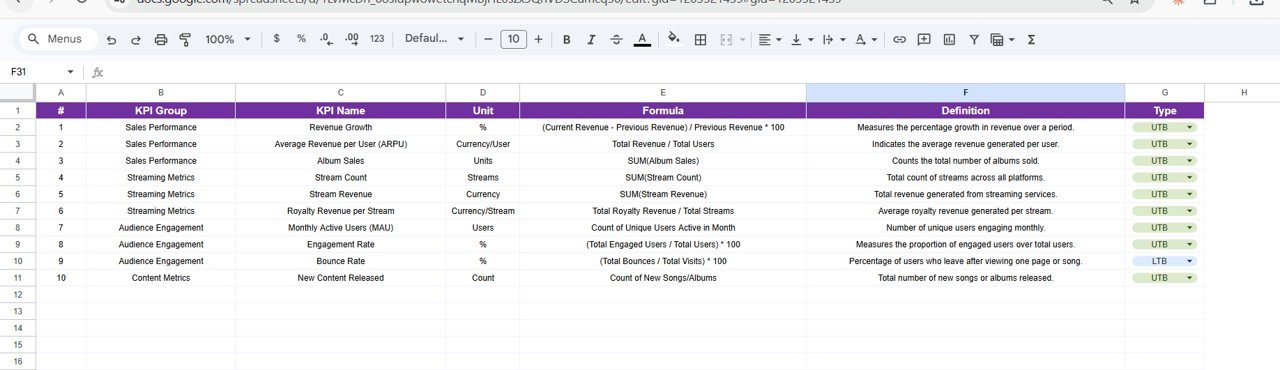
- 📚 KPI Definition Sheet: Define each KPI by entering its name, group, unit, formula, and detailed description to ensure clarity and consistency across your team.
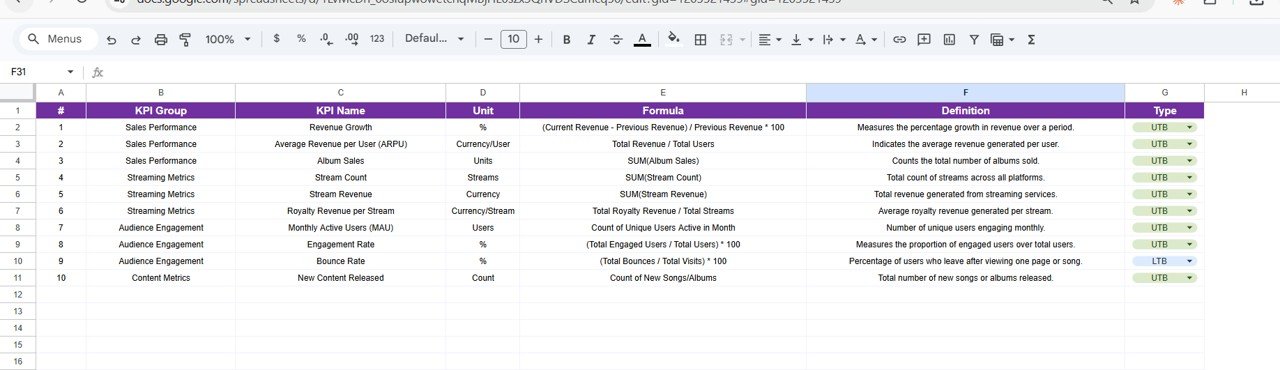
KPI Definition sheet tab
How to Use the Music Industry KPI Scorecard in Google Sheets
Getting started with this scorecard is simple and efficient, even if you’re new to KPI tracking:
- 🗓️ Select Performance Period: Use dropdown menus on the Scorecard Sheet to filter data by month, MTD, or YTD.
- 🖊️ Input Data: Enter your music business actual results and target values in the Input Data Sheet to keep the scorecard updated.
- 🔍 Analyze Trends: Head to the KPI Trend Sheet to explore detailed trends and visual charts for each KPI, comparing actuals against targets and previous years.
- 📖 Review Definitions: Customize or review KPI definitions in the KPI Definition Sheet to ensure everyone on your team understands each metric’s purpose.
- 📊 Monitor Performance: Use color-coded indicators on the Scorecard Sheet to quickly identify KPIs that are on track or require attention.
Regularly updating and reviewing this scorecard empowers you to make timely decisions, optimize workflows, and enhance your music business overall efficiency.
Who Can Benefit from This Music Industry KPI Scorecard in Google Sheets
- 🎵 Record Label Executives: Gain clear insights into streaming performance, revenue, and artist metrics to make strategic decisions.
- 📈 Artist Managers: Track key performance indicators for artists including fan growth, engagement, and revenue streams.
- 🎶 Music Distributors: Monitor distribution KPIs across multiple platforms and territories.
- 🧑💻 Data Analysts & Music Consultants: Use the scorecard as a robust tool to analyze music business data and provide actionable recommendations.
- 🎤 Independent Musicians: Stay organized and professional by tracking essential KPIs without the need for complex software.
Whether you manage large-scale productions or independent projects, this Music Industry KPI Scorecard is designed to save you time, improve transparency, and drive success.
Click here to read the Detailed blog post.
Visit our YouTube channel to learn step-by-step video tutorials.























Reviews
There are no reviews yet.