Managing employee leave effectively is essential for maintaining workforce productivity, operational continuity, and employee well-being. Modern organizations must balance employee time-off needs with business performance requirements. However, many HR teams still rely on disconnected spreadsheets or manual tracking methods, making it difficult to analyze leave trends and workforce availability accurately.
Without structured monitoring, organizations struggle to understand absenteeism patterns, rising leave costs, and staffing risks. As a result, decision-making becomes reactive instead of proactive.
The HR Leave Monitoring Dashboard in Google Sheets provides a powerful yet simple solution for modern HR teams.
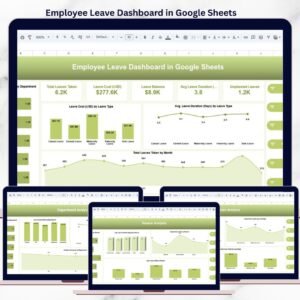
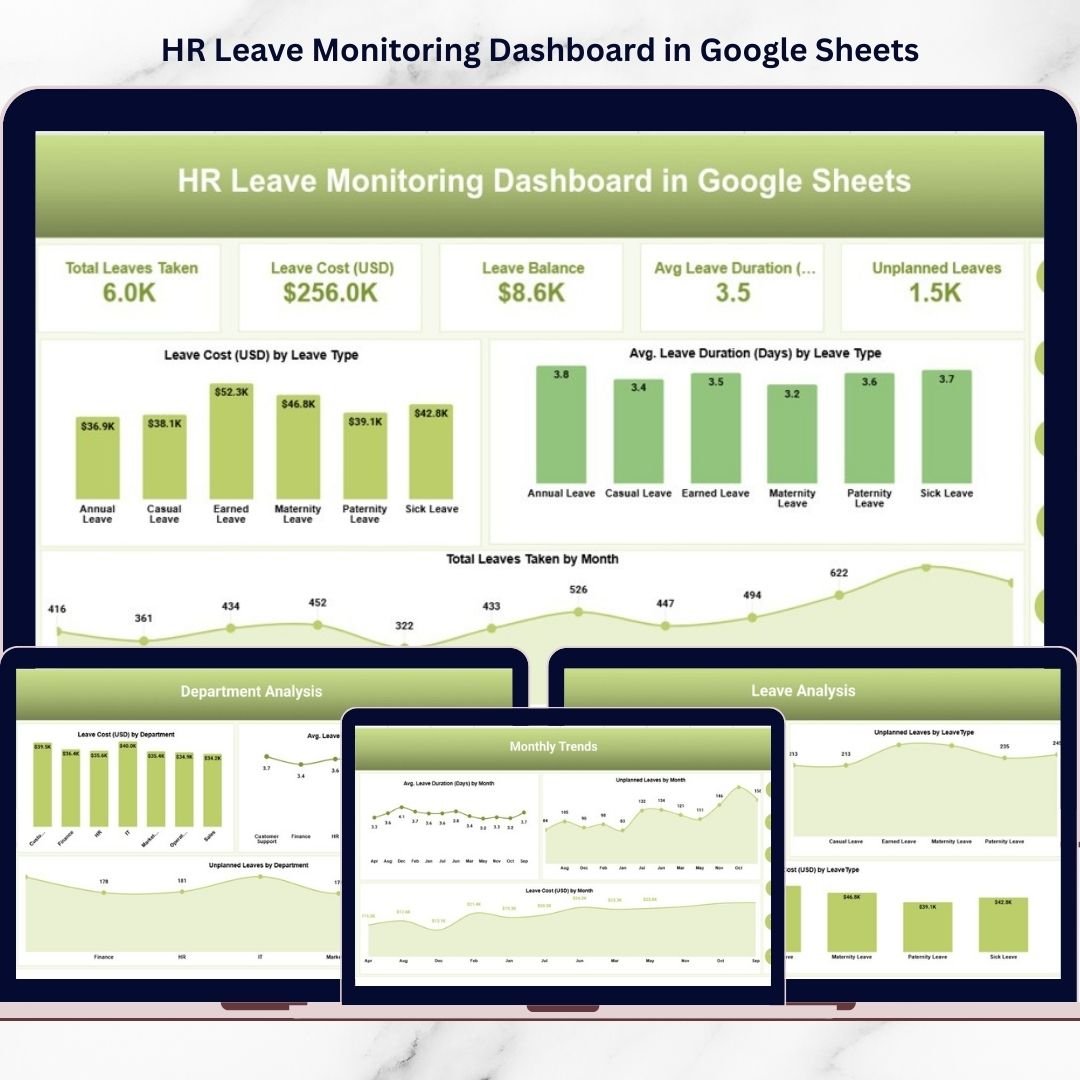
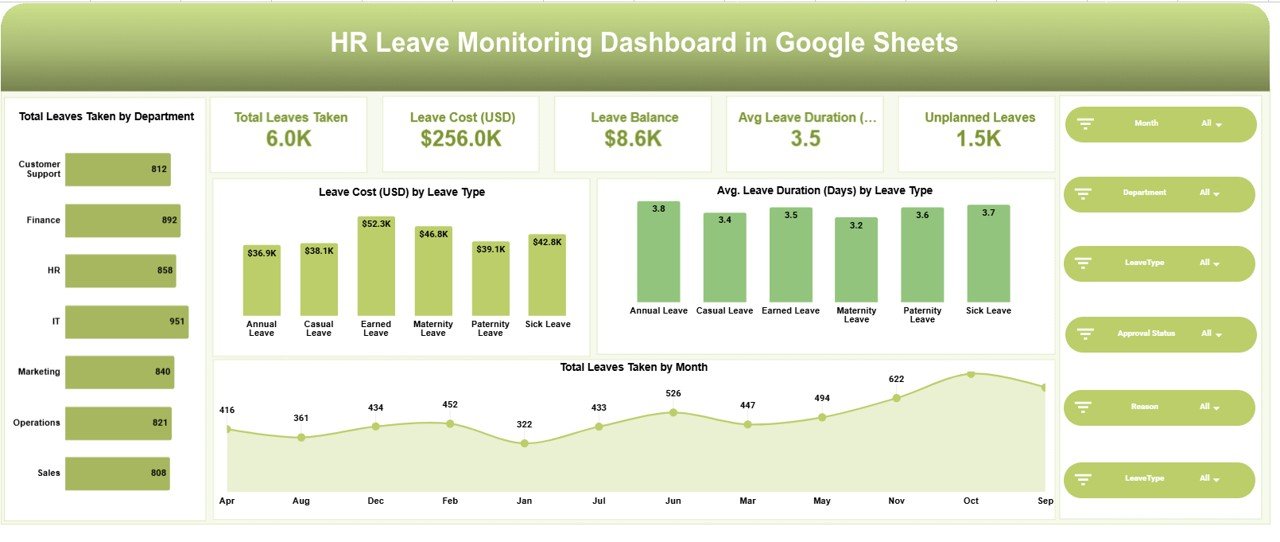
This ready-to-use dashboard converts complex leave data into clear visual insights using structured KPIs and interactive analytics. Instead of reviewing multiple reports, HR professionals can monitor all leave-related metrics from one centralized dashboard designed for efficient workforce analysis.
Built entirely in Google Sheets, the dashboard allows real-time collaboration while maintaining accurate and consistent data. HR managers, operations leaders, and executives gain immediate visibility into employee leave behavior, helping them plan resources more effectively and maintain organizational stability.
The dashboard tracks essential leave analytics such as total leaves taken, leave costs, leave balance, average leave duration, unplanned leave trends, and department-level absenteeism patterns. These insights empower organizations to identify workforce challenges early and implement data-driven HR strategies.
Whether you manage workforce planning, HR analytics, payroll coordination, or operational staffing, this dashboard simplifies leave monitoring and enhances decision-making.
🚀 Key Features of HR Leave Monitoring Dashboard in Google Sheets
✅ Interactive KPI summary cards for instant workforce insights
✅ Department-wise and leave type analysis
✅ Leave cost monitoring and financial impact tracking
✅ Average leave duration measurement
✅ Unplanned leave trend monitoring
✅ Monthly leave pattern analysis
✅ Dynamic filters and slicers for deep analysis
✅ Automated calculations and visual dashboards
These features transform raw leave records into actionable HR intelligence.
📦 What’s Inside the HR Leave Monitoring Dashboard in Google Sheets
This product includes multiple analytical pages designed for complete leave management visibility:
-
Main Dashboard Page – Workforce leave performance overview
-
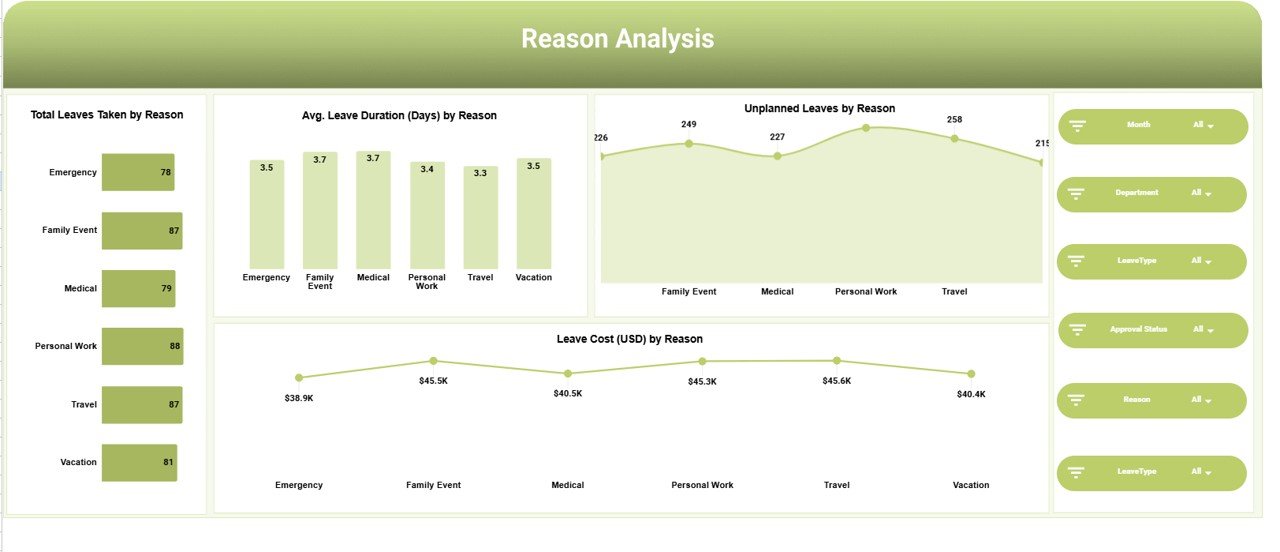
Reason Analysis Page – Understand why employees take leave
-
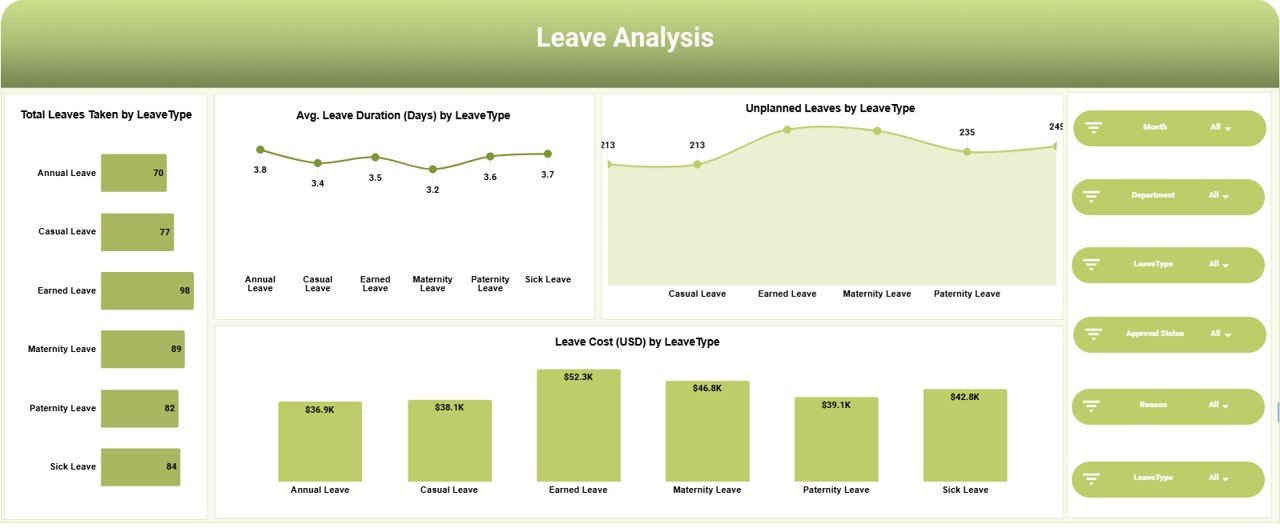
Leave Type Analysis Page – Compare leave behavior by category
-
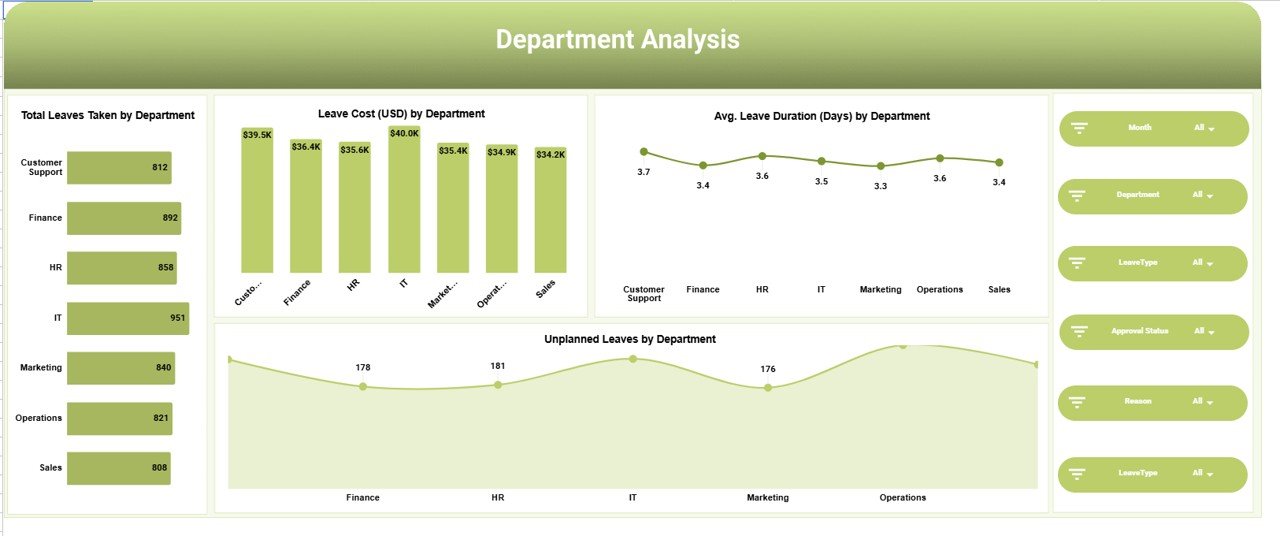
Department Analysis Page – Identify absenteeism trends across teams
-
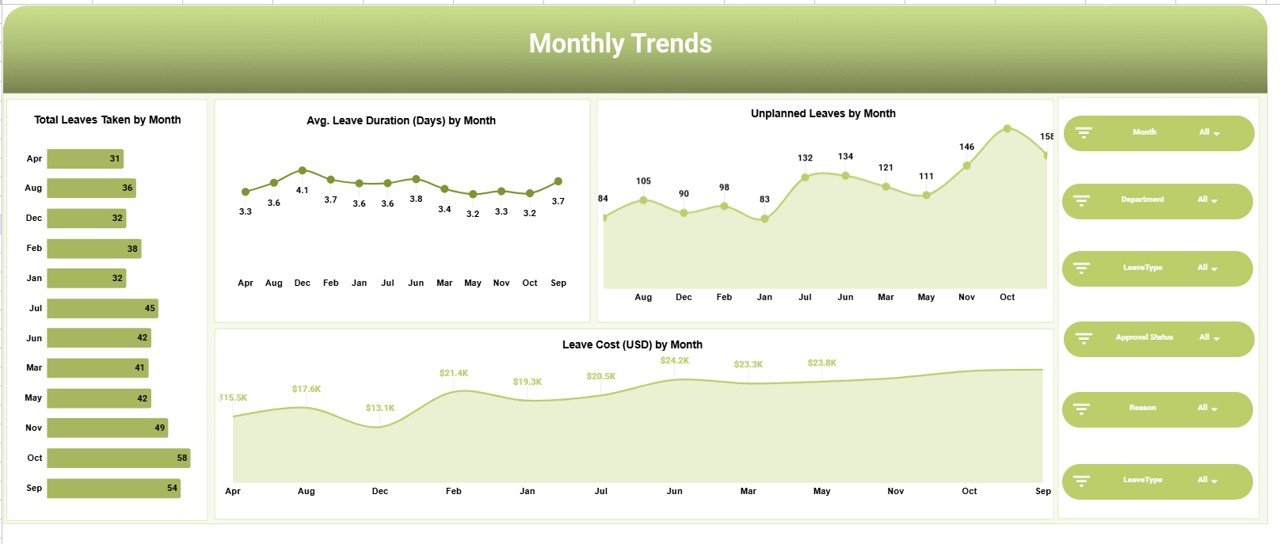
Monthly Trends Page – Analyze leave patterns over time
Together, these pages create a comprehensive HR leave analytics system.
⚙️ How to Use the HR Leave Monitoring Dashboard in Google Sheets
The dashboard is designed to be simple and user-friendly:
1️⃣ Enter employee leave data into the dataset sheet
2️⃣ Update monthly leave records regularly
3️⃣ Use filters to analyze departments, reasons, or leave types
4️⃣ Monitor KPI cards for instant workforce insights
5️⃣ Review trend charts to identify patterns and risks
All visuals update automatically, eliminating manual calculations and saving reporting time.
👥 Who Can Benefit from This HR Leave Monitoring Dashboard
This dashboard supports multiple roles within organizations:
-
HR Managers tracking absenteeism trends
-
Workforce Planners managing staffing availability
-
Operations Managers ensuring continuity
-
HR Analysts performing workforce analytics
-
Payroll Teams monitoring leave costs
-
Business Leaders reviewing workforce performance
Because the dashboard simplifies complex leave data, it helps every stakeholder make informed decisions quickly.
The HR Leave Monitoring Dashboard in Google Sheets helps organizations shift from manual leave tracking to intelligent workforce planning. Instead of reacting to staffing shortages, HR teams gain proactive visibility into leave behavior and operational risks.
By combining automation, visualization, and cloud collaboration, this dashboard improves workforce planning, controls leave-related costs, and enhances organizational efficiency — all within a familiar Google Sheets environment.
If your organization wants a smarter way to manage employee leave while improving productivity and planning accuracy, this dashboard delivers powerful HR analytics without complex software.
### Click here to read the Detailed blog post
Watch the step-by-step video tutorial: