

Key Features of Hospital Emergency KPI Scorecard
Introducing the Hospital Emergency KPI Scorecard, a powerful ready-to-use digital template designed specifically for healthcare professionals and hospital managers to monitor and improve Emergency Department performance. This comprehensive scorecard offers a detailed and intuitive way to track vital Key Performance Indicators (KPIs) in real-time, enabling data-driven decisions that enhance patient care and operational efficiency.
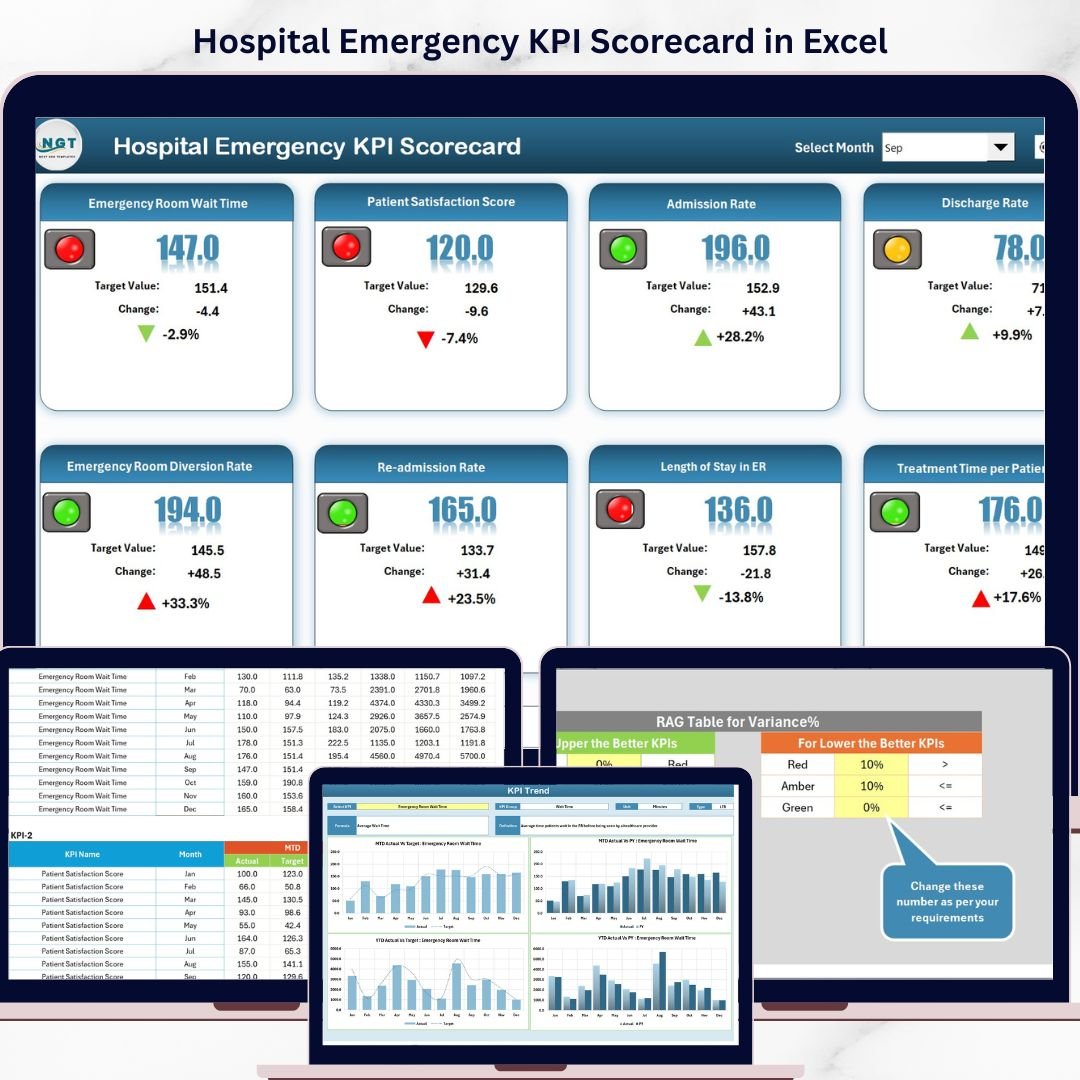
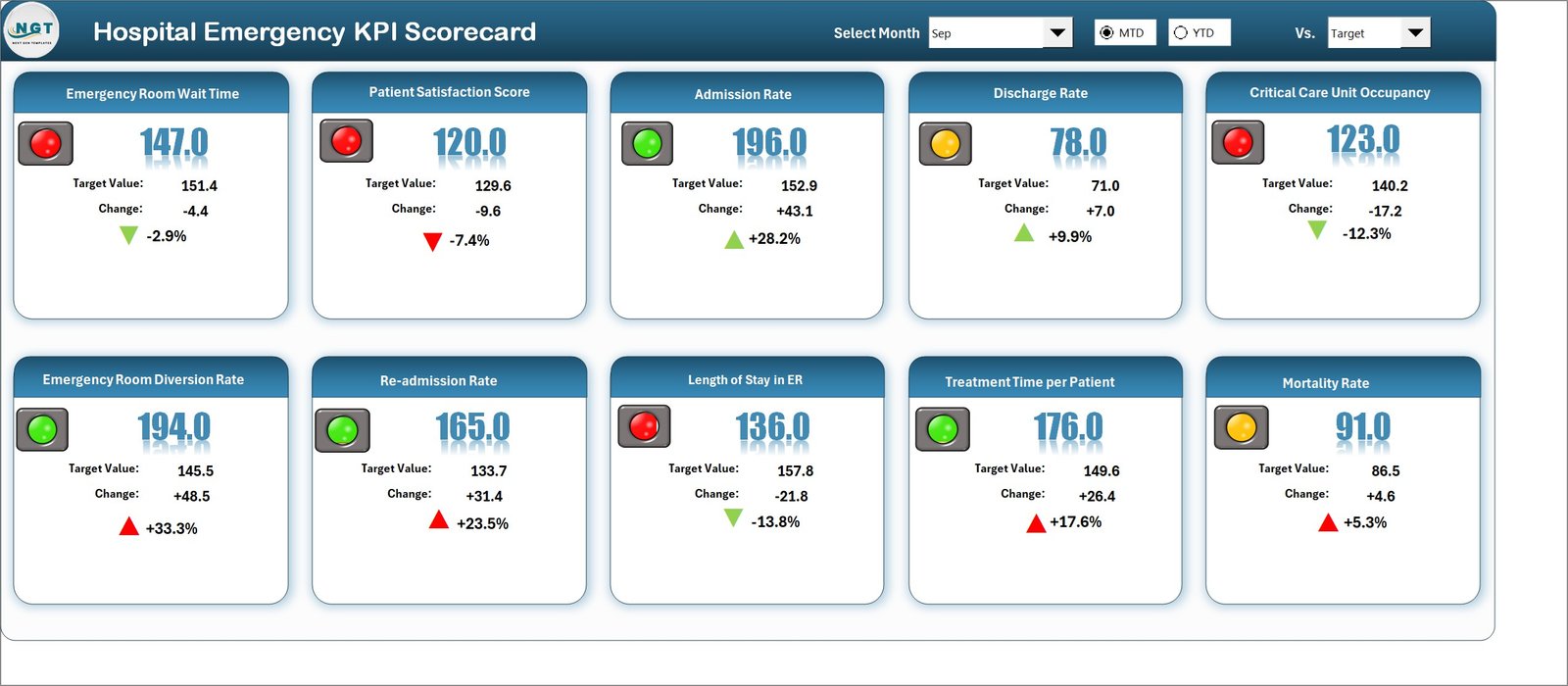
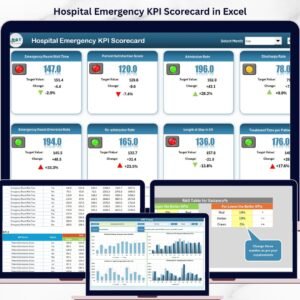
At the core of this template is the Scorecard Sheet, the main interface where you can easily analyze KPI performance. Utilize dropdown menus to select your desired time frame – whether Month, Month-to-Date (MTD), or Year-to-Date (YTD) – allowing flexible and targeted performance reviews. The sheet compares actual results against set targets, providing clear insights into where your hospital stands. Color-coded visual indicators and conditional formatting instantly highlight which KPIs are on track and which require attention, ensuring quick interpretation and proactive management.
This scorecard contains four essential worksheets, each tailored to different aspects of KPI management:
Hospital Emergency KPI Scorecard
What’s Inside the Hospital Emergency KPI Scorecard
1. Scorecard Sheet: Track all KPIs with dropdown filters for timeframes, visualize actual vs target data, and review comprehensive KPI summaries with intuitive color-coded statuses.
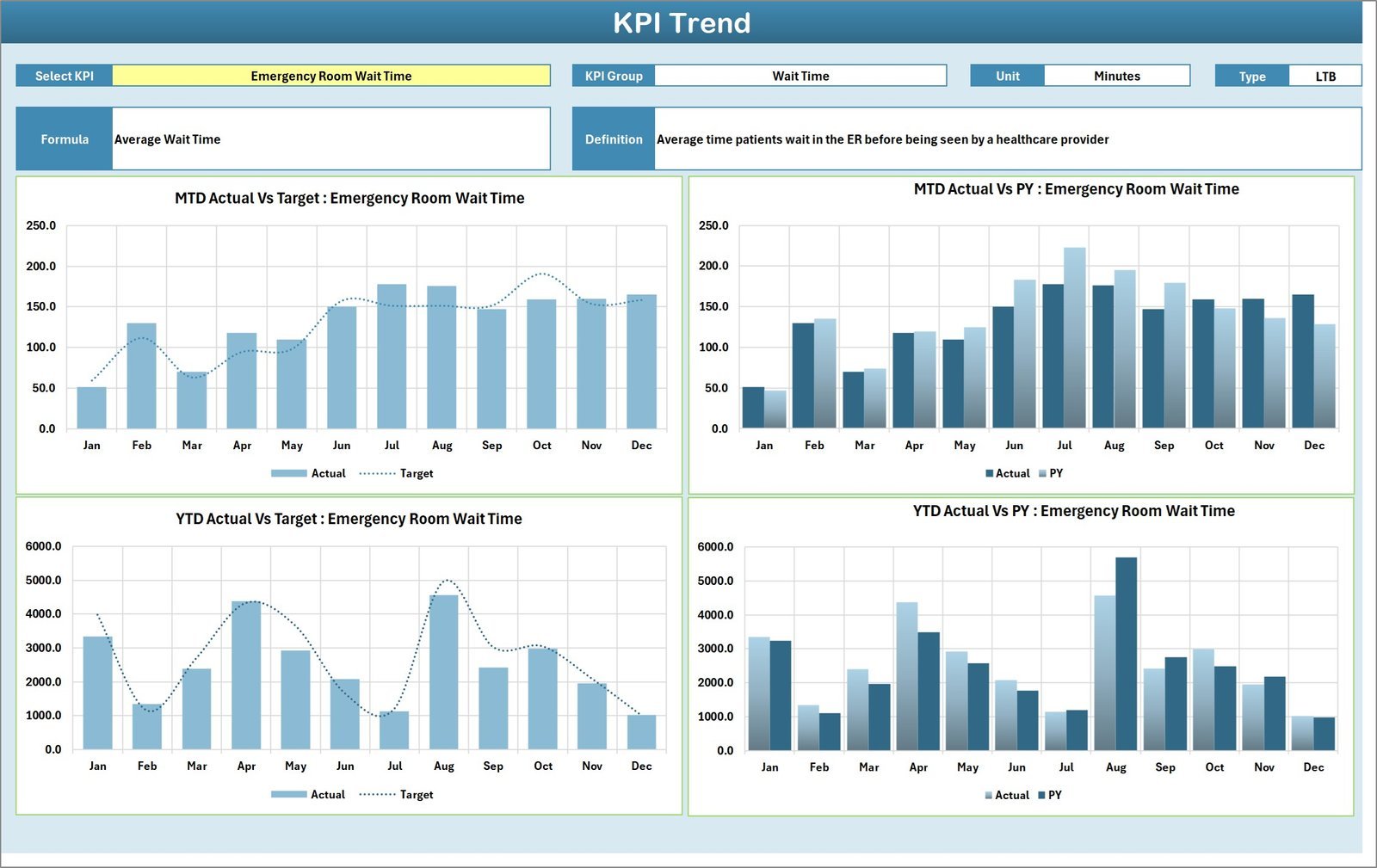
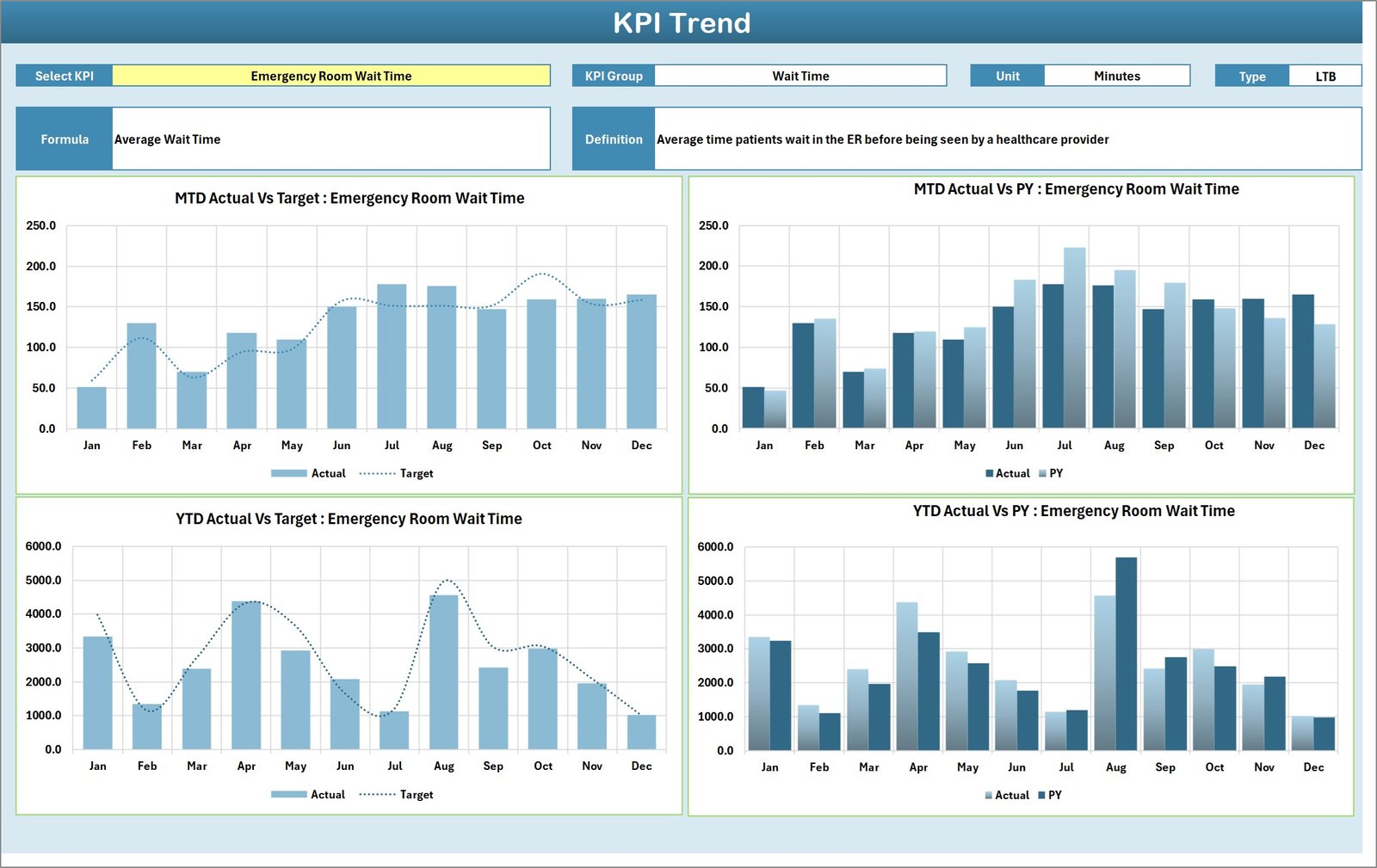
2. KPI Trend Sheet: Select any KPI to view detailed trends over MTD and YTD periods, including actual, target, and previous year data. It also displays KPI group, unit, type (whether lower or upper values are preferable), formulas, and definitions for full clarity.
KPI Trend Sheet
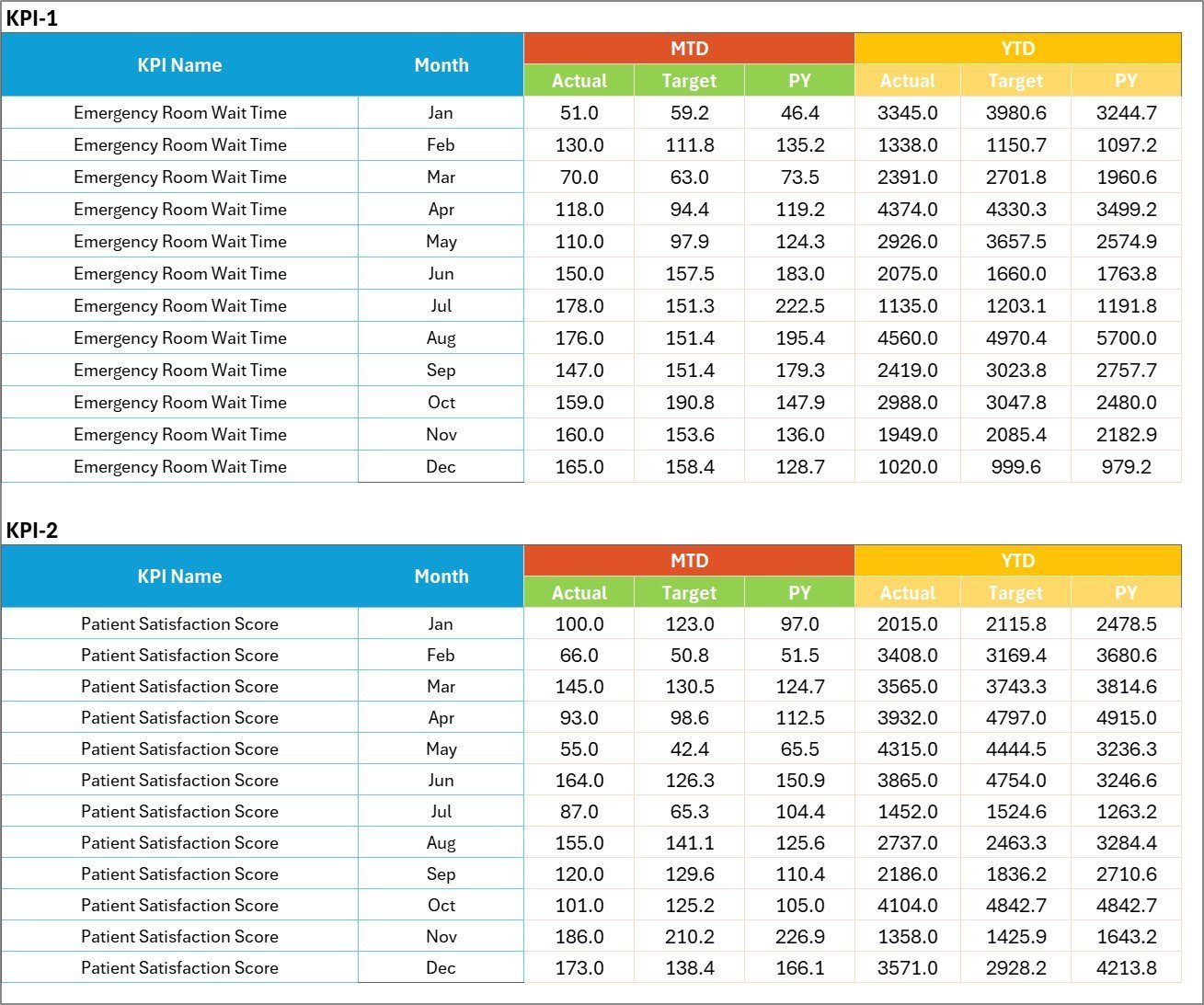
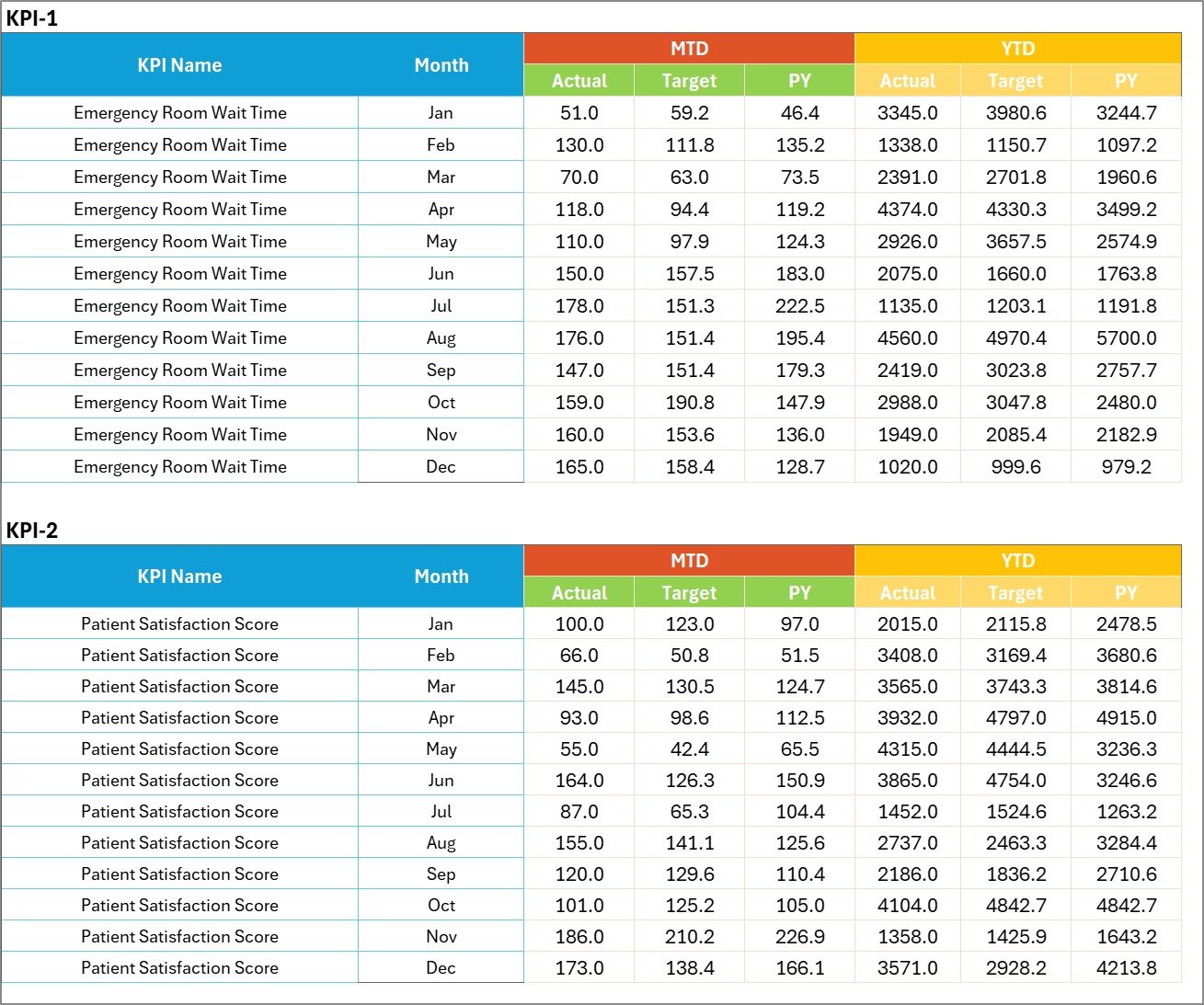
3. Input Data Sheet: Easily enter all KPI data including actual values, targets, and other relevant metrics. This sheet is designed for effortless updates to keep your scorecard current.
Input Data Sheet
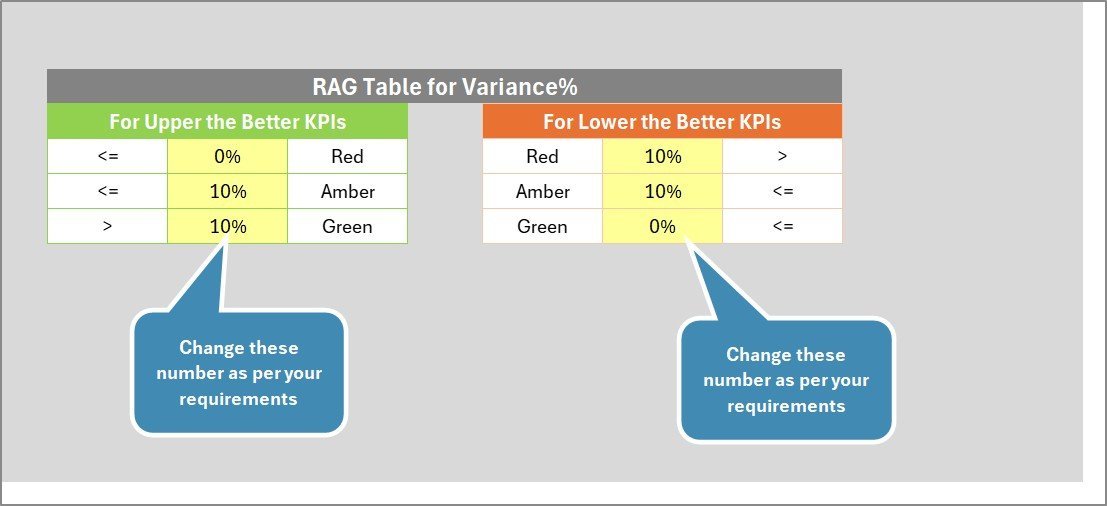
4. KPI Definition Sheet: Document KPI names, groups, units, formulas, and detailed definitions to ensure everyone understands the metrics and their significance.

KPI Definition sheet tab
How to Use the Hospital Emergency KPI Scorecard
Getting started with this scorecard is straightforward and user-friendly. Follow these simple steps:
📝 Input Your Data: Use the Input Data Sheet to enter actual results, targets, and any relevant metrics for each KPI. Update this regularly to keep data fresh.
🔄 Select Timeframes: In the Scorecard Sheet, choose Month, MTD, or YTD from the dropdown menus to view KPI performance over different periods.
📊 Analyze Trends: Navigate to the KPI Trend Sheet to select any KPI and review its performance trends, including comparisons with previous years.
📖 Review Definitions: Use the KPI Definition Sheet to understand the meaning and calculation method of each KPI, aligning your team on performance targets.
✅ Make Data-Driven Decisions: Use visual indicators and comparative data to identify areas needing improvement and make informed management decisions.
Who Can Benefit from This Hospital Emergency KPI Scorecard
This scorecard is ideal for a wide range of healthcare professionals and administrators:
🏥 Hospital Administrators: Monitor and improve emergency department efficiency and patient outcomes.
📈 Quality Improvement Teams: Track KPIs systematically to identify performance gaps and implement corrective actions.
👩⚕️ Emergency Department Managers: Gain real-time insight into department performance and resource allocation.
📊 Healthcare Analysts: Utilize trend data and KPI definitions to support strategic planning.
🎯 Consultants & Auditors: Provide clients with structured, easy-to-understand performance dashboards.
With its intuitive layout, flexible data input, and powerful visualizations, the Hospital Emergency KPI Scorecard is a must-have tool for anyone aiming to elevate emergency healthcare performance.




















Reviews
There are no reviews yet.