


Managing cybersecurity activities in healthcare R&D is more challenging than ever. Teams handle confidential clinical data, patient information, drug formulations, medical device research, trial records, and proprietary innovation files. Any delay, missed audit, or overlooked vulnerability can put an entire organization at risk. That’s exactly why you need a powerful, easy-to-use planning system — and the Healthcare R&D Cybersecurity Calendar in Excel is the perfect solution.
This ready-to-use Excel template helps you plan, track, and manage all cybersecurity tasks across the year with clarity and control. From audits to patch updates, vulnerability checks, compliance deadlines, penetration tests, and incident-response activities — everything stays organized in one place. Designed especially for healthcare R&D teams, this calendar improves visibility, ensures compliance, and strengthens security operations with zero complexity.
✨ Key Features of the Healthcare R&D Cybersecurity Calendar in Excel
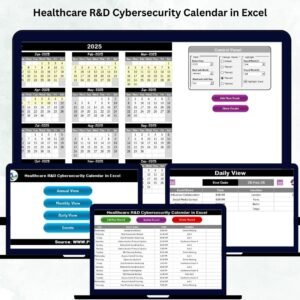
📅 Dynamic Annual, Monthly & Daily Views
View your cybersecurity schedule at three levels — year, month, and day — allowing better planning and quick insights.
🎨 5 Professional Color Themes
Choose from modern themes to match your organization’s branding.
📝 Smart Event Management System
Add, update, or delete events using clean, user-friendly forms.
🎯 Highlight & Filter Options
Highlight weekends, focus days, or important cybersecurity tasks with a single click.
🔄 Auto-Updated Calendars
Changing the year, month, or start day instantly refreshes the entire calendar.
🗂 Events Database with Auto-Generated IDs
Every event is stored, structured, and searchable for future audits or reporting.

📘 What’s Inside the Healthcare R&D Cybersecurity Calendar
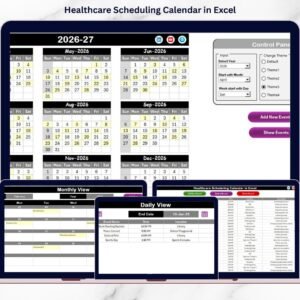
This template contains 5 professionally designed worksheets, each optimized for cybersecurity planning:
🏠 1. Home Page
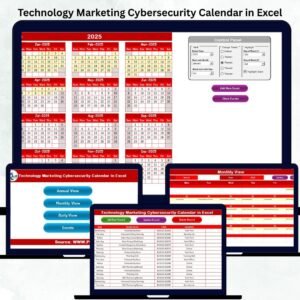
A clean dashboard with navigation buttons — Annual View, Monthly View, Daily View, and Events.
📆 2. Annual View
See all 12 months on one screen. Ideal for yearly audits, penetration tests, upgrade plans, compliance cycles, and training programs.
Includes:
-
Year selector
-
Starting month selector
-
Start day selector
-
Highlight days
-
Highlight events
-
Theme selection
-
Add Event button
-
View Event button
🗓 3. Monthly View
Perfect for operational planning such as access reviews, weekly patch updates, and vulnerability checks. Automatically shows “more than 1…” when multiple events exist on the same day.
📅 4. Daily View
Analyze tasks for any date range. Great for incident response weeks, tool upgrades, or short-term security operations.
📑 5. Events Database
Stores all event information — ID, date, day, name, time, location, description.
Includes: Add Record, Update Record, Delete Record.
🛠 How to Use the Healthcare R&D Cybersecurity Calendar
📌 Step 1: Set Your Year & Preferences
Adjust the year, starting month, and weekly start day.
📌 Step 2: Add Events
Use the Add Event button from any view to schedule audits, training, updates, or checks.
📌 Step 3: Track Activities Using All Views
-
Annual View → Long-term cybersecurity planning
-
Monthly View → Operational planning
-
Daily View → Short-term task management
📌 Step 4: Highlight Important Days
Mark critical task dates or compliance deadlines.
📌 Step 5: Maintain the Events Database
Update or delete records anytime for accuracy.
👥 Who Can Benefit from This Calendar
🧪 Healthcare R&D Teams
Clinical researchers, medical device teams, pharma innovation groups.
🔐 IT & Cybersecurity Teams
Security analysts, SOC teams, vulnerability management teams.
📊 Compliance & Audit Teams
Those responsible for HIPAA, GDPR, FDA, NIST, ISO certifications.
🧬 Bioinformatics & Data Science Teams
Ensuring safe handling of sensitive datasets and research files.
🏥 Healthcare Analytics Departments
Managing large-scale data pipelines securely.
### Click here to read the Detailed blog post
Watch the step-by-step video tutorial:
Visit our YouTube channel to learn step-by-step video tutorials
👉 <a href=”https://youtube.com/@PKAnExcelExpert”>Youtube.com/@PKAnExcelExpert</a>














Reviews
There are no reviews yet.