

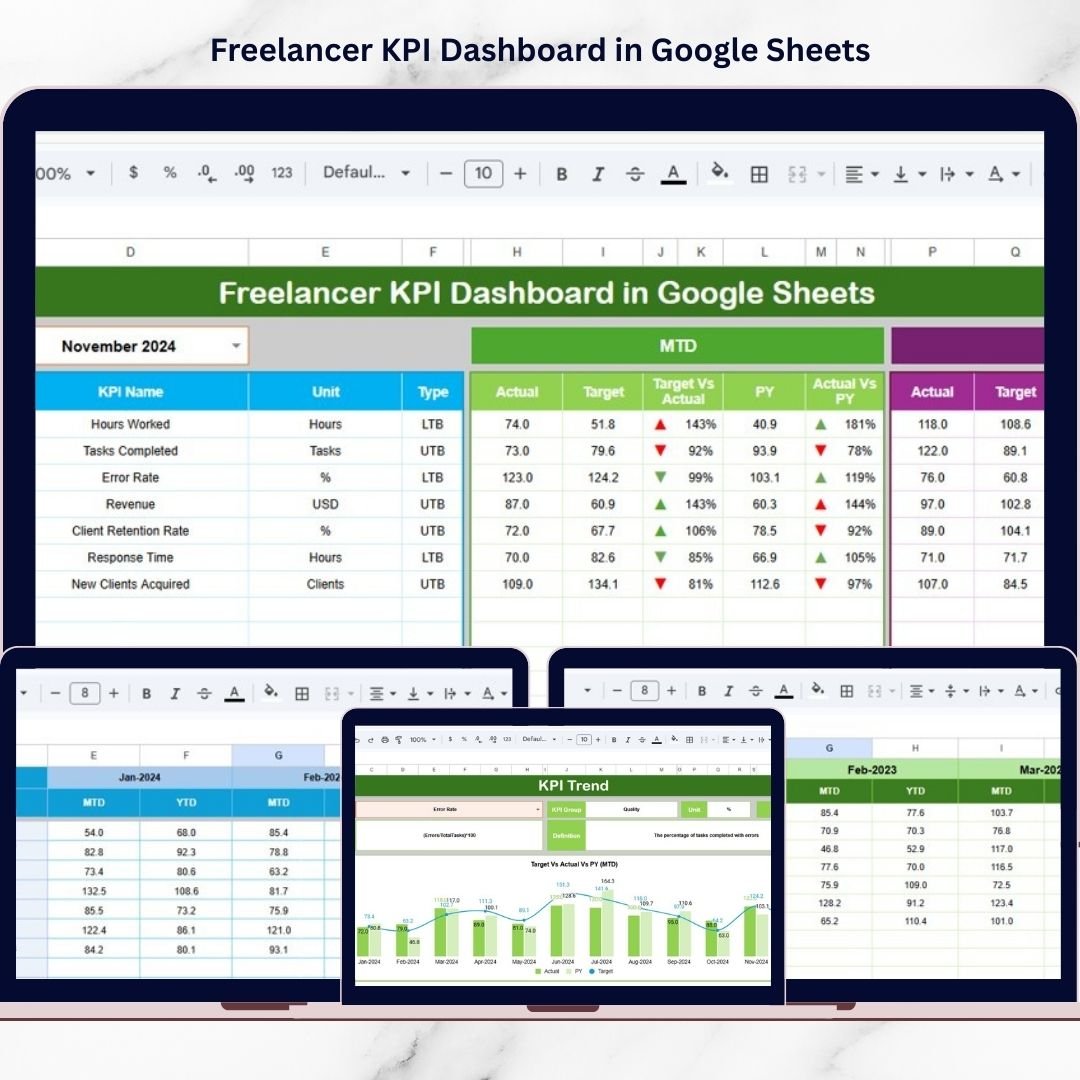
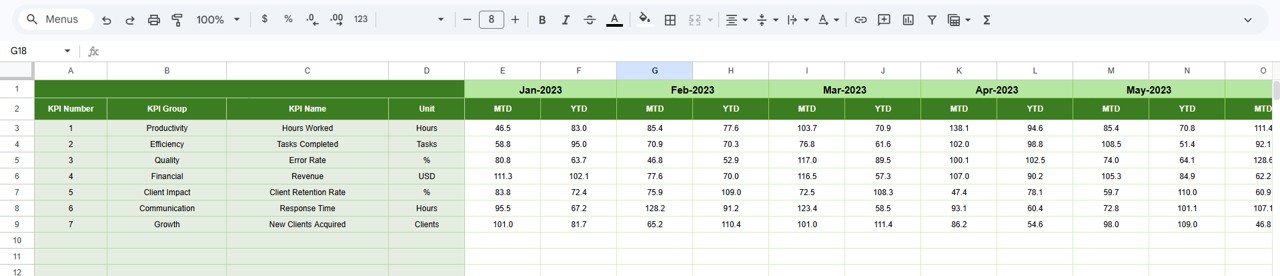
The Freelancer KPI Dashboard in Google Sheets is a powerful, ready-to-use performance tracking system designed to help you monitor income, profitability, productivity, and client performance in one centralized cloud-based dashboard.
Instead of juggling multiple sheets, you can track MTD, YTD, Target, and Previous Year comparisons instantly. The result? Clear insights. Better decisions. Consistent growth.
This is not just a spreadsheet. It is your freelance business control center.
🚀 Key Feature of Freelancer KPI Dashboard in Google Sheets
📊 Dynamic Monthly Dashboard
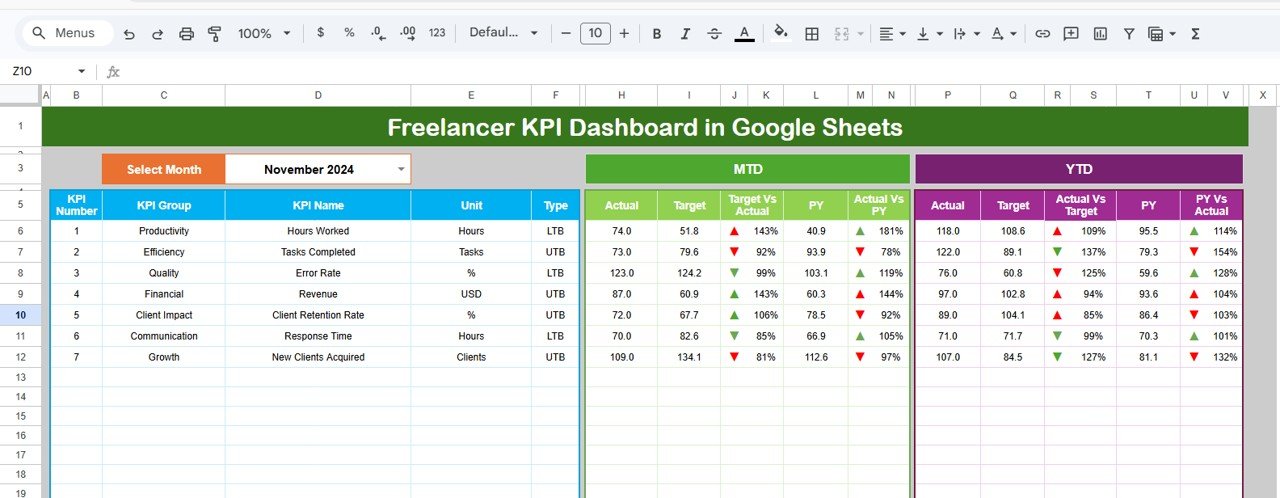
Select a month from the dropdown (Cell D3), and the entire dashboard updates automatically.
🎯 MTD & YTD Performance Tracking
Monitor Month-to-Date and Year-to-Date performance side by side for complete clarity.
📈 Target vs Actual Comparison
Instantly see whether you are hitting your income, profit, and productivity goals.
🔁 Previous Year Comparison
Measure true growth by comparing current performance with last year.
🟢🔴 Conditional Formatting Indicators
Up and down arrows visually highlight performance gaps in seconds.
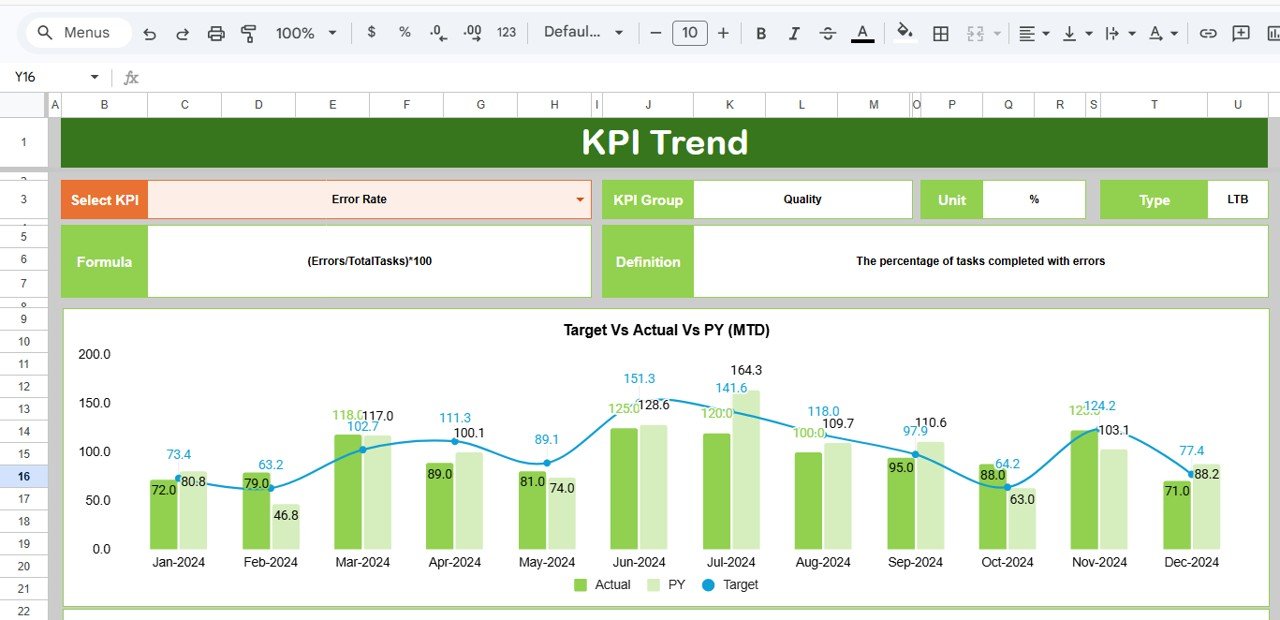
📉 KPI Trend Analysis
Analyze monthly performance trends to detect growth patterns early.
☁️ 100% Cloud-Based System
Access your dashboard anytime, anywhere with Google Sheets.
📦 What’s Inside the Freelancer KPI Dashboard in Google Sheets
This dashboard includes 6 structured worksheets:
📊 Dashboard Sheet
Your main summary page showing MTD Actual, Target, Previous Year, YTD comparisons, and visual performance indicators.
📈 KPI Trend Sheet
Select any KPI (Cell C3) and analyze its monthly movement with dynamic charts. View KPI group, unit, formula, and type.
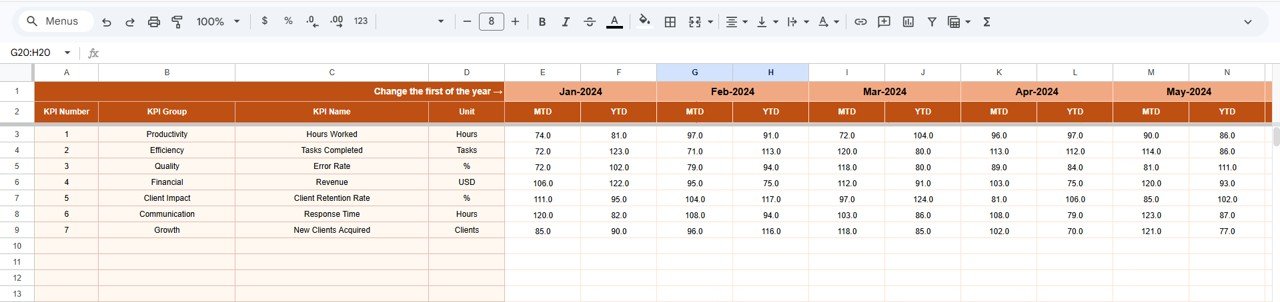
🧮 Actual Number Sheet
Enter monthly actual MTD and YTD data. The dashboard updates instantly.
🎯 Target Sheet
Set monthly business goals for each KPI. Track whether you are achieving them.
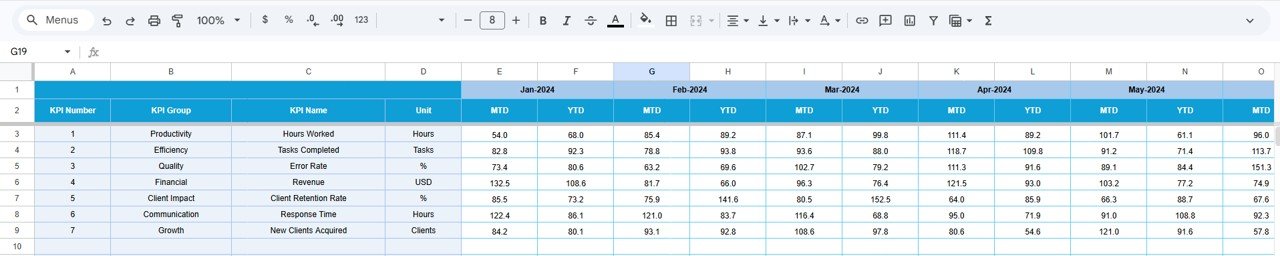
📅 Previous Year Sheet
Input last year’s data to measure real business growth.
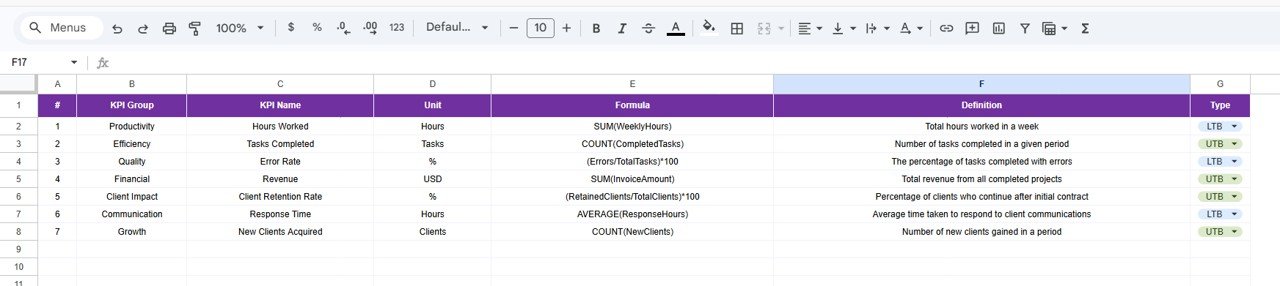
📘 KPI Definition Sheet
Define KPI name, group, formula, unit, and description for complete clarity and consistency.
Everything works together automatically. You only enter data once.
🛠 How to Use the Freelancer KPI Dashboard in Google Sheets
Using this dashboard is simple:
1️⃣ Enter your monthly actual data in the Actual Sheet.
2️⃣ Define your business goals in the Target Sheet.
3️⃣ Add previous year numbers for comparison.
4️⃣ Select your month in the Dashboard Sheet.
5️⃣ Review MTD, YTD, and growth performance instantly.
No advanced skills required. Basic Google Sheets knowledge is enough.
👩💻 Who Can Benefit from This Freelancer KPI Dashboard?
This dashboard is perfect for:
💻 Freelance Designers
🖥 Web Developers
✍ Content Writers
📊 Digital Marketers
🎬 Video Editors
📱 Social Media Managers
📈 Consultants and Coaches
If you earn independently and want stable, scalable growth, this dashboard is for you.
Stop guessing your growth. Start measuring it.
Turn freelancing into a structured, profitable business with real performance tracking.
Click here to read the Detailed blog post
Watch the step-by-step video tutorial:
Visit our YouTube channel to learn step-by-step video tutorials






























