Free, fair, and transparent elections are the foundation of democracy. But managing election performance through scattered spreadsheets and delayed reports can slow down decision-making. What if you could monitor voter registration progress, pollingreadiness, complaint resolution time, and budget utilization — all in one powerful system?Introducing the Election Commissions KPI Dashboard in Power BI — a ready-to-use, fully interactive performance monitoring solution designed specifically for election authorities.This dashboard converts complex election data into clear visuals, KPI indicators, and dynamic reports. With real-time tracking of MTD (Month-To-Date) and YTD (Year-To-Date) performance, leaders can instantly identify gaps, monitor trends, and take corrective action.
No more manual consolidation. No more confusion. Just clear insights and confident decisions.
🚀 Key Feature of Election Commissions KPI Dashboard in Power BI
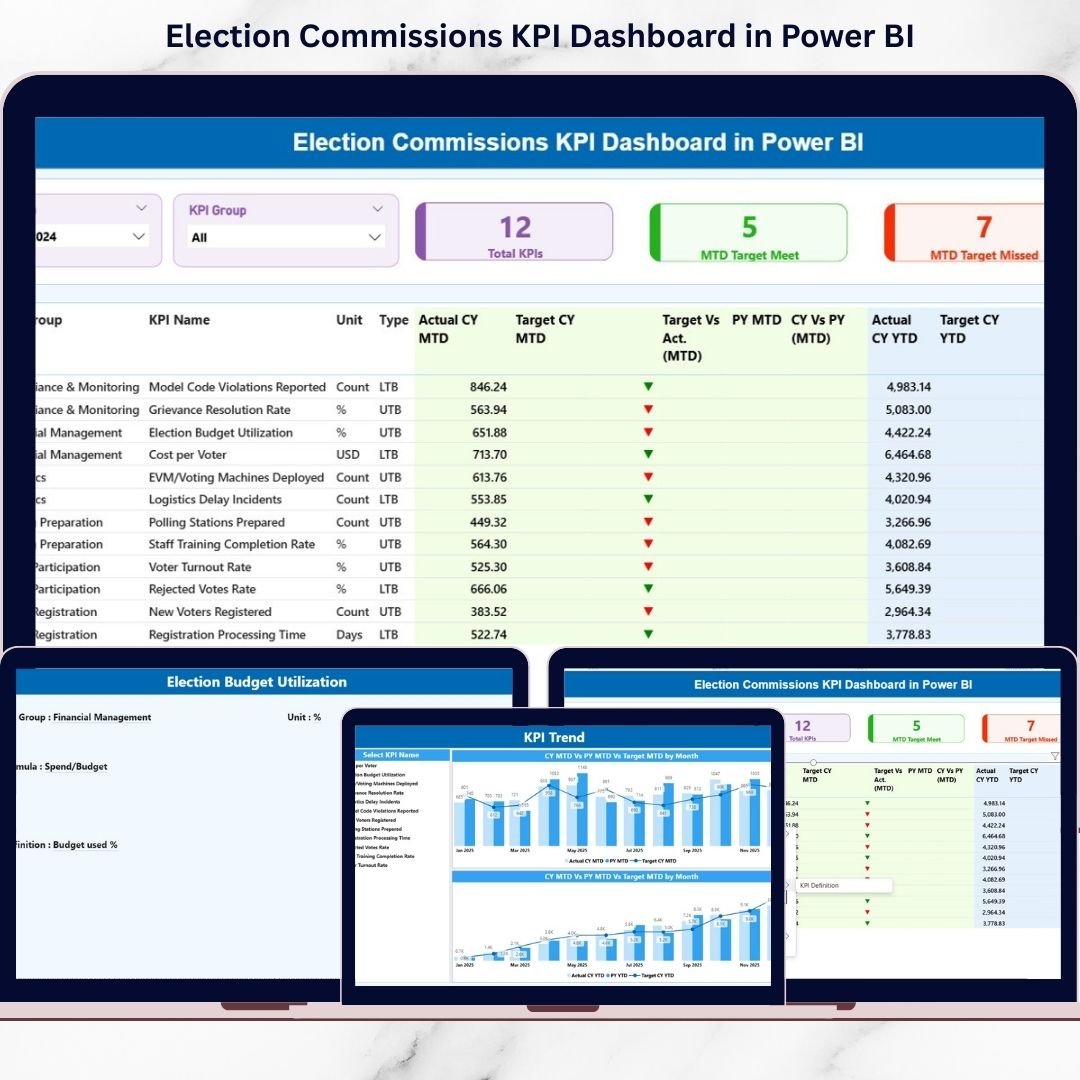
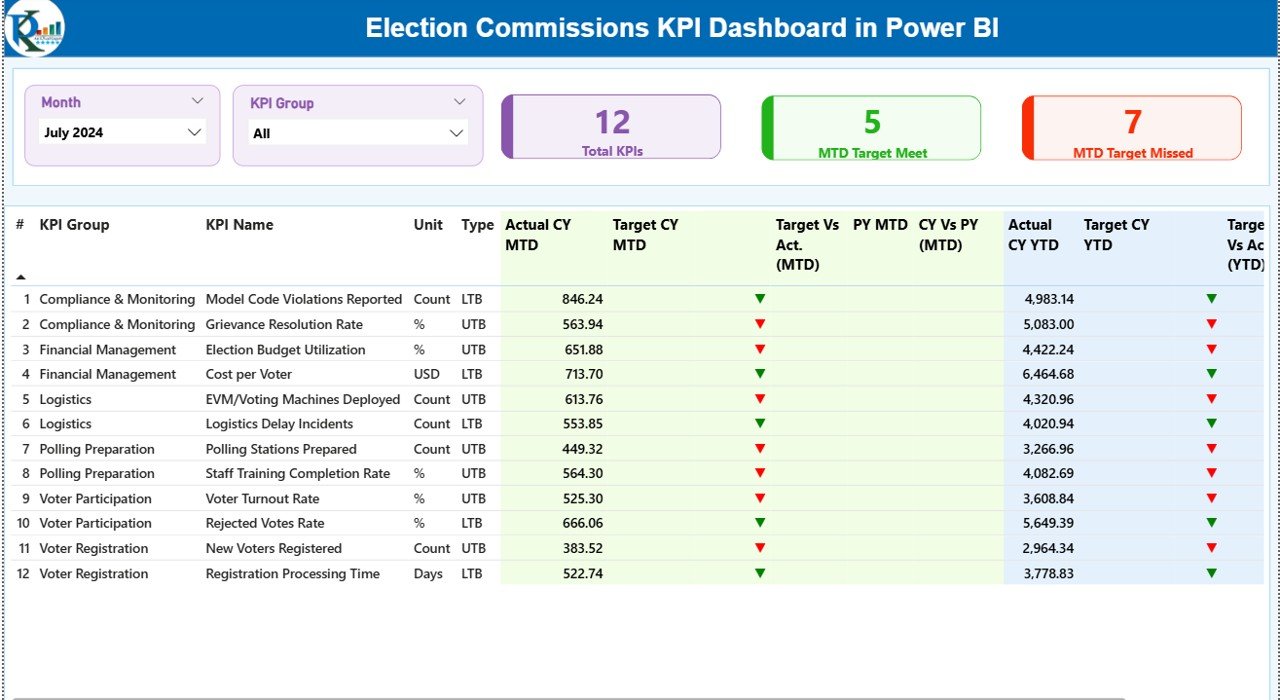
📊 3 Fully Interactive Dashboard Pages – Summary, KPI Trend, and KPI Definition pages for complete performance monitoring.
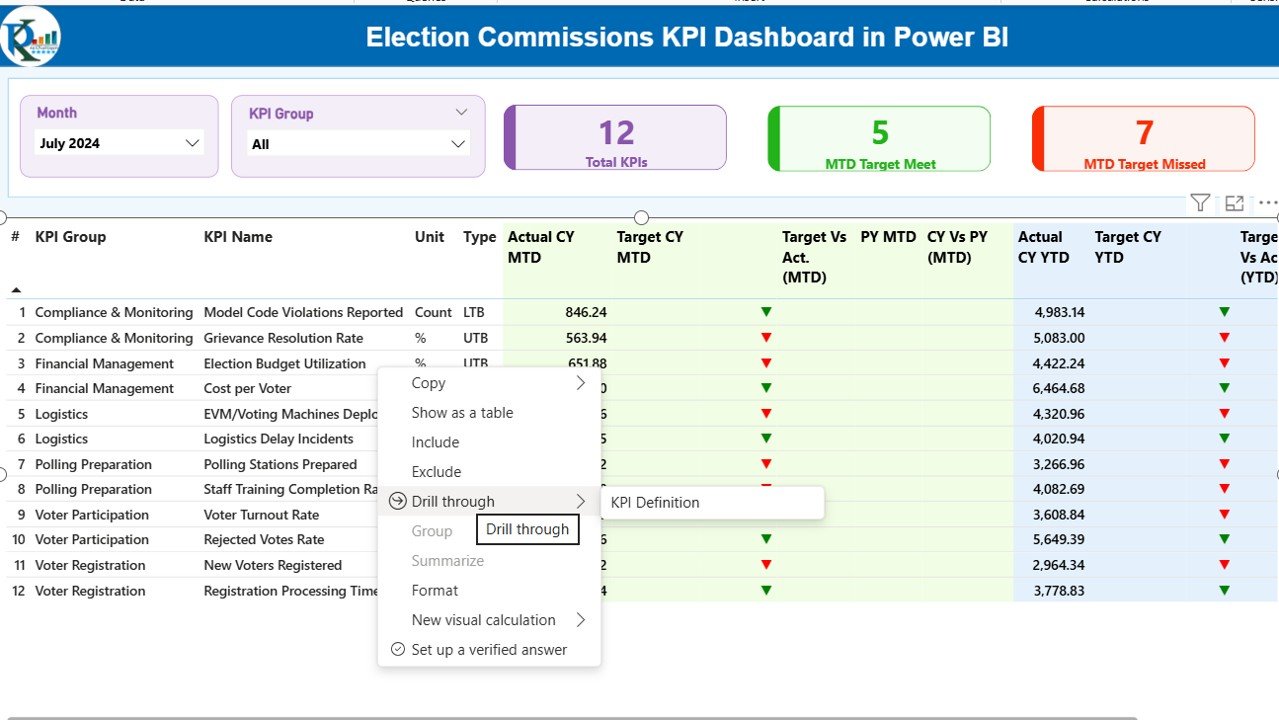
🎯 Smart KPI Cards – Instantly view Total KPIs, MTD Target Meet, and MTD Target Missed counts.
📅 Dynamic Month & KPI Group Slicers – Filter results instantly for deeper analysis.
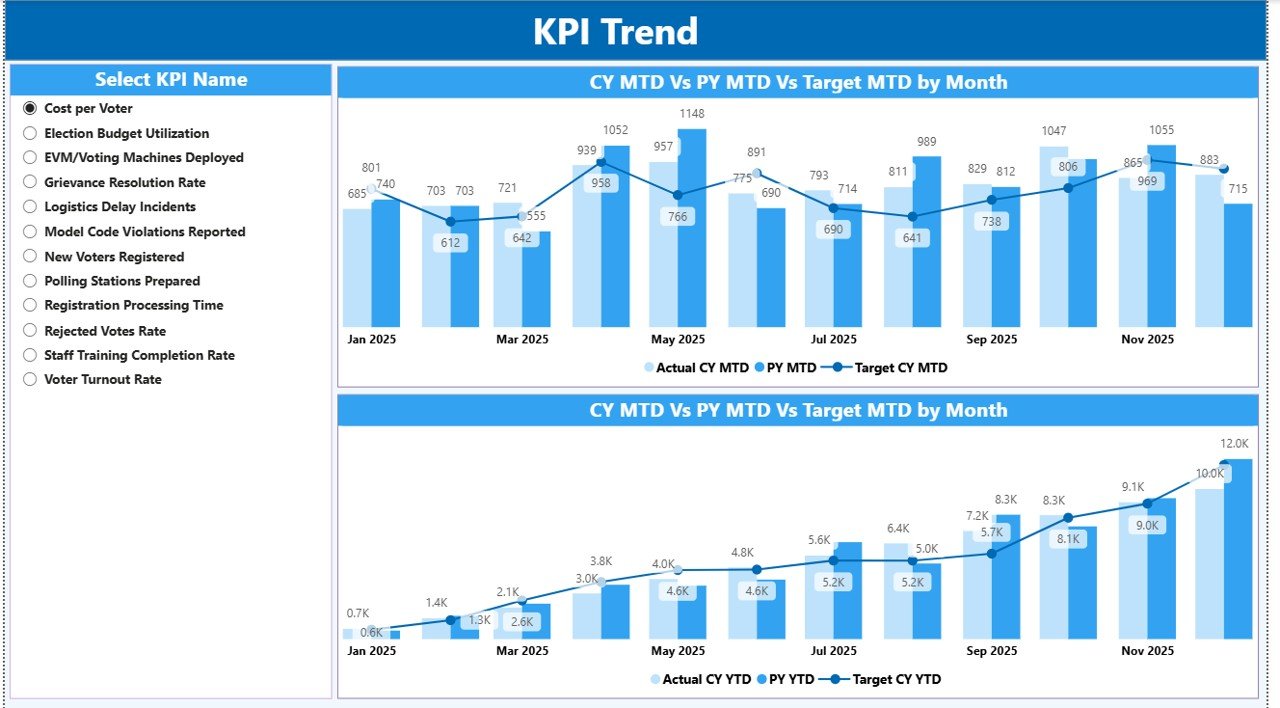
📈 MTD & YTD Trend Charts – Combo charts compare Actual vs Target vs Previous Year.
📉 Performance Status Icons – Green ▲ and Red ▼ indicators highlight underperformance.
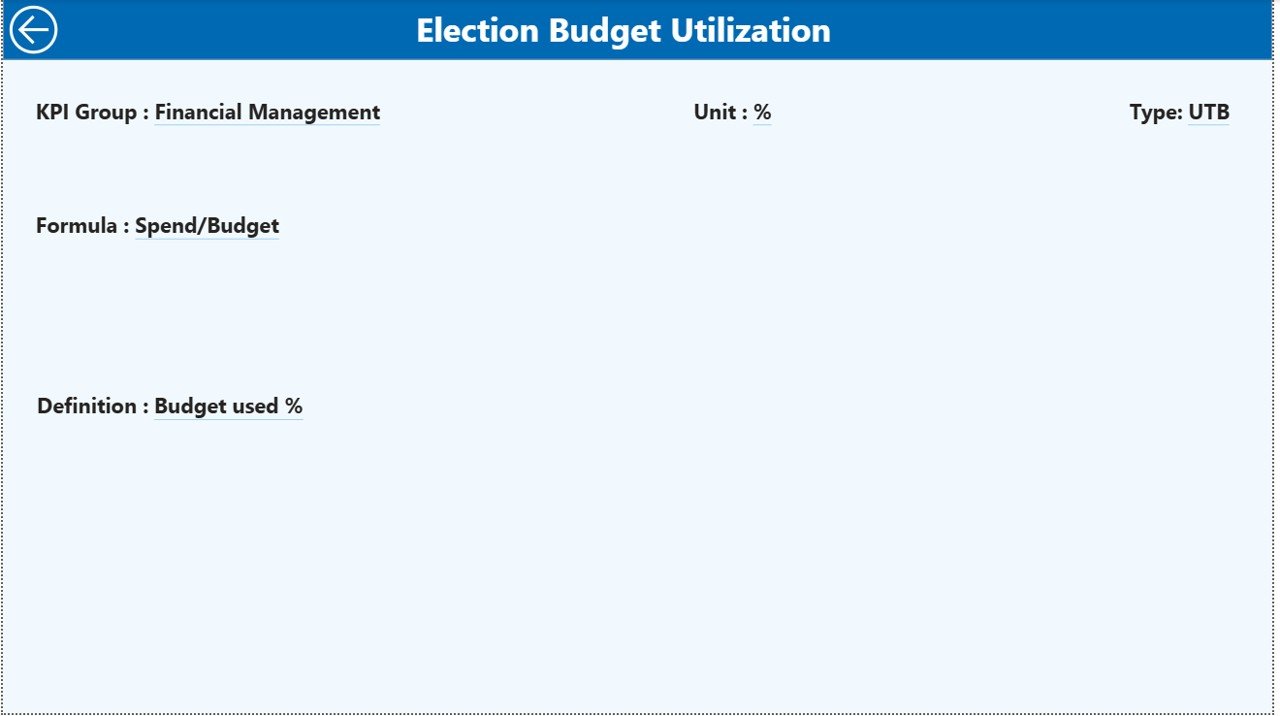
🔍 Drill-Through KPI Definition Page – View KPI formula, category, and measurement details.
📂 Excel Data Integration – Update numbers in Excel and refresh Power BI instantly.
📊 Year-over-Year Comparison – Measure long-term progress using CY vs PY analysis.
This dashboard is built to give election leaders clarity, speed, and confidence.
📦 What’s Inside the Election Commissions KPI Dashboard in Power BI
When you download this product, you receive:
✔️ Power BI Desktop (.pbix) File
✔️ Structured Excel Data Source File
✔️ Input_Actual Sheet for MTD & YTD performance
✔️ Input_Target Sheet for target tracking
✔️ KPI Definition Sheet for formulas and categories
✔️ Pre-configured DAX calculations
✔️ Clean visual layout with slicers and icons
✔️ Drill-through functionality enabled
The Summary Page acts as your control center. It displays KPI cards and a detailed KPI table showing:
-
KPI Number
-
KPI Group
-
KPI Name
-
Unit
-
Type (LTB or UTB)
-
Actual vs Target (MTD & YTD)
-
Previous Year comparisons
-
Status indicators
The KPI Trend Page allows you to select a specific KPI and analyze growth patterns using combo charts.
The KPI Definition Page provides formula transparency and measurement clarity.
Everything is structured, automated, and easy to understand.
🛠️ How to Use the Election Commissions KPI Dashboard in Power BI
Using this dashboard is simple and efficient.
1️⃣ Open the Excel data file.
2️⃣ Enter MTD and YTD actual values in the Input_Actual sheet.
3️⃣ Enter monthly targets in the Input_Target sheet.
4️⃣ Update KPI details in the KPI Definition sheet if needed.
5️⃣ Open the Power BI file.
6️⃣ Click Refresh.
That’s it.
The dashboard will automatically update visuals, status icons, comparisons, and trends.
No advanced technical knowledge required. Basic Excel and Power BI navigation skills are enough.
👥 Who Can Benefit from This Election Commissions KPI Dashboard in Power BI
🏛️ National Election Commissions
🏢 State Election Authorities
📍 Local Election Offices
📊 Election Performance Monitoring Units
💼 Government Oversight Bodies
📈 Policy and Planning Teams
Whether you operate at local, state, or national level, this dashboard helps you improve transparency, strengthen accountability, and ensure election readiness.
This solution helps election authorities:
✔ Monitor real-time performance
✔ Improve reporting accuracy
✔ Identify gaps quickly
✔ Conduct monthly performance reviews
✔ Increase public trust through transparency
Stop managing election KPIs manually.
Start making data-driven decisions today.
Click hare to read the Detailed blog post
Watch the step-by-step video tutorial: