
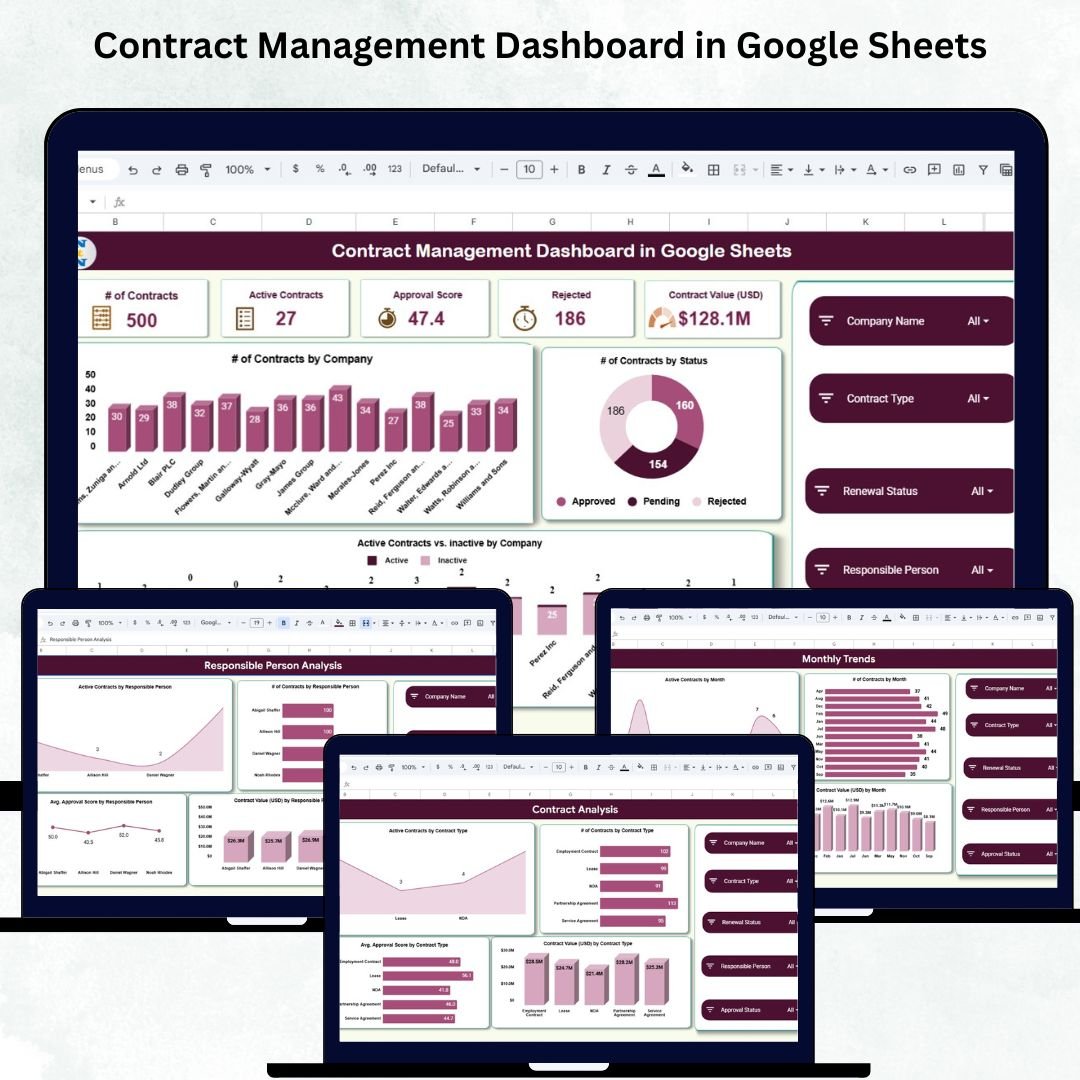
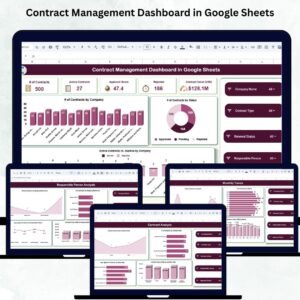
Managing contracts across multiple clients, departments, and vendors can quickly become overwhelming. Deadlines are missed, renewals get delayed, and approvals slow down because data is scattered across different sheets and folders. That’s exactly why we created the Contract Management Dashboard in Google Sheets — a powerful, ready-to-use solution designed to simplify your entire contract lifecycle using clean visuals, automated KPIs, and real-time insights.
This dashboard helps you track active contracts, approvals, financial value, renewal performance, and monthly trends — all in one place. With interactive charts, dynamic KPI cards, and a fast search system, you gain complete visibility while saving hours of manual work every week.
✨ Key Features of the Contract Management Dashboard in Google Sheets
This dashboard is loaded with smart, easy-to-use features that give your team instant clarity and control:
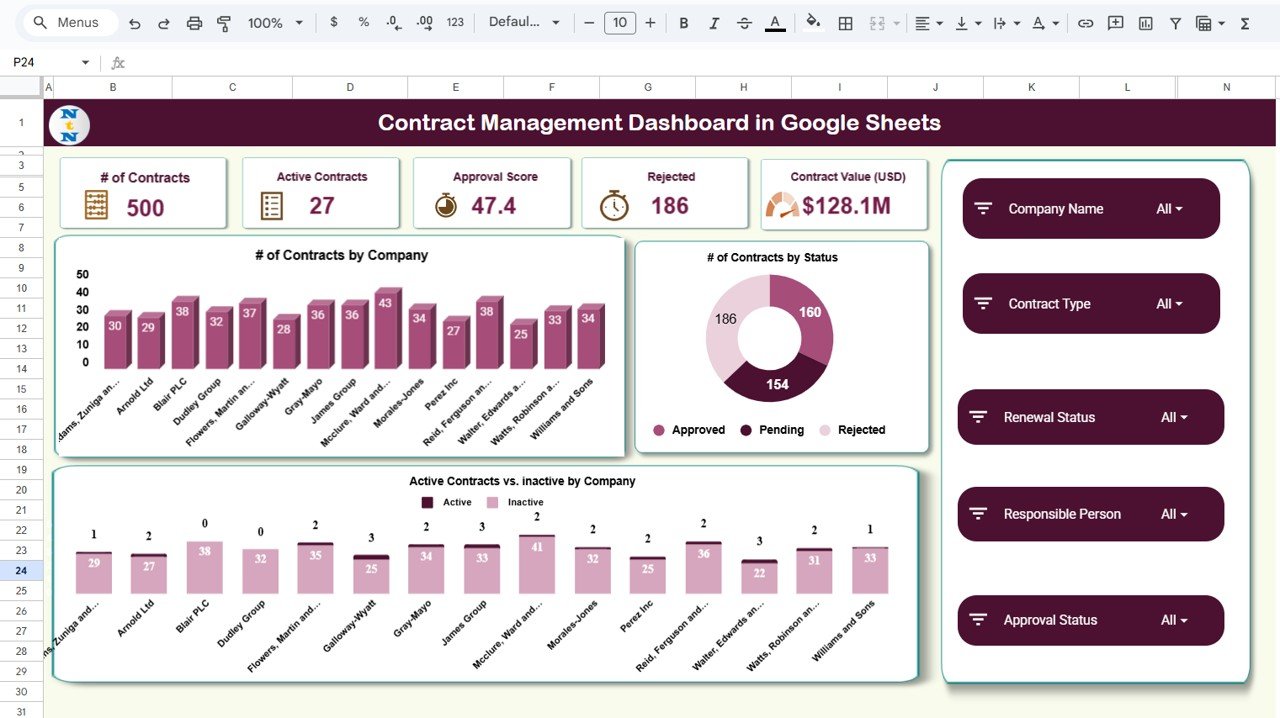
📊 Real-Time KPI Cards
Monitor the most important numbers instantly:
-
Total Contracts
-
Active Contracts
-
Rejected Contracts
-
Approval Score
-
Contract Value (USD)
These KPIs update automatically when new data is added — no manual calculations required.
📉 Interactive Visual Charts
Understand contract performance at a glance:
-
Contracts by Company
-
Contracts by Status
-
Active vs. Inactive Contracts
-
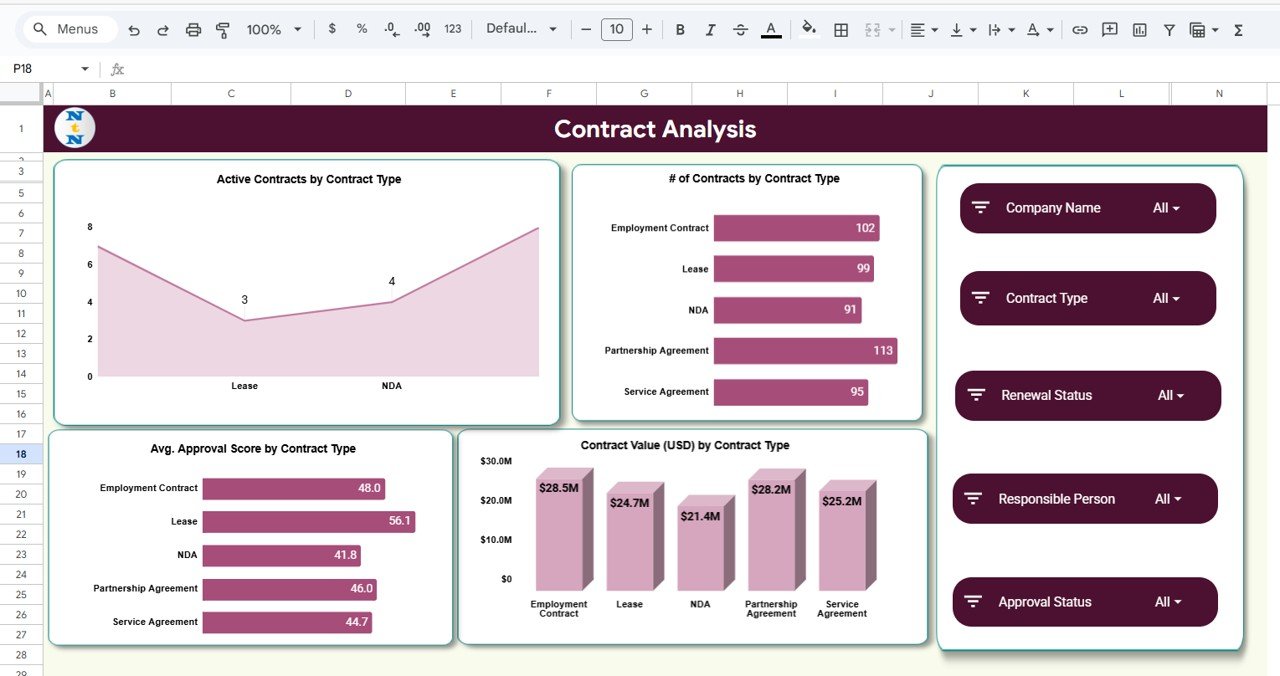
Contract Value by Contract Type
-
Approval Score by Type
Every chart is designed to help you make faster, more accurate decisions.
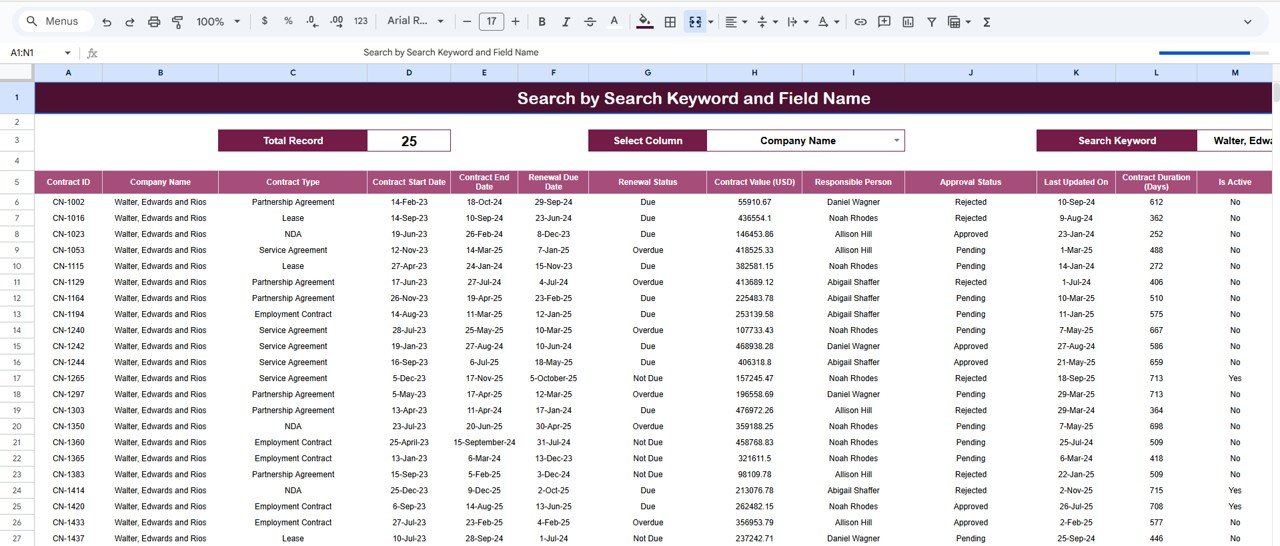
🔍 Advanced Search Module
Search contracts instantly by:
-
Contract ID
-
Company
-
Status
-
Contract Type
-
Renewal Status
-
Responsible Person
Perfect for audits, reviews, and reporting.
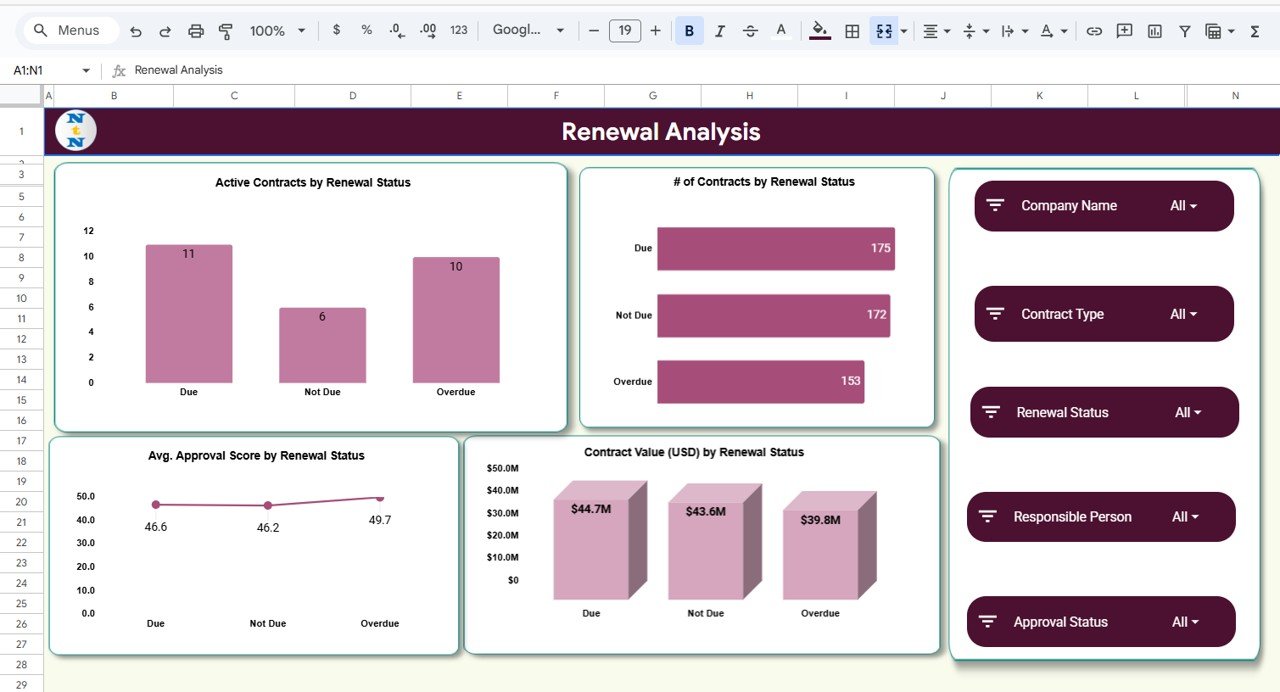
🔄 Complete Renewal Analysis
Identify which contracts are due, active, expired, or pending renewal — with financial impact and approval score comparisons.
📦 What’s Inside the Contract Management Dashboard
Inside the Google Sheets file, you get a clean and fully organized structure:
🏠 Overview Page
A visual summary of all KPIs and charts for quick decision-making.
🗂️ Contract Analysis
Analyze contracts by type, category, value, and success rate.
♻️ Renewal Analysis
Get renewal status insights, success trends, and renewal value distribution.
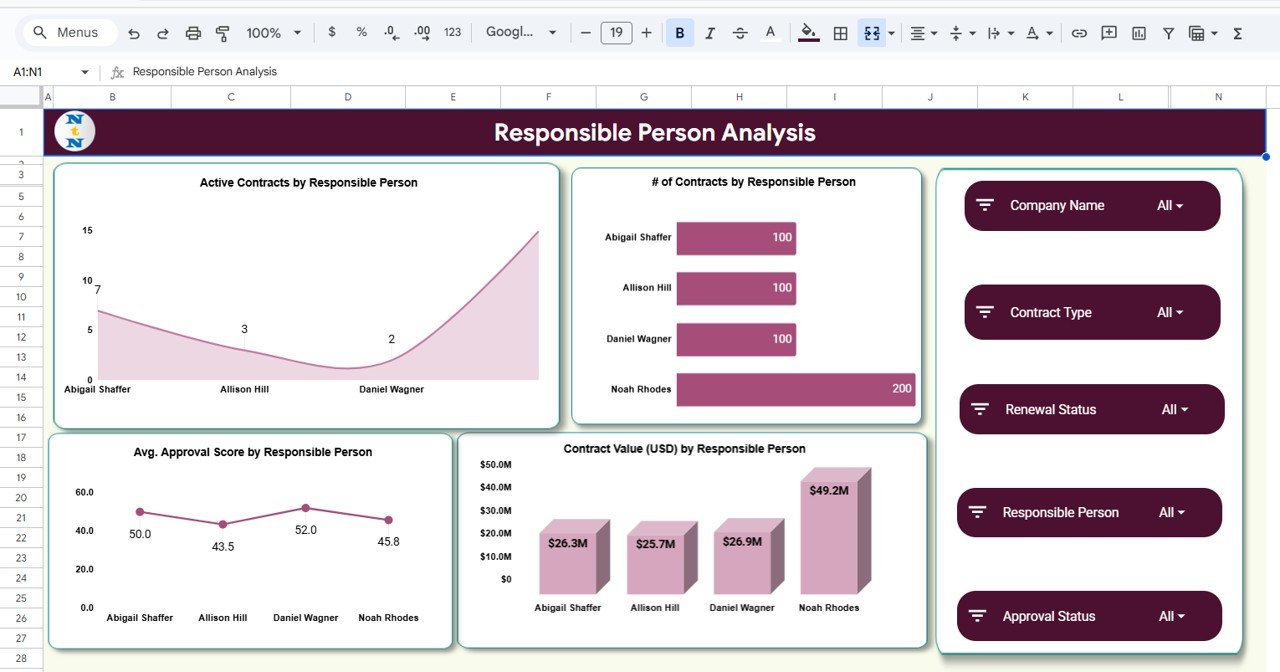
👤 Responsible Person Analysis
Track team member performance and workload distribution.
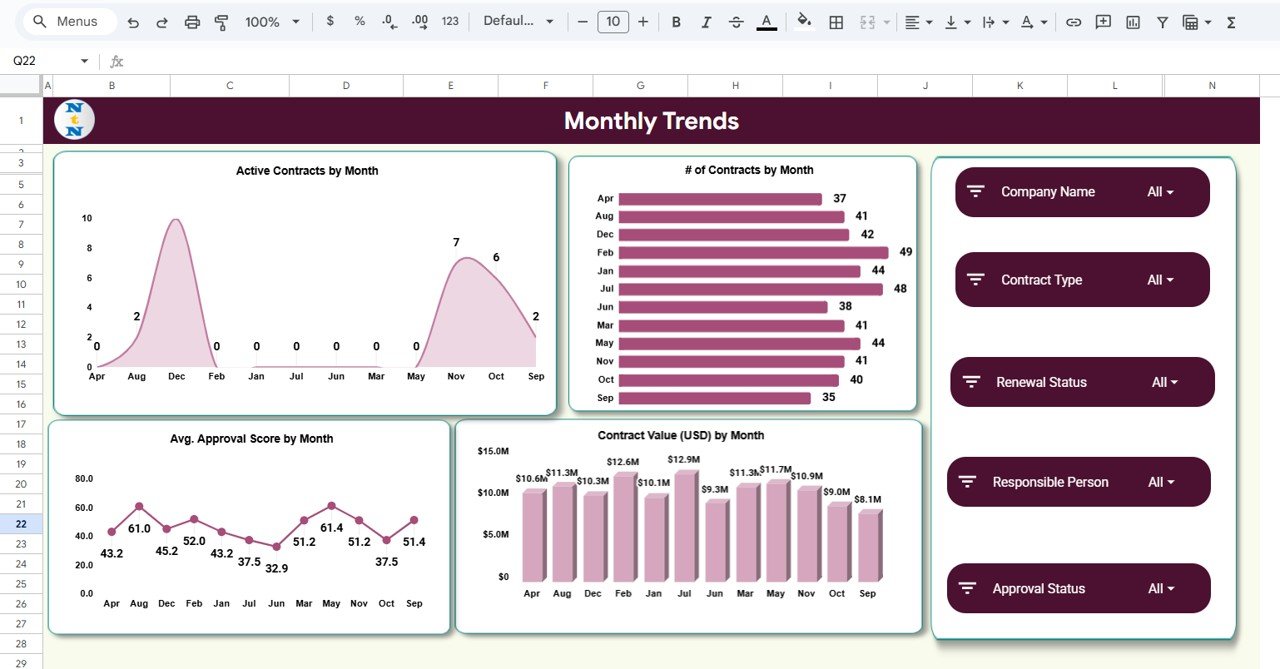
📅 Monthly Trend Charts
Understand monthly performance for planning, forecasting, and cycle analysis.
🔎 Smart Search Page
Find any contract in seconds using keywords or filters.
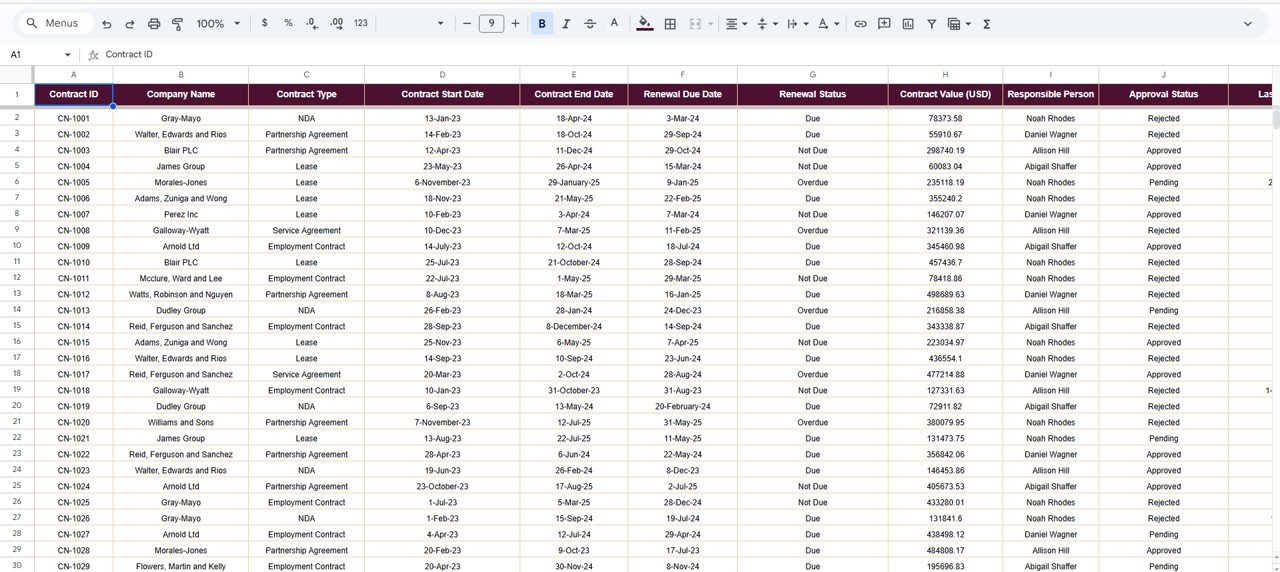
📄 Data Sheet (Backend)
All contract information stored in a clean table structure ready for analysis.
🛠️ How to Use the Contract Management Dashboard
Using this template is extremely simple, even for beginners:
-
Enter or import your contract data into the Data Sheet.
-
All KPIs, charts, and pages update instantly — no formulas needed.
-
Navigate using clear tabs for Overview, Contract Analysis, Renewal, and more.
-
Use the search module to quickly find contract details during reviews.
-
Update data regularly to maintain accuracy across all analytics.
No coding, no macros, no complex formulas — just plug and play.
👥 Who Can Benefit from This Product
This Google Sheets dashboard is perfect for:
🏢 Legal Departments
Track contract approvals, status, and compliance with ease.
🧾 Procurement Teams
Monitor vendor contracts, renewal cycles, and financial value.
🤝 Vendor & Supplier Management Teams
Get instant insights into contract performance and renewal behavior.
📋 Compliance & Risk Analysts
Identify contract gaps, pending approvals, and overall governance.
🧑💼 Client Relationship Teams
Track customer contracts, values, and monthly activity trends.
Whether you manage 20 contracts or 2,000, this dashboard gives you the power to stay in control always.
Click here to read the Detailed Blog Post
Watch the step-by-step video Demo:





















Reviews
There are no reviews yet.