
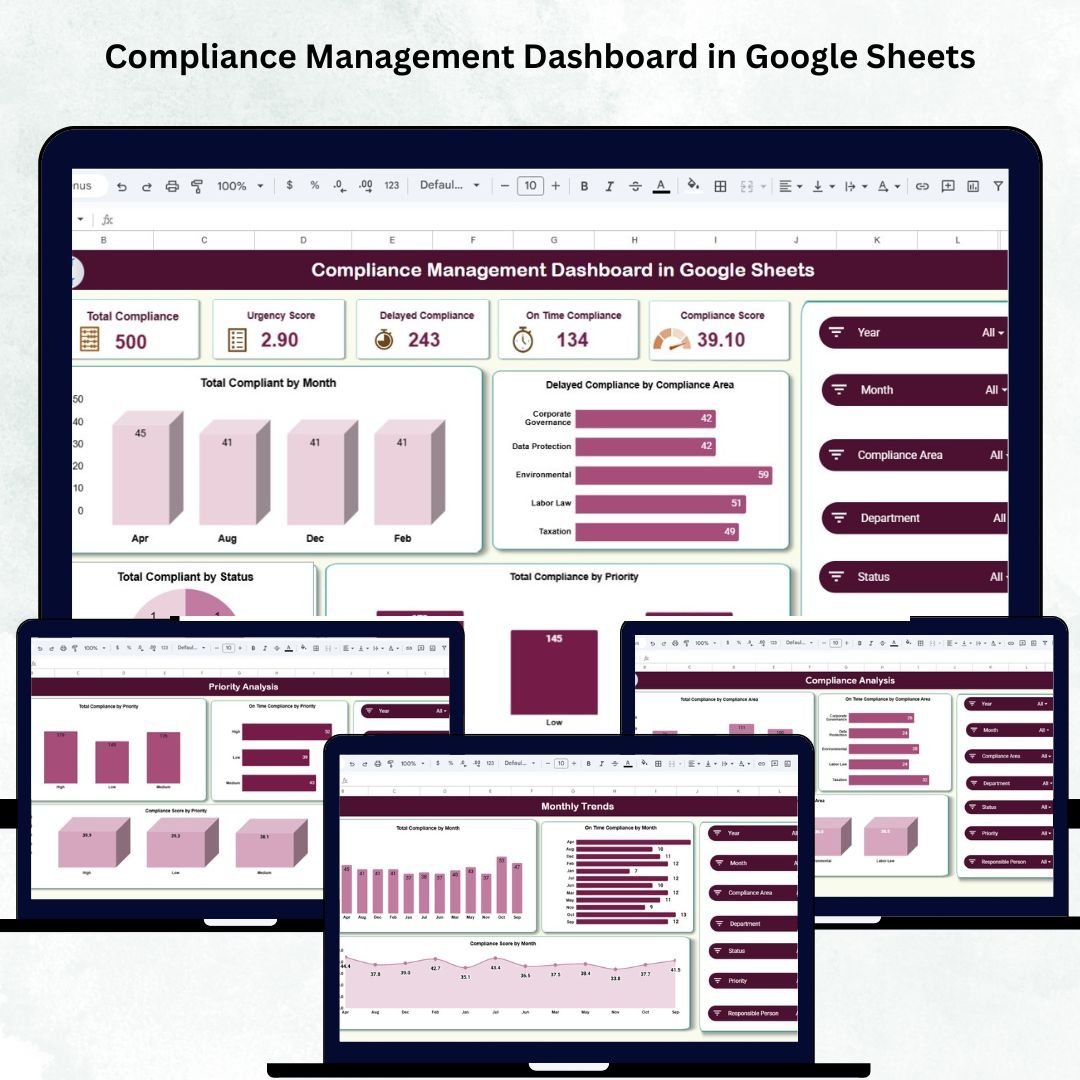
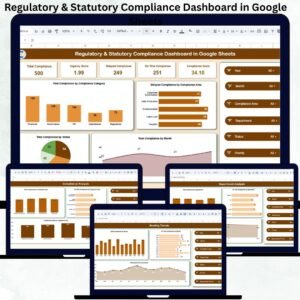
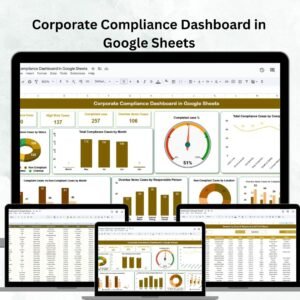
Ensuring compliance across departments is one of the most crucial responsibilities for any organization. Without a structured system, missed deadlines or untracked obligations can lead to penalties, inefficiencies, and reputational risks. The Compliance Management Dashboard in Google Sheets provides a simple, visual, and ready-to-use solution to monitor, analyze, and manage compliance activities — all in one centralized dashboard. ⚖️📊
Built entirely in Google Sheets, this interactive dashboard helps compliance officers, auditors, and managers gain real-time insights into compliance performance through dynamic charts, KPIs, and automated visuals. From tracking deadlines to identifying delays and departmental performance, this tool makes compliance monitoring transparent, data-driven, and easy to manage — without needing complex software.
🔑 Key Features of the Compliance Management Dashboard in Google Sheets
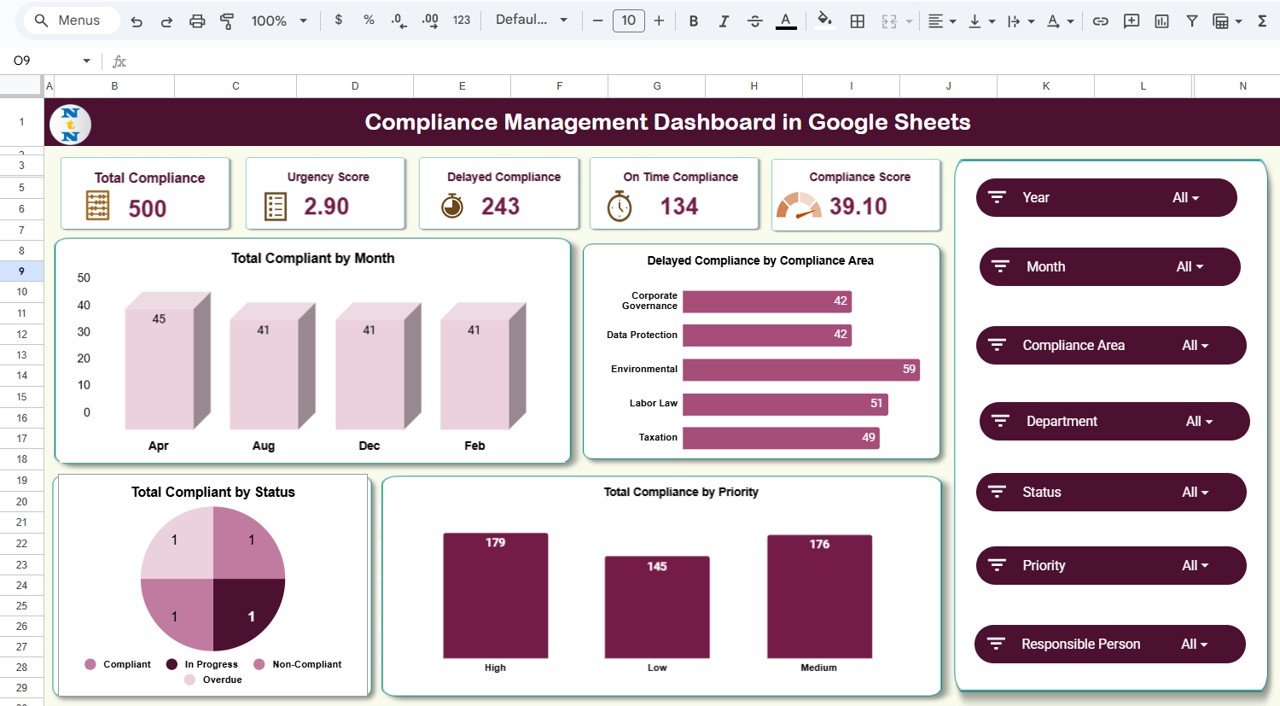
📋 Overview Sheet Tab (Main Dashboard)
The Overview Tab acts as the command center of the dashboard, displaying key compliance metrics and charts for instant analysis.
Cards Displayed:
-
⚙️ Total Compliance: Total number of compliance records being monitored.
-
⏱️ Urgency Score: Weighted score representing the overall criticality of compliance activities.
-
❗ Delayed Compliance: Number of items not completed by their due dates.
-
✅ On-Time Compliance: Tasks completed within the defined deadlines.
-
📈 Compliance Score: Overall compliance percentage showing adherence and timeliness.
Charts Included:
-
📅 Total Compliance by Month – Tracks how many compliance activities are handled monthly.
-
⚠️ Delayed Compliance by Compliance Area – Highlights areas with repeated delays.
-
🚦 Total Compliance by Priority – Displays high, medium, and low priority distributions.
-
📊 Total Compliance by Status – Breaks down ongoing, completed, and overdue activities.
This section gives leadership an instant, high-level view of the organization’s compliance health.
📈 Compliance Analysis Sheet Tab
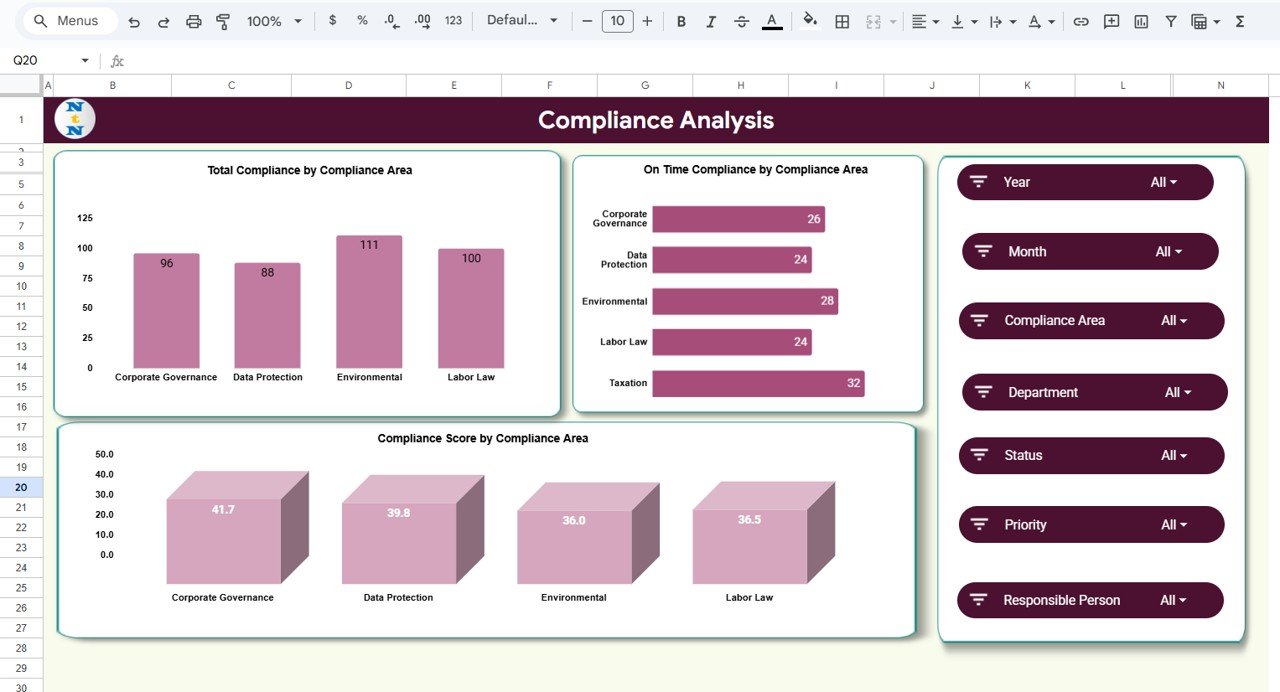
Get in-depth insights into performance by compliance area.
Charts Included:
-
Total Compliance by Compliance Area – Overview of activities by category (e.g., Financial, Legal, Safety).
-
On-Time Compliance by Compliance Area – Identifies areas maintaining timely adherence.
-
Compliance Score by Compliance Area – Evaluates how effectively each domain meets compliance standards.
This sheet helps pinpoint risk-prone or underperforming compliance areas.
🏢 Department Analysis Sheet Tab
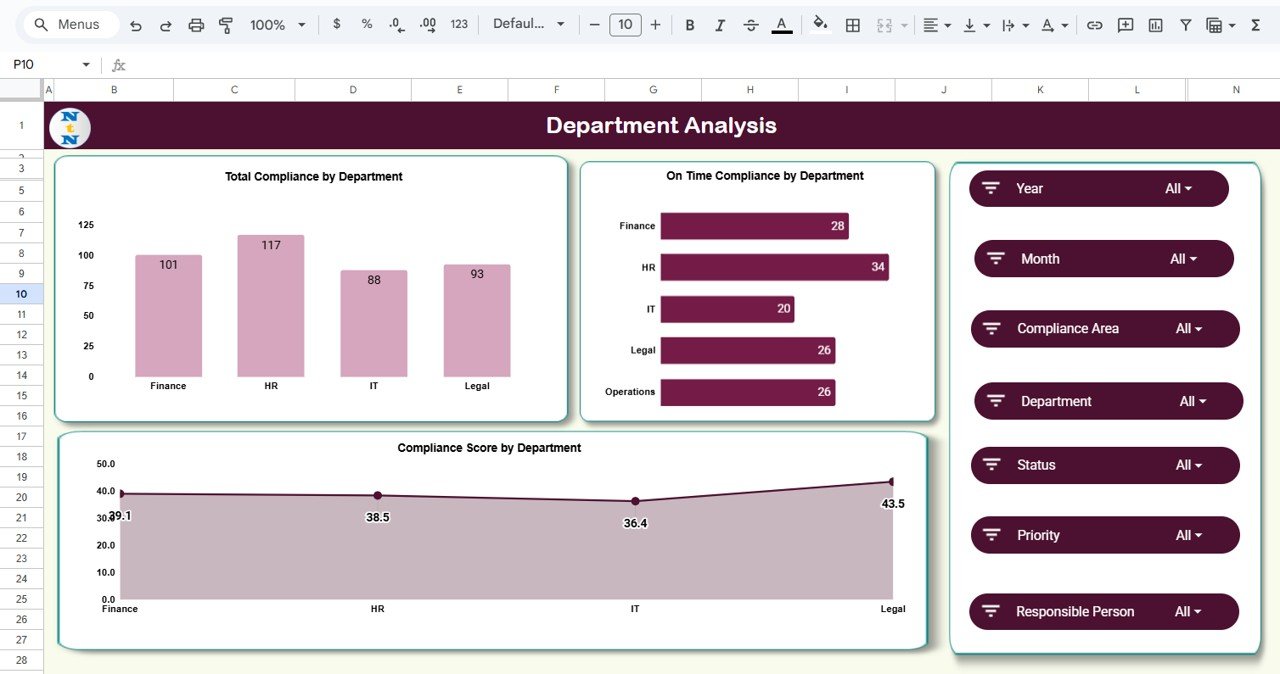
Analyze compliance adherence by department to improve accountability.
Charts Included:
-
Total Compliance by Department
-
On-Time Compliance by Department
-
Compliance Score by Department
With this, you can easily compare department efficiency and identify which teams are excelling or lagging.
🚨 Priority Analysis Sheet Tab
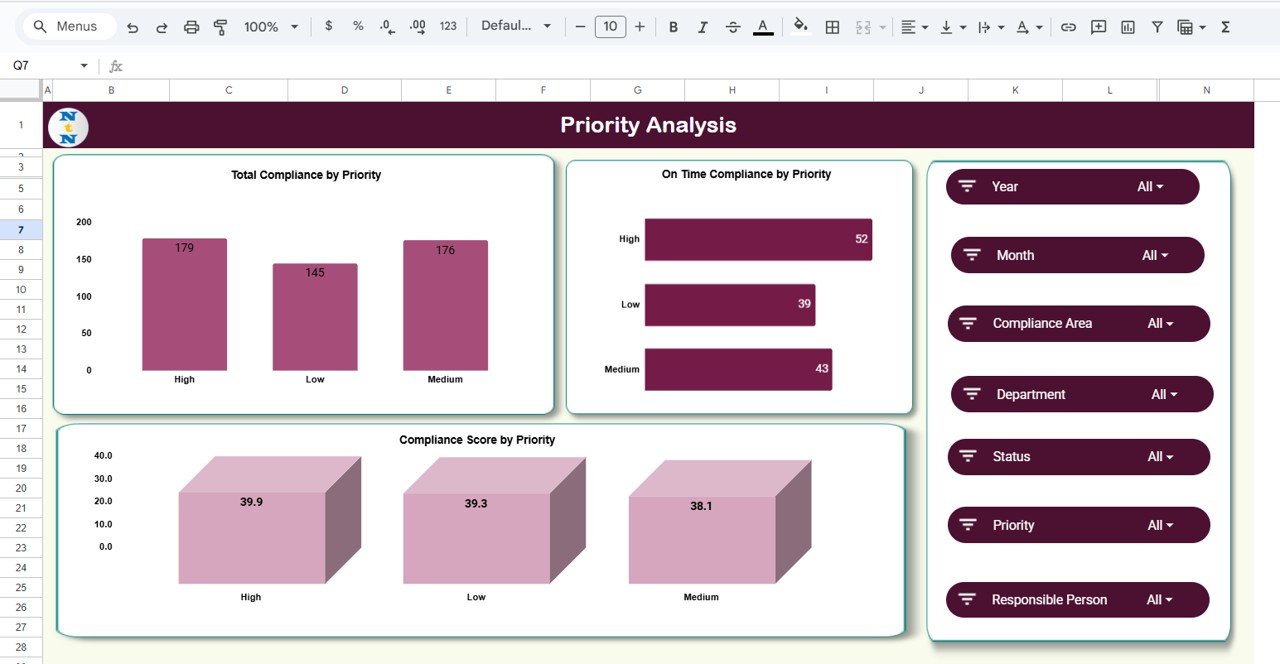
Evaluate compliance based on urgency and priority levels.
Charts Included:
-
Total Compliance by Priority
-
On-Time Compliance by Priority
-
Compliance Score by Priority
This helps managers ensure that high-priority activities get the attention they deserve and are completed on time.
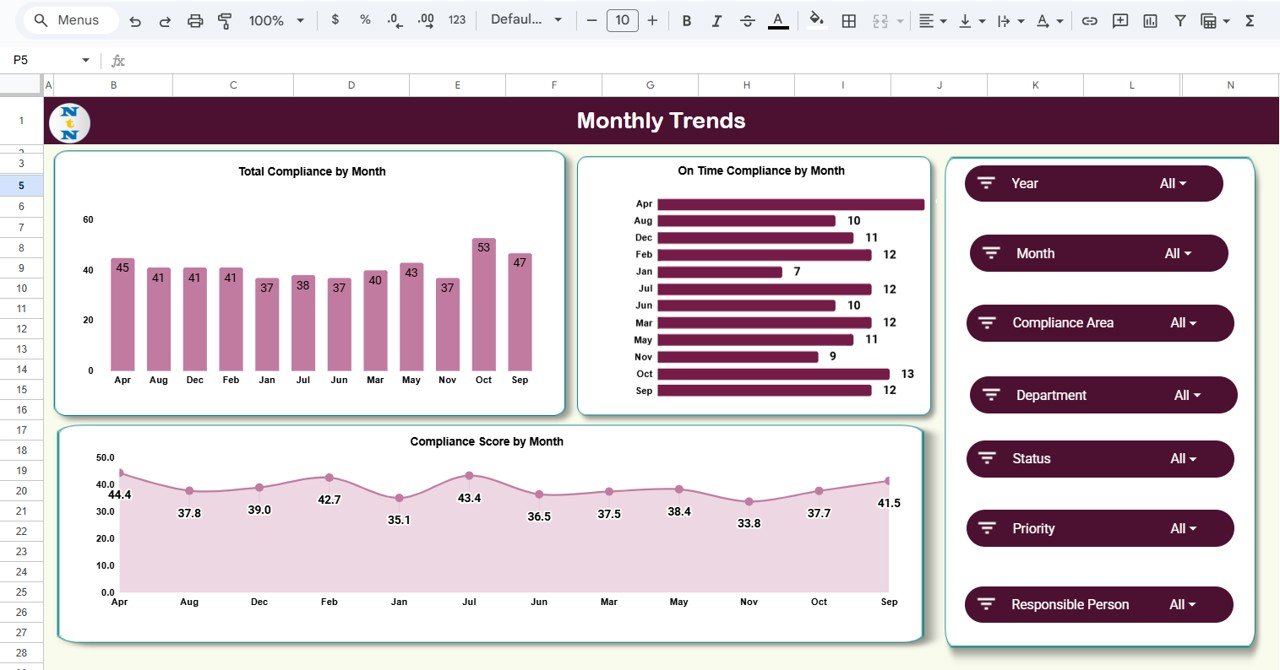
📅 Monthly Trends Sheet Tab
Visualize performance improvements or declines over time.
Charts Included:
-
Total Compliance by Month
-
On-Time Compliance by Month
-
Compliance Score by Month
Spot recurring compliance issues or seasonal trends instantly with this time-based view.
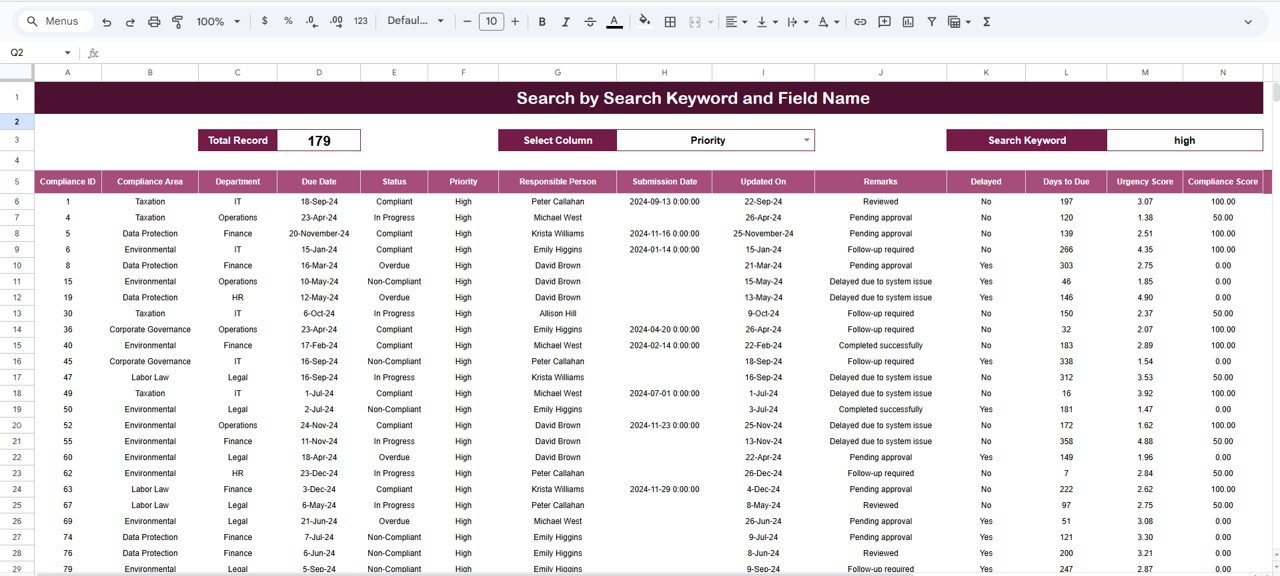
🔍 Search Sheet Tab (Smart Lookup)
Quickly find specific records using keywords or field filters.
You can search by:
-
Compliance Area
-
Department
-
Priority
-
Status (Completed, Delayed, Ongoing)
Examples:
-
“High Priority” → Lists all critical compliance activities.
-
“Finance Department” → Displays compliance tasks specific to Finance.
-
“Delayed” → Filters all overdue compliance records.
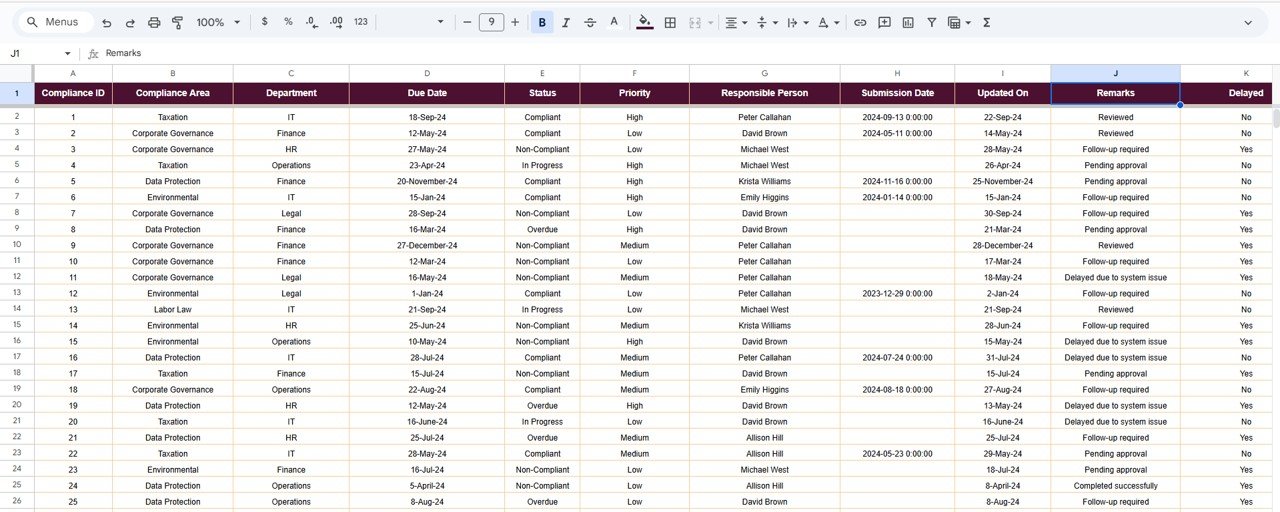
🧾 Data Sheet Tab (Master Database)
The foundation of the dashboard — where all compliance records are stored. Data updates here automatically reflect across all dashboards and charts.
📦 What’s Inside the Dashboard
✅ Pre-built Google Sheets compliance dashboard
✅ 7 tabs for overview, analysis, and search
✅ Automated charts & KPIs
✅ Smart filters and keyword search
✅ Fully customizable structure
✅ Cloud-based for team collaboration
✅ No software installation needed
🧑💼 Who Can Benefit from This Dashboard
⚖️ Compliance Officers & Auditors – Monitor ongoing and overdue compliance actions easily.
🏢 Department Heads – Gain department-level visibility into compliance efficiency.
💼 Executives & Risk Managers – Track organization-wide compliance performance.
🧩 Project Teams – Ensure timely execution of all regulatory and internal activities.
Perfect for organizations aiming to enhance transparency, accountability, and governance.
🧪 How to Use the Dashboard
1️⃣ Enter Data: Add compliance activities, departments, and priorities in the Data Sheet.
2️⃣ Review the Dashboard: The Overview Sheet auto-updates with KPIs and visuals.
3️⃣ Analyze by Area or Department: Use analysis tabs to identify trends or delays.
4️⃣ Search Records: Instantly find compliance activities using the Search Sheet.
5️⃣ Take Action: Use insights to address delays and maintain compliance quality.
💡 Pro Tip: Integrate Google Forms for automated data entry from department teams.
🌟 Why Choose This Dashboard
-
Real-time compliance visibility
-
Automated KPI & chart generation
-
Fully editable and customizable
-
Department & priority-based performance view
-
Cloud-based collaboration
-
No coding required — plug and play!
The Compliance Management Dashboard in Google Sheets turns compliance monitoring into a transparent, efficient, and data-driven process — helping organizations stay ahead of deadlines and maintain complete control. 🚀
🔗 Click here to read the Detailed blog post
Watch the step-by-step video Demo:






















Reviews
There are no reviews yet.