
Clinic Contract Management Dashboard efficiently is no longer optional—it is critical. Clinics handle a wide range of contracts related to medical equipment, laboratory services, IT systems, facility maintenance, outsourced staff, and long-term vendor partnerships. However, when contract data remains scattered across Excel sheets, emails, and paper files, visibility drops. As a result, clinics face missed renewals, uncontrolled costs, compliance risks, and weak vendor oversight.
That is exactly why the Clinic Contract Management Dashboard in Power BI becomes a powerful and practical solution.
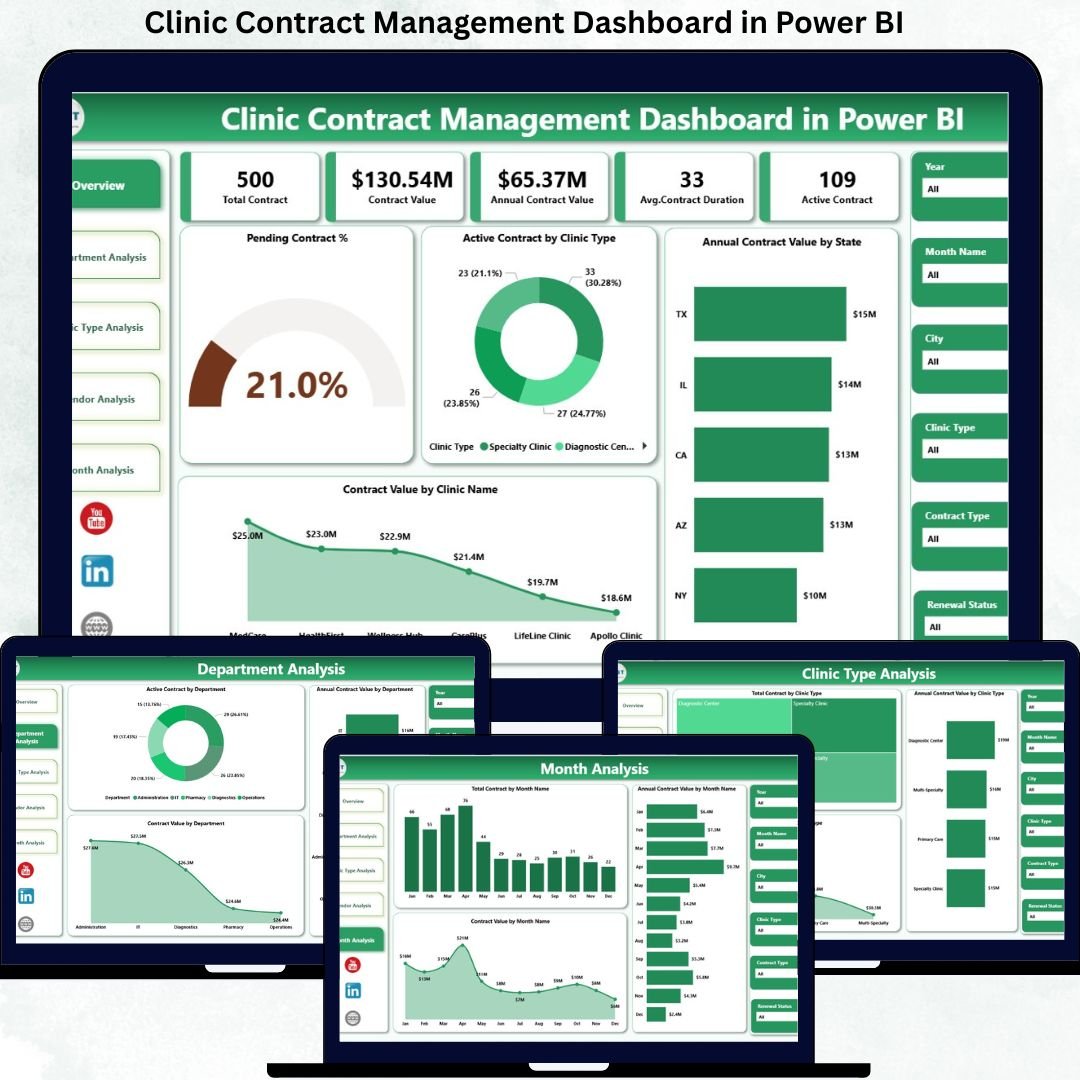
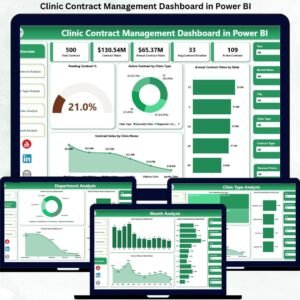
This ready-to-use Power BI dashboard converts raw contract data into clear KPIs, interactive visuals, and structured analytical views. Instead of manually reviewing long spreadsheets, clinic administrators and procurement teams can instantly track contract value, active contracts, pending renewals, vendor exposure, departmental accountability, and monthly trends—all from one centralized dashboard.
Because this solution is built on Microsoft Power BI, it delivers high-performance visuals, dynamic filtering, and real-time updates. Users can analyze contracts by clinic name, clinic type, department, vendor, state, and month without writing formulas or managing complex files. As a result, clinics save time, reduce operational risk, and improve financial control.
More importantly, this dashboard helps clinics answer critical questions instantly:
-
Which contracts are pending or nearing renewal?
-
Which clinics and departments hold the highest contract value?
-
Which vendors dominate contract exposure?
-
How does contract value change month by month?
-
Where do cost-control and renegotiation opportunities exist?
With the Clinic Contract Management Dashboard in Power BI, contract oversight becomes structured, transparent, and decision-ready.
🔑 Key Features of Clinic Contract Management Dashboard in Power BI
📊 Centralized Contract Monitoring – All clinic contracts in one dashboard
📈 Interactive KPI Cards – Instant contract health snapshot
🏥 Clinic & Department-Wise Insights – Clear accountability
🤝 Vendor-Wise Contract Analysis – Stronger negotiations
📅 Monthly Contract Trends – Better forecasting
🎛️ Dynamic Slicers & Filters – Drill down instantly
⚡ Real-Time Power BI Visuals – Faster decisions
🔒 Enterprise-Grade Security – Role-based access
📂 What’s Inside the Clinic Contract Management Dashboard in Power BI
This professionally designed dashboard includes five structured analytical pages, each focused on a key contract-management perspective.
📊 Overview Page
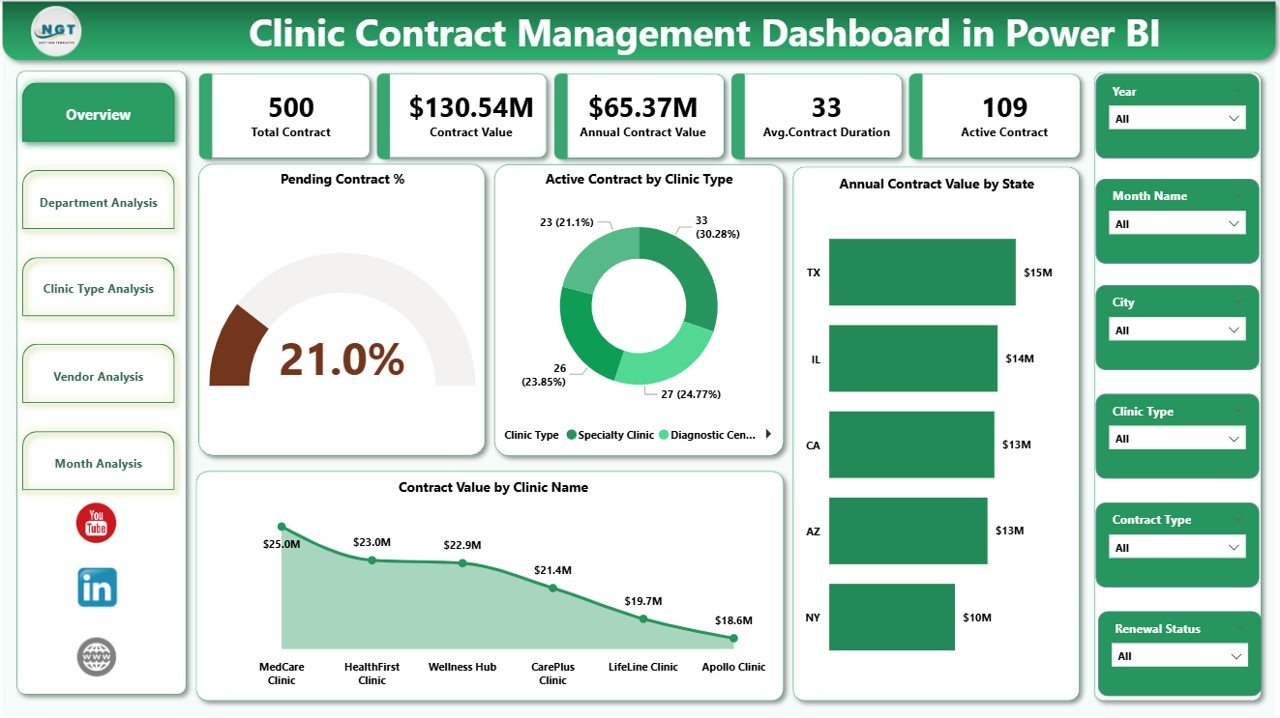
High-level contract visibility:
-
Pending Contract %
-
Active Contract by Clinic Type
-
Annual Contract Value by State
-
Contract Value by Clinic Name
This page highlights renewal risks and high-value clinics instantly.
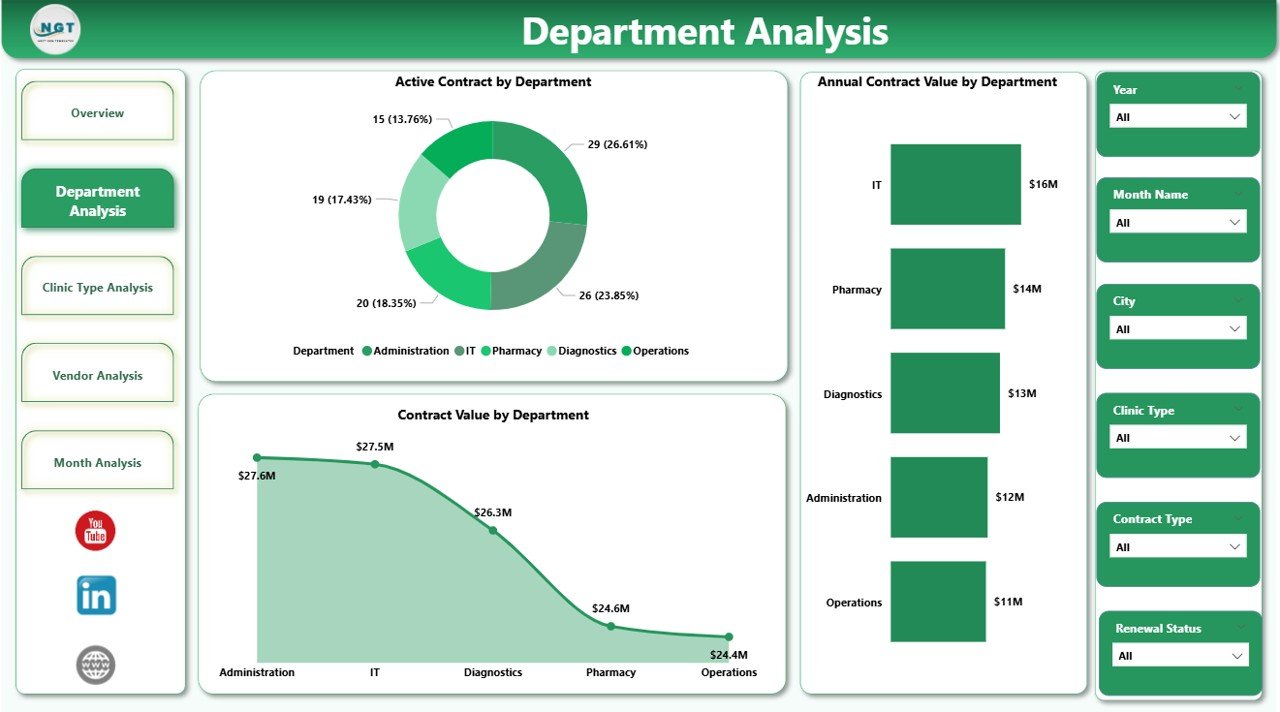
🏢 Department Analysis Page
Department-wise accountability:
-
Active Contract by Department
-
Annual Contract Value by Department
-
Contract Value by Department
Helps control departmental exposure and budget allocation.
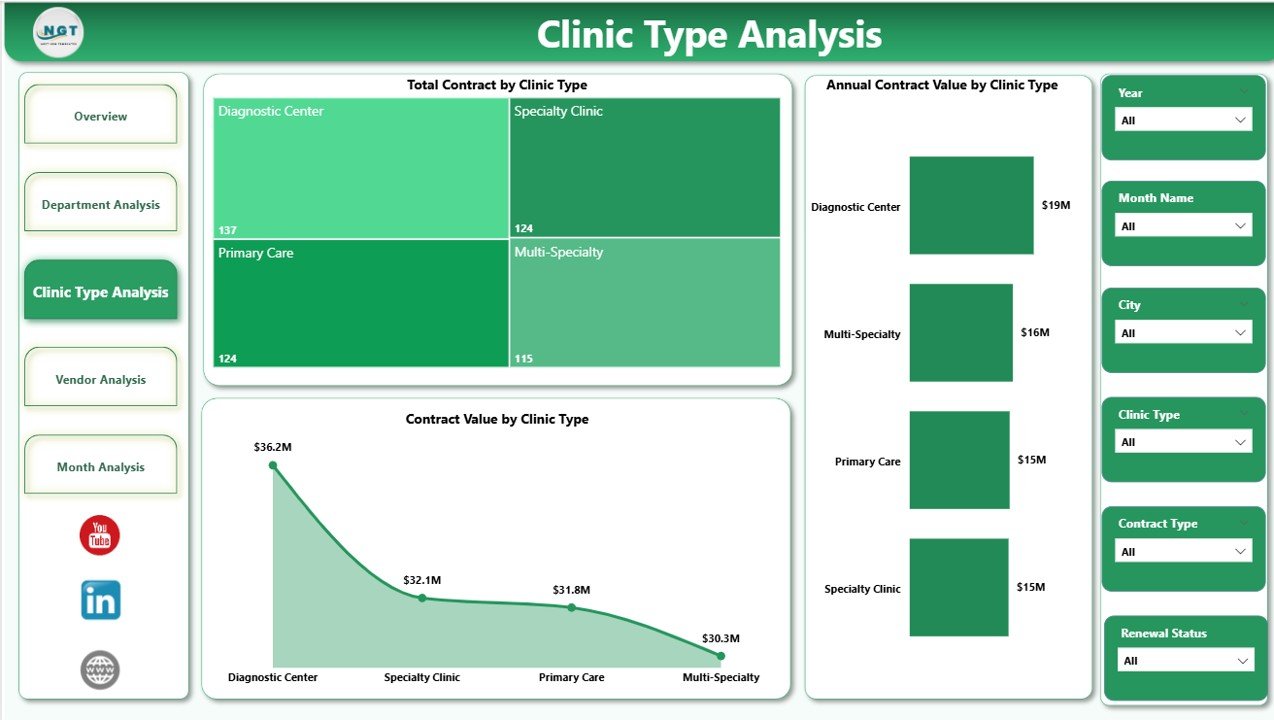
🏥 Clinic Type Analysis Page
Performance by clinic category:
-
Total Contract by Clinic Type
-
Annual Contract Value by Clinic Type
-
Contract Value by Clinic Type
Supports strategic planning across clinic models.
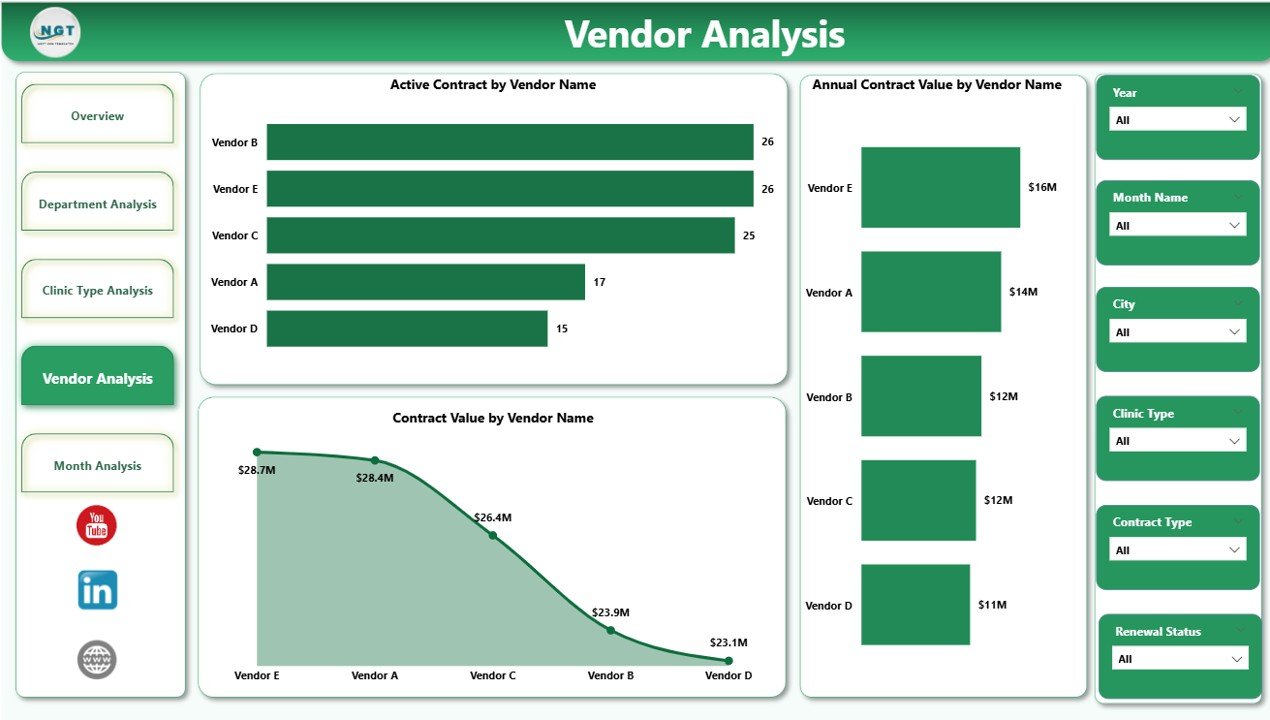
🤝 Vendor Analysis Page
Vendor-level insights:
-
Active Contract by Vendor Name
-
Annual Contract Value by Vendor Name
-
Contract Value by Vendor Name
Reduces vendor concentration risk and strengthens negotiations.
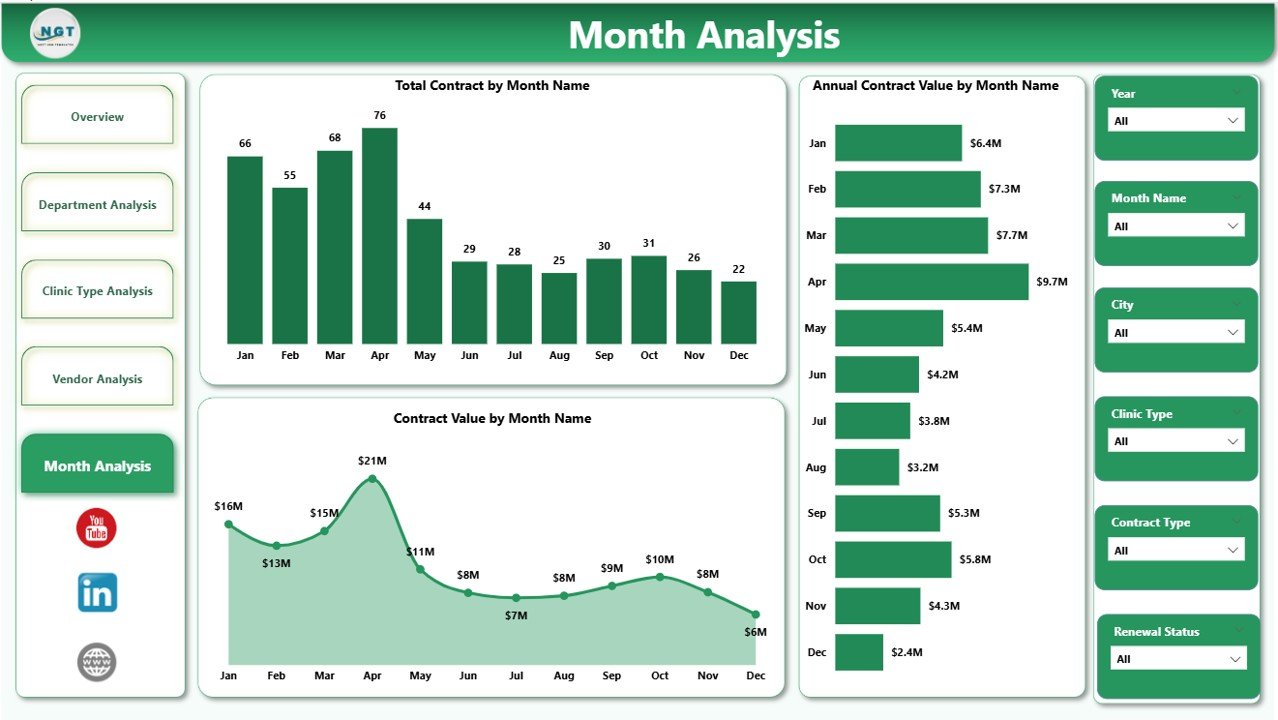
📅 Monthly Trends Page
Time-based contract tracking:
-
Total Contract by Month
-
Annual Contract Value by Month
-
Contract Value by Month
Improves renewal planning and cash-flow forecasting.
▶️ How to Use the Clinic Contract Management Dashboard in Power BI
1️⃣ Capture contract data in Excel, SharePoint, or a database
2️⃣ Load or refresh data in Power BI
3️⃣ Use slicers to filter by clinic, department, vendor, or month
4️⃣ Review KPIs and trends instantly
5️⃣ Take proactive, data-driven contract decisions
No advanced Power BI skills required.
👥 Who Can Benefit from This Dashboard
🏥 Clinic Administrators
📊 Procurement Teams
💼 Finance & Accounts Teams
🧾 Compliance & Audit Teams
👨⚕️ Senior Management
🏢 Healthcare Consultants
### 👉 Click here to read the Detailed Blog Post
Visit our YouTube channel to learn step-by-step video tutorials:
👉 https://www.youtube.com/@PKAnExcelExpert























Reviews
There are no reviews yet.