



The biofuels industry sits at the center of the global transition toward clean, renewable, and sustainable energy. However, as biofuel production scales, tracking performance, monitoring efficiency, meeting sustainability targets, and comparing results across months and years becomes increasingly complex. Biofuels KPI Dashboard in Power BI When KPIs remain scattered across Excel files or static reports, organizations lose clarity and speed.
Biofuels KPI Dashboard in Power BI That is exactly why the Biofuels KPI Dashboard in Power BI is a must-have performance management solution 🚀.
This ready-to-use Power BI dashboard converts raw biofuel data into clear KPIs, visual indicators, and actionable trends, enabling teams to monitor performance, track targets, and drive continuous improvement with confidence.
Designed for biofuel manufacturers, renewable energy companies, sustainability managers, and leadership teams, this dashboard helps you analyze MTD and YTD performance, compare targets vs actuals, track year-over-year progress, and maintain KPI transparency—all inside a powerful yet easy-to-use Power BI environment.
🔑 Key Features of Biofuels KPI Dashboard in Power BI
📊 Centralized Biofuel KPI Monitoring
Track all production, efficiency, sustainability, and performance KPIs in one dashboard.
📅 Month & KPI Group Slicers
Instantly filter KPIs by time period or KPI category.
🎯 Target vs Actual Performance Tracking
Identify target achievements and gaps at a glance.
📈 MTD & YTD Performance Visibility
Monitor short-term execution and long-term progress together.
🔁 Current Year vs Previous Year Comparison
Measure improvement or decline using YoY analysis.
📉 KPI-Wise Trend Analysis
Visualize performance patterns using MTD and YTD trend charts.
📘 Built-In KPI Governance
Clear KPI formulas, definitions, and types (LTB / UTB) via drill-through.
⚡ Excel + Power BI Architecture
Simple Excel data input with powerful Power BI analytics.
📂 What’s Inside the Biofuels KPI Dashboard in Power BI

📌 Summary Page
The executive overview of all biofuel KPIs.
Interactive Slicers:
Month
KPI Group
KPI Cards Display:
Total KPIs Count
MTD Target Met Count
MTD Target Missed Count
Detailed KPI Table Includes:
KPI Number, Group, Name, Unit
KPI Type (LTB / UTB)
Actual vs Target (MTD & YTD)
CY vs PY comparison
Visual ▲ / ▼ performance indicators
This page allows leaders to instantly understand overall performance health.
📈 KPI Trend Page
Deep-dive analysis for individual KPIs.
Features:
KPI selection slicer
MTD trend combo chart
YTD trend combo chart
Actual vs Target vs Previous Year comparison
This page helps identify seasonality, efficiency improvements, and performance risks.
📘 KPI Definition Page (Drill-Through)
A hidden reference page accessed directly from the Summary Page.
Displays:
KPI Formula
KPI Definition
Unit of Measurement
KPI Type (LTB / UTB)
This ensures absolute clarity, transparency, and consistency across teams.
⚙️ How to Use the Biofuels KPI Dashboard in Power BI
📝 Step 1: Enter Data in Excel
Update actual values, targets, and KPI definitions in structured Excel sheets.
🔄 Step 2: Refresh Power BI
Refresh the dataset to update all KPIs and visuals automatically.
📊 Step 3: Analyze Summary KPIs
Use cards, icons, and percentages to identify issues quickly.
📈 Step 4: Review Trends
Study MTD and YTD trend charts for deeper insight.
🎯 Step 5: Take Action
Improve efficiency, meet sustainability targets, and optimize operations.
👥 Who Can Benefit from This Biofuels KPI Dashboard in Power BI
🌱 Biofuel Manufacturers – Track production and efficiency KPIs
⚡ Renewable Energy Companies – Monitor operational performance
♻️ Sustainability Managers – Measure progress toward sustainability goals
📊 Operations Heads – Improve efficiency and target achievement
🏢 Strategy & Leadership Teams – Gain executive-level visibility
🔍 Click here to read the Detailed blog post
📺 Visit our YouTube channel to learn step-by-step video tutorials
👉 Youtube.com/@PKAnExcelExpert
Watch the step-by-step video tutorial:
Compatibility and Requirements
- Works in Power BI Desktop, which is free to download. Microsoft explains the download in Get Power BI Desktop.
- You enter actual values, targets and KPI definitions in structured Excel sheets, then refresh the Power BI dataset.
Frequently Asked Questions
Which pages does the dashboard include?
Three pages: the Summary Page, the KPI Trend Page and a drill-through KPI Definition Page.
How do I update the dashboard?
Enter your actual values, targets and KPI definitions in the Excel sheets, then refresh the Power BI dataset. All KPIs and visuals update automatically.
Can I filter by month or KPI group?
Yes. The Summary Page has slicers for Month and KPI Group.
Can I compare this year with last year?
Yes. The detailed KPI table shows current year against previous year, along with actual against target for both MTD and YTD.
Where do I find the KPI formulas and definitions?
Drill through from the Summary Page to the KPI Definition Page. It shows the KPI formula, definition, unit of measurement and type (LTB or UTB).
Is there an Excel version?
Yes. See the Biofuels KPI Dashboard in Excel.
Related Biofuels Templates
- Biofuels KPI Dashboard in Excel: the same KPI dashboard in Excel
- Biofuels Dashboard in Power BI: another Power BI dashboard for biofuels
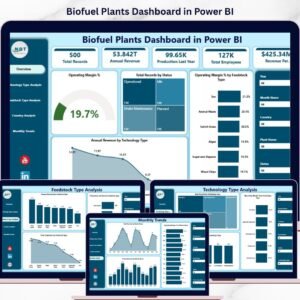
- Biofuel Plants Dashboard in Power BI: a plant-level view in Power BI
- Biofuels Dashboard in Excel: a biofuels dashboard in Excel
- Power BI Dashboard Mega Collection: 15 Power BI dashboard templates in one download
Browse all Power BI KPI dashboards.
































Reviews
There are no reviews yet.