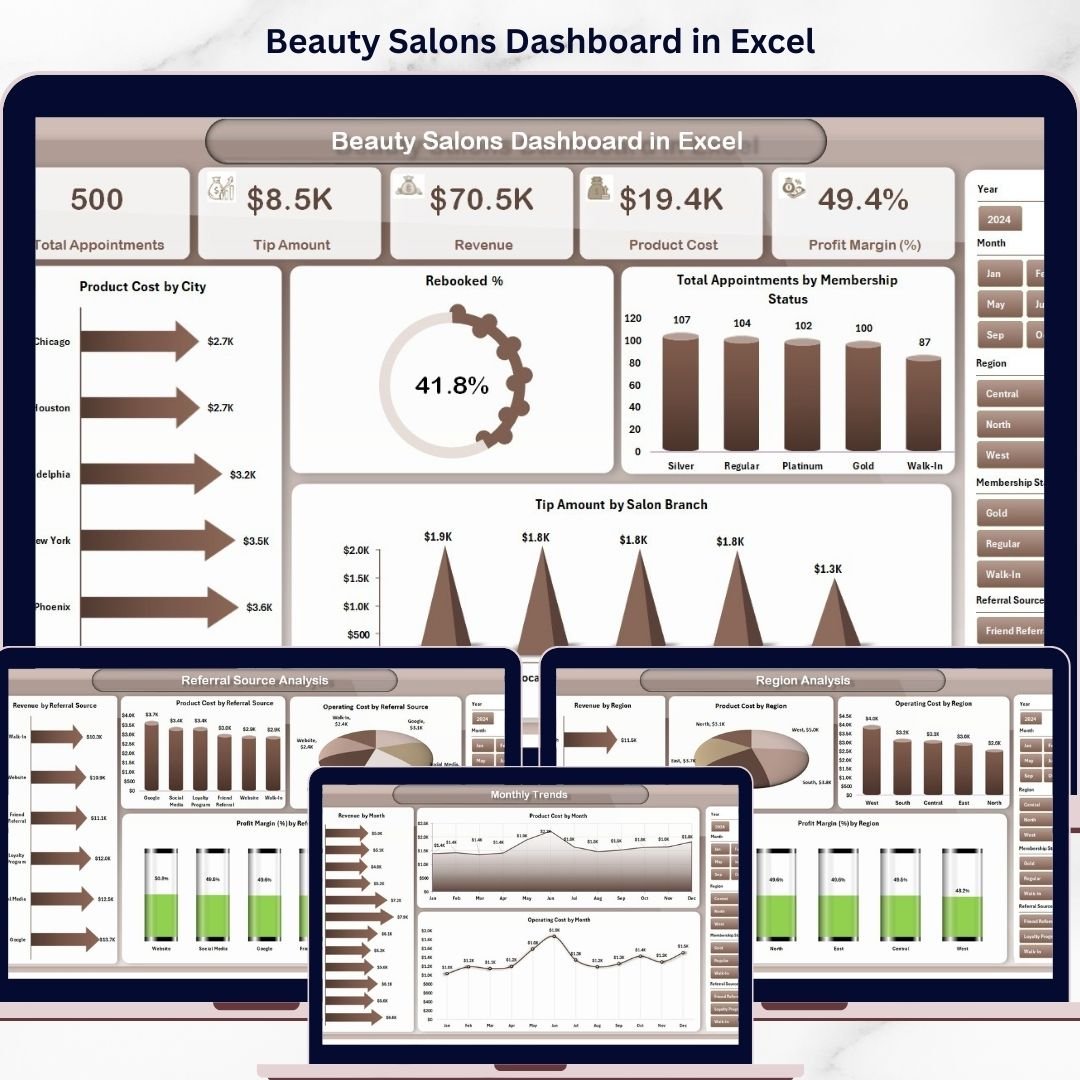


Run your salon like a pro with the Beauty Salons Dashboard in Excel 🚀. In today’s competitive beauty industry, managing appointments, revenue, costs, and customer trends can quickly become overwhelming.
However, this powerful and ready-to-use Excel dashboard simplifies everything. It converts your salon data into clear visuals, actionable insights, and structured reports—all in one place.
With this dashboard, you can track revenue, appointments, rebooking rates, product costs, and branch performance effortlessly. As a result, you can make faster, smarter, and data-driven decisions to grow your salon business.
🚀 Key Feature of Beauty Salons Dashboard in Excel
✅ 📊 Interactive Excel Dashboard
Visualize salon performance using dynamic charts and slicers.
✅ 📈 Complete KPI Tracking
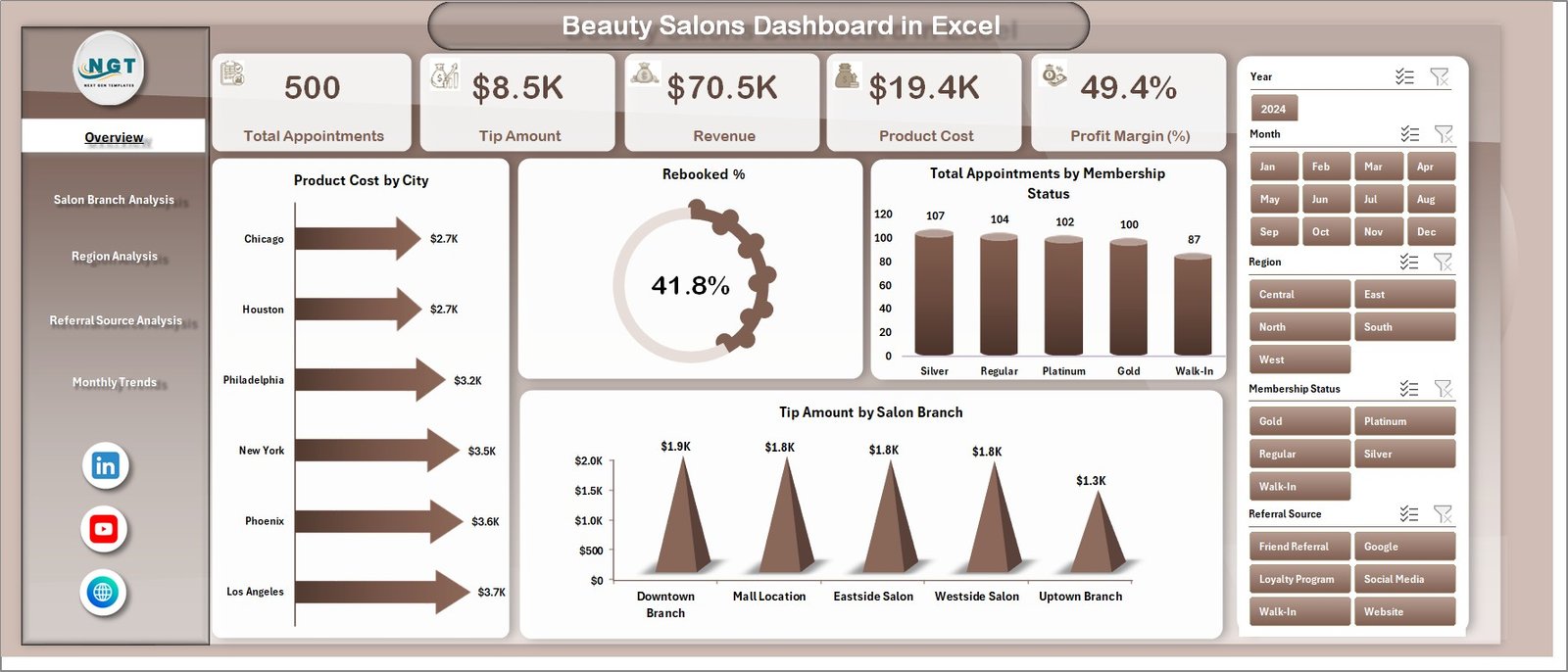
Track revenue, appointments, rebooking %, and profit in one place.
✅ 📅 Multi-Page Dashboard Structure
Explore insights across 5 structured analytical pages.
✅ 🔍 Smart Filtering with Slicers
Filter data instantly for customized analysis.
✅ 🏬 Branch & Region Insights
Analyze performance across salon branches and regions.
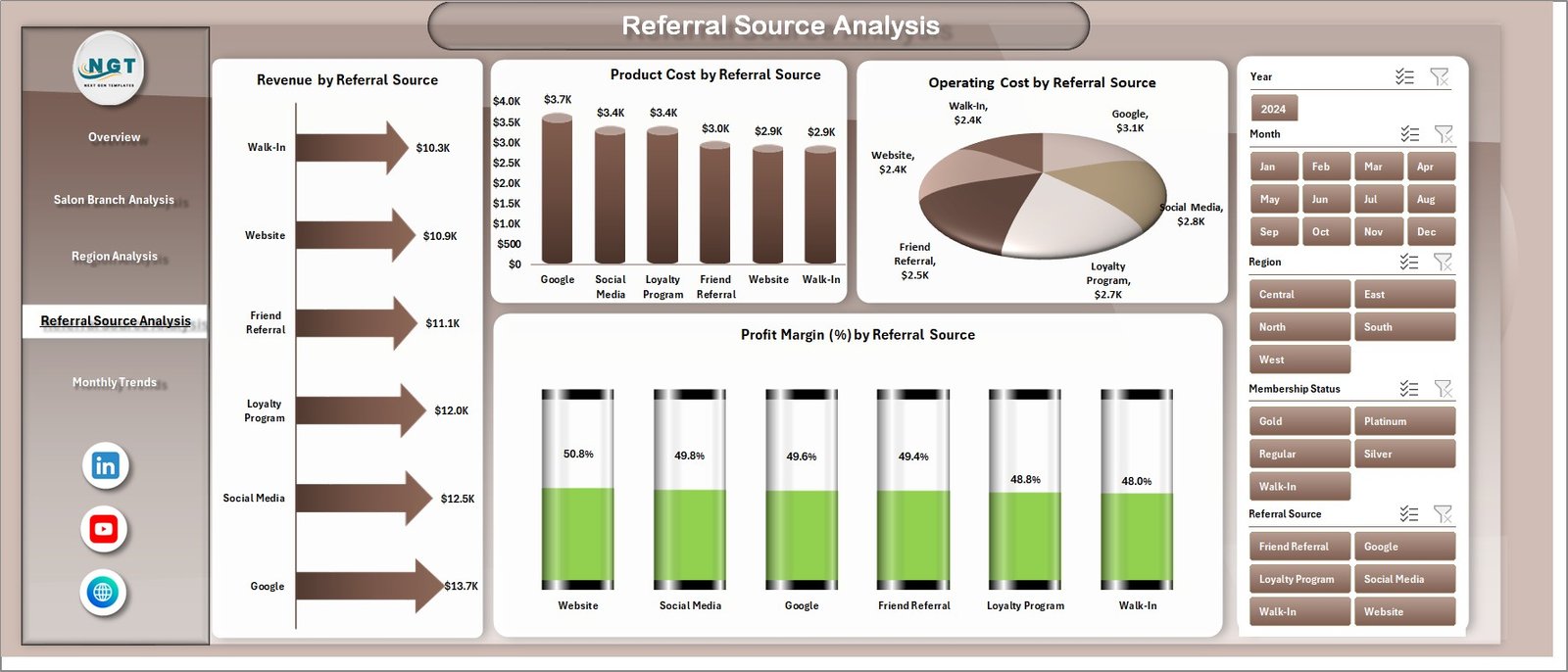
✅ 🔗 Referral Source Analysis
Understand customer acquisition and marketing effectiveness.
✅ 📂 Organized Data Structure
Separate Data and Support sheets for efficient management.
📦 What’s Inside the Beauty Salons Dashboard in Excel
This template includes 5 powerful analytical pages:
📊 Overview Page – Snapshot of salon performance with KPI cards
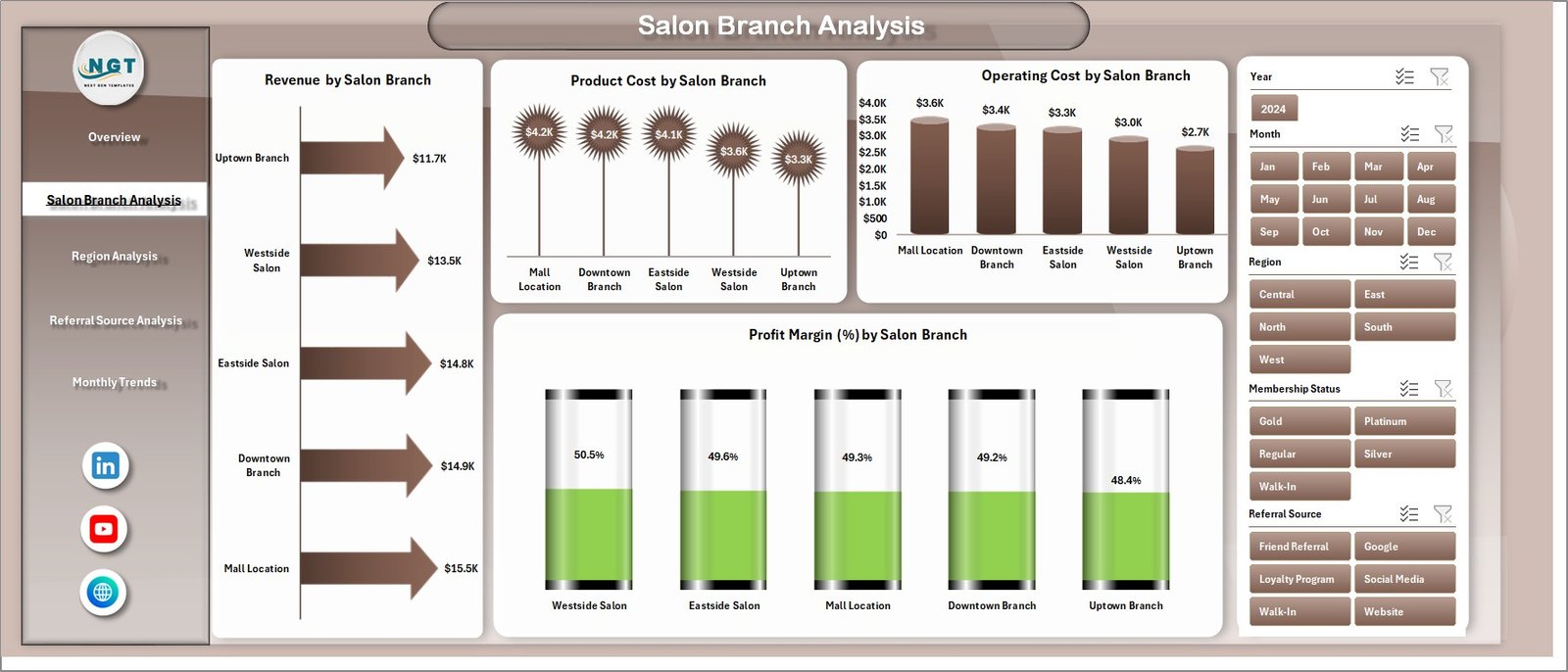
🏬 Salon Branch Analysis – Compare performance across branches
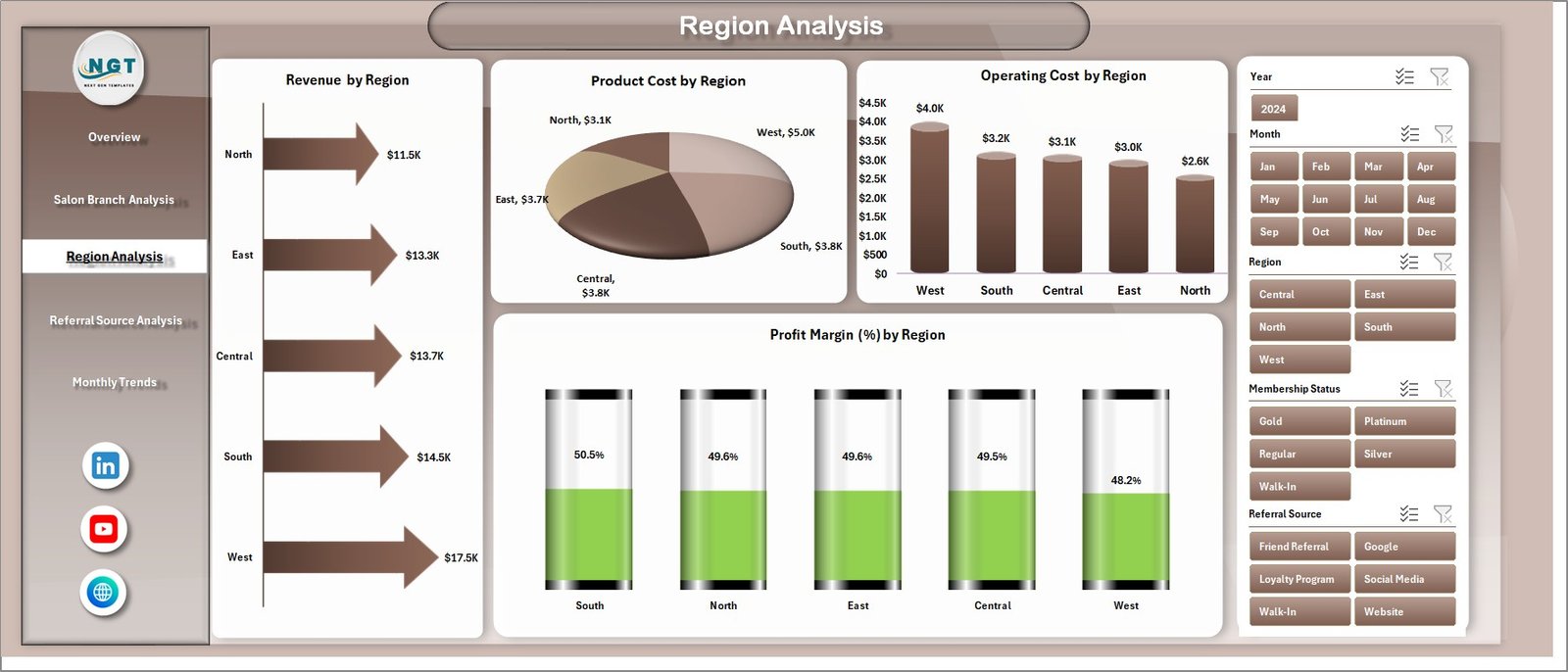
🌍 Region Analysis – Evaluate business across locations
🔗 Referral Source Analysis – Analyze customer acquisition channels
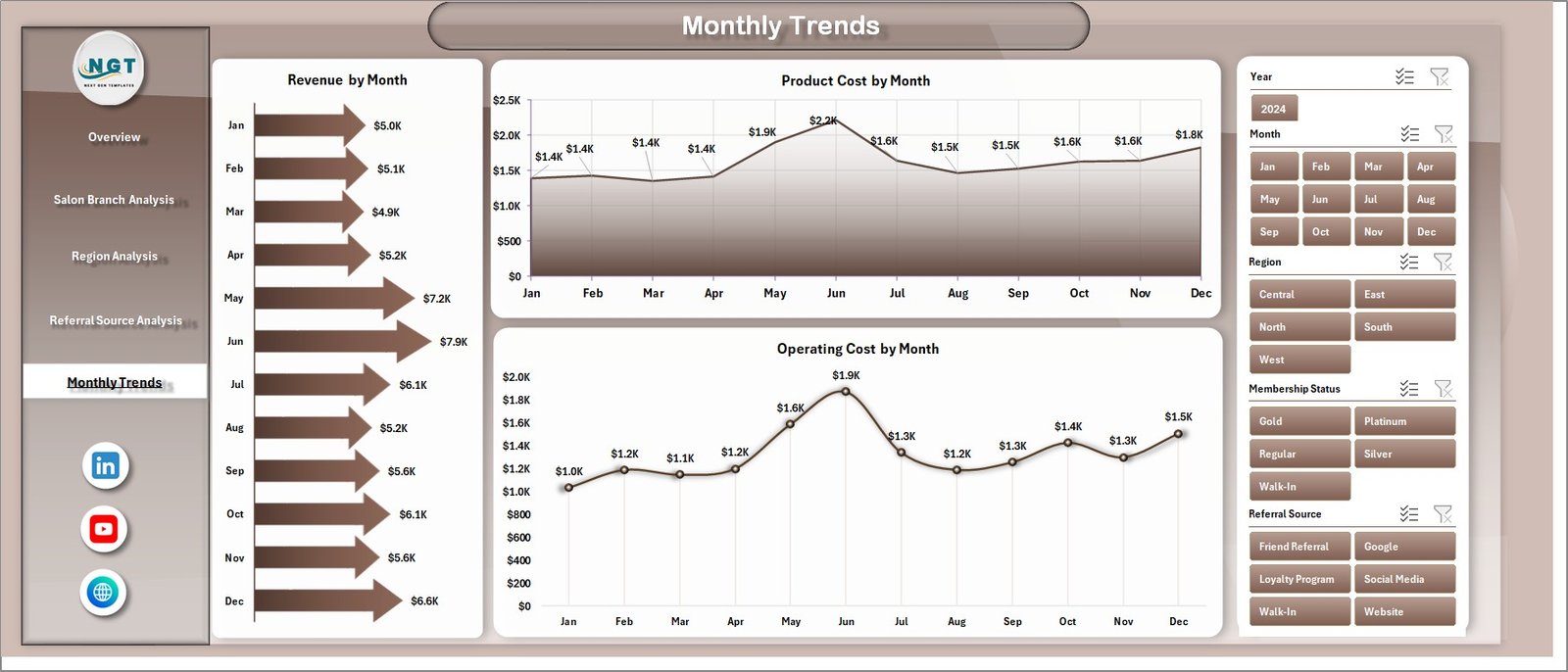
📅 Month Analysis – Track trends and growth over time
📂 Additional Sheets:
-
Data Sheet – Stores all raw salon data
-
Support Sheet – Handles calculations and backend logic
Everything is designed to give you a complete 360° salon performance view.
⚙️ How to Use the Beauty Salons Dashboard in Excel
Getting started is quick and simple:
👉 Enter your data in the Data Sheet
👉 Calculations update automatically in the Support Sheet
👉 Use slicers to filter by branch, region, or referral source
👉 Analyze KPI cards and charts
👉 Track trends and optimize performance
Within minutes, you can turn raw salon data into powerful business insights 💡.
👩💼 Who Can Benefit from This Beauty Salons Dashboard in Excel
This dashboard is perfect for:
💄 Salon Owners – Monitor overall business performance
👩💼 Salon Managers – Track operations and staff efficiency
📊 Business Analysts – Analyze trends and KPIs
📈 Marketing Teams – Evaluate referral sources and campaigns
🏬 Multi-Branch Operators – Compare branch performance
💼 Entrepreneurs – Grow and scale salon businesses
Anyone looking to improve efficiency, profitability, and customer experience will benefit from this tool.
🔗 Click hare to read the Detailed blog post
Explore the full guide with detailed features, benefits, and best practices.
👉 Visit our YouTube channel to learn step-by-step video tutorials:
https://youtube.com/@PKAnExcelExpert