

The 10 cash flow KPIs to track in 2026 are operating cash flow, free cash flow, operating cash flow margin, net cash flow, the cash conversion cycle, DSO, DPO, DIO, cash runway (burn rate) and the cash flow coverage ratio. Together they show whether your business actually turns profit into spendable cash.
Last updated: September 2026
Profit is an opinion; cash is a fact. A company can post record net income and still miss payroll if its receivables are stuck and its inventory is bloated. The cash flow KPIs below are the metrics that finance teams, founders and CFOs use to see the truth in numbers — and every one of them is already calculated inside the Cash Flow KPI Dashboard in Excel and its Google Sheets and Power BI siblings further down this page.
Key takeaways
- Track 10 cash flow KPIs, not one: operating cash flow tells you if the core business self-funds, while the cash conversion cycle tells you how fast cash comes back.
- Free cash flow (operating cash flow minus capital expenditure) is the single number investors and lenders scrutinise most — it is the cash left to repay debt, pay dividends or reinvest.
- A negative month of net cash flow is often just timing (tax, bonuses); a negative rolling 12-month trend is a real warning.
- The cheapest ready-made option here is the Cash Flow Dashboard in Google Sheets at $6.99; the most complete is the Cash Flow KPI Dashboard in Excel at $12.99.
- All 8 templates in this guide cost between $6.99 and $14.99 — a fraction of a single month of most SaaS cash-management tools.
 Launch offer
From your first Pivot Table to the Data Model, DAX, Power Query and a one-page KPI dashboard. 11h 51m of video by PK, with practice files, quizzes and a capstone.
The 10 cash flow KPIs at a glance
| Metric | Formula | Benchmark range | Where to see it |
|---|---|---|---|
| Operating Cash Flow (OCF) | Net income + non-cash expenses ± changes in working capital | Positive; OCF ≥ net income (ratio ≥ 1.0) | Cash flow statement – operating section |
| Free Cash Flow (FCF) | Operating cash flow − capital expenditure | Positive; FCF margin 5–15% | Cash flow statement + capex line |
| Operating Cash Flow Margin | Operating cash flow ÷ net revenue | 10–20%+ (industry dependent) | Dashboard KPI tile |
| Net Cash Flow | Total cash inflows − total cash outflows | Positive over a rolling 12 months | Monthly cash waterfall |
| Cash Conversion Cycle (CCC) | DIO + DSO − DPO | <30 days excellent; 30–60 typical | Working-capital dashboard |
| Days Sales Outstanding (DSO) | (Accounts receivable ÷ credit sales) × days | Under 1.5× your payment terms | AR aging tab |
| Days Payable Outstanding (DPO) | (Accounts payable ÷ COGS) × days | 30–60 days | AP aging tab |
| Days Inventory Outstanding (DIO) | (Average inventory ÷ COGS) × days | Industry-specific; lower is leaner | Inventory tab |
| Cash Runway & Burn Rate | Cash balance ÷ average monthly net burn | 12–18 months (early-stage) | Cash position dashboard |
| Cash Flow Coverage Ratio | Operating cash flow ÷ total debt | >0.4 healthy; higher is safer | Balance sheet + cash flow statement |
Cash flow dashboard templates compared
| Template | Format | Best for | Price |
|---|---|---|---|
| Cash Flow KPI Dashboard in Excel — Best overall | Excel | Finance teams who want every cash flow KPI in one file | $12.99 |
| Cash Flow KPI Dashboard in Google Sheets | Google Sheets | Remote teams collaborating live | $9.99 |
| Cash Flow Dashboard in Google Sheets — Best value | Google Sheets | Freelancers and small businesses on a budget | $6.99 |
| Cash Flow Template in Excel | Excel | Simple monthly cash in/out tracking | $6.99 |
| Treasury Operations KPI Dashboard in Excel | Excel | Treasury and multi-account cash management | $14.99 |
| Treasury Management KPI Dashboard in Excel | Excel | Liquidity, debt and investment oversight | $12.99 |
| Treasury Operations KPI Dashboard in Power BI | Power BI | Interactive treasury reporting | $11.99 |
| Treasury Management KPI Dashboard in Power BI | Power BI | Board-level liquidity dashboards | $11.99 |
How we picked these
We searched the full NextGenTemplates catalogue of 1,000+ paid Excel, Google Sheets and Power BI templates and shortlisted only products that (1) calculate at least four of the ten cash flow KPIs above out of the box, (2) use real formulas rather than hard-typed numbers, and (3) ship with sample data so you can see the KPIs working before you enter your own. We excluded free single-sheet trackers, budgeting templates that ignore working capital, and any product that had not been updated for the current spreadsheet versions. The eight that made the cut span three formats and four price points, so a solo founder and a corporate treasury team can each find a fit.
The 10 cash flow KPIs explained
Each KPI below gives you a one-sentence definition, the exact formula, a realistic benchmark range, and the mistake teams make most often. For the underlying accounting definitions we lean on Investopedia’s cash flow reference, then translate each metric into what it means for a working business.
1. Operating Cash Flow (OCF)
Definition: The cash your core business generates from day-to-day operations, before financing and investing.
Formula: Net income + non-cash expenses (depreciation, amortisation) ± changes in working capital.
Benchmark: Should be positive and ideally equal to or greater than net income — an OCF-to-net-income ratio of 1.0 or higher means your profits are backed by real cash.
Common mistake: Treating net income as cash available. A profitable P&L can still leave you unable to pay suppliers when profit is locked up in unpaid invoices and stock.
2. Free Cash Flow (FCF)
Definition: The cash left over after the business has paid for the capital investment needed to keep running.
Formula: Operating cash flow − capital expenditure.
Benchmark: Positive for any mature business; a free cash flow margin of 5–15% of revenue is healthy for most established firms.
Common mistake: Forgetting maintenance capex, so “free” cash is overstated. Every asset you own will eventually need replacing — leave that out and FCF flatters you.
3. Operating Cash Flow Margin
Definition: The share of every revenue dollar that converts into operating cash.
Formula: Operating cash flow ÷ net revenue × 100.
Benchmark: 10–20%+ is strong, though it varies widely by industry — software runs high, distribution runs thin.
Common mistake: Comparing your margin against a company in a different sector with a completely different working-capital cycle. Benchmark against yourself over time and against direct peers.
4. Net Cash Flow
Definition: The overall change in your cash position across a period, from every source combined.
Formula: Total cash inflows − total cash outflows.
Benchmark: Positive over a rolling 12 months; individual months can and should dip when you invest or pay tax.
Common mistake: Panicking at a single negative month that is really just a timing swing — a quarterly tax payment or an annual bonus run — instead of reading the trend.
5. Cash Conversion Cycle (CCC)
Definition: The number of days it takes to turn a dollar spent on inventory back into a dollar of collected cash.
Formula: DIO + DSO − DPO.
Benchmark: Under 30 days is excellent, 30–60 is typical, and a negative cycle (you collect before you pay suppliers) is elite — think large retailers.
Common mistake: Optimising DSO, DIO and DPO in isolation, or stretching DPO so far that suppliers withdraw favourable terms and quietly raise prices.
6. Days Sales Outstanding (DSO)
Definition: The average number of days customers take to pay you.
Formula: (Accounts receivable ÷ total credit sales) × number of days in the period.
Benchmark: Keep it under about 1.5× your stated payment terms — if you invoice net 30, aim for DSO under 45.
Common mistake: Using total sales instead of credit sales, or a period-end receivables snapshot instead of average receivables, both of which distort the result.
7. Days Payable Outstanding (DPO)
Definition: The average number of days you take to pay your suppliers.
Formula: (Accounts payable ÷ cost of goods sold) × number of days.
Benchmark: 30–60 days is common; a higher DPO preserves cash but pushed too far it strains supplier relationships.
Common mistake: Stretching DPO to look cash-rich while quietly forfeiting early-payment discounts that are often worth more than the extra float.
8. Days Inventory Outstanding (DIO)
Definition: The average number of days inventory sits before it is sold.
Formula: (Average inventory ÷ cost of goods sold) × number of days.
Benchmark: Highly industry-specific — lean retail runs 30–60 days while heavy manufacturing runs far longer. Lower is generally better.
Common mistake: Using year-end inventory, which is often artificially low after a sale-through, rather than average inventory across the period.
9. Cash Runway & Burn Rate
Definition: How many months your current cash will last at your current net spend, and how fast you are consuming it.
Formula: Runway = current cash balance ÷ average monthly net burn, where net burn = (starting cash − ending cash) ÷ number of months.
Benchmark: Early-stage businesses typically aim to hold 12–18 months of runway.
Common mistake: Calculating burn on gross spend instead of net (spend minus revenue), which overstates runway, and failing to refresh the figure every month.
10. Cash Flow Coverage Ratio
Definition: How comfortably your operating cash covers your total debt.
Formula: Operating cash flow ÷ total debt.
Benchmark: Above 0.4 is generally considered healthy, and higher is safer; lenders watch this ratio closely.
Common mistake: Substituting EBITDA for real operating cash flow, which ignores the working-capital drains that actually decide whether you can service debt.
Stop calculating these by hand. The Cash Flow KPI Dashboard in Excel tracks all ten cash flow KPIs from your own numbers, with formulas already wired in — just $12.99.
The 8 best cash flow dashboard templates for 2026
Each template below already calculates the cash flow KPIs above. We ranked them by how completely they cover the ten metrics, how usable the layout is, and value for money. Our number one, the Cash Flow KPI Dashboard in Excel, tops the list because it packs the widest set of cash flow KPIs into the single format most finance teams already live in — no new software to learn.
1. Cash Flow KPI Dashboard in Excel — best overall
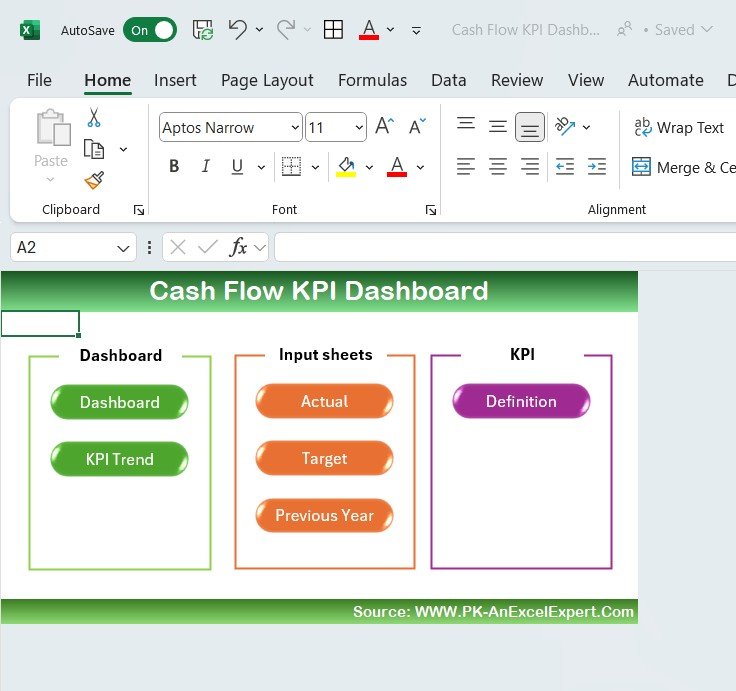
What it is: A complete Excel dashboard that turns raw cash movements into every headline cash flow KPI, with charts for net cash flow by department, transaction type and month.
Who it is for: Finance managers, controllers and business owners who want one authoritative file.
- Pre-built KPI tiles for total inflow, outflow and net cash flow
- Separate input sheets for actuals so the dashboard stays clean
- Definition tab documenting every KPI and formula
- Waterfall and trend charts that refresh automatically
Use cases: Monthly board packs, spotting a DSO creep from 38 to 52 days, or proving to a lender that operating cash flow covers debt. Price: $12.99. View the dashboard →
Best for: Teams that want the full cash flow KPI set without leaving Excel.
2. Cash Flow KPI Dashboard in Google Sheets
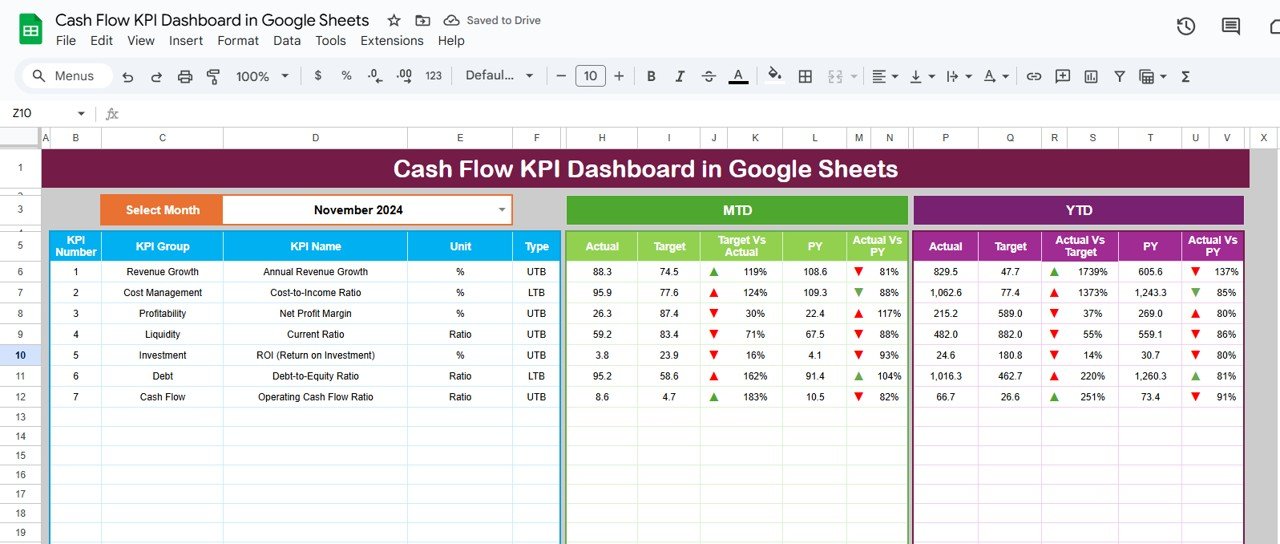
What it is: The same KPI framework as our number one, rebuilt natively for Google Sheets so multiple people can edit and comment live.
Who it is for: Distributed finance teams and startups that run on Google Workspace.
- Real-time collaboration and version history
- Cloud access from any device, no license needed
- Same KPI tiles and trend charts as the Excel edition
Use cases: A founder and an outsourced bookkeeper updating the same sheet, or a weekly cash call where everyone sees live numbers. Price: $9.99. View the dashboard →
Best for: Remote teams who value live collaboration over Excel power features.
3. Cash Flow Dashboard in Google Sheets — best value
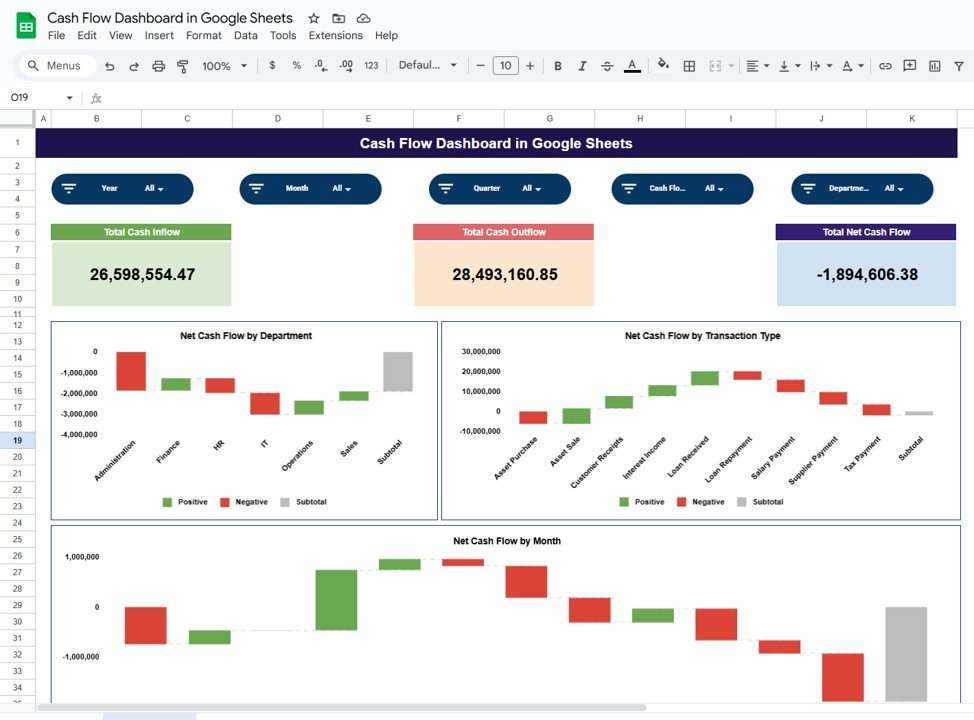
What it is: A streamlined cash flow dashboard covering the core inflow, outflow, net-cash and trend metrics at the lowest price in this guide.
Who it is for: Freelancers, solopreneurs and small businesses that need clarity, not complexity.
- Simple data entry with instant KPI updates
- Clean monthly cash flow visualisation
- Free to run in any Google account
Use cases: A consultant tracking net cash flow across projects, or a shop owner watching the monthly trend. Price: $6.99. View the dashboard →
Best for: The tightest budget that still wants a real dashboard.
4. Cash Flow Template in Excel
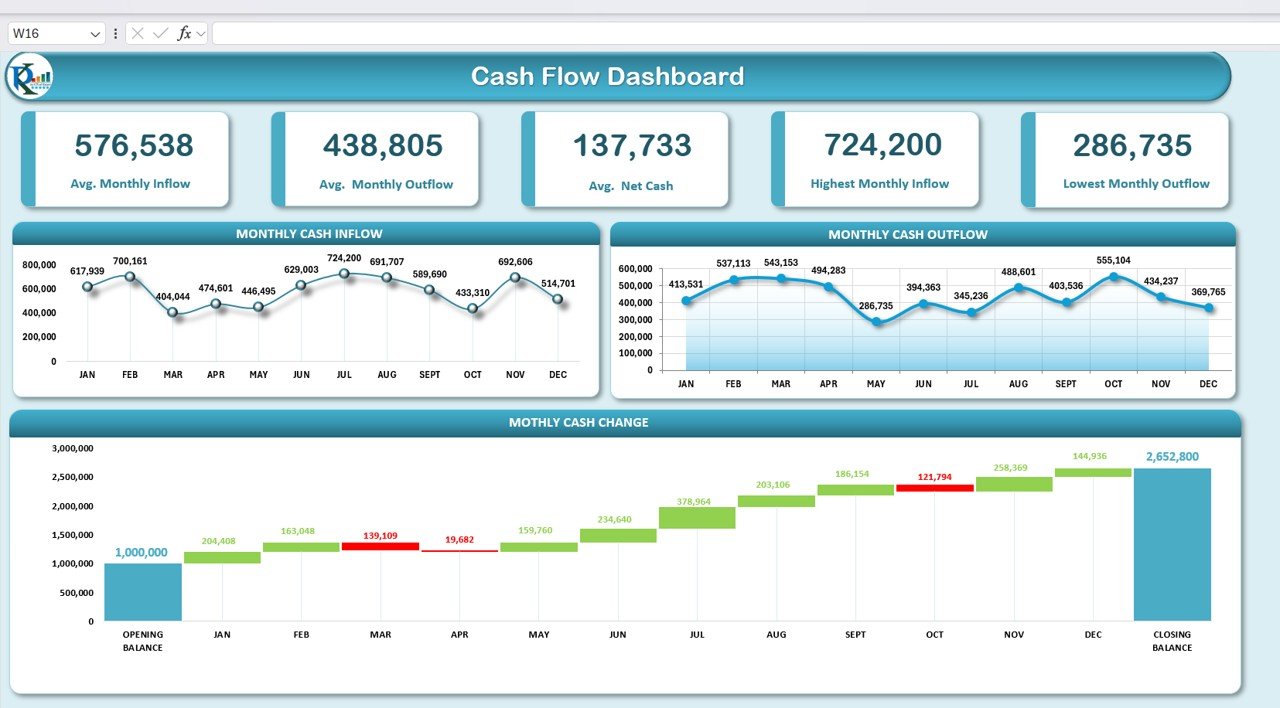
What it is: A focused monthly cash-in / cash-out template that produces a clean running cash position and net cash flow.
Who it is for: Owners who want a straightforward Excel cash tracker before graduating to a full KPI dashboard.
- Category-based inflow and outflow entry
- Automatic running balance and monthly totals
- Easy to extend with your own line items
Use cases: Twelve-month cash forecasting, or a simple actual-vs-plan cash view. Price: $6.99. View the template →
Best for: Basic monthly cash tracking in Excel.
5. Treasury Operations KPI Dashboard in Excel
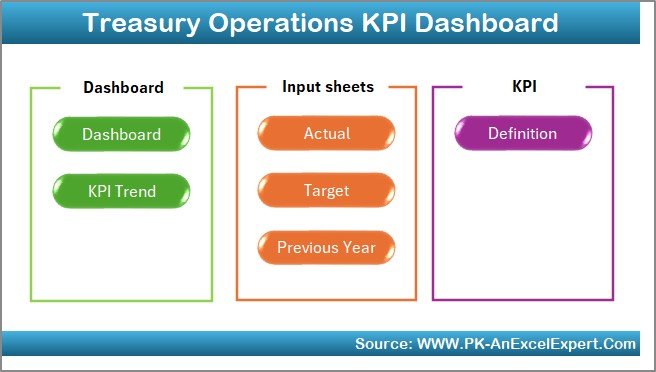
What it is: A treasury-grade dashboard for teams juggling multiple bank accounts, liquidity buffers and cash positions across entities.
Who it is for: Treasury analysts and finance teams in larger or multi-account businesses.
- Multi-account cash position consolidation
- Liquidity and coverage KPIs
- Operational treasury reporting views
Use cases: Daily cash positioning, or monitoring the cash flow coverage ratio across subsidiaries. Price: $14.99. View the dashboard →
Best for: Treasury operations with several accounts to consolidate.
6. Treasury Management KPI Dashboard in Excel
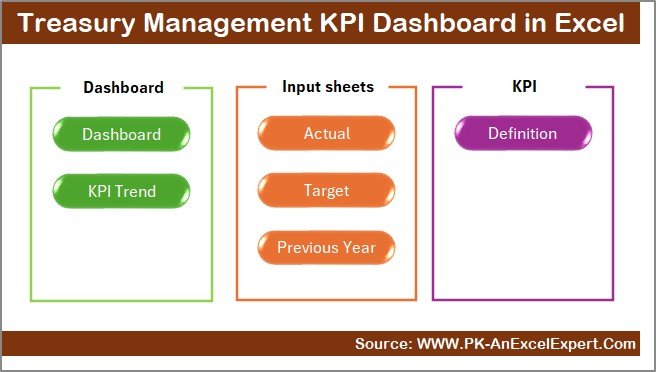
What it is: A management-level treasury dashboard focused on liquidity, debt and investment oversight rather than day-to-day operations.
Who it is for: Finance leaders who report cash and liquidity strategy upward.
- Liquidity ratios and debt coverage tracking
- Investment and reserve monitoring
- Executive-ready summary views
Use cases: Quarterly liquidity strategy reviews, or tracking coverage ratios against loan covenants. Price: $12.99. View the dashboard →
Best for: Strategic liquidity and debt oversight in Excel.
7. Treasury Operations KPI Dashboard in Power BI
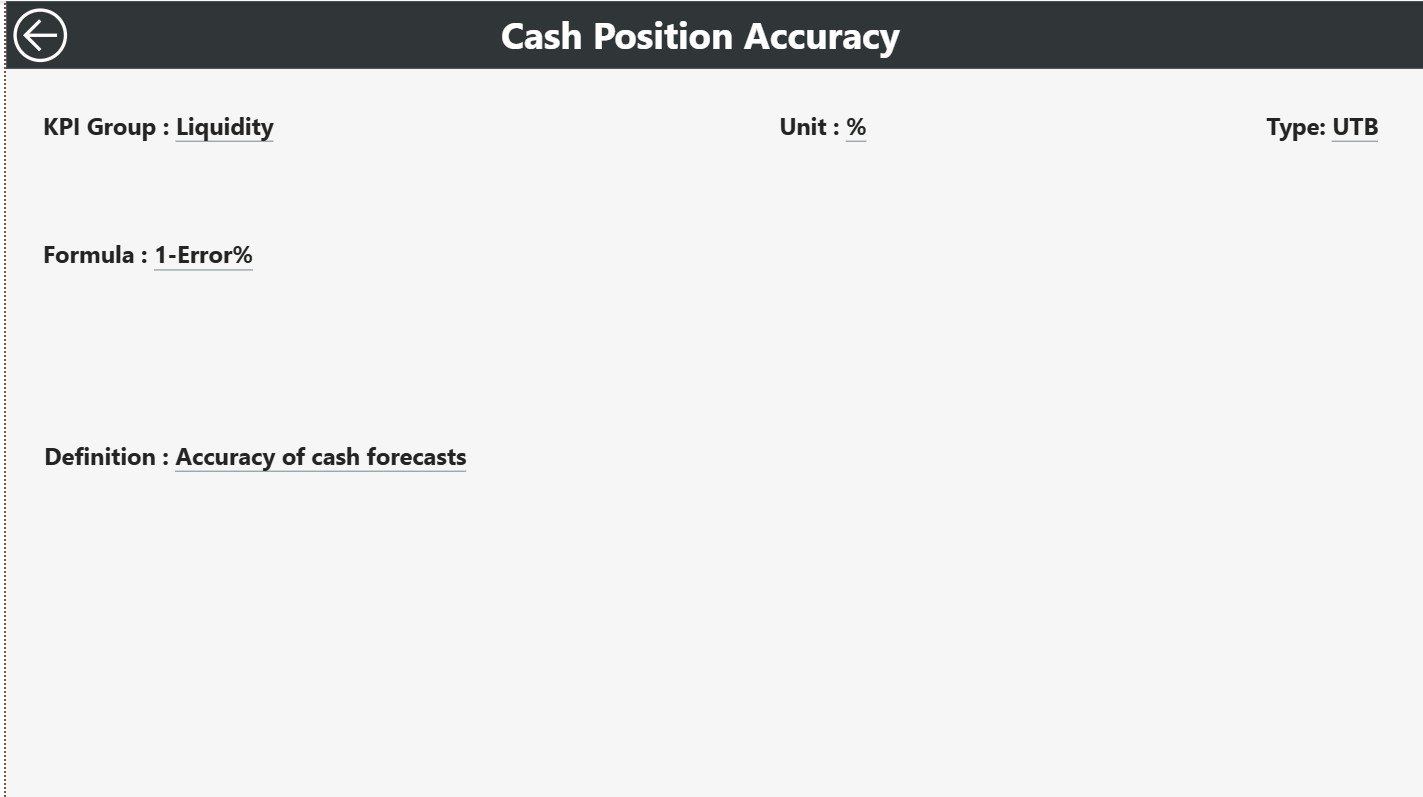
What it is: The treasury operations metrics rebuilt in Power BI for interactive, filterable reporting.
Who it is for: Teams already using Power BI who want drillable cash and liquidity visuals.
- Interactive slicers by account, entity and period
- Refreshable data model
- Rich, presentation-ready visuals
Use cases: A treasury team drilling from group cash down to a single account, or an automated daily refresh. Price: $11.99. View the dashboard →
Best for: Interactive treasury reporting in Power BI.
8. Treasury Management KPI Dashboard in Power BI
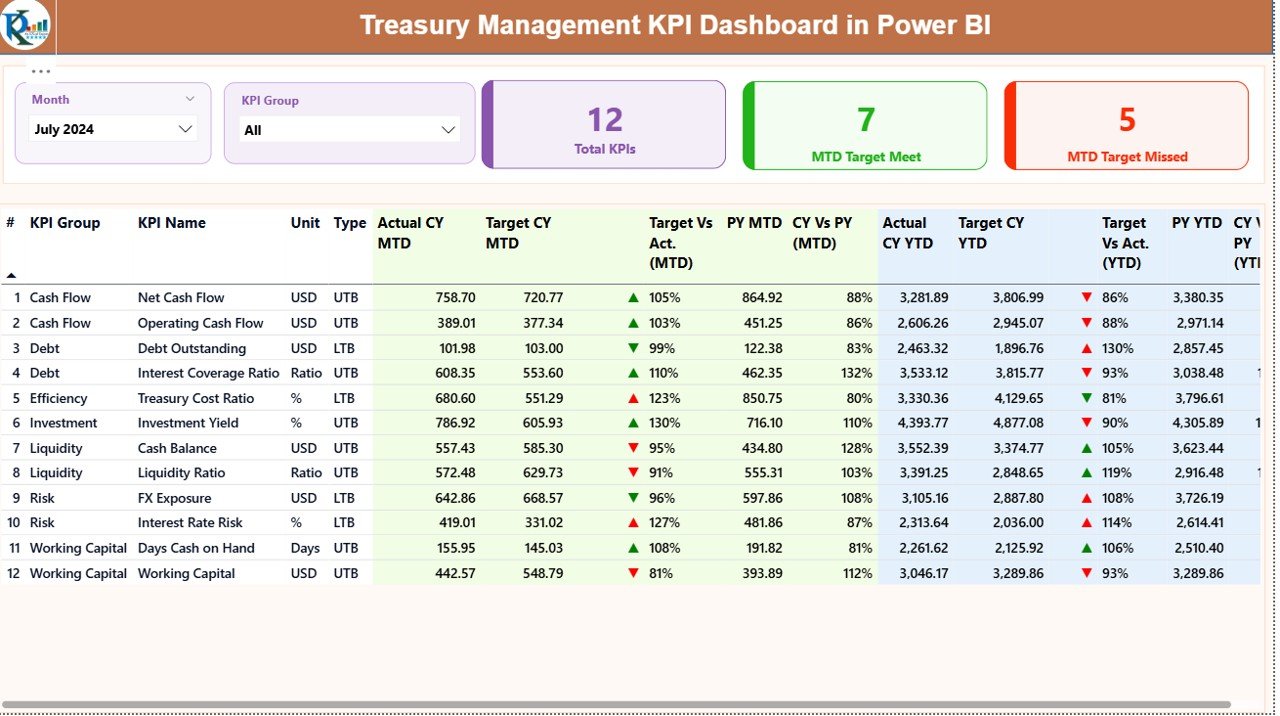
What it is: A board-level treasury management dashboard in Power BI covering liquidity, debt and investment KPIs.
Who it is for: CFOs and finance leaders presenting liquidity to boards and investors.
- Executive liquidity and coverage KPIs
- Interactive, filterable board visuals
- Scales to multi-entity groups
Use cases: Board liquidity reviews, or investor updates on cash runway and coverage. Price: $11.99. View the dashboard →
Best for: Board-level liquidity storytelling in Power BI.
How to choose between them
Use this quick decision tree:
- You live in Excel and want everything: Cash Flow KPI Dashboard in Excel ($12.99).
- Your team collaborates in the cloud: Cash Flow KPI Dashboard in Google Sheets ($9.99).
- You want the lowest price that still works: Cash Flow Dashboard in Google Sheets ($6.99).
- You only need simple monthly cash in/out: Cash Flow Template in Excel ($6.99).
- You manage multiple accounts or a treasury function: the Treasury Operations or Treasury Management dashboards in Excel or Power BI ($11.99–$14.99).
If you also track company-wide financial performance, pair any of these with our 15 finance KPIs to track in 2026 guide so cash sits alongside profitability and growth.
When a cash flow template is NOT the right answer
A spreadsheet dashboard is the right tool for most small and mid-sized businesses, but be honest about its limits. If you process thousands of transactions a day across many bank accounts and currencies, a dedicated treasury management system with live bank feeds will pay for itself — manual data entry becomes the bottleneck. If you need real-time, automated cash positioning tied directly to your ERP, buy software, not a template. And if you lack basic bookkeeping discipline, no dashboard can fix garbage inputs; fix the source data first. If you only need a plain statement of where cash came from and went, start with one of these free cash flow statement templates before you build a dashboard. Templates shine when your data is clean, your volume is manageable, and you want visibility without a subscription. For everything beyond that, treat these dashboards as the stepping stone that proves what you need before you invest in a full platform.
Frequently asked questions
What are the most important cash flow KPIs?
Operating cash flow and free cash flow are the two most important cash flow KPIs, because they show whether the core business generates cash and how much is left after essential investment. Add the cash conversion cycle to see how fast cash returns, and you have the backbone of cash flow management.
How do you calculate free cash flow?
Free cash flow equals operating cash flow minus capital expenditure. Take the cash your operations generated, then subtract what you spent on equipment, property and other long-term assets. Positive free cash flow is the cash truly available to repay debt, pay dividends or reinvest in growth.
What is a good cash conversion cycle?
A cash conversion cycle under 30 days is excellent and 30–60 days is typical for most businesses. A negative cycle, where you collect from customers before you pay suppliers, is elite and common among large retailers. Lower is better because your cash is tied up for less time.
What is the difference between profit and cash flow?
Profit is revenue minus expenses on the income statement, recorded when earned. Cash flow is the actual money moving in and out of your bank account. A business can be profitable on paper yet run out of cash if customers pay late or inventory absorbs the cash, which is why both must be tracked.
How often should I review cash flow KPIs?
Review headline KPIs such as net cash flow and cash runway weekly, and the fuller set including DSO, DPO, DIO and the cash conversion cycle monthly. Fast-growing or early-stage businesses should check cash runway even more frequently, since burn rate can change quickly month to month.
What is a healthy operating cash flow margin?
An operating cash flow margin of 10–20% or higher is generally strong, though it varies significantly by industry. Software and subscription businesses often run well above this, while distribution and retail run thinner. Compare your margin against your own history and against direct competitors rather than across sectors.
Can I track cash flow KPIs in Excel or Google Sheets?
Yes. Every KPI in this guide can be built with standard spreadsheet formulas, and ready-made templates like the Cash Flow KPI Dashboard in Excel ($12.99) or Google Sheets ($9.99) already wire them up. Spreadsheets are ideal until transaction volume and multi-currency complexity justify dedicated treasury software.
What is cash runway and how do I extend it?
Cash runway is how many months your current cash lasts at your net monthly burn: cash balance divided by average monthly net burn. Extend it by collecting receivables faster (lower DSO), negotiating longer supplier terms (higher DPO), cutting non-essential spend, or raising additional funding.
Which cash flow template is best for a small business?
For most small businesses the Cash Flow Dashboard in Google Sheets ($6.99) offers the best value, while the Cash Flow KPI Dashboard in Excel ($12.99) is best if you want the complete KPI set. Choose Google Sheets for live collaboration and Excel for power features and offline use.
Do these dashboards work with my accounting software?
These are template dashboards, not live integrations, so you export or paste data from your accounting system into the input sheets and the KPIs update automatically. That keeps them affordable and flexible. If you need automatic bank or ERP feeds, a dedicated treasury platform is the better fit.
Get more cash flow templates
Ready to see all ten cash flow KPIs from your own numbers? The Cash Flow KPI Dashboard in Excel ($12.99) and the budget-friendly Cash Flow Dashboard in Google Sheets ($6.99) are ready to download and use today. Managing treasury? Start with the Treasury Operations KPI Dashboard ($14.99).
Browse more finance dashboards with our 10 payroll KPIs, 15 sales KPIs and 12 customer service KPIs guides, and see them built step by step on our YouTube channel: youtube.com/@NextGenTemplates.